Website profiles · Technology insights · Alternatives

cal.com

A fully customizable scheduling software for individuals, businesses taking calls and developers building scheduling platforms where users meet users.

Paid content Multilingual
Visit website
Profile views 7 Outbound visits 1 Normal
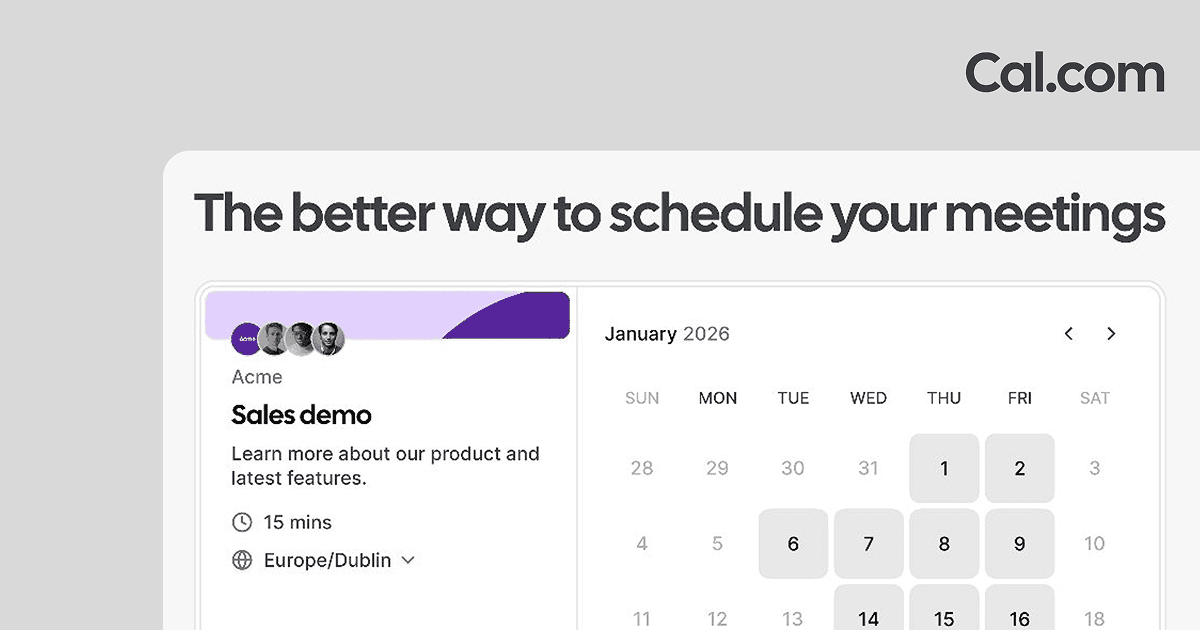
Cal.com Full homepage screenshot

At a glance

Category
Development
Language
English
Paid-content signal
Paid contentObserved
Registered
1997
Hosting
CloudflareInferred
HTTPS certificate trusted
PassedObserved
Last updated

Website review

This review may include AI-generated content and is not individually verified. Domain, certificate and other facts come from the observed data on this page.

What is Cal.com?

Cal.com is a customizable scheduling platform for booking meetings online. It serves three broad audiences: individuals who want a simple personal booking page, teams and organizations that need shared availability and more administrative control, and developers who want to build scheduling into their own products.

What you can do with it

  • Personal scheduling: Share a link so others can pick a time that works, instead of exchanging messages back and forth.
  • Team and organization scheduling: Coordinate availability across groups, with options aimed at larger teams that need more control and security.
  • Collective events: Schedule one meeting with multiple participants rather than juggling separate calendars.
  • Payments: Accept payment for bookings, useful for consultants, coaches or clinics.
  • Workflows and reminders: Automate confirmations, reminders and follow-up steps.
  • Out-of-office and time off: Block unavailable periods so bookers only see realistic slots.
  • Embedding: Put scheduling directly into your own website rather than sending people elsewhere.
  • Developer building blocks: A public API, OAuth integration, webhooks and React components let you add scheduling to an existing app or build a scheduling product on top of the platform.
  • Cal.ai: AI-powered calls for scheduling, positioned as an add-on to the core booking flow.

Who it fits best

Audience Why it fits Trade-off to weigh
Individual professional Fast setup of a shareable booking page May not need team or developer features
Sales, recruiting, support, healthcare, education teams Shared availability, routing and reminders at scale More configuration and admin overhead
Developer or product team API, OAuth, webhooks and embeddable components Requires engineering effort to integrate
Business wanting scheduling inside its own site Embed avoids sending visitors to a third-party page Customization work depends on your site setup

A concrete scenario: a small consultancy embeds a booking page on its site, offers 30- and 60-minute paid consultations, and uses reminders to cut no-shows. A developer at a SaaS company instead uses the API and webhooks to let customers book onboarding calls without leaving the product. The first case is mostly configuration; the second is a build project.

If you are evaluating it, start by listing your must-haves — payment collection, multi-person events, embedding, or API access — then check the pricing page at Cal.com to see which tier covers them, since plan limits are the usual deciding factor.

How does Cal.com compare to Calendly?

Cal.com and Calendly solve the same core problem — letting people book time on your calendar without back-and-forth emails — but they differ in how much control and customization they hand you. Cal.com positions itself as "a fully customizable scheduling software" for individuals, teams, and developers, and its page emphasizes developer-facing tools like an API, React scheduling components, OAuth, webhooks and embeds. Calendly is the more established, opinionated option: it tends to be quicker to set up and is widely recognized by people receiving your booking link. The practical trade-off is speed and familiarity (Calendly) versus flexibility and self-hostable, developer-oriented control (Cal.com).

H3 Where each tends to fit

  • Individuals and simple client booking: Both work well. A freelancer who just needs a shareable link with 15/30/60-minute slots and a connected calendar can pick either.
  • Teams and organizations: Cal.com's page lists dedicated tiers for teams, organizations and enterprises, plus collective events for multi-participant scheduling. Calendly also offers team features, so compare seat management and routing needs directly.
  • Developers and product builders: This is Cal.com's clearest differentiator. Its page highlights a public API, React "atoms" for embedding scheduling in an app, OAuth client setup and webhooks — useful if scheduling is a feature inside your own product rather than a standalone tool.
  • Sales, recruiting, support, healthcare: Cal.com lists these as use cases, but the deciding factor is usually integrations and compliance requirements, not the booking page itself.

H3 How to decide

  1. List your must-haves: round-robin routing, payment collection, buffer times, time-zone handling, embed style.
  2. Check integrations against the tools you already run (video, CRM, calendar, payments).
  3. If you need scheduling inside your own app or want to self-host, lean Cal.com; if you want the fastest path and maximum familiarity for invitees, lean Calendly.
  4. Test one real booking flow end to end before committing.

A useful next step: open Cal.com and create a single event type, then send yourself the booking link and complete it on your phone. That one test reveals more about fit than any feature list.

For reference, Calendly's official site is Calendly.

Can I use Cal.com for free?

Yes. Cal.com offers a free entry point: its own signup page states “No credit card required,” and the product is positioned as a fully customizable scheduling app for individuals, teams, organizations and enterprises. So you can create an account, set your availability and share a booking link without paying upfront.

What the free tier realistically covers, based on the page evidence:

  • Personal scheduling — the “For Individuals” use case is described as personal scheduling made simple, which is the core free scenario.
  • Meeting length options — the sample booking page shows 15m, 30m, 45m and 1h slots, plus a built-in video option (“Cal Video”) and time-zone handling.
  • Team and organization features — these are listed as separate tiers with “more control & security,” which suggests collaboration, admin and compliance features sit above the free plan.
  • Add-ons — Payments, Workflows, Webhooks, Embed, App Store integrations and Cal.ai are all listed as distinct capabilities; some may require a paid plan, so verify each one before you rely on it.

A practical test: sign up, connect one calendar, create a single 30-minute event type, and book it yourself from a private browser window. That tells you within minutes whether the free version handles your real workflow.

If you need multiple team members sharing round-robin availability, SSO-style controls or payment collection, check the pricing page before committing. As general advice, free scheduling tools usually limit seats, connected calendars, custom branding or automation — so map those limits to your use case rather than assuming “free” means everything is included.

How do I integrate Cal.com with my website or app?

Cal.com offers several ways to embed scheduling into a website or app, and the right one depends on whether you want a simple booking page, a native-feeling widget, or a deeper API-driven integration.

Common integration paths

  • Embed Cal.com into your website: The most direct route for most sites. Place a booking calendar inside a page so visitors can pick a time without leaving your site. Good for consultants, agencies, clinics, and service businesses that want fewer clicks between landing and booking.
  • Scheduling Components (React atoms): If you are building a React app, you can add scheduling UI using Cal.com's components rather than sending users to an external page. Best when booking is part of your product's core flow.
  • Public API: Build your own integrations or sync scheduling data with your own systems. Suited to developers who need custom logic, internal tools, or connections to a CRM or backend.
  • OAuth client: Lets an app connect to Cal.com on a user's behalf. Useful for platforms where your users bring their own Cal.com accounts.
  • App Store integrations: Connect Cal.com to tools you already use, such as video conferencing or automation platforms, without writing code.

Which should you choose?

Your situation Likely best fit
You just want a booking calendar on a marketing site Embed
You are building a React product with in-app booking Scheduling Components
You need custom data flows or a bespoke integration Public API
Your users connect their own Cal.com accounts OAuth client
You want no-code connections to existing tools App Store integrations

A practical next step

Start with the Embed option if you have a standard website — it is usually the fastest way to accept bookings. If you are a developer, review the Documentation and API pages first, since they define what you can build and what you will need to maintain. For teams choosing between embedding and building, the deciding factor is usually whether booking needs to feel native to your product or can live as a standalone step.

Cal.com also lists features like Workflows, Payments, and Collective Events, which may affect your choice: if you need automated reminders or paid bookings, confirm those work with your chosen integration method before committing.

What features does Cal.com offer for teams and enterprises?

Cal.com positions itself as an all-purpose scheduling app, with separate tracks for individuals, teams, organizations, and enterprises. For groups, the emphasis is on collaborative scheduling, while larger organizations get "more control & security" and enterprises get a dedicated tier. The page lists tools that matter most once more than one person shares a calendar: Collective Events for booking sessions with multiple participants, Dynamic Group Links for routing a meeting to several people, and Workflows for automating scheduling and reminders. Rounding it out are Out of Office, Payments for paid bookings, Webhooks, and integrations through the App Store. Cal.ai adds AI-powered calls to the scheduling flow.

For developers and platform builders, Cal.com also exposes a public API, React scheduling components ("react atoms"), and OAuth client integration.

Teams vs. enterprises at a glance

Need Team-level signals Enterprise-level signals
Shared booking Collective Events, Dynamic Group Links Same, with more administrative control
Automation Workflows, Webhooks Workflows, Webhooks
Security/control Limited to team features Explicitly emphasized
Extending the product App Store integrations API, React components, OAuth

The practical trade-off: teams get collaboration features quickly, but if you need granular permissions, compliance, or custom embedding, the organization and enterprise paths (or the developer tooling) are where those live.

A concrete next step: if you are evaluating this for a 10–50 person sales or recruiting team, start by testing Collective Events and Dynamic Group Links against your real routing rules, since those determine whether round-robin or multi-host booking works without manual coordination. If you are a developer adding scheduling to your own product, the API and React components are the relevant starting points rather than the team features.

How do I set up Cal.com to accept payments for bookings?

Cal.com supports paid bookings through its Payments feature, which lets you accept payment as part of the booking flow. You connect a payment provider, then attach payment collection to the specific event types you want to charge for.

The general setup flow

  1. Connect a payment account. In your Cal.com settings, go to the Payments section and link a supported payment provider. This authorizes Cal.com to collect money on your behalf for paid bookings.
  2. Open the event type you want to charge for. Payments are configured per event type, not globally, so you can keep free events free while charging for paid ones.
  3. Enable payments on that event. Turn on the payment option and set the price and currency.
  4. Decide when payment happens. Typically you choose between requiring payment at the time of booking (to secure the slot) or allowing payment later, depending on the provider and settings.
  5. Test it. Book your own event type end-to-end to confirm the payment step appears, the amount is correct, and the booking is confirmed only after payment succeeds.

What to watch for

  • Payment provider availability varies by country. The provider you already use for your business may not be supported, so check this before building your workflow around it.
  • Refund and cancellation policy matters more with paid bookings. If someone pays and then cancels, you need a clear rule for refunds; otherwise you'll be handling disputes manually.
  • Per-event pricing gives you flexibility. You can run a free intro call and a paid consultation side by side using the same calendar.

Cal.com's own Payments page and help docs describe the exact providers and settings available: Cal.com.

A concrete scenario

A freelance consultant wants a free 15-minute intro call and a paid 60-minute strategy session. They connect a payment provider once, leave the intro call free, and enable payment on the 60-minute event. When a client books the strategy session, they pay during booking, and the consultant sees a confirmed, paid appointment on their calendar without sending a separate invoice.

A useful next step

Before configuring anything, decide two things: which payment provider you can actually use in your region, and whether you want payment required to book or collected afterward. Those two choices determine most of your setup. Then create one test event type and run a real low-value booking through it to confirm the whole chain works.

Related questions

More questions →
How Developers Can Integrate Cal.com into Their Own Apps or Websites

Cal.com offers four developer-facing integration paths, each suited to a different level of control: a public API for building custom integrations, React scheduling components ("atoms") for embedding scheduling UI directly into a React app, OAuth clients for connecting your product to a user's Cal.com account, and a plain embed option for dropping Cal.com into an existing website. Which one you pick depends on whether you want to own the scheduling UI, just the data flow, or neither.

The four integration options at a glance

Approach What you get Best for
Public API Programmatic access to build your own integrations Backend sync, custom workflows, non-React frontends
Scheduling Components (React atoms) React components that add scheduling to your app React apps that want native-feeling booking UI
OAuth Client A way to integrate Cal.com using OAuth Products acting on behalf of a Cal.com user
Embed Cal.com embedded into your website Marketing sites and simple booking pages

All four are documented under the Developer section of cal.com, alongside the API reference and component docs.

Building with the public API

The API is the most flexible option and the right starting point if your frontend isn't React, or if you need scheduling data to flow into your own system rather than render Cal.com's UI.

The general shape of the work:

  1. Read the API documentation at the Developer → Documentation entry on cal.com to see the available endpoints and authentication requirements.
  2. Authenticate your requests using the method the docs specify for your use case — note that OAuth is a separate, documented path (see below) if you're acting on behalf of other users.
  3. Call the endpoints you need and handle responses in your own application logic.

Expected result: your application can create, read, or react to scheduling data without the user ever seeing a Cal.com interface. The specific endpoint list and auth details live in the docs, so treat those pages as the source of truth rather than guessing at paths.

Embedding scheduling UI with React atoms

If you're building a React app and want booking to feel like part of your product, Cal.com's scheduling components are the intended route. The site describes them as "react atoms" you use to add scheduling to your app — the idea being that you compose small scheduling primitives rather than iframing a whole booking page.

Use this when:

  • Your app is already React.
  • You want control over layout and styling around the scheduling step.
  • You'd rather not maintain your own calendar and availability logic.

If your app isn't React, skip to the API or embed options instead — the atoms are React-specific by description.

Integrating via OAuth

OAuth is the option to reach for when your product needs to act on a Cal.com user's behalf — for example, a tool that reads their availability or creates bookings in their account after they grant permission.

The documented flow is "Create OAuth Client," which implies you register a client with Cal.com and then integrate using OAuth. Practically, that means:

  1. Register your OAuth client through the developer resources on cal.com.
  2. Implement the standard OAuth authorization flow in your app.
  3. Use the granted access to call Cal.com on the user's behalf.

This is the right choice for multi-user products where each customer connects their own Cal.com account. It is not needed if you're only embedding a booking page for yourself.

Embedding Cal.com into a website

The simplest path: Cal.com provides an Embed resource specifically for putting Cal.com into your website. This suits marketing sites, landing pages, and any case where you just want visitors to book without building custom UI.

Choose embed over the API when you don't need the booking data inside your own application — you just need the booking to happen. Choose the API or atoms when the scheduling step has to be wired into your product's own state and logic.

How to decide

  • Non-React app, need data in your system → Public API.
  • React app, want native booking UI → Scheduling components (React atoms).
  • Multi-user product acting on behalf of Cal.com accounts → OAuth client.
  • Just need a booking form on a site → Embed.

These aren't mutually exclusive — a product could embed a booking page for end users while using the API server-side to sync confirmed meetings.

Common sticking points

  • Confusing OAuth with API keys. OAuth is for acting on behalf of other users; if you only need your own account's data, you likely don't need the OAuth client flow.
  • Reaching for atoms in a non-React codebase. The components are React-based; other stacks should use the API or embed.
  • Assuming embed gives you the data. Embedding puts the booking UI on your page, but pulling that booking into your own database is an API concern.
  • Skipping the docs. Endpoint names, scopes, and component props change; the Developer → Documentation and Scheduling Components pages on cal.com are the authoritative references.

Start with the docs page that matches your stack, confirm the authentication model before writing integration code, and pick the lightest option that still gets scheduling data where you need it.

What Is Cal.ai and How Does It Fit Into Cal.com Scheduling?

Cal.ai is Cal.com's AI-powered scheduling feature, described on the Cal.com site as "supercharged scheduling with AI-powered calls." It sits alongside the core Cal.com scheduling app rather than replacing it: you still use Cal.com to define your availability and event types, and Cal.ai adds an AI layer that handles calls as part of the booking flow. The homepage presents it as something you can try immediately ("Try Cal.ai now!"), so the practical way to evaluate it is to treat it as an add-on to an existing Cal.com setup.

Where Cal.ai sits in the Cal.com product

Cal.com's own description of itself is "a fully customizable scheduling software for individuals, businesses taking calls and developers building scheduling platforms where users meet users." The homepage groups its offerings into a few buckets:

Area What the site lists
Core scheduling Personal scheduling, team scheduling, organization and enterprise scheduling
Use cases Recruiting, sales, HR, education, support, healthcare, telehealth, marketing
AI Cal.ai, presented as "supercharged scheduling with AI-powered calls"
Developer tools Public API, React atoms ("scheduling components"), OAuth client integration
Extras Embed, payments, workflows, webhooks, collective events, instant meetings, dynamic group links, out-of-office

Cal.ai appears in the same navigation list as Payments, Workflows, and Webhooks — that is, as one capability within the platform, not a separate product with its own signup. The homepage also shows a standard booking card (a "Partnerships Meeting" with 15m/30m/45m/1h options, Cal Video, and a Europe/Amsterdam timezone calendar), which is the ordinary Cal.com booking experience that Cal.ai is meant to enhance.

What "AI-powered calls" implies for scheduling

The phrase "AI-powered calls" is the only functional detail the source material gives. Read literally, it points to voice or call handling being part of the scheduling process — for example, an AI agent that talks to a caller and lands the meeting on a calendar. The site does not specify:

  • which languages or regions the calls support
  • whether the AI joins an existing meeting or places outbound calls
  • how it connects to specific event types
  • what happens when the AI can't resolve a request

Because those details aren't in the page evidence, don't assume them. If you need them, check the Cal.ai page and the help docs linked from the site before committing a workflow to it.

Who it's aimed at

The site's audience framing is broad — individuals, teams, organizations, and enterprises — plus developers building scheduling into their own products. Cal.ai is most plausibly relevant if your bottleneck is the conversation before the booking (qualifying a lead, answering routine questions, routing to the right person) rather than the calendar mechanics themselves. If your bookings already happen through a link with no human conversation, Cal.ai may add little.

How to evaluate it in practice

  1. Start from a working Cal.com setup. Define at least one event type with duration options and a connected calendar, since Cal.ai is described as enhancing scheduling rather than standing alone.
  2. Open the Cal.ai entry point from the Cal.com navigation and see what it asks you to configure.
  3. Check the help docs for setup steps and limitations before wiring it into a customer-facing flow.
  4. Test with a low-stakes event type — for example, an internal "intro call" — so a misrouted or mishandled call doesn't affect real prospects.
  5. Verify the outcome in your calendar, not just in the Cal.ai interface, to confirm the booking landed where you expect.

Practical caveats

  • The homepage says "No credit card required" for signing up, but that statement is attached to the general signup, not specifically to Cal.ai. Pricing for Cal.ai isn't stated in the source material — check the pricing page rather than assuming it's included.
  • "Try Cal.ai now!" is a call to action, not a description of scope. Treat the feature list as unverified until you read the dedicated page.
  • If you're a developer, note that the documented integration paths on the homepage are the public API, React scheduling components, and OAuth — Cal.ai isn't listed as a developer integration surface there.

Bottom line: Cal.ai is Cal.com's AI layer for the calling side of scheduling, offered within the same platform as its booking, payments, and workflow tools. It's worth a look if pre-booking conversations are your constraint; confirm the specifics on the Cal.ai and pricing pages before you build a process around it.

What is Cal.com and what does it do?

Cal.com is a customizable scheduling platform that lets other people book time with you through a link, an embed, or an app, instead of going back and forth over email. It is built for three broad audiences: individuals who want simple personal scheduling, teams and organizations that need collaborative or controlled scheduling, and developers who want to add scheduling into their own products. You can start with Google or email sign-up, and the site states no credit card is required to get started.

What problem it solves

The core job is turning "when are you free?" into a bookable page. You define the event, the available durations, and your availability; the other person picks a slot. The homepage example shows this directly: a "Partnerships Meeting" event with 15m, 30m, 45m, and 1h options, a Cal Video conferencing location, and a calendar rendered in a specific time zone (Europe/Amsterdam). That combination — event type, duration choices, conferencing, and time-zone-aware calendar — is the basic unit of the product.

Who it is for

Cal.com organizes its offering by team size and by use case, which is a useful way to decide whether it fits you.

Audience What Cal.com offers
Individuals Personal scheduling made simple
Teams Collaborative scheduling for groups
Organizations More control and security for larger teams
Enterprises Enterprise-level scheduling solutions
Developers Documentation, public API, React components, OAuth client

Use-case pages listed on the site include Recruiting, Sales, HR, Education, Support, Healthcare, Telehealth, and Marketing. If your scheduling need resembles one of those, that page is the fastest way to judge fit.

Main capabilities

  • Bookable event links — share a link so others can pick a time, with configurable durations.
  • Collective events — schedule events with multiple participants.
  • Dynamic group links — book meetings with multiple people.
  • Instant meetings — meet with clients in minutes.
  • Out of office — schedule time off.
  • Payments — accept payments for bookings.
  • Workflows — automate scheduling and reminders.
  • Webhooks — get notified when something happens.
  • Embed — put Cal.com into your website.
  • App Store — integrate with other apps.
  • Cal.ai — described as "supercharged scheduling with AI-powered calls."

For developers

Cal.com exposes several building blocks rather than only an end-user app:

  • Documentation for the platform.
  • Public API to build your own integrations.
  • Scheduling components — React atoms to add scheduling to your app.
  • OAuth client to integrate Cal.com using OAuth.

This matters if you are building a product where users meet users and want scheduling inside it rather than sending people to a separate site.

How to decide

Choose Cal.com if you want a scheduling layer you can customize and, if needed, embed or build on through an API. It fits individuals who just need a booking link, teams that need shared or multi-participant scheduling, and developers who want scheduling as a component. If you only need a single static booking page with no integration or customization, the extra developer surface is optional rather than required — you can use the individual scheduling path.

Pricing and plan limits are not covered in the material here; check the Pricing page for current terms before committing.

What scheduling features does Cal.com offer?

Cal.com is a customizable scheduling app for individuals, teams, organizations, and enterprises, and it also exposes developer tools for building scheduling into other products. Its core feature set covers booking pages with selectable meeting lengths, collective and group scheduling, instant meetings, payments, automated workflows and reminders, out-of-office time, and webhooks. The features below are the ones named on Cal.com's own site; exact plan availability and limits are not specified there, so check the pricing page before assuming a feature is included in your tier.

Booking pages and meeting lengths

The homepage shows a live booking example: a "Partnerships Meeting" with selectable durations of 15m, 30m, 45m, and 1h, a video location (Cal Video), and a timezone (Europe/Amsterdam) displayed alongside a monthly calendar.

That illustrates the basic unit of Cal.com: a bookable event type where the host defines duration options, the conferencing location, and availability, and the guest picks a slot. The site describes this as "personal scheduling made simple" for individuals and "collaborative scheduling for groups" for teams.

Scheduling formats beyond one-to-one

Cal.com lists several distinct ways to structure a meeting:

Feature What it does
Collective Events Schedule events with multiple participants
Dynamic Group Links Seamlessly book meetings with multiple people
Instant Meetings Meet with clients in minutes
Out Of Office Schedule time off with ease

The distinction matters when choosing: collective events suit panels or interviews where several hosts must all attend, while dynamic group links route a booker to an available member of a group rather than requiring one specific person.

Payments, workflows, and notifications

  • Payments — accept payments for bookings, so a paid consultation can be collected as part of the booking flow rather than invoiced separately.
  • Workflows — automate scheduling and reminders, which is the mechanism for confirmation emails, follow-ups, and reducing no-shows.
  • Webhooks — get notified when something happens, useful for triggering actions in your own systems when a booking is created or changed.

Embedding and integrations

Cal.com can be embedded into your website, and the site points to an App Store for integrating with other apps. For teams already running a CRM or calendar stack, the embed plus app integrations are the practical path to avoiding double-entry.

Developer and AI options

For developers, Cal.com documents:

  • Public API — build your own integrations
  • Scheduling Components — React atoms to add scheduling to your app
  • OAuth client — integrate Cal.com using OAuth
  • Cal.ai — described as "supercharged scheduling with AI-powered calls"

If you are building scheduling into a product rather than just booking your own meetings, these are the relevant entry points; the API and component docs are the place to confirm current capabilities.

Choosing based on your situation

  • Solo professional — a booking page with a few duration options and reminders covers most needs.
  • Team or organization — look at collective events, dynamic group links, and the team/organization tiers, which the site frames around collaboration and, at the organization level, more control and security.
  • Enterprise — the site advertises enterprise-level scheduling solutions, but the specific controls are not detailed on the homepage.
  • Developer — start with the API, React components, or OAuth depending on whether you are integrating, embedding, or building a full scheduling surface.

Sign-up is offered via Google or email, and the homepage states no credit card is required to get started. Pricing, per-seat limits, and which features sit behind paid tiers are not covered in the material here — check cal.com/pricing for that.

Who is Cal.com designed for?

Cal.com is designed for four broad groups: individuals who need simple personal scheduling, teams that coordinate availability across people, organizations and enterprises that need more control and security, and developers who want to build scheduling into their own products. The right fit depends on which of those describes you — the same platform serves all four, but the features you rely on differ.

Individuals: personal scheduling made simple

If you're a freelancer, consultant, or anyone who books one-to-one meetings, Cal.com's individual use case is "personal scheduling made simple." You publish your availability, share a link, and let people pick a slot instead of trading messages.

The homepage example shows what this looks like in practice: a "Partnerships Meeting" event with selectable durations of 15m, 30m, 45m, or 1h, a Cal Video location, and a timezone (Europe/Amsterdam) with a monthly calendar. That single event page replaces the back-and-forth of proposing times.

You're likely a good fit if:

  • You book meetings with people outside your organization.
  • You want bookers to choose from your real availability.
  • You don't need shared team calendars or admin controls.

Teams: collaborative scheduling for groups

For teams, Cal.com positions itself as "collaborative scheduling for groups." The relevant capability here is Collective Events — "schedule events with multiple participants." Instead of one person's calendar, the booking logic accounts for several people's availability.

This matters when a meeting requires more than one person from your side, such as a sales call with an account executive and a solutions engineer, or a panel-style session. The team use case is about coordinating availability rather than just publishing one calendar.

Organizations and enterprises: more control and security

Cal.com separates these two tiers explicitly:

Tier What it's for
Organizations "Larger teams scheduling for more control & security"
Enterprises "Enterprise-level scheduling solutions"

Both are aimed at scale, but the organization tier is framed around larger teams needing more control and security, while the enterprise tier is a distinct offering for enterprise-level requirements. If you're evaluating for a large company, the enterprise page is the relevant starting point rather than the individual or team descriptions.

Developers: building scheduling into your own product

Cal.com is also a platform, not just an app. The developer resources listed on the site include:

  • Documentation — "documentation for the Cal.com platform."
  • API — "build your own integrations with our public API."
  • Scheduling Components — "use our react atoms to add scheduling to your app."
  • OAuth — "integrate Cal.com using OAuth."
  • Webhooks — "get notified when something happens."

The site's own framing is that Cal.com serves "developers building scheduling platforms where users meet users." So if your goal is to embed scheduling inside your own product rather than just book your own meetings, this is the intended path.

Use cases that cut across all four groups

Cal.com lists use cases that apply regardless of which group you fall into: Recruiting, Sales, HR, Education, Support, Healthcare, Telehealth, and Marketing. Alongside these are feature-level tools such as:

  • Embed — put Cal.com into your website.
  • Out of Office — schedule time off.
  • Payments — accept payments for bookings.
  • Workflows — automate scheduling and reminders.
  • Instant Meetings — meet with clients in minutes.
  • Dynamic Group Links — book meetings with multiple people.

If your need maps to one of these use cases, that's a stronger signal than the individual/team/organization/enterprise label alone.

How to decide

Ask one question first: are you booking your own meetings, coordinating other people's, running scheduling at organizational scale, or building scheduling into software?

  • Your own meetings → individual scheduling.
  • Multiple participants on your side → team / Collective Events.
  • Control and security at scale → Organizations or Enterprise.
  • Scheduling inside your product → API, OAuth, and Scheduling Components.

One practical note: the signup options shown are "Sign up with Google" and "Sign up with email," with "No credit card required" stated for getting started. Pricing details are not covered in the material here — check the pricing page directly before committing to a tier.

Website Overview

An established domain and managed infrastructure suggest continuity of operations and may support dependable delivery, although neither guarantees service quality. Page metadata, canonical configuration and social previews work together to provide more consistent search and sharing presentation.

Domain and Registration

Registered in 1997, this domain has about 29 years of history. That suggests continuity, although ownership and purpose may have changed. Transfer-protection status is present, helping reduce the risk of unauthorized domain transfers. The registrar is GoDaddy.com, LLC, a widely used domain service provider. The domain uses the common .com extension, which is not an independent safety signal.

DNS and Email

Nameservers are provided by Cloudflare, indicating managed DNS hosting. MX records point to the Google Workspace email service. CAA records restrict which certificate authorities are authorized to issue certificates. No CNAME was found; the observed records resolve directly to addresses. SPF and DMARC are configured. DKIM status is unknown.

TLS and Certificates

The public key uses EC with 256 bits. The server supplied a complete certificate chain. No organization name is present in the certificate; the available fields are consistent with domain validation. The certificate was issued within the Google Trust Services cloud or CDN ecosystem. The certificate's total validity is about 90 days, consistent with a short renewal cycle.

HTTP and Browser Security

The response lacks these common security headers: CSP, Referrer-Policy, Permissions-Policy, clickjacking protection. No X-Powered-By header was found, reducing one common source of backend fingerprinting information. The cf-ray response header indicates a CDN or caching proxy in the delivery path. No obvious internal addresses or debug information were found in the headers. The Server header identifies cloudflare without an exact version.

Technology Stack Analysis

The public page identifies Cloudflare without precise versions, leaving fewer clues for version-specific scanning.

Search and Social Sharing

The Generator tag identifies Framer fab7145, making the publishing system easier to fingerprint. Twitter Card metadata is configured. The page declares 8 language or regional alternatives using hreflang. The title has 49 characters, within a common display range. A meta description is present, with 150 characters.

Hosting and Email

DNSCloudflare
HostingCloudflare
EmailGoogle Workspace
Approximate IP geolocation (inferred; a CDN or proxy may differ from the origin server) United States flagUnited States Inferred 2606:4700::6812:13e

Registration details

RDAP / WHOIS

RegistrarGoDaddy.com, LLC
Registered1997-05-16
Expires2034-05-17
Domain statusclient delete prohibited、client renew prohibited、client transfer prohibited、client update prohibited
Nameserverscarter.ns.cloudflare.com、linda.ns.cloudflare.com
DNSSECunsigned

DNS records

DNS

TypeNameValueTTLPriority
Acal.com104.18.0.62251—
Acal.com104.18.1.62251—
AAAAcal.com2606:4700::6812:13e300—
AAAAcal.com2606:4700::6812:3e300—
MXcal.comaspmx.l.google.com3001
MXcal.comalt1.aspmx.l.google.com3005
MXcal.comalt2.aspmx.l.google.com3005
MXcal.comalt3.aspmx.l.google.com30010
MXcal.comalt4.aspmx.l.google.com30010
NScal.comcarter.ns.cloudflare.com86400—
NScal.comlinda.ns.cloudflare.com86400—
TXTcal.comMS=ms14963960300—
TXTcal.comMS=ms52513678300—
TXTcal.comMS=ms56097149300—
TXTcal.comMS=ms98316148300—
TXTcal.comWP41PVdUGcSPtY_ZzVehPm73J0E300—
TXTcal.comapple-domain-verification=BWqXqkqcByIoJVFD300—
TXTcal.comasv=4a2ed4b7d84c58fa042be983b359aea7300—
TXTcal.comcloudflare_dashboard_sso=fe7359c438ef1489671b4153ae275615300—
TXTcal.comgoogle-site-verification=ERZRBFsAZod6YY2WsYOsXCN2QTXsLAkqPluhPAWZORY300—
TXTcal.comgoogle-site-verification=y4NVaLzvuBemkMk20Hqr6xu6iHa-UFDrbJg0pgPtG_Y300—
TXTcal.comhubspot-developer-verification=MTUwNGIzOWYtYmYwMS00Y2IyLTg5YmEtNzEyZTU3NjczMGVj300—
TXTcal.comopenai-domain-verification=dv-2vLkO8g4fGLTXFv0O86S4VGh300—
TXTcal.comv=spf1 include:_spf.google.com include:sendgrid.net -all300—
CAAcal.com0 iodef "mailto:[email protected]"300—
CAAcal.com0 issue "amazon.com"300—
CAAcal.com0 issue "comodoca.com"300—
CAAcal.com0 issue "digicert.com; cansignhttpexchanges=yes"300—
CAAcal.com0 issue "letsencrypt.org"300—
CAAcal.com0 issue "pki.goog; cansignhttpexchanges=yes"300—
CAAcal.com0 issue "sectigo.com"300—
CAAcal.com0 issue "ssl.com"300—
CAAcal.com0 issue "www.digicert.com"300—
CAAcal.com0 issuewild "comodoca.com"300—
CAAcal.com0 issuewild "digicert.com; cansignhttpexchanges=yes"300—
CAAcal.com0 issuewild "letsencrypt.org"300—
CAAcal.com0 issuewild "pki.goog; cansignhttpexchanges=yes"300—
CAAcal.com0 issuewild "ssl.com"300—
DMARC_dmarc.cal.comv=DMARC1; p=quarantine; rua=mailto:[email protected]; ruf=mailto:[email protected]; fo=1300—

TLS and certificates

TLS / SSL

AssessmentNormal configuration
Supported protocolsTLSv1.2、TLSv1.3
Negotiated protocolTLSv1.3
Certificate subjectcal.com
IssuerGoogle Trust Services
Valid until2026-11-12T16:05 · Remaining when checked: 50 days
Verification detailsCertificate trust: Passed · Hostname match: Passed

HTTP response headers

HTTP

HeaderValue
content-typetext/html
cache-controlpublic, max-age=0, must-revalidate
servercloudflare
strict-transport-securitymax-age=31536000
x-content-type-optionsnosniff

Identified technologies

Cloudflare

Pages, Search and Sharing

Meta descriptionA fully customizable scheduling software for individuals, businesses taking calls and developers building scheduling platforms where users meet users.
Canonical URLhttps://cal.com/
LanguageEnglish (default) · Multilingual
Twitter Cardsummary_large_image
All bots 2 allowed · 4 disallowed
  • Allow/api/social/og/image
  • Allow/api/app-store/
  • Disallow/sandbox
  • Disallow/api
  • Disallow/settings
  • Disallow/settings/my-account

User reviews (0)

  • No reviews yet.