Website profiles · Technology insights · Alternatives

chatwoot.com

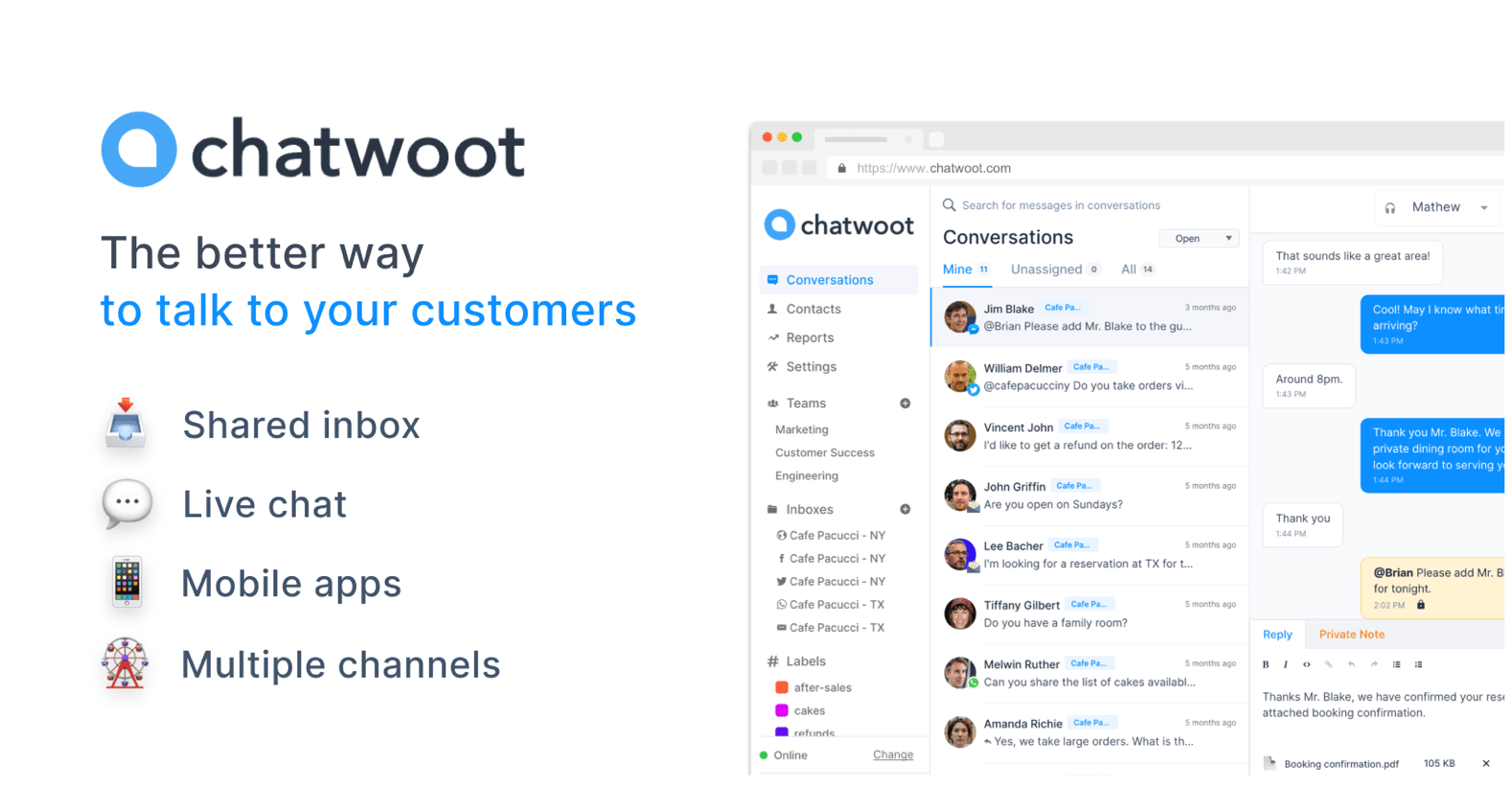
Chatwoot is an AI-powered, open-source customer support platform. Self-host or use our cloud to manage live chat, email, WhatsApp, and social conversations.

Paid content Multilingual
Visit website
Profile views 10 Outbound visits 14 Normal
Chatwoot Full homepage screenshot

At a glance

Category
Artificial Intelligence
Language
English
Paid-content signal
Paid contentObserved
Registered
2016
Hosting
NetlifyInferred
HTTPS certificate trusted
PassedObserved
Last updated

Website review

This review may include AI-generated content and is not individually verified. Domain, certificate and other facts come from the observed data on this page.

What is Chatwoot?

Chatwoot is an open-source customer support platform for handling live chat, email, WhatsApp, and social conversations in one shared inbox. It combines an omnichannel support desk, a help center for self-service, and an AI assistant called Captain that can answer common questions, suggest replies to agents, and translate messages. Because it is open source, you can self-host it and keep your data on your own infrastructure, or use the vendor's cloud version instead.

Who it suits

  • Small teams that want a shared inbox without building one.
  • Companies with data-residency or compliance needs that prefer self-hosting.
  • Support teams already drowning in repeated questions, who could route the easy ones to an AI agent and let humans handle the rest.
  • Businesses that talk to customers across chat, email, and messaging apps rather than a single channel.

What you actually get

  • A unified inbox where conversations from different channels land in one place.
  • Captain, an AI agent that learns from your help center, past chats, and FAQs to answer routine questions.
  • Captain Copilot, which gives agents suggested answers, quick lookups from help articles, and access to past conversations.
  • A Help Center for self-service articles.
  • Translation so agents can reply in a customer's language.

The main trade-off

Self-hosting gives you control over data and infrastructure, but someone on your side has to run and maintain it. The cloud option removes that burden but means your data sits with the vendor. If you have no ops capacity, start with cloud; if data ownership is a hard requirement, plan for self-hosting from day one.

A practical next step: list your top ten repeated support questions. If most could be answered from existing documentation, the AI agent and help center are worth testing first; if your questions are mostly one-off and complex, focus on the shared inbox and Copilot instead.

For alternatives in the same space, see Intercom and Zendesk.

How does Chatwoot compare to Intercom and Zendesk?

Chatwoot positions itself as an open-source alternative to Intercom and Zendesk, so the comparison comes down less to raw feature count and more to control, hosting, and cost model. Chatwoot combines live chat, email, WhatsApp, social conversations, a help center, and an AI assistant called Captain in one support desk, and it can be self-hosted so you own your data. Intercom and Zendesk are mature, proprietary suites known for polished automation, broad integrations, and extensive enterprise tooling, but you typically run them as hosted SaaS with per-seat or usage-based pricing.

H3 Where each tends to fit

  • Chatwoot: teams that want an omnichannel inbox plus a knowledge base without vendor lock-in, especially those with engineering capacity to self-host or a preference for open-source software.
  • Intercom: product-led and sales-assisted teams that lean heavily on automation, in-app messaging, and customer lifecycle tooling.
  • Zendesk: larger support organizations that need deep ticketing workflows, granular roles, and a wide marketplace of apps.

H3 Practical trade-offs to weigh

  • Hosting and data: Chatwoot's self-host option gives you infrastructure control; Intercom and Zendesk are managed for you, which reduces operational burden but means your data lives in their cloud.
  • AI: Chatwoot's Captain answers from your help center, chats, and FAQs and offers Copilot suggestions, translations, and help-article lookups. Intercom and Zendesk have their own AI layers, often bundled into higher tiers, so compare what is included versus add-on.
  • Ecosystem: Intercom and Zendesk generally have larger app marketplaces and more prebuilt integrations; Chatwoot's open-source nature means custom integrations are possible but may require developer time.
  • Cost shape: self-hosting can lower subscription spend but adds server, maintenance, and upgrade costs; SaaS pricing usually scales with seats and features.

A useful next step: list your must-haves, such as WhatsApp support, a self-service help center, AI answer suggestions, and self-hosting, then run a short pilot with real conversations. If owning your data and avoiding lock-in rank highest, start with Chatwoot; if you need the deepest out-of-the-box enterprise workflows and integrations, evaluate Intercom and Zendesk first. You can compare plans at Chatwoot, Intercom, and Zendesk.

How do I self-host Chatwoot and what are the requirements?

Self-hosting Chatwoot means running the support platform on infrastructure you control, rather than using the vendor's hosted cloud. On its own site, Chatwoot presents this as its core open-source promise: "host on your own infrastructure and own your data." In practice, that gives you control over where conversation data lives and how the system is configured, but it also makes you responsible for servers, upgrades, backups and security.

What self-hosting involves

  • A Linux host or cluster. Chatwoot is normally deployed with Docker, so a machine (or several) running a recent Linux distribution is the starting point. You can run it on a cloud VM, a bare-metal server, or on-premise hardware.
  • A database and cache. Chatwoot relies on PostgreSQL for data and Redis for background jobs and caching. Both need to be provisioned and backed up.
  • Object storage for attachments. Conversation attachments and avatars are typically stored in S3-compatible storage (AWS S3, MinIO, or similar), so you need a bucket and credentials.
  • A reverse proxy and TLS. You'll put Nginx, Caddy or Traefik in front to terminate HTTPS and route traffic. A domain name and certificate are required.
  • Environment configuration. Settings such as the database URL, Redis URL, secret key, mailer credentials and storage keys are supplied through environment variables. Your outgoing email (SMTP) provider must be configured or notifications won't send.
  • Channels and integrations. Live chat, email, WhatsApp and social channels are connected from the admin area after the instance is running; each channel has its own external requirements.
  • Ongoing operations. Plan for version upgrades, database migrations, log monitoring, and a tested backup-and-restore routine.

Rough sizing guidance

For a small team, a single modest VM with a few GB of RAM and a couple of vCPUs is usually enough to start; larger volumes of conversations, attachments and concurrent agents push you toward separate database and Redis instances. Treat these as general planning ranges, not published requirements — check Chatwoot's own documentation for the current minimums before you commit.

Cloud vs self-hosted

Consideration Self-hosted Chatwoot cloud
Data location You choose the server and region Vendor-managed
Upgrades and uptime Your team's responsibility Handled for you
Setup effort Initial deployment plus ongoing ops Sign up and configure
Customisation Full access to the codebase Limited to exposed settings

A practical next step

If you're evaluating this, start with a throwaway deployment: spin up a small VM, follow Chatwoot's Docker instructions, connect one email inbox, and send a test conversation through. That single exercise will tell you whether your team has the appetite for the maintenance work. If it doesn't, the hosted option at Chatwoot removes the operational burden while keeping the same interface. Teams that already run their own infrastructure, or that have data-residency rules, tend to get the most from self-hosting; teams without a sysadmin usually don't.

How does Chatwoot's AI assistant Captain work?

Captain is Chatwoot's built-in AI layer, and it works in two distinct modes. The first is an autonomous agent that answers customers directly: it learns from your help center, past chats and FAQs, then handles common questions so they never reach a human. The second is a copilot that sits beside your agents, suggesting replies, pulling up past conversations and looking up help articles. Chatwoot also lists translation as a Captain capability, so an agent can respond in a customer's native language.

A practical way to picture the split:

Mode Who writes the reply Best for
Captain (AI agent) Captain, automatically Repetitive, well-documented questions
Captain Copilot Your agent, with suggestions Complex or sensitive conversations

The trade-off is the usual one for AI support. Automation only works as well as the knowledge you feed it, so a thin or outdated help center produces weak answers, and you still need humans for anything unusual. Copilot carries less risk because a person reviews every reply, but it saves less time.

If you are evaluating it, pick your ten most common support questions, check whether your help center already answers them clearly, then test Captain against those before rolling it out broadly. Chatwoot's own pages cover the feature set at Chatwoot. For context on the wider category, Intercom and Zendesk are the alternatives Chatwoot positions itself against, and their official sites are Intercom and Zendesk.

Can Chatwoot connect WhatsApp, email, and social media in one inbox?

Yes. Chatwoot is built as an omnichannel support desk: the page describes managing live chat, email, WhatsApp, and social conversations in one place, and one of its main headings is "Keep all your customer conversations in one place." The practical effect is that an agent works from a single queue rather than switching between the WhatsApp app, a shared email inbox, and separate social accounts.

H3 What that looks like in daily use

  • A customer messages on WhatsApp, then follows up by email; both threads are visible in the same agent workspace instead of being tracked in two tools.
  • Social media messages and website live chat land in the same inbox, so routing and assignment follow one set of rules.
  • The Help Center sits alongside the inbox, so an agent can point to a self-service article in the same place they are replying.
  • Captain, the built-in AI agent, can draft or suggest replies using your help center, chats, and FAQs, and can translate between languages — useful when a WhatsApp customer writes in a different language from the email thread.

H3 Trade-offs to weigh

  • Consolidation helps most when your channels are genuinely high-volume; a small team with one channel gains less from a unified inbox.
  • Open source and self-hosting are a real advantage if data ownership or infrastructure control matters, but they shift maintenance, upgrades, and hosting work onto your team. The cloud option avoids that at the cost of running on someone else's infrastructure.
  • AI features depend on the quality of your help center and past conversations; thin content means weaker automated answers.

H3 A useful next step List every channel you currently support and how many conversations each generates per week. If two or more channels are active, a unified inbox is worth testing. Start by connecting your highest-volume channel, run it for a week, and compare first-response time against your current setup before migrating everything.

If you want to compare approaches, Chatwoot covers the open-source and self-hosted path, while Zendesk and Intercom are the closed-source alternatives the page positions itself against.

What are the pricing and free trial options for Chatwoot?

Chatwoot offers a free trial and paid plans, but the exact figures aren't in the supplied page details, so check the official pricing page for current numbers: Chatwoot Pricing. The key decision isn't just price—it's self-hosting versus cloud.

Self-hosted vs. cloud

  • Self-hosted (open source): You host on your own infrastructure and own your data, per the page. This can reduce or eliminate per-agent subscription fees, but you take on server costs, setup, upgrades and maintenance.
  • Cloud: Chatwoot runs it for you, so you trade control and some cost predictability for convenience and no infrastructure work.

What the trial typically lets you test

  • Live chat, email, WhatsApp and social conversations in one place.
  • Captain, the built-in AI agent, and Captain Copilot for reply suggestions and help-center lookups.
  • The Help Center for self-service.

Practical next step

If you're a small team wanting low cost and technical control, trial the self-hosted version first. If you want to be live quickly without managing servers, start the cloud trial and compare total cost, including any per-agent fees, against your own hosting bill. Confirm current trial length and plan limits on the pricing page before committing.

Related questions

More questions →
What Are Open-Source UI Element Libraries and How Do They Differ From UI Frameworks?

An open-source UI element library is a collection of individual, ready-made interface pieces—buttons, cards, inputs, toggles, loaders—that you copy into your own project and adapt. A UI framework, by contrast, is a structured system of components, conventions, and often a theming layer that governs how your whole interface is built. The practical difference: an element library gives you a snippet; a framework gives you a way of working. If you need a polished button in ten minutes, reach for the element library. If you're building a 40-screen product with a team, you probably want the framework.

What "open-source UI element library" actually means

The term gets used loosely, so it helps to separate the parts:

  • Open-source: the code is publicly available, and the license tells you what you may do with it—copy, modify, redistribute, or use commercially.
  • UI element: a single, self-contained piece of interface, usually small enough to read in one sitting. A button with hover states, a pricing card, a search field.
  • Library: a browsable, searchable collection of those elements, typically contributed by many different people.

On a site like Uiverse, elements are shared by a community and written in plain CSS or Tailwind. You find one you like, copy the markup and styles, paste them into your project, and adjust colors, spacing, and text to fit. There's no package to install and no build step required—which is exactly the appeal, and also the source of most of the confusion.

Element library vs. UI framework: the core differences

Dimension Open-source UI element library UI framework / design system
Unit of reuse A single snippet you copy A component you import or call
Installation None; paste into your code Package install, config, sometimes a provider
Consistency Depends on you; each element may look different Enforced by shared tokens and APIs
Theming Manual edits per element Central theme/config file
Updates You own the copy; no upstream updates Version bumps bring fixes and changes
Accessibility Varies per contributor; must be checked Usually tested and documented
Best for Prototypes, landing pages, small sites, one-off needs Multi-page apps, teams, long-lived products
Learning curve Low—read the CSS Higher—learn the API and conventions

The table isn't a verdict. It's a map of trade-offs. Element libraries win on speed and freedom; frameworks win on consistency and maintenance.

Licensing and attribution: what to check before you paste

This is where people get into trouble, and it's worth slowing down for.

  1. Find the license. Every element or collection should state one. Common open-source licenses include MIT, Apache-2.0, and BSD. Some projects use copyleft licenses like GPL, which can impose obligations if you redistribute your code.
  2. Understand what the license permits. MIT and Apache-2.0 are permissive: you can typically use the code in commercial and closed-source projects. Copyleft licenses may require you to release derivative source under the same terms.
  3. Check attribution requirements. Permissive licenses usually require you to keep the copyright notice and license text somewhere in your project. That's a real obligation, not a formality.
  4. Look for per-element terms. On community sites, the site's overall terms and the individual contributor's stated wishes may differ. If a contributor asks for credit, honor it.
  5. When in doubt, ask or avoid. If a snippet has no license at all, you don't have clear permission to reuse it. Treat "no license" as "not open source," even if the code is publicly visible.

This article is general information, not legal advice. For commercial products with real exposure, have someone qualified review the licenses you're relying on.

How to use a community element in your project: a practical workflow

Here's a repeatable process that avoids most of the usual mess.

1. Start from a real need, not a browsing session

Decide what you need first—"a compact primary button with a loading state"—then search. Browsing aimlessly produces a pile of pretty snippets that don't fit together.

2. Copy the smallest version that works

Take the markup and the styles. Strip anything you don't need: demo wrappers, extra animations, decorative layers. Less code means fewer surprises.

3. Convert it to your conventions

If your project uses design tokens or CSS variables, replace hard-coded values:

/* Before: hard-coded */
.button { background: #4f46e5; border-radius: 8px; }

/* After: token-based */
.button { background: var(--color-primary); border-radius: var(--radius-md); }

This one step is what keeps a copied element from looking like a foreign object in your UI.

4. Check accessibility before you ship

Community elements vary widely here. Verify at minimum:

  • Keyboard focus is visible and the element is reachable by Tab.
  • Color contrast meets WCAG AA (4.5:1 for normal text).
  • Interactive elements use semantic HTML (<button>, not a clickable <div>).
  • Form inputs have associated labels.
  • Motion respects prefers-reduced-motion.

5. Test in context

Paste it into a real page with real content. Long labels, small screens, and dark mode break more copied elements than anything else.

6. Note where it came from

Keep a short comment or an internal credits file: source, license, date. Future you—and your legal reviewer—will be grateful.

Where element libraries genuinely shine

  • Prototypes and demos: you need something clickable today, not a design system.
  • Landing pages and marketing sites: a handful of distinctive elements, each custom.
  • Filling gaps: your framework lacks one specific component, and you don't want to build it from scratch.
  • Learning: reading well-made CSS is one of the fastest ways to improve.
  • Small projects: a personal site doesn't need a theming architecture.

Where they fall short

  • Consistency at scale: ten elements from ten contributors rarely look like one product.
  • Maintenance: you own every copy. When your design changes, you edit each one.
  • Accessibility debt: you inherit whatever the contributor did or didn't do.
  • No upstream fixes: a bug fixed in the original won't reach your copy.
  • Integration friction: different naming conventions, different units, different assumptions about resets.

When to choose which

Choose an element library when the scope is small, the timeline is short, or you need a few distinctive pieces rather than a whole system.

Choose a framework or design system when multiple people build multiple screens over months, when consistency is a product requirement, or when accessibility and theming need to be guaranteed rather than checked.

A hybrid works well for many teams: adopt a framework for the structural components—forms, navigation, layout—and borrow individual elements for the places where you want personality. Just route every borrowed element through the same token and accessibility checks, so it lands as part of your system rather than beside it.

The short version: open-source UI element libraries are a fast, flexible way to get good-looking interface pieces into a project. They are not a substitute for a design system, and the license and accessibility details are the part worth reading carefully.

Website Overview

An established domain and managed infrastructure suggest continuity of operations and may support dependable delivery, although neither guarantees service quality. Several search or sharing settings need attention. Together they may make snippets, preview images or preferred URLs less consistent across platforms.

Domain and Registration

Registered in 2016, this domain has about 10 years of history. That suggests continuity, although ownership and purpose may have changed. Transfer-protection status is present, helping reduce the risk of unauthorized domain transfers. The registrar is GoDaddy.com, LLC, a widely used domain service provider. The domain uses the common .com extension, which is not an independent safety signal.

DNS and Email

Nameservers are provided by Amazon Route 53, indicating managed DNS hosting. MX records point to the Google Workspace email service. SPF and DMARC are configured. DKIM status is unknown. TXT records include verification markers for Google, Meta, Microsoft. Such markers may also remain after a service stops being used. DNSSEC signatures were not detected, so this additional DNS authenticity protection is not confirmed.

TLS and Certificates

The public key uses EC with 256 bits. The server supplied a complete certificate chain. No organization name is present in the certificate; the available fields are consistent with domain validation. The certificate was issued by Let's Encrypt, commonly associated with automated certificate services. The certificate's total validity is about 89 days, consistent with a short renewal cycle.

HTTP and Browser Security

The response lacks these common security headers: CSP, X-Content-Type-Options, Referrer-Policy, Permissions-Policy, clickjacking protection. No X-Powered-By header was found, reducing one common source of backend fingerprinting information. No obvious internal addresses or debug information were found in the headers. The Server header contains the custom value Netlify. No explicit CDN or WAF marker was found in the response headers.

Technology Stack Analysis

The public page identifies Nuxt, Tailwind CSS, Netlify without precise versions, leaving fewer clues for version-specific scanning.

Search and Social Sharing

The title has 115 characters and may be truncated in search results. Open Graph is partially configured; og:type is missing. Twitter Card metadata is configured. JSON-LD includes Organization data, helping describe the organization as an entity. The page declares 7 language or regional alternatives using hreflang.

Hosting and Email

DNSAmazon Route 53
HostingNetlify
EmailGoogle Workspace
Approximate IP geolocation (inferred; a CDN or proxy may differ from the origin server) United States flagAshburn, Virginia, United States Inferred 18.208.88.157

Registration details

RDAP / WHOIS

RegistrarGoDaddy.com, LLC
Registered2016-10-19
Expires2028-10-19
Domain statusclient delete prohibited、client renew prohibited、client transfer prohibited、client update prohibited
Nameserversns-1068.awsdns-05.org、ns-1755.awsdns-27.co.uk、ns-199.awsdns-24.com、ns-535.awsdns-02.net
DNSSECunsigned

DNS records

DNS

TypeNameValueTTLPriority
Achatwoot.netlify.com18.208.88.157120—
Achatwoot.netlify.com98.84.224.111120—
AAAAchatwoot.netlify.com2600:1f18:16e:df01::258311—
AAAAchatwoot.netlify.com2600:1f18:16e:df01::259311—
MXchatwoot.comaspmx.l.google.com3001
MXchatwoot.comalt1.aspmx.l.google.com3005
MXchatwoot.comalt2.aspmx.l.google.com3005
MXchatwoot.comalt3.aspmx.l.google.com30010
MXchatwoot.comalt4.aspmx.l.google.com30010
NSchatwoot.comns-1068.awsdns-05.org168380—
NSchatwoot.comns-1755.awsdns-27.co.uk168380—
NSchatwoot.comns-199.awsdns-24.com168380—
NSchatwoot.comns-535.awsdns-02.net168380—
TXTchatwoot.comMS=8957088AD00D90024DC64885A586ECA5A288718B300—
TXTchatwoot.comfacebook-domain-verification=krtxsonmm9oc9tbsjqxcro3uoyvjef300—
TXTchatwoot.comgoogle-site-verification=GHTDTboT6oUABhyBCvRSz0qBBFpzTgTE2w91AlL_9uw300—
TXTchatwoot.comgoogle-site-verification=YibvxUeOcrMpo7QgFWi7S79pqPh0jKQ80avl8qFFhcc300—
TXTchatwoot.compostman-domain-verification=d20dfbced67784c1c435edb24c1405a489f34a89dcd99ac63d6f6cd0af72a833e7b793d795c6c925f402d7bd99f3fba1d324af919c95aba589d3be25cfbb7dc3300—
TXTchatwoot.comtwilio-domain-verification=3121771e04a1c658feff270c9ebdaa10300—
TXTchatwoot.comv=spf1 include:_spf.google.com ~all300—
CNAMEwww.chatwoot.comchatwoot.netlify.com300—
DMARC_dmarc.chatwoot.comv=DMARC1; p=quarantine; pct=100; rua=mailto:[email protected]; sp=none; aspf=r;300—

TLS and certificates

TLS / SSL

AssessmentNormal configuration
Supported protocolsTLSv1.2、TLSv1.3
Negotiated protocolTLSv1.3
Certificate subjectwww.chatwoot.com
IssuerLet's Encrypt
Valid until2026-11-20T08:23 · Remaining when checked: 57 days
Verification detailsCertificate trust: Passed · Hostname match: Passed

HTTP response headers

HTTP

HeaderValue
content-typetext/html; charset=UTF-8
cache-controlpublic,max-age=0,must-revalidate
serverNetlify
strict-transport-securitymax-age=31536000

Identified technologies

NuxtTailwind CSSNetlify

Pages, Search and Sharing

Meta descriptionChatwoot is an AI-powered, open-source customer support platform. Self-host or use our cloud to manage live chat, email, WhatsApp, and social conversations.
Canonical URLhttps://www.chatwoot.com/
LanguageEnglish (default) · Multilingual
Twitter Cardsummary_large_image
All bots 0 allowed · 0 disallowed

User reviews (0)

  • No reviews yet.