Website profiles · Technology insights · Alternatives

clksy.co

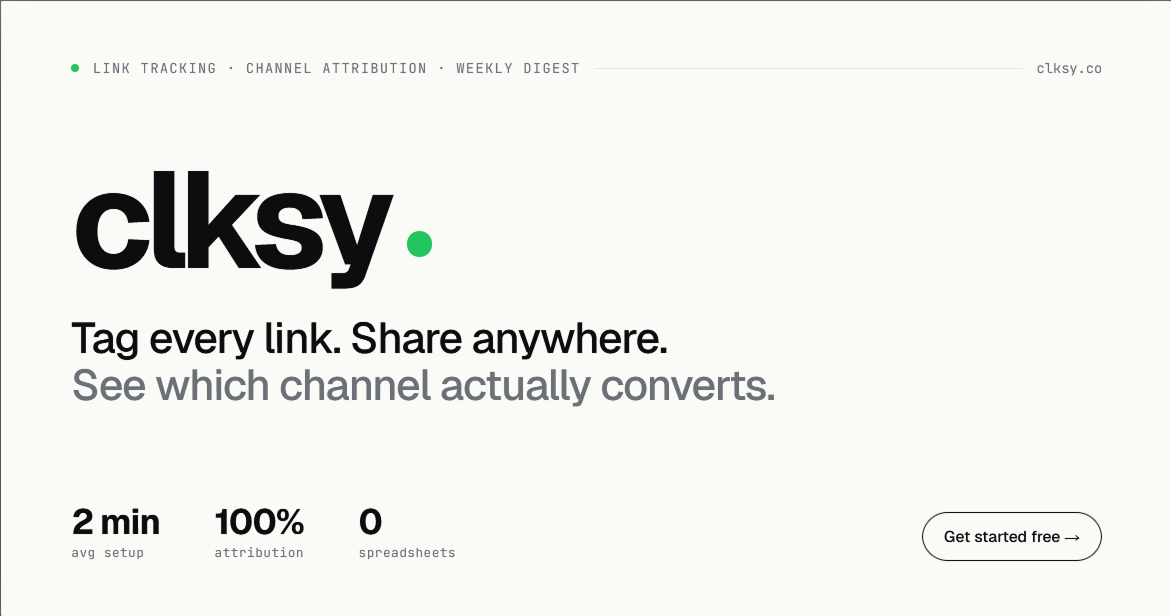
Short links with channel tagging, click analytics, and weekly digests. Know which newsletter issue, tweet, or cold email is actually driving signups.

Paid content
Visit website
Profile views 1 Outbound visits 0 Normal
Clksy Full homepage screenshot

At a glance

Category
Data & Analytics
Language
English
Paid-content signal
Paid contentObserved
Registered
2026
Hosting
VercelInferred
HTTPS certificate trusted
PassedObserved
Last updated

Website review

This review may include AI-generated content and is not individually verified. Domain, certificate and other facts come from the observed data on this page.

What is Clksy?

Clksy is a link-tracking and channel-attribution tool aimed at indie founders and small marketing teams. Instead of juggling UTM parameters in a spreadsheet, you create short links, tag each one by channel (a newsletter issue, a tweet, a cold email, a Reddit post), and then see which channel actually produced signups rather than just clicks. The pitch is a single calm dashboard covering the whole loop — link, click, conversion — plus a weekly digest email in plain English telling you what won last week.

What it actually does

  • Link tracking and shortening — branded short links, including on your own custom domain.
  • Channel attribution — every link carries a channel tag, so clicks roll up by channel automatically.
  • Conversion tracking — pixel and server-side postback, so you can count real signups, not just traffic.
  • Breakdowns — countries, devices, referrers, channels; total and unique clicks by day.
  • Extras — A/B testing two destinations, a survey widget asking visitors how they found you, deeplinks routing iOS/Android/web from one link, QR code campaigns, and link expiry with fallback URLs.
  • Claude MCP — manage links from a Claude chat session.

Who it suits, and who it doesn't

You are… Fit
A solo founder running a launch across Product Hunt, X, HN and a newsletter Strong — the whole point is comparing channels without analytics setup
A creator or affiliate tracking clicks per piece of content or per creator Good — per-link and per-channel views cover this
A growth marketer wanting funnels, cohorts and multi-touch attribution Weak — this is last-click, channel-tagged link tracking, not a full analytics suite
A team already deep in GA4 with a clean event taxonomy Probably redundant unless you specifically want simpler link-level attribution

The trade-off is deliberate simplicity. You get one page you'll actually open on Monday morning, and you give up the depth of a general-purpose analytics platform. If your question is "which of my five channels is worth doing more of," that trade is usually a good one; if it's "where in my signup flow do people drop off," you'll want something else.

A concrete example

Say you ship a new feature and post about it in four places: your newsletter, X, a subreddit, and a cold email sequence. You make four short links, each tagged with its channel, all pointing at the same landing page. A week later the dashboard shows the newsletter drove 67 signups at roughly 13% conversion while the other three combined drove fewer. That's the decision you came for — write the next issue before you write the next tweet.

Next step

Start with the free plan, which the site describes as 10 links and no credit card, and run it against one live campaign rather than backfilling old links. Pick your single most important conversion event first — a signup, a demo request, a purchase — and make sure the pixel or postback fires correctly before you share anything. If you want a second opinion on positioning, Clksy itself has documentation, guides and free tools like a UTM builder and QR generator.

How do I set up Clksy for my newsletter and social media links without using UTMs?

Clksy is built around exactly that workflow: you tag each link by channel when you create it, so the channel label lives in the link itself rather than in UTM parameters appended to the URL. According to the site, the loop is link → click → conversion in one dashboard, with a weekly digest email summarizing which channel won.

The setup path

  1. Create one short link per channel placement. The page shows examples like r.clksy.co/nl-24 for a newsletter issue and r.clksy.co/tw-may for Twitter. The naming convention is yours; the channel tag is what Clksy uses for attribution.
  2. Point each link at the same destination. Your signup page doesn't change — only the short link differs. This is why you don't need UTMs: the channel is attached at the link level, not the URL level.
  3. Add conversion tracking if you want signups, not just clicks. Clksy lists pixel and server-side postback options, so a completed signup can be tied back to the originating link.
  4. Optionally use the survey widget. For visitors who arrive without a tagged link, asking "how did you find us?" fills the gap that UTMs normally can't cover anyway.
  5. Read the digest, not the dashboard. The weekly email is positioned as the primary reporting surface — plain-language summaries of what won last week.

Newsletter vs. social: what differs in practice

Newsletter Social media
Link granularity One per issue (or per section, if you A/B test) One per platform, or per post if you want post-level data
Typical trap Reusing last week's link and losing the issue distinction Posting the same link to X and LinkedIn, then not knowing which drove signups
Useful Clksy feature Conversion tracking, since opens are a weak proxy A/B testing two destinations, plus the survey widget for untagged traffic

A concrete first week

Create three links before your next send: one for the newsletter issue, one for X, one for LinkedIn. Point all three at the same signup page. Turn on conversion tracking. Then wait for the Monday digest rather than checking the dashboard daily — the digest is designed to answer "which channel won" in one line, and daily checking mostly produces noise on low traffic volumes.

When this approach breaks down

Link-level tagging only works if you actually use a distinct link per placement. If you paste the same short link into a newsletter and a tweet, Clksy cannot separate them — the same limitation applies to UTMs, but it's easier to forget here because the URL looks clean. Also note the free tier's stated limit of 10 links, which is enough to test the workflow but not to run many channels at post-level granularity.

If you want a second opinion on link-based versus parameter-based attribution, Clksy's own documentation covers the mechanics, and general guidance on channel tagging is widely available.

Can Clksy tell me which specific newsletter issue or tweet drove signups rather than just clicks?

Yes. Clksy is built around exactly that distinction: you tag each link by channel (a newsletter issue, a specific tweet, a cold email, a forum post), and the dashboard reports conversions alongside clicks, so a link can show real signups and a conversion rate rather than raw traffic. The page's own example contrasts a newsletter link at 13.1% conversion against other channels, and its weekly digest is described as naming which channel won the week.

What this looks like in practice

A useful way to picture it: you write four tweets in a week promoting the same landing page. Each gets its own short link. On Monday you open one dashboard and see tweet 3 produced 40 signups at 9% conversion while tweet 1 produced 300 clicks and 2 signups. That is the decision the tool is designed to support — killing the high-traffic, low-conversion post and writing more like the other one.

Two details from the page worth understanding:

  • Conversions are tracked, not inferred. Clksy lists both a pixel and a server-side postback for conversion tracking, which matters because pixel-only setups miss signups blocked by ad blockers or privacy settings. Server-side postback is the more reliable of the two, though it requires you to wire it into your own signup flow.
  • No UTMs required. The page explicitly positions itself against UTM spreadsheets, so attribution lives in the short link rather than in parameters you assemble and paste. That is faster to set up, but it also means your attribution only covers links you actually created in Clksy — traffic arriving from organic search, direct visits, or untagged links stays unattributed.

Where it fits and where it does not

Clksy suits indie founders and small teams running several low-budget channels — newsletters, X, Product Hunt, Reddit, creator partnerships — who want a Monday-morning answer without building a GA4 event taxonomy. The stated free plan (10 links) is enough to test the loop on two or three channels before committing.

It is a weaker fit if you need multi-touch attribution across a long B2B sales cycle, or if you already have a warehouse and a BI tool where you would rather join click data yourself. For broader web analytics, Plausible Analytics and Matomo cover site-wide traffic; Clksy is narrower and aimed at the link-to-signup question specifically.

A practical next step

Pick your three highest-effort channels, create one tagged link per channel for the next two weeks, and wire the conversion postback before you share anything. Then ask a single question of the data: which channel produced signups, not clicks? If two channels are close on clicks but far apart on conversion, that gap is the finding — and it is usually invisible in a plain click counter.

Does Clksy work with my existing email marketing, affiliate, or QR code campaigns?

Yes. Clksy is built around tagging links by channel, so it slots into campaigns you already run rather than replacing them. You create a short link, label its source (newsletter issue, affiliate, QR code, tweet, cold email), and Clksy reports clicks and conversions per channel. The page evidence lists Email Marketing, Affiliate Marketing, and QR Code Campaigns as intended use cases, along with conversion tracking via pixel and server-side postback, custom domains, and A/B destination testing.

How it fits each campaign type

Campaign What you do What you learn
Email marketing Give each issue or segment its own tagged link Signups per issue, not just opens
Affiliate One tracked link per partner or content piece Clicks and conversions per affiliate
QR code Point the code at a Clksy link Whether anyone actually scanned and converted

Practical example

A founder sends a newsletter, posts on X, and prints a QR code for an event. Three tagged links, one dashboard: newsletter 67 signups, X 12, QR 3. Monday's digest names the winner automatically, so next week's effort goes where it converts.

What to check before committing

  • Email platform: Most senders let you paste any URL, so tagged links usually work without integration. Some link-rewriting or click-tracking features in your email tool can interfere with redirects, so test one send first.
  • Affiliate tracking: Clksy covers clicks and conversions per link. If you need automatic commission payouts or affiliate portals, you may still need a dedicated affiliate platform alongside it.
  • QR codes: Any QR generator can encode a Clksy link. You get scan and conversion data; the QR image itself is just a pointer.
  • Conversion setup: Real signups require the pixel or server-side postback to be installed on your site, so budget a short setup step beyond link creation.

If you want the simplest test, create one tagged link for your next newsletter and one for your best social channel, then compare conversion rates after a week. For a broader link-tracking baseline, Bitly handles short links and basic click data, while Clksy's stated edge is tying clicks to signups per channel.

How much does Clksy cost, and what do I get with the free plan?

Clksy does not publish its prices on the page you're asking about, so the only concrete cost information available is the free tier. Paid plans exist — there's a pricing page — but the actual figures aren't stated in the material provided. Treat any specific number you see elsewhere as unverified until you check the official pricing page yourself.

What the free plan includes

Based on the site's own description, the free plan gives you:

  • 10 links — each one a short link you can tag by channel
  • No credit card required to start
  • Channel tagging and click analytics as part of the core product
  • Weekly digest — a short Monday email summarising what performed best

The free tier is sized for someone testing the concept: a handful of newsletter issues, a few social posts, or one launch. Ten links is enough to compare two or three channels against each other, which is the main decision Clksy is built to support.

What you'd be paying for beyond that

The pricing page is where the link limit, conversion tracking, custom domains, A/B testing and the survey widget get tiered. If your question is whether the free plan covers you, the honest answer depends on volume: once you're tagging more than a couple of campaigns a month, or you want your own branded domain instead of r.clksy.co, you'll be looking at a paid tier.

A practical way to decide

Run one real campaign on the free plan first. Create a link per channel, share them, and read the Monday digest. If the digest tells you something you didn't already know — for example, that your newsletter converts several times better than your social posts — the paid tier is worth pricing out. If it just confirms what you assumed, you've lost nothing.

For a broader view of how link tracking fits into a small marketing stack, Plausible Analytics and Bitly cover adjacent ground, though neither is a like-for-like substitute.

How does Clksy compare to using Google Analytics or a spreadsheet for channel attribution?

Clksy is built for one job: telling you which specific link, post or email produced a signup. Google Analytics is a general-purpose analytics platform that can approximate this, and a spreadsheet can only record what you type into it. If your question is "which newsletter issue or tweet actually converted," Clksy answers it with less setup; if your question is "how do people behave across my whole site," Google Analytics is the broader tool.

Where they differ in practice

Clksy Google Analytics Spreadsheet
Primary unit The link, tagged by channel Sessions, events, conversions Rows you maintain by hand
Setup effort Short link per channel, then share Property, events or goals, UTM discipline Manual entry per campaign
Attribution output Channel-level clicks and signups Multi-channel reports, needs configuration Whatever formula you build
Ongoing maintenance Low once links exist Ongoing tagging and report hygiene Constant, and breaks when you skip a week
Best fit Indie founders running many channels solo Teams needing full behavioural analytics Very small, short campaigns

Clksy's own materials frame the contrast directly: "Ditch the UTM spreadsheet," "No GA4 maze," and a dashboard showing the whole loop — link, click, conversion — on one page. The page also lists conversion tracking by pixel and server-side postback, a survey widget asking visitors how they found you, custom domains, A/B testing, and weekly digest emails summarising what won. Those are product claims from the site, not independent verification.

The trade-off to weigh

A spreadsheet fails at scale because every channel needs a consistent naming convention, and one missed entry silently corrupts your picture. Google Analytics fails at speed for this narrow question because channel reporting depends on correct UTM tagging and event setup before the data means anything. Clksy trades breadth for immediacy: you get channel attribution without building a measurement plan, but you do not get funnels, retention or on-site behaviour.

A concrete scenario

Suppose you publish a newsletter, post on X and run a Product Hunt launch in the same week. With a spreadsheet you would tag each URL by hand and hope you remember to log conversions. With Google Analytics you would need goals configured and UTMs applied consistently across all three. With Clksy, each channel gets its own short link, and the weekly digest tells you, for example, that the newsletter produced far more signups than the second-best channel — the kind of comparison the site illustrates with its "best channel" panel.

Decision criterion

Choose Clksy if your bottleneck is knowing which channel to double down on and you want that answer without analytics configuration. Keep Google Analytics if you also need to understand what visitors do after they arrive. Use a spreadsheet only for a one-off campaign where you will genuinely maintain it. These tools are not mutually exclusive — many founders run a lightweight link tracker alongside a fuller analytics platform, using the former for channel decisions and the latter for site behaviour.

Related questions

More questions →
What Is Link Tracking and How Do You Track Clicks and Conversions by Channel?

Link tracking is the practice of using a short, redirecting URL to record who clicked a link, where they came from, and whether that click turned into a signup or sale. It differs from plain click counting because it ties each click to a named channel and, with conversion tracking, to a real outcome. It's most useful when you share links across several places — a newsletter, a tweet, a cold email — and need to know which one actually drives results, not just traffic. Tools like Clksy are built for this: short links with channel tagging, click analytics, and conversion tracking in one dashboard.

How link tracking differs from shortening and click counting

A plain URL shortener only makes a link smaller. A click counter tells you a link was tapped. Link tracking adds the layer that answers "so what":

  • Channel tagging — each link is labeled by source (newsletter, Twitter/X, Product Hunt, a specific creator) so clicks roll up by channel instead of sitting as anonymous numbers.
  • Conversion tracking — a pixel or server-side postback fires when the click becomes a signup, so you see conversion rate per channel, not just volume.
  • Attribution — the tool ties one source to each signup, so you can crown a best channel automatically rather than guessing.

The practical difference: 847 clicks from Twitter sounds good until you see the newsletter drove 67 signups at 13.1% conversion while Twitter drove far fewer. Click counting can't show you that; channel-tagged tracking can.

How to tag links by channel without a UTM spreadsheet

The usual approach is to build UTM parameters by hand and maintain a spreadsheet so the naming stays consistent. Link tracking replaces that with short links that carry the channel label themselves.

A workable setup:

  1. Create one short link per channel or content piece. For example r.clksy.co/nl-24 for newsletter issue 24, r.clksy.co/tw-may for a May Twitter post, r.clksy.co/pp-launch for a Product Hunt launch.
  2. Name it so the channel is obvious at a glance. The label is what shows up in your analytics, so "nl-24" beats "link7".
  3. Share the tagged link everywhere that piece appears. The same destination, different tracked entry points.
  4. Let the tool group by channel. Reports should show clicks and conversions per channel without you reconciling a spreadsheet.

If you already have UTM habits, the tagged short link is the thing you paste instead of the long parameter string — the channel data lives in the link, not in a column you have to keep clean.

Connecting clicks to real conversions

Clicks alone don't tell you which channel drives growth. To get conversion rate per channel you need the click to be linked to an outcome. Two common methods:

  • Pixel — a tracking pixel on your signup or thank-you page fires when the visitor converts.
  • Server-side postback — your backend sends a signal to the tracking tool when a conversion happens, which is more reliable when browsers block client-side scripts.

Either way, the goal is the same: one source tied per signup. Once that's in place, your dashboard can show conversion rate by channel (for example, newsletter at 13.1%) instead of raw click totals.

Metrics and reports worth watching

Not every number matters. The ones that change decisions:

Metric What it tells you
Total & unique clicks Reach vs. repeat interest
Conversion rate by channel Which channel actually converts, not just attracts
Best channel Automatically crowned winner (e.g. newsletter at 5.4× the next channel)
Geography & devices Where and how your audience clicks
Link health Whether a link is healthy, expiring, or falling back

A weekly digest in plain language — "newsletter beat Twitter 5× last week" — is often more useful than a live dashboard you never open.

Setup steps and common pitfalls

Setup is typically minutes, not hours: create the short link, tag it by channel, share it, and confirm conversions are firing.

Watch for these failure points:

  • Broken redirects — a short link pointing at a dead or mistyped destination kills the click before it counts.
  • Expired links — campaign links with an expiry date (e.g. a sale link expiring in 2 days) will stop working; set a fallback destination so old links don't dead-end.
  • Missing conversion events — if the pixel or postback isn't installed on the actual signup page, you'll see clicks but zero conversions, which looks like a channel problem when it's a setup problem.
  • Inconsistent channel names — tagging the same channel two ways splits its data and hides the real winner.

When link tracking is worth it

Use channel-tagged link tracking when you publish in more than one place and need to decide where to spend effort — newsletters, social, cold email, affiliate content, QR campaigns, or creator partnerships. If you only ever share one link in one place, basic click counting is enough. The value appears the moment you have two channels and a real question about which one converts.

What Is Link Analytics and How Do You Track Clicks on Short Links and QR Codes?

Link analytics is the measurement of what happens after someone clicks a short link or scans a QR code: how many clicks or scans occurred, who the visitors were, where they came from, and what device they used. You track it by creating a short link or dynamic QR code on a platform that records click events, then reading the resulting metrics in a dashboard. This works for any campaign where you control the link — social posts, email, print, packaging — and it requires that the link or code routes through a tracking service rather than pointing directly at your final URL.

The Core Metrics in Link Analytics

Most link analytics dashboards report a consistent set of dimensions. Knowing what each one actually measures prevents misreading the numbers.

Metric What it measures How to use it
Clicks Total redirect or scan events Volume baseline; compare across campaigns
Unique visitors Distinct users, usually via IP or device fingerprint Separates reach from repeat engagement
Referrers The site, app, or platform that sent the click Identifies which channel actually drives traffic
Geography Country or region of the visitor Informs localization and ad targeting
Device Mobile, desktop, tablet, OS, browser Tells you where to optimize the destination page
Time of click Timestamp and hour/day patterns Schedules posts and sends for peak response

Clicks and unique visitors diverge for a reason worth understanding: one person clicking the same link five times produces five clicks but typically one unique visitor. A high click count with low uniques usually means repeat behavior — someone refreshing, a bot, or a link embedded in a page that reloads.

How Click Tracking Works on Short Links and QR Codes

The mechanism is the same in both cases: the link or code points to an intermediate URL that logs the event before forwarding the visitor.

Short links. When someone clicks yourbrand.co/spring, the request hits the shortener's server first. The server records the click along with the request's metadata (referrer header, IP-derived location, user agent), then issues a redirect to the destination URL. Because the redirect passes through the tracking server, every click is countable.

Dynamic QR codes. A dynamic QR code encodes a short URL that the platform controls, not your final destination. When scanned, the phone opens that short URL, the scan is logged, and the visitor is redirected. This is why dynamic codes can have their destination changed after printing — the encoded URL never changes, only what it points to.

A static QR code that encodes your final URL directly cannot report scans, because the scan never touches a tracking server. If scan analytics matter to you, the code must be dynamic.

Comparing Channels and Campaigns

Raw click totals tell you volume, not performance. To compare channels fairly, give each one its own trackable entry point.

  • Separate short links per channel. One link for email, one for Instagram, one for print. Referrer data is unreliable inside apps (many strip it), so distinct links are the dependable method.
  • UTM tags on the destination. Append utm_source, utm_medium, and utm_campaign to the final URL so your web analytics tool attributes the visit consistently with the link platform.
  • One variable at a time. If you change both the channel and the message, you can't tell which caused a difference in clicks.

A practical example: a launch campaign uses three short links — brand.co/launch-email, brand.co/launch-social, brand.co/launch-qr (the QR code on a flyer). After a week, the dashboard shows email at 1,200 clicks with 60% desktop, social at 800 clicks with 85% mobile, and the QR link at 300 scans concentrated in two evening hours. That pattern tells you the email audience reads on desktop, the social audience needs a mobile-optimized landing page, and the flyer gets scanned after work hours — three concrete adjustments from one dashboard.

Spotting Problems in the Data

Not every spike or drop is a real audience signal. Common patterns and what they usually mean:

  • Sudden click spike with near-zero uniques. Likely bot traffic or a link-preview crawler hitting the URL. Check geography and device — bot traffic often clusters in unexpected regions or shows generic user agents.
  • Clicks but no conversions. The redirect works but the destination page may be slow, broken, or mismatched with the ad promise. Verify the destination loads correctly on the dominant device.
  • Gradual click decline over weeks. Normal for most campaigns as novelty fades, but a sharp drop suggests the link stopped working or was removed from its placement.
  • Broken redirect. If the destination URL changed or expired, visitors hit an error page. Dynamic links let you update the destination without reprinting or reposting — check that the current destination is live.
  • QR scans far below expectations. Test the code yourself on both iOS and Android. Poor contrast, small size, or placement at an awkward scanning angle suppresses scans more than most people expect.

A Simple Review Routine

A repeatable routine beats ad-hoc checking. Once a week:

  1. Open the link analytics dashboard and note total clicks and unique visitors per link.
  2. Sort by channel and compare against the previous period — look for changes, not absolute numbers.
  3. Check the device breakdown for your top links and confirm the destination page performs well on the dominant device.
  4. Scan the geography and time-of-click data for anything unexpected, especially on links with sudden changes.
  5. Pick one action from the data — adjust a posting time, fix a mobile layout, retire a dead link — and note it so you can measure the effect next week.

The goal is not to collect every available metric but to answer one question per review: which link is working, and what should change because of it. Platforms like Jmpy.me bundle short links, dynamic QR codes, and click analytics in one place, which keeps the click data and the link management in the same dashboard rather than split across tools.

What Is a URL Shortener and How Do Branded Short Links Work?

A URL shortener takes a long web address and produces a shorter one that redirects to the original destination. You use one when a link is too long to share cleanly, when you want a link you can track, or when you want the link to carry your own brand instead of a generic domain. Branded short links go one step further: they replace the shortener's default domain with a custom domain you control, so yourbrand.com/sale points to a full product page. Tools like Jmpy.me combine short links, branded domains, QR codes, and click analytics in one place.

What a URL shortener actually does

At its core, a shortener stores a mapping between a short code and a destination URL. When someone visits the short link, the service looks up the code and sends the visitor to the destination.

That mapping is what makes the following possible:

  • Shorter, cleaner links — easier to paste into posts, emails, or print.
  • A stable link you can change later — with a dynamic short link, you can update the destination without reprinting or re-sharing the short URL.
  • Click tracking — every visit passes through the shortener, so it can record the click before redirecting.

A static short link points permanently at one destination. A dynamic short link lets you edit where it points after it's been shared, which matters when a campaign URL changes or a page moves.

Branded short links and custom domains

A branded short link uses your own domain as the shortener's domain. Instead of a generic-looking short URL, the link reads as part of your brand.

Why this matters:

  • Trust — recipients see a domain they recognize rather than an unfamiliar one.
  • Consistency — the same branded domain can be used across campaigns, channels, and print materials.
  • Reputation control — Jmpy.me frames this as protecting your reputation and keeping links delivering, since the visible domain is yours.

Jmpy.me advertises free branded domains as part of its platform. If owning a specific custom domain is a requirement for you, confirm the current terms on the pricing page before committing, since domain availability and plan limits can change.

QR codes from short links

A QR code can encode a short link, which gives you a scannable code that behaves like any other tracked link. This is useful for print materials, packaging, event signage, or anywhere a person can't easily type a URL.

The practical advantage of pairing QR codes with short links rather than raw long URLs:

  • The QR pattern stays simpler and easier to scan when the encoded URL is short.
  • If you use a dynamic short link, you can change the destination without regenerating the printed QR code.
  • Scans flow through the same analytics as clicks.

Jmpy.me includes a QR code generator alongside its short links, and offers a payment QR code generator as a specific use case.

Click analytics and link tracking

Because traffic passes through the shortener, it can log data about each visit. Typical click analytics cover how many times a link was clicked, when, and from where.

Use analytics to answer questions like:

  • Which channel or campaign drove the most clicks?
  • Is a printed QR code actually being scanned?
  • Did a link's performance change after you updated its destination?

This is the main reason to route links through a shortener even when the original URL isn't especially long: the tracking is the point.

How to choose a URL shortener

Compare tools on the dimensions that affect your actual workflow:

Dimension What to check
Custom domain Can you use your own branded domain, and is it included or an upgrade?
Link type Static only, or dynamic links you can edit after sharing?
QR codes Included, and can they be generated from your short links?
Analytics What click data is captured and how it's presented?
Volume Any limits on links or clicks at your usage level?
Pricing What's free versus paid — check the current plans page, since terms change

Jmpy.me positions itself as a Bitly alternative with free branded short links, dynamic QR codes, and click analytics, and states it's built for modern marketing teams and any volume. Treat those as the vendor's claims and verify specifics against the current pricing page for your use case.

Quick example

Suppose you're printing 5,000 flyers for a product launch. You create a branded short link on your own domain, generate a QR code from it, and print the code on the flyer. When the launch date shifts, you update the dynamic link's destination — the printed QR codes still work, and your analytics show how many scans came from the flyers versus your other channels. That combination of a branded domain, a dynamic link, a QR code, and click tracking is the practical case for using a shortener rather than sharing the raw URL.

How Indie Founders Can Track Which Channel Actually Drives Signups

You can track which channel drives signups without building a UTM spreadsheet or wrestling with GA4 by tagging every link at the channel level, then tying clicks to conversions in one dashboard. Clksy is built for exactly this: short links with channel tagging, click analytics, conversion tracking (pixel + server-side postback), and a weekly digest that names your best channel automatically. The free plan covers 10 links with no credit card required, so you can test the loop before committing.

Why the usual approach fails indie founders

Most solo founders start with a UTM spreadsheet. Every launch, tweet, and newsletter issue gets a hand-built URL, and the naming drifts within a month. Then the data lands in GA4, where you need event taxonomy decisions just to answer "did the newsletter or Twitter drive more signups?"

The result is a dashboard you stop opening. The question you actually care about — which channel converts — stays unanswered.

Clksy's pitch is the opposite: "No GA4 maze. No event taxonomy meeting. The whole loop — link, click, conversion — in one page you'll actually open on Monday morning."

The core mechanism: tag the link, not the campaign

Instead of assembling UTM parameters, you create a short link and assign it a channel label. That label travels with the link everywhere you share it.

Step What you do What you get
1 Create a short link (e.g. r.clksy.co/nl-24) A shareable URL
2 Tag it by channel (Newsletter, Twitter, Product Hunt) Channel attribution baked in
3 Share it in that channel Clicks tracked per channel
4 Add conversion tracking (pixel + server-side postback) Signups tied to the source link
5 Read the weekly digest Plain-English winner

The key difference from click-only tracking: conversion tracking connects a real signup back to the specific link that produced it. Clksy's own example shows a newsletter link at 13.1% conversion — that's signups, not clicks.

What "conversion tracking" actually requires

This is the part founders underestimate. Click tracking is automatic once the link is live. Conversion tracking needs a connection between your signup event and the link.

Clksy supports two methods:

  • Pixel — a client-side snippet that fires on your signup/thank-you page.
  • Server-side postback — your backend notifies Clksy when a signup completes, which survives ad blockers and cookie restrictions.

If you only set up the pixel and skip the postback, expect some conversions to go uncounted. For a low-volume indie product, that gap can flip which channel looks like the winner.

Reading the result without a data team

Once links and conversions are flowing, Clksy surfaces:

  • Link analytics — every link tagged by channel, so one glance shows which channel is doing the heavy lifting.
  • Conversions — real signups per channel, with conversion rate.
  • Weekly digest — a two-minute Monday email in plain English (e.g. "Newsletter beat Twitter 5× last week").
  • Best channel — crowned automatically, e.g. "Newsletter — 5.4× more signups than #2."
  • Geo, devices, referrers — for context when a channel over- or under-performs.
  • Link health — expiry and fallback, so a dead campaign link doesn't silently kill attribution.

The digest matters more than the dashboard for most solo founders. It removes the "remember to check analytics" step entirely.

A concrete setup sequence

  1. Pick your top 3–5 channels. Newsletter, Twitter/X, Product Hunt, a community forum, cold email. Don't tag everything — you'll drown in noise.
  2. Create one link per channel per campaign. Clksy's example uses nl-24 for a newsletter issue and tw-may for Twitter. Keep the naming consistent.
  3. Install conversion tracking. Add the pixel to your signup confirmation page and, if you can, wire the server-side postback from your backend.
  4. Share the tagged links in their channels.
  5. Wait for the first digest. Clksy claims ~2 minutes average setup; give the loop a full week before drawing conclusions, since low-volume channels need time to accumulate signups.
  6. Double down on the winner. If newsletter converts at 13.1% and Twitter at 2%, the decision is made for you.

Common sticking points

  • Conversion tracking not firing. If signups show as zero, check the pixel placement (it must be on the post-signup page, not the landing page) and confirm the postback endpoint is reachable from your server.
  • Attribution split across channels. If you share the same link in two places, you can't tell them apart. One link per channel per campaign.
  • Judging too early. A channel with 20 clicks and 3 signups looks great until you realize the sample is tiny. Let the weekly digest aggregate before you cut a channel.
  • Free plan limits. The free tier is 10 links — enough to test the loop, but you'll need to consolidate or upgrade once you're running multiple campaigns per channel.

When this approach fits

Clksy is aimed at indie founders who want channel attribution without a data stack. It fits if you're running a handful of channels, want signups (not just clicks) tied to source, and would rather read a Monday email than open a dashboard.

It's less suited if you need deep multi-touch attribution across a long sales cycle, or if you already have a mature analytics pipeline you're happy with. For the common indie case — "which of my five channels is actually working?" — the tagged-link-plus-conversion loop answers the question directly.

What Is Channel Attribution and How Do You Track Which Channel Drives Signups?

Channel attribution is the practice of tying each signup or conversion back to the specific channel, campaign, or content piece that produced it. You do this by tagging every link you share with its source, then measuring conversions (not just clicks) per tag. It's worth setting up if you share links across more than one place — newsletter, X/Twitter, Product Hunt, cold email — and can't currently say which one actually produces paying or signing-up users.

Why clicks alone mislead

A channel with 847 clicks and 4 signups is worse than a channel with 89 clicks and 12 signups. Raw click counts reward reach, not results. The number that tells you where to spend your next hour is conversion rate per channel — signups divided by clicks.

Clksy's own dashboard example makes the point: a newsletter link showed 312 clicks and 67 signups (13.1% conversion), while a Twitter/X link showed 847 clicks. The newsletter was crowned "best channel" at 5.4× more signups than the runner-up despite far fewer clicks. If you'd optimized on clicks, you'd have doubled down on the wrong channel.

How to tag links by channel

Two common approaches:

UTM parameters — append ?utm_source=newsletter&utm_medium=email&utm_campaign=launch to your destination URL. Works with most analytics tools, but the parameters are visible, ugly, and easy to get inconsistent across a team.

Tagged short links — create a short link per channel (e.g. r.clksy.co/nl-24 for newsletter issue 24, r.clksy.co/tw-may for a May tweet). The channel tag lives in the link, not the URL, so your destination stays clean and every click carries its source automatically. Clksy describes this as "no UTMs, no spreadsheets."

Either way, the rule is the same: one link per channel per campaign. If two channels share a link, you can't separate them later.

Setting up link-level channel attribution

  1. List your channels. Newsletter, X/Twitter, Instagram, Product Hunt, cold email, Reddit/HN, influencer posts — whatever you actually use.
  2. Create one tagged link per channel (and per campaign or content piece if you want that granularity). Clksy's free plan covers 10 links, no credit card required, which is enough to test the loop.
  3. Share the tagged link in that channel only.
  4. Connect conversions. Clicks alone won't tell you about signups. You need either a pixel or a server-side postback so the tool sees the actual signup event, not just the click. Clksy lists both "Pixel + server-side postback" as its conversion-tracking method.
  5. Read the report. For each channel you want four numbers: clicks, conversions, conversion rate, and best-performing channel. Clksy surfaces these in one dashboard and sends a weekly digest — a two-minute Monday email in plain English on what won last week.

Reading a channel attribution report

Channel Clicks Signups Conv. rate Verdict
Newsletter 312 67 13.1% Best channel — repeat
Twitter / X 847 ~12 ~1.4% High reach, low intent
Instagram 89 — — Too little data yet

The decision rule: rank by conversions and conversion rate, not clicks. A channel with a high click count and low conversion rate is a reach channel, not a growth channel. A channel with modest clicks and high conversion rate is where your next campaign should go.

Common pitfalls

  • Untagged links. Any link shared without a channel tag is invisible to attribution. This is the most common failure — someone pastes the bare URL into a tweet and that traffic becomes unattributable.
  • Last-click bias. Attribution tools typically credit the last link clicked before signup. If a user sees your tweet, then signs up via the newsletter link, the newsletter gets credit. This overstates the final touch and understates awareness channels. Know that your report measures last click unless you've set up multi-touch tracking.
  • Duplicate or missing source data. Two links tagged as the same channel, or a channel with no tagged link at all, both corrupt the comparison. Keep one link per channel per campaign.
  • Clicks without conversions. If you only track clicks, you're back to the reach problem. Conversion tracking (pixel or postback) is what makes the report actionable.

Where a lightweight tool fits

Full analytics suites (GA4 and similar) can do channel attribution, but they require event taxonomy setup and a dashboard you have to remember to open. Clksy is one example built for indie founders: short links with channel tagging, click analytics, conversion tracking, and a weekly digest, positioned as "the whole loop — link, click, conversion — in one page." It also lists custom domains, A/B testing, a survey widget ("ask visitors how they found you"), and QR code campaigns. Pricing details are on its pricing page; the free tier is 10 links with no credit card required.

The tool matters less than the discipline: tag every link, track conversions not just clicks, and rank channels by conversion rate.

Website Overview

Page metadata, canonical configuration and social previews work together to provide more consistent search and sharing presentation. An active inbound-mail setup with incomplete authentication may leave the domain more open to impersonation. Provider hosting alone does not close that gap.

Domain and Registration

The domain was registered less than a year ago and has limited historical evidence to assess. Transfer-protection status is present, helping reduce the risk of unauthorized domain transfers. The registrar is NameCheap, Inc., a widely used domain service provider. The domain uses the common .co extension, which is not an independent safety signal.

DNS and Email

The observed email authentication setup is incomplete: DMARC is missing. Nameservers are provided by Cloudflare, indicating managed DNS hosting. MX records point to the Zoho Mail email service. CAA records restrict which certificate authorities are authorized to issue certificates. No CNAME was found; the observed records resolve directly to addresses.

TLS and Certificates

The public key uses EC with 256 bits. The server supplied a complete certificate chain. No organization name is present in the certificate; the available fields are consistent with domain validation. The certificate was issued by Let's Encrypt, commonly associated with automated certificate services. The certificate's total validity is about 89 days, consistent with a short renewal cycle.

HTTP and Browser Security

CORS permits any origin to read this response. This is common for public resources; sensitive responses need narrower handling. No X-Powered-By header was found, reducing one common source of backend fingerprinting information. All six checked browser-security headers are present. Their effectiveness still depends on the policy values and application behavior. The cf-ray response header indicates a CDN or caching proxy in the delivery path. No obvious internal addresses or debug information were found in the headers.

Technology Stack Analysis

The public page identifies Next.js, Cloudflare, Vercel without precise versions, leaving fewer clues for version-specific scanning.

Search and Social Sharing

Twitter Card metadata is configured. JSON-LD includes Organization data, helping describe the organization as an entity. The title has 45 characters, within a common display range. A meta description is present, with 149 characters. The observed directives allow indexing and link following.

Hosting and Email

DNSCloudflare
HostingVercel
EmailZoho Mail
Approximate IP geolocation (inferred; a CDN or proxy may differ from the origin server) Location unknown Inferred 104.21.84.8

Registration details

RDAP / WHOIS

RegistrarNameCheap, Inc.
Registered2026-05-15
Expires2027-05-15
Domain statusclientTransferProhibited https://icann.org/epp#clientTransferProhibited
Nameserverscrystal.ns.cloudflare.com、sterling.ns.cloudflare.com
DNSSECunsigned

DNS records

DNS

TypeNameValueTTLPriority
Aclksy.co104.21.84.8300—
Aclksy.co172.67.184.133300—
AAAAclksy.co2606:4700:3034::ac43:b885300—
AAAAclksy.co2606:4700:3035::6815:5408300—
MXclksy.comx.zoho.in30010
MXclksy.comx2.zoho.in30020
MXclksy.comx3.zoho.in30050
NSclksy.cocrystal.ns.cloudflare.com86400—
NSclksy.costerling.ns.cloudflare.com86400—
TXTclksy.cogoogle-site-verification=goLClcj3s-c3wdx4zwXBa-gQLnvgD77azQ7FC-dFa6g300—
TXTclksy.cov=spf1 include:zoho.in ~all300—
TXTclksy.cozoho-verification=zb40931180.zmverify.zoho.in300—
CAAclksy.co0 issue "comodoca.com"300—
CAAclksy.co0 issue "digicert.com; cansignhttpexchanges=yes"300—
CAAclksy.co0 issue "letsencrypt.org"300—
CAAclksy.co0 issue "pki.goog; cansignhttpexchanges=yes"300—
CAAclksy.co0 issue "sectigo.com"300—
CAAclksy.co0 issue "ssl.com"300—
CAAclksy.co0 issuewild "comodoca.com"300—
CAAclksy.co0 issuewild "digicert.com; cansignhttpexchanges=yes"300—
CAAclksy.co0 issuewild "letsencrypt.org"300—
CAAclksy.co0 issuewild "pki.goog; cansignhttpexchanges=yes"300—
CAAclksy.co0 issuewild "ssl.com"300—

TLS and certificates

TLS / SSL

AssessmentNormal configuration
Supported protocolsTLSv1.2、TLSv1.3
Negotiated protocolTLSv1.3
Certificate subjectclksy.co
IssuerLet's Encrypt
Valid until2026-12-19T17:47 · Remaining when checked: 69 days
Verification detailsCertificate trust: Passed · Hostname match: Passed

HTTP response headers

HTTP

HeaderValue
content-typetext/html; charset=utf-8
cache-controlpublic, max-age=0, must-revalidate
servercloudflare
strict-transport-securitymax-age=31536000; includeSubDomains
content-security-policyframe-ancestors 'self' https://rankinpublic.xyz
x-content-type-optionsnosniff
referrer-policystrict-origin-when-cross-origin
permissions-policycamera=(), microphone=(), geolocation=(), interest-cohort=()
access-control-allow-origin*

Identified technologies

Next.jsCloudflareVercel

Pages, Search and Sharing

Meta descriptionShort links with channel tagging, click analytics, and weekly digests. Know which newsletter issue, tweet, or cold email is actually driving signups.
Canonical URLhttps://clksy.co
LanguageEnglish (default)
Twitter Cardsummary_large_image
All bots 1 allowed · 8 disallowed
  • Allow/
  • Disallow/links
  • Disallow/analytics
  • Disallow/conversions
  • Disallow/settings
  • Disallow/reports
  • Disallow/survey
  • Disallow/invite/
  • Disallow/api/

User reviews (0)

  • No reviews yet.