
 简体中文
简体中文 English
Website review
This review may include AI-generated content and is not individually verified. Domain, certificate and other facts come from the observed data on this page.
What is CodinGame?
CodinGame is a browser-based training platform where programmers improve by solving interactive coding puzzles and games rather than working through conventional exercise sets. Instead of printing text output, your code controls a character, bot or system inside a running simulation, and the platform judges it against test cases and other players.
What you actually do there
- Write solutions in a language of your choice and watch them play out visually.
- Progress from short puzzles to longer multi-step challenges.
- Build AI bots that compete against opponents, including other users' bots.
- Compare approaches with other programmers and refine your solution for speed or cleverness.
Who it suits
| Reader | Fit |
|---|---|
| Learner practising a new language | Good — small, self-contained problems with immediate feedback |
| Developer who finds textbook exercises dull | Strong — the game framing keeps motivation up |
| Job seeker wanting a portfolio signal | Moderate — bot rankings and profile activity can show skill |
| Someone wanting structured theory or a syllabus | Weak — it is practice-first, not a course |
Trade-offs to expect
The game format makes problems engaging but can add a layer of rules and I/O parsing before you reach the interesting logic. Competitive bot challenges reward optimisation and heuristics, which is a different skill from writing maintainable production code. Puzzle difficulty varies, so expect to skip around rather than follow a smooth curve.
A practical next step
Pick one language you already know reasonably well, solve a few easy puzzles to learn how input is delivered and how the game loop works, then attempt a bot challenge where you can see your program compete. If you want a broader picture of the platform and its current challenge catalogue, start at CodinGame.
How does CodinGame help programmers improve their coding skills?
CodinGame turns coding practice into play. Instead of dry exercises, you solve puzzles and build bots that compete against other players' code, so the feedback loop feels more like a game than a homework assignment.
What actually drives improvement
- Problem-solving under constraints. Puzzle statements give you a scenario and rules, and you write a program that produces correct output for hidden test cases. This mirrors real debugging: your code must work on inputs you never see.
- Iterative optimization. Many challenges are scored on speed, memory, or number of turns. You often pass with a working solution, then rewrite it to rank higher. That second and third pass is where a lot of learning happens.
- AI and bot programming. You write an agent that plays a game against others, which forces you to think about state, search, heuristics, and edge cases rather than just syntax.
- Multi-language practice. You can solve in many languages, which helps if you are switching stacks or want to compare how a language handles the same problem.
Who gets the most out of it
| If you are... | CodinGame is good for... | Watch out for... |
|---|---|---|
| A beginner | Learning syntax through small, guided puzzles | Harder clashes assume comfort with algorithms |
| An intermediate dev | Sharpening algorithms and optimization | Less structured than a syllabus; you choose your path |
| Preparing for interviews | Timed problem-solving and clean I/O handling | Puzzle formats differ from whiteboard interviews |
| A competitive programmer | Bot battles and ranking ladders | Diminishing returns if you only grind easy puzzles |
A practical way to use it
Pick one puzzle slightly above your comfort level. Solve it correctly first, then set a personal goal: reduce runtime, cut memory, or shorten the code. Compare your approach with the community solutions afterward — reading a faster solution and understanding why it is faster teaches more than the original solve.
If you want structured, course-like progression instead, LeetCode and HackerRank organize problems by topic and difficulty. If you prefer building bots and games specifically, CodinGame is the more distinctive fit. For pure algorithm theory with explanations, CP-Algorithms is a useful companion.
Start with one bot challenge rather than a puzzle: the multi-turn nature exposes weaknesses in your logic that single-shot problems often hide.
What programming languages can I use on CodinGame?
CodinGame supports a broad set of languages across its puzzles and bot-programming games. The exact list varies by activity, so treat any list as a starting point and confirm the language dropdown on the specific puzzle or arena you want to attempt.
Commonly available options include:
- Web and scripting: JavaScript, TypeScript, Python, Ruby, PHP, Lua
- General-purpose and enterprise: Java, C#, C++, C, Go, Rust, Kotlin, Scala, Swift
- Functional and niche: Haskell, OCaml, Clojure, F#, Dart, Groovy, Perl, Bash
The practical trade-off is not just syntax familiarity. In multiplayer bot games, language runtime matters: some environments start faster or have richer standard libraries, which can affect how much logic you fit into per-turn time limits. For solo puzzles, choosing a language you already know lets you focus on the algorithm rather than the toolchain.
If you are new to the platform, start with a language you use daily, then try one puzzle in a second language to see how the editor and test feedback feel. If you want a broader comparison of challenge platforms and their language support, HackerRank and LeetCode are useful reference points, though their exercise formats differ from CodinGame's game-based approach.
Can I use CodinGame to prepare for technical job interviews?
Yes, but CodinGame is a better fit for some interview stages than others. Its core format is competitive, game-based programming: you write code that controls a bot, solves a puzzle, or competes against other players' solutions. That builds fast problem-solving and algorithmic thinking, but it is not a mock interview platform and does not simulate a standard whiteboard or take-home interview.
Where it helps most
- Algorithmic fluency. Timed puzzles and optimization challenges force you to reason about data structures, search, and edge cases under pressure.
- Reading and debugging code quickly. Many challenges require you to understand an unfamiliar problem statement and iterate fast.
- AI/optimization rounds. Bot-programming contests are unusually relevant if the role involves game AI, simulation, or heuristic search.
- Staying consistent. The game framing makes daily practice easier to sustain than dry problem sets.
Where it falls short
- No behavioral or system-design practice.
- Little emphasis on explaining your reasoning out loud, which many interviews score heavily.
- Limited coverage of domain-specific rounds such as SQL, front-end, or infrastructure.
A practical comparison
| Need | CodinGame fit | Better alternative |
|---|---|---|
| Algorithm drills, bot AI | Strong | — |
| Whiteboard-style interview simulation | Weak | interviewing.io |
| Broad curated problem sets | Partial | LeetCode |
| Real interview questions by company | Weak | Glassdoor |
A useful next step
Pick one interview format you expect, then choose practice that matches it. If you have an online assessment with timed algorithmic tasks, use CodinGame for speed and edge-case discipline, and add a structured question bank for coverage. If you have a live coding round, practice narrating your approach aloud while solving — CodinGame alone will not train that habit.
How does CodinGame compare to other coding challenge platforms like LeetCode or HackerRank?
CodinGame sits at the game-like end of the coding-practice spectrum. Its exercises are framed as playable puzzles, bot battles and AI contests rather than as interview-style algorithm questions, so the closest comparison is with LeetCode and HackerRank — but the three platforms are built for different goals.
The practical difference
| Platform | Typical format | Best fit |
|---|---|---|
| CodinGame | Interactive games, AI bots, multiplayer clashes, puzzles in many languages | Programmers who want variety, competition and fun over drill-style prep |
| LeetCode | Short algorithm/data-structure problems, often tagged by company, with discussion and solution sections | Interview preparation and pattern drilling |
| HackerRank | Structured challenges and tracks across domains (algorithms, SQL, functional programming), plus hiring assessments | Skill certification, domain breadth, employer-facing tests |
What that means in practice
If your goal is passing a technical interview at a large tech company, LeetCode's problem style and company tags map most directly onto that format. If you want to demonstrate breadth or take a standardized assessment, HackerRank's tracks and certifications are the more natural fit.
CodinGame's strength is sustained motivation. A reader who has bounced off repetitive algorithm sets might find a bot-writing contest more engaging: you write code that plays a game against other people's code, see it lose, and iterate. That loop teaches debugging, simulation and heuristic thinking — skills that interview drilling covers less directly. The trade-off is that this format is a weaker mirror of a whiteboard interview, and the puzzle framing can make it harder to search for a specific data-structure topic when you want targeted revision.
A useful next step
Decide by the outcome you need in the next few months. Interview in eight weeks: start with a focused set on LeetCode and use CodinGame as a reward when motivation dips. Learning a new language or exploring AI-style problems: CodinGame's contests give you a reason to keep writing code. Building a broad, checkable skill profile: work through HackerRank tracks. Many programmers use two of the three at once, which is fine as long as one of them clearly serves your near-term goal.
Is CodinGame free to use, and what are the limitations of the free plan?
Yes, CodinGame is free to use. It is a challenge-based training platform where you solve programming puzzles and games, build AI bots, and compare solutions with other coders. The core experience — working through challenges, writing code in your browser, and seeing how your solution ranks — does not require payment.
H3 What the free experience generally gives you
- Access to programming puzzles and games across many languages and difficulty levels.
- A browser-based editor, so you can start without installing anything.
- Community features such as viewing other players' solutions and discussing approaches.
- Clash of Code, its short competitive coding format, where you race others on small problems.
H3 Typical limitations to expect
- Some advanced or company-sponsored contests and assessments may be separate from casual free play.
- Progression and ranking can feel tied to grinding many challenges, which takes time rather than money.
- You are sharing a public platform, so solution visibility and community norms apply.
For a concrete scenario: a developer preparing for interviews can use the free puzzles to practice algorithms and read others' solutions, while a team evaluating candidates would likely need a different, dedicated assessment tool. If you want to check current features and any premium options, visit CodinGame directly, since the free plan's exact boundaries can change over time.
 Amazon Route 53
 Cloudflare
 Google Workspace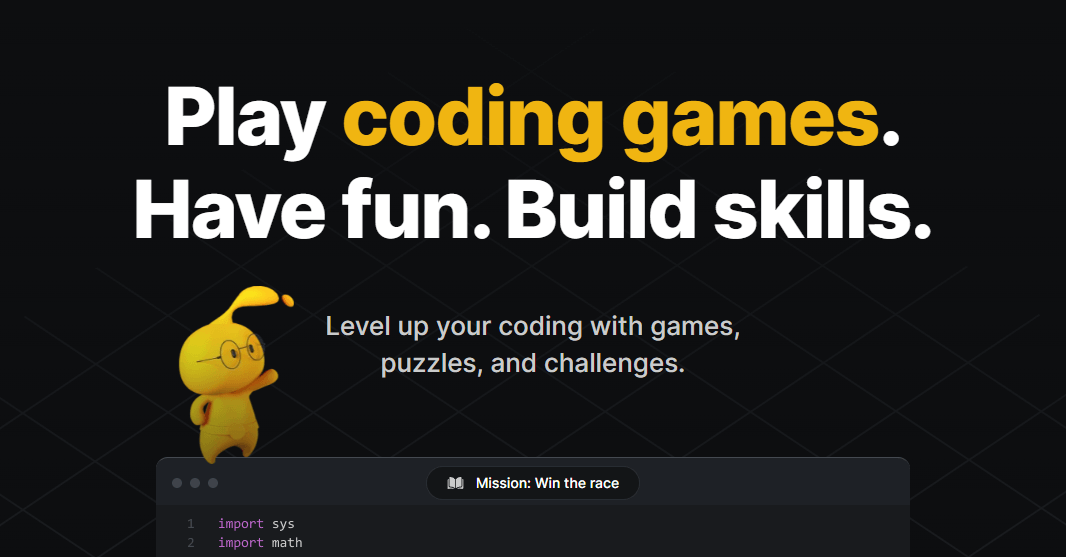

User reviews (0)