
 简体中文
简体中文connecteam.com
One simple app built for frontline teams to move beyond scattered tools. Easily schedule, track time, communicate, and more with full clarity and control.
At a glance
- Category
- Resources & Utilities
- Language
- English
- Paid-content signal
- Paid contentObserved
- Registered
- 2015
- Hosting
- CloudflareInferred
- HTTPS certificate trusted
- PassedObserved
- Last updated
Related questions
More questions →What Is Connecteam and What Kind of Teams Is It Built For?
Connecteam is an employee management app built for frontline, deskless teams. It combines scheduling, time tracking, communication, and HR into one app, positioned as a replacement for scattered point tools. It fits teams whose work happens away from a desk—retail, field service, hospitality, healthcare support, logistics, and similar operations—where managers need to coordinate shifts and reach employees quickly. If your team works primarily at computers and already runs on a suite like Microsoft 365 or Google Workspace, the fit is weaker; the value is concentrated in mobile-first, shift-based work.
What Connecteam actually does
The product's own framing is "one simple app built for frontline teams to move beyond scattered tools," with the promise that you can "easily schedule, track time, communicate, and more with full clarity and control." In practice that means four capability clusters in a single app:
- Scheduling — build and publish shifts, and give employees a place to see them.
- Time tracking — capture hours worked so payroll and attendance don't depend on paper or separate clocks.
- Communication — reach the whole team or segments of it without relying on personal phone numbers or group chats.
- HR — keep core people records and admin in the same system as the daily work.
The organizing idea is consolidation: instead of a scheduling tool, a time clock, a messaging app, and a spreadsheet for HR, the team operates in one place. Connecteam reports that 1.8M+ managers and employees use it daily, and emphasizes "quick to start, easy to run"—relevant if you have no IT staff to run an implementation.
Who it is built for
The target user is the manager of a frontline team and the employees on that team, not a corporate HR department managing salaried knowledge workers. Signs Connecteam is a reasonable fit:
- Most of your team does not sit at a computer during the workday.
- Work is organized around shifts, locations, or job sites.
- Managers currently coordinate via group texts, paper schedules, or several disconnected apps.
- You want employees to check schedules and log time from a phone.
Signs it is a weaker fit:
- Your team is fully desk-based and already standardized on a broad productivity suite.
- You need deep, specialized functionality in one area (for example, complex payroll rules) rather than broad coverage across several.
- You have dedicated IT and want a heavily customized enterprise platform.
How to evaluate it for your team
- List the tools you use today for scheduling, time tracking, messaging, and HR records. Note how many are separate and which cause the most friction.
- Map your team's device reality. Confirm that employees have phones or shared devices available during shifts, since a mobile-first app depends on that.
- Check the pricing page at connecteam.com/pricing before committing, and confirm which capabilities sit in which plan—feature packaging, not just the headline price, determines fit.
- Run a trial with one team or location. The site references a free trial; use it to test the actual daily loop: publish a schedule, have employees view it, log time, and send an announcement.
- Verify the handoff points that matter to you—how tracked time exports for payroll, and how HR records are maintained—before rolling out to everyone.
A common snag is treating the rollout as a software install rather than a habit change: if managers keep texting schedules on the side, the consolidation benefit disappears. Pick one location, make the app the single source for schedules and time, and expand once that holds.
The short answer
Connecteam is a single app for managing frontline, shift-based teams—scheduling, time tracking, communication, and HR in one place—aimed at managers and employees who work away from desks and want to replace a patchwork of tools. It is worth a trial if that describes your operation; check the pricing page for plan details and test one team's daily workflow before committing.
How Easy Is It to Get Started with Connecteam?
Connecteam is designed to be quick to start: the product positions itself as “quick to start, easy to run,” with scheduling, time tracking, communication, and HR combined in one app for managers and employees. In practice, “easy” means a manager can create the workspace, add the team, and begin with one workflow (for example, scheduling or time tracking) rather than configuring every module at once. The main conditions are that you can define your team structure and choose a first use case; the source material does not specify setup time, required integrations, or whether any setup steps sit behind a paid plan.
What “easy to get started” means here
Connecteam’s own framing is a single app built for frontline teams, used by “1.8M+ managers and employees” according to the site. The relevant promise is not a deep IT project but a short path from sign-up to daily use: managers and employees work in the same app, so adoption depends on getting people into the app and giving them one clear task.
That makes the practical starting question: which single workflow will your team use first? Scheduling, time tracking, or team communication are the natural candidates because each produces an immediate, visible result.
A practical first-session path
The exact menu labels and screen flow are not documented in the available material, so treat the following as a task sequence rather than a click-by-click guide.
- Create the workspace and manager account. Expect to provide basic company details. The expected result is an admin view where you can add people and choose features.
- Add your team. Enter employees individually or in bulk if the product offers it. The expected result is a roster you can assign to schedules or groups.
- Pick one workflow to launch first. For example, build a single week’s schedule for one team, or set up a time clock for one location. The expected result is a live workflow employees can act on the same day.
- Invite employees and confirm they can access the app. The expected result is that at least one employee completes the action (views a shift, clocks in, or reads a message).
- Add remaining modules only after the first one is running. This keeps the rollout small and makes problems easy to isolate.
Verification: you have “started” successfully when one manager can publish a schedule or time-tracking rule and one employee can respond to it in the app without help.
Where teams typically get stuck
- Trying to configure everything at once. Because the app spans scheduling, time tracking, communication, and HR, a full configuration before launch delays the first win. Start with one workflow.
- Skipping the employee side. Manager setup is only half the adoption; confirm employees can log in and see their tasks before rolling out to the wider team.
- Undefined team structure. Groups, locations, or job roles need to be decided early, because schedules and time tracking depend on them.
What the source does and does not tell you
| Question | What the available material supports |
|---|---|
| Is it one app for managers and employees? | Yes — the site describes one app for frontline teams covering scheduling, time tracking, communication, and HR. |
| Is setup claimed to be quick? | Yes — “Quick to start, easy to run” is a stated positioning. |
| Is there a free trial or free plan? | A free trial is referenced in the site’s pricing signals; check the pricing page for current terms. |
| How long does setup take? | Not specified in the available material. |
| What support or resources are included? | Not detailed in the available material; confirm during trial. |
Who this suits
Connecteam is a reasonable fit if you want a frontline team running one workflow within days and are willing to expand module by module. It is a weaker fit if you need a fully pre-configured system with documented migration steps before launch — in that case, ask about onboarding support and data import during the trial rather than assuming them.
What Should a Team Check Before Choosing Connecteam?
Connecteam is worth a closer look if your team works mostly on its feet — shifts, job sites, stores, or field locations — and you want scheduling, time tracking, communication, and basic HR in one app instead of several disconnected tools. Before committing, check four things: whether those four areas match how your team actually works, how well it fits a deskless workflow, what the pricing page shows for your team size and needed features, and how much setup and training managers and employees will need. Connecteam's own site describes it as one simple app for frontline teams, used by "1.8M+ managers and employees," with "quick to start, easy to run" as its stated onboarding promise — treat that as a claim to test in a trial, not a guarantee.
Check 1: Do the four core areas cover your real tasks?
Connecteam's site groups its offering into scheduling, time tracking, communication, and HR. Map each to a task you do every week:
| Area | What to confirm it handles | Your test task |
|---|---|---|
| Scheduling | Shift creation, assignments, and visibility for staff | Build next week's schedule for one team and publish it |
| Time tracking | Clock-in/out and hours tied to shifts | Have two people clock in and check the hours land correctly |
| Communication | Team messaging and updates in the same app | Send a shift-change notice and confirm who sees it |
| HR | Basic people records and admin tasks | Add a new hire and check what info is required |
If a task you rely on daily falls outside these four areas, that's a gap to weigh before choosing the product.
Check 2: Does it fit a frontline, deskless workflow?
The product is explicitly built for frontline teams, so the fit question is about your specific conditions:
- Shared or personal devices? Decide whether employees will use their own phones or a shared device at a location, and confirm the app works for that pattern during the trial.
- Connectivity? If staff work in basements, warehouses, or remote sites, test clock-in and messaging where signal is weak.
- Language and literacy? If your team is multilingual or not desk-based, check that the interface and notifications are usable without training on a computer.
- Manager load? Frontline managers often have little admin time. Test whether one manager can run a full week — schedule, time approval, messages — in a few minutes a day.
Check 3: What do the trial and pricing actually include?
The site references a free trial and links to a pricing page, but the details that matter are on that page, not in the marketing copy. Before committing, review:
- Which features sit in which plan, and whether scheduling, time tracking, communication, and HR are all included at the tier you'd buy.
- How pricing scales with the number of users or seats.
- What the trial period allows you to test, and what happens to your data when it ends.
Don't assume the trial or any tier is free beyond what the pricing page states — confirm the terms directly.
Check 4: How much adoption effort will it take?
"Quick to start" is the vendor's claim; your job is to verify it with the people who'll actually use it. A practical test:
- Pick one team and one manager for a two-week trial.
- Set up the schedule and time tracking for that team only.
- Ask employees to clock in and check messages for five working days.
- Collect two questions: what confused them, and what they'd stop using.
- Decide based on whether the manager saved time and employees used it without reminders.
If adoption stalls in that small test, it will likely stall at full rollout — that's the signal to check alternatives before committing.
A short decision checklist
- Core tasks covered by scheduling, time tracking, communication, and HR? ☐
- Works on your team's devices and in your locations' connectivity? ☐
- Pricing page confirms the features and scale you need? ☐
- Trial terms and data handling understood? ☐
- A one-team pilot shows managers save time and employees adopt it? ☐
If most boxes are checked after the pilot, Connecteam is a reasonable fit for a frontline team. If scheduling or time tracking is the only need, or your team is fully desk-based, compare against narrower tools before deciding.
What Tasks Can Connecteam Handle for Frontline Team Management?
Connecteam handles the core day-to-day work of managing a frontline team in one app: scheduling and shift management, time tracking and attendance, team communication, and HR-related tasks and daily operations. It is built for managers and employees who work away from a desk, and the site describes it as bringing "scheduling, time tracking, communication, and HR into one simple app." If your team currently juggles separate tools for shifts, hours, and messaging, Connecteam is designed to replace that scatter with a single place to run the work.
Scheduling and Shift Management
This is the operational center for most frontline teams. In practice, the scheduling function covers the tasks a manager repeats every week:
- Building and publishing shifts for individuals or teams
- Adjusting schedules when someone calls out or demand changes
- Giving employees a clear view of when and where they work
- Keeping the schedule and the rest of the app connected, so a shift change is visible to the people who need it
The value is less about advanced scheduling logic and more about removing the group-chat-and-spreadsheet workaround. A store manager publishing next week's shifts in the app, rather than texting screenshots, is the typical use.
Time Tracking and Attendance
Connecteam includes time tracking as a first-class function, not an add-on. For frontline teams this usually means:
- Employees clocking in and out from the app
- Managers reviewing recorded hours for payroll or reporting
- Attendance visibility so lateness and no-shows are visible without chasing messages
The site positions this alongside scheduling and communication, which matters: hours and shifts live in the same system, so the schedule and the time record can be checked against each other instead of reconciled across tools.
Team Communication
Communication is one of the four pillars the site names. For frontline work, the useful tasks are the ones that normally fragment across personal messaging:
- Reaching the whole team or specific groups with updates
- Sharing operational information that people need during or before a shift
- Keeping work communication inside a work tool rather than personal phones
The site's framing—"move beyond scattered tools"—is the clearest statement of intent here. The communication feature is meant to consolidate, not to add another channel.
HR-Related Tasks and Day-to-Day Operations
The site groups HR into the same app as scheduling, time tracking, and communication. That means routine people-management tasks sit next to the operational ones, so a manager does not switch systems to handle a staffing or employee-administration item. The site also emphasizes "full clarity and control" and being "quick to start, easy to run," which points to setup and daily use being lightweight rather than a heavy implementation project.
What This Means for Choosing It
| If your team's pain is… | Connecteam's relevant function |
|---|---|
| Shifts managed by text and spreadsheets | Scheduling and shift management |
| Hours tracked manually or in a separate tool | Time tracking and attendance |
| Updates lost in group chats | Team communication |
| Admin tasks spread across systems | HR-related tasks and operations |
Connecteam fits teams that want these four areas in one app and value fast setup over deep customization. It is less clearly a fit if you need specialized capabilities in only one area and already have a satisfactory system for the rest—consolidation is the product's main argument.
Practical Next Step
The site states that 1.8M+ managers and employees use the app daily and offers a pricing page, so the sensible way to evaluate it is to pick your single most fragmented task—usually scheduling or time tracking—and test that workflow first. Confirm during evaluation which specific HR tasks and communication features are included at your intended plan level, since the site summary describes the categories but not the per-plan breakdown.
Website Overview
An established domain and managed infrastructure suggest continuity of operations and may support dependable delivery, although neither guarantees service quality. Page metadata, canonical configuration and social previews work together to provide more consistent search and sharing presentation.
Domain and Registration
Registered in 2015, this domain has about 11 years of history. That suggests continuity, although ownership and purpose may have changed. Transfer-protection status is present, helping reduce the risk of unauthorized domain transfers. The registrar is GoDaddy.com, LLC, a widely used domain service provider. The domain uses the common .com extension, which is not an independent safety signal.
DNS and Email
Nameservers are provided by Cloudflare, indicating managed DNS hosting. MX records point to the Google Workspace email service. No CNAME was found; the observed records resolve directly to addresses. SPF and DMARC are configured. DKIM status is unknown. TXT records include verification markers for Google, Apple, Atlassian, Microsoft. Such markers may also remain after a service stops being used.
TLS and Certificates
The public key uses EC with 256 bits. The server supplied a complete certificate chain. No organization name is present in the certificate; the available fields are consistent with domain validation. The certificate was issued within the Google Trust Services cloud or CDN ecosystem. The certificate's total validity is about 90 days, consistent with a short renewal cycle.
HTTP and Browser Security
X-Powered-By exposes backend information: WP Engine. The response lacks these common security headers: CSP, X-Content-Type-Options, Referrer-Policy, Permissions-Policy. The cf-ray response header indicates a CDN or caching proxy in the delivery path. No obvious internal addresses or debug information were found in the headers. The Server header identifies cloudflare without an exact version.
Technology Stack Analysis
The public page identifies WPML ver:5.1.0 stt:64,1,20;, WordPress, HubSpot CMS, jQuery, Google Tag Manager, Google Analytics, Cloudflare without precise versions, leaving fewer clues for version-specific scanning.
Search and Social Sharing
The Generator tag identifies WPML ver:5.1.0 stt:64,1,20;, making the publishing system easier to fingerprint. Twitter Card metadata is configured. JSON-LD includes Organization data, helping describe the organization as an entity. The page declares 6 language or regional alternatives using hreflang. The title has 50 characters, within a common display range.
Hosting and Email
 Cloudflare
 Google Workspace
 United States
Inferred
2606:4700::6812:6e26
United States
Inferred
2606:4700::6812:6e26
Registration details
| Registrar | GoDaddy.com, LLC |
|---|---|
| Registered | 2015-05-23 |
| Expires | 2035-05-23 |
| Domain status | client delete prohibited、client renew prohibited、client transfer prohibited、client update prohibited |
| Nameservers | alina.ns.cloudflare.com、earl.ns.cloudflare.com |
| DNSSEC | unsigned |
DNS records
| Type | Name | Value | TTL | Priority |
|---|---|---|---|---|
| A | connecteam.com | 104.18.110.38 | 300 | — |
| A | connecteam.com | 104.18.111.38 | 300 | — |
| AAAA | connecteam.com | 2606:4700::6812:6e26 | 300 | — |
| AAAA | connecteam.com | 2606:4700::6812:6f26 | 300 | — |
| MX | connecteam.com | aspmx.l.google.com | 300 | 10 |
| MX | connecteam.com | alt1.aspmx.l.google.com | 300 | 20 |
| MX | connecteam.com | alt2.aspmx.l.google.com | 300 | 30 |
| MX | connecteam.com | aspmx2.googlemail.com | 300 | 40 |
| MX | connecteam.com | aspmx3.googlemail.com | 300 | 50 |
| NS | connecteam.com | alina.ns.cloudflare.com | 86400 | — |
| NS | connecteam.com | earl.ns.cloudflare.com | 86400 | — |
| TXT | connecteam.com | MS=ms83554768 | 300 | — |
| TXT | connecteam.com | MS=ms94995351 | 300 | — |
| TXT | connecteam.com | ZOOM_verify_mSCdbHweROlrbPlep2TTXC | 300 | — |
| TXT | connecteam.com | anthropic-domain-verification-721vdm=soz9o5UJfLy5V9rtQ0ca9FLKG | 300 | — |
| TXT | connecteam.com | apple-domain-verification=9X8bsLjwKuzxtsKk | 300 | — |
| TXT | connecteam.com | atlassian-domain-verification=zfFaVU84UfZ2YVHmapEiC9QYRxIMTXYaLit1HQbfulu3MhjnidCXkbc0QP/L97Jp | 300 | — |
| TXT | connecteam.com | atlassian-sending-domain-verification=161759b7-f839-4dde-a6e8-88167c037dd4 | 300 | — |
| TXT | connecteam.com | cloudflare_dashboard_sso=84aab1caedcbbd3dc7ec21bdc5939192 | 300 | — |
| TXT | connecteam.com | cursor-domain-verification-5p0s52=5qRfRPM9fzIUV82tE40qRiojv | 300 | — |
| TXT | connecteam.com | google-site-verification=-AQVVZV9eKLyGYAMKHEM43hiekH9ZKJRZ_OWx5_96xk | 300 | — |
| TXT | connecteam.com | google-site-verification=A7EO90GxrGP8XF4IfKEySin_uBkYlflUgr5tXwJXC8c | 300 | — |
| TXT | connecteam.com | google-site-verification=D48xmx7q0PnllApRh2MeRQ3tOZu0IJg3_wbD5h8zCcA | 300 | — |
| TXT | connecteam.com | google-site-verification=qM-yc5zOUeldamcHSLV53CT87el8Mm95WbFvDEEMO1Y | 300 | — |
| TXT | connecteam.com | hubspot-domain-verification=MDExMWRkMDQtNGZiOC00MzVhLTlmN2MtZjZjZDdlNzY3YzEz | 300 | — |
| TXT | connecteam.com | hubspot-domain-verification=Yzk4Y2M5NmMtODJlOS00YzQzLWFjMDYtYTcyMTllOTljMDQ2 | 300 | — |
| TXT | connecteam.com | openai-domain-verification=dv-ouNpxynKIwbzWs1goLttWukk | 300 | — |
| TXT | connecteam.com | v=spf1 mx include:_spf.google.com include:amazonses.com include:4021060.spf02.hubspotemail.net -all | 300 | — |
| DMARC | _dmarc.connecteam.com | v=DMARC1; p=quarantine; pct=100; adkim=s; aspf=r; rua=mailto:[email protected] | 300 | — |
TLS and certificates
HTTP response headers
| Header | Value |
|---|---|
| content-type | text/html; charset=UTF-8 |
| cache-control | max-age=86400 |
| server | cloudflare |
| strict-transport-security | max-age=31536000; includeSubDomains |
| x-frame-options | DENY |
Identified technologies
Pages, Search and Sharing
| Meta description | One simple app built for frontline teams to move beyond scattered tools. Easily schedule, track time, communicate, and more with full clarity and control. |
|---|---|
| Canonical URL | https://connecteam.com/ |
| Language | English (default) · Multilingual |
| Twitter Card | summary_large_image |
Social Sharing Preview
12 fields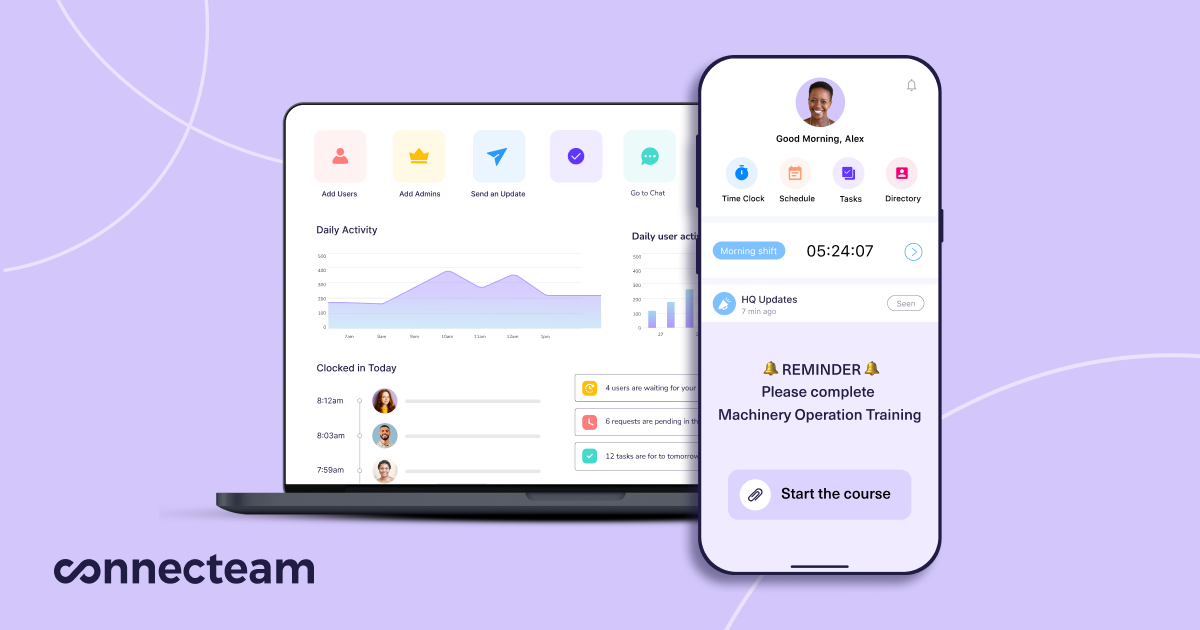
robots.txt (opens in a new tab)
4 rulesAll bots 1 allowed · 3 disallowed
- Allow
/ - Disallow
/wp-admin/ - Disallow
/browser_components/ - Disallow
/blog/page/
No matching rules.
Sitemaps
4Recent Updates
- Website images
- Screenshots
- Network details
- Website Technologies
- Pages and Search Information
- HTTP Response Information
- TLS and certificates
- DNS Information
- Domain Registration
- Website profile
- Website Description
- Website Name
- Website profile
- Website Description
- Website Name
User reviews (0)