
 简体中文
简体中文 English
Website review
This review may include AI-generated content and is not individually verified. Domain, certificate and other facts come from the observed data on this page.
What is Copy.ai?
Copy.ai is a go-to-market (GTM) AI platform — software that applies AI across sales and marketing workflows rather than acting as a single-purpose writing tool. Its stated pitch is to replace a scattered stack of "copilots and point solutions" with one platform where teams codify best practices, unify data, and run many GTM use cases. You can explore it at Copy.ai.
What it actually does
The page organizes the product around a "GTM AI playbook" with named use cases:
- Prospecting — research accounts and contacts, then draft sales outreach.
- Content creation — SEO, thought leadership, use cases, and social drafts.
- Inbound lead processing — enrich, research, and engage marketing-generated leads quickly.
- Account-based marketing — account, industry, and persona insights, plus scaled asset creation.
- Translation and localization — real-time translation positioned as cheaper than agencies.
- Deal coaching and forecasting — insights pulled from sales transcripts to score deals and predict close dates.
Who it suits
Teams large enough to have a real GTM motion — sales development, demand generation, ABM, and sales ops — and who feel the pain of juggling many separate AI tools. The page cites 17 million users and quotes Juniper Networks, Lenovo, and Banzai marketers on outcomes like more meetings and content cost savings; treat those as vendor-supplied customer statements, not independent benchmarks.
Trade-offs to weigh
A single platform reduces tool sprawl and keeps data and workflows connected, but it also concentrates dependence on one vendor and may not match a best-in-class specialist in any single category. If you only need blog drafts, a simpler writing tool will do; if you need sales and marketing workflows to share context, the platform approach is the more relevant bet.
Next step: pick your two highest-volume GTM tasks (often prospecting outreach and inbound lead response), and test whether one connected workflow beats your current separate tools on speed and output quality before committing broadly.
How does Copy.ai's GTM AI platform compare to using multiple AI copilots and point solutions?
Copy.ai positions its platform as a single, AI-native system for go-to-market work rather than a collection of separate copilots and narrow tools. The core argument on its page is consolidation: instead of stitching together many assistants and point solutions, teams codify best practices, unify data and connect teams in one place, then run multiple GTM use cases through it. The page frames the alternative as "GTM bloat" and calls Copy.ai "the anti-point solution platform."
Where the difference shows up
| Dimension | Copy.ai GTM AI platform | Multiple copilots / point solutions |
|---|---|---|
| Scope | Several GTM use cases in one platform: prospecting, content creation, inbound lead processing, ABM, translation/localization, deal coaching and forecasting | Each tool usually covers one narrow job |
| Data and context | Unified data and connected teams across the GTM engine | Context is split across tools, so handoffs lose information |
| Best practices | Codified into an AI "playbook" | Live in individual tools or people's heads |
| Team fit | Teams wanting one shared system across marketing, sales and related functions | Teams that only need one specific capability, or already have a stack they like |
Practical trade-offs
- A single platform tends to reduce tool sprawl, duplicate spend and re-integration work. The cost is committing to one vendor's model of how GTM should run.
- Point solutions can be faster to adopt for a single, well-defined task and may go deeper in that one area. The cost is fragmentation: data, prompts and workflows don't carry across tools.
- Copy.ai's page leans on outcomes reported by customers. Jean English, former CMO at Juniper Networks, is quoted saying Copy.ai helped generate 5x more meetings; Roman Olney of Lenovo says automating content workflows saved $16 million in a year. Those are customer-reported results, not guarantees, and they depend on how well a team implements the platform.
How to decide
Start with your bottleneck. If the pain is one task, such as drafting outreach or translating content, a focused point solution may be enough. If the pain is coordination, inconsistent messaging and data trapped in separate tools across marketing and sales, a unified GTM platform is the more relevant comparison. A useful next step is to list your current AI tools, note which ones share data and which don't, and estimate the time lost to moving context between them. That gap is usually where the platform-versus-point-solution question gets decided.
What specific go-to-market use cases can Copy.ai automate for sales and marketing teams?
Copy.ai positions itself as an AI-native go-to-market platform, and its page names six specific GTM use cases it says it can automate. These cluster around sales pipeline generation and marketing content production.
Sales-side use cases
- Prospecting cockpit: research accounts and contacts, then draft sales outreach. The pitch is doubling pipeline per rep while keeping outreach personalized.
- Inbound lead processing: automatically enrich, research, and engage marketing-generated leads quickly, aiming to shorten speed-to-lead and lift conversion.
- Deal coaching and forecasting: pull insights from sales transcripts to score deals, suggest strategies, and predict close dates.
Marketing-side use cases
- Content creation: SEO, thought leadership, use cases, and social content drafted in seconds rather than weeks.
- Account-based marketing: gather account, industry, and persona insights, then generate tailored assets at scale.
- Translation and localization: real-time translations that aim for native-speaker quality, positioned as cheaper than agencies.
The page frames all of this as one platform replacing "dozens of copilots and point solutions," with testimonials citing outcomes like 5x more meetings and large content-cost savings. Treat those as vendor-supplied customer claims, not guaranteed results.
How to decide
If your team's bottleneck is scattered tools and handoffs between research, content, and outreach, a unified platform is worth a pilot. If you only need one function, say translation, a narrow tool may be simpler and cheaper. Pick your two highest-volume workflows, run a small pilot, and measure cycle time and output quality before committing.
For context on the wider category, see Copy.ai and comparable platforms like HubSpot or Jasper.
Can Copy.ai help with translation and localization for global markets?
Yes. Copy.ai presents translation and localization as one of its core go-to-market use cases. According to the page, it produces native-speaker-level translations for any language, in real time, at a fraction of the cost of translation agencies.
Where it fits best
- Marketing and GTM content that changes often: landing pages, campaigns, social posts, sales outreach, product use cases.
- Teams that already create source content in one language and need many language versions quickly.
- Workflows where speed matters more than certified legal or medical accuracy.
Where to be careful
- Regulated or high-stakes content (contracts, compliance, clinical, legal filings) usually still needs a qualified human linguist.
- Brand voice and cultural nuance vary by market; a native-speaker review step is still worth building into your process.
- If you need certified translations or formal sign-off, a specialist language service provider is the safer route.
How to decide
Run a small pilot: take one high-performing piece of content, translate it into two or three target languages, and have in-market colleagues review it. If the output needs only light editing, scaling makes sense. If reviewers rewrite most of it, keep AI for drafting and route final copy through human linguists.
For a broader view of how this fits alongside other tools, see Copy.ai.
How can Copy.ai improve inbound lead processing and speed-to-lead?
Copy.ai's GTM platform applies AI to inbound lead processing by automatically enriching, researching, and engaging marketing-generated leads as soon as they arrive. Rather than routing raw form fills into a queue for a rep to qualify manually, the platform is positioned to compress that step: gather account and contact context, then act on it quickly. The stated goal is to minimize speed-to-lead and maximize conversions, which matters because response delay is one of the most controllable leaks in inbound conversion.
Where it fits in a real workflow
A typical inbound lead — say, a demo request from a mid-market prospect — needs several things before a rep can have a useful conversation: firmographic and technographic context, a read on the person's role and priorities, and a first message that reflects both. Copy.ai frames inbound lead processing as handling that enrichment and research automatically, then engaging the lead, so the rep starts from a prepared position instead of a blank CRM record.
Practical trade-offs
- Speed improves most when enrichment and first-touch drafting are automated end to end; partial automation still leaves a human bottleneck at the worst moment.
- Personalization quality depends on the data available to enrich from. Thin or stale records will produce thin outreach.
- Teams should keep a human review step for high-value or enterprise leads, where a wrong first message costs more than a slow one.
How to decide if it's worth testing
Measure your current median time from form submission to first meaningful contact, then compare it against conversion rate by response speed. If your data shows a steep drop-off within the first hour, automated enrichment plus immediate first-touch drafting is the highest-leverage fix. Run a controlled pilot on one inbound segment and compare meeting-booked rates against your existing manual process.
For related approaches to inbound and GTM automation, see HubSpot and Marketo.
What kind of ROI or results have companies achieved with Copy.ai?
Copy.ai's own page cites two headline results from named customers:
- Juniper Networks — Jean English, former CMO, says the company is "generating 5x more meetings" with a personalized, AI-powered go-to-market strategy.
- Lenovo — Roman Olney, Head of Global Digital Experience, says automating marketing content workflows that "would typically take weeks and cost thousands of dollars through agencies" saved $16 million in a single year.
Both figures come from customer quotes on Copy.ai's site, so treat them as vendor-published claims rather than independently audited numbers. The Lenovo figure is a cost-avoidance number (agency spend not incurred), not new revenue — a meaningful distinction when you're building a business case.
How to read these numbers
The two examples illustrate different ROI mechanics:
| Result type | Example | What it really measures | Main caveat |
|---|---|---|---|
| Revenue-adjacent | 5x more meetings (Juniper) | Pipeline activity, not closed revenue | Meeting volume depends on list quality, targeting and sales follow-up |
| Cost avoidance | $16M saved (Lenovo) | Agency/content production spend avoided | Assumes the same output volume and quality would otherwise be bought externally |
A third quote, from Ashley Levesque at Banzai, is qualitative: she says she hadn't realized AI workflows were something she was missing until it was pointed out. That's a useful signal about discovery and adoption, but it isn't a measured result.
A practical way to estimate your own case
Because the public evidence is quote-based, build your own baseline before trialing anything. For a mid-size B2B marketing team, a workable approach is:
- Pick one workflow the page names — for example inbound lead processing or content creation.
- Record current cycle time and cost per asset or per lead (including freelancer or agency rates).
- Run the same workflow for 30 days and compare output volume, revision rounds and speed-to-lead.
- Convert the delta into either hours saved or spend avoided, then check whether the time saved is actually redeployed to revenue work.
That last step matters: cost avoidance only becomes real ROI if the freed capacity goes somewhere useful, or if the budget genuinely comes out of the accounts payable line.
If you want to compare the category, Copy.ai positions itself as a unified GTM platform rather than a single tool, so it's worth contrasting with a general assistant like OpenAI or a marketing suite such as HubSpot to see whether consolidation or best-of-breed fits your stack.
 Cloudflare
 Google Workspace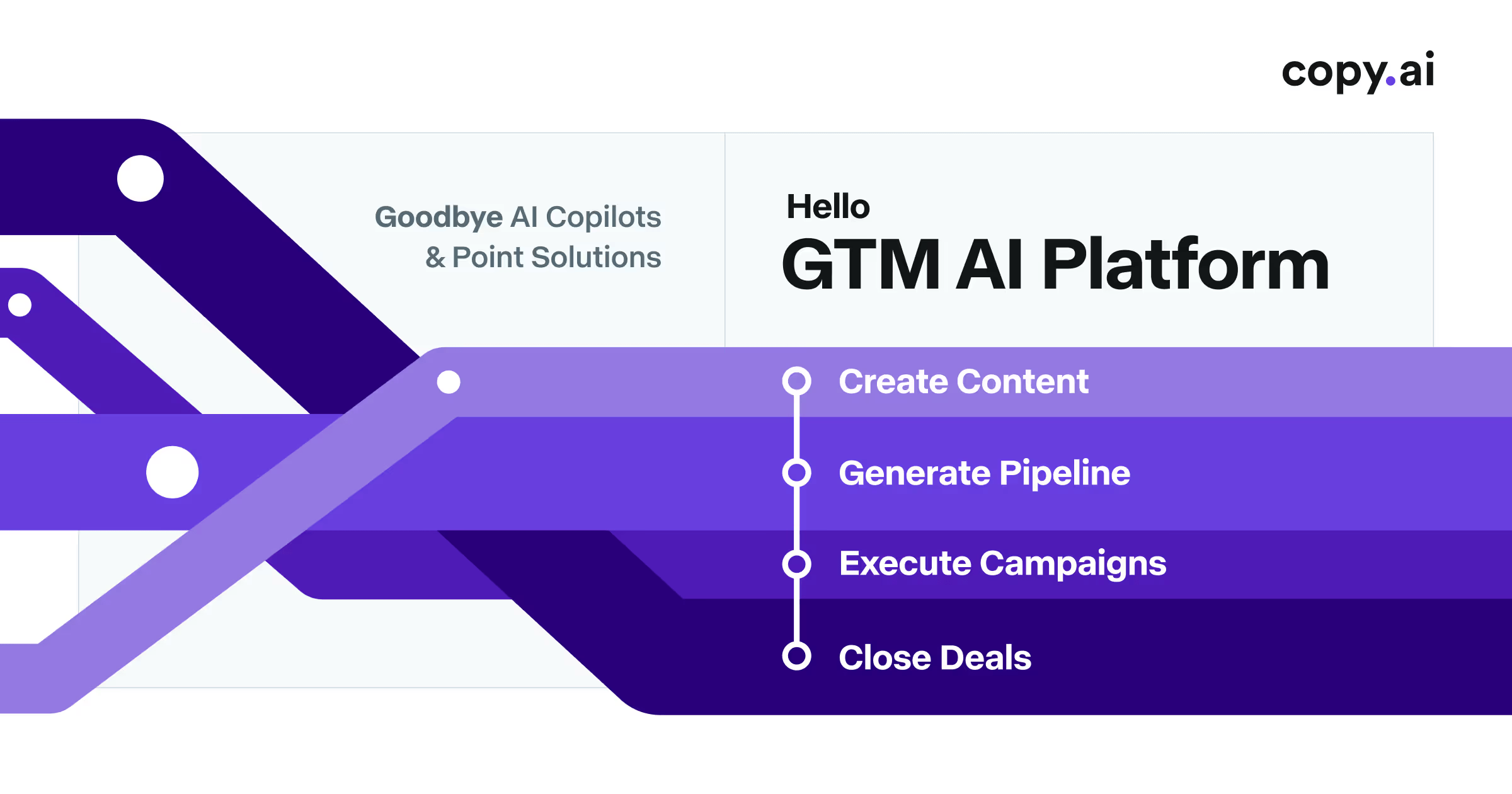

User reviews (0)