
 简体中文
简体中文 English
Website review
This review may include AI-generated content and is not individually verified. Domain, certificate and other facts come from the observed data on this page.
What is Creative Tim?
Creative Tim is a platform for developers, makers, founders and marketers who want to ship digital products faster. It bundles three kinds of resources: UI building blocks (notably 360+ shadcn/ui blocks for AI code generators such as v0 and Lovable), 200+ ready-to-use n8n automation templates, and 140+ premium templates across Astro, Tailwind CSS, React, Vue, HTML, Bootstrap and Angular. On top of that it offers AI tooling: deployable autonomous agents (OpenClaw and Hermes), an AI app builder that turns a description into a deployed website, dashboard, slide deck or ad set, and agent integrations for web chat, Telegram and Slack.
Who each part suits
| Need | Useful part | Trade-off |
|---|---|---|
| Fast front-end assembly | shadcn/ui blocks and template library | Best if you already work in React/Tailwind-style stacks; less relevant for other frameworks |
| Business workflow automation | n8n templates | Requires running or connecting an n8n instance |
| Always-on AI assistants | OpenClaw / Hermes agents | You depend on hosted infrastructure and an LLM provider |
| Non-coders shipping a site | AI app builder | Output is editable but likely simpler than hand-built custom code |
A concrete example: a solo founder validating an idea could generate a landing page with the AI app builder, drop in shadcn/ui blocks for the dashboard, and wire a lead-notification flow from an n8n template—without hiring a team. A developer at a larger company would more likely use the blocks and templates as a starting point and treat the agents as optional add-ons.
As a next step, decide whether your bottleneck is interface work, automation, or AI agents, and explore only that section first at Creative Tim.
How do I choose between OpenClaw AI Agents and the Hermes Agent for deploying an autonomous agent?
Choose OpenClaw if you want an agent you can reach and manage from a web chat and Telegram, with a skills system for adding capabilities without redeploying. Choose Hermes if persistent memory across conversations and Slack access matter more to you. Both are described on Creative Tim as running autonomously on secured infrastructure, so the decision comes down to channels, memory and how you plan to extend the agent.
What separates them
| Need | OpenClaw AI Agents | Hermes Agent |
|---|---|---|
| Primary chat channels | Web chat with streaming, Telegram bot | Dashboard chat, Telegram, Slack |
| Memory | Not emphasized in the page description | Persistent memory across conversations |
| Extending it | Skills system, installable without redeploying | Built-in tools and skills, isolated container |
| Hosting | 24/7 on dedicated secured servers | Runs in an isolated container on Creative Tim infrastructure |
The page also notes OpenClaw works with your preferred LLM and includes a full control UI, while Hermes is credited to Nous Research and pitched as a persistent agent with built-in memory, tools and skills. Treat those as the page's descriptions rather than benchmarked differences.
A practical way to decide
Picture a small support team that lives in Slack and wants an agent that remembers earlier conversations with the same customer. Hermes fits that pattern: Slack is a listed channel and memory is a stated feature. Now picture a founder who wants a public-facing assistant on a website plus a Telegram bot for internal alerts, and who expects to bolt on new capabilities over time. OpenClaw's web chat, Telegram integration and skills system line up better there.
If you are still unsure, start with the channel your users already use daily, then check whether memory is essential. An agent without persistent memory can still handle many task-oriented workflows; it just won't carry context between sessions the way Hermes is described to.
For related building blocks, Creative Tim also lists shadcn/ui blocks and n8n automation templates, which can complement either agent. If you are weighing other agent platforms, compare their official documentation at Nous Research for Hermes and check the vendor pages for any alternative you are considering before committing.
Can I use Creative Tim's shadcn/ui blocks with AI code generators like v0 or Lovable?
Yes. Creative Tim's shadcn/ui blocks are presented as working with AI code generators such as v0 and Lovable, and the page lists a registry and MCP support alongside its 360+ blocks. In practice, that means you can paste a block into a v0 or Lovable prompt or pull it through the registry rather than hand-building the component from scratch.
A realistic workflow: describe your screen in v0 or Lovable, then drop in a Creative Tim block for the parts where you want a finished look (a pricing section, dashboard cards, a settings form). The generator handles layout and wiring; the block supplies production-ready markup and styling.
Two trade-offs to weigh:
- Token and context limits. Large blocks eat prompt space, so feed one block at a time rather than a whole page.
- Style drift. Generators may rewrite classes or restructure components, so keep the original block as the reference and diff the output.
If you mainly want finished templates rather than individual blocks, Creative Tim's wider library (Astro, React, Vue, Tailwind and more) may fit better; for component-level work inside an existing shadcn/ui project, the blocks are the more direct fit.
What can I build with the AI App Builder without writing code?
The AI App Builder is aimed at turning a plain-language description into a real, deployed app in minutes rather than a mockup. Based on the product's own description, the outputs it names are websites, dashboards, slide decks and ad sets, and everything it produces stays fully editable afterward.
What that means in practice
- Websites: You describe the site you want—say a small marketing site or a landing page for a product launch—and the builder generates and deploys it. You then edit content and layout directly instead of starting from a blank file.
- Dashboards: Useful when you need a simple internal view, such as a tracker for orders, signups or tasks, without setting up a development project.
- Slide decks: Good for a pitch or a client presentation where you want a starting structure you can adjust, rather than building slides by hand.
- Ad sets: Handy for marketers who need several ad variations quickly and want to tweak the copy and visuals themselves.
Who gets the most out of it
The site frames this for founders, makers, no-coders and growth marketers—people who want a working result fast and are comfortable editing rather than coding. A concrete scenario: a solo founder needs a landing page and a simple dashboard for early signups before a launch. Describing both to the builder and then editing the output is far quicker than hiring help for a first version.
Trade-offs to weigh
- Editing skill still matters. "Fully editable" means you will spend time adjusting what was generated; expect to refine copy, structure and layout.
- Complex logic is a different job. The described outputs are presentational and content-driven. If your idea depends on custom data models, authentication or intricate business rules, plan for a developer to extend it—or look at the platform's developer-facing blocks and templates, which are built for code generators like v0 and Lovable.
- Deployment is the starting point, not the finish. A deployed app still needs review for accuracy, mobile behaviour and branding before you share it widely.
A practical next step: write a one-paragraph brief of your idea, list the three screens or sections it needs, and generate a first version. Compare the result against that brief before deciding whether to refine it yourself or bring in a developer for the parts that need real logic.
For related building blocks, see Creative Tim.
How do the 200+ n8n automation templates help automate business workflows?
The 200+ n8n automation templates on Creative Tim are pre-built workflow recipes you import into n8n, so you start from a working automation instead of a blank canvas. Rather than wiring triggers, nodes and credentials from scratch, you open a template, point it at your own tools, and adapt the logic to your process. That cuts the setup time for common jobs like routing form submissions, syncing leads between apps, or sending scheduled reports, and it gives you a reference structure to learn from if you are new to n8n.
Where templates save the most time
- Standard, repetitive jobs: lead capture to CRM, support ticket triage, invoice or file handling, and notification digests. These follow predictable patterns that a template can cover almost entirely.
- Cross-app glue: moving data between a form, a spreadsheet, a messaging tool and a database. The template shows the connection order and field mapping you would otherwise trial-and-error.
- Learning by example: editing a template is often faster than reading docs, because you see how triggers, conditions and error paths fit together.
Where they need real work
Templates are starting points, not finished systems. Expect to swap in your credentials, adjust field names, and add error handling or logging before anything touches customers. Complex logic, unusual data shapes or strict compliance requirements usually need custom nodes or a rebuild. Treat each template as a draft to audit, not a black box to trust.
A practical next step
Pick one high-friction workflow you run weekly, find the closest template, and run it in a test environment with sample data first. If the template covers roughly 70–80% of the steps, adapting it is usually worth it; if it misses core logic, building fresh may be cleaner. Compare against the native n8n template library at n8n and, for the UI side of the same workflows, Creative Tim's own blocks at Creative Tim.
Is Creative Tim suitable for non-developers such as founders or marketers?
Yes. Creative Tim is explicitly positioned for founders, marketers and other non-coders as well as developers. Its page lists "No-coders & Makers," "Founders & CEOs," and "Marketers & Growth Teams" among its intended audiences, with use cases like generating websites, workflows and agents without writing code, and launching pages and automations "in minutes — not weeks."
Where non-developers get the most value
- AI App Builder: Describe an idea and get a deployed, editable app such as a website, dashboard, slide deck or ad set. This is the lowest-friction entry point for a founder or marketer.
- n8n automation templates: 200+ ready-made workflows for business operations, support and growth, useful for marketers who want automation without building from scratch.
- Premium templates: 140+ templates across Astro, Tailwind, React, Vue, HTML, Bootstrap and Angular. A marketer can start from a finished design, though customizing the underlying code still favors someone technical.
- AI agents (OpenClaw, Hermes): Deployable agents with web chat, Telegram or Slack access and a skills system. Setup is described as taking minutes, but ongoing configuration and integration with your tools will be easier with technical help.
Trade-offs to weigh
| Need | Fit for non-developers |
|---|---|
| Launching a landing page or simple site | Strong — templates and the AI builder reduce the work |
| Automating repetitive business tasks | Strong — prebuilt n8n workflows |
| Running a customer-facing AI agent | Moderate — deployment is simple, but tuning and integration benefit from a developer |
| Deeply custom product development | Weaker — the value shifts toward developers using UI blocks and code |
A practical next step: pick one concrete job, such as a campaign landing page or a lead-routing automation, and test it end to end before committing more broadly. If you have a technical teammate, involve them early on any agent deployment so handoffs stay clean. For wider context on no-code and automation options, n8n covers the workflow platform these templates run on.
 Cloudflare
 Google Workspace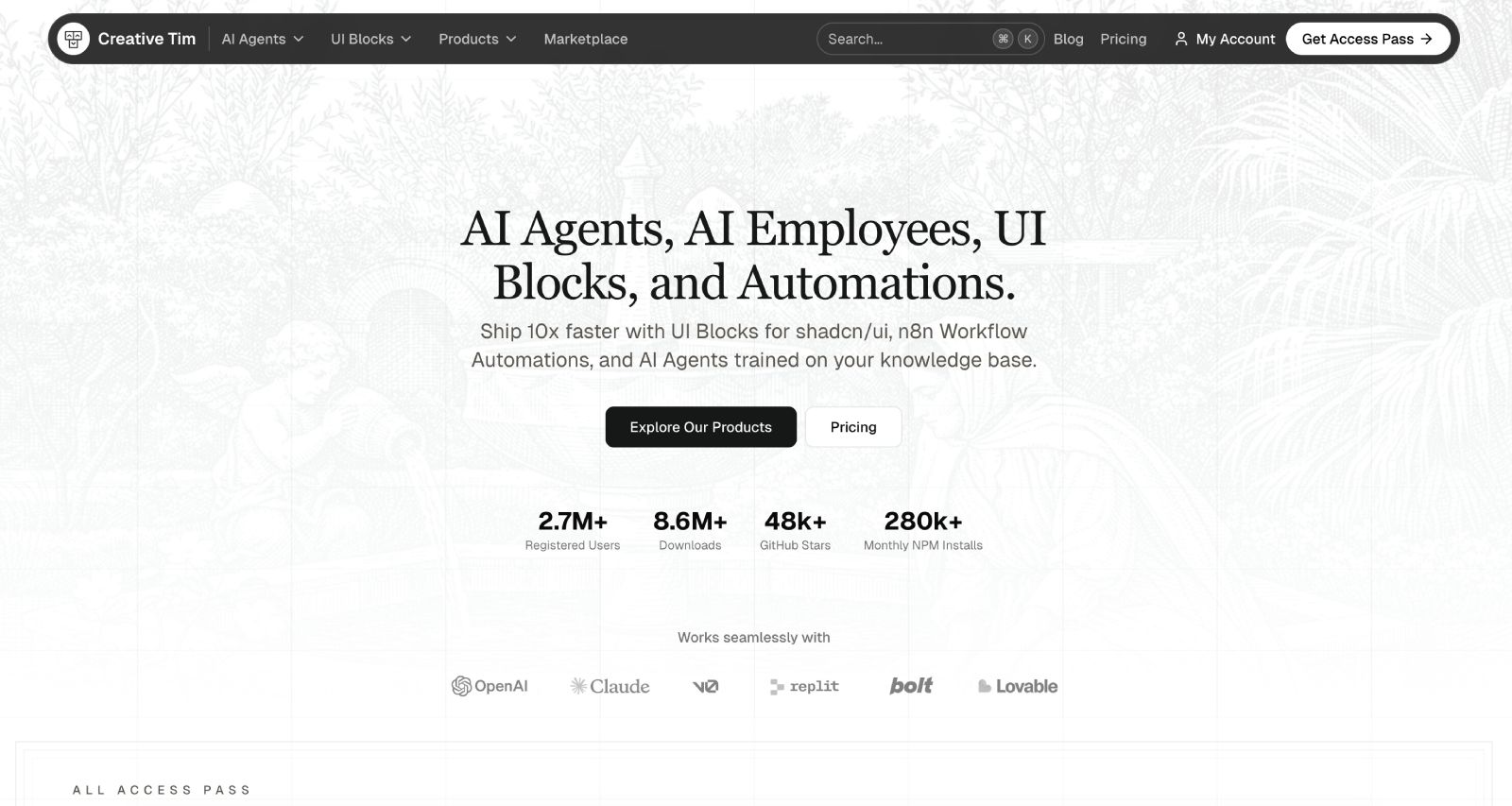

User reviews (0)