Website profiles · Technology insights · Alternatives

dodoform.com

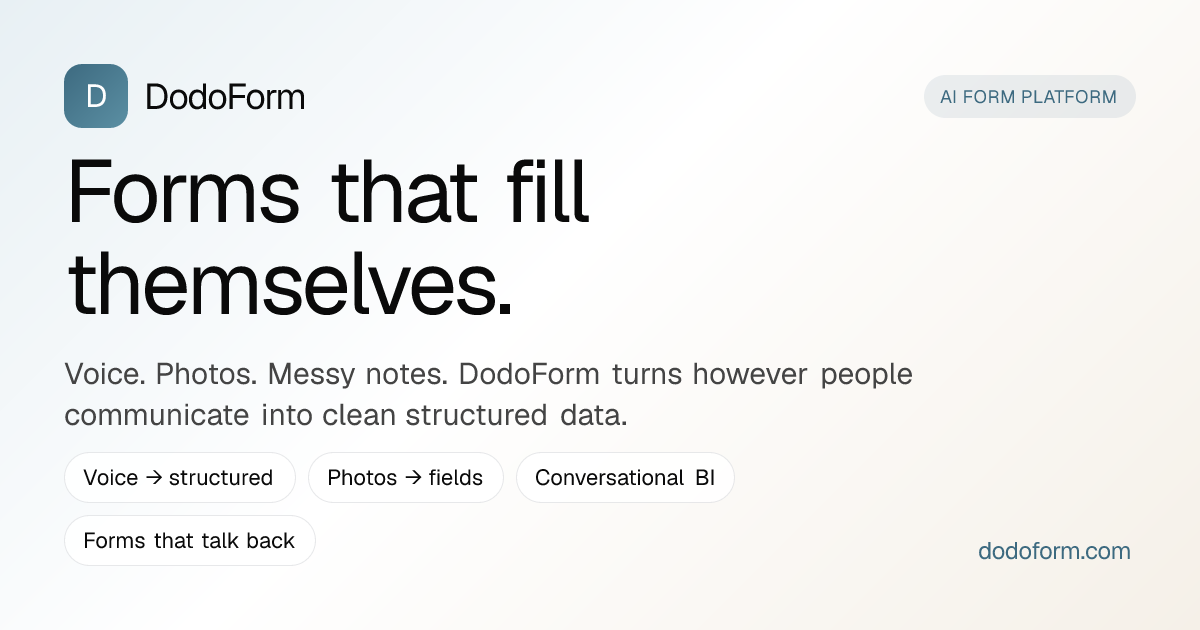
AI form builder that turns voice, photos, and messy notes into clean structured data. On the web and Android, 200+ templates. 14-day Pro trial, no card.

Paid content
Visit website
Profile views 9 Outbound visits 7 Normal
DodoForm Full homepage screenshot

At a glance

Category
Productivity
Language
English
Paid-content signal
Paid contentObserved
Registered
2026
Hosting
VercelInferred
HTTPS certificate trusted
PassedObserved
Last updated

Website review

This review may include AI-generated content and is not individually verified. Domain, certificate and other facts come from the observed data on this page.

What is DodoForm?

DodoForm is an AI form and data-extraction tool that turns unstructured input — voice notes, photos, PDFs, emails, and messy text — into clean, structured records. It is aimed at recruiters, agencies, and operations teams, and it works on the web and on Android.

Its core idea is described on the page as "Messy in. Verified data out." There are two ways to use it:

  • Collect: Share an AI form. Respondents answer by typing, talking, or pasting text, and they confirm what the AI understood before submitting. Low-confidence answers can be routed for review.
  • Extract: Paste material you already have — resumes, client briefs, inbound leads, notes — and pull it onto your schema. Each field gets a confidence score, and uncertain rows go to a review queue.

The pitch is that output is traceable and verified rather than invented, and that clean records can be routed into systems like an ATS or CRM. The site also lists 200+ templates, a 14-day Pro trial without a card, and a free plan with 100 AI credits per month and unlimited responses. There is a no-signup demo where you can paste your own messy text and see the extraction engine run.

A practical next step: if you handle recurring intake — candidate emails, lead forms, vendor paperwork — try the no-account demo with one real, messy example from your own inbox. Compare the extracted fields against what you would have typed manually; that tells you quickly whether the confidence scoring and review queue match how much verification your workflow actually needs.

How does DodoForm turn messy inputs like voice notes and PDFs into structured data?

DodoForm offers two paths for converting messy inputs into structured data, and the distinction matters when you decide how to use it.

Collect mode is for data other people provide. You share a form, and respondents can answer by typing, talking, or pasting unstructured text. The AI extracts the fields, then the respondent confirms what was heard before submitting. The output is a clean record rather than a raw transcript, and low-confidence rows get routed to a review step.

Extract mode is for data you already hold — emails, resumes, PDFs, images, audio, notes. You paste or drop it in, and the tool maps it onto your schema with per-field confidence scoring and a review queue for anything uncertain.

Both modes land in the same place: structured records with fields traced back to their source, intended for routing into an ATS or CRM. The page's own example shows a conference follow-up email becoming name, company, email, phone, team size, timeline and budget fields, each with a confidence percentage.

The practical trade-off is who does the confirming. In Collect mode the respondent validates the AI's reading at the point of entry, which suits lead capture and intake forms where you want accuracy before submission. In Extract mode you or your team work the review queue afterward, which suits backlog cleanup — a folder of old resumes or client briefs — where there is no respondent to ask.

A sensible next step: run one real document through the no-account demo on the site to see how it handles your particular messiness. If your inputs are mostly other people filling things in, start with Collect; if you are sitting on a pile of existing files, start with Extract. The page notes a 14-day Pro trial without a card, and a free plan with 100 AI credits a month and unlimited responses, so you can test the volume question before committing.

For context on the broader category, see Zapier for automation and routing options, and Airtable if the structured output needs to live in a flexible database rather than a CRM.

Can I try DodoForm without creating an account or providing a credit card?

Yes. DodoForm's own page states that you can try the extraction engine with no account and no card: you paste messy text, edit the sample, or drop in an email of your own, and it returns structured fields. It also lists a free plan with no card required, and a 14-day Pro trial that likewise needs no card.

What "no account" covers in practice:

  • Try the extractor: Paste an email, notes, or a sample, and see the AI pull out fields like name, company, email, phone, team size, budget, and timeline. This is the fastest way to judge accuracy on your own messy inputs.
  • Free plan: The page describes unlimited responses and a monthly AI credit allowance, so light use does not require payment details.
  • Trial of paid features: The 14-day Pro trial is stated as card-free, so you can evaluate Pro-level capacity before deciding.
  • Android: DodoForm is available on Google Play if you prefer testing on a phone, which matters for the voice-note and photo capture path.

A practical next step: run two or three real inputs through the extractor before signing up for anything — one clean email, one rambling voice-style note, and one PDF or image. Check whether the fields you care about land correctly and whether uncertain values are flagged for review rather than silently guessed. That tells you more than any feature list.

If you need a broader comparison of form builders before committing, see DodoForm for its own claims, and weigh them against tools you already use. The main trade-off is that a card-free trial removes signup friction but still leaves you judging output quality yourself; the review queue and per-field confidence scores are the features that determine whether that output is trustworthy for recruiting or ops work.

How does DodoForm ensure the extracted data is accurate and not invented?

DodoForm's accuracy model rests on two mechanisms visible in its own materials: confidence scoring and a mandatory human confirmation step. It does not claim the AI is always right — it claims uncertain output gets caught before it reaches your records.

Per-field confidence scoring. Each extracted field is returned with a confidence figure rather than as flat text. The page shows a worked example — a pasted follow-up email yielding a name at 98%, a budget at 95%, and a timeline at 64%. That 64% is the interesting number: the system surfaces its own doubt instead of smoothing it over.

A review queue for low-confidence rows. Anything below threshold is routed to review rather than written straight through. For recruiters and ops teams, this matters more than raw extraction speed — a wrong candidate email is worse than a slow one.

Respondent confirmation on the collect side. When someone fills an AI form by voice, image or messy free text, they confirm what the AI heard before submitting. The person who owns the information is the last check.

Source tracing. The page states fields are traced back to source, so you can see where a value came from rather than trusting a black box.

Concern What DodoForm does
Hallucinated values Confidence score per field
Quietly wrong data Low-confidence rows go to a review queue
Misheard input Respondent confirms before submit
Unverifiable output Fields traced to source

Practical test for your own use case. Paste a real email or voice note you already know the answer to — a client brief, a resume, a vendor form — and check whether the low-confidence flags land on the fields you'd actually have to double-check. If the system flags the genuinely ambiguous ones and stays quiet on the obvious ones, the review queue will save you time. If it flags everything, you're just doing manual entry with extra steps.

The 14-day Pro trial requires no card, and the free plan includes 100 AI credits a month with unlimited responses, so you can run that test before committing. DodoForm is available on the web and on Android via Google Play.

What types of teams or workflows benefit most from using DodoForm?

Recruiters, staffing agencies and operations teams get the most from DodoForm, because its two modes map directly onto the two ways their data arrives.

Collect from other people. You share an AI form; respondents type, talk or paste a messy message, then confirm what the AI heard before submitting. You receive structured records rather than raw transcripts, and low-confidence rows are routed to a review queue.

Extract from data you already hold. You paste emails, resumes, briefs or notes into the Extractor and pull them onto your own schema, with per-field confidence scores and a review step for anything uncertain.

Workflows that fit well

  • Recruitment intake: candidate emails, resumes and voice notes turned into consistent fields before they reach an ATS.
  • Agency and client onboarding: client briefs and inbound leads captured once, in one schema.
  • Ops and vendor management: vendor forms and scattered inbox threads consolidated into clean records.
  • Field or mobile capture: voice and photo input suits people working away from a desk, with Android support alongside the web app.

Where it fits less well

If your data is already structured — a well-maintained CRM with enforced fields — extraction adds little. It also suits teams willing to review flagged rows; if you need fully hands-off processing, the confidence-and-review step is friction rather than a feature.

A concrete test

Take one real week of messy input: five candidate emails, one client brief, one voice note. Run them through the Extractor, then check how many fields needed correction. That tells you whether the review queue is a light check or a second job.

Next step: start with the free plan's monthly AI credits on your own sample before committing a team. For comparison, Airtable suits teams wanting a shared structured database, and Typeform covers straightforward respondent-facing forms.

How does DodoForm compare to traditional form builders like Google Forms or Typeform?

DodoForm is best understood as an AI intake and extraction tool rather than a straight replacement for Google Forms or Typeform. The traditional tools are excellent at one thing: you design a form, people fill it in, and you get their answers. DodoForm covers that too, but its main pitch is turning messy, unstructured input — voice notes, PDFs, emails, images — into clean records, and letting respondents answer by talking or pasting text instead of typing into fields.

The core difference

Google Forms Typeform DodoForm
Primary job Collect answers in fixed fields Collect answers in a polished, conversational UI Collect answers or extract data from material you already have
Input types Typed text, choices, uploads Typed text, choices, uploads Typed text, voice/audio, images, PDFs, free-form notes
What you receive Exactly what was typed Exactly what was typed AI-structured fields with per-field confidence scores and a review queue
Handling messy existing data None None Extractor pulls emails, resumes, briefs and notes onto your schema

The distinction that matters most is the second column of that last row. Google Forms and Typeform assume the data does not exist yet and that a human will type it in correctly. DodoForm assumes the data often already exists — in an inbox, a PDF, a voicemail — and that the hard part is structuring it. Its own framing is "messy in, verified data out," aimed at recruiters, agencies and ops teams, with a claimed 200+ templates.

Where each tool still wins

Google Forms remains the cheapest, simplest option for internal surveys, sign-ups and anything where you just need a list of typed answers. Typeform is stronger when the respondent experience itself matters — branded, conversational flows that people actually finish. If your problem is "I need people to answer five questions," neither DodoForm's voice input nor its confidence scoring buys you much.

DodoForm earns its place when the input is unreliable or already sitting in your inbox. A recruiter receiving 200 resumes as PDFs, or an agency getting client briefs as rambling voice notes, is the target case. The verification step is the interesting design choice: respondents confirm what the AI heard before submitting, and low-confidence rows go to a review queue rather than straight into your system. That is a sensible answer to the obvious objection — AI transcription and extraction make mistakes, and a form builder that silently invents a budget figure is worse than one that asks you to check.

Practical trade-off to weigh

Structured extraction adds a confirmation step. For a respondent, that means answering by voice and then reading back what the AI captured. For a team, it means someone owns the review queue. If nobody will actually clear that queue, you have gained speed on input and lost it again on cleanup. If you already have a clean upstream process, the confidence scoring and review routing are overhead.

A reasonable next step

Run the same real input through both paths. Take five messy items you actually have — a voicemail, a forwarded email, a scanned form — and see whether DodoForm's extractor produces fields you would trust without editing. In parallel, ask whether a plain Google Form would have solved the same problem for free. If the extraction holds up and the review queue is small, DodoForm is doing something the traditional builders genuinely cannot. If most rows need correcting, a conventional form plus a human typist is probably still faster.

DodoForm is available on the web and via Google Play, with a 14-day Pro trial that requires no card and a free plan that includes 100 AI credits a month and unlimited responses.

Related questions

More questions →
What Are Form Tools and How Are They Used?

A form tool is software that lets you create, publish, and manage online forms without writing code. You drag fields onto a page, set rules for how the form behaves, and share a link or embed it in a website. When someone submits the form, the tool stores the responses and can route them to an email inbox, a spreadsheet, a database, or another app. That is the whole idea: replace paper forms and ad-hoc email threads with a structured, trackable digital version.

The sections below explain the main types of forms, the features that matter, where form tools get used, and how to pick one.

What a form tool actually does

At minimum, a form tool handles four jobs:

  1. Building — assembling fields (text, email, dropdown, file upload, date, rating, signature) into a layout.
  2. Publishing — generating a shareable link, an embeddable snippet, or a standalone page.
  3. Collecting — receiving submissions and validating them (required fields, correct email format, file size limits).
  4. Handling — storing responses, notifying someone, and passing data onward.

Anything beyond that — payments, e-signatures, workflow automation — is an add-on, not the core function.

The main types of forms people build

Form type Typical purpose Common fields
Contact Let visitors reach a person or team Name, email, message, topic dropdown
Intake / registration Collect details before an appointment, event, or onboarding Full name, contact info, date of birth, preferences, consent checkbox
Survey / feedback Measure opinions or satisfaction Rating scales, multiple choice, open text
Order / request Capture a specific transaction or service request Item selection, quantity, delivery details, notes
Application Evaluate candidates or applicants Background questions, file upload, long-form answers

Most tools handle all five. The differences show up in how much logic, storage, and integration each type demands.

Features worth understanding

Drag-and-drop builder

The standard interface. You pick field types from a sidebar and arrange them visually. No HTML or CSS required, though many tools let you add custom code if you want it.

Conditional logic

This is what separates a basic form from a useful one. Conditional logic shows or hides fields based on earlier answers. Example: if a respondent selects "I have a pet," the form reveals a field for the pet's name. If they select "No," that field never appears. This keeps forms short for most people while still collecting detail from those who need it.

Validation and required fields

Validation prevents bad data. An email field rejects "abc," a number field rejects letters, and a required field blocks submission until it is filled. Good tools validate as the user types, not just on submit.

Submission handling

Where do answers go? Options typically include:

  • Email notification to one or more addresses.
  • Spreadsheet export (CSV, or a live connection to Google Sheets or Excel).
  • Built-in dashboard with search, filtering, and export.
  • Webhook or API to push data into another system.

If you need responses in a CRM, a project board, or a database, check that the tool supports that destination before committing.

File uploads and payments

File upload fields let respondents attach documents or images, usually with a size cap. Payment fields connect to a payment processor so the form can collect a fee at submission. These are common in registration and order forms.

Spam protection

Public forms attract bots. Look for CAPTCHA, honeypot fields (hidden fields bots fill in but humans do not), or rate limiting.

Where form tools get used

  • Healthcare and veterinary clinics — new patient intake, appointment requests, insurance and payment information collection, post-visit feedback.
  • Education — course registration, permission slips, quiz-style assessments, parent contact updates.
  • Events — RSVPs, attendee registration, session sign-ups, dietary preferences.
  • Small business — quote requests, job applications, customer satisfaction surveys.
  • Nonprofits — volunteer sign-ups, donation pledges, grant applications.
  • Internal operations — IT support tickets, expense requests, employee onboarding checklists.

The pattern is consistent: any process that currently runs on paper, PDFs, or "just email me the details" is a candidate for a form tool.

Form tools vs. website builders

These are often confused, so it helps to separate them.

A website builder creates and hosts entire pages — navigation, content, images, blog posts, and forms. A form tool focuses only on the form and its data. Many website builders include a basic form feature, but it is usually limited: few field types, no conditional logic, weak submission management.

A dedicated form tool is the better choice when you need:

  • Complex logic or multi-page forms.
  • Reliable storage and export of responses.
  • Integrations with other software.
  • Forms that live outside your website (shared by link, embedded anywhere).

A website builder's built-in form is fine for a simple contact box on a small site.

How to choose a form tool

Work through these questions in order:

  1. What do you need to collect? List every field and whether it is required. This tells you which field types you cannot live without.
  2. Does it need logic? If answers should change what is asked next, conditional logic is mandatory.
  3. Where must the data end up? Email only, or a spreadsheet, CRM, or database? Confirm the integration exists.
  4. How many responses? Some tools cap submissions or storage on lower tiers. Check the limit against your expected volume.
  5. Who will build and maintain it? A non-technical user needs a clean drag-and-drop interface; a developer may prefer API access and custom code.
  6. What about compliance? If you collect health, financial, or personal data, check how the tool handles encryption, data retention, and regional privacy rules. This is a general consideration, not legal advice — confirm requirements for your situation.
  7. What does it cost at your scale? Pricing usually scales with features, submission volume, or number of users. Compare at the tier you would actually need, not the free plan.

A simple starting workflow

If you are building your first form, this sequence works for almost any use case:

  1. Write down the single purpose of the form in one sentence.
  2. List only the fields needed for that purpose. Cut anything "nice to have."
  3. Group related fields into sections or pages if there are more than about ten.
  4. Add conditional logic to hide irrelevant questions.
  5. Set validation on email, phone, and number fields.
  6. Decide where submissions go and test that destination.
  7. Submit the form yourself, then check the notification, the stored response, and the export.
  8. Share the link or embed it, then review responses after the first week and trim fields that nobody uses.

Bottom line

A form tool turns a question-and-answer process into a structured, trackable digital workflow. The core value is not the form itself but what happens to the data afterward — where it lands, who sees it, and how easily it can be acted on. Choose based on the fields you need, the logic required, and the destination for responses, and you will avoid most of the common mistakes.

How DodoForm Verifies Data and Avoids Inventing Information

DodoForm keeps AI extraction honest by tracing every field back to the source text and attaching a confidence score, then routing anything uncertain to a human review queue instead of guessing. On the collection side, the person filling out the form confirms what the AI heard before submitting. The result is a clean, verified record rather than a raw transcript or a plausible-sounding fabrication. This applies to both ways DodoForm takes in data: collecting from others via AI forms, and extracting from files, emails, or notes you already have.

The core mechanism: source tracing plus confidence scoring

DodoForm's stated principle is "Messy in. Verified data out." Two design choices carry that promise:

  • Per-field source tracing. Every extracted field is linked back to the part of the input it came from. The site frames this as "100% fields traced to source" — the point being that you can check where a value like a budget figure or a name actually appeared, rather than trusting the model's summary.
  • Confidence percentages. Each field gets a score. In the site's own demo, a name is shown at 98%, a budget at 95%, and a timeline at 64%. The percentage is a signal of how sure the system is, not a guarantee of correctness — which is exactly why the low scores matter.

A field with high confidence and a clear source is something you can accept quickly. A field with a low score is the system telling you it isn't sure, and that's where review comes in.

What happens when the AI isn't confident

Low-confidence output doesn't get silently committed. DodoForm routes uncertain rows to a review queue for a human to confirm before they're treated as final. This is the key difference between "AI that doesn't invent your data" and a tool that fills every blank with its best guess: when the model can't ground a value, the value goes to a person, not into your records.

The same logic applies on the collection side. When someone answers a form by talking, pasting a messy note, or uploading an image, they confirm what the AI heard before it submits. So the person closest to the information catches errors at the moment of entry, and only confirmed responses become clean records.

The two paths, and how each stays verifiable

Path Input Verification step What you receive
Collect from others Voice, image, and free-text answers on a shared AI form Respondent confirms what the AI heard before submitting; low-confidence rows routed to review Clean records, not raw transcripts
Extract from your own data Text, files, images, and audio you already have Per-field confidence scoring plus a review queue for low-confidence rows Structured records mapped to your schema

Both doors lead to the same output: structured records you can trust and route onward — for example, straight into an ATS or CRM.

A concrete example

Take the demo input on the site: a follow-up email from Jordan Avery at Northwind Logistics, mentioning a team of about 45, a move off spreadsheets by end of Q3, a budget of roughly $20k/yr, and a request for a call next Tuesday afternoon.

DodoForm's extractor pulls these onto a schema as separate fields. The name and budget come out with high confidence because they're stated plainly. The timeline ("by end of Q3") scores lower — 64% in the example — because "end of Q3" is vaguer than an exact date. That lower score is what sends the timeline to review rather than letting the system quietly decide Q3 means September 30.

What this means for you

If your concern is AI fabricating details in candidate emails, client briefs, or inbound leads, the relevant questions are:

  • Can I see where each value came from? DodoForm traces fields to source, so yes.
  • Does it flag its own uncertainty? Yes, via per-field confidence scores.
  • Is there a human checkpoint? Yes — respondents confirm before submitting, and low-confidence rows go to a review queue.

The trade-off is that verification adds a step: you or a respondent review the uncertain fields instead of accepting everything automatically. For recruiting, agency, and ops workflows where a wrong email or budget figure causes real problems, that step is the feature, not the friction. You can test the extraction engine on the site without an account by pasting your own messy text, and the Pro trial runs 14 days with no card.

DodoForm Free Plan and Pro Trial: What to Know Before You Start

DodoForm gives you a 14-day Pro trial with no credit card required, and when it ends your account drops to a free plan rather than locking you out. The free plan includes 100 AI credits per month and unlimited responses. If you only need to test whether the collect-and-extract workflow fits your team, you can start without any payment details and decide later. What the source material does not include is actual pricing for Pro — the site links to a Pricing page, but no figures are listed, so treat any specific number as something you'll need to check there yourself.

What the free plan actually gives you

Based on the site's own description, the free tier is not a crippled demo:

  • 100 AI credits per month — these power the AI work: turning voice notes, images, PDFs, and messy text into structured fields.
  • Unlimited responses — the number of people who fill in your forms isn't capped.
  • No card required to start.
  • Your data isn't held hostage — the site states it "drops to free, never denies your data," meaning you keep access to what you've collected.

The practical question is whether 100 credits covers your volume. Credits are consumed by AI extraction and verification, so a workflow built on pasting long email threads or audio files will burn through them faster than one collecting short form answers. If you're processing a handful of records a week, the free plan may be enough indefinitely. If you're a recruiter or ops team pushing dozens of resumes or briefs through daily, the trial is where you'll find out.

The 14-day Pro trial, and what happens after

The trial is framed as a way to use the full product before committing:

Free plan 14-day Pro trial
Card required No No
Duration Ongoing 14 days
AI credits 100/month Pro-level (amount not stated in source)
Responses Unlimited Unlimited
After it ends Stays free Drops to free plan
Cancellation — Cancel anytime

Two things worth noting. First, because no card is collected, there's no surprise charge at day 15 — the account simply reverts. Second, "cancel anytime" is listed alongside the trial, which suggests you can end it early without penalty, though the source doesn't detail the mechanics.

Where the credits go: collect vs. extract

DodoForm has two entry points, and both consume AI work, so it helps to know which one you're testing during the trial:

Collect from others. You share an AI form. Respondents type, talk, or paste something messy, and the AI structures it — then the respondent confirms what the AI heard before submitting. You get clean records instead of raw transcripts, and low-confidence rows get routed to review.

Extract from your own data. You paste existing emails, resumes, notes, files, images, or audio into the Extractor. The AI pulls them onto your schema with per-field confidence scoring, and anything uncertain lands in a review queue.

The site's example is a conference follow-up message that becomes a record with name, company, email, phone, team size, timeline, and budget — each field carrying a confidence percentage (98%, 95%, 64% in the sample). That confidence score is the mechanism behind the "doesn't invent your data" claim: instead of guessing, low-confidence fields are flagged for a human to check.

Trying it before you decide anything

You don't need an account to see the extraction engine work. The site offers a no-signup demo where you can paste your own messy text or edit the sample and watch it structure the output. That's the cheapest way to judge accuracy on your kind of input — a client brief reads very differently from a voice note.

If the demo output looks right, the sequence is: start free (no card), run real records through both the collect and extract paths during the 14-day Pro window, then see whether 100 credits a month covers your steady-state volume once you're back on free.

The one thing to verify yourself

Pricing for Pro is the gap in this material. The site has a Pricing page, but no plan names, amounts, or billing periods are given in the source. Before you rely on the trial-to-paid path, open that page and confirm the current Pro cost and what it includes — the free plan and trial terms above are what the site states, but the paid tier is not documented here.

What is DodoForm and what does it do?

DodoForm is an AI form builder and data extraction tool that turns messy input — voice notes, photos, PDFs, emails, and free-text notes — into clean, verified, structured records. It is built for recruiters, agencies, and operations teams, runs on the web and Android, and offers 200+ templates. You can try it without an account, and the Pro trial runs 14 days with no card required.

The core idea is simple: instead of forcing people to fill in rigid fields, DodoForm accepts whatever form the information arrives in and does the structuring for you. It then shows per-field confidence scores and routes uncertain rows to a review queue, so you can check what the AI inferred before it lands in your system.

The two ways DodoForm works

DodoForm describes "two doors" that lead to the same output — structured, verified records you can route onward.

1. Collect from others

You share an AI form. Respondents answer by typing, talking, or pasting a mess of text. Before submitting, they confirm what the AI heard, so you receive clean records rather than raw transcripts.

Key behaviors from the product description:

  • Accepts voice, image, and free-text answers
  • The respondent confirms what the AI heard before it submits
  • Low-confidence rows are routed to review

2. Extract from your own data

If you already have a pile of emails, resumes, client briefs, or notes, you drop them into the Extractor and pull them onto your schema.

Key behaviors:

  • Handles text, files, images, and audio
  • Scores confidence per field
  • Sends low-confidence rows to a review queue

Both paths converge on the same result: verified records with fields traced back to their source.

What "verified" means here

The site's framing is "Messy in. Verified data out." and "AI that doesn't invent your data." Two mechanisms support that claim:

  • Per-field confidence scoring — each extracted field carries a confidence value (the sample shows figures like 98%, 95%, and 64%).
  • Review queue for low-confidence rows — anything uncertain is flagged for a human to check rather than silently accepted.

In the on-page example, a voice note is turned into a record for "Sarah Jenkins" with a budget of $400,000 at 95% confidence and a timeline of Q3 2026 at 64%, which is marked for review. That 64% field is the important part: it shows the tool surfacing its own uncertainty instead of presenting everything as equally reliable.

Who it's for

DodoForm names three audiences directly: recruiters, agencies, and ops teams. The example inputs match that — candidate emails, client briefs, inbound leads, and vendor forms. The output is designed to go "straight into your ATS or CRM," and structured data can then be queried to answer questions.

If your work involves repeatedly reading unstructured inbound information and retyping it into a system of record, that is the problem DodoForm targets. If your data already arrives clean and structured, the extraction layer adds little.

Trying it without committing

The site offers a no-account demo: paste something messy into the extraction engine and watch it become data. You can edit the sample or drop in your own email. This is the fastest way to judge whether the extraction quality fits your data before signing up.

Plan signals from the page:

  • Free plan — no card, 100 AI credits a month, unlimited responses
  • Pro trial — 14 days, no card
  • The page states you can cancel anytime and that the account "drops to free, never denies your data"

Current pricing tiers beyond these signals are not detailed in the available material, so check the pricing page for exact plan limits and costs.

Quick reference

Question Answer
What is it? AI form builder + data extractor
Input types Text, voice, images, files, PDFs, audio
Output Structured records with per-field confidence
Quality control Confidence scoring + review queue
Platforms Web and Android
Templates 200+
Free option Yes — 100 AI credits/month, unlimited responses
Trial 14-day Pro, no card
Best fit Recruiters, agencies, ops teams

Where to start

  1. Test extraction first — use the no-account demo and paste a real messy email or note to see how it structures your actual data.
  2. Pick your door — if the data lives with other people, build a collect form; if it's already in your inbox or files, use the Extractor.
  3. Check the confidence thresholds — decide which confidence level you'll auto-accept and which you'll always review, since the review queue is only useful if you actually work it.
  4. Confirm the destination — verify how records move into your ATS or CRM before rolling it out to a team.
How to Try DodoForm Without Signing Up

You can try DodoForm's extraction engine directly on the website with no account and no credit card. Paste a messy block of text — an email, a note, a message — into the demo on the homepage, and the engine structures it into fields in real time. You can also edit the built-in sample instead of using your own text. This is the fastest way to see how the tool handles real input before deciding whether to register.

What the no-signup trial actually gives you

The homepage demo runs what the site describes as "the real extraction engine," not a canned animation. It works on whatever you paste, and the resulting fields are editable. The site states plainly: "No signup, no card."

This is a try-before-you-commit path, not the full product. It's scoped to a single paste-and-structure interaction so you can judge output quality. The broader product — AI forms you share with others, file/audio/image extraction, confidence scoring, and a review queue — sits behind an account.

Step-by-step: running the demo

  1. Open the DodoForm homepage. The interactive demo is on the main page under the "Try it — no account needed" section.
  2. Choose your input. Either edit the preloaded sample or paste your own messy text. The site's example is a follow-up email containing a name, company, email, phone, team size, timeline, and budget.
  3. Trigger structuring. The demo runs the extraction engine on your pasted text.
  4. Read the output. Structured fields appear in the panel labeled "Your structured fields will appear here."
  5. Edit the fields. Adjust anything the engine got wrong or that you want to reshape.

Expected result: your unstructured paragraph becomes labeled fields — for example, Name, Email, Phone, Company, Team size, Timeline, and Budget — pulled from the text rather than invented.

What to paste for a useful test

The demo is only as informative as your input. Good candidates, based on what the product is built for:

  • A real inbound lead email with contact details and requirements
  • A client brief or vendor form reply
  • A candidate email or resume snippet
  • A voice-note transcript or rough meeting notes

Include several distinct data points (a name, a number, a date, a budget) so you can check whether each one lands in the right field. A single sentence won't show you much.

How to judge the output

The point of the demo is verification, not just formatting. When you review the fields, ask:

  • Did it pull values from my text, or add plausible-sounding ones? The site's positioning is "AI that doesn't invent your data," so invented values are the failure mode to watch for.
  • Are the field labels sensible for the kind of document you pasted?
  • How much did you have to edit? Heavy correction on a clean input is a signal.

In the full product, this same concern is handled with per-field confidence scores and a review queue for low-confidence rows, plus the claim that fields are traced to source. The demo doesn't expose those controls, so treat your edit effort as the proxy.

What the demo doesn't cover

Two things the homepage demo can't show you, both central to the product:

  • Collecting from others. Sending an AI form where respondents answer by typing, talking, or pasting, then confirm what the AI heard before submitting.
  • Extracting from files. The full Extractor handles text, files, images, and audio, with confidence scoring and a review queue.

If those matter to your decision, the demo alone won't settle it.

If you decide to go further

The site offers a 14-day Pro trial with no card, and a free plan with 100 AI credits a month and unlimited responses. The free plan is described as dropping to free rather than denying access to your data. DodoForm is available on the web and on Android via Google Play.

Bottom line: if you just want to see whether the extraction is accurate, the no-signup homepage demo is enough — paste a real email or brief and inspect the fields. If you need shared forms, file/audio extraction, or confidence-based review, you'll need an account, and the 14-day trial is the no-card way to test those.

Website Overview

Page metadata, canonical configuration and social previews work together to provide more consistent search and sharing presentation.

Domain and Registration

The domain was registered less than a year ago and has limited historical evidence to assess. Transfer-protection status is present, helping reduce the risk of unauthorized domain transfers. The domain uses the common .com extension, which is not an independent safety signal.

DNS and Email

Nameservers are provided by dns-parking.com, indicating managed DNS hosting. MX records point to the Hostinger Email email service. SPF and DMARC are configured. DKIM status is unknown. TXT records include verification markers for Google. Such markers may also remain after a service stops being used. DNSSEC signatures were not detected, so this additional DNS authenticity protection is not confirmed.

TLS and Certificates

The certificate uses an RSA 2048-bit public key, offering broad client compatibility. The server supplied a complete certificate chain. No organization name is present in the certificate; the available fields are consistent with domain validation. The certificate was issued by Let's Encrypt, commonly associated with automated certificate services. The certificate's total validity is about 89 days, consistent with a short renewal cycle.

HTTP and Browser Security

X-Powered-By exposes backend information: Next.js. The response lacks these common security headers: Permissions-Policy. No obvious internal addresses or debug information were found in the headers. The Server header contains the custom value Vercel. No explicit CDN or WAF marker was found in the response headers.

Technology Stack Analysis

The public page identifies Next.js, Vercel without precise versions, leaving fewer clues for version-specific scanning.

Search and Social Sharing

Twitter Card metadata is configured. JSON-LD includes Organization data, helping describe the organization as an entity. The title has 52 characters, within a common display range. A meta description is present, with 152 characters. The observed directives allow indexing and link following.

Hosting and Email

DNSdns-parking.com
HostingVercel
EmailHostinger Email
Approximate IP geolocation (inferred; a CDN or proxy may differ from the origin server) United States flagUnited States Inferred 216.198.79.1

Registration details

RDAP / WHOIS

RegistrarHOSTINGER operations, UAB
Registered2026-05-12
Expires2027-05-12
Domain statusclient transfer prohibited
Nameserverslunar.dns-parking.com、solar.dns-parking.com
DNSSECunsigned

DNS records

DNS

TypeNameValueTTLPriority
A5c7c60e92e46ed71.vercel-dns-017.com216.198.79.1300—
A5c7c60e92e46ed71.vercel-dns-017.com64.29.17.1300—
MXdodoform.commx1.hostinger.com144005
MXdodoform.commx2.hostinger.com1440010
NSdodoform.comlunar.dns-parking.com86400—
NSdodoform.comsolar.dns-parking.com86400—
TXTdodoform.comgoogle-site-verification=Vba84L62w_3g_go8SRXBYKBNlOKkkholr87RkFAd0e014400—
TXTdodoform.comv=spf1 include:_spf.mail.hostinger.com include:amazonses.com ~all14400—
CNAMEwww.dodoform.com5c7c60e92e46ed71.vercel-dns-017.com300—
DMARC_dmarc.dodoform.comv=DMARC1; p=none3600—

TLS and certificates

TLS / SSL

AssessmentNormal configuration
Supported protocolsTLSv1.2、TLSv1.3
Negotiated protocolTLSv1.3
Certificate subjectwww.dodoform.com
IssuerLet's Encrypt
Valid until2026-12-16T09:18 · Remaining when checked: 75 days
Verification detailsCertificate trust: Passed · Hostname match: Passed

HTTP response headers

HTTP

HeaderValue
content-typetext/html; charset=utf-8
cache-controlprivate, no-cache, no-store, max-age=0, must-revalidate
serverVercel
strict-transport-securitymax-age=63072000
content-security-policydefault-src 'self'; script-src 'self' 'unsafe-inline' https://www.googletagmanager.com https://connect.facebook.net https://assets.calendly.com https://accounts.google.com https://apis.google.com; style-src 'self' 'unsafe-inline'; img-src 'self' data: blob: https:; font-src 'self'; connect-src 'self' https://*.supabase.co https://www.googletagmanager.com https://connect.facebook.net https://accounts.google.com; frame-src 'self' https://*.calendly.com https://*.cal.com https://*.savvycal.com https://*.tidycal.com https://accounts.google.com; frame-ancestors 'none'; base-uri 'self'; form-action 'self'
x-frame-optionsDENY
x-content-type-optionsnosniff
referrer-policystrict-origin-when-cross-origin

Identified technologies

Next.jsVercel

Pages, Search and Sharing

Meta descriptionAI form builder that turns voice, photos, and messy notes into clean structured data. On the web and Android, 200+ templates. 14-day Pro trial, no card.
Canonical URLhttps://www.dodoform.com
LanguageEnglish (default)
Twitter Cardsummary_large_image
All bots 1 allowed · 4 disallowed
  • Allow/
  • Disallow/dashboard
  • Disallow/api
  • Disallow/embed
  • Disallow/auth
gptbot 1 allowed · 4 disallowed
  • Allow/
  • Disallow/dashboard
  • Disallow/api
  • Disallow/embed
  • Disallow/auth
oai-searchbot 1 allowed · 4 disallowed
  • Allow/
  • Disallow/dashboard
  • Disallow/api
  • Disallow/embed
  • Disallow/auth
chatgpt-user 1 allowed · 4 disallowed
  • Allow/
  • Disallow/dashboard
  • Disallow/api
  • Disallow/embed
  • Disallow/auth
claudebot 1 allowed · 4 disallowed
  • Allow/
  • Disallow/dashboard
  • Disallow/api
  • Disallow/embed
  • Disallow/auth
claude-user 1 allowed · 4 disallowed
  • Allow/
  • Disallow/dashboard
  • Disallow/api
  • Disallow/embed
  • Disallow/auth
anthropic-ai 1 allowed · 4 disallowed
  • Allow/
  • Disallow/dashboard
  • Disallow/api
  • Disallow/embed
  • Disallow/auth
perplexitybot 1 allowed · 4 disallowed
  • Allow/
  • Disallow/dashboard
  • Disallow/api
  • Disallow/embed
  • Disallow/auth
perplexity-user 1 allowed · 4 disallowed
  • Allow/
  • Disallow/dashboard
  • Disallow/api
  • Disallow/embed
  • Disallow/auth
google-extended 1 allowed · 4 disallowed
  • Allow/
  • Disallow/dashboard
  • Disallow/api
  • Disallow/embed
  • Disallow/auth
applebot-extended 1 allowed · 4 disallowed
  • Allow/
  • Disallow/dashboard
  • Disallow/api
  • Disallow/embed
  • Disallow/auth
ccbot 1 allowed · 4 disallowed
  • Allow/
  • Disallow/dashboard
  • Disallow/api
  • Disallow/embed
  • Disallow/auth
cohere-ai 1 allowed · 4 disallowed
  • Allow/
  • Disallow/dashboard
  • Disallow/api
  • Disallow/embed
  • Disallow/auth
diffbot 1 allowed · 4 disallowed
  • Allow/
  • Disallow/dashboard
  • Disallow/api
  • Disallow/embed
  • Disallow/auth
meta-externalagent 1 allowed · 4 disallowed
  • Allow/
  • Disallow/dashboard
  • Disallow/api
  • Disallow/embed
  • Disallow/auth

User reviews (0)

  • No reviews yet.