Website profiles · Technology insights · Alternatives

drone.io

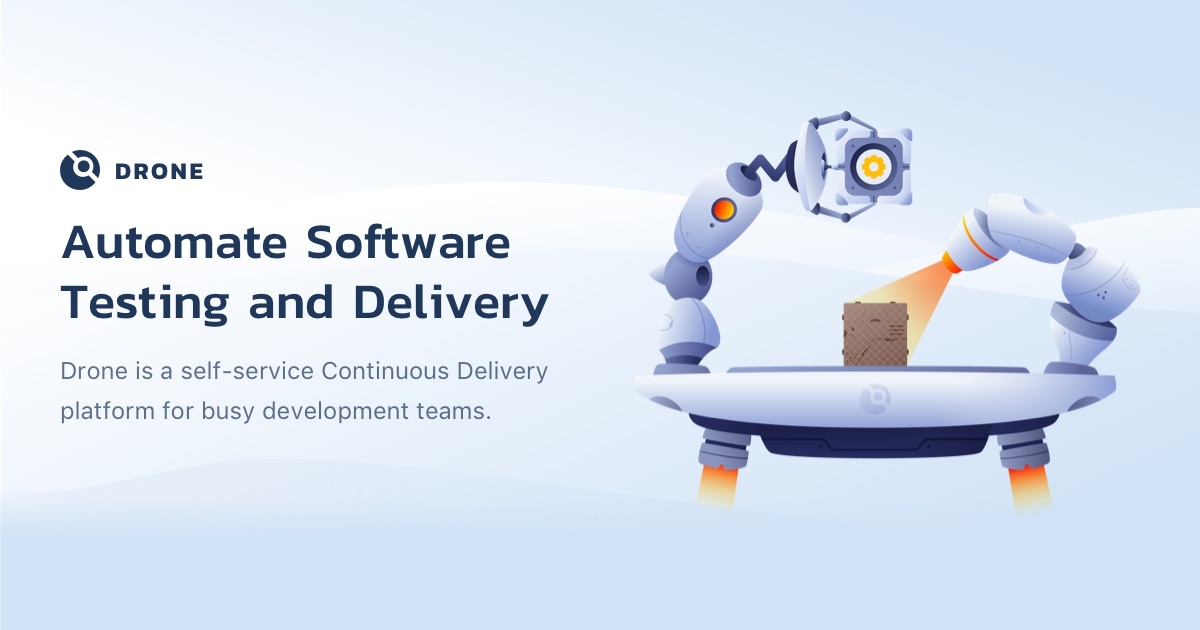
Drone is a self-service Continuous Delivery platform for busy development teams

No paid content found
Visit website
Profile views 6 Outbound visits 10 Normal
Drone CI Full homepage screenshot

At a glance

Category
Development
Language
English
Paid-content signal
No paid content foundObserved
Registered
2012
Hosting
NetlifyInferred
HTTPS certificate trusted
PassedObserved
Last updated

Website review

This review may include AI-generated content and is not individually verified. Domain, certificate and other facts come from the observed data on this page.

What is Drone CI?

Drone CI is a self-service continuous integration and delivery platform aimed at development teams that want to automate building, testing and shipping software. Its defining idea is that pipelines are defined as code in a simple YAML file committed to your Git repository, and every pipeline step runs inside its own isolated Docker container that is pulled at runtime. That combination keeps build environments reproducible and prevents jobs on a shared server from interfering with each other.

Drone CI

What it does

  • Configuration as code. A pipeline file lives alongside your source, so changes to the build are reviewed and versioned like any other code.
  • Container-per-step execution. Each step names a Docker image and commands to run inside it, which means the toolchain is whatever image you choose rather than whatever happens to be installed on the build machine.
  • Services alongside steps. You can declare backing services such as a database container and expose ports to the pipeline, which is useful for integration tests.
  • Broad source-control support. It integrates with common Git hosting systems, so pipelines trigger from normal push and pull-request activity.
  • Cross-platform runners. It supports several operating systems and CPU architectures, including Linux on x64, ARM and ARM64, plus Windows x64.
  • Plugins. Pre-configured container steps cover common tasks such as publishing packages, creating releases, deploying to cloud storage, and sending chat notifications; you can also write your own.
  • Customization and governance. Access controls, approval workflows, secret management and YAML extensions are available for teams that outgrow the basics.
  • Simple installation and scaling. It installs from a single binary and is designed to scale without a heavy setup process.

Who it suits

Situation Fit
Team already using Docker and Git Strong — the model matches existing habits
Many languages or services in one org Strong — anything that runs in a container works
Small team wanting low setup overhead Good — a single binary and a short config file
Highly regulated environment needing custom approvals and secrets Reasonable — customization exists, but expect configuration work
Team wanting a fully managed, zero-ops service Weaker — self-hosting is the default posture

A practical next step

Take one repository with a test suite and write a minimal pipeline: a test step using your language's official Docker image, plus a database service container if your tests need one. Run it on a branch before touching your main pipeline. If the isolated-container model removes the "works on my machine" problems you currently fight, Drone is a good fit; if your builds depend on long-lived state on a specific server, expect to redesign that part first.

For teams comparing options, hosted Git platforms bundle their own CI — for example GitHub Actions and GitLab — while Jenkins remains the general-purpose self-hosted alternative. Drone's distinction is the tight coupling of pipeline-as-code with per-step containers and a lightweight install.

How do I install Drone CI?

Drone CI installs from a single binary, and the official route is its Docker image (you can also build from source). The page explicitly says there is no sales conversation or trial license needed to get started.

The typical install path

  1. Check prerequisites. You need a host with Docker, plus a source-control account Drone can talk to (GitHub, GitHub Enterprise, Bitbucket, or GitLab per the page).
  2. Create an OAuth application in that source-control system so Drone can authenticate users and receive webhooks.
  3. Run the Drone server from the official Docker image, pointing it at your source-control provider and your chosen database.
  4. Run a Drone runner as a second container. Runners are what actually execute each pipeline step inside its own isolated Docker container.
  5. Register your first repository in the Drone UI, commit a .drone.yml to it, and push. The build triggers on the push.

What the config actually looks like

Drone is configuration-as-code: you commit a small YAML file to the repo, and each step runs in a Docker image pulled at runtime. The page's own example is essentially:

kind: pipeline
steps:
  - name: test
    image: node
    commands:
      - npm install
      - npm test
services:
  - name: database
    image: mysql
    ports:
      - 3306

That structure is the practical selling point: a service container (here MySQL) sits alongside your test step, so integration tests get a real database without a shared, hand-configured build box.

Choosing between self-hosting and the cloud option

Self-hosted install Drone Cloud
Effort You run server + runner containers and manage the database Sign up and connect a repo
Control Full control over runners, secrets, network and access rules Limited to what the hosted service exposes
Best for Teams with internal infrastructure, compliance needs, or private networks Small teams wanting a first pipeline today

The page also advertises a free cloud offering, which is the fastest way to evaluate the YAML workflow before committing to running your own server.

A practical next step

If you are migrating from Jenkins, install Drone on a single spare Linux host first and port one repository end to end — build, test, and one notification step. The page notes plugins for Slack notifications, GitHub Releases, GitHub Pages, S3, ECR, Netlify and NPM publishing, so a realistic pilot is: test step, then a Slack notification on failure. If that works, expand to ARM or Windows runners, which the page lists as natively supported alongside Linux x64.

For the exact commands and current environment variables, follow the official documentation rather than a blog post, since install flags change between releases.

How does Drone CI work with GitHub, GitLab, and Bitbucket?

Drone CI connects to GitHub, GitLab, and Bitbucket as source code managers so it can watch your repositories and run pipelines when code changes. The key idea is that Drone does not need a separate build script store: the pipeline lives in a YAML file committed to the repo, and Drone reads it when a change is pushed or a pull request is opened.

What this means in practice

  • Repository integration. Drone authenticates with your Git host, then lists and activates repositories you choose. Once a repo is activated, Drone receives webhooks from that host for events like pushes, pull requests, and tags.
  • Configuration as code. A .drone.yml file in the repository defines the pipeline. Each step runs in an isolated Docker container pulled at runtime, so the same pipeline definition works whether the repo is on GitHub, GitLab, or Bitbucket.
  • Cross-host consistency. Because the pipeline format is the same, teams using more than one Git host can keep similar build, test, and deploy steps without rewriting them per host.

Host-specific things to expect

Git host Typical fit Practical note
GitHub Open source and cloud-native teams already using GitHub Actions or webhooks Drone handles GitHub and GitHub Enterprise, so the same setup can span public and self-hosted repos
GitLab Teams that want GitLab for code hosting but Drone for pipelines Useful when you prefer Drone's container-first pipeline model over GitLab CI
Bitbucket Teams in the Atlassian ecosystem Works as another source manager alongside GitHub and GitLab

Drone's own page lists GitHub, GitHub Enterprise, Bitbucket, and GitLab as supported source code management systems, and it presents the platform as self-service for busy development teams. The page also notes Drone is part of the Harness family, which matters if you are evaluating long-term support and enterprise features.

A concrete scenario

Suppose a team keeps its main product on GitHub, a legacy service on GitLab, and a marketing site on Bitbucket. With Drone, each repository gets a .drone.yml file, and the same Docker-based steps—install dependencies, run tests, build an image—can be reused across all three. When someone opens a pull request on GitHub or a merge request on GitLab, Drone can run the pipeline and report status back to that host.

How to choose

If your team already lives inside one Git host's native CI, switching to Drone mainly makes sense when you want container-isolated steps, a single pipeline format across multiple hosts, or self-hosted control. If you only use GitHub and want the tightest native integration, compare Drone's setup effort against GitHub Actions before committing.

Next step

Pick one repository, add a minimal .drone.yml with a single test step, and activate that repo in Drone. Confirm the webhook fires on a push, then expand the pipeline to cover build and deploy. For official installation and configuration details, start with Drone CI.

What are the benefits of using Drone CI over Jenkins?

Drone CI's main advantage over Jenkins is architectural: pipelines run as isolated Docker containers, configured by a YAML file committed alongside your code. Jenkins, by contrast, is typically a long-lived server you maintain, with jobs configured through its UI or Jenkinsfiles and plugins you install and upgrade yourself. That difference shapes everything below.

Where Drone tends to win

  • Reproducible, isolated builds. Each pipeline step executes in its own container, so a Node test step and a MySQL service don't collide with other builds on the same machine. Jenkins can do this with Docker agents, but it's an add-on you configure rather than the default model.
  • Configuration as code, with less ceremony. A pipeline is a short file in your repo. Anyone reviewing a pull request sees exactly what will run. Jenkins Pipelines are also code, but the surrounding job/server configuration often isn't.
  • Low operational overhead. Drone installs from a single binary and auto-provisions environments from public or private Docker images. There's no plugin-version treadmill to manage, which is the most common source of Jenkins maintenance pain.
  • Broad source-control and platform coverage. It integrates with GitHub, GitHub Enterprise, Bitbucket and GitLab, and runs on Linux x64, ARM, ARM64 and Windows x64.
  • Plugin reuse via containers. Pre-built steps (S3, ECR, Slack, GitHub Releases, Netlify, and so on) drop into a pipeline, and you can build your own in any language that runs in a container.

Where Jenkins still makes sense

Jenkins has a far larger plugin ecosystem, decades of community answers, and deep support for exotic or legacy toolchains that may never have been containerised. Teams with heavy on-premises Windows or mainframe build requirements, or with large existing Jenkins investment, often find migration costlier than the benefit.

Consideration Drone CI Jenkins
Pipeline definition YAML file in the repo Jenkinsfile and/or UI-configured jobs
Build isolation Container per step, by default Optional, via Docker agents
Setup effort Single binary, minutes Server install plus plugin selection
Extensibility Container-based plugins Large plugin ecosystem
Maintenance burden Lower Higher, especially plugin updates

A practical next step

Pick one representative repository — ideally one with a database service and a deploy step — and rewrite its pipeline as a Drone YAML file, then run both systems in parallel for a sprint. Compare total time spent on pipeline maintenance, not just build duration. If your team is small and already containerised, Drone usually removes more work than it adds; if your builds depend on a long tail of Jenkins plugins, check whether each has a container equivalent before committing. The project's documentation and plugin directory, plus GitHub for the source, are the places to verify that.

How do I create custom plugins for Drone CI?

Custom plugins for Drone CI are just Docker containers that follow a small convention: Drone runs your container as a pipeline step, passes it configuration through environment variables and settings, and reads the process exit code to decide success or failure. You do not install anything into Drone itself — you build and publish an image, then reference it in your pipeline YAML.

The basic contract

  • Input: Drone injects pipeline step settings as environment variables. Conventionally, plugin settings are prefixed with PLUGIN_ (for example, a token setting becomes PLUGIN_TOKEN), and Drone also exposes built-in variables such as repository name, commit SHA, and branch.
  • Output: Your container writes to stdout/stderr for logs and exits 0 for success or non-zero for failure.
  • Distribution: Push the image to a registry (Docker Hub, AWS ECR, GitHub Container Registry, or a private registry) and reference it by tag in the step's image: field. The page evidence notes Drone supports choosing from public Docker images or providing your own, and that plugins can be shared and reused.

A minimal pipeline step

kind: pipeline
type: docker
name: default

steps:
  - name: my-plugin
    image: your-registry/your-plugin:1.0.0
    settings:
      token:
        from_secret: api_token
      message: "Build finished"

Your container receives PLUGIN_TOKEN and PLUGIN_MESSAGE. Secrets referenced with from_secret are injected at runtime rather than stored in the YAML.

Writing the plugin

Any language works as long as it runs in a container. A small script is often enough:

FROM alpine:3.19
COPY entrypoint.sh /entrypoint.sh
RUN chmod +x /entrypoint.sh
ENTRYPOINT ["/entrypoint.sh"]
#!/bin/sh
set -e
echo "Running for $DRONE_REPO on branch $DRONE_COMMIT_BRANCH"
# use "$PLUGIN_TOKEN" and "$PLUGIN_MESSAGE" here

Keep the image small, avoid requiring a shell if you can, and log enough context that failures are diagnosable from the Drone UI alone.

Practical decisions

Choice When it fits
Shell script in a base image Simple API calls, notifications, file checks
Compiled binary (Go, Rust) Performance, no runtime dependencies, static image
Existing plugin plus wrapper You only need extra flags or preprocessing

Test the container locally with docker run -e PLUGIN_TOKEN=... your-image before wiring it into a pipeline. That isolates plugin bugs from Drone configuration bugs.

Next step

Start from the official plugin starter template and the plugin documentation listed on Drone CI, then publish a 0.1.0 tag and add it to a throwaway repository pipeline. Once it behaves, pin the version in production pipelines rather than using latest, so an upstream image change cannot silently alter your builds.

Is Drone CI free to use?

Drone CI is free to use in the sense that its core continuous integration and delivery platform is open source and can be self-hosted at no license cost. The website positions it as a self-service CI platform, with a single-binary install and an official Docker image, so you can run it on your own infrastructure without paying for the software itself.

There is also a hosted cloud option. The page includes a "Try free cloud offering" link, which suggests a free tier or trial for the cloud version, but the page does not specify what limits or paid tiers apply. Treat that as a starting point rather than a complete pricing picture.

Where cost can still appear

  • Infrastructure: Self-hosting means you pay for the servers, VMs or Kubernetes cluster that run Drone and its build containers.
  • Cloud usage: If you use the hosted offering beyond any free allowance, expect usage-based or subscription charges, though exact terms are not on this page.
  • Commercial support: Drone is now part of Harness, and enterprise support or platform features may carry separate commercial terms.

Practical next step

If your main concern is avoiding license fees, self-hosting Drone is the clearest route: install from the official Docker image, point it at your Git provider, and run builds in Docker containers. If you would rather not manage servers, start with the free cloud offering and check its current plan limits before committing. For teams already using a source manager like GitHub, GitLab or Bitbucket, Drone integrates with those directly, so the decision usually comes down to whether you want to operate the infrastructure yourself. You can compare the self-hosted route with a managed alternative such as GitHub Actions if your code already lives on GitHub.

Related questions

More questions →
What Is Drone CI? A Self-Service CI/CD Platform Explained

Drone CI is a self-service continuous integration and continuous delivery platform for development teams. It automates software build and testing by running each pipeline step inside an isolated Docker container that is downloaded automatically at runtime. You define the pipeline in a configuration file committed to your Git repository, so the build definition lives alongside the code it builds. This makes Drone a fit for teams that already use Docker and want pipeline configuration as code without managing shared build servers.

How Drone CI Works

Drone treats the pipeline as code. You commit a simple, easy-to-read file to your Git repository, and Drone executes the steps defined there. Each step runs in its own isolated Docker container, which means builds don't conflict with each other on shared infrastructure.

A minimal pipeline looks like this:

kind: pipeline
steps:
  - name: test
    image: node
    commands:
      - npm install
      - npm test
services:
  - name: database
    image: mysql
    ports:
      - 3306

The steps block defines what runs. The services block starts supporting containers, such as a database, that your steps can reach during the build. Because every step is a container, Drone works with any language, database, or service that runs inside Docker.

What Problems Drone CI Solves

  • Build automation without server babysitting. Drone auto-provisions the environment from Docker images, so you don't spend time configuring build servers.
  • Isolated builds. Every build runs in its own container, giving you full control and avoiding conflicts on shared machines.
  • Configuration as code. Pipelines are versioned with your repository, so changes are reviewable and reproducible.
  • Scaling without added complexity. Drone installs from a single binary and scales automatically.

Integration and Platform Support

Drone connects to multiple source code management systems and runs across common operating systems and architectures.

Category Supported
Source code managers GitHub, GitHub Enterprise, Bitbucket, GitLab
Platforms Linux x64, ARM, ARM64, Windows x64
Languages / services Anything that runs inside a Docker container

You can choose from thousands of public Docker images or supply your own.

Extending Pipelines with Plugins

Drone uses containers to drop pre-configured steps into a pipeline. You can pick from hundreds of existing plugins or build your own. Examples named on the site include Docker, Kubernetes, AWS S3, AWS ECR, NPM Publish, GitHub Release, GitHub Pages, Slack Notifications, and Netlify.

Customization Options

Drone supports advanced customization when you need it, including custom access controls, approval workflows, secret management, and YAML syntax extensions.

Getting Started

You can install Drone in minutes by downloading the official Docker image or building from source. The site states there is no need to talk with a sales person or request a trial license, and it also offers a free cloud option to try. For setup details, the documentation is the place to start.

Drone is now part of the Harness family, which is worth noting if you're evaluating long-term support and roadmap direction.

How Drone CI Is Installed and Scaled

Drone CI installs from a single binary, and the official distribution method is a Docker image — you can also build it from source. According to the Drone CI site, installation takes minutes and requires no conversation with a salesperson or a trial license request. Scaling is described as automatic: the platform "installs from a single binary and scales automatically," so capacity grows with your build load rather than through manual server provisioning.

Installation Options

Drone CI offers three documented paths to get running:

Method What it means in practice
Official Docker image Download and run the published image — the primary documented route
Build from source Compile the binary yourself if you need a custom build
Free cloud offering A hosted option the site links to as "Try free cloud offering"

The site's wording is explicit that you do not need to "talk with a sales person or request a trial license" to install Drone. That describes the self-service install path, not a statement about pricing for every deployment model — the page itself lists no pricing details.

What "single binary" changes for you

A single-binary install means the server component is one artifact to deploy and upgrade, rather than a stack of services you assemble by hand. Combined with Docker-based build execution, the environment for each pipeline step is pulled at runtime instead of pre-configured on the host.

Why Scaling Is Tied to the Architecture

Drone's scaling story follows from two design choices stated on the site:

  • Isolated builds. Every build runs in its own Docker container, so concurrent builds don't conflict on a shared server. You can add build capacity without partitioning a shared machine by hand.
  • Auto-provisioned environments. Drone pulls the Docker image for each step at runtime, so you don't pre-install language runtimes or databases on build servers.

The site summarizes this as: "Drone installs from a single binary and scales automatically." Treat that as the platform's stated behavior — the page does not publish specific concurrency numbers, node counts, or benchmark figures, so size your own deployment against your actual pipeline volume.

Extensibility Beyond the Default Install

Once installed, Drone exposes customization points that matter for larger teams:

  • Custom access controls — define who can trigger, approve, or view pipelines.
  • Approval workflows — gate promotion or deployment steps behind a manual or policy check.
  • Secret management — inject credentials into pipeline steps without committing them.
  • YAML syntax extensions — extend the pipeline file format when the built-in schema isn't enough.
  • Plugins as containers — drop pre-configured steps into a pipeline. The site lists Docker, Kubernetes, AWS S3, AWS ECR, NPM Publish, GitHub Release, GitHub Pages, Slack Notifications, and Netlify among available plugins, and you can build your own.

A concrete example

Suppose a team runs a Node.js service and wants a test step plus a MySQL service for integration tests. The pipeline file commits to the git repository and looks like this:

kind: pipeline
steps:
  - name: test
    image: node
    commands:
      - npm install
      - npm test
services:
  - name: database
    image: mysql
    ports:
      - 3306

Drone downloads the node and mysql images at runtime, runs the step in an isolated container, and tears it down afterward. Nothing about Node or MySQL needs to be installed on the build host — which is also why adding more concurrent pipelines doesn't require pre-building more machine images.

Choosing Between Install Paths

  • Pick the Docker image if you want the documented, fastest route and already run containers.
  • Build from source if you need a customized binary or your environment can't pull the official image.
  • Use the cloud offering if you'd rather not operate the server at all; the site links to it directly from the install section.

For all three, the pipeline configuration itself is identical — a YAML file committed to your repository — so the install choice doesn't lock you into a different workflow later.

Which Source Code Managers, Platforms, and Languages Does Drone CI Support?

Drone CI works with GitHub, GitHub Enterprise, Bitbucket, and GitLab as source code managers; runs natively on Linux x64, ARM, ARM64, and Windows x64; and supports any language, database, or service that can run inside a Docker container. If your stack fits those three categories, Drone can likely run your build and test pipeline without a custom integration.

Source code managers

Drone integrates with these systems according to the site:

  • GitHub
  • GitHub Enterprise
  • Bitbucket
  • GitLab

The integration is described as seamless, meaning Drone connects to your existing repository rather than requiring you to migrate code. Pipelines are configured through a file you commit to your git repository, so the source code manager remains the place where pipeline definitions live alongside your code.

If your team uses a source code manager outside this list, the site does not claim support, so you would need to verify compatibility separately before adopting Drone.

Operating systems and architectures

Drone natively supports:

Platform Support
Linux x64 Yes
ARM Yes
ARM64 Yes
Windows x64 Yes

This matters if you build or test across mixed environments, such as x64 servers plus ARM-based machines. Because support is described as native, you are not relying on emulation for these targets.

Languages, databases, and services

Drone does not maintain a language-specific support list. Instead, it works with any language, database, or service that runs inside a Docker container. That means:

  • You can use thousands of public Docker images.
  • You can provide your own image if a public one does not fit.
  • Databases and services are handled the same way, as containers in the pipeline.

A pipeline step runs inside an isolated Docker container that is automatically downloaded at runtime. The site's example shows a Node.js test step alongside a MySQL service:

kind: pipeline
steps:
  - name: test
    image: node
    commands:
      - npm install
      - npm test
services:
  - name: database
    image: mysql
    ports:
      - 3306

The practical rule: if it runs in a container, Drone can run it. If your toolchain cannot be containerized, Drone's model does not cover it.

Plugins and customization

Drone uses containers to drop pre-configured steps into a pipeline. You can choose from hundreds of existing plugins or create your own. Named examples on the site include Docker, Kubernetes, AWS S3, AWS ECR, NPM Publish, GitHub Release, GitHub Pages, Slack Notifications, and Netlify.

For advanced needs, Drone supports custom access controls, approval workflows, secret management, and YAML syntax extensions.

How to check compatibility for your team

  1. Confirm your source code manager is GitHub, GitHub Enterprise, Bitbucket, or GitLab.
  2. Confirm your build or test target runs on Linux x64, ARM, ARM64, or Windows x64.
  3. Confirm your language, database, and services can run in a Docker container, using a public image or your own.
  4. If you rely on a specific integration, check whether an existing plugin covers it or whether you need to build one.

If all four checks pass, Drone's documented support covers your setup. If any check fails, that area is where you would need to test or look for alternatives.

How to Configure a Pipeline in Drone CI

You configure a Drone pipeline by committing a pipeline definition file to your Git repository. Drone reads that file, and for each step it automatically downloads the specified Docker image and runs your commands inside an isolated container. The example on drone.io uses a kind: pipeline file with a steps list, where each step declares a name, an image, and the commands to execute:

kind: pipeline
steps:
  - name: test
    image: node
    commands:
      - npm install
      - npm test
services:
  - name: database
    image: mysql
    ports:
      - 3306

This works for any language, database, or service that runs inside a Docker container, so the same structure applies whether you are testing a Node project or a Python one.

Prerequisites

Before the pipeline runs, you need:

  • A repository hosted on a supported source code manager. Drone integrates with GitHub, GitHub Enterprise, Bitbucket, and GitLab.
  • Drone installed and connected to that repository. Drone installs from a single binary, and the site points to an official Docker image or building from source.
  • A Docker image for each step. You can choose from thousands of public Docker images or provide your own.

The pipeline file structure

The configuration is committed to your Git repository, so it is versioned alongside your code. The key blocks are:

Block Purpose
kind Declares the pipeline type, e.g. pipeline.
steps Ordered list of build steps. Each has a name, image, and commands.
services Supporting containers your steps can reach, such as a database. Each has a name, image, and ports.

Each step runs inside its own isolated Docker container that is downloaded at runtime. That isolation is what keeps builds from conflicting on a shared server.

Step-by-step: adding a test pipeline

  1. Create the pipeline file in your repository. Use the kind: pipeline structure shown above, adjusting image and commands to your project.
  2. Define your steps. For a Node project, a test step with image: node and commands npm install then npm test mirrors the documented example. Commands run in order inside the container.
  3. Add services if your tests need them. The example declares a database service using image: mysql exposed on port 3306, so the test step can connect to it.
  4. Commit and push the file to your Git repository. Because configuration is code, the pipeline definition travels with your commits.
  5. Let Drone auto-provision the environment. Drone downloads the images and runs each step in its container; you do not configure build servers by hand.

Expected result: each push triggers the pipeline, and the steps execute in their containers with the output visible in Drone.

Reusing and creating plugins

Drone uses containers to drop pre-configured steps into your pipeline. You can pick from hundreds of existing plugins or create your own. The site lists examples including Docker, Kubernetes, AWS S3, AWS ECR, NPM Publish, GitHub Release, GitHub Pages, Slack Notifications, and Netlify. In practice, a plugin is just a container image referenced as a step, which is why the same image + commands pattern covers both your own steps and published plugins.

Customization and scaling

Beyond the basic file, Drone supports advanced customization: custom access controls, approval workflows, secret management, and YAML syntax extensions. On scaling, the site states Drone installs from a single binary and scales automatically, so you do not have to choose between simplicity and scale.

Common sticking points

  • Image availability: a step fails if the referenced image cannot be pulled. Confirm the image name and tag exist, or build and host your own.
  • Service readiness: a services container may not be ready the instant a step starts. If your tests connect immediately, expect connection errors until the service is up.
  • Command working directory: commands run inside the container, so paths and installed tools must exist in that image, not just on your local machine.
  • Secrets: use Drone's secret management rather than hard-coding credentials in the committed file, since the file lives in your repository.

To start, commit a minimal kind: pipeline file with one test step, confirm it runs, then add services and plugins as your needs grow.

Website Overview

Identifiable technologies and additional version or configuration signals make the service easier to fingerprint, which may help targeted scanners narrow their checks. An established domain and managed infrastructure suggest continuity of operations and may support dependable delivery, although neither guarantees service quality.

Domain and Registration

Registered in 2012, this domain has about 14 years of history. That suggests continuity, although ownership and purpose may have changed. Transfer-protection status is present, helping reduce the risk of unauthorized domain transfers. The domain uses the common .io extension, which is not an independent safety signal.

DNS and Email

The observed email authentication setup is incomplete: DMARC is missing. Nameservers are provided by Google Cloud DNS, indicating managed DNS hosting. MX records point to the Google Workspace email service. TXT records include verification markers for Google. Such markers may also remain after a service stops being used. DNSSEC signatures were not detected, so this additional DNS authenticity protection is not confirmed.

TLS and Certificates

The public key uses EC with 256 bits. The server supplied a complete certificate chain. No organization name is present in the certificate; the available fields are consistent with domain validation. The certificate was issued by Let's Encrypt, commonly associated with automated certificate services. The certificate's total validity is about 89 days, consistent with a short renewal cycle.

HTTP and Browser Security

The response lacks these common security headers: CSP, X-Content-Type-Options, Referrer-Policy, Permissions-Policy, clickjacking protection. No X-Powered-By header was found, reducing one common source of backend fingerprinting information. No obvious internal addresses or debug information were found in the headers. The Server header contains the custom value Netlify. No explicit CDN or WAF marker was found in the response headers.

Technology Stack Analysis

The public page identifies Hugo 0.62.0, Google Tag Manager, Netlify, with exact versions exposed for 1 technologies. These details can narrow vulnerability checks, although exposure alone is not a vulnerability.

Search and Social Sharing

No homepage meta description was detected, leaving snippet selection more dependent on page text. The Generator tag identifies Hugo 0.62.0, making the publishing system easier to fingerprint. No homepage canonical URL was detected. If duplicate URLs exist, consolidation may be less explicit. The title has 49 characters, within a common display range. The observed directives allow indexing and link following.

Hosting and Email

DNSGoogle Cloud DNS
HostingNetlify
EmailGoogle Workspace
Approximate IP geolocation (inferred; a CDN or proxy may differ from the origin server) United States flagAshburn, Virginia, United States Inferred 18.208.88.157

Registration details

RDAP / WHOIS

RegistrarAmazon Registrar, Inc.
Registered2012-04-06
Expires2027-04-06
Domain statusclientTransferProhibited https://icann.org/epp#clientTransferProhibited
Nameserversns-cloud-b1.googledomains.com、ns-cloud-b2.googledomains.com、ns-cloud-b3.googledomains.com、ns-cloud-b4.googledomains.com
DNSSECunsigned

DNS records

DNS

TypeNameValueTTLPriority
Adrone-website.netlify.app18.208.88.157120—
Adrone-website.netlify.app98.84.224.111120—
AAAAdrone-website.netlify.app2600:1f18:16e:df01::258311—
AAAAdrone-website.netlify.app2600:1f18:16e:df01::259311—
MXdrone.ioaspmx.l.google.com3001
MXdrone.ioalt1.aspmx.l.google.com3005
MXdrone.ioalt2.aspmx.l.google.com3005
MXdrone.ioaspmx2.googlemail.com30010
MXdrone.ioaspmx3.googlemail.com30010
NSdrone.ions-cloud-b1.googledomains.com21600—
NSdrone.ions-cloud-b2.googledomains.com21600—
NSdrone.ions-cloud-b3.googledomains.com21600—
NSdrone.ions-cloud-b4.googledomains.com21600—
TXTdrone.iogoogle-site-verification=WuPVKA_TP-tNCQc-4FLTd3hLs5dwgKIZa6E0neExycI300—
TXTdrone.iov=spf1 include:mailgun.org include:_spf.google.com include:us._netblocks.mimecast.com -all300—
CNAMEwww.drone.iodrone-website.netlify.app300—

TLS and certificates

TLS / SSL

AssessmentNormal configuration
Supported protocolsTLSv1.2、TLSv1.3
Negotiated protocolTLSv1.3
Certificate subjectwww.drone.io
IssuerLet's Encrypt
Valid until2026-11-16T19:13 · Remaining when checked: 50 days
Verification detailsCertificate trust: Passed · Hostname match: Passed

HTTP response headers

HTTP

HeaderValue
content-typetext/html; charset=UTF-8
cache-controlpublic,max-age=0,must-revalidate
serverNetlify
strict-transport-securitymax-age=31536000

Identified technologies

Hugo 0.62.0Google Tag ManagerNetlify

Pages, Search and Sharing

Meta descriptionNot detected
Canonical URLNot detected
LanguageEnglish (default)
Twitter CardNot detected

No robots.txt found

User reviews (0)

  • No reviews yet.