
 简体中文
简体中文
ethical.net
An independent guide to ethical alternatives: tools, products and ideas that do less harm to people, animals and the planet. Start with Gmail, Google or Facebook.
At a glance
- Category
- Resources & Utilities
- Language
- English
- Paid-content signal
- No paid content foundObserved
- Registered
- 2001
- Hosting
- CloudflareInferred
- HTTPS certificate trusted
- PassedObserved
- Last updated
Related questions
More questions →What Is ethical.net and What Does It Offer?
ethical.net is an independent guide to "ethical alternatives" — tools, products, and ideas positioned as doing less harm to people, animals, and the planet. It is most useful if you already know which everyday service you want to replace (Gmail, Google, Facebook, Microsoft, and so on) and want a starting point for comparing options. The site describes itself as small and independent, and it publishes a directory plus longer guides and magazine-style articles.
What the site actually contains
The core of the site is a directory of alternatives, organized by the thing you use today. According to the site, it lists 454 alternatives across 43 categories, with 97% re-checked in the last 90 days. The categories shown on the homepage include:
| Category | Alternatives listed |
|---|---|
| Email services | 28 |
| Search engines | 9 |
| Browsers | 8 |
| Messaging | 11 |
| Social media | 19 |
| File sharing | 17 |
| Streaming services | 11 |
| Smartphones | 9 |
| Office | 12 |
| Team collaboration | 17 |
| Books | 45 |
| Films & Talks | 33 |
The site says every entry goes through the same checklist, and that each guide states when it was last checked and what changed. That last-checked date is the main signal you can use to judge whether an entry is current.
The guides most readers start with
Beyond the directory, ethical.net publishes longer guides on specific replacements. The homepage names these as the popular starting points:
- Ethical alternatives to Gmail — covers who owns each email provider, how it makes money, which have free plans, and the trade-offs. Last checked 13 October 2026.
- Ethical alternatives to Facebook — covers alternatives for friends, groups, events, Marketplace, and messaging, with ownership, revenue model, and trade-offs. Last checked 13 October 2026.
- Ethical alternatives to Microsoft — covers Windows, Office, OneDrive, Teams, and GitHub alternatives, again with ownership and trade-offs. Last checked 15 October 2026.
The recurring structure — ownership, how the service makes money, trade-offs, last-checked date — is what makes these guides usable for a decision rather than just a list.
The magazine side
The site also runs articles that go beyond app replacements. Examples named on the homepage include an explainer on why IKEA is cheap (bulk buying, flat packs, DIY assembly, supply-chain control) and what that costs forests and the climate; a guide to sustainable pens and pencils organized by job, covering refillables, brand ownership, FSC and B Corp claims, and what to do with old pens; and a piece on GDP alternatives as ways to measure a country's wealth. These are marked with their own last-checked or updated dates.
How the site defines "ethical"
ethical.net is explicit that "ethical" is not an objective word and means different things to different people. Its own working definition is moving toward less harm to other people, animals, and the planet, and it says six principles from its manifesto shape every page. Practically, this means the site is a values-based filter, not a neutral product database — expect recommendations framed around harm reduction rather than pure performance or price.
When it's useful — and when it isn't
Use ethical.net when you have a specific service in mind and want a shortlist with ownership and funding-model context, or when you want a periodic check on whether a tool you already use has changed hands. Check the last-checked date on any guide before acting on it.
It is less suited to questions the site doesn't cover: the homepage shows no pricing details, no account or login requirements, and no claim that listed alternatives are free. If cost is your deciding factor, verify pricing on each provider's own site. And because the site frames itself around a stated set of principles, treat its rankings as one informed perspective rather than a consensus verdict.
How ethical.net Defines "Ethical" When Recommending Alternatives
ethical.net does not treat "ethical" as an objective label. The site states plainly that the word means different things to different people, and then gives its own working definition: moving toward less harm to other people, animals and the planet. That definition is the lens behind every recommendation on the site, and it is deliberately framed as a direction of travel rather than a pass/fail certificate. If your own priorities line up with reducing harm across those three areas, the site's alternatives are likely to be relevant to you; if your definition centers on something else, such as privacy alone or local sourcing alone, you should read each entry as one perspective rather than a verdict.
What the definition covers — and what it doesn't
The three-part framing (people, animals, planet) is broad on purpose. It means an entry can be judged on labor and ownership questions, on animal welfare, and on environmental footprint — not on a single issue. The site also says six principles from its manifesto shape every page, so the definition is not just a slogan: it is meant to be applied consistently across the directory.
What the site does not claim is that "ethical" is measurable or comparable in a strict ranking. It presents the term as subjective and value-dependent. That has a practical consequence for readers: an alternative can be a strong fit on one axis and a trade-off on another, and the site's guides are written to surface those trade-offs rather than hide them.
How the definition shows up in the guides
The clearest evidence of how the definition is operationalized is in the structure of the popular guides. Each guide is described as covering:
- Who owns each provider — an ownership question tied to the "people" part of the definition.
- How it makes money — a business-model question, since revenue sources affect incentives and harm.
- Which have free plans — a practical access question.
- The trade-offs — an explicit acknowledgment that no alternative is harm-free on every dimension.
This is the same checklist applied across the directory, which the site describes as 454 alternatives in 43 categories, with 97% re-checked in the last 90 days. The re-check dates matter for your decision: the site tells you when a guide was last verified and what changed, so you can judge whether the information is current enough for your purposes.
| Guide | What it covers | Last checked |
|---|---|---|
| Ethical alternatives to Gmail | Ownership, revenue model, free plans, trade-offs | 13 October 2026 |
| Ethical alternatives to Facebook | Friends, groups, events, Marketplace, messaging; ownership, revenue, trade-offs | 13 October 2026 |
| Ethical alternatives to Microsoft | Windows, Office, OneDrive, Teams, GitHub; ownership, revenue, trade-offs | 15 October 2026 |
The directory is organized by the thing you use today — email services (28 alternatives), search engines (9), browsers (8), messaging (11), social media (19), file sharing (17), streaming (11), smartphones (9), office (12), team collaboration (17), books (45), films and talks (33), and more across all 43 categories. Starting from the service you already use is the site's intended entry point, and it is also the fastest way to test whether its definition of ethical matches yours.
Using the definition to judge fit for your own values
Because the site is explicit that "ethical" is not objective, the useful move for a reader is to translate its three-part definition into your own priorities and then check each guide against them. A practical sequence:
- Name your top concern. Is it corporate ownership and data practices, environmental footprint, animal welfare, or labor conditions? The site's definition spans all three, but individual entries will weigh them differently.
- Read the ownership and revenue sections first. These are the parts the guides consistently include, and they are where the "people" dimension of the definition is most visible.
- Read the trade-offs section before committing. The site frames alternatives as reductions in harm, not eliminations of it — so expect each option to carry a cost somewhere.
- Check the last-checked date. With 97% of entries re-checked in the last 90 days, a recent date is a reasonable signal that ownership or pricing details have not silently changed.
- Cross-check against your own red lines. If an alternative fails your personal threshold on one dimension, the site's broader definition does not override that — it is a guide, not a ruling.
The site also invites readers to suggest an alternative it has missed, which is consistent with its self-description as a small, independent guide rather than an authority handing down fixed judgments.
The bottom line
ethical.net defines "ethical" as less harm to people, animals and the planet, applied through six manifesto principles and a consistent checklist covering ownership, revenue model, free-plan availability and trade-offs. It explicitly rejects the idea that the term is objective. Use that as your test: if your values align with harm reduction across those three areas, the directory's 454 alternatives across 43 categories — organized by the service you want to replace — are a usable starting point, provided you read the trade-offs and check the last-verified date before deciding.
How ethical.net Keeps Its Directory and Guides Trustworthy and Up to Date
ethical.net maintains trust through four visible mechanisms: a single checklist applied to every directory entry, a stated re-check rate (97% of its 454 alternatives across 43 categories re-checked in the last 90 days), dated "last checked" stamps on guides that also note what changed, and a public "Know an alternative we've missed?" feedback route. These are the signals you can verify on the page itself; they describe a process, not an audit you can independently confirm.
What the site says about its own coverage
The homepage presents the directory as "a small, independent guide to tools, products and ideas that do less harm to people, animals and the planet." The concrete numbers it publishes are:
| Claim | Detail given |
|---|---|
| Total alternatives listed | 454 |
| Categories covered | 43 |
| Re-checked in last 90 days | 97% |
| Entry standard | "Every entry has been through the same checklist" |
The checklist itself is referenced but not reproduced on the homepage, so you can see that a uniform standard is claimed without seeing the individual criteria. If the criteria matter to your decision, treat the checklist as a claim to look for elsewhere on the site rather than a verified fact.
How the guides signal freshness
Each guide carries a "last checked" date and a short note on what changed. The homepage shows this pattern consistently:
- Ethical alternatives to Gmail — last checked 13 October 2026; covers who owns each provider, how it makes money, which have free plans, and the trade-offs.
- Ethical alternatives to Facebook — last checked 13 October 2026; covers friends, groups, events, Marketplace and messaging, plus ownership and revenue model.
- Ethical alternatives to Microsoft — last checked 15 October 2026; covers Windows, Office, OneDrive, Teams and GitHub.
- Why is IKEA so cheap? and Sustainable pens and pencils — both last checked 13 October 2026.
- GDP Alternatives — marked "Updated 13 October 2026."
The dates cluster tightly, which is consistent with a scheduled review cycle rather than ad hoc edits. For a reader, the practical use is simple: check the stamp before relying on a recommendation, and read the "what changed" note to see whether the thing that changed affects your reason for switching.
What "ethical" means here, and why it bounds the recommendations
The site is explicit that "ethical" is not objective: "it means different things to different people. For us, it means moving towards less harm to other people, animals and the planet." It says six principles from its manifesto shape every page.
This matters for judging reliability. The recommendations are not neutral rankings; they are filtered through a stated harm-reduction lens. A tool can be technically excellent and still be excluded or flagged because of ownership, funding model, or environmental cost. The Gmail, Facebook and Microsoft guides all foreground ownership and revenue model — the site treats "who owns it and how it makes money" as the core comparison dimension, not feature checklists.
How to use the directory to find an alternative
- Start from what you already use. The directory is sorted "by the thing you use today," so pick your current app or service rather than browsing categories.
- Check the category count to gauge how much choice exists — for example, 28 email alternatives, 9 search engines, 8 browsers, 11 messaging, 19 social media, 17 file sharing, 11 streaming, 9 smartphones, 12 office, 17 team collaboration.
- Open the matching guide for ownership, funding model, free-plan availability and trade-offs.
- Confirm the "last checked" date and read the change note before acting.
- Verify anything decision-critical — pricing, plan limits, data practices — on the provider's own site, since the guide summarizes rather than replaces primary terms.
Where the trust signals stop
- The 97% figure and the checklist are self-reported; the page does not show the checklist contents or a per-entry audit trail.
- "Independent" is asserted in the site's own description; no funding or governance details appear in the provided page content.
- Pricing and login terms are not stated on the homepage, so do not assume any listed alternative is free or usable without an account — check each provider.
- The feedback channel ("Know an alternative we've missed?") is an open suggestion route, not a correction log; a submission is not evidence it was reviewed or accepted.
Bottom line
ethical.net is most useful as a starting point organized around ownership and business model, with dated guides you can sanity-check before switching. Use the "last checked" stamps and change notes as your freshness test, use the category counts to judge how much choice you actually have, and confirm pricing and account requirements directly with whichever alternative you pick.
How to Find an Ethical Alternative on ethical.net
Open ethical.net and start from the thing you already use, not from a product name. The site is organized as a directory of alternatives sorted by the service you want to replace, so the fastest route is to pick your current app from that list and read the matching guide. Each entry has been through the same checklist, and each guide states when it was last checked and what changed.
Start with the directory, not the search box
The homepage asks "What do you want to replace?" and lists categories by the type of service. Examples from the site:
| Category | Alternatives listed |
|---|---|
| Email services | 28 |
| Search engines | 9 |
| Browsers | 8 |
| Messaging | 11 |
| Social media | 19 |
| File sharing | 17 |
| Streaming services | 11 |
| Smartphones | 9 |
| Office | 12 |
| Team collaboration | 17 |
| Books | 45 |
| Films & Talks | 33 |
The full directory covers 454 alternatives in 43 categories, and the site says 97% were re-checked in the last 90 days. If your service isn't in the short list above, use "All 43 categories" to find the matching group.
Use the popular guides if you're replacing a major platform
Most readers start with Gmail, Google or Facebook, and the site publishes dedicated guides for those. Each guide is written around ownership and money: who owns each alternative, how it makes money, which options have free plans, and what the trade-offs are. The Facebook guide, for example, is organized by what you actually use it for — friends, groups, events, Marketplace and messaging — so you can replace only the part you need rather than the whole platform.
The same pattern applies to the Microsoft guide, which covers Windows, Office, OneDrive, Teams and GitHub separately. Guides carry a "last checked" date, so you can judge how current the ownership and pricing details are.
Read each entry against the same checklist
Every entry in the directory has been through one shared checklist, which is what makes the listings comparable. The site also states its own definition: "ethical" is not objective, and for ethical.net it means moving toward less harm to other people, animals and the planet, shaped by six principles from its manifesto. Read that page before you compare options, because it tells you what the checklist is weighing — ownership, business model and trade-offs — and what it is not.
A practical sequence
- Identify the specific job you want to replace (email, search, messaging, file sharing, office tools).
- Find that category in the directory and note the alternatives listed.
- Open the guide for your current service if one exists (Gmail, Google, Facebook, Microsoft) to see ownership, funding model and trade-offs side by side.
- Check the "last checked" date on the guide before relying on details like free plans.
- If a category you need is missing, the site invites readers to suggest an alternative they've missed.
One caveat: the site describes itself as small and independent, and the directory counts and re-check percentage are its own figures. Treat them as a starting point for your own comparison rather than a ranking.
What ethical.net's Alternative Guides Tell You About Each Option
ethical.net's alternative guides are built to answer four practical questions about every option they list: who owns it, how it makes money, whether there is a free plan, and what trade-offs you accept by choosing it. Each guide also carries a "last checked" date and a note on what changed since the previous check, so you can judge how current the information is. The site describes itself as a small, independent guide to tools, products and ideas that do less harm to people, animals and the planet, and says every directory entry goes through the same checklist.
The four things each guide covers
Ownership
For each alternative, the guide states who owns the service or brand. In the Gmail guide, for example, the stated purpose is to show "who owns each ethical email provider." The same ownership question runs through the Facebook guide (for friends, groups, events, Marketplace and messaging) and the Microsoft guide (covering Windows, Office, OneDrive, Teams and GitHub). Ownership matters because it tells you who ultimately controls the service and its direction.
Business model
Each guide explains how the provider makes money. This is the piece that lets you check whether a service's incentives line up with your reasons for switching — for instance, whether an email provider depends on advertising or on paid plans.
Free plans
Where a free tier exists, the guide says so. The Gmail guide explicitly covers "which have free plans," which helps you separate options you can try at no cost from those that require payment. Note that the site's own pages do not state prices; the guides tell you whether a free plan exists, not what paid tiers cost.
Trade-offs
Every guide names the trade-offs rather than presenting an alternative as strictly better. The Gmail, Facebook and Microsoft guides all list "the trade-offs" as a core section, so you can weigh what you give up — features, convenience, network effects — against what you gain.
Transparency: check dates and change notes
Each guide says when it was last checked and what changed. The popular guides carry specific dates:
| Guide | Coverage | Last checked |
|---|---|---|
| Ethical alternatives to Gmail | Email providers: ownership, revenue model, free plans, trade-offs | 13 October 2026 |
| Ethical alternatives to Facebook | Friends, groups, events, Marketplace, messaging | 13 October 2026 |
| Ethical alternatives to Microsoft | Windows, Office, OneDrive, Teams, GitHub | 15 October 2026 |
The site also states that its directory holds 454 alternatives across 43 categories, with 97% re-checked in the last 90 days. Treat those figures as the site's own claims about its coverage and freshness, not as an independent audit.
How to use the guides to make a decision
- Start from what you want to replace. The directory is sorted by the thing you use today — email services (28 alternatives), search engines (9), browsers (8), messaging (11), social media (19), file sharing (17), streaming (11), smartphones (9), office (12), team collaboration (17), books (45), films and talks (33), and all 43 categories.
- Read the guide for your category and compare options on the same four dimensions: ownership, revenue model, free plan, trade-offs.
- Check the date. A recent check date and a clear change note mean the ownership and business-model details are more likely to still hold.
- Weigh trade-offs against your priority. If avoiding advertising-funded services is your main goal, the business-model section decides it; if cost is the constraint, the free-plan note does.
What the guides do not give you
The guides are comparison aids, not full product reviews. The available material does not show per-option pricing, feature-by-feature scoring, or performance benchmarks. The site also acknowledges that "ethical" is not objective — it defines the term as moving toward less harm to other people, animals and the planet, shaped by six principles from its manifesto. That means the guides reflect a particular set of values; use the ownership and business-model facts to apply your own.
If you know an alternative the site has missed, its homepage includes a prompt to suggest it, which is one way to fill gaps in a category you care about.
Website Overview
Identifiable technologies and additional version or configuration signals make the service easier to fingerprint, which may help targeted scanners narrow their checks. An established domain and managed infrastructure suggest continuity of operations and may support dependable delivery, although neither guarantees service quality.
Domain and Registration
Registered in 2001, this domain has about 24 years of history. That suggests continuity, although ownership and purpose may have changed. Transfer-protection status is present, helping reduce the risk of unauthorized domain transfers. The registrar is NameCheap, Inc., a widely used domain service provider. The domain uses the common .net extension, which is not an independent safety signal.
DNS and Email
Nameservers are provided by Namecheap, indicating managed DNS hosting. MX records point to the Google Workspace email service. No CNAME was found; the observed records resolve directly to addresses. SPF and DMARC are configured. DKIM status is unknown. TXT records include verification markers for Google. Such markers may also remain after a service stops being used.
TLS and Certificates
The public key uses EC with 256 bits. The server supplied a complete certificate chain. No organization name is present in the certificate; the available fields are consistent with domain validation. The certificate was issued within the Google Trust Services cloud or CDN ecosystem. The certificate's total validity is about 90 days, consistent with a short renewal cycle.
HTTP and Browser Security
The response lacks these common security headers: HSTS, CSP, Referrer-Policy, Permissions-Policy, clickjacking protection. No X-Powered-By header was found, reducing one common source of backend fingerprinting information. The cf-ray response header indicates a CDN or caching proxy in the delivery path. No obvious internal addresses or debug information were found in the headers. The Server header identifies cloudflare without an exact version.
Technology Stack Analysis
The public page identifies WordPress 7.1.3, jQuery, Cloudflare, with exact versions exposed for 1 technologies. These details can narrow vulnerability checks, although exposure alone is not a vulnerability.
Search and Social Sharing
The meta description has 162 characters and may be shortened in search results. The Generator tag identifies WordPress 7.1.3, making the publishing system easier to fingerprint. Twitter Card metadata is configured. JSON-LD includes Organization data, helping describe the organization as an entity. The title has 64 characters, within a common display range.
Hosting and Email
 Namecheap
 Cloudflare
 Google Workspace
 United States
Inferred
162.159.134.42
United States
Inferred
162.159.134.42
Registration details
| Registrar | NameCheap, Inc. |
|---|---|
| Registered | 2001-12-10 |
| Expires | 2027-12-10 |
| Domain status | client transfer prohibited |
| Nameservers | dns1.registrar-servers.com、dns2.registrar-servers.com |
| DNSSEC | unsigned |
DNS records
| Type | Name | Value | TTL | Priority |
|---|---|---|---|---|
| A | ethical.net | 162.159.134.42 | 1799 | — |
| MX | ethical.net | aspmx.l.google.com | 1800 | 1 |
| MX | ethical.net | alt1.aspmx.l.google.com | 1800 | 5 |
| MX | ethical.net | alt2.aspmx.l.google.com | 1800 | 5 |
| MX | ethical.net | aspmx2.googlemail.com | 1800 | 10 |
| MX | ethical.net | aspmx3.googlemail.com | 1800 | 10 |
| NS | ethical.net | dns1.registrar-servers.com | 1800 | — |
| NS | ethical.net | dns2.registrar-servers.com | 1800 | — |
| TXT | ethical.net | ca3-d716fa89663d4291af06d8ad8229d7d7 | 1799 | — |
| TXT | ethical.net | google-site-verification=8DxjEHLVacYrH6nwdve3HSAsEkZTMSipaEs6hF0d7vs | 1799 | — |
| TXT | ethical.net | google-site-verification=QopfgcDN8-Lpge0qdYn2E4jzjQhuS12oJZco5iijDb8 | 1799 | — |
| TXT | ethical.net | v=spf1 +a +mx +ip4:91.197.230.218 +include:_spf.google.com ~all | 1799 | — |
| DMARC | _dmarc.ethical.net | v=DMARC1;p=none;sp=none;adkim=r;aspf=r;pct=100;fo=0;rf=afrf;ri=86400;rua=mailto:[email protected] | 1799 | — |
TLS and certificates
HTTP response headers
| Header | Value |
|---|---|
| content-type | text/html; charset=UTF-8 |
| cache-control | public, max-age=0, s-maxage=3600 |
| server | cloudflare |
| x-content-type-options | nosniff |
Identified technologies
Pages, Search and Sharing
| Meta description | An independent guide to ethical alternatives: tools, products and ideas that do less harm to people, animals and the planet. Start with Gmail, Google or Facebook. |
|---|---|
| Canonical URL | https://ethical.net/ |
| Language | English (default) |
| Twitter Card | summary_large_image |
Social Sharing Preview
12 fields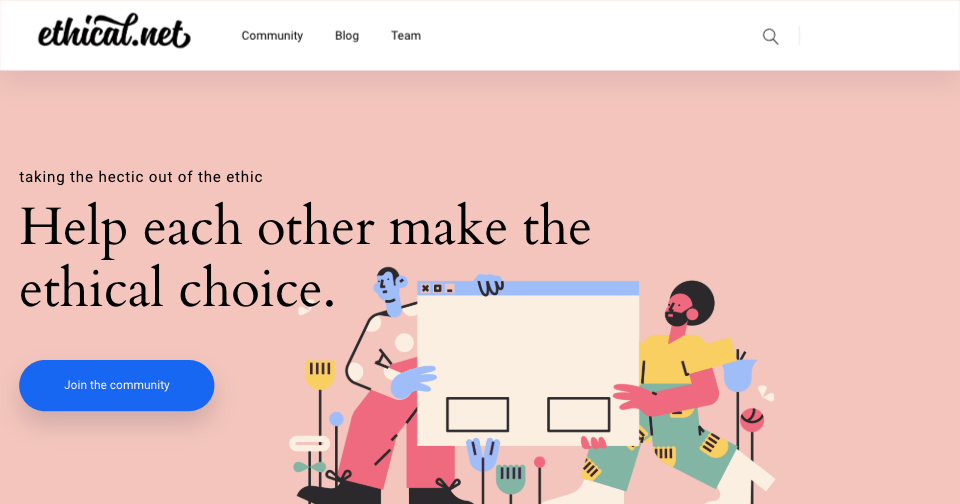
robots.txt (opens in a new tab)
0 rulesAll bots 0 allowed · 0 disallowed
No matching rules.
Sitemaps
1Recent Updates
- Website images
- Screenshots
- Network details
- Website Technologies
- Pages and Search Information
- HTTP Response Information
- TLS and certificates
- DNS Information
- Domain Registration
- Website profile
- Website Description
- Website profile
- Website Description
- Website Name
User reviews (0)