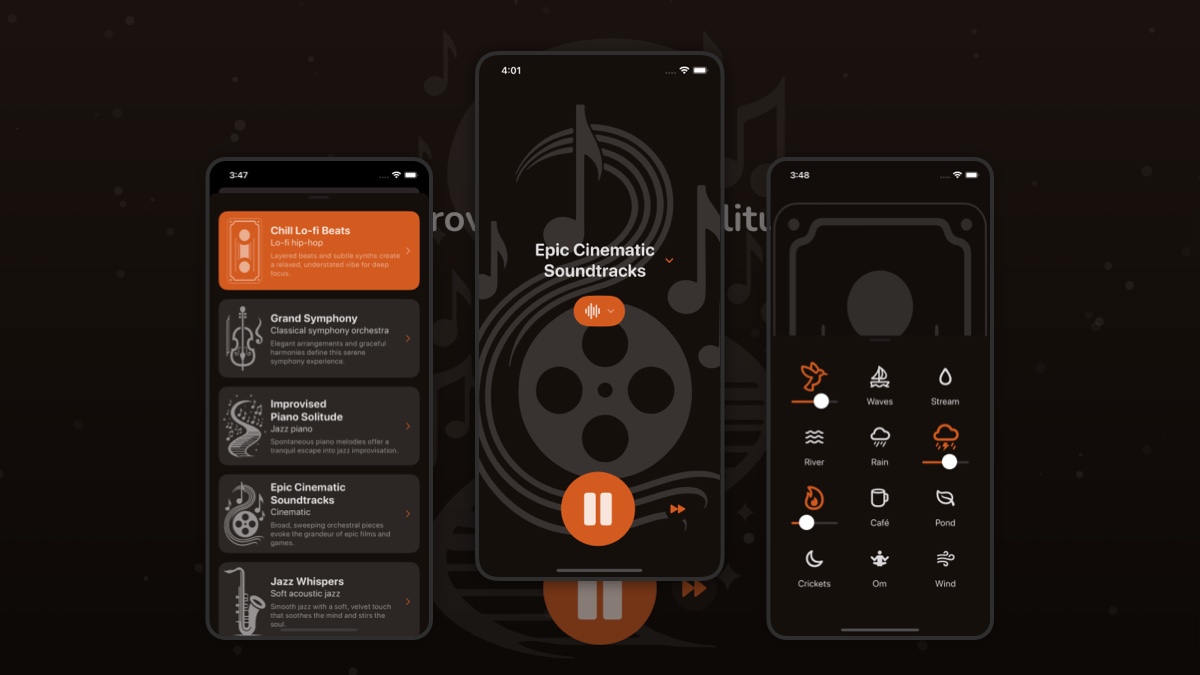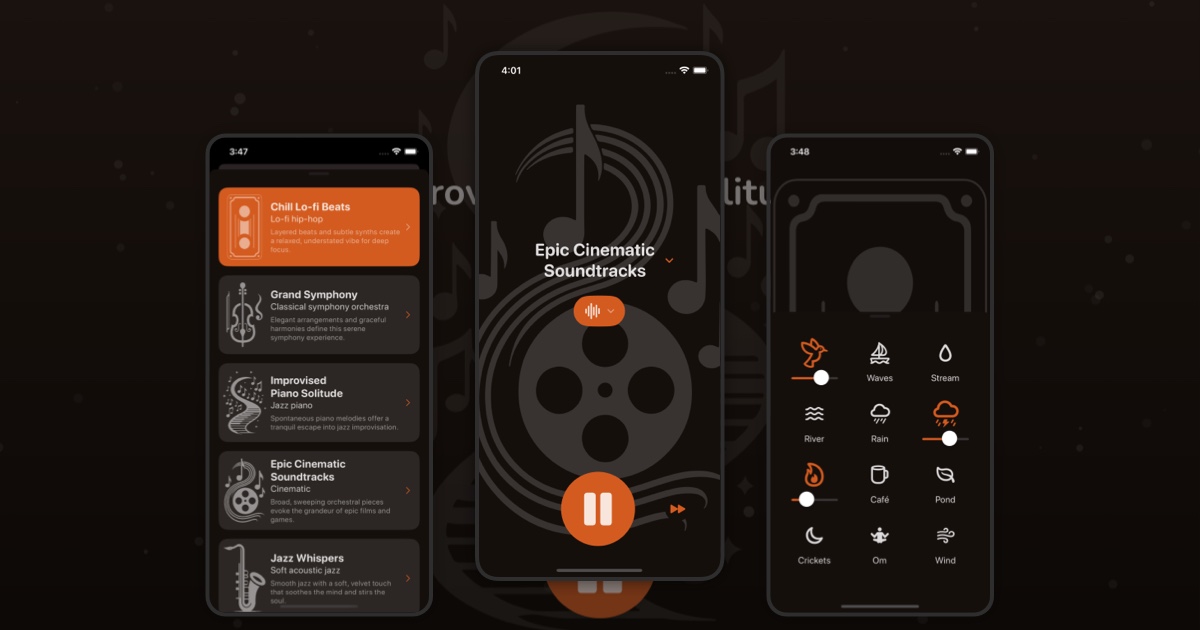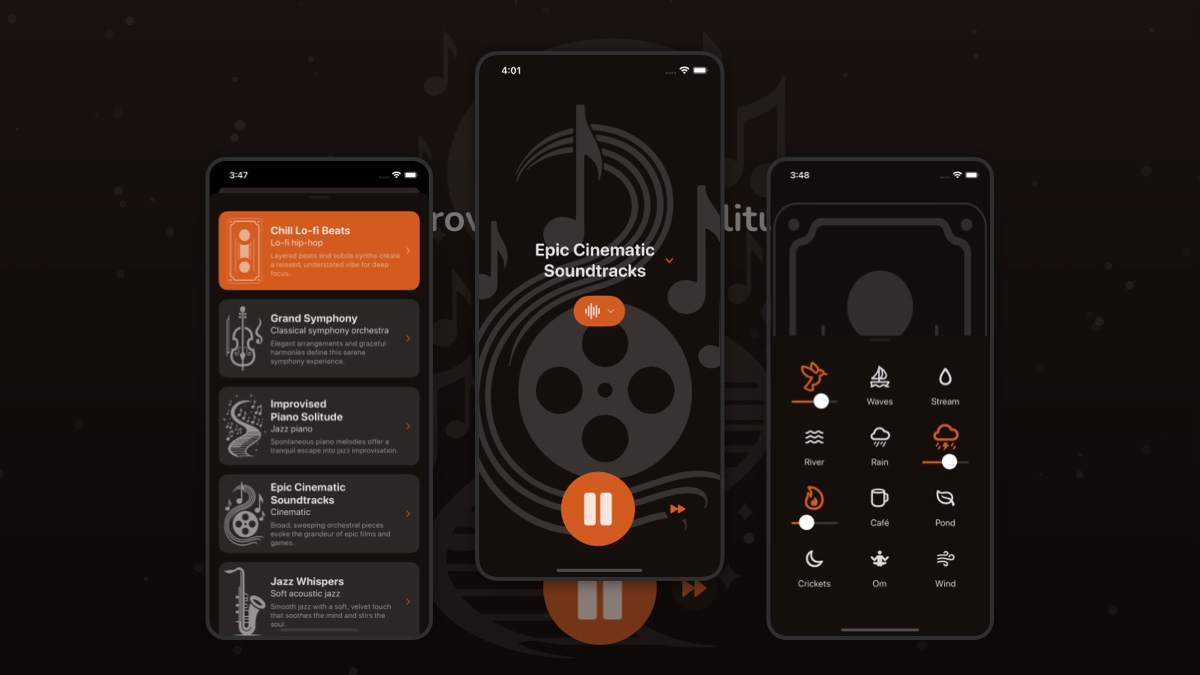
Website profiles · Technology insights · Alternatives

flowtunes.app No paid content found

Categories: Productivity

FlowTunes - Enhance your focus with curated music playlists designed to boost your productivity.

Visit website

Updated: 2026-09-30 18:23 Language: English (default) Access: Normal

Profile views 3 Outbound visits 0
FlowTunes Full homepage screenshot
Editorial Review

Website Review

What is FlowTunes?

FlowTunes is a music service built around one job: giving you curated playlists meant to help you concentrate. Its focus areas span lo-fi, jazz, classical and indie, so it is aimed at people who want background music for work or study without building their own playlist from scratch.

Who it suits

  • Students and remote workers who want a single place to press play and get on with a task.
  • People who find lyrical pop or busy electronic music distracting and prefer calmer genres.
  • Listeners who would rather use ready-made focus playlists than curate their own.

What to weigh

Curated focus music is convenient, but the trade-off is control: if you already have strong opinions about tempo, mood or specific artists, a general-purpose streaming service with your own playlists may fit better. FlowTunes is also a niche tool rather than a full library, so check whether the genre spread matches what actually keeps you focused.

A useful next step: try one playlist in each genre during a real work block, then note which one you stopped noticing. That playlist is the one worth keeping.

How does FlowTunes help improve focus and productivity?

FlowTunes is built around a simple premise: instead of hunting for the right background music yourself, you pick from curated playlists made for focused work. Its catalog spans lo-fi, jazz, classical and indie, so you can match the music to the kind of task and the mood you work best in.

What it actually does for focus

  • Removes the decision overhead. Choosing a playlist takes seconds, so you spend less time skipping tracks and more time on the task.
  • Gives you genre options rather than one fixed sound. Instrumental lo-fi or classical suits reading and writing; jazz or indie can help with repetitive or creative work where a little energy helps.
  • Turns music into a start cue. Pressing play on the same list each session becomes a signal that focused work is beginning, which is useful if you struggle to get started.

Where the real benefit comes from

The productivity gain is mostly indirect. Music does not make you smarter; it masks office noise, fills the silence that makes distraction louder, and keeps you from reaching for your phone between tasks. The people who get the most from a tool like this are those doing long, solo, screen-based work — coding, writing, studying, admin — in environments that are either noisy or too quiet.

If your work involves reading dense text or holding a conversation, lyrics and strong melodies can compete for the same attention. In that case, instrumental playlists are the safer choice.

A practical way to test it

Try one week with a rule: one playlist, chosen before you start, played only during focused blocks. Note at the end of each day whether you started faster and switched tasks less. If you see no change, the issue is probably your environment or your task list, not your soundtrack.

If you want to compare approaches, FlowTunes is one option for curated focus playlists; general-purpose streaming services are another if you prefer building your own lists.

What types of music genres are available on FlowTunes?

FlowTunes describes its library as curated playlists for focus, and its listed genres are lo-fi, jazz, classical, and indie. In practice that means you can pick a style to match the kind of concentration you need rather than browsing an open-ended catalog.

H3 How to choose between them

  • Lo-fi: steady, low-distraction background for writing, coding, or admin work.
  • Jazz: more movement and texture; better for brainstorming or tasks where a little energy helps.
  • Classical: often the safest choice for reading, studying, or detailed work where lyrics would pull you out.
  • Indie: song-based and more engaging, so it suits lighter tasks or when you want listening to feel less like background noise.

A useful next step is to test one genre per work session and note which one you stop noticing. If you keep returning to the player to change tracks, that genre is probably too interesting for the task at hand.

Can I create custom playlists on FlowTunes?

No — FlowTunes does not appear to offer custom playlist creation. Its model is the opposite of a DIY music library: you pick from curated focus playlists rather than building your own track lists. The genres mentioned in its own description (lo-fi, jazz, classical, indie) suggest the curation is organized around listening moods and work contexts, not around user-assembled collections.

That distinction matters depending on how you work:

  • If you want a ready-made soundtrack, curated playlists remove the decision-making that can pull you out of deep work. You press play and stop thinking about music.
  • If you need specific tracks, lengths or sequencing, a service built around user-made playlists will suit you better. FlowTunes is not that.

A practical next step: open FlowTunes and test whether one of its existing playlists actually fits your task — writing, coding, admin — for a full 25-minute block. If you find yourself wanting to skip tracks or reorder them, that's your signal to look at a playlist-building service instead. For a general-purpose library where you assemble your own lists, Spotify is the obvious comparison point; for a focus-oriented alternative with more user control, Brain.fm is worth a look.

Decision rule: choose FlowTunes for zero-effort curated listening, and choose a build-your-own platform when the exact tracks matter to you.

Is FlowTunes free to use or does it require a subscription?

FlowTunes presents itself as a source of curated focus playlists, but the supplied page information doesn't include pricing signals such as subscription keywords or payment links, so I can't confirm from it whether the service is free or paid. Treat any claim of "free" or "subscription-only" as unverified until you check the site directly.

How to check in under a minute

  1. Open the site and look for a pricing, plans or upgrade link in the header or footer.
  2. Start playing a playlist. If a paywall or sign-up screen appears after a track or two, that indicates a subscription or account requirement.
  3. Check whether an account is needed just to listen, separate from any paid tier.
  4. Look for a free tier with limits (skips, offline listening, ads) versus a paid tier that removes them.

What matters for your use

  • Casual listener: if you only want background music while working, a free tier with ads is usually enough.
  • Daily deep-work user: offline playback and no interruptions are the features people typically pay for, so check those specifically.
  • Students or tight budgets: many focus-music services offer a discounted tier; verify eligibility on the site itself.

If you want a fallback while you check, free alternatives with known free tiers include YouTube Music and SoundCloud, though neither is purpose-built for focus.

How does FlowTunes compare to other focus music apps?

FlowTunes positions itself as a curated focus-music service: playlists built around genres like lo-fi, jazz, classical and indie, with the stated goal of supporting concentration and productivity. That puts it in the same broad category as ambient/focus-music apps and streaming playlists, but the meaningful differences are usually not the genre labels — they are how the music is selected, how much control you get, and whether the app does anything beyond pressing play.

Where the real differences show up

Dimension What to check on FlowTunes Why it matters
Curation vs. algorithm Whether playlists are hand-picked for focus or generated from listening history Hand-curated sets tend to be more consistent for deep work; algorithmic feeds can drift toward familiar songs that pull attention
Genre range Lo-fi, jazz, classical, indie Wider range suits different tasks — classical or ambient for reading, lo-fi for repetitive admin work
Interruption level Vocal vs. instrumental balance, ads, track announcements Vocals and ads break reading and writing flow more than most people expect
Control Skip, shuffle, mood or timer options A timer or mood switch helps you end a session instead of drifting
Cost model Free tier vs. paid Determines whether ads or limits interrupt long sessions

How to judge it against alternatives

If your priority is zero-decision background sound, a dedicated focus app with pre-built playlists is usually the better fit than a general streaming service, where you spend attention choosing. If your priority is variety and offline libraries you already pay for, general platforms may cover the same ground.

A practical test: run the same 50-minute work block twice — once with FlowTunes, once with your current option — and note how many times you touched the player. Fewer interruptions is the outcome that matters, not the genre list.

For comparison points, general streaming catalogs such as Spotify and Apple Music host large focus-playlist libraries, while YouTube carries free long-form focus mixes. Their trade-off is ads, recommendations and manual curation, rather than a purpose-built focus experience.

Decision criterion

Choose FlowTunes if you want curated, genre-based focus playlists and don't want to manage a queue. Look elsewhere if you need offline access, granular sound control (binaural beats, adjustable noise layers) or a catalog tied to your existing subscription.

Related questions

More questions →
What Is Latin Jazz and How Does It Differ from Mainstream Jazz?

Latin jazz is jazz played with Afro-Caribbean rhythmic structures at its core rather than as decoration. The most audible difference from mainstream (straight-ahead) jazz is the rhythm section: Latin jazz builds on a repeating, dance-derived groove — the clavé, the tumbao, the cascara — while mainstream jazz typically rides a swinging cymbal pattern with a walking bass. If you want to hear the distinction in practice, trombonist and composer Papo Vázquez works squarely in this tradition, including Afro-Puerto Rican and Afro-Caribbean jazz, and his recordings are a practical entry point.

The core difference: rhythm is the foundation, not the flavor

In mainstream jazz, the drummer's ride cymbal and the bassist's walking line define the pulse, and soloists float over that swing feel. In Latin jazz, the groove is a fixed, repeating pattern that the whole band locks into. The rhythm doesn't just accompany the soloists — it is the form.

Dimension Mainstream / straight-ahead jazz Latin jazz
Rhythmic base Swinging ride cymbal, walking bass Clavé, tumbao, cascara, montuno patterns
Role of percussion Drum kit, occasional hand percussion Congas, timbales, bongos, güiro as core voices
Feel Swung, conversational, elastic Dance-derived, cyclical, locked
Bass Walking quarter notes Tumbao — syncopated, anticipatory
Piano Comping behind soloists Montuno vamps and repeated figures
Soloist's freedom Over the swing Over the groove, often in clave

Neither is "harder" or "better." They solve different problems: mainstream jazz prioritizes linear swing and interplay; Latin jazz prioritizes interlocking rhythm and collective groove.

Where Latin jazz comes from

Latin jazz is not one tradition but a family of them, shaped by the movement of African rhythms through the Caribbean and into the United States:

  • Afro-Cuban jazz — the best-known branch, built on son, mambo, and rumba rhythms, developed in New York and Havana.
  • Afro-Caribbean jazz — a broader category covering Cuban, Puerto Rican, Dominican, and other Caribbean roots.
  • Afro-Puerto Rican jazz — draws on bomba and plena traditions alongside jazz harmony and improvisation.

These are overlapping labels, not separate genres. A single band can move between them within one tune.

Papo Vázquez as a listening entry point

Papo Vázquez is a trombonist, composer, and arranger working in Latin jazz, Afro Puerto Rican jazz, and Afro Caribbean jazz. His site identifies him as a Grammy-nominated artist and an NEA Master Artist, and his working group is Papo Vázquez's Mighty Pirates Troubadours. Downbeat Magazine's Howard Mandel described the group as "stirring," and the site links to a Downbeat four-star review.

For someone new to the music, his catalog is useful because it sits at the intersection of the categories above — you can hear the rhythmic foundation and the jazz improvisation at the same time rather than as separate layers.

How to start listening

The site points to several ways to hear the music:

  • Streaming and digital platforms — Apple Music, iTunes, Amazon, Spotify, and Pandora are listed as available outlets.
  • Physical CDs — the site offers CD purchase for U.S. and Puerto Rico only.
  • Interviews and reviews — links include an interview on Cafe Latino with Laura Fernandez, a Fundación Nacional Para La Cultura Popular interview, and an NPR Alt Latino Best of 2024 mention.

If you are exploring the genre more broadly, a practical approach is to pick one rhythmic pattern — the clavé — and listen for it across several recordings. Once you can hear the clavé, the difference between Latin jazz and straight-ahead jazz becomes obvious rather than theoretical.

A quick way to test your ear

Play a mainstream jazz trio track and a Latin jazz track back to back and listen to the bass. If the bass is walking in even quarter notes, you are in swing territory. If the bass is playing a syncopated, repeating figure that anticipates the beat, you are hearing a tumbao — and you are in Latin jazz.

What Does Indie Mean in Games and Software?

"Indie" means independent: work made by individuals or small teams who control their own creative and business decisions, rather than by studios owned or funded by major publishers. In games, that usually means a small team (often 1–10 people) self-publishing or working with a small label; in software, it means a developer or tiny company shipping a tool without a large corporate parent. The label describes who holds control, not budget, genre, or quality — a polished indie game can outsell a AAA title, and a rough one can still be fully independent.

The core meaning: independence of control

The defining question is not "how many people made this?" but "who decides what gets made and shipped?"

  • Independent: the creators set scope, deadlines, pricing, and creative direction. Funding may come from savings, crowdfunding, early access sales, or small grants — but no publisher owns the project.
  • Not independent: a studio owned by or contractually bound to a major publisher, where an external party controls budget, milestones, or release timing.

A solo developer using a publisher only for marketing and console porting can still be indie, because the publisher isn't directing the design. A 200-person studio bankrolled and owned by a large company is not, even if its game looks quirky.

Indie games vs. AAA and mainstream software

Dimension Indie games AAA games
Team size Often 1–10 people Hundreds, sometimes thousands
Budget Small, self-funded or crowdfunded Tens to hundreds of millions
Control Creator-led Publisher-led, milestone-driven
Risk tolerance High — unusual mechanics and art styles are common Low — proven genres and formulas dominate
Release path Self-publishing, itch.io, Steam, small labels Global retail and platform marketing campaigns

The same split exists in software. An indie developer might ship a focused tool — a text editor, a note-taking app, a small utility — while a large vendor ships a suite with enterprise contracts. Indie software tends to be narrower in scope and closer to one person's workflow.

Common traits of indie work

  • Small teams wearing many hats. The same person may code, design, and handle support.
  • Self-publishing as the default. Storefronts like itch.io and Steam let creators release without a publisher.
  • Creative risk. Niche genres, experimental mechanics, and personal themes are more viable when you don't need to satisfy a large marketing department.
  • Direct audience contact. Devlogs, Discord servers, and social posts replace big ad budgets.
  • Tighter scope. Indie projects usually cut features to finish, rather than expanding to fill a budget.

Recognizable examples

In games, titles like Braid, Minecraft (in its early independent phase), Celeste, and Hollow Knight are commonly cited as indie successes — small teams, self-directed, and commercially significant. In software, tools such as Neovim and Vim sit in the independent/open-source tradition: maintained by small groups of contributors rather than a single large vendor, and shaped by their users' needs.

These examples matter because they show the range: indie can mean a two-person puzzle game or a community-maintained code editor. What they share is control by the makers.

How to get started

If you want to make indie work:

  1. Pick a scope you can finish in weeks, not years — a single mechanic or a single utility.
  2. Choose a toolchain you already know. For games, that might be a general engine; for software, a language and editor you're comfortable in.
  3. Ship something small publicly (itch.io for games, a repository or package registry for software) to learn the release process.
  4. Talk about the work as you build it — devlogs and posts build an audience before launch.

If you want to find indie work:

  • Browse itch.io for games and small tools, and Steam's indie sections for released titles.
  • Follow developer communities and devlogs to see projects before release.
  • Check open-source repositories for maintainers who welcome contributions.

A quick way to tell if something is indie

Ask two questions: Who controls the creative decisions? and Who owns the result? If the answer is "the people who made it," it's indie — regardless of team size, budget, or how polished it looks.

What Kind of Music Actually Helps You Focus?

Music helps focus when it is predictable, low in lyrical distraction, and matched to the task. Instrumental tracks with a steady tempo and stable volume work best for reading, writing, and other language-heavy work; lo-fi, jazz, classical, and ambient styles are common choices because they fill background noise without pulling attention to the words. Music is not a universal fix, though — if a track makes you want to sing along, change songs, or analyze the melody, it is costing you focus rather than supporting it.

What makes focus music work

The useful features are less about genre and more about how the music behaves:

  • Stable tempo. A consistent beat gives your brain a predictable background rhythm. Sudden tempo changes or drops pull attention back to the music.
  • Low or no lyrics. Words compete with reading and writing for the same language-processing resources. If lyrics are in a language you understand, the interference is usually stronger.
  • Predictable melody and dynamics. Tracks that build to big climaxes or jump in volume make you notice them. Even-keeled production keeps the music in the background.
  • Familiarity (often). Familiar tracks are easier to tune out because you already know what happens next. New, interesting music tends to demand attention.

This is why lo-fi, ambient, light jazz, and classical appear so often on focus playlists — they tend to satisfy these conditions, not because the genres are magic.

Matching music to the task

Different tasks tolerate different amounts of musical stimulation.

Task type Music that tends to work Why
Deep reading, writing, coding Instrumental, ambient, minimal classical No lyrics competing with language work; low variation
Repetitive or mechanical work Lo-fi, jazz, indie, upbeat instrumental Provides stimulation without needing full attention
Creative brainstorming Familiar instrumental or light background Enough energy to keep momentum, not enough to distract
Memorization or studying Low-lyric, low-variation tracks, or silence Reduces competing verbal input

If a task already uses language heavily, lean toward music without words. If the task is physical or repetitive, you can usually handle more rhythm and energy.

How to use focus music in practice

  1. Pick a playlist and commit to it. Switching tracks is itself a distraction. Choose one set and let it run.
  2. Set a timer for a focused block. A 25–50 minute block with music, followed by a short break, keeps the music tied to a defined work period rather than the whole day.
  3. Keep volume low. The music should be audible but not something you actively listen to. If you can follow the melody closely, it is probably too loud or too engaging.
  4. Test one variable at a time. Try a week with lyrics, a week without; try ambient versus jazz. Note which one let you work longer without checking the player.
  5. Alternate with silence. Use music as an environmental cue for starting work, then try some blocks with no music at all. This keeps you from depending on it and shows whether it is actually helping.

What to expect: within a session or two you should notice whether you are reaching for the skip button or forgetting the music is playing. Forgetting it is playing is the signal that it is doing its job.

Why focus music sometimes fails

If music is not helping, the cause is usually one of these:

  • Lyrics are too engaging. Your brain keeps processing the words instead of the task.
  • The music is too interesting. Novel or complex tracks invite attention.
  • Volume is too high. Loud music competes with the work rather than masking distractions.
  • Wrong style for the task. High-energy music can be fine for chores and terrible for proofreading.
  • You keep changing tracks. Playlist-hopping breaks focus more than the music ever helps.
  • You expected it to do too much. Music masks background noise and sets a mood; it does not create motivation or remove the need to start.

Choosing a source

Curated focus playlists — like those offered by services such as FlowTunes, which describes itself as curated playlists designed to boost productivity — save you the effort of building a set that meets the conditions above. The trade-off is that a curated list may not match your taste or task. A self-built playlist takes more setup but lets you control lyrics, tempo, and length precisely.

Either way, the test is the same: work for a block, then ask whether the music stayed in the background. If it did, keep it. If it did not, change one thing — lyrics, volume, or genre — and try again.

What Is Productivity Music and How Do You Use It to Focus?

Productivity music is background music chosen to support sustained attention on work or study rather than to be listened to for its own sake. It tends to work best when the music is predictable, moderately repetitive, and low in lyrical or emotional demand, and when the task is fairly routine — reading, email, coding, data entry, or drafting. It is a poor fit for tasks that already compete for language processing, such as writing prose or studying dense text in a second language, where silence or a very quiet ambient bed usually wins.

What counts as productivity music

The label covers several styles that share a similar function. FlowTunes, for example, organizes focus music into lo-fi, jazz, classical, and indie playlists, which maps onto the four families most people already use:

Style Typical texture Best suited to
Lo-fi Steady beat, soft samples, few or no vocals Routine tasks, long low-effort stretches
Jazz Instrumental, varied but predictable structure Tasks needing mild stimulation to stay awake
Classical Wide dynamic range, no lyrics Reading, careful work, quiet environments
Indie Often lyrical, more emotional variation Short bursts, tasks that don't need language

Ambient sound — rain, café hum, brown noise — is a related option rather than a separate category. It removes melody entirely, which makes it the safest choice when any musical structure pulls your attention away.

Why it can help, and when it won't

The mechanism is not that music makes you smarter. It works by masking unpredictable distractions and by giving the brain a stable, low-salience input so it stops scanning the room for stimulation. Three variables decide whether that happens:

  • Lyrics. Words compete with reading and writing for the same processing resources. Instrumental tracks are the safer default for verbal tasks.
  • Volume. Music should sit below the level where you notice it switching songs. If you can follow the melody consciously, it is probably too loud.
  • Predictability. Familiar or structurally simple music fades into the background; novel or emotionally intense music does the opposite.

Individual differences are large. Some people focus best in silence, and no playlist will change that. Treat the first few sessions as an experiment, not a fix.

How to use it: a practical routine

  1. Match the music to the task. Pick instrumental lo-fi or classical for reading and analysis; save lyrical indie or jazz for mechanical work like formatting, sorting, or inbox clearing.
  2. Set a fixed block. Choose a work interval you can actually finish — 25, 50, or 90 minutes — and start the playlist at the same moment you start the task, so the music becomes a cue rather than a decision.
  3. Keep the playlist long enough. A 20-minute loop that restarts constantly draws attention to itself. Aim for at least an hour of continuous material, or use a station that doesn't repeat obviously.
  4. Control the environment. Headphones help if the room is noisy; if you're alone and it's quiet, speakers at low volume often work better because they feel less enclosing.
  5. Check the result honestly. After the block, ask whether you finished what you planned. If not, change one variable at a time — lyrics first, then volume, then style.

When it isn't working

If focus keeps breaking, the cause is usually one of four things:

  • Lyrics are interfering. Switch to ambient, classical, or lo-fi with no vocals.
  • The volume is too high. Lower it until the music is barely foregrounded.
  • The genre is wrong for you. A style that energizes one person distracts another; try the opposite end of the spectrum before giving up on music entirely.
  • The task doesn't suit background music. Learning new material, writing, and anything requiring careful language use are often better done in silence. Music is a tool for certain tasks, not a universal productivity switch.

A reasonable starting point: pick one instrumental playlist, run three 50-minute blocks with it, and keep it only if your output holds steady. If it doesn't, the honest answer may be that you work better without it.

What Is Ambient Sound and How Do You Use It to Relax or Focus?

Ambient sound is steady background audio—rain, wind, hums, or low-key instrumental loops—that fills a space without demanding your attention. You use it by picking a texture that matches your goal (rain or lofi for calm, steady noise for focus), keeping the volume just below your task, and letting it run in the background. It works best when the sound is predictable and you're not actively listening for changes.

Ambient sound vs. music vs. sudden noise

The difference is how much attention the audio pulls.

Type Attention demand Typical effect
Ambient sound Low, steady Masks distractions, sets a mood
Music with lyrics/structure Medium–high Engages memory and emotion, can compete with reading or writing
Sudden noise (alerts, traffic) High, unpredictable Breaks concentration, triggers startle

Ambient sound sits in the middle: present enough to cover small interruptions, plain enough that your brain stops tracking it after a minute or two.

Why steady background sound can help

Two mechanisms do most of the work:

  • Masking. Constant sound raises the floor of what you hear, so a nearby conversation or a door closing is less noticeable. The steadier the sound, the less your attention is drawn to it.
  • Predictability. A loop with no sudden changes gives your brain nothing new to react to, which is why rain and low hums are common choices.

This is why ambient sound often helps with reading, writing, or falling asleep—tasks where small interruptions cost more than the sound itself.

Common types and what they suit

  • Rain and water — steady, slightly textured. Good for sleep, reading, and winding down.
  • Nature soundscapes (forest, birds, waves) — more variation than rain. Better for mood and relaxation than deep focus, since birdsong can pull attention.
  • White / pink / brown noise — flat, non-musical. Best for masking speech and steady concentration; brown noise is lower and often described as less harsh than white.
  • Lofi — slow instrumental loops with a beat. Suits creative work and light tasks; the rhythm can compete with heavy reading.

How to choose a sound and volume

  1. Name the task. Sleep and relaxation → rain or nature. Focused work → noise or rain. Creative work → lofi.
  2. Start quiet. Set volume so the sound is audible but you can still hear a person speak at normal level. If you have to raise your voice, it's too loud.
  3. Test for 10 minutes. If you notice the sound itself, lower the volume or switch to something steadier.
  4. Match duration to the task. A loop for a work session; a longer, more varied soundscape for sleep.

How ambient sound generators work

A generator plays a loop or a synthesized stream of sound, and many let you layer or adjust it. Ambicular, for example, describes itself as a lofi vibes and rain sound generator that gives "an easy creative boost or just relax." Its page also notes you can "Play our music or Upload your audio file to see the magic happens," so beyond built-in sounds, you can bring your own audio into the mix.

That upload option matters if the built-in library doesn't match what you need—for instance, a recording of your own fan or a specific rain loop you already like.

When ambient sound distracts instead of helping

  • It has variation you track. Birdsong, thunder, or a melody with changes will pull attention. Switch to rain or noise.
  • It's too loud. Loud background sound makes effortful tasks harder. Drop the volume until it's barely there.
  • It competes with the task. Lyrics or a strong beat clash with reading and writing. Use instrumental or non-musical sound.
  • You're listening for the loop point. A short loop that repeats obviously becomes its own distraction. Use a longer loop or a generated stream.

If none of these fix it, the task may simply need silence—ambient sound is a tool, not a requirement.

Website Overview

The available information shows a mix of normal operation and configuration gaps. Depending on how the website is used, these gaps may affect secure access or the consistency of its public presentation.

Domain and Registration

Transfer-protection status is present, helping reduce the risk of unauthorized domain transfers. The domain has about 2 years of registration history; its current configuration provides more context than age alone. The registrar is CloudFlare, Inc., a widely used domain service provider. The domain uses the common .app extension, which is not an independent safety signal.

DNS and Email

Nameservers are provided by Cloudflare, indicating managed DNS hosting. No CNAME was found; the observed records resolve directly to addresses. No MX record was found. A conventional explicit inbound-mail route is not configured. DNSSEC signatures were not detected, so this additional DNS authenticity protection is not confirmed. The lowest observed DNS TTL is 300 seconds.

TLS and Certificates

The public key uses EC with 256 bits. The server supplied a complete certificate chain. No organization name is present in the certificate; the available fields are consistent with domain validation. The certificate was issued within the Google Trust Services cloud or CDN ecosystem. The certificate's total validity is about 90 days, consistent with a short renewal cycle.

HTTP and Browser Security

The response lacks these common security headers: CSP, X-Content-Type-Options, Referrer-Policy, Permissions-Policy, clickjacking protection. No X-Powered-By header was found, reducing one common source of backend fingerprinting information. The cf-ray response header indicates a CDN or caching proxy in the delivery path. No obvious internal addresses or debug information were found in the headers. The Server header identifies cloudflare without an exact version.

Technology Stack Analysis

The public page identifies Cloudflare, Netlify without precise versions, leaving fewer clues for version-specific scanning.

Search and Social Sharing

No homepage canonical URL was detected. If duplicate URLs exist, consolidation may be less explicit. Twitter Card metadata is configured. The title has 27 characters, within a common display range. A meta description is present, with 96 characters. The observed directives allow indexing and link following.

Hosting and Email

DNSCloudflare
HostingNetlify
EmailUnknown
Location Location unknown 104.21.61.133

User reviews (0)

  • No reviews yet.

Pages, Search and Sharing

Meta descriptionFlowTunes - Enhance your focus with curated music playlists designed to boost your productivity.
Canonical URLNot detected
LanguageEnglish (default)
Twitter Cardsummary_large_image
All bots 1 allowed · 0 disallowed
  • Allow/

No sitemaps found

Registration details RDAP / WHOIS

RegistrarCloudFlare, Inc.
Registered2024-05-13
Expires2028-05-13
Domain statusclient transfer prohibited
Nameserversjustin.ns.cloudflare.com、magali.ns.cloudflare.com
DNSSECunsigned

DNS records

TypeNameValueTTLPriority
Awww.flowtunes.app104.21.61.133300—
Awww.flowtunes.app172.67.210.162300—
AAAAwww.flowtunes.app2606:4700:3034::6815:3d85300—
AAAAwww.flowtunes.app2606:4700:3035::ac43:d2a2300—
NSflowtunes.appjustin.ns.cloudflare.com86400—
NSflowtunes.appmagali.ns.cloudflare.com86400—

TLS and certificates

AssessmentNormal configuration
Supported protocolsTLSv1.2、TLSv1.3
Negotiated protocolTLSv1.3
Certificate subjectflowtunes.app
IssuerGoogle Trust Services
Valid until2026-11-05T16:47 · Remaining when checked: 35 days
Verification detailsCertificate trust: Passed · Hostname match: Passed

HTTP response headers

HeaderValue
content-typetext/html; charset=UTF-8
cache-controlpublic, max-age=0, must-revalidate
servercloudflare
strict-transport-securitymax-age=31536000

Identified technologies

CloudflareNetlify