
 简体中文
简体中文 English
Website review
This review may include AI-generated content and is not individually verified. Domain, certificate and other facts come from the observed data on this page.
What is Flyte 2?
Flyte 2 is a durable runtime for AI workloads: you write workflows and services in ordinary code, and the platform automatically recovers from infrastructure and code failures instead of making you restart the whole job. It is open source under Apache 2.0 and hosted by the Linux Foundation's AI & Data initiative, with a managed enterprise option alongside the self-hosted version. See Flyte 2.
What it actually does
The core promise is durability. Every step records its inputs and outputs, so when something breaks — an API rate limit, a network error, an OOM kill, a node interruption, a vanished GPU, a code exception — only the failed task retries. Completed work is preserved. In a batch inference job, for example, a provider returning a 429 mid-shard triggers a backoff-and-retry on that one shard while finished shards stay finished.
Two capabilities sit on top of that runtime:
- Workflows as code. A
TaskEnvironmentdeclares the image, resources, secrets and retry policy; tasks are plain async functions. Branching, looping and fan-out use normal control flow rather than a DSL or YAML. Types are checked between tasks, including files, DataFrames and dataclasses. SDKs exist for Python, TypeScript, Rust, Go and Mojo, with Python as the primary path. - Long-running apps. The same API serves endpoints and dashboards next to your pipelines, with integrations for FastAPI, Streamlit, vLLM, SGLang and Ollama. That covers OpenAI-compatible LLM endpoints with streaming and tensor parallelism, interactive dashboards with auth, and scale-to-zero when idle.
Who it suits
| If you are… | Flyte 2 fits when… | Watch out for… |
|---|---|---|
| An ML/platform engineer running training, fine-tuning, batch inference or RL | Jobs are long, expensive and fail partway; re-running from scratch wastes GPU hours | You need to adopt its task/app model rather than dropping in an existing orchestrator config |
| A team building agent loops | You want each LLM call traced and tools wrapped as tasks with retries | Agent frameworks already have their own state handling; expect some overlap to resolve |
| A data scientist iterating locally | The same code runs locally, on a devbox or on a cluster without rewrites | Cluster setup and image management are still real operational work |
The trade-off is the usual one for durable execution: you gain resumability and infrastructure awareness, and you pay in structure. Tasks need declared environments, and the runtime's opinions about I/O shape how you write code.
A practical next step: pick your most failure-prone existing job — the one where a mid-run crash costs hours — and port just that pipeline. The failure-recovery behaviour is the part worth testing before committing the rest of your stack.
How does Flyte 2 automatically recover from infrastructure and code failures during long-running AI workloads?
Flyte 2 recovers by treating every task step as a recorded, retryable unit rather than restarting an entire pipeline. The runtime persists the inputs and outputs of each step, so when a crash or infrastructure fault occurs, execution resumes from the last completed task instead of from the beginning. Completed work—such as finished data shards in a batch inference job—is not recomputed.
What gets recovered, and how
- Infrastructure failures. The page lists API rate limits, network errors, OOM kills, node interruptions, and disappearing GPUs among the failure modes it targets. A transient provider error like a 429 is caught and retried with exponential backoff according to the task's
RetryStrategy, and only the failed task is retried. - Code failures. A code exception in one task does not invalidate the rest of the run; the recorded state of prior tasks is preserved so the workflow can resume.
- Resource and environment changes. Because the runtime is described as "infra-aware," retries can be scheduled onto different or recovered compute rather than assuming the same node or GPU is still available.
How the programming model enables it
Workflows are written as ordinary Python (with SDKs also listed for TypeScript, Rust, Go, and Mojo) using normal async functions, branching, loops, and fan-out—no DSL or YAML. A TaskEnvironment declares the image, resources, secrets, and retry policy, and the runtime records I/O for every step. That combination is what makes resume-instead-of-restart possible: the control flow is ordinary code, but the execution boundaries are explicit and durable.
A concrete scenario
A team runs a fine-tuning job that fans out across many shards. Mid-run, one worker hits an OOM kill. With step-level durability, the failed shard is retried under its declared policy while the already-finished shards stay done, so the job continues rather than paying for the whole run again. The same mechanism applies to a long-running agent loop where an LLM call fails partway through a traced sequence.
Trade-offs and decision criteria
Durability is most valuable when tasks are long, expensive, or run on variable infrastructure—pretraining, large batch inference, RL loops. For very short, cheap, idempotent tasks, the recording and orchestration overhead buys less. The practical question is whether a mid-run failure would cost you meaningful recomputation or manual intervention; if yes, step-level recovery is the deciding feature. If you want to compare approaches, Flyte documents the OSS runtime, and the broader orchestration landscape includes Apache Airflow and Dagster.
A useful next step: pick one task in your pipeline that is expensive to rerun, wrap it with an explicit retry policy, and trigger a deliberate failure to confirm that only that task re-executes.
Can I write Flyte 2 workflows in Python without a DSL or YAML, and what SDKs are available?
Yes. Flyte 2 is designed so you write workflows as ordinary Python rather than in a domain-specific language or YAML files. A TaskEnvironment handles the declarative parts — container image, resources, secrets, and retry policy — while your tasks are plain async functions. Branching, looping, and fan-out use normal Python control flow, and the runtime records inputs and outputs for each step so a crashed run resumes rather than starting over. Type-checked I/O between tasks works with language-native types, files, DataFrames, and dataclasses.
SDKs listed on the page
- Python (
flyte-sdk) - TypeScript (
flyte-sdk-ts) - Rust (
flyte-sdk-rs) - Go (
flyte-sdk-go) - Mojo (
flyte-sdk-mojo)
So Python is the primary and most fully described path, but it is not the only option if your team works in another language.
What this means in practice
If you have a batch inference or fine-tuning pipeline that keeps dying on rate limits, OOM kills, or node interruptions, the practical difference is that you keep your existing Python functions and add retry and resource declarations around them, instead of rewriting logic into a workflow language. A concrete scenario: a shard-based inference job hits a 429 mid-run; the failed task retries with backoff while completed shards are not rerun. The trade-off is that you adopt Flyte's runtime and task model, so local debugging depends on how closely your local execution matches the cluster environment.
A useful next step is to check whether your language has an SDK, then try a small task locally before wiring in cluster resources. The project is Apache 2.0 and hosted under the Linux Foundation AI & Data umbrella, so you can inspect the source at Flyte 2 and the SDK repository before committing.
How do I deploy real-time model endpoints and dashboards with Flyte 2 using vLLM, FastAPI, or Streamlit?
Flyte 2 treats real-time model endpoints and dashboards as long-running apps defined in the same Python API you use for workflows. You declare the app, its image, resources and scaling; Flyte handles the serving plumbing, so a vLLM endpoint, a FastAPI service and a Streamlit dashboard can sit next to your batch and training jobs instead of in a separate deployment stack.
The three common patterns
| App type | What you declare | Typical use |
|---|---|---|
| vLLM endpoint | Model, streaming, tensor parallelism | OpenAI-compatible LLM inference for agents or internal tools |
| FastAPI service | App object, image, resources, replicas | Custom inference or business-logic API in front of models |
| Streamlit dashboard | App plus image and scaling config | Interactive review, metrics or demo UI for stakeholders |
Flyte 2's page evidence names native integrations for Streamlit, FastAPI, vLLM, SGLang and Ollama, and describes OpenAI-compatible LLM endpoints with streaming and tensor parallelism, interactive dashboards served as long-running apps with auth included, and scale-to-zero when idle with replicas and scaledown as one line of config.
A practical order of operations
- Write the app in plain Python — a FastAPI route, a Streamlit script, or a vLLM serve entry point.
- Wrap it in a Flyte app declaration: image, resources, secrets, scaling.
- Run it locally first. The same code runs locally, on the devbox, or on your cluster, which keeps the loop short.
- Deploy to the cluster and let Flyte manage serving, auth and scaling.
- Set replicas and scaledown so idle endpoints cost nothing.
Where this pays off
The strongest case is a team already running training, batch inference or agent loops on Flyte. Adding a vLLM endpoint or a Streamlit dashboard means one runtime, one auth story and one failure model rather than a second platform. The trade-off is that you are adopting Flyte's app abstraction: if your serving needs are unusual — custom autoscaling signals, exotic networking, strict latency SLOs tuned per route — a dedicated serving stack may give you finer control. For standard LLM endpoints and internal dashboards, the shared-runtime benefit usually wins.
Try it in a throwaway namespace: deploy one small FastAPI endpoint and one Streamlit page, then scale both to zero and confirm they wake on request. That single exercise tells you whether the abstraction fits your serving needs. The project is Apache 2.0 and hosted under the Linux Foundation AI & Data umbrella Flyte 2, and the SDK lives at flyteorg/flyte-sdk.
What is the difference between Flyte 2 OSS and Enterprise Flyte?
Flyte 2 is the same durable AI runtime in both cases; the difference is who operates it and what operational guarantees come bundled with it. The open-source version is distributed under Apache 2.0 and hosted by the Linux Foundation AI & Data, so you install and run the control plane yourself on your own Kubernetes infrastructure. Enterprise Flyte is the commercial deployment of that runtime, aimed at teams that want the platform managed or supported rather than self-assembled.
What the split usually means
| Dimension | Flyte 2 OSS | Enterprise Flyte |
|---|---|---|
| Licensing | Apache 2.0, Linux Foundation project | Commercial terms |
| Control plane | You deploy and upgrade it | Vendor-supported or hosted deployment |
| Failure recovery | Same durable task retries, IO recording, resume-after-crash | Same runtime behaviour, plus operational support when it misbehaves |
| Integrations | flyte-sdk, flyteplugins-vllm, app integrations for FastAPI, Streamlit, vLLM, SGLang, Ollama | Same surface, with someone accountable for keeping it patched |
| Best fit | Platform teams with Kubernetes depth, evaluation and internal tooling | Teams that need production uptime without staffing a control plane |
The runtime semantics that make Flyte interesting — retrying only the failed shard on an API rate limit, resuming from recorded IO instead of restarting, scaling serving replicas to zero when idle — are properties of Flyte 2 itself, not of the paid tier. What you buy on the enterprise side is the operational layer around it.
Choosing between them
Pick OSS if you already run Kubernetes, have engineers who enjoy owning infrastructure, and can absorb upgrade work in exchange for zero licence cost and full control over data locality. Pick Enterprise if your bottleneck is people rather than software: you want training, serving and agent workloads on one platform without a platform team maintaining it, and you need a support path when a node interruption or GPU loss hits at 3am.
A practical middle step is to prototype on OSS first. The code is portable, so a working pipeline written against the Python SDK does not need rewriting if you later move to the supported deployment — you are changing who runs the control plane, not what your tasks look like. Confirm current terms and support scope directly at Flyte before committing, since licensing and hosted options change.
How does Flyte 2 handle scaling to zero and GPU resource management for training and serving?
Flyte 2 treats scaling to zero and GPU allocation as configuration on the same Python objects that define your tasks and apps, rather than as separate infrastructure work.
Scaling to zero
For serving, the page describes long-running apps (vLLM, SGLang, FastAPI, Streamlit, Ollama) declared through the same Python API as your workflows. Scale-to-zero is presented as a one-line config concern: you set replicas and scaledown in the declaration, and Flyte handles the serving plumbing and auth. That matters most for interactive dashboards and internal endpoints with bursty traffic — you avoid paying for idle capacity between requests, at the cost of a cold start when the first request arrives. For latency-critical user-facing inference, keeping a minimum replica is usually the better trade.
Training workloads scale differently. They are tasks, not always-on services, so they consume GPU only while running and release it on completion or failure. The relevant lever is the retry and recovery behavior, not replica counts.
GPU resource management
GPUs are declared per task or app alongside image, secrets and retry policy in a TaskEnvironment. Because the runtime records inputs and outputs for every step, a failure caused by a disappearing GPU, an OOM kill or a node interruption resumes from the last completed step instead of restarting the whole job — completed shards are not rerun. This is the main practical difference from a plain scheduler: on a multi-hour pretraining or fine-tuning run, you lose minutes rather than hours.
For serving, the page notes model streaming and tensor parallelism for OpenAI-compatible LLM endpoints, which is how a model too large for one GPU is split across several.
Choosing between the two modes
| Concern | Training tasks | Serving apps |
|---|---|---|
| Lifetime | Runs to completion | Long-running |
| Idle cost | None by design | Controlled by scale-to-zero |
| Main failure risk | Node/GPU loss, OOM, rate limits | Cold starts, replica sizing |
| Key config | Resources, retry policy | Replicas, scaledown, auth |
A concrete scenario: a team fine-tunes nightly on a shared GPU pool and also serves a small internal model for a support dashboard. The training job declares its GPU count and retry policy; the dashboard app declares a minimum of zero replicas so it costs nothing overnight. If the dashboard is used by customers during business hours, set a minimum replica of one and accept the idle cost.
Next step: read the SDK task and app configuration sections at Flyte 2 and check whether your cluster's autoscaler and GPU operator expose the node labels Flyte needs to place GPU tasks.
 Cloudflare
 Google Workspace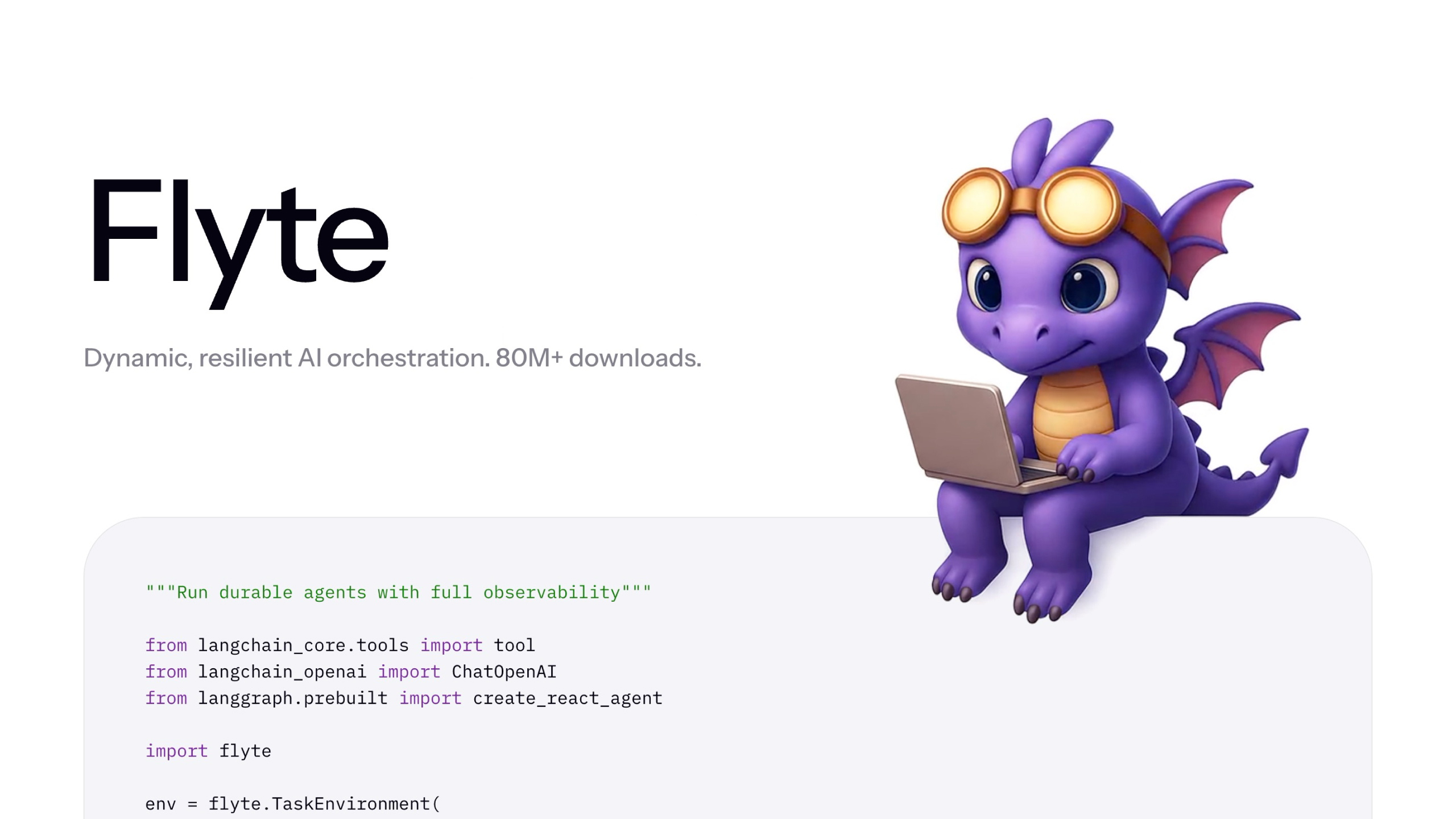
User reviews (0)