

 Visit website
 Updated: 2026-10-05 02:03
 Language: English (default)
 Access: Normal
 Profile views 2
  Outbound visits 0
 Website Review
What is FontGeneratorOnline.com?
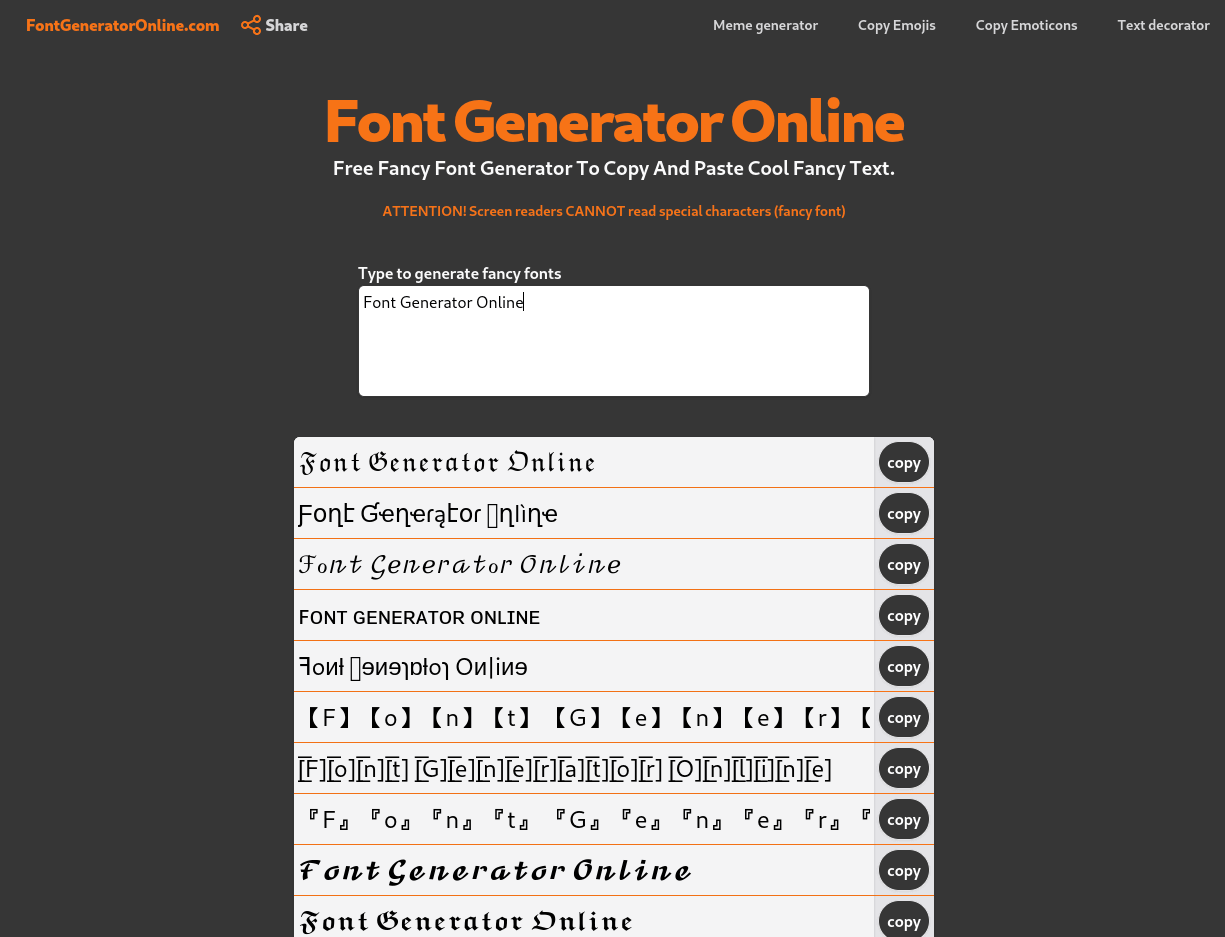
FontGeneratorOnline.com is a free browser-based tool that converts ordinary text into stylized Unicode characters you can copy and paste elsewhere. You type or paste a word or phrase, the site renders it in a range of decorative styles, and each result has a copy button so you can drop it into a social media bio, post, chat message or profile name.
Its own page describes the output as UTF-8 "special characters" — lookalike symbols rather than true installed fonts. That distinction matters: nothing is downloaded or installed, and the styled text is just a different sequence of characters that many apps happen to display.
Who it suits
- Social media users wanting a distinctive Instagram bio, Twitter/X name or Telegram display name
- Bloggers, gamers and small brand accounts adding decorative headings or usernames
- Anyone sending a novelty message to friends who will view it on a normal phone or desktop screen
Trade-offs to know before relying on it
- Screen readers generally cannot read these characters, and the site states this plainly. If accessibility matters for your audience, keep important text in plain characters.
- The page also notes that some styles do not work on some social platforms, so results can vary by app.
- Because the characters are unusual, search engines and platform search may not match them, and some systems may strip or replace them.
A practical test: generate your text, paste it into the exact place you plan to use it — a bio field, a message draft or a game username — and check it on both a phone and a desktop before committing. If you need readable, accessible text, use the generator only for decoration and keep the substantive wording plain. For a wider set of styles, LingoJam and FSymbols are established alternatives worth comparing.
How do I copy and paste the generated fancy text into Instagram or another social media profile?
Type your text into the generator's input box, then click the copy button next to the style you want. The copied text is plain Unicode characters, so you paste it exactly like normal text: open Instagram, edit your bio or caption, long-press the field, and choose Paste. There is no Instagram-specific integration and nothing to install.
A few practical notes:
- Where it works well: Instagram bio, captions, comments, Facebook posts, Twitter/X posts, Telegram and Discord messages, and similar text fields.
- Where it may fail: Some platforms strip or reject certain characters, and usernames or hashtags often don't accept them at all. If a paste looks blank or garbled, try a different style.
- Accessibility trade-off: The page itself warns that screen readers cannot read these special characters. If your bio or caption needs to be understood by everyone, keep the fancy text to decorative parts and put the important words in normal text.
- Length limits: Fancy characters are still single characters, but bios have tight limits, so preview before saving.
If you want a quick test, paste the result into Instagram's bio field first and check it on both the app and a desktop browser before committing — that catches both rendering problems and truncation.
For a broader set of styles, Free Font Generator Online covers the copy-and-paste workflow described here; other generators work the same way, so pick whichever previews the style you like.
Which platforms and apps support the special Unicode characters created by this font generator?
The generated text is standard UTF-8, so it works almost anywhere you can paste plain text: Facebook, Twitter/X, Instagram, LinkedIn, Reddit, WhatsApp, Telegram, Discord and Tumblr are all named on the page as supported destinations. In practice the limits come from each platform's own rules, not from the character set itself — some apps strip unusual symbols from display names, and screen readers cannot read these lookalike characters at all, which the site itself warns about.
Practical guidance
- Bios, captions and chat messages are the safest places to use them.
- Usernames, handles and searchable names are the riskiest: platforms often reject or normalise non-standard characters, and people cannot easily type them to find you.
- If accessibility matters for your audience, keep decorative text out of essential information such as prices, dates or instructions.
A quick test before you commit
Paste your converted text into a draft post or your own profile bio first, then check it on both desktop and mobile. If it renders as boxes or gets silently reverted, that platform is not a good fit for that particular style.
For a straightforward copy-and-paste workflow, Free Font Generator Online is the tool described here; the same kind of conversion is also offered by LingoJam and YayText if you want to compare which styles survive on a given app.
What are the accessibility risks of using fancy fonts, such as screen readers being unable to read them?
Fancy-font generators swap ordinary letters for lookalike Unicode characters. The output looks like styled text, but it is not a font change — it is a different string of characters. That is the root of most accessibility problems.
The site itself warns: "Screen readers CANNOT read special characters (fancy font)." It also notes that some styles do not work on some social platforms. Treat that warning as the main practical limit.
What actually breaks
- Screen readers. Many assistive technologies read the Unicode code points literally, spelling out names like "mathematical bold script capital A," or skipping them entirely. A bio that looks decorative to you can become noise or silence for a blind reader.
- Copy, search and translation. Search engines, in-app search, hashtags and auto-translate usually match normal letters. Fancy characters often fail to match, so your post becomes harder to find.
- Low-vision and dyslexia tools. Reader modes, dyslexia-friendly fonts and text-to-speech extensions may render the characters inconsistently or drop them.
- Platform inconsistency. The same string can display as boxes or blanks on a device whose system font lacks those glyphs.
- Cognitive load. Unusual letterforms slow reading for everyone, including people with cognitive disabilities.
Where it is lower risk
Decorative characters are safest in short, non-essential decorative text: a display name, a section divider, a one-word heading. They are riskiest in body copy, instructions, prices, dates, form labels, buttons, alt text, captions and anything a screen reader user must act on.
A useful rule: if the text carries meaning someone needs in order to use the page or post, keep it in plain characters. If it is pure decoration, the cost is mostly cosmetic.
Practical alternatives
- Keep the real text in plain characters and add decoration separately as an image with proper alt text, or as a styled element in your own site's CSS.
- If you must use fancy text in a profile name, repeat the key information — your actual name or handle — in plain text nearby.
- For your own website, use real web fonts and CSS rather than Unicode substitutions. That keeps text selectable, searchable and readable by assistive tech.
To test the risk on a specific string, paste the generated text into a text-to-speech tool or your phone's screen reader and listen. If it becomes unintelligible, do not use it for anything that matters.
For plain-language guidance on accessible text, see W3C Web Accessibility Initiative.
How does the font generator convert normal text into fancy fonts using UTF-8 characters?
It doesn't actually change the font. Font Generator Online maps each ordinary letter you type to a different Unicode code point that happens to look like a styled version of that letter. The page describes its output as "lookalike special characters" encoded in UTF-8.
What happens mechanically
- You type or paste plain text into the textarea.
- The tool substitutes each character with a styled counterpart from Unicode — for example, a mathematical bold or script letter that resembles the original.
- You copy the resulting string and paste it wherever you want.
Because the result is still ordinary text made of Unicode characters, it carries no font file, no CSS and no formatting. It looks "fancy" only because the receiving app renders those code points using whatever glyphs its font stack contains.
Why that matters in practice
- It travels as text. The styling survives copying between apps, which is why people use it for Instagram bios, Telegram names, Discord nicknames and similar fields.
- Coverage is uneven. Not every app, device or font includes glyphs for every styled block, so some characters can appear as empty boxes or fall back to plain letters.
- It is not accessible. The page warns that screen readers cannot read these characters, so a screen-reader user may hear nothing meaningful or hear the wrong thing. Keep a plain-text version of anything important.
- It is not searchable. Styled characters are different code points from normal letters, so hashtags, usernames and keywords written this way generally won't match normal-text searches.
A quick test before you commit
Paste the converted text into the exact field where it will live — a bio, a display name, a message — and check it on both a phone and a desktop. If it renders cleanly and still reads correctly when spoken aloud, it's safe to use; if not, keep the plain version.
Can I use the generated fonts for commercial purposes like branding or graphic design?
The site does not state commercial-use terms, so the safe answer is: the generated characters are free to copy, but that is not the same as a licence for a typeface. What you get here is plain Unicode text, not an installed font file.
What you are actually copying
The page describes its output as normal text converted into "lookalike special characters" that are UTF-8 encoded, which you can paste into social bios and chat apps Font Generator Online. That matters for branding: if you paste these characters into a logo, packaging or a design file, they remain text. Anyone who later edits that file needs those exact characters, and some systems, print workflows or older software may render them as boxes or fall back to a different shape.
Where it works and where it does not
| Use case | Practical fit |
|---|---|
| Instagram bio, X/Twitter name, Telegram or Discord nickname | Good — this is the intended use |
| A one-off graphic where the text is converted to outlines | Workable, but check every glyph renders before exporting |
| A full brand identity, logo suite or font licence | Poor — you need a real typeface licence, not pasted characters |
| Long body copy or anything a screen reader must read | Avoid — the page itself warns screen readers cannot read these characters |
That last point is the one most people underestimate. For a brand, an unreadable display name or heading is an accessibility problem, and on some platforms the characters break search, tagging or mentions.
A practical decision rule
Ask whether the text will ever need to be edited, indexed, translated or read aloud by assistive software. If yes for any of those, commission or license a proper font instead. If it is decorative and frozen — a single social post, a thumbnail, a sticker — pasted characters are fine.
If you do want a real typeface for branding, check the licence directly with the foundry or a reputable source such as Google Fonts (open-source licences, free for commercial use) or MyFonts (paid licences with terms stated per family). Those licences spell out what you may and may not do; a copy-paste generator does not.
One caution: before using any stylised text in client work, confirm with the client or platform that the characters display correctly on their end, and keep a plain-text version as backup.
 Hosting and Email
 NS1
NS1 Hosting
 Netlify
 Location
 Ashburn, Virginia, United States
 Pages, Search and Sharing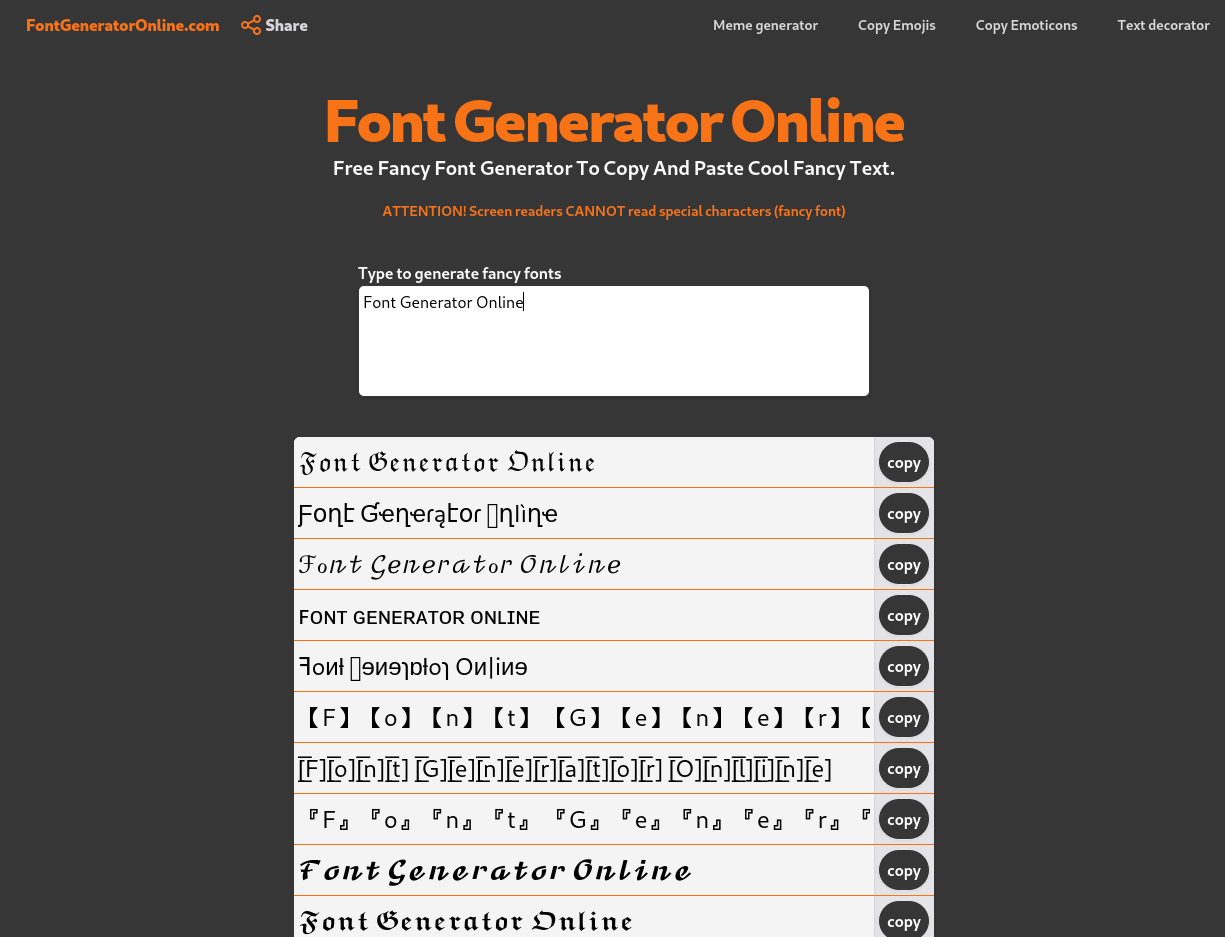
![Free Font Generator Online [𝓒𝓸𝓹𝔂 & 𝓹𝓪𝓼𝓽𝓮] · Facebook](https://easydomain.online/en/artifacts/og_image/91/91bb8a0d11919acc81dd755965992548b4a9e7fb783b2058ab2b6af1748ac8af.png?security=3)


 All bots
 Registration details

 Identified technologies
User reviews (0)