
 简体中文
简体中文 English
Website review
This review may include AI-generated content and is not individually verified. Domain, certificate and other facts come from the observed data on this page.
What is GaliChat?
GaliChat is a no-code platform for building custom AI agents that are trained on your own content—your website, PDFs, Word documents, or spreadsheets—and then embedded into your site to handle customer support, engagement, and lead generation. Instead of a generic chatbot, it aims to act like a ChatGPT-style assistant that knows your business specifically, answering questions in context and in your visitors' language.
What it actually does
- Trains on your knowledge base. You supply a website link or files; the agent learns from that material to produce answers. Importing a knowledge base is described as a roughly 3-minute step.
- Deploys with a script. Setup is presented as three steps: add your source, train the agent, paste a script into your website. No coding is required.
- Covers support and sales. Beyond answering customer questions, the agent is positioned for lead generation—capturing interest rather than only deflecting tickets.
- Speaks many languages. 50+ languages are supported, which matters if your audience is international.
- Matches your brand. Visual style is customizable so the widget fits your site rather than looking bolted on.
- Privacy stance. The page states that customer visiting data is not saved.
Who it suits
Small and mid-sized teams without developer resources are the clearest fit: a clinic, ecommerce store, consultancy, or SaaS site that gets repetitive questions and wants coverage outside office hours. The industry list spans healthcare, finance, education, retail, hospitality, real estate, legal, and more, which suggests a general-purpose tool rather than a vertical specialist.
Trade-offs to weigh
The headline claims—up to 50% support cost reduction, 3x faster responses, 100% accuracy—are the vendor's own marketing figures, not guarantees. Accuracy in practice depends entirely on how clean and complete your source material is; a thin or contradictory knowledge base will produce thin or contradictory answers. A 24/7 agent also shifts work from answering questions to maintaining content and reviewing conversations, so budget for that. If you need deep integration with a specific helpdesk or CRM, verify that before committing.
A practical next step
Pick your ten most common customer questions, gather the pages or documents that answer them, and run a free demo to see whether the agent's replies hold up. GaliChat offers a demo without a credit card, and pricing details are listed on its site. If the answers are accurate on your own material, the setup effort is low enough to trial on one part of your site first.
How does GaliChat train an AI agent on my knowledge base?
GaliChat trains an AI agent by ingesting your existing content, then using that material as the source for its answers. You do not write rules or build conversation flows; you supply the knowledge, and the agent is generated from it.
What you provide
The page lists three input types:
- A link to your website
- Uploaded files such as PDF, Word and Excel documents
- Plain text
This means the practical starting point is whatever documentation you already have: help-centre articles, product manuals, policy PDFs, spreadsheets of FAQs or pricing rules, or simply your public web pages.
The setup sequence
The stated flow is three steps:
- Add your website link or upload your files.
- Let the agent train on that knowledge base.
- Paste a script snippet into your website.
The page describes this as no-code setup, quoted at roughly three minutes for the knowledge-base import and five minutes for the agent to be live. Treat those as the vendor's own estimates; real timing depends on how much content you upload and how messy it is.
What "training" means here
GaliChat says the agent is built on advanced GPT and NLP technology and trained on your content to give context-aware answers. In practice, this is retrieval-style grounding rather than model fine-tuning: your documents are indexed, and the agent composes replies from the passages it finds. That has two consequences worth planning for.
- The agent can only be as accurate as your source material. Outdated PDFs produce outdated answers.
- Contradictions between documents surface as inconsistent replies, so consolidate before you import.
Practical scenario
A ten-person SaaS team with a help centre, a pricing page and a 40-page onboarding PDF could point GaliChat at the help-centre URL, upload the PDF, and have a support widget answering billing and setup questions the same afternoon. The failure mode is not technical — it is a stale refund policy buried in one document that the agent repeats confidently.
Before you import
- Remove or archive superseded versions of documents.
- Keep one authoritative source per topic.
- Write down the questions you expect, then test them after training.
- Re-import when policies change, rather than assuming the agent updates itself.
For a broader comparison of support-automation options, Intercom and Zendesk both publish material on AI-assisted support, which is useful context if you are deciding whether a standalone agent or an add-on to an existing helpdesk fits better.
Decision criterion
Choose this approach if your knowledge already lives in documents and you want fast, low-effort deployment. If your answers depend on live account data, order status or internal systems, expect to connect those separately — a knowledge-base agent answers from text, not from your database.
Can GaliChat integrate with my existing website or CRM?
GaliChat is designed to sit on top of an existing website rather than replace it. According to the product page, setup involves adding a script to your site, which means it can be added to most websites without a rebuild. The page also says the AI agent can be trained on your own knowledge base by importing a website link or files such as PDF, Word and Excel, so it can answer using your existing content.
Website integration
The page describes a no-code, three-step setup: add a website link or files, train the agent on your knowledge base, then add the script to your website. In practice, that makes it a good fit if you use a common site builder or CMS where you can paste a script snippet, or if you have a developer who can add it to your template. The page also mentions custom styling to match your brand, which matters if the chat widget needs to look like part of your site rather than a generic add-on.
CRM integration
The supplied page evidence does not name specific CRM integrations, nor does it list a CRM connector or app marketplace listing. The closest relevant capability is lead generation: the page says the AI agents can help generate leads. That suggests GaliChat can capture enquiries, but it does not confirm that it writes those leads directly into a CRM such as HubSpot or Salesforce, or that it syncs conversation history both ways.
If direct CRM sync is essential, treat that as an open question to verify before committing. Ask the vendor which CRMs are supported natively, whether leads can be pushed via webhook or API, and whether the integration is real-time or batched. A practical test is to run a short trial: connect the agent to a staging page, submit a test enquiry, and see whether it appears in your CRM without manual export.
Who this suits
- Small teams with a standard website: The script-based setup and no-code training are likely enough if you mainly want 24/7 answers and lead capture.
- Businesses with a CRM already in place: Useful only if the lead handoff matches how your sales team already works; confirm the connection method first.
- Teams with complex or regulated workflows: The page mentions privacy and 50+ languages, but CRM depth and data handling should be checked against your own requirements.
A sensible next step is to compare GaliChat with a dedicated chat and CRM platform such as Intercom or Zendesk, which publish their CRM and helpdesk integrations in detail. If your priority is a quick website widget trained on your content, GaliChat's described setup is straightforward; if your priority is deep, bidirectional CRM sync, verify that specific capability before you rely on it.
What types of businesses benefit most from using GaliChat?
GaliChat suits businesses that answer the same customer questions repeatedly and want those answers handled without adding support staff. The page positions it around customer support, engagement and lead generation, with AI agents trained on your own knowledge base. If your team spends hours pointing people to policies, pricing basics, product details or booking steps, that is the clearest fit.
Strongest fits
- Ecommerce and retail: order questions, shipping policies, returns and product details are repetitive and time-sensitive. A 24/7 agent covers evenings and weekends when human coverage is thin.
- Clinics, fitness studios, hospitality and real estate: enquiries often arrive outside office hours and involve scheduling, availability or location questions. An agent that responds immediately can capture a booking before the customer moves on.
- Professional services such as legal, finance and consulting: these firms usually have a deep document base — service descriptions, FAQs, process explanations. Training on that material lets the agent handle first-line questions while routing complex matters to a person.
- Education and training providers: course details, enrolment steps and eligibility questions repeat every intake cycle, making them a natural fit for a knowledge-base agent.
- Multi-language operations: the page lists support for 50+ languages, which matters if you serve customers across several regions but cannot staff each language.
Where the benefit is weaker
Businesses whose customer contact is genuinely bespoke — complex negotiations, sensitive complaints, or high-value advisory work — will get less from automation. The same applies if your knowledge base is thin or out of date: an agent trained on poor content produces confident but wrong answers. GaliChat's own claims of 100% accuracy should be treated as marketing, not a guarantee; accuracy depends on the quality of what you feed it.
A practical way to decide
Pick your ten most common customer questions from the last month. If seven or more can be answered from existing written material, you are likely a good candidate. Then test with a small deployment: the page describes a no-code setup where you add a website link or files, train the agent, and embed a script, with no credit card required for the demo.
For context on how this category compares, see Intercom and Zendesk, which bundle AI answers into broader support suites, versus a narrower tool like GaliChat.
How much does GaliChat cost and what pricing plans are available?
GaliChat does not publish its prices on the page itself; the site points to a separate Pricing page at GaliChat rather than listing plan names or monthly figures alongside the product description. So the honest answer to "how much does it cost" is: you have to open that page, and any number you see there is the current one.
What the page does tell you is how the product is positioned, which is usually the real driver of cost. GaliChat is sold as a custom AI agent trained on your own knowledge base — your website link or uploaded files such as PDF, Word and Excel — that handles support, engagement and lead generation in 50+ languages. Setup is described as no-code and takes minutes: add a link or file, train the agent, paste a script into your site.
How to read the pricing page
Because plan tiers aren't shown here, judge the pricing page against your own usage rather than against a headline number:
- What counts as a unit. If plans are priced per agent, per seat or per conversation, the same monthly figure can mean very different things for a five-person team versus a busy e-commerce store.
- What's included at each tier. Look for limits on knowledge-base sources, languages, message volume and branding removal, since those are the features the page emphasizes.
- The free entry point. The site repeatedly says "no credit card required" and offers a free demo, which is the cheapest way to test answer quality on your own documents before committing.
- The claims worth verifying. The page advertises up to 50% support cost reduction, 3x faster responses and 100% accuracy. Treat these as marketing targets, not guarantees — accuracy in particular depends entirely on how clean and complete your knowledge base is.
A practical next step
Take one recurring question your team answers every day — a returns policy, a pricing objection, a booking rule — and feed the relevant document into the free demo. If the agent answers it correctly in two or three languages you actually serve, the paid tier is likely worth comparing against your current support cost per ticket. If it hedges or invents details, no plan price will fix that; the knowledge base needs work first.
Is my customer data secure and private when using GaliChat?
GaliChat states that it does not save customer visiting data, and that its AI agents are trained on your own knowledge base rather than on general web data. Those two points are the core of its privacy story: your business content is what the agent learns from, and visitor interaction data is not retained according to the site.
What the page supports
- Privacy-focused claim: "We don't save any of your customer visiting data" appears among the listed features.
- Training sources: Agents are trained on text, PDFs and links you supply, so responses are grounded in your material.
- Setup model: You add a website link or files, train the agent, then embed a script — no code required.
- Language coverage: The agent supports 50+ languages, which matters if your customers are multilingual.
What "secure and private" still depends on
The page describes a privacy posture, not a compliance certification. Whether that is enough for you depends on your own obligations:
| Your situation | What to verify before rollout |
|---|---|
| Handling personal data (names, orders, health, finance) | Whether visitor inputs are processed or stored, and for how long |
| Regulated industry (healthcare, legal, finance) | Data processing terms, retention policy, subprocessors |
| EU/UK customers | Data location and GDPR-relevant terms |
| Internal use only | Whether agents can be restricted to private documents |
Practical next step
Before connecting a live customer channel, test the agent with a question that would expose sensitive data — for example, asking it to repeat a previous visitor's details. If it cannot, that supports the no-retention claim. Then read the published privacy policy and terms on GaliChat and confirm retention, storage location and deletion in writing.
A reasonable decision rule: if your use case involves payment details, health information or minors' data, treat the marketing claim as a starting point and require contractual confirmation. For general FAQ and lead-capture bots on public websites, the stated no-retention approach is likely adequate.
 Cloudflare
 Vercel
 Google Workspace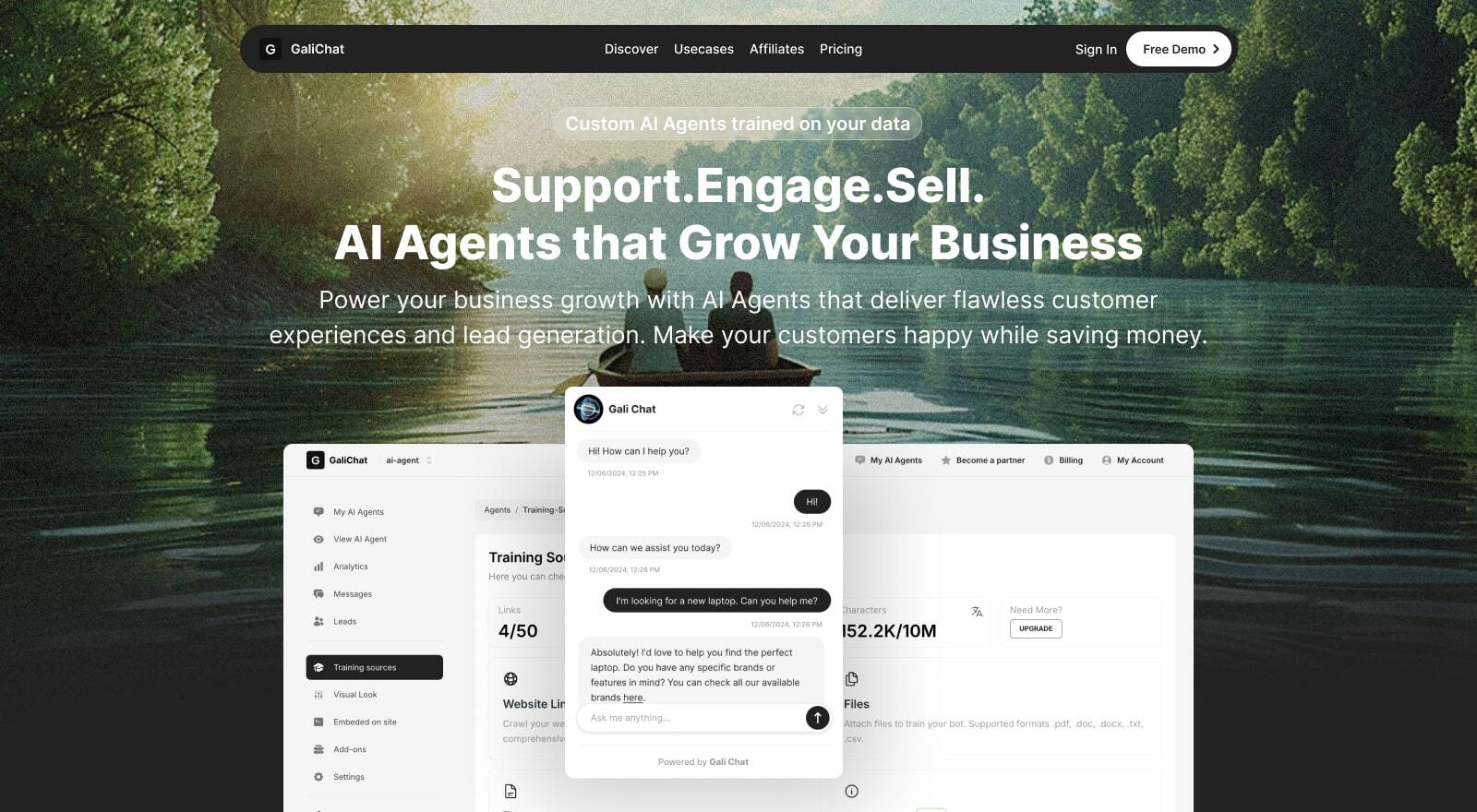

User reviews (0)