Website profiles · Technology insights · Alternatives

getaircare.com

Track air pollution & pollen via the world's most simple and intuitive mobile application! Download AirCare for free and know what you breathe!

No paid content found
Visit website
Profile views 8 Outbound visits 12 Normal
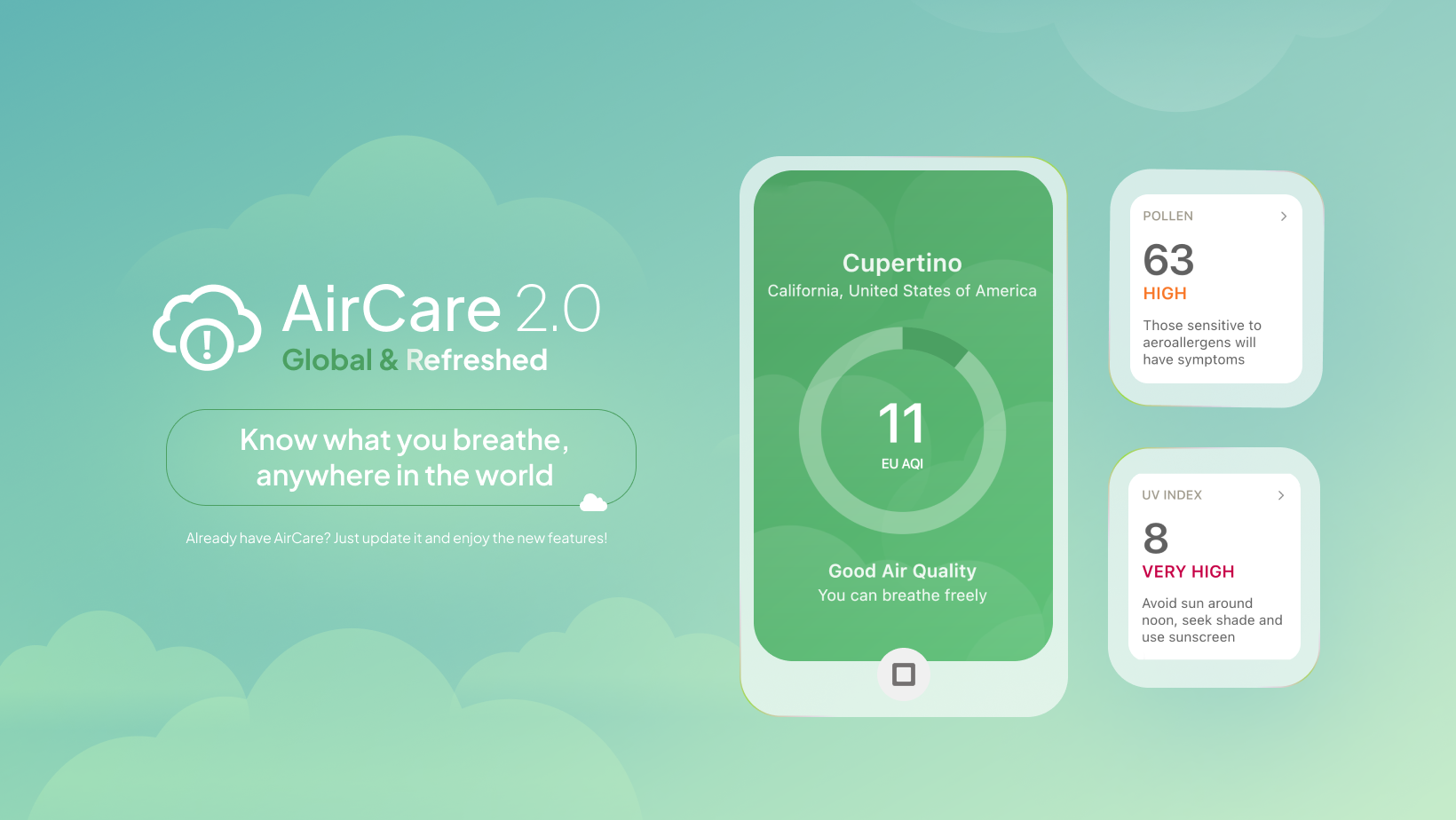
AirCare – Air Quality & Pollen App Full homepage screenshot

At a glance

Category
Software & Apps
Language
English
Paid-content signal
No paid content foundObserved
Registered
2019
Hosting
CloudflareInferred
HTTPS certificate trusted
PassedObserved
Last updated

Website review

This review may include AI-generated content and is not individually verified. Domain, certificate and other facts come from the observed data on this page.

What is AirCare?

AirCare is a mobile app for checking air quality and pollen levels, positioned as a simple, intuitive way to know what you're breathing. Based on its own description, it tracks air pollution and pollen data and is offered as a free download.

What it does

  • Shows air quality and pollen information for your location.
  • Aims for an easy, at-a-glance experience rather than dense environmental data.
  • Publishes a blog, including practical topics such as air quality monitoring in schools.

Who it's for

  • People with allergies or asthma who want a quick daily pollen and pollution check before heading out.
  • Parents, runners, cyclists and commuters deciding whether to exercise outdoors or keep windows open.
  • Schools and workplaces interested in indoor and outdoor air quality, which the site addresses through a business solutions section.

Practical next step If you're deciding whether to install it, check two things first: whether it covers your city or region, and whether its pollen breakdown matches the species you react to. A useful test is to compare its reading on a high-pollen day against how you actually feel outdoors.

For broader context on pollution and pollen forecasts, official sources such as AirNow (US) or Met Office (UK) can serve as a cross-check.

How does AirCare track pollen and air pollution?

AirCare tracks pollen and air pollution by pulling air-quality data into a simple mobile app, so you can see what's in the air where you are without digging through scientific charts. The app is positioned around a single idea — "know what you breathe" — with air quality and pollen as the two main things it surfaces. It's aimed at everyday users rather than specialists: people with allergies or asthma, parents, runners and cyclists, or anyone deciding whether to open the windows or take a longer route.

What it covers

  • Air pollution: the app presents air quality readings for your location in a simplified form, so the headline number and its meaning are the point rather than raw sensor data.
  • Pollen: pollen is tracked alongside pollution as a separate concern, which matters because the two have different sources, seasons and health effects. A high-pollution day and a high-pollen day can call for different responses.
  • Presentation: the emphasis is on being intuitive and quick to read — useful when you're checking before a commute or a run rather than studying a dashboard.

Who gets the most out of it

If you have hay fever, the pollen layer is the practical one: check before a morning run or before spending an afternoon outdoors. If you have a respiratory condition or live in a city with variable air quality, the pollution reading helps you time errands, exercise or ventilation. If you're a parent or teacher, both matter for outdoor play and classroom windows — the site's own blog discusses air quality monitoring in schools, which reflects that audience.

How to judge whether it fits you

The deciding factors are coverage where you actually live and how often the data refreshes. Air-quality and pollen data are usually aggregated from monitoring networks and models, so a location far from sensors may show estimates rather than direct measurements. Before relying on it:

  1. Check that your city or region appears and that readings look plausible against what you experience.
  2. Compare a few days of readings with how you actually feel, especially during pollen season.
  3. Decide whether you need the simplified view or more granular pollutant breakdowns — if it's the latter, a specialist source may suit you better.

For a broader or more technical view, official monitoring services such as AirNow publish pollutant-by-pollutant data, and The Weather Channel includes pollen and air-quality information alongside forecasts. AirCare's value is convenience and clarity rather than depth, so treat it as a daily check rather than a clinical or regulatory reference.

Is AirCare free to download and use?

Based on the information provided, AirCare is described as free to download, and the app's own description invites users to "Download AirCare for free." The page evidence does not mention any subscription, in-app purchase, or paid tier, so there is no indication of a paid version.

H3 What to check yourself

  • Open the app store listing for your platform and look at the "In-App Purchases" section; it will show whether any paid upgrades exist.
  • Check whether the free version limits features such as pollen forecasts, multiple saved locations, or ad removal.
  • If you need air quality data for a school, workplace, or other organization, note that the site has a separate "Business Solutions" section, which may involve commercial terms rather than free consumer use.

H3 Practical takeaway For a typical individual checking daily air quality or pollen, the free download is likely enough to start. The main trade-off is between zero cost and possible limits on advanced features or ads. If you rely on the data for institutional decisions, treat the business offering as a separate arrangement and confirm terms directly with the provider.

Next step: install the app, use it for a week in your usual locations, and see whether the free feature set covers what you actually need before considering any paid option.

How accurate is AirCare's air quality data?

AirCare presents its data as "air quality data you can trust," and the app's pitch is simplicity: check current pollution and pollen levels without wading through technical dashboards. Accuracy, though, depends less on the app itself and more on the monitoring stations feeding it.

What determines the accuracy

Most consumer air quality apps, AirCare included, aggregate official government monitoring networks and combine them with models to estimate conditions between stations. That means:

  • Near an official monitor: readings track the local station closely and are reliable for that spot.
  • Between monitors: values are interpolated or modeled, so they can miss street-level differences such as a busy road, a park, or a valley where pollution pools.
  • Pollen: counts come from a smaller number of stations and vary more by microclimate, so treat them as a general regional signal rather than a precise local measurement.

Practical use

For a daily decision like whether to run outside, walk to school with a child, or open windows, AirCare-style readings are usually good enough to spot a bad-air day. For a health condition such as asthma, or for choosing where to live, cross-check the nearest official monitor and local forecasts. The site's blog, including a piece on monitoring in schools, suggests it is aimed at everyday awareness and institutional use rather than regulatory-grade measurement.

A quick comparison

Situation How much to trust the reading
You are near a government monitor High for that location
You are several kilometres away Moderate; expect local variation
Checking pollen for a specific garden Low; use as a regional guide
Deciding whether to exercise outdoors today Generally sufficient

Next step

Open AirCare, note the distance to the nearest monitoring station shown for your area, and compare that reading with your national or regional air quality service on the same day. If the two broadly agree, the app is a convenient front end; if they diverge sharply, trust the official monitor for health decisions.

Can AirCare be used for air quality monitoring in schools?

Yes. AirCare is designed as a mobile air quality and pollen app, and its own blog covers “Air Quality Monitoring in Schools,” so it is positioned for school-related use. The practical value for a school is not a single reading but a repeatable routine: check local air pollution and pollen levels before outdoor activities, recess, sports practice or ventilation decisions, and share a common reference point with staff and families.

H3 What a school can realistically do with it

  • Daily planning: Staff or administrators check the app in the morning to decide whether outdoor PE, recess or field trips need adjustment on high-pollution or high-pollen days.
  • Symptom context: Teachers and school nurses can note when rising pollen or pollution overlaps with student allergy or asthma complaints, rather than treating each case in isolation.
  • Awareness and communication: The app can support parent notices or classroom discussions about air quality, using the same simple interface across phones.
  • Ventilation timing: On days when outdoor air is poor, schools can lean toward filtered indoor air; on cleaner days, natural ventilation is easier to justify.

H3 Limits to keep in mind

AirCare reports air quality and pollen data, not indoor CO₂, ventilation rates or room-level particulate levels. It cannot tell you whether a specific classroom is stuffy or whether a filter is working. For building-level decisions, schools generally pair an app like this with indoor sensors or a professional monitoring service. Also, app readings depend on the nearest monitoring station or data source, so a school in a large city may get a useful area estimate rather than an exact campus measurement.

H3 A sensible next step

Start with a two-week trial: one staff member checks AirCare each morning and records the day’s outdoor activity decisions, then compare those notes with nurse visits or complaints. If the pattern is useful, formalize it into a simple daily checklist. For official guidance on protecting students, the U.S. Environmental Protection Agency’s indoor air quality resources for schools at EPA are a practical companion, and the World Health Organization at WHO publishes air quality guidelines that help interpret what the numbers mean.

What business solutions does AirCare offer for organizations?

AirCare’s business offering is aimed at organizations that need air-quality or pollen information for planning, operations, or communication rather than just personal daily checks. The site presents “Business Solutions” as a distinct section alongside its consumer app, reviews, and blog, which suggests a separate track for companies and institutions instead of only an individual mobile download.

What the business track appears to cover

Based on the available page information, the business side is best understood as a way to bring AirCare’s air-quality and pollen data into an organization’s own workflows. The consumer app focuses on helping people know what they breathe; the business solutions section implies extending that same general capability to teams, locations, or customer-facing services.

Concrete uses could include:

  • Workplace and facility planning: checking local air quality or pollen levels before scheduling outdoor work, events, or ventilation adjustments.
  • Schools and campuses: the blog excerpt specifically discusses air-quality monitoring in schools, which points to education as a relevant audience.
  • Health and wellness services: giving staff or clients a simple reference for pollution and pollen exposure.
  • Travel, fitness, or outdoor-focused businesses: incorporating air-quality context into daily recommendations or customer communications.
  • Media and apps: using AirCare data as a source for displays, alerts, or environmental reporting.

Who it suits

The business solutions are likely most useful to organizations that already make decisions based on local environmental conditions, or that want to offer that information to employees, customers, or users without building their own monitoring and data pipeline. A school administrator, for example, might use it to decide whether outdoor recess or sports are appropriate on a high-pollen or high-pollution day. A company with multiple offices could use it to compare conditions across locations.

It is less obviously aimed at organizations that need regulatory-grade compliance monitoring, custom hardware installation, or detailed industrial emissions analysis. The available information describes an app and data service, not a full environmental engineering platform.

How to decide whether it fits

Start by defining what your organization actually needs:

Need Likely fit with AirCare business solutions
Simple air-quality and pollen reference for staff or customers Strong fit
Location-based environmental information in an app or service Likely fit
School or workplace daily planning Likely fit
Regulatory reporting or certified monitoring Not indicated
Hardware sensors or on-site installation Not indicated

The practical next step is to visit the Business Solutions section on AirCare and compare its stated use cases with your organization’s location count, audience, and whether you need a public-facing display or an internal planning tool. If your main need is a simple, trusted environmental signal rather than certified compliance data, AirCare’s business track is worth evaluating.

Related questions

More questions →
What Is AirCare – Air Quality & Pollen App?

AirCare is a mobile app for tracking air pollution and pollen. According to its website, it presents itself as "the world's most simple and intuitive mobile application" for knowing what you breathe, and it is offered as a free download. It is aimed at anyone who wants a quick, readable answer to two everyday questions: how polluted is the air around me right now, and how high is the pollen count?

What AirCare covers

The app's scope is defined by two data categories:

  • Air pollution — tracking air quality conditions in your location.
  • Pollen — tracking pollen levels, which matters most to people who react seasonally.

The site frames the output as "air quality data you can trust," so the value proposition is less about raw sensor networks and more about a trustworthy, easy-to-read summary delivered on a phone.

Who it is for

If you… AirCare is relevant because…
Have seasonal allergies or pollen sensitivity Pollen tracking is a core feature, not an add-on
Live in or travel to areas with variable air pollution Air pollution tracking gives a current local read
Want a simple daily check rather than technical data The app is positioned around simplicity and intuition
Manage a group or institution The site lists a Business Solutions section, suggesting organizational use cases

What the site itself shows

The homepage structure points to a few things worth knowing before you download:

  • Download AirCare — the primary call to action, consistent with a free mobile download.
  • Reviews — social proof is surfaced on the site, so you can read other users' impressions before installing.
  • Business Solutions — indicates the product is not only for individuals.
  • Blog — editorial content on air quality topics. One visible example is a 25 May 2023 article on air quality monitoring in schools, described as a 5-minute read, which argues that maintaining good air quality in schools is crucial for the health and well-being of students and staff.

That blog example is a useful signal of the app's intended audience: people making practical decisions about indoor and outdoor air, not researchers analyzing raw datasets.

What to check before relying on it

The site describes the data as trustworthy but does not, in the material available here, specify its measurement sources, coverage regions, or update frequency. If your decision depends on precision — for example, deciding whether to relocate, or managing a building's ventilation — treat the app as a convenient daily indicator and confirm specifics such as local coverage and data sourcing on the site or in the app itself.

Pricing details beyond "free download" are not stated in the available material, so if you are evaluating it for an organization, check the Business Solutions section directly rather than assuming individual terms apply.

Bottom line

AirCare is a free mobile app that combines air pollution and pollen tracking into one simple interface, with supporting blog content and a business-facing offering. It fits everyday personal checks on what you are breathing; for decisions that require documented data provenance, verify the details first.

Does Aldersgate United Methodist Church Have a Mobile App?

As of the information available on the church's website, Aldersgate United Methodist Church in Wichita, Kansas does not advertise a dedicated mobile app. The site presents itself as the primary online hub for the congregation, with its mission of "Making Disciples of Jesus Christ for the Transformation of the World" front and center. If a mobile app exists, it is not prominently featured on the homepage. The most reliable way to confirm is to contact the church office directly or check the website for any new announcements.

That said, "no app advertised" is not the same as "no app at all." Churches sometimes launch apps quietly, link them only in weekly bulletins, or roll them out through a congregation-wide email. This article explains what a church mobile app usually includes, how to verify whether Aldersgate has one, and how to stay connected in the meantime.

What a Church Mobile App Typically Offers

Most church apps are built around a handful of core functions. If Aldersgate launches or already operates one, you can reasonably expect some combination of the following:

  • Sermons and worship — audio or video of past services, sometimes with notes or discussion questions.
  • Events calendar — worship times, Bible studies, youth group meetings, outreach days, and seasonal services.
  • Giving — online donations via credit card, debit card, or bank transfer, often with recurring gift options.
  • Prayer requests — a form or feed where members can submit and pray for needs.
  • Groups and ministries — sign-ups, rosters, and communication for small groups, choirs, or volunteer teams.
  • Push notifications — reminders for services, weather cancellations, or special announcements.
  • Connection cards — a digital way for first-time visitors to share contact information.

Not every app includes all of these. Some churches use a general-purpose platform that bundles them together; others rely on separate tools for giving and communication.

How to Check Whether Aldersgate Has an App

Because app availability changes and the website may not always reflect the latest tools, verify through more than one channel:

  1. Search the website. Look for a menu item labeled "App," "Mobile," "Connect," or "Media." Check the footer, too, since app links are sometimes placed there.
  2. Search your phone's app store. Try terms like "Aldersgate United Methodist," "Aldersgate Wichita," or "Aldersgate Church." Be careful to match the correct city and denomination, since other churches share the Aldersgate name.
  3. Call or email the church office. This is the fastest way to get a definitive answer. Ask specifically: "Do we have a mobile app, and if so, what is it called and where do I download it?"
  4. Ask an usher or greeter on Sunday. They often know about new tools before they appear online.
  5. Check the weekly bulletin or newsletter. App launches are frequently announced there first.

If you find an app, confirm it is officially affiliated with the church before entering any personal or payment information.

If There Is No App: Other Ways to Stay Connected

A dedicated app is convenient, but it is not the only way to remain plugged into church life. These alternatives cover most of what an app would do:

Need Alternative
Worship times and location Church website homepage
Sermons Website media page, podcast, or social media
Events Website calendar, bulletin, or email newsletter
Giving Online giving link on the website, or giving during service
Prayer requests Email, phone call, or prayer chain
Announcements Email newsletter, social media, or Sunday bulletin

For a first-time visitor, the simplest starting point is the website's contact page: send a message introducing yourself and ask how the church prefers to communicate. For a long-time member, the church office can add you to the email list or connect you with the right ministry leader.

A Practical Checklist for Getting Connected

Use this sequence whether or not an app exists:

  1. Visit the church website and note the worship times and address.
  2. Find the "Contact" or "About" page and save the office phone number and email.
  3. Sign up for the email newsletter if a sign-up form is available.
  4. Follow the church on any social media accounts linked from the site.
  5. Ask the office directly about a mobile app, online giving, and prayer request channels.
  6. If an app is confirmed, download it, create an account, and enable notifications for the updates you want.

A Note on Accuracy

App availability, features, and download links can change at any time, and a website may lag behind those changes. Nothing in this article should be treated as a guarantee that Aldersgate United Methodist Church does or does not currently offer an app. Treat the church office as the authoritative source, and confirm details before relying on any tool for giving or personal information.

If you are a member or visitor hoping for an app, it is also reasonable to ask the church whether one is planned. Congregations often gauge interest before investing in a new platform, and a simple question can move the conversation forward.

Who Is AirCare For and How Do I Get Started?

AirCare is for anyone who wants a simple, mobile-first way to check air pollution and pollen levels before heading outside. According to the app's own description, it is designed as "the world's most simple and intuitive mobile application" for tracking air pollution and pollen, and it can be downloaded for free. If you want quick, glanceable air quality information on your phone rather than a complex dashboard, AirCare is aimed at you.

Who AirCare Is Built For

Based on the app's stated purpose, it fits people who:

  • Care about daily air quality – you want to know what you're breathing before commuting, exercising, or sending kids outside.
  • Are affected by pollen – the app tracks pollen alongside air pollution, which matters if you have seasonal allergies.
  • Prefer simplicity over depth – the design goal is "simple and intuitive," so it suits casual users more than people who need raw sensor data or research-grade analytics.
  • Want a mobile experience – it's a mobile application, so the intended workflow is checking it on your phone.

The site also signals broader use cases through its blog, including topics like air quality monitoring in schools, which suggests institutional or organizational interest as well.

How to Get Started

  1. Download the app – The site's primary call to action is "Download AirCare," and the description states you can download it for free. Use the download link on getaircare.com to get the mobile app.
  2. Open it and check your local readings – Once installed, the app is meant to show you air pollution and pollen information for your area in a simple format.
  3. Check it as part of your routine – The value comes from a quick look before outdoor plans, not from deep configuration.

What to Verify Before You Commit

The available site information confirms a free download and the app's focus areas, but it does not specify:

  • Which countries or cities have coverage
  • Whether any features require an account or payment
  • The exact data sources behind the readings

If coverage in your specific location matters, check the app itself after installing rather than assuming global coverage.

What AirCare Tracks

Category What it covers
Air pollution Air quality data presented as trustworthy and easy to read
Pollen Pollen levels, useful for allergy planning

The site's headline claim is "Air quality data you can trust," positioning reliability as a core selling point.

Beyond the Consumer App

The site lists Business Solutions alongside the consumer download, indicating AirCare also serves organizations. If you're evaluating it for a school, workplace, or other institution rather than personal use, that section is the relevant starting point.

Quick Decision Guide

  • Choose AirCare if you want a free, simple mobile app for checking air pollution and pollen at a glance.
  • Look elsewhere if you need detailed historical data, guaranteed coverage in a specific region, or advanced analytical tools — none of which the available information confirms.

The fastest way to decide is to download it and check whether your location returns useful readings.

How AirCare Presents Trustworthy Air Quality Information

AirCare presents its air quality information around a single stated promise — "Air quality data you can trust" — and supports that promise with three visible content layers: the app itself for tracking pollution and pollen, a Reviews section for user feedback, and a Blog that explains air quality topics in depth. If you want to judge whether the data is worth relying on, the most useful things to check are the app's tracking scope, the user reviews, and the editorial content behind it.

What AirCare says it tracks

The site describes AirCare as a mobile application for tracking air pollution and pollen, positioned as "the world's most simple and intuitive" way to do so. The core value proposition is straightforward: you open the app and "know what you breathe."

That framing matters for trust. AirCare is not presenting itself as a scientific instrument or a regulatory monitoring authority — it is presenting itself as a consumer-facing layer that makes existing air quality and pollen information readable. The trust question therefore becomes less "does AirCare generate the data" and more "does AirCare surface it clearly and consistently."

The three places trust signals actually live

Source What it offers How to use it
The app Pollution and pollen tracking Check whether your location and the pollutants you care about are covered
Reviews User feedback Look for comments about accuracy, coverage, and reliability in your region
Blog Explanatory articles Read how AirCare frames air quality topics and whether the reasoning holds up

The Reviews section is the most direct check on the "data you can trust" claim, because it reflects what actual users experienced rather than what the marketing copy asserts. The Blog serves a different purpose: it shows how the team thinks about air quality, which is a reasonable proxy for whether they understand the subject.

What the blog content looks like

The site's blog publishes long-form articles on air quality topics. One example visible on the site is a piece on air quality monitoring in schools, framed around the health and well-being of students and staff, published 25 May 2023 with a stated read time of 5 minutes.

That example is informative about AirCare's editorial direction. School air quality is a topic where the stakes are concrete and the audience is non-specialist — parents, teachers, administrators. A blog that explains monitoring in that context is aiming at practical understanding rather than technical depth, which matches the app's "simple and intuitive" positioning.

If you are evaluating AirCare for a specific use case, the blog is worth skimming for a topic close to yours. A school-focused article tells you something about how the team handles indoor and institutional settings; a pollen article would tell you something different.

Beyond individual users: schools and businesses

AirCare's site includes a Business Solutions section alongside the consumer download path. This signals that the same underlying air quality and pollen data is offered in a form aimed at organizations rather than individuals.

For a school, business, or other institution, that distinction is the practical starting point. The consumer app answers "what is the air like where I am right now." An organizational solution implies something more — likely multiple locations, reporting, or administrative access — though the specifics are not detailed in the material available here. If you are evaluating AirCare for an organization, the Business Solutions section is where to look rather than the consumer download page.

How to decide whether to trust it

There is no independent verification of AirCare's data sources in the material available, so the honest answer is that trustworthiness has to be assessed by you, using what the site exposes:

  • Check coverage first. Download the app and confirm your location and the pollutants or pollen types you care about are actually represented. A trustworthy source that does not cover your area is not useful to you.
  • Read reviews with your use case in mind. A review praising accuracy in one city says little about another. Look for feedback from users in comparable locations.
  • Use the blog as a reasoning check. If the explanations of how air quality and pollen are measured and interpreted make sense to you, that is a reasonable signal. If they are vague or overstated, treat the data claims with more caution.
  • Treat the app as a reading layer, not a sensor. Nothing in the site's description suggests AirCare operates its own monitoring hardware. It presents information; it does not claim to generate it.

The site's central claim — "Air quality data you can trust" — is a positioning statement, not evidence. The evidence is what you find when you check the app's coverage against your own location, read what users say, and judge the blog's explanations for yourself.

Does AirCare Offer Solutions for Schools or Businesses?

Yes. AirCare's site includes a dedicated Business Solutions section alongside its consumer download page, and its blog covers organizational air quality topics — including a post on air quality monitoring in schools. That means the product is positioned for both individual users and organizations, not just people checking pollen on their phones.

What the site shows

Two signals on getaircare.com point to organizational use:

Signal Where it appears What it suggests
Business Solutions Main navigation A distinct offering aimed at companies rather than individual app users
Blog post on school air quality monitoring Blog Schools are treated as a relevant audience for air quality tracking

The school article is framed around a concrete concern: maintaining good air quality for the health and well-being of students and staff. That is an institutional problem — ventilation, occupancy, shared spaces — rather than a personal one.

Individual app vs. organizational interest

The consumer side of AirCare is described as a simple, intuitive mobile app for tracking air pollution and pollen, with a free download. The Business Solutions entry sits separately from that download flow, which is the usual pattern when a company serves two audiences with different needs.

If you are evaluating AirCare for a school, office, or other facility, the practical starting point is the Business Solutions section rather than the consumer download page — that is where the organizational offering is presented.

How to decide whether it fits your organization

  • If you need a personal air quality and pollen check: the free mobile app is the relevant entry point.
  • If you are responsible for a building, campus, or workforce: start with Business Solutions and compare what is described there against your monitoring needs.
  • If you work in a school: the blog's school monitoring article is a useful indicator that this use case is on the company's radar, but treat it as context, not a confirmed product specification.

What to verify before committing

The site materials confirm that a business-oriented section exists and that schools appear as a topic. They do not, in the evidence available, spell out pricing, contract terms, hardware requirements, or which specific features the business offering includes. Before deciding, check the Business Solutions pages directly for:

  • What is actually included in the organizational offering
  • Whether it requires hardware, sensors, or only software
  • Any stated pricing or contact process

Those details determine whether AirCare is a fit for your setting; the existence of the section alone only tells you the company serves organizations as well as individuals.

Website Overview

Identifiable technologies and additional version or configuration signals make the service easier to fingerprint, which may help targeted scanners narrow their checks. An established domain and managed infrastructure suggest continuity of operations and may support dependable delivery, although neither guarantees service quality.

Domain and Registration

Registered in 2019, this domain has about 7 years of history. That suggests continuity, although ownership and purpose may have changed. Transfer-protection status is present, helping reduce the risk of unauthorized domain transfers. The registrar is Cloudflare, Inc., a widely used domain service provider. The domain uses the common .com extension, which is not an independent safety signal.

DNS and Email

Nameservers are provided by Cloudflare, indicating managed DNS hosting. MX records point to the Google Workspace email service. No CNAME was found; the observed records resolve directly to addresses. SPF and DMARC are configured. DKIM status is unknown. TXT records include verification markers for Google. Such markers may also remain after a service stops being used.

TLS and Certificates

The public key uses EC with 256 bits. The server supplied a complete certificate chain. No organization name is present in the certificate; the available fields are consistent with domain validation. The certificate was issued within the Google Trust Services cloud or CDN ecosystem. The certificate's total validity is about 90 days, consistent with a short renewal cycle.

HTTP and Browser Security

The response lacks these common security headers: HSTS, CSP, X-Content-Type-Options, Referrer-Policy, Permissions-Policy. CORS permits any origin to read this response. This is common for public resources; sensitive responses need narrower handling. No X-Powered-By header was found, reducing one common source of backend fingerprinting information. The cf-ray response header indicates a CDN or caching proxy in the delivery path. No obvious internal addresses or debug information were found in the headers.

Technology Stack Analysis

The public page identifies WordPress 7.1.2, jQuery, Cloudflare, with exact versions exposed for 1 technologies. These details can narrow vulnerability checks, although exposure alone is not a vulnerability.

Search and Social Sharing

The Generator tag identifies WordPress 7.1.2, making the publishing system easier to fingerprint. No homepage canonical URL was detected. If duplicate URLs exist, consolidation may be less explicit. Twitter Card metadata is configured. The title has 34 characters, within a common display range. A meta description is present, with 143 characters.

Hosting and Email

DNSCloudflare
HostingCloudflare
EmailGoogle Workspace
Approximate IP geolocation (inferred; a CDN or proxy may differ from the origin server) Location unknown Inferred 104.21.26.250

Registration details

RDAP / WHOIS

RegistrarCloudflare, Inc.
Registered2019-01-30
Expires2027-01-30
Domain statusclient transfer prohibited
Nameserversray.ns.cloudflare.com、rita.ns.cloudflare.com
DNSSECunsigned

DNS records

DNS

TypeNameValueTTLPriority
Agetaircare.com104.21.26.250300—
Agetaircare.com172.67.139.177300—
AAAAgetaircare.com2606:4700:3031::6815:1afa300—
AAAAgetaircare.com2606:4700:3032::ac43:8bb1300—
MXgetaircare.comaspmx.l.google.com36001
MXgetaircare.comalt1.aspmx.l.google.com36005
MXgetaircare.comalt2.aspmx.l.google.com36005
MXgetaircare.comalt3.aspmx.l.google.com360010
MXgetaircare.comalt4.aspmx.l.google.com360010
NSgetaircare.comray.ns.cloudflare.com86400—
NSgetaircare.comrita.ns.cloudflare.com86400—
TXTgetaircare.com1password-site-verification=RFQHG5X3V5GCJI6EQ4SFAE3C5I300—
TXTgetaircare.comSendinblue-code:3661d86675baec3d86d213419a56f6cb300—
TXTgetaircare.comgoogle-site-verification=qZI7sXWMetwrgeixQlchuzhLZQonmE9dgafRIaZOeMk300—
TXTgetaircare.comv=spf1 include:spf.sendinblue.com include:_spf.google.com include:eu-sender.zohobooks.com ~all300—
DMARC_dmarc.getaircare.comv=DMARC1; p=none; sp=none; rua=mailto:[email protected]!10m; ruf=mailto:[email protected]!10m; rf=afrf; pct=100; ri=86400300—

TLS and certificates

TLS / SSL

AssessmentNormal configuration
Supported protocolsTLSv1.2、TLSv1.3
Negotiated protocolTLSv1.3
Certificate subjectgetaircare.com
IssuerGoogle Trust Services
Valid until2026-11-19T15:35 · Remaining when checked: 50 days
Verification detailsCertificate trust: Passed · Hostname match: Passed

HTTP response headers

HTTP

HeaderValue
content-typetext/html; charset=UTF-8
servercloudflare
x-frame-optionsSAMEORIGIN
access-control-allow-origin*

Identified technologies

WordPress 7.1.2jQueryCloudflare

Pages, Search and Sharing

Meta descriptionTrack air pollution & pollen via the world's most simple and intuitive mobile application! Download AirCare for free and know what you breathe!
Canonical URLNot detected
LanguageEnglish (default)
Twitter Cardsummary
All bots 0 allowed · 13 disallowed
  • Disallow/api/
  • Disallow/assets/
  • Disallow/generators/
  • Disallow/kingdom/
  • Disallow/scrapers/
  • Disallow/trash/
  • Disallow/web/
  • Disallow/webnew/
  • Disallow/webapp/
  • Disallow/libs/
  • Disallow/projects/
  • Disallow/aircare_chrome/
  • Disallow/favicons/

User reviews (0)

  • No reviews yet.