
 简体中文
简体中文 English
Website review
This review may include AI-generated content and is not individually verified. Domain, certificate and other facts come from the observed data on this page.
What is Plotagon used for?
Plotagon is an animated-video creation tool: you write dialogue and stage scenes with virtual actors, and the app turns that into a shareable animated clip. Its own description lists fan fiction, original narratives, social stories, training material, educational videos, and advertising or marketing content as typical uses.
The workflow is storyboard-first. You build a plot (an ordered storyboard), break it into scenes at single locations, cast actors, write dialogue, assign a voice (professional multilingual voice or your own recording), and add emotes, actions, camera choices, audio and intertitles. The pitch is speed and simplicity: an intuitive interface and a library of 200+ virtual locations and stylised actors, so you avoid filming, sets and real-world logistics.
Who it tends to suit
- Teachers and trainers — short explanatory or social-story videos where consistency matters more than photorealism.
- Marketers and small teams — quick ad or explainer clips without a camera crew or animation skills.
- Writers and hobbyists — fan fiction, serialised narratives, or dialogue-driven sketches.
Trade-offs to weigh
- Speed and ease vs. visual realism. Stylised actors and preset locations make production fast, but you are working inside Plotagon's look rather than creating your own.
- Structure vs. freedom. The plot/scene/actor model keeps long projects organised; it is less suited to freeform or highly custom animation.
- Platform choice. Plotagon offers three apps: Plotagon Studio Mobile, Plotagon Story Mobile, and Plotagon Studio Desktop for Windows. The feature table on the site compares the two mobile apps, so check it before installing.
A practical first step: pick one real task you already have — a five-line training scenario, a product explainer, or a scene from a story you're writing — and build it as a single scene with two actors and one dialogue exchange. If that feels quick and the result is usable, the tool fits your purpose; if you keep fighting the format, it probably isn't the right fit. You can compare options at Plotagon.
Which Plotagon app should I choose for my device?
Choose based on your device and how much control you want over the final video. Plotagon offers three apps: Plotagon Studio Mobile, Plotagon Story Mobile, and Plotagon Studio Desktop for Windows. The page frames Studio Mobile as its latest app, while Story Mobile and Studio Desktop are described as classics.
Quick comparison
| Your situation | Best fit | Why |
|---|---|---|
| You want the newest mobile experience | Plotagon Studio Mobile | Described as the latest app, so it likely reflects the current direction of the product |
| You already use the classic mobile app or want the familiar version | Plotagon Story Mobile | Positioned as the classic mobile option |
| You work on a Windows computer and want a desktop workflow | Plotagon Studio Desktop | The only desktop option listed |
What matters more than the app name
The apps share the same core idea: you build a storyboard, add actors, dialogue, voices, emotes, camera angles, audio, and scenes, then generate an animated video. The page mentions 200+ virtual locations, stylized actors with multilingual voices, and tools for action, camera, audio, intertitles, plot, scene, actors, dialogue, voice, and emote. So the choice is mostly about platform and interface preference, not about getting a completely different creative feature set.
A practical next step
If you are on a phone, start with Plotagon Studio Mobile unless you have a specific reason to stay with Story Mobile. If you are on Windows and prefer a larger screen for arranging scenes and dialogue, use Plotagon Studio Desktop. If you are unsure, make a short test video with one scene and two actors first: the app that feels faster to storyboard in is the one you will actually keep using.
For official details and downloads, check Plotagon.
How do I create an animated video with Plotagon?
Plotagon is built around a storyboard-first workflow: you assemble a scripted scene from actors, dialogue, camera choices and locations, then generate an animated video. The site describes it as an intuitive UI where you build a timeline of audio-visual content and produce a video "in minutes," so the realistic mental model is: write and stage the scene, then render — not hand-animate frame by frame.
The basic steps
- Start with a plot. Plotagon's storyboard view is where you organise the idea before any animation happens. Sketch the sequence of scenes first.
- Create or cast actors. You can design your own characters, customise their look, or pick from the actor library.
- Write dialogue and assign voices. Type the line, choose a voice, and assign which actor is listening. The site notes voices are multilingual, and you can also record your own.
- Set the scene. Each scene takes place at one location; Plotagon advertises 200+ virtual locations, which removes the need to film anywhere real.
- Add action, emotion and camera. Actors can shake hands, high-five or hug; emotes convey happy, sad or bored; camera options include over-the-shoulder, wide angle or movement, with an automatic option if you'd rather not choose.
- Layer audio and intertitles. Music and sound effects set the mood; intertitles add text or voice-over context.
- Generate and share. The output is an animated video you can share.
Choosing which app
The page lists three apps — Plotagon Studio Mobile (described as the latest), Plotagon Story Mobile (the classic mobile app), and Plotagon Studio Desktop (the classic for Windows). The site itself presents a feature-comparison table to help you pick between the mobile apps, so check that table rather than assuming the newest app has every feature.
A concrete scenario
A teacher who wants a short social story for a student can write five dialogue lines, cast two actors, set the scene in a classroom from the library, add an emote for frustration, and render — all without cameras, actors or editing software. The same workflow suits training material, fan fiction or marketing clips, which are the use cases the site names.
Next step: decide your platform first (mobile vs. Windows desktop), since that determines which app you install, then draft your plot before opening the app. If you want to compare the mobile options directly, use the feature table on Plotagon.
Can I use Plotagon for educational or training content?
Yes. Plotagon is explicitly positioned for educational and training material. The site lists training material, educational videos, social stories and marketing content among the things its apps are used for, alongside fan fiction and original narratives. So a teacher, trainer or instructional designer is a supported audience, not an edge case.
The workflow suits short narrated scenes rather than long-form courses. You build a storyboard, place actors in a scene, write dialogue, assign a voice (professional multilingual voices or your own recording), add emotes, camera angles, music and intertitles, then generate an animated video. The library of 200+ virtual locations matters here: you avoid filming permissions, scheduling and location costs, and every scene keeps a consistent look.
Where it fits best
- Social stories and role-play — scripted everyday situations, with emotions shown through emotes.
- Scenario training — a customer interaction, a safety briefing, a compliance "what not to do" sketch.
- Explainer and onboarding clips — a few scenes with voice-over and intertitles.
- Multilingual delivery — dialogue voiced in different languages and dialects from the same script.
- Storyboarding — the site describes turning ideas into digital storyboards, useful before committing to live production.
Trade-offs to weigh
Animated actors are stylised, so it reads as a light dramatisation rather than documentary footage. For clinical, legal or high-stakes certification content, viewers may expect real people or screen recordings; animation works better for concepts, attitudes and procedure walkthroughs. Also check which app you need: the site offers Plotagon Studio Mobile, Plotagon Story Mobile and Plotagon Studio Desktop for Windows, and notes the content library differs between the mobile apps, so verify the features you depend on before standardising a team on one version.
Practical next step
Take one 60–90 second training objective, write it as three scenes with one dialogue exchange each, and produce it as a pilot. If the pilot needs only voice, emotes and camera presets, Plotagon will carry a full series; if it needs real screen capture or live presenters, use Plotagon for the concept scenes and record the rest separately. For comparison, general-purpose editors such as Canva handle slides and simple video, while Articulate targets interactive e-learning with quizzes and tracking — Plotagon sits closer to the video-creation end.
What customization options are available for actors and scenes in Plotagon?
Plotagon's own feature list divides customization into two areas: actors and scenes.
Actors. You can create actors yourself and customize their look, or cast one from the built-in library. Appearance extends to how they dress and how they emote. For dialogue, you write the text, pick a voice, and assign a listener, so a single line is really a set of choices rather than just typed words. Voices come from a professional multilingual library, and you can also record your own. Emotions are handled through emotes, which the page frames as animations that convey whether an actor is happy, sad or bored.
Scenes. Plotagon describes a scene as the container for all action at a single location, and offers 200+ virtual locations. The pitch is consistency: instead of filming in real places, you pick from thematic, high-quality scenes and keep a uniform visual style across your video. Camera work is customizable too, with over-the-shoulder, wide-angle and movement options, plus an automatic "let us pick the best one" setting.
Performance and structure. Actors can interact physically through actions such as shaking hands, high-fiving or hugging. Beyond the scene, an intertitle adds text and voice for extra context, and the plot view is a storyboard for organizing the whole idea.
Which app you get affects this. Plotagon Studio Mobile is the newest app, Plotagon Story Mobile is the classic mobile app, and Plotagon Studio Desktop is the classic Windows app. The site presents a mobile feature comparison table, so if a specific customization matters to you, check it against the app you plan to use rather than assuming all three are identical.
Practical next step. If your priority is a distinctive recurring character — a mascot, a training presenter, a fictional narrator — start by building one actor and testing the look, voice and emote options before writing a full script. If your priority is visual consistency across many videos, browse the 200+ locations first and shortlist a handful that share a style, since that library is what keeps episodes looking like they belong together.
Is Plotagon suitable for marketing and advertising videos?
Yes — Plotagon is explicitly aimed at that use case. The site lists "advertising content" and "marketing content" among the things its apps are used for, alongside training material and educational videos. The practical appeal for a marketer is speed: you storyboard, write dialogue, pick actors, voices and a scene, then generate an animated video, without booking a studio, cast or location.
Where it fits well
- Explainer-style ads and social spots built around dialogue rather than live footage.
- Campaigns that need many quick variants — swap dialogue, actor or scene and re-render.
- Multilingual versions: the site advertises a professional voice library with multiple languages and dialects, so one script can be re-voiced rather than re-shot.
- Content that would be awkward or costly to film, such as internal scenarios, service walkthroughs or sensitive situations.
- Teams without animation skills: the pitch is an intuitive interface and a storyboard-driven workflow, and the product won a Red Dot Award, with the jury citing its ease of use for creating and sharing short movie sequences.
Where it will not fit
- Brand films needing photorealistic product shots, real people or live locations.
- Work requiring tight control over typography, brand motion systems or frame-level compositing.
- Anything where stylised 3D actors would undercut the brand's tone — the aesthetic is distinctive and consistent, and that consistency is the point.
Choosing between the apps
The site offers three: Plotagon Studio Mobile (described as the latest app), Plotagon Story Mobile (the classic mobile app) and Plotagon Studio Desktop (the classic for Windows). The page's own comparison table focuses on the two mobile apps, so if you plan to produce at a desk with a script open beside you, treat the desktop version as the one to evaluate first.
| If your situation is… | Look at |
|---|---|
| Quick social or ad variants, phone-first | Studio Mobile |
| Existing Story projects or familiar classic workflow | Story Mobile |
| Longer scripts, keyboard-heavy writing, office workflow | Studio Desktop |
Next step: pick one real campaign line and produce a single 30-second version in the app before committing. Judge it on three things — how long the first draft took, whether the voice and scene library covered your language and setting, and whether the output passes your brand review. If all three hold, it is a reasonable fit for volume marketing video; if the look fails brand review, no amount of speed will rescue it.
For context on the wider category, Plotagon sits alongside general-purpose editors such as Canva and Adobe, which are stronger on brand control but slower for dialogue-driven scenes.
 Cloudflare
 Google Workspace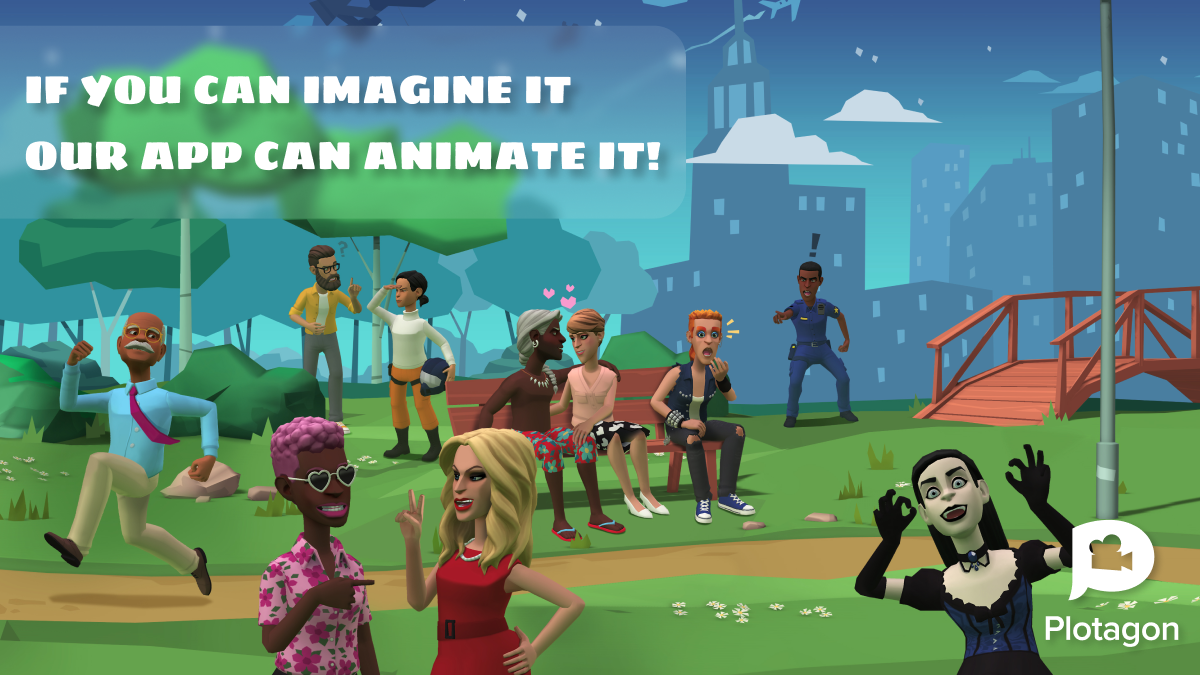

User reviews (0)