
 简体中文
简体中文
getburnrate.io
Connect your AI model providers, see spend in one dashboard, and catch budget surprises. Start free on the web; add the local CLI when you want agent-level detail.
At a glance
- Category
- Data & Analytics
- Language
- English
- Paid-content signal
- Paid contentObserved
- Registered
- 2026
- Hosting
- Amazon CloudFrontInferred
- HTTPS certificate trusted
- PassedObserved
- Last updated
Related questions
More questions →What Are Developer Tools and How Do You Choose the Right Ones?
Developer tools are the software a programmer uses to write, run, inspect, test, and ship code — as opposed to the software being built. The category spans editors and IDEs, version control, build and bundling, testing, debugging, and performance profiling. Choosing well comes down to four things: fit with your language and framework, fit with how your team already works, how cleanly a tool integrates with the rest of your stack, and how much maintenance it will demand from you. Open-source tools usually win on cost and customization; commercial tools usually win on support and managed infrastructure. The rest of this article covers the categories, the open-source trade-off, selection criteria, a worked example, and the pitfalls that cause teams to accumulate tools they never use.
The main categories of developer tools
| Category | What it does | Typical examples |
|---|---|---|
| Editors / IDEs | Write and navigate code, with language-aware completion and refactoring | VS Code, JetBrains IDEs, Vim/Neovim |
| Version control | Track changes, branch, review, and merge | Git, hosted platforms like GitHub |
| Build and bundling | Turn source files into something a browser or runtime can execute | Vite, webpack, esbuild, Rollup |
| Testing | Verify behavior automatically | Jest, Vitest, Playwright, pytest |
| Debugging | Inspect state at a breakpoint or step through execution | Browser DevTools, debugger integrations in the editor |
| Performance profiling | Find where time or memory is going | Browser performance panels, React Scan, React Doctor |
| Linting and formatting | Catch likely mistakes and enforce consistent style | ESLint, Prettier, Ruff |
| CI/CD | Run checks and deploy automatically on every change | GitHub Actions, CircleCI |
The boundaries blur in practice. An IDE ships a debugger; a bundler ships a dev server; a linter can run inside CI. What matters is which job each tool is doing for you, not which box it belongs in.
Open source vs. commercial tools
The trade-off is not "free vs. paid" — it is who carries the cost of upkeep.
- Open source gives you the source, so you can read it, patch it, and self-host it. You pay in time: upgrades, security patches, and integration work are yours. Support comes from maintainers and community, on their schedule.
- Commercial tools usually sell support, hosting, or both. You pay money and get someone accountable when something breaks, plus a roadmap you can influence through a contract rather than a pull request.
Neither is universally better. A small team with strong engineers often prefers open source for control; a team without spare capacity often prefers to pay for someone else to run the thing.
Million is an example of the open-source route. Its stated mission is to "fix the web," and it open-sources tools including React Doctor and React Scan, alongside ReactBench, custom datasets, reinforcement learning environments, and traces used to train and evaluate frontier coding agents on realistic web development work. React Doctor has helped developers find issues in their codebases. Million is backed by Y Combinator (W24) and a list of individual investors including Evan You, Amjad Masad, and Scott Wu — relevant only insofar as it signals the project is not a solo weekend effort, which matters when you are deciding whether to depend on it.
How to choose: four criteria
- Language and framework fit. A tool that understands your framework's actual model will catch more than a generic one. A React-specific analyzer knows about component re-renders; a generic linter does not.
- Team workflow fit. If your team reviews every change in pull requests, a tool that only runs locally will be skipped. Prefer tools that can run in CI and report on the diff.
- Integration cost. Count the adapters, config files, and CI steps you will need. A tool that drops into your existing pipeline is worth more than a marginally better one that needs a parallel pipeline.
- Maintenance burden. Check the last commit date, the open-issue count, and whether releases are regular. An abandoned dependency is a future migration you did not schedule.
A quick way to apply these: write down the specific problem you are trying to solve ("we do not know which components re-render too often"), then evaluate tools only against that problem. Tools chosen for a vague sense that "we should have one" tend to be installed and forgotten.
A worked example
Suppose you have a React app that feels slow, and you want to find out why before optimizing anything.
- Lint first. Run ESLint with the React rules enabled. This catches mechanical issues — missing dependencies in hooks, unused state — before you go looking for subtle ones. Expected result: a list of concrete fixes, or a clean run.
- Profile the running app. Use a performance profiler to record an interaction and see which components rendered and how long they took. React Scan is built for this kind of inspection; React Doctor targets finding issues in a codebase more broadly. Expected result: a ranked list of components or code paths worth attention.
- Fix and re-measure. Change one thing, re-run the same interaction, and compare. Without a re-measurement step you cannot tell an improvement from noise.
- Lock it in. Add the lint step to CI so the same class of problem does not return. Expected result: a failing check on future pull requests that reintroduce it.
Notice that no single tool did the job. The linter handled the mechanical layer, the profiler handled the runtime layer, and CI handled the regression layer. That division of labor is the normal shape of a toolchain.
Common pitfalls
- Tool overlap. Two linters, two formatters, or two bundlers in one repo produce conflicting output and confused contributors. Pick one per job.
- Abandoned projects. A dependency with no commits in two years is a liability. Check before adopting, not after.
- Over-tooling early projects. A pre-revenue prototype does not need a full observability stack. Add tools when a specific problem appears, not in anticipation of one.
- Config drift. Tool settings scattered across files and CI definitions drift apart. Keep configuration in one place where the tool allows it.
- Adopting without a rollback plan. Before adding a tool to CI, know how you would remove it. If the answer is "we would have to rewrite the pipeline," reconsider.
Where to go next
If you want to see how these categories look in practice, Million's open-source projects are a concrete starting point: React Doctor for finding issues in a React codebase, React Scan for performance inspection, and ReactBench plus its datasets and reinforcement learning environments for evaluating coding agents on realistic web development tasks. The same four criteria — framework fit, workflow fit, integration cost, and maintenance burden — apply to evaluating those tools as to any other.
Website Overview
The available information shows a mix of normal operation and configuration gaps. Depending on how the website is used, these gaps may affect secure access or the consistency of its public presentation.
Domain and Registration
The domain was registered less than a year ago and has limited historical evidence to assess. The domain uses the common .io extension, which is not an independent safety signal.
DNS and Email
The lowest TTL is 60 seconds, supporting rapid record changes at the cost of more frequent lookups. Nameservers are provided by Amazon Route 53, indicating managed DNS hosting. MX records point to the Amazon SES email service. No CNAME was found; the observed records resolve directly to addresses. SPF and DMARC are configured. DKIM status is unknown.
TLS and Certificates
The certificate uses an RSA 2048-bit public key, offering broad client compatibility. The server supplied a complete certificate chain. No organization name is present in the certificate; the available fields are consistent with domain validation. The certificate was issued within the Amazon cloud or CDN ecosystem. The certificate is valid for about 197 days in total, with 144 days remaining.
HTTP and Browser Security
No X-Powered-By header was found, reducing one common source of backend fingerprinting information. All six checked browser-security headers are present. Their effectiveness still depends on the policy values and application behavior. The x-cache, via response header indicates a CDN or caching proxy in the delivery path. No obvious internal addresses or debug information were found in the headers. The Server header contains the custom value AmazonS3.
Technology Stack Analysis
The public page identifies Amazon CloudFront without precise versions, leaving fewer clues for version-specific scanning.
Search and Social Sharing
The meta description has 163 characters and may be shortened in search results. Twitter Card metadata is configured. JSON-LD includes Organization data, helping describe the organization as an entity. The title has 43 characters, within a common display range. The observed directives allow indexing and link following.
Hosting and Email
 Amazon Route 53
 United States
Inferred
3.162.112.33
United States
Inferred
3.162.112.33
Registration details
| Registrar | Amazon Registrar, Inc. |
|---|---|
| Registered | 2026-03-05 |
| Expires | 2027-03-05 |
| Domain status | ok https://icann.org/epp#ok |
| Nameservers | ns-1131.awsdns-13.org、ns-1806.awsdns-33.co.uk、ns-333.awsdns-41.com、ns-895.awsdns-47.net |
| DNSSEC | unsigned |
DNS records
| Type | Name | Value | TTL | Priority |
|---|---|---|---|---|
| A | getburnrate.io | 3.162.112.33 | 60 | — |
| A | getburnrate.io | 3.162.112.39 | 60 | — |
| A | getburnrate.io | 3.162.112.50 | 60 | — |
| A | getburnrate.io | 3.162.112.89 | 60 | — |
| MX | getburnrate.io | inbound-smtp.us-west-2.amazonaws.com | 600 | 10 |
| NS | getburnrate.io | ns-1131.awsdns-13.org | 172800 | — |
| NS | getburnrate.io | ns-1806.awsdns-33.co.uk | 172800 | — |
| NS | getburnrate.io | ns-333.awsdns-41.com | 172800 | — |
| NS | getburnrate.io | ns-895.awsdns-47.net | 172800 | — |
| TXT | getburnrate.io | google-site-verification=mRa2IlJTiJ45tm2OLkPaBpntZbirbGm04Vq2LmLnQYw | 600 | — |
| TXT | getburnrate.io | v=spf1 include:amazonses.com ~all | 600 | — |
| DMARC | _dmarc.getburnrate.io | v=DMARC1; p=quarantine; rua=mailto:[email protected] | 600 | — |
TLS and certificates
HTTP response headers
| Header | Value |
|---|---|
| content-type | text/html; charset=utf-8 |
| cache-control | public,max-age=300 |
| server | AmazonS3 |
| strict-transport-security | max-age=31536000; includeSubDomains |
| content-security-policy | default-src 'self'; base-uri 'self'; object-src 'none'; frame-ancestors 'none'; form-action 'self'; script-src 'self' 'unsafe-inline' www.googletagmanager.com www.clarity.ms us-assets.i.posthog.com https://t.getburnrate.io browser.sentry-cdn.com client.crisp.chat *.crisp.chat; style-src 'self' 'unsafe-inline' fonts.googleapis.com; font-src 'self' data: fonts.gstatic.com; img-src 'self' data: blob: https:; connect-src 'self' https://*.supabase.co wss://*.supabase.co https://*.posthog.com https://t.getburnrate.io https://*.sentry.io https://*.ingest.us.sentry.io https://www.google-analytics.com https://region1.google-analytics.com https://*.clarity.ms https://*.crisp.chat wss://*.crisp.chat; worker-src 'self' blob:; frame-src 'self' https://*.stripe.com https://*.crisp.chat; upgrade-insecure-requests |
| x-frame-options | DENY |
| x-content-type-options | nosniff |
| referrer-policy | strict-origin-when-cross-origin |
| permissions-policy | camera=(), microphone=(), geolocation=(), payment=(self) |
Identified technologies
Pages, Search and Sharing
| Meta description | Connect your AI model providers, see spend in one dashboard, and catch budget surprises. Start free on the web; add the local CLI when you want agent-level detail. |
|---|---|
| Canonical URL | https://getburnrate.io/ |
| Language | English (default) |
| Twitter Card | summary_large_image |
Social Sharing Preview
15 fields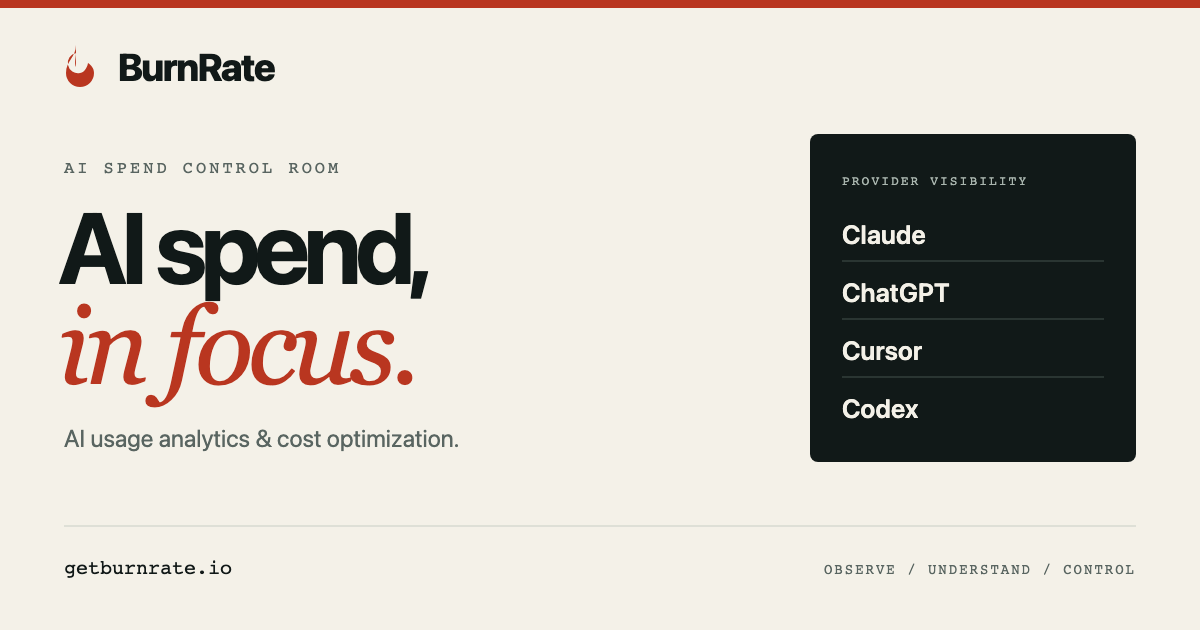

robots.txt (opens in a new tab)
54 rulesAll bots 1 allowed · 5 disallowed
- Allow
/ - Disallow
/app - Disallow
/team - Disallow
/join - Disallow
/internal-stats - Disallow
/maintenance
gptbot 1 allowed · 5 disallowed
- Allow
/ - Disallow
/app - Disallow
/team - Disallow
/join - Disallow
/internal-stats - Disallow
/maintenance
oai-searchbot 1 allowed · 5 disallowed
- Allow
/ - Disallow
/app - Disallow
/team - Disallow
/join - Disallow
/internal-stats - Disallow
/maintenance
chatgpt-user 1 allowed · 5 disallowed
- Allow
/ - Disallow
/app - Disallow
/team - Disallow
/join - Disallow
/internal-stats - Disallow
/maintenance
claudebot 1 allowed · 5 disallowed
- Allow
/ - Disallow
/app - Disallow
/team - Disallow
/join - Disallow
/internal-stats - Disallow
/maintenance
anthropic-ai 1 allowed · 5 disallowed
- Allow
/ - Disallow
/app - Disallow
/team - Disallow
/join - Disallow
/internal-stats - Disallow
/maintenance
perplexitybot 1 allowed · 5 disallowed
- Allow
/ - Disallow
/app - Disallow
/team - Disallow
/join - Disallow
/internal-stats - Disallow
/maintenance
google-extended 1 allowed · 5 disallowed
- Allow
/ - Disallow
/app - Disallow
/team - Disallow
/join - Disallow
/internal-stats - Disallow
/maintenance
ccbot 1 allowed · 5 disallowed
- Allow
/ - Disallow
/app - Disallow
/team - Disallow
/join - Disallow
/internal-stats - Disallow
/maintenance
No matching rules.
User reviews (0)