
 简体中文
简体中文 English
Website review
This review may include AI-generated content and is not individually verified. Domain, certificate and other facts come from the observed data on this page.
What is Snipzr?
Snipzr is a URL shortener and link management service, available at Snipzr. It turns long web addresses into short branded links and adds click analytics to each one. Its stated pitch centers on durability and honest measurement: links keep redirecting even if you stop paying, and stats are reported without cookies or visitor profiles.
What it actually does
- Short links that persist. According to the site, links keep working "forever" — they are not capped, metered or deactivated when a subscription lapses, and editing a link is not counted against a monthly allowance.
- Per-link analytics. Daily clicks, countries, referrers and devices, with automated traffic filtered out and QR scans reported separately from link clicks.
- Custom domains on every plan, including free — you point a domain, verify two records, and get branded links with automatic HTTPS.
- Campaign tooling. A UTM builder with a GA4 channel check, shared templates, campaign reports that roll up across every tagged link, and team naming rules.
- Integrations and imports. An MCP server for Claude and ChatGPT, browser extensions for Chrome, Firefox and Edge, plus importers for Bitly, TinyURL and Rebrandly.
- API access on all paid plans.
Who it suits
| User | Why it fits | Trade-off to weigh |
|---|---|---|
| Marketer running tagged campaigns | UTM builder plus campaign reports without an enterprise tier | Roll-up reporting depends on consistent tagging discipline |
| Agency reporting to clients | Team plan includes unlimited free viewer seats; only editors are billed | Client access is view-only |
| Anyone with links embedded in print, packaging or old posts | Links survive cancellation and are never quota-cut | You still need the account to see analytics |
| Privacy-conscious publisher | No cookies, no visitor profiles, nothing needing a consent banner | Cookie-free counting is inherently an estimate, not a census |
A practical next step: if you already have links on another shortener, test the import path with a small batch first, then check that redirects and historical stats land as expected before moving everything. If your main need is simply shorter links with no reporting, a free account is enough to start — the paid tiers matter mainly for API access and team seats.
How do Snipzr links keep working after I cancel my subscription?
Snipzr's stated policy is that short links keep redirecting after a subscription ends. The page frames this as the core difference from other shorteners: "Your links outlive your subscription." Free links on competing services are described as getting capped, metered or locked behind rising limits; Snipzr says its links continue to resolve permanently, and that old links never count against a monthly allowance.
What that means in practice depends on what you were using the link for:
- Redirects: the destination keeps working, so anything already printed, posted or shared stays live.
- Analytics: per-day stats, bot filtering and campaign reports are paid-plan features. If your subscription lapses, expect the links to resolve but treat ongoing measurement as something you'd need to confirm before relying on it.
- Editing and management: the page says edits are never metered, which suggests link management isn't the thing that gets restricted, but the claim is about metering rather than about post-cancellation access.
- Custom domain: a branded domain is available on any plan, so a lapsed account shouldn't break branded links on that basis alone — though domain renewal and DNS are separate from Snipzr.
A concrete scenario
You run a conference and print 5,000 badges carrying short links. Six months later the budget is cut and you cancel. Under Snipzr's model those badge links still land on the right page; you simply stop seeing the click data. Under a quota-based shortener, the same links could stop resolving or start counting against a free-tier cap.
What to verify before you commit
Because "links never expire" is a policy promise rather than a technical guarantee, check the terms of service for the conditions attached — for example, whether links tied to a custom domain behave differently, what happens to links created on a trial, and whether inactive accounts are ever purged. If link permanence is the reason you're switching, test it: create a free link, let a paid trial lapse, and confirm the redirect still resolves after the billing period ends.
Snipzr also offers importers for links from other shorteners, which matters if you're migrating a large existing set rather than starting fresh. Details on plans are at Snipzr.
Can I use my own domain for branded short links on the free plan?
Yes. Snipzr's page says custom domains are available "on any plan," which includes the free tier. You point a domain, verify two DNS records, and the service issues HTTPS automatically; registrar-specific setup guides are in its docs.
That's a meaningful difference from shorteners that reserve branded links for paid tiers, and it matters most if you're linking from print, packaging or a bio where the domain itself is part of the brand. A concrete scenario: a small studio puts its own domain on portfolio and invoice links from day one, then upgrades later for campaign reporting without having to reissue any URLs.
Two practical caveats to plan around, based on the page's own framing:
- Domain cost sits with you. The plan covers the shortening and HTTPS, but you still register and renew the domain yourself.
- The free tier is the entry point, not the whole product. Analytics, campaign rollups and API access are described as part of the broader offering; check the pricing page for which capabilities sit behind paid plans before you commit a client-facing domain.
Next step: register or pick a subdomain you're willing to keep long-term, add the two verification records, and shorten one test link before migrating anything important. If you're moving existing links, the page notes importers from Bitly, TinyURL and Rebrandly, so you can test whether redirects and click history survive the move. For comparison, branded domains are also offered by Bitly and Rebrandly, though their plan structures differ.
How does Snipzr filter out bots and count clicks without cookies?
Snipzr separates automated traffic from human activity at the counting stage, then reports what remains without identifying individual visitors. According to the product page, every plan gets per-day analytics with bots filtered out, QR scans separated from clicks, and no cookies or visitor profiles. Automated traffic is counted separately so it does not inflate your human-click numbers.
How the counting works in practice
- Bot filtering: Requests identified as automated traffic are excluded from your headline click counts rather than blended in. You still see automated traffic as its own category, so you can judge how much of a link's activity was non-human.
- No cookies or profiles: Snipzr does not place cookies on visitors or build visitor profiles. Counting is based on the request itself — the click event, its timestamp, and derived attributes like country, referrer and device — not on a persistent identifier stored in someone's browser.
- QR scans kept separate: A scan of a QR code is reported as a scan, not folded into click totals. That matters if you use the same link in print and online, because the two channels behave differently.
- Per-day granularity: Stats are broken down by day, with countries, referrers and devices attached to each link.
Why the cookie-free approach changes what you can do
Because no visitor profiles are created, there is nothing to surface in a consent banner and no cross-site tracking to explain. The trade-off is that you get aggregate counts rather than user-level journeys: you can see that 400 people clicked from a newsletter on Tuesday, but you cannot follow one person across sessions or tie a click back to an identified individual. For most campaign reporting, that is the right trade — the numbers stay defensible and the privacy overhead disappears.
A concrete scenario
Suppose you run a launch for a client and share one short link in an email, on a LinkedIn post and on a printed flyer with a QR code. Your daily report shows human clicks split by referrer and country, QR scans listed separately, and a slice of automated traffic you can ignore. You can tell the client which channel actually drove attention without ever claiming to know who clicked.
What to check before relying on it
"Bots filtered out" is a claim about Snipzr's own detection, and every shortener draws that line differently. Before you commit, send a link through a known bot or preview crawler and confirm it lands in the automated bucket rather than your human count. If you need identity-level attribution, cross-device tracking or integration with a CRM at the person level, cookie-free counting will not give it to you — you would pair Snipzr's aggregate reports with a separate consent-based analytics setup. You can compare plans and confirm the analytics scope at Snipzr.
What does the Team plan include for agencies sharing reports with clients?
The Team plan is built around client reporting without adding per-client costs: it includes unlimited free viewer seats, so clients and stakeholders can open live campaign reports and analytics without a paid seat. Only the people who actually create or edit links count toward the paid seats.
What clients see
- Live campaign reports and analytics, rather than exported screenshots or PDFs
- Per-day stats with automated traffic filtered out, so the numbers reflect human clicks
- QR scans reported separately from link clicks
- Countries, referrers and devices for each link
- Campaign roll-ups by source and medium for any link carrying a UTM tag
Why this matters for an agency
A typical setup is one or two editors inside the agency and a viewer seat for each client contact. Because viewers are unlimited and free, adding a new client stakeholder does not change the bill — useful when a client's marketing team, or their own leadership, wants direct access. The reporting is also self-serve: clients can check performance between scheduled updates instead of waiting on a manual report.
Two practical caveats. Viewer access is read-only by design, so clients cannot accidentally edit or delete links; if a client needs to create links themselves, they become a paid editor. And because analytics are cookie-free with no visitor profiles, the data is aggregate — good for campaign and channel reporting, not for identifying or retargeting individual visitors.
Deciding whether it fits
Choose the Team plan if your reporting workflow involves multiple external stakeholders per client and you want them looking at live dashboards rather than static exports. If you only ever share a monthly PDF with a single client contact, the viewer seats add little, and a simpler plan may be enough. Before committing, confirm how many people on your side will need edit rights, since that is the number that drives cost.
A useful next step: list every person who currently receives your reports, mark each as editor or viewer, and compare that split against the plan's seat model. You can check the current seat structure on Snipzr before deciding.
How do I import my existing links from Bitly or TinyURL into Snipzr?
Snipzr lists built-in importers for Bitly, TinyURL and Rebrandly, so you don't have to recreate links by hand. The import sits alongside its other integrations (browser extensions, an MCP server for Claude and ChatGPT), which suggests a one-time migration step rather than an ongoing sync.
What to expect from the importers
- Existing short links keep redirecting. Snipzr's core claim is that links never expire and edits are never metered, so imported links shouldn't be capped the way they might be on a free tier elsewhere.
- Analytics start fresh. Per-day clicks, countries, referrers and devices are tracked on Snipzr's side, with bots filtered out and QR scans counted separately. Historical click data from Bitly or TinyURL generally stays with the old account; treat the import as a forward-looking move, not a data migration.
- Custom domains carry over. You can point your own domain at Snipzr on any plan by verifying two DNS records, which matters if your Bitly links use a branded domain rather than bit.ly.
- Free accounts work. Signup takes a free account with no card, so you can test the import before committing.
A practical migration sequence
- Export your link list from Bitly or TinyURL first, so you have a backup of destinations and slugs.
- Import into Snipzr, then spot-check a sample of links across different campaigns and domains.
- Re-point or re-verify any branded domain so old short URLs resolve through Snipzr.
- Rebuild UTM tagging with the built-in UTM builder if you were relying on Bitly's campaign tools — Snipzr rolls tagged links into campaign reports automatically.
One decision criterion
If your priority is preserving years of historical click data for client reporting, run the import in parallel and keep the old account alive until your reporting cycle closes. If your priority is escaping quota caps and metered edits, the switch is straightforward — and the Team plan's unlimited free viewer seats make it easier to hand clients live dashboards without paying per viewer. For a second opinion on link management generally, Bitly documents its own export options.
 Cloudflare
 Amazon CloudFront
 Google Workspace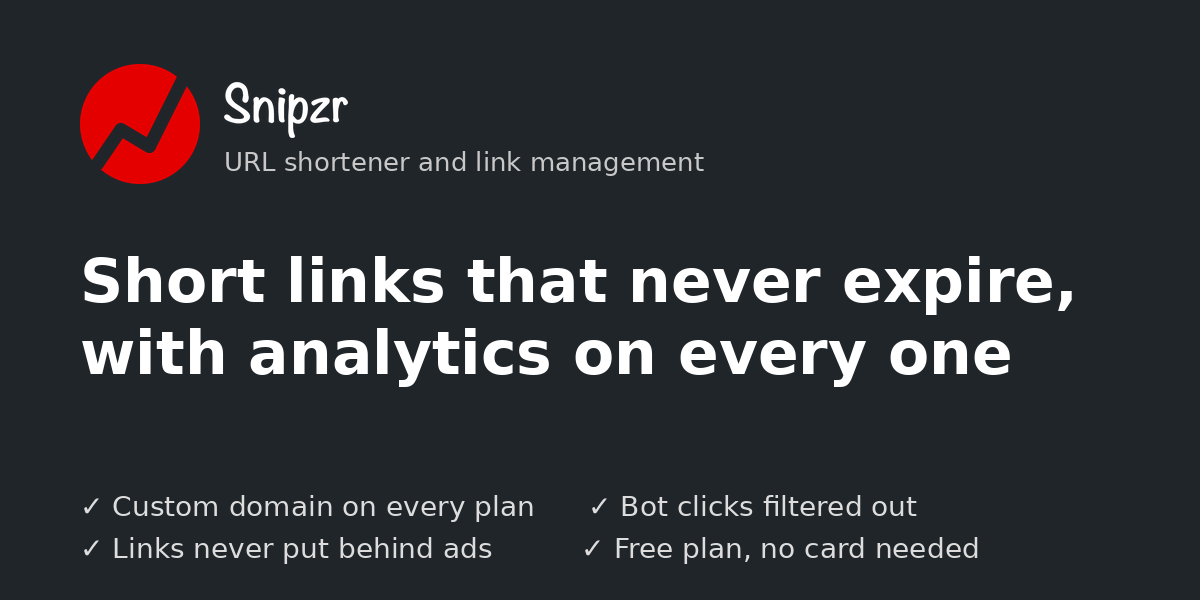
User reviews (0)