
 简体中文
简体中文 English
Website review
This review may include AI-generated content and is not individually verified. Domain, certificate and other facts come from the observed data on this page.
What is Hive?
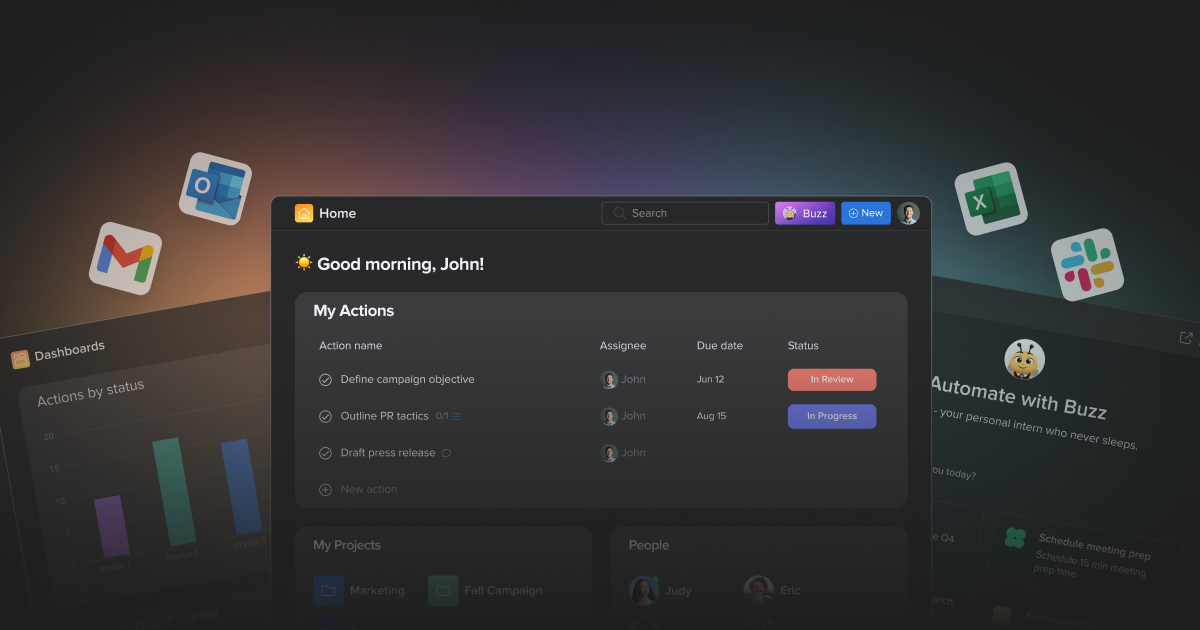
Hive is a project management and work-collaboration platform built around the idea of automating routine coordination: its page positions it as "the AI workspace that plans, assigns, follows up, and reports," with an assistant called Buzz that can set up workflows, organize tasks and surface project status. The core offering is familiar project-management ground—task tracking, multiple project views, collaboration across teams of any size—with automation and AI layered on top, plus integrations with other tools teams already use.
Where it fits best
- Teams drowning in coordination overhead. If a marketing, operations or client-services group spends much of its week chasing status updates, assigning work and compiling reports, the automation-first framing targets exactly that. The page's own example—an assistant setting up a campaign-launch checklist inside a marketing project—illustrates the intended use.
- Mixed-discipline teams. The "built for teams like yours" and multiple-view messaging suggests groups with different working styles (lists for one team, boards or timelines for another) sharing one workspace.
- Organizations wanting AI assistance without rebuilding their stack. The integrations section implies Hive sits alongside existing tools rather than replacing them.
Trade-offs to weigh
Automation-heavy products reward teams that invest time configuring them; a small team with simple, stable workflows may find a plainer task tool faster to adopt. Likewise, an AI assistant that drafts plans and reports is only as useful as the project data it reads, so clean task hygiene matters. The page advertises a free start with no credit card required and links to a pricing page, but plan limits and paid tiers should be checked directly at Hive before committing.
A practical next step
Pick one recurring process your team runs—a campaign launch, a client onboarding, a weekly report—and test whether Hive's automation and assistant can set it up with less manual effort than your current tool. That single trial will tell you more about fit than a feature comparison. For context on alternatives, G2 (G2) and Capterra (Capterra) carry user reviews of project-management tools.
How does Hive's AI assistant Buzz automate project tasks like campaign launches?
Hive's Buzz assistant is presented as an AI layer inside the project workspace that can set up and run repeatable work, including campaign launches, rather than as a separate chatbot you consult outside your projects. On the page, the example request "Automate our campaign launches" produces a concrete build-out: Buzz enables the apps needed for the workflow (Forms, Automation, App Workflows, Proofing and Approvals) and creates a manual campaign launch system inside a named project, in that example a B2C Marketing Strategy project. The page also lists "Project status" and "AI Dashboard insights" among the things Buzz handles, alongside a starter checklist for the campaign launch.
What that means in practice
For a marketing lead, the plausible value is that the assistant turns a verbal process into structured project components: intake through Forms, routing and handoffs through Automation and App Workflows, document review through Proofing, and sign-off through Approvals. Instead of asking an ops person to build the workflow, the request itself generates a first draft you then adjust.
The trade-off is that Buzz is assembling from Hive's own building blocks, so the quality of the automation depends on how well those blocks fit your process. A campaign launch with unusual approval chains or external review steps may need manual rework after the initial setup. The page's phrasing, "manual campaign launch system," also suggests the generated workflow is a starting structure rather than a fully autonomous process.
A useful next step
Before requesting a full automation, describe your launch as a sequence of stages, owners and approval gates, then ask Buzz to build it and check three things: whether the right people are assigned at each gate, whether proofing and approvals land where legal or brand review actually happens, and whether status reporting reflects your real milestones. You can compare how this in-workspace approach feels against dedicated automation tools such as Zapier if your launches depend heavily on connecting outside apps.
Pricing and plan limits are not covered here; check Hive directly for what each tier includes.
Is Hive free to start, and what do its paid pricing plans include?
Yes—Hive is free to start. Its page says "Get Started for Free" and "No credit card required," so a team can create a workspace and begin managing projects without an upfront payment. The free entry point is best treated as a way to test whether Hive's structure fits how your team actually works: multiple project views, task tracking, and AI-assisted workflows such as campaign setup or document proofing.
What the paid plans include is not specified in the supplied page evidence. The site links to a pricing page, but no plan names, tier limits, or feature breakdowns are provided here, so concrete paid inclusions can't be stated reliably. As general advice, when you open the pricing page, compare:
- Seat minimums and per-user cost at your real team size, not a trial size.
- Which views and automations are gated—Hive emphasizes configurable project views and automation, so check whether those are core or upper-tier.
- AI/Buzz usage limits, since AI actions like workflow setup or reporting are often metered.
- Storage, guest access, and integrations if you work with clients or external tools.
- Support and admin controls for larger teams.
Practical next step
Run a two-week trial with one real project—say, a campaign launch—using Hive's views and automation, then map what your team relied on against the paid tiers before committing. For comparison, established alternatives with published free tiers include Asana, ClickUp, and monday.com; check each official pricing page for current limits.
How does Hive compare to other project management tools for team collaboration?
Hive is positioned as an AI-assisted project workspace that combines task and project tracking with automation, forms, proofing, approvals and reporting in one place. For collaboration specifically, its distinguishing idea is that the tool helps plan, assign, follow up and report, rather than only storing tasks. That matters most for teams whose coordination overhead—status chasing, approvals, recurring launches—is the real bottleneck.
Where it tends to fit
- Cross-functional teams that run repeatable processes (campaign launches, document reviews, client deliverables) and want automation and approvals alongside task lists.
- Teams consolidating tools that currently split project tracking, proofing and reporting across separate apps.
- Groups wanting built-in AI help for organizing work and surfacing insights, rather than bolting on a separate assistant.
How the trade-offs usually look
| Consideration | Hive-style all-in-one workspace | Leaner task tools | Deep specialist suites |
|---|---|---|---|
| Collaboration style | Tasks plus automation, proofing, approvals | Simple lists and boards | Rich per-discipline features |
| Setup effort | More configuration to use well | Fast to start | Heavier rollout |
| Best for | Repeatable, approval-heavy workflows | Small teams, light process | Large orgs with complex needs |
The practical question is not which tool has the longest feature list, but whether your team's friction is coordination (favors Hive's approach) or simply tracking tasks (a lighter tool may be enough). Teams that already live inside an ecosystem like Microsoft or Atlassian should also weigh how much they value staying within that stack versus consolidating.
A useful next step
Pick one real workflow—say a campaign launch with a review and sign-off—and map its steps, owners and approval points. Then check whether Hive's automation, proofing and approval features cover that flow without workarounds. If they do, trial it on that single workflow before rolling out broadly; if the flow is mostly simple task assignment, a lighter tool will likely cost less in setup and training.
Which integrations does Hive support with tools my team already uses?
Hive's page advertises an "Integrates with all your other tools" section and shows a Forms, Automation, App Workflows, Proofing and Approvals setup inside its own workspace. It does not list specific third-party tools by name on the page, so the honest answer is that Hive positions broad integration coverage, but you should confirm the exact connectors for your stack before committing. Check the integrations or app directory on Hive against your team's core tools.
How to check fit before you migrate
- List your must-have tools first. Write down the five apps your team opens daily—chat, file storage, calendar, code or design, and CRM or billing. Integration value depends on those, not on a long catalog.
- Separate two kinds of integration. Native connectors sync data automatically; automation and API access let you build your own links. Ask which category each of your tools falls into.
- Test one real workflow. Pick a recurring handoff, such as a form submission becoming a task with an owner and due date, and run it end to end during a trial.
A concrete reader scenario
A marketing team that lives in a chat app and a cloud drive mainly needs task creation from messages and file attachments on tasks. A product team with issue trackers and repositories needs two-way status sync, which is a stricter requirement. The first group can often work with automation and forms; the second should verify native connectors before adopting.
Decision criterion
If more than one of your daily tools lacks a native connector, weigh whether automation or API work is acceptable. If not, compare Hive with a tool whose directory you can check directly, such as Asana or monday.com, using the same five-tool list.
What project views and dashboards does Hive offer to track task progress?
Hive offers several project views for tracking task progress, plus an AI-assisted dashboard for reporting. The page evidence names "Project views that work for you" and "AI Dashboard insights," and describes an AI workspace that "plans, assigns, follows up, and reports." It does not enumerate every view type, so treat the specifics below as practical guidance on what to look for rather than a confirmed feature list.
What to expect from the views
Different views suit different tracking needs, and most teams use more than one:
- List or table views for detailed task tracking, due dates, assignees and status columns — best for day-to-day execution.
- Kanban or board views for seeing work move through stages; useful for spotting bottlenecks at a glance.
- Calendar or timeline views for deadline-driven work and sequencing dependent tasks.
- Dashboard or reporting views for aggregate status, workload and progress across projects.
Matching views to roles
A project manager usually needs the dashboard and timeline for planning and status reporting, while individual contributors work best in a list or board filtered to their own tasks. Executives typically want the dashboard summary only.
A practical next step
Before committing, open Hive and check which views are available on your plan and how dashboards pull data from tasks. Test one real project: create tasks with statuses, switch between views, and confirm the dashboard reflects progress the way your team reports it. If you need a specific view type (for example, Gantt-style timelines), verify it directly rather than assuming it is included.
 Amazon Route 53
 Google Workspace
 Amsterdam, North Holland, The Netherlands

User reviews (0)