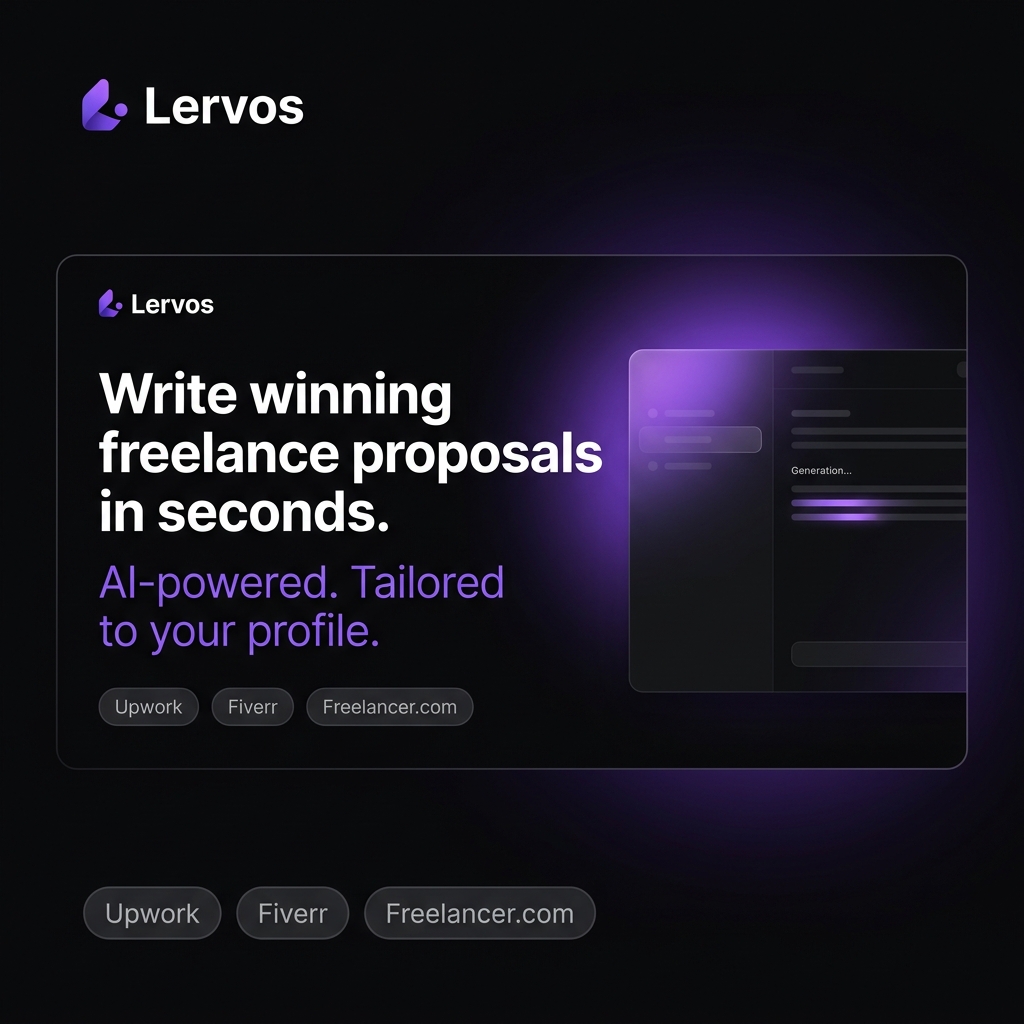
Website profiles · Technology insights · Alternatives

lervos.com

Stop re-explaining your career history to ChatGPT for every single job post. Lervos remembers your real projects and writing rules to generate platform-aware proposals in seconds. Start free, no credit card required.

No paid content found
Visit website
Profile views 9 Outbound visits 1 Normal
Lervos Full homepage screenshot

At a glance

Category
Artificial Intelligence
Language
English
Paid-content signal
No paid content foundObserved
Registered
2026
Hosting
CloudflareInferred
HTTPS certificate trusted
PassedObserved
Last updated

Website review

This review may include AI-generated content and is not individually verified. Domain, certificate and other facts come from the observed data on this page.

What is Lervos?

Lervos is a tool for freelancers who write proposals for job posts. Its pitch is that it generates proposals in your own voice rather than in generic ChatGPT style, and that it remembers your real projects and writing preferences so you don't have to re-explain your career history for every new application.

Who it's for

Freelancers who apply to many similar jobs — on marketplaces or directly — and who find that the repetitive part isn't the writing itself but the setup: pasting in the same background, the same portfolio pieces, the same tone instructions. Lervos targets that repetition by storing your details once and reusing them across proposals.

What it actually does, based on the description

  • Keeps a profile of your projects and writing rules, so each new proposal draws on the same base.
  • Produces proposals that are "platform-aware," meaning the output is shaped for the platform you're applying on rather than written in one generic format.
  • Positions speed as the main benefit: proposals in seconds instead of a fresh drafting session each time.

The trade-off to weigh

The value depends on how much your applications resemble each other. If you apply to a narrow niche with a consistent story, a memory-based generator saves real time. If every pitch is highly bespoke — different industries, different buyer types, long discovery questions — then the stored context helps less, and you'll still rewrite substantially. Voice-matching is also the hardest thing to get right: a tool can imitate your phrasing, but it can't know which specific project is the most persuasive proof for a given client. Treat the output as a strong first draft, not a send-as-is result.

A practical next step

Before committing, take one real job post you'd genuinely apply to and run it through the free start. Compare the draft against a proposal you wrote yourself. If the draft needs only light edits and sounds like you, it fits your workflow. If you find yourself rewriting the substance, the bottleneck is your positioning, not your writing speed.

How does Lervos keep proposals in my own voice instead of sounding like ChatGPT?

Lervos addresses voice matching by storing your information once, then reusing it, rather than asking a model to improvise each time.

Two mechanisms do the work

  • A memory of your real projects. You enter your career history and project details, and Lervos keeps them on file. Each new proposal draws on that stored material instead of you pasting your background into a chat window again.
  • Explicit writing rules. You define how you want to sound, and Lervos applies those rules when it generates text. This is the part that separates it from a generic chatbot: the constraints come from you, not from the model's default tone.

The practical difference shows up over many proposals. A general assistant starts fresh every session, which is why output drifts toward familiar phrasing and generic enthusiasm. Lervos reuses the same stored history and the same style rules, so the drift has less room to happen. It also adapts output to the platform you are writing for, which matters because a proposal on one freelance marketplace reads differently from a direct email to a client.

What this depends on

Voice matching is only as good as what you feed it. If your writing rules are vague ("sound professional"), the output will still land near the generic middle. If your project notes are thin, the proposal will have little concrete material to work with. The system also cannot invent specifics about your experience, so accuracy still rests on you reviewing the draft before sending.

A concrete test

Take one proposal you have already written and were happy with. Paste it in as a style reference or distill three to five rules from it — sentence length, how you open, whether you use contractions, how you handle pricing questions. Then generate a proposal for a new job post and compare it against your original. If the draft still reads like a chatbot wrote it, the rules are too abstract; tighten them and try again.

The honest trade-off: you spend effort up front defining your voice, and in exchange you stop re-explaining yourself for every job post. If you send only a handful of proposals a month, that setup cost may not pay off. If you apply steadily, it compounds.

Can Lervos tailor proposals to different freelance platforms like Upwork or Fiverr?

Yes, platform-aware tailoring is the core idea behind Lervos: it generates proposals in your voice while adapting to the rules and conventions of the freelance platform you are writing for, rather than producing one generic pitch you then have to rewrite by hand.

How that plays out in practice

  • Upwork-style proposals reward a strong opening hook, specific proof of relevant past work, and a clear next step. The platform also restricts contact details before a contract, so a proposal that pastes in an email address or off-platform link is a liability.
  • Fiverr works differently. Buyers often arrive through your gig page, so the "proposal" is closer to a short, confident reply that confirms scope, timeline and what you need from them. Long cover-letter formatting tends to feel out of place.

A tool that remembers your real projects and your writing rules can handle both because the underlying material is the same; only the framing, length and tone change.

What to check before trusting it

  1. Does it store reusable facts — project outcomes, metrics, client types — so you are not re-explaining your career each time?
  2. Can you set writing rules (tone, banned phrases, sentence length) and have them respected consistently?
  3. Does it flag platform-specific constraints, such as prohibited contact info or attachment limits?
  4. Can you edit the draft and have those edits feed back into future output?

A concrete test

Take one job post you have already won. Paste it in and see whether the draft opens with something specific to that client's problem or with a generic "I am excited to apply." Then try the same input framed for a different platform and compare. If the two outputs are near-identical, the tailoring is cosmetic.

Decision criterion

If you bid across two or more platforms regularly, platform-aware generation saves real time. If you work almost entirely through one channel and already have a template that converts, the benefit is smaller.

For freelancers juggling several marketplaces, it is worth comparing against general assistants — ChatGPT and Claude can both draft proposals, but they start from zero context each session unless you build that yourself.

How do I set up Lervos with my past projects and writing rules?

Lervos is built around a simple idea: instead of re-explaining your career history to a general-purpose chatbot for every job post, you give it your real projects and your writing rules once, and it reuses them to draft platform-aware proposals. Setup therefore has two halves — a project library and a voice/style layer — and the order you do them in matters less than doing both before you generate anything.

Setting up your past projects

Treat this as building a small case-study bank rather than a résumé dump. For each project worth reusing, capture:

  • What the client needed — the problem in their words, not yours.
  • What you actually did — scope, tools, your specific role if you were part of a team.
  • The outcome — a number, a before/after, or a concrete deliverable. "Rebuilt checkout flow; cart abandonment dropped from 71% to 58%" beats "improved UX."
  • Proof you can point to — a link, a screenshot, a public result.

Aim for breadth over volume: five to ten well-documented projects usually cover more job posts than thirty thin ones. Include a couple of projects outside your main niche if you sometimes pitch adjacent work.

Setting up your writing rules

This is where Lervos differs from pasting a prompt into ChatGPT. Your rules should encode how you write and what you refuse to write. Useful entries:

  • Voice — sentence length, formality, contractions or not, first person vs. third.
  • Structural habits — do you open with their problem or your credential? Bullets or prose? How long is your typical proposal?
  • Banned phrases — "I'm excited to," "I came across your post," "perfect fit," em-dash-heavy AI cadence, anything that makes you cringe when you read it back.
  • Platform conventions — what works on Upwork reads differently from a direct email or a Contra pitch.

A practical order of operations

  1. Add three or four projects first — enough to test with.
  2. Write your rules, then generate one proposal for a real post.
  3. Read it aloud. Every sentence you'd never say, add a rule against it.
  4. Repeat two or three times, then fill in the rest of your project library.

The first drafts are calibration, not output. If you skip that loop, you'll get proposals that are technically about you but still sound generic.

Who this suits, and who it doesn't

Situation Fit
High-volume applicant sending many similar proposals Strong — the reuse pays off fast
Freelancer with a handful of deep, documented case studies Strong
Someone whose projects are hard to describe concretely Weaker — the library is only as good as its inputs
Writer who wants a fully automated send-without-reading flow Poor — you still need to edit for the specific post

Start free and test with one real job post before investing time in a large library; if the first drafts don't sound like you, fix the rules before adding more projects.

Is Lervos free to try, and what do I get without a credit card?

Yes. Lervos is free to try, and the signup path is explicitly no-credit-card, so you can evaluate it before committing money.

What you can expect on the free tier

  • You can create an account and start generating proposals without entering payment details.
  • The core premise is that the tool remembers your real projects and your writing rules, so proposals come out in your voice rather than generic ChatGPT phrasing.
  • Output is described as platform-aware, meaning proposals are shaped for the freelance marketplace you're bidding on rather than one-size-fits-all.

What "free" usually means in practice Free tiers on tools like this typically cap how many proposals you can generate, how many projects or writing rules you can store, or which platforms are supported. The page doesn't spell out those limits, so treat the free plan as an evaluation window rather than an unlimited workflow.

A concrete test before you pay anything Pick one live job post you'd actually bid on, run it through Lervos, and compare the draft against a proposal you'd write by hand. Check three things: whether it used your real project details correctly, whether the tone sounds like you, and whether the platform-specific structure saves you editing time. If you're still rewriting most of it, the free tier has told you what you need to know.

Decision criterion Upgrade only when the tool reliably removes the "re-explaining my career history" step. If you're pasting your background in fresh each time anyway, you're paying for something you're not getting.

For context on the freelance marketplaces you'd be writing for, see Upwork and Fiverr.

How is Lervos different from just using ChatGPT for freelance proposals?

Lervos is built around a persistent profile of your work history and writing rules, so you don't re-explain your career to an AI every time you apply for a job. ChatGPT, by default, starts each conversation blank: you paste your background, the job post and your tone preferences, then hope the output sounds like you. Lervos' pitch is that it remembers your real projects and your voice, and generates proposals that are aware of the freelance platform you're bidding on.

H3 Where the difference actually shows up

  • Repetition. With ChatGPT you rebuild context for every proposal — past clients, results, rates, phrasing you like. Lervos stores that once and reuses it.
  • Voice consistency. ChatGPT tends to drift toward generic, polished AI phrasing unless you keep correcting it. Lervos claims to encode your writing rules so drafts stay closer to how you actually write.
  • Platform awareness. Freelance marketplaces have different norms (length, tone, how to open, what to avoid). Lervos says it accounts for the platform; ChatGPT needs you to spell that out each time.
  • Speed. Both are fast, but the setup cost per proposal is the real difference — Lervos aims to cut the preamble, not the writing time itself.

H3 Trade-offs worth weighing

A stored profile is only as good as what you put in it, and it can quietly lock you into an old positioning if your niche shifts. ChatGPT is more flexible for one-off, unusual jobs or when you want to brainstorm angles rather than produce a finished proposal. If you apply to many similar roles, the memory model wins; if you apply rarely or across wildly different fields, plain ChatGPT plus a reusable prompt template may be enough.

H3 A practical test

Take one real job post and write the proposal twice: once in ChatGPT from scratch, once through Lervos. Compare how much editing each needs before it sounds like you. If Lervos' draft needs fewer corrections and less re-explaining, the difference is real for your workflow. If you're spending similar time either way, a saved ChatGPT prompt with your background pasted in is the cheaper habit.

Related questions

More questions →
How does Lervos generate proposals in your own voice?

Lervos generates proposals by storing two things about you — your real project history and your personal writing rules — and then pulling from that stored context every time it drafts a proposal, instead of relying on a general model's default tone. The result is meant to read like you wrote it, not like a generic AI response. This applies when you're applying to freelance jobs repeatedly and don't want to re-explain your background to a chatbot for every post.

The two inputs Lervos keeps on file

According to the site, Lervos is built around remembering:

  • Your real projects — the actual work history you've done, so proposals reference concrete experience rather than invented or vague claims.
  • Your writing rules — the stylistic constraints you want applied, so the output matches how you actually write.

These are the raw material. The generation step doesn't start from a blank prompt each time; it starts from this saved profile.

Why that changes the output

A general model like ChatGPT, used cold, has no persistent memory of you. Every job post means re-explaining your career history, and the default voice tends to sound like the model, not the person.

Lervos' stated approach is to invert that: because your projects and rules are already stored, the proposal is assembled from your material. The site frames the difference directly — proposals "in your voice, not ChatGPT's."

Platform-aware output

The site also describes the generated proposals as platform-aware, meaning the output accounts for the requirements of the target platform rather than producing one generic format. So the same underlying profile can be shaped toward the norms of wherever you're submitting.

What this means in practice

If you apply to freelance jobs across different platforms and find yourself pasting the same background into a chatbot over and over, Lervos is aimed at that repetitive step. The trade-off is that the quality of the output depends on how complete your stored projects and writing rules are — the system can only reflect what you've given it.

The site notes you can start free with no credit card required. It does not publish specific pricing tiers in the available material, so check the site directly for current plan details.

What is Lervos?

Lervos is a freelance proposal generator that writes in your voice instead of producing generic AI output. It is built for freelancers who are tired of re-explaining their career history to ChatGPT for every job post. According to the site, Lervos remembers your real projects and writing rules, then generates platform-aware proposals in seconds. You can start free with no credit card required.

The problem it addresses

Most freelancers using general AI tools run into the same friction:

  • Every new proposal starts with re-pasting your background, skills, and past projects.
  • The model has no memory of your writing style, so the tone drifts from your own.
  • Output is generic — it doesn't account for the platform you're bidding on.
  • You spend more time prompting than actually applying.

Lervos targets that repetition directly. Rather than treating each proposal as a blank-slate chat, it keeps a persistent record of your real projects and your writing rules.

How it works

The core mechanism is memory plus rules:

  1. Your real projects — Lervos stores your actual work history, so proposals reference genuine experience rather than invented filler.
  2. Your writing rules — You define how you write, and the tool applies those rules to every generation.
  3. Platform awareness — Proposals are generated with the target platform in mind, rather than one generic format for all.
  4. Speed — The site claims proposals are generated in seconds.

The result is meant to read like you wrote it, not like a chatbot did.

Who it's for

Lervos fits freelancers who:

  • Apply to many jobs across one or more platforms.
  • Already have a real project history worth referencing.
  • Want consistent voice across proposals without rewriting from scratch each time.
  • Have tried ChatGPT for proposals and found the setup cost too high per job.

It is less relevant if you write very few proposals, or if you prefer to compose each one fully by hand.

What to check before committing

The site states you can start free with no credit card required. Pricing details beyond that are not specified in the available information, so confirm current plans and limits on the site itself. Also worth verifying: which platforms the "platform-aware" generation actually covers, and how much of your project history you need to load before output quality improves.

If the main cost you want to remove is repeating your career story to an AI for every job post, Lervos is aimed squarely at that.

How do you start using Lervos for free?

You can start using Lervos for free by signing up on lervos.com — the site states that no credit card is required to get started. The exact signup flow isn't documented in the available page evidence, so treat the steps below as a general walkthrough and follow whatever the live site shows. Lervos is built for freelancers who want proposals written in their own voice rather than generic AI output, so the setup is oriented around teaching it your background once, then reusing it.

What you need before you start

  • A working email address (for account creation and login).
  • Your real project history: past clients, project types, outcomes, and any numbers you can cite.
  • A sense of your writing rules — tone, phrases you use, phrases you avoid, formatting habits.
  • At least one job post you're actually applying to, so you can test the output immediately.

The value of Lervos depends on the quality of what you feed it. A thin profile produces thin proposals.

Step-by-step: getting to your first proposal

1. Create your account

Go to lervos.com and start the free signup. The site says no credit card is required, so you should not hit a payment wall at this stage. If you're asked for payment details during signup, stop and check the current terms on the site — the available evidence doesn't describe a paid tier.

Expected result: you land in the product with an empty or near-empty profile.

2. Load your career history

This is the step that separates Lervos from pasting your resume into a chat window. Instead of re-explaining your background for every job post, you enter your real projects once. Add:

  • Project name and client type
  • What you actually did
  • The result, with numbers where you have them
  • Any tools, platforms, or niches involved

Expected result: Lervos has a stored record of your work it can draw on later.

3. Define your writing rules

Tell Lervos how you write. This is what keeps output from sounding like default AI text. Useful rules to include:

  • Sentences you'd never write ("I hope this message finds you well")
  • Structural preferences (short paragraphs, bullet lists, no emojis)
  • Tone (direct, warm, formal, casual)
  • How you open and close a proposal

Expected result: a reusable style layer applied to every proposal.

4. Paste a job post

Take a real job posting and give it to Lervos. Because the product is described as "platform-aware," it should adapt to the conventions of the platform you're applying on — a short Upwork pitch reads differently from a formal email proposal.

Expected result: a draft proposal that references your actual projects and follows your rules.

5. Review and edit

Read the draft as if a client would. Check that:

  • The project examples match what the post is asking for
  • No invented experience slipped in
  • The opening line earns attention in the first sentence

Edit anything that doesn't sound like you, then send it.

What "free" covers — and what it doesn't

Question What the available information says
Can I start free? Yes — the site states you can start free.
Is a credit card required? No — the site states no credit card is required.
What are the paid tiers and prices? Not provided in the available material. Check lervos.com for current plans.
Are there usage limits on the free tier? Not specified in the available material.

Because pricing details aren't documented here, don't assume the free tier is unlimited. Verify current limits and any upgrade prompts directly on the site before you rely on it for high-volume applying.

Common snags and how to handle them

  • Output sounds generic. Your writing rules are too vague. Add concrete banned phrases and a sample of your own past proposal.
  • Proposals cite the wrong projects. Your project entries are too broad. Split them by client type or skill so the right one surfaces.
  • It reads like ChatGPT. You skipped the voice setup. The whole point of Lervos is remembering your rules — fill that in before generating.
  • You're unsure about cost. The evidence only supports "free to start, no card required." Confirm anything beyond that on the site itself.

Who this is worth doing for

If you apply to freelance jobs regularly and lose time re-explaining your history to a chatbot every time, the one-time setup pays off quickly. If you apply rarely, or you enjoy writing each proposal from scratch, the setup cost may not be worth it. Either way, starting free with no card means you can test it on one real job post and judge the output before committing to anything.

How Is Lervos Different From Using ChatGPT for Freelance Proposals?

Lervos is built to remove the repeated setup work that comes with using ChatGPT for freelance proposals. Instead of re-explaining your career history and writing style for every job post, Lervos stores your real projects and writing rules, then generates proposals that match your voice and the platform you're bidding on. The core difference is memory and personalization, not raw text generation. If you only need occasional one-off writing help, ChatGPT may be enough; if you're applying to jobs regularly and want consistent, platform-aware proposals without re-briefing an AI each time, Lervos targets that specific problem.

The core difference: memory vs. starting from zero

With ChatGPT, each new conversation typically starts without context about you. To get a usable proposal, you often paste in your background, past projects, tone preferences, and details about the platform. That setup repeats for every job post.

Lervos is described as remembering your real projects and writing rules. That means the context you'd otherwise re-type is stored and reused, so the proposal generation step starts from your actual history rather than a blank slate.

Dimension ChatGPT (general use) Lervos
Career history Re-explained per job post Remembered across proposals
Writing style Re-specified or re-prompted Governed by your saved writing rules
Platform awareness Depends on what you paste in Built to be platform-aware
Setup per proposal High, if you want consistency Reduced, since context persists
Primary strength Flexible general text generation Consistent, personalized proposals

Where the "your voice" part comes from

The distinction Lervos draws is proposals "in your voice, not ChatGPT's." Two mechanisms support this:

  • Stored projects — your real work history is the source material, so proposals reference what you've actually done rather than generic claims.
  • Writing rules — your tone and style constraints are applied, which is what keeps output from drifting into a default AI register.

With ChatGPT, achieving the same consistency usually means re-supplying style instructions and examples each time, and results can vary between sessions.

Platform-aware proposals

Lervos is described as generating platform-aware proposals. In practice, this means the output is shaped for the marketplace or context you're bidding in, rather than a generic cover letter. With ChatGPT, platform fit depends entirely on how much you explain about that platform in your prompt.

When ChatGPT is the better fit

  • You send proposals rarely and don't mind re-briefing the model each time.
  • You want a general-purpose assistant for tasks beyond proposals.
  • You prefer full manual control over every prompt and don't want stored context.

When Lervos is the better fit

  • You apply to jobs frequently and the repeated re-explaining has become a bottleneck.
  • You want a consistent voice across proposals without re-stating your style rules.
  • You want proposals that account for the platform you're bidding on.
  • You want to start without a credit card, per the site's stated free start.

Getting started

Lervos states you can start free with no credit card required. The practical path is to load your real projects and define your writing rules first, since those two inputs are what make the output differ from a generic ChatGPT response. Once that context exists, each new proposal should require far less setup than a fresh ChatGPT conversation.

Who is Lervos designed for?

Lervos is designed for freelancers who send proposals often and are tired of re-explaining their career history to ChatGPT for every job post. It fits best if you want proposals that sound like you, include your real projects, and follow your own writing rules — while still being generated in seconds. It is not built around a specific industry; the core use case is freelance proposal writing. If you rarely pitch, or you are happy writing each proposal fully from scratch, it is probably not for you.

The core user Lervos is built around

The product's own framing is the clearest signal: "Stop re-explaining your career history to ChatGPT for every single job post." That points to a specific kind of freelancer:

  • You apply to multiple jobs or gigs per week. The value of remembering your history compounds with volume. One proposal a month does not justify setting anything up.
  • You already use AI to draft proposals, but the setup is repetitive. If you paste the same background, rates, and tone instructions into a chat every time, Lervos is aimed directly at that friction.
  • You care that the output sounds like you, not like generic AI. The stated goal is proposals "in your voice, not ChatGPT's."

Who gets the most out of it

Freelancers with a deep but repetitive project history

If your pitch always draws on the same handful of projects, client types, and results, storing them once and reusing them is the main time saver. You stop re-typing context and start from a draft that already knows your work.

People with explicit writing rules

The site mentions remembering "your real projects and writing rules." If you have opinions about how you write — sentence length, how you open, what you never say — those rules are the kind of thing worth encoding once instead of restating every session.

Multi-platform freelancers

Lervos describes its output as "platform-aware." If you pitch on more than one marketplace or job board, each with its own conventions and length norms, that awareness matters more than it would for someone who only ever writes in one format.

Who it is probably not for

  • Freelancers who pitch rarely. The setup cost only pays off across repeated proposals.
  • People who want a fully automated apply button. Lervos generates proposals; it does not remove the need to review and tailor before sending.
  • Anyone whose proposals depend on information they would not want stored. If your pitches routinely include confidential client details, think about what you feed into any tool that remembers your history.
  • Non-freelancers. The scenario is proposal writing for getting hired. Job applications, sales outreach, and internal writing are adjacent but not the stated use case.

How to decide

Your situation Lervos is likely
5+ proposals a week, already using AI, want your own voice A good fit
Occasional proposals, happy writing manually Not worth the setup
Pitching across several platforms with different norms A good fit
Want zero editing before sending Not a fit
Need industry-specific proposal templates Unclear — the product is not framed around any one industry

The site says you can start free with no credit card required, so the practical test is to run a few real proposals through it and check two things: whether the drafts actually sound like you, and whether reviewing them is faster than writing from scratch. If both hold, it fits. If you find yourself rewriting most of the output, the voice-matching is not doing its job for your style.

Website Overview

An active inbound-mail setup with incomplete authentication may leave the domain more open to impersonation. Provider hosting alone does not close that gap.

Domain and Registration

The domain was registered less than a year ago and has limited historical evidence to assess. Transfer-protection status is present, helping reduce the risk of unauthorized domain transfers. The registrar is Cloudflare, Inc., a widely used domain service provider. The domain uses the common .com extension, which is not an independent safety signal.

DNS and Email

The observed email authentication setup is incomplete: DMARC is missing. Nameservers are provided by Cloudflare, indicating managed DNS hosting. MX records point to the Cloudflare Email Routing email service. No CNAME was found; the observed records resolve directly to addresses. TXT records include verification markers for Google. Such markers may also remain after a service stops being used.

TLS and Certificates

The public key uses EC with 256 bits. The server supplied a complete certificate chain. No organization name is present in the certificate; the available fields are consistent with domain validation. The certificate was issued within the Google Trust Services cloud or CDN ecosystem. The certificate's total validity is about 90 days, consistent with a short renewal cycle.

HTTP and Browser Security

The response lacks these common security headers: HSTS, CSP, Permissions-Policy. CORS permits any origin to read this response. This is common for public resources; sensitive responses need narrower handling. No X-Powered-By header was found, reducing one common source of backend fingerprinting information. The cf-ray response header indicates a CDN or caching proxy in the delivery path. No obvious internal addresses or debug information were found in the headers.

Technology Stack Analysis

The public page identifies Cloudflare without precise versions, leaving fewer clues for version-specific scanning.

Search and Social Sharing

The meta description has 216 characters and may be shortened in search results. Twitter Card metadata is configured. The title has 57 characters, within a common display range. The observed directives allow indexing and link following. No Generator meta tag is publicly exposed.

Hosting and Email

DNSCloudflare
HostingCloudflare
EmailCloudflare Email Routing
Approximate IP geolocation (inferred; a CDN or proxy may differ from the origin server) Location unknown Inferred 104.21.61.192

Registration details

RDAP / WHOIS

RegistrarCloudflare, Inc.
Registered2026-04-29
Expires2027-04-29
Domain statusclient transfer prohibited
Nameserversdonna.ns.cloudflare.com、owen.ns.cloudflare.com
DNSSECunsigned

DNS records

DNS

TypeNameValueTTLPriority
Alervos.com104.21.61.192300—
Alervos.com172.67.213.17300—
AAAAlervos.com2606:4700:3033::ac43:d511300—
AAAAlervos.com2606:4700:3037::6815:3dc0300—
MXlervos.comroute1.mx.cloudflare.net3006
MXlervos.comroute2.mx.cloudflare.net30038
MXlervos.comroute3.mx.cloudflare.net30064
NSlervos.comdonna.ns.cloudflare.com86400—
NSlervos.comowen.ns.cloudflare.com86400—
TXTlervos.comgoogle-site-verification=Y7O-5KjvMT_Nf8wGU_uyd4QxXcaQMreya1ARxBn39KM300—
TXTlervos.comv=spf1 include:_spf.mx.cloudflare.net ~all300—

TLS and certificates

TLS / SSL

AssessmentNormal configuration
Supported protocolsTLSv1.2、TLSv1.3
Negotiated protocolTLSv1.3
Certificate subjectlervos.com
IssuerGoogle Trust Services
Valid until2026-12-04T23:15 · Remaining when checked: 64 days
Verification detailsCertificate trust: Passed · Hostname match: Passed

HTTP response headers

HTTP

HeaderValue
content-typetext/html; charset=utf-8
cache-controlpublic, max-age=0, must-revalidate
servercloudflare
x-frame-optionsDENY
x-content-type-optionsnosniff
referrer-policyno-referrer
access-control-allow-origin*

Identified technologies

Cloudflare

Pages, Search and Sharing

Meta descriptionStop re-explaining your career history to ChatGPT for every single job post. Lervos remembers your real projects and writing rules to generate platform-aware proposals in seconds. Start free, no credit card required.
Canonical URLhttps://lervos.com
LanguageEnglish (default)
Twitter Cardsummary_large_image
All bots 1 allowed · 1 disallowed
  • Allow/
  • Disallow/app/

User reviews (0)

  • No reviews yet.