Website profiles · Technology insights · Alternatives

lugelo.com

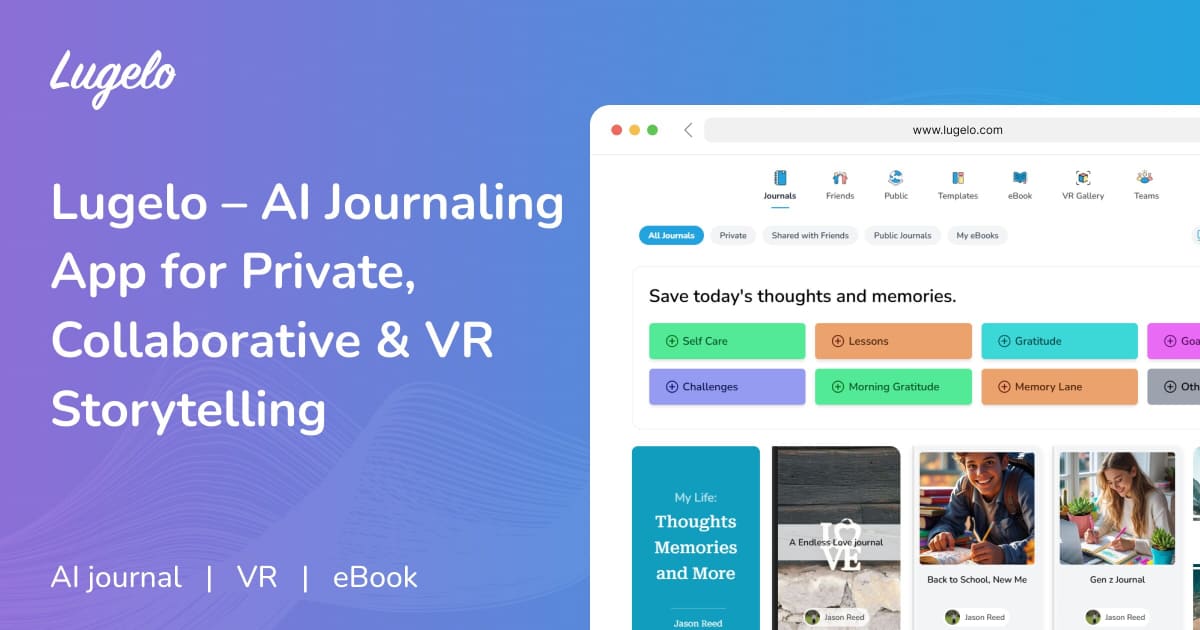
Lugelo is the AI-powered journaling app for private journals, collaborative storybooks & immersive VR memories. Free on iOS, Android & web. Start journaling today.

Paid content
Visit website
Profile views 7 Outbound visits 0 Normal
Lugelo Full homepage screenshot

At a glance

Category
Artificial Intelligence
Language
English
Paid-content signal
Paid contentObserved
Registered
2015
Hosting
Amazon CloudFrontInferred
HTTPS certificate trusted
PassedObserved
Last updated

Website review

This review may include AI-generated content and is not individually verified. Domain, certificate and other facts come from the observed data on this page.

What is Lugelo?

Lugelo is an AI-assisted journaling app for writing private diaries, building shared memory books with family or friends, and turning entries into eBooks or VR storybooks. It runs on iOS, Android and the web, and its core privacy claim is end-to-end encryption, so only you and the people you invite can read what you write.

What you can actually do with it

  • Keep a private journal. Write, add photos, video and voice notes, and choose from customisable templates. The page presents end-to-end encryption as the safeguard for your most personal entries.
  • Write with AI rather than instead of it. The AI prompts you when you're stuck, can expand a single sentence into a fuller memory, and is described as learning your tone over time — the stated aim is to keep your voice, not replace it.
  • Collaborate on a shared journal. Invite family, a partner or travelling companions to write, comment, react and add typed or audio notes, with role-based permissions deciding who can do what. The sample thread on the page — a mother, father and daughter adding notes to one entry — shows the intended feel: a group memory book rather than a single author's diary.
  • Turn entries into something lasting. Journals can be converted into eBooks, and memories can be experienced as immersive VR storybooks.

Who it suits, and the trade-offs

If you are… Lugelo fits if… Watch out for…
A private diarist You want prompts and multimedia entries in one place Encryption protects your words, but a shared journal is only as private as the people you invite
A family or couple You want one ongoing memory book with several contributors Role-based permissions need setting up deliberately; decide who can edit versus only comment
A traveller or friend group You collect photos, voice notes and reactions in one thread Shared writing can dilute individual reflection — keep a separate private journal too
Someone curious about VR or printed keepsakes You like the idea of replaying a moment or exporting an eBook Treat VR and eBook output as extras; the daily writing habit is what makes them worthwhile

The AI is the main dividing line. If you dislike machine-written text touching your diary, the prompting and expansion features will annoy you more than help; if blank-page paralysis is your usual reason for quitting, they're the point. Note that the page markets the app as free, with a separate pricing page for whatever paid tiers exist — check that page directly before committing to a long-term journal, since your entries and any collaborators live inside the account.

Next step: create one private entry and one small shared journal with a single trusted person, then decide after a week whether the AI prompts and collaboration features are earning their place in your routine. If you'd rather compare alternatives first, look at Day One for a more diary-first approach.

How does Lugelo ensure privacy for my journal entries?

Lugelo's core privacy claim is end-to-end encryption: according to the app's own description, only you and the people you explicitly choose can read what you write, on any device. The same page states that its private journals are encrypted this way and that you control who is included, which matters because the app also offers shared family journals — the encryption promise is about your private entries, while shared books are meant to be read by invited members.

Where it makes a practical difference

  • Private entries. If you write about something you would not want read aloud, the design intent is that not even Lugelo staff can read it. Treat this as the reason to keep sensitive reflections in a private journal rather than a shared one.
  • Shared journals. Invites use role-based permissions, so you can let relatives react and add notes without giving them access to everything else you have written. Keep separate journals for "only me" and "family" material rather than mixing them.
  • Multi-device access. Encryption is described as applying "anywhere, anytime," which is what lets you write on a phone and continue on the web. It also means your recovery habits matter: if access depends on your account credentials, a lost login can lock you out of your own writing.

How to decide if this is enough

End-to-end encryption protects entries in transit and at rest, but it does not protect against someone reading over your shoulder, using your unlocked phone, or guessing a weak password. If your threat model includes a person who already has your device, turn on your device passcode and biometric lock as well.

A concrete next step

Before writing anything you would regret leaking, open the app, create one private journal and one shared journal, and check who can see each. Then invite one trusted person to the shared book and confirm they cannot see the private one — that test tells you more than any feature list. Lugelo is available on iOS, Android and web, so you can run the same check across devices: Lugelo.

Can I collaborate on a journal with family or friends using Lugelo?

Yes. Lugelo is built for both private and shared writing, so you can invite family or friends into a journal and build a memory book together rather than passing one diary back and forth.

The collaboration features described on the site include:

  • Shared journals with role-based permissions — you decide who can write, comment or just view.
  • Live writing — multiple people can contribute to the same journal.
  • Comments, photos and voice notes — so relatives who prefer talking over typing can still add to the story.
  • Cross-device access — participants can join from iOS, Android or the web.

Lugelo positions this for families, couples, travelling friends and anyone collecting memories together. The private side stays separate: entries you keep to yourself are end-to-end encrypted and readable only by you and the people you explicitly choose.

A practical example: a sibling creates a "Family Memories" journal, invites three relatives with comment-only access, and each person adds a photo plus a short voice note about a shared trip. One person drafts the main entries; the others react and fill gaps.

How to decide: if you want one shared record with controlled access, collaboration fits. If you want to write candidly without anyone seeing it, keep that material in a private journal instead — mixing the two in one shared book defeats the point. Next step: check the pricing page at Lugelo if you need to confirm what the free tier allows for shared journals before inviting people.

How does Lugelo's AI assist with journaling?

Lugelo's AI is positioned as a writing companion rather than a ghostwriter: it prompts, expands, and enriches your entries while trying to preserve your own voice. Based on the page evidence, that breaks down into three concrete behaviours.

What the AI actually does

  • Prompts you when you're stuck. Instead of facing a blank page, you get suggestions meant to unlock what you want to say — useful if you journal sporadically and lose momentum at the start of an entry.
  • Expands a single sentence into a fuller memory. One tap turns a fragment like "the morning light came through the curtains differently" into a developed passage, which suits people who capture moments quickly on a phone and want to flesh them out later.
  • Learns your tone and style over time. The stated goal is that suggestions sound like you rather than generic journal prose. Treat this as an aspiration to test rather than a guarantee: the practical check is whether, after a few weeks, its expansions still feel like your sentences or like someone else's.

Where it fits in the wider app

AI drafting sits alongside private journals with end-to-end encryption, shared journals with role-based permissions, eBook conversion, and VR storybooks. So the realistic workflow is: AI helps you get words down, then the same entry can be exported as an eBook or revisited as an immersive memory. That combination is unusual — most journaling apps stop at text.

How to judge it for yourself

If you are… The AI matters most for… Watch out for…
A sporadic journaler Prompts that get you started Prompts that steer your entry in a direction you didn't intend
A fast phone note-taker Expanding short fragments later Expansions that pad rather than sharpen
Writing for family or a shared book Keeping entries readable for others Deciding what stays private before you share

A sensible next step: write one entry entirely by hand, then let the AI expand the same entry, and compare the two side by side. If the expanded version still sounds like you, the feature is earning its place; if it reads like a stranger, use the prompts only and skip the expansion. The page lists a free tier and points to a pricing page at Lugelo, so you can test this without committing.

Can I convert my Lugelo journal into an eBook or VR storybook?

Yes. Lugelo treats both formats as outputs of the same journal: you write entries as usual, then turn them into an eBook or an immersive VR storybook. The source page lists "Convert Your Journal Into an eBook" and "Transform your memories into immersive VR storybooks" as core features, alongside private journals, shared family journals, and AI-assisted writing.

What each format is good for

  • eBook — a readable, portable keepsake. Best when you want something you can hand to a relative, print, or keep as a finished record of a period (a trip, a pregnancy, a year of grief). It suits the reader who wants the story in order, without needing an app or headset.
  • VR storybook — the "walk back into the moment" experience. Best for memory-rich entries with photos, video, and voice notes attached, where atmosphere matters more than chronology. It suits a family gathering or an anniversary rather than solo bedtime reading.

How to decide

If your goal is… Start with
A gift, archive, or something older relatives can open eBook
Revisiting a specific day or place with others VR storybook
A private entry you never intend to share Neither — keep it as a journal

The practical path: write and enrich entries first (text, photos, voice notes), then export. The richer the source entry, the more there is to work with in either format — a text-only entry converts cleanly to an eBook but gives a VR scene little to build on.

One thing to confirm before you commit, since it affects both formats: whether a shared journal's other contributors' entries and permissions carry into the export, and whether eBooks can be exported as files you own. Check the details at Lugelo before you plan a family project around it.

Is Lugelo free to use, and what are the pricing options?

Lugelo presents itself as free to use, with a paid tier available. The site states "Free Always & Forever" alongside "Get Lugelo, free," and notes availability on iOS, Android and web. It also links to a dedicated pricing page at Lugelo Pricing, which is where the actual paid options live.

What the free tier appears to cover

Based on the page's own claims, the free offering is not a stripped-down trial:

  • Private journals with end-to-end encryption
  • Customisable templates
  • AI journaling prompts and expansion
  • Shared journals with family and friends, including comments, photos and voice notes
  • eBook conversion from journals

The site's marketing leans heavily on "free" as a permanent state rather than a time-limited trial, which matters if you are choosing between this and apps that lock core writing features behind a subscription.

What to check on the pricing page

The homepage does not list what the paid tier costs or what it adds. The most likely candidates, given the feature set, are the VR storybook experience and possibly higher limits on storage, collaborators or AI usage. Verify three things before committing:

  1. Whether VR memory playback requires payment
  2. Any caps on journal entries, media uploads or collaborators in the free plan
  3. Whether the AI features have a monthly usage ceiling

Who this suits

If your priority is a private diary with encryption and you want AI assistance without paying, this is worth testing first. If you are building shared family memory books, the free tier's collaboration features are the deciding factor — confirm the collaborator limit before inviting a large group. If VR storytelling is the main draw, check the pricing page first, since that is the feature most likely to sit behind a paywall.

A practical next step: create a free account, write one entry with an attachment, invite one family member, and try the eBook export. That single loop tells you whether the free tier covers your actual use before you consider paying.

Related questions

More questions →
How to Capture Moments in a Journal (With Photos, Voice Notes & Video)

Capture a moment by writing one sentence or a few keywords first, then attach the photo, voice note, or video that belongs to it, and tag the date and place. That order matters: the written fragment takes seconds, so you don't lose the moment while you're still deciding how to describe it. Lugelo is built around this flow — it's an AI journaling app for private journals, collaborative storybooks, and VR memories, free on iOS, Android, and web, with end-to-end encryption so only you and the people you invite can read what you write.

Start with the smallest possible entry

The most common reason moments go unrecorded is the belief that an entry has to be complete. It doesn't. A usable moment capture can be:

  • One line: "Dad's last laugh, kitchen, Sunday."
  • A few keywords: "sunset, Lamu, the hat."
  • A single photo with no caption at all.

You can expand it later. Lugelo's AI is designed for exactly this: it offers prompts that help you unlock what you want to say, and can expand a sentence into a full memory with one tap. The AI learns your tone and style over time, so the expansion sounds like you rather than like a template. The point is that the raw capture happens in the moment, and the writing happens when you have room for it.

Attach the media that makes the moment retrievable

A sentence tells you what happened. A photo, voice note, or video tells you what it felt like. Lugelo entries support photos, video, and voice notes alongside text — in the sample journal shown on the site, a single entry holds three photos, one video, and two voice notes, with file details like "Sunset, Lamu · Photo · 4.2 MB" and "Dad's last laugh · Video · 0:48."

A practical division of labor:

Media Best for Watch out for
Photo Places, people, objects, the visual detail you'd otherwise forget Large files add up; a few per moment is usually enough
Voice note Tone of voice, laughter, a story told out loud, how someone sounded Record in a quiet moment if the audio matters
Video Movement, a short scene, an event you want to re-enter Keep clips short so they stay easy to review

Voice notes are the most underused option. If a family member tells a story at dinner, a 40-second recording preserves more than a paragraph of paraphrase ever will.

Label the moment so future-you can find it

A moment without context becomes an orphan. When you save an entry, add:

  • Date — automatic in most journaling apps, but confirm it if you're backfilling.
  • Place — even a city name is enough; "Lamu" locates a memory faster than any description.
  • One line of background — who was there, why it mattered, what happened just before.

This is what turns a folder of photos into something you can actually revisit. The sample entry on Lugelo's site does this naturally: a comment from "Mom" reads "Found this from our trip to the coast in 03. You wore that hat for a week straight" — the date and place are what let the family reconstruct the trip years later.

Build a capture habit that survives busy weeks

Moment capture fails when it depends on motivation. Anchor it instead:

  1. Pick a fixed trigger. End of day, the commute home, or right after an event ends.
  2. Set a reminder in the app or your phone for that time.
  3. Lower the bar on busy days. One sentence and one photo still counts.
  4. Do a weekly pass. Open the week's entries and expand the fragments that deserve more.

The weekly pass is where the AI expansion earns its place — you're not generating memories, you're filling in ones you already saved.

Turn scattered moments into something you can revisit and share

Individual entries are the raw material. To make them useful:

  • Group by thread. A trip, a person, a season, or a year.
  • Choose the audience. Lugelo separates private journals from shared ones: private entries are end-to-end encrypted and readable only by you, while shared journals use role-based permissions so family and friends can write, react, and add typed or audio notes on any device.
  • Export when a collection is complete. Lugelo can convert a journal into an eBook, which is the natural endpoint for a trip log or a family memory book.
  • Re-enter the moment if you want to. Lugelo also turns memories into immersive VR storybooks, which is a different way of revisiting the same material.

If your goal is a private record, keep the entries in a private journal and stop there. If your goal is a shared family memory, invite the relevant people early — collaborative entries work best when reactions and additions happen close to the event, not months later.

Common sticking points

"I don't know what to write." Write the least interesting true sentence: where you were, who was there. The AI prompt can take it from there.

"I took the photo but never wrote anything." Attach the photo to a dated entry with a place tag and one line. A captioned photo is a captured moment; an uncaptioned one is just a file.

"I want to record something private in a shared journal." Keep it in a private journal instead. Shared journals are for what you want others to see, and permissions control who can read and contribute.

"I'm worried about who can see this." Lugelo states that private journals use end-to-end encryption, so only you — and the people you choose — can read what you write. Check the privacy model of whichever tool you use before you put anything sensitive in it.

The habit itself is simple: capture in seconds, enrich when you have time, label so you can find it, and decide early whether the moment is yours alone or one you want to share.

How to Create a Private Journal That Only You Can Read

To create a private journal that only you can read, use a journaling tool with end-to-end encryption and keep each entry in a private (not shared) journal. On Lugelo, private journals are end-to-end encrypted, and the app states that only you — and people you explicitly choose — can read what you write. This guide covers choosing the tool, setting up the journal, writing the first entry, and checking that your content stays private across devices.

1. Confirm the tool actually encrypts your entries

Before you write anything sensitive, verify the privacy model, not just the marketing label.

  • Look for "end-to-end encryption" (E2EE). Lugelo states it uses end-to-end encryption for private journals. E2EE means the content is encrypted on your device and only decrypted for you (or people you grant access), rather than being readable by the service at will.
  • Check who can read by default. On Lugelo, private journals are described as readable by you alone; sharing is a separate, deliberate action.
  • Check platform availability. Lugelo is available on iOS, Android, and web, so you can write on your phone and continue on a computer.

If a tool only says "private" or "secure" without describing encryption, treat that as unverified for sensitive content.

2. Create the journal and keep it private

  1. Install or open Lugelo on iOS, Android, or the web and create your account.
  2. Create a new journal and leave it unshared. Shared journals on Lugelo use role-based permissions and are meant for family, couples, or friends — keep those separate from your private journal.
  3. If the app offers templates, pick one for your private journal. Lugelo provides customizable templates, which set the visual format without changing who can read it.
  4. Name the journal something neutral if you're concerned about someone glancing at your device.

The key distinction: a private journal and a shared journal are different objects. Don't add collaborators to the journal you intend to keep to yourself.

3. Write your first entry

You don't need to start with a polished piece of writing.

  • Use a prompt if you're stuck. Lugelo's AI offers prompts and can expand a sentence into a fuller memory; the app says the AI is designed to write with you rather than replace your voice.
  • Add attachments. Entries can include photos, video, and voice notes — for example, a photo from a trip, a short video, or a voice note to yourself.
  • Write in your own tone. Lugelo states the AI learns your tone and style over time, so early entries don't need to match any particular format.

Example first entry: a single sentence about your day, one photo, and a 30-second voice note. That's enough to establish the habit and test how attachments behave.

4. Verify privacy and access across devices

After your first entry, confirm the setup behaves the way you expect.

Check What to do Expected result
Journal is private Open the journal's sharing/permissions settings No collaborators listed; only you have access
Encryption is active Look for the encryption indicator shown in the app Entry displays as end-to-end encrypted
Sync works Open the same account on a second device Entry appears, readable only after you authenticate
Sharing is deliberate Try the invite flow without completing it You're asked to choose people and roles before anything is shared

If an entry appears readable without authentication, or a journal shows collaborators you didn't add, stop and review the settings before writing more.

5. Common problems and what to do

  • You forgot your password. With end-to-end encryption, the provider typically cannot read your content or reset access on your behalf. Check the app's account-recovery options before you need them, and store your credentials somewhere safe.
  • You accidentally shared a private entry. Remove the collaborator from that journal and confirm the change in the permissions list. On Lugelo, sharing is role-based, so check each person's role rather than assuming removal worked.
  • You're unsure whether encryption is on. Compare the journal's settings against the app's stated encryption behavior. If you can't confirm it, move sensitive writing to a journal where the encryption status is visible.
  • You want to turn a journal into something shareable later. Lugelo can convert a journal into an eBook, which is a separate output from the private journal itself — so you can keep writing privately and decide later what to export.

Quick decision guide

  • Writing only for yourself: create an unshared journal, confirm E2EE, and skip collaborator invites entirely.
  • Writing for yourself now, sharing later: keep the private journal separate and create a shared journal when you're ready, rather than adding people to the private one.
  • Writing with family or a partner: use a shared journal with role-based permissions, and keep your most private thoughts in a separate unshared journal.

Lugelo is free to start on iOS, Android, and web; check the pricing page for any paid tiers before relying on a specific feature long-term.

What Is AI Journaling and How Does It Help You Write?

AI journaling is journaling where an AI acts as a writing partner rather than a ghostwriter: it prompts you when you're stuck, expands a sentence into a fuller memory on request, and gradually adapts to your tone. It suits people who want to keep a reflective diary but stall at the blank page, and it works alongside privacy features — on Lugelo, for example, journals are described as end-to-end encrypted, so the AI assists your writing without making your entries public.

How AI journaling actually works

The mechanism is a loop of three moves, and you stay in control of all of them:

  1. Prompt — the AI offers a question or starting line to unlock what you were trying to say.
  2. Expand — you write one sentence; with one tap the AI turns it into a full memory you can then edit.
  3. Adapt — over time the AI learns your tone and style, so suggestions sound more like you and less like generic filler.

The key distinction from AI writing tools: the AI writes with you, not instead of you. Lugelo frames it as "AI-powered journaling that writes With you" and explicitly says it enriches your writing "without replacing your voice." If you want an app to produce diary entries for you, that's a different category of tool.

A concrete example

You write: "I watched the world slow down for a moment."

The AI might continue: "The morning light came through the curtains differently today — softer, almost apologetic. I had been dreading…"

You then keep, cut, or rewrite that. The output is a draft in your entry, not a finished entry.

What makes it different from a plain journaling app

Dimension Plain journaling app AI journaling (e.g. Lugelo)
Starting a blank entry You face the empty page alone Prompted with a question or opening line
A one-line thought Stays one line Can be expanded into a full memory in one tap
Style matching N/A AI learns your tone over time
Your voice Entirely yours Still yours — AI suggests, you decide

The practical difference shows up on low-motivation days. With a plain app, a stalled entry often just doesn't get written. With AI prompting, the barrier to starting is lower, which is the main reason people stick with it.

Privacy: can AI assistance and a private diary coexist?

Yes, and this is the question worth checking before you commit to any app. On Lugelo, the privacy claims are specific:

  • End-to-end encryption — described as covering your entries, so only you and the people you choose can read what you write.
  • Only you can read your most private thoughts — stated as the default for private journals.
  • Role-based permissions on shared journals — when you invite family or friends, you control what each person can do (write, react, add typed or audio notes).

Two things to verify for yourself rather than assume: whether AI processing happens on-device or on a server, and what the encryption covers exactly. The source material states end-to-end encryption and private-by-default journals but does not detail the AI processing path, so treat that as an open question to check in the app's documentation.

Where AI journaling fits: common use cases

  • Personal reflection — working through something you can't say out loud, with prompts that get you past the first sentence.
  • Shared memory books — family, couples, or travelling friends writing into one journal with comments, photos, and voice notes. Lugelo's example shows a mother, father, and child all adding to the same entry.
  • Turning entries into something else — Lugelo supports converting a journal into an eBook and transforming memories into VR storybooks, so a year of entries can become a keepsake rather than an abandoned folder.

Is it right for you?

Choose AI journaling if you want guided reflection and tend to stall without a prompt, and if the app's privacy model matches what you're writing about. Choose a plain journaling app if you'd rather not have any AI touch your text, or if you only write when inspiration strikes and don't need help starting.

Lugelo is available on iOS, Android, and web, and its site lists a pricing page — check there for current plan details rather than assuming what's free.

How to Turn Journal Entries Into an eBook

You can turn journal entries into an eBook if your journaling app supports exporting entries as a book — Lugelo lists "Convert Your Journal Into an eBook" as a feature, alongside customizable templates and multimedia entries. The general workflow is: pick the entries and date range, choose a template, add a title/cover/chapters and any photos or voice notes, then export and set who can read it. If your app has no export-to-book feature, you can still assemble an eBook manually from exported text and media, but you lose the one-tap formatting.

What you need before you start

  • A journaling app with an eBook or export feature. Lugelo's page lists eBook conversion as a capability; check your own app's export options if you use something else.
  • Entries you actually want in the book. Decide whether the eBook covers everything, one theme, or one time period.
  • Media files (photos, voice notes) if you want them included — Lugelo entries support photos, video, and voice notes.
  • A privacy decision up front: private book for yourself, or a shared version for family and friends.

Step-by-step: from entries to eBook

1. Confirm your app can export to an eBook format

Look for an "export," "convert to eBook," or "create book" option in your journaling app. Lugelo's feature list includes converting a journal into an eBook and fully customizable templates, which is what makes the formatting automatic. If your app only exports plain text or PDF pages, treat that as a manual route (see the fallback below).

2. Select the entries, date range, and template

Choose which entries go in. A date range works well for a year-in-review or a trip; a tag or theme works better for a topic book. Then pick a template — Lugelo offers customizable templates, so the same entries can look like a clean memoir or a photo-heavy memory book.

3. Add the book structure

Give the eBook a title and cover, then group entries into chapters. Natural groupings:

  • By year or season
  • By person (a book for one family member)
  • By event (a trip, a move, a milestone)

4. Include multimedia

If your entries contain photos, video, or voice notes, decide which to keep. Lugelo entries can hold photos, video, and audio, so an eBook built from them can carry that media rather than just text. Trim aggressively — a few strong images per chapter read better than every photo.

5. Set privacy and sharing before you export

This is the step people skip. Decide whether the eBook is:

  • Private — only you can read it. Lugelo uses end-to-end encryption for journals, so keep the private version inside that boundary.
  • Shared — a family or collaborative version. Lugelo supports shared journals with role-based permissions, so you can control who writes, reacts, or just reads.

If you want both, export two versions rather than sharing your private one.

6. Export, then proof it

Open the exported file and check:

  • Chapter order and page breaks
  • Image resolution and orientation
  • Whether voice notes or video survived the export (some formats drop them)
  • Readability of fonts against the template background

Fix and re-export if anything is off. This check takes a few minutes and saves a bad print or share.

Private eBook vs. shared family eBook

Dimension Private eBook Shared family eBook
Who can read Only you Invited people, with role-based permissions
Best for Personal reflection, sensitive entries Family memory books, couples, travel groups
Content choice Anything you wrote Entries others would want to read
Editing You alone Others can write, react, add typed or audio notes
Risk to manage Accidental sharing Over-sharing private entries into the shared version

Choose private if the entries are the ones "you can't say out loud." Choose shared if the goal is a memory book others contribute to — and build it from a separate selection, not your full journal.

If your app has no eBook export

Fallback path: export entries as text or PDF, then assemble them in a document or book-layout tool, adding cover, chapters, and images manually. You keep control of the design but lose automatic formatting and any built-in privacy controls — so handle sharing permissions yourself.

Common snags

  • Media loss on export. Video and audio are the first things dropped. Verify they appear in the exported file.
  • Private entries leaking into a shared book. Select entries for the shared version deliberately instead of exporting everything.
  • Template mismatch. A photo-heavy template with text-only entries looks empty; a text template with many images looks cramped.
  • Assuming export equals free. Lugelo's page states the app is free, and a pricing page exists — check it for any limits on export or eBook features before relying on them.
What Is an Online Personal Diary and How Do You Start One?

An online personal diary is a journal you write in a browser or app instead of on paper, so your entries sync across devices and can include photos, voice notes, and video. It's worth choosing one over a paper notebook or a plain notes app when you want richer entries, access from any device, and — most importantly — a clear privacy model. Lugelo, for example, is an AI journaling app that runs on iOS, Android, and web and states that private journals are end-to-end encrypted, so only you and the people you choose can read them. Before you commit to any platform, the deciding factor is usually not features but whether you trust how it handles your most private writing.

How an online diary differs from paper and notes apps

Paper diary Local notes app Online personal diary
Access One physical copy Usually one device Any device you sign in from
Media Glued-in photos at best Photos, sometimes audio Photos, video, voice notes in one entry
Sharing Hand it over Export and send Invite specific people with set permissions
Backup Physical loss risk Depends on device backup Tied to the platform's sync and export
Privacy model Whoever finds it Device lock and app lock Depends on encryption and account security

The trade-off is real: an online diary gains convenience and media, but you're trusting a company with the contents. That's why the next section matters more than any feature list.

What end-to-end encryption actually means for a diary

End-to-end encryption (E2EE) means your entry is scrambled on your device and only unscrambled on a device that holds the right key. In practice, the service in the middle stores text it can't read. Lugelo describes its private journals as end-to-end encrypted and says "only you can read your most private thoughts."

That's a meaningful claim, but it's a claim about a specific product — not a guarantee that every app using the words "private" or "secure" works the same way. When you evaluate a diary platform, check:

  • Does it say "end-to-end encrypted," or just "encrypted"? Plain "encrypted" often means the company can read your entries.
  • Can you export your entries? If you can leave with your data, you're less locked in.
  • What happens to shared journals? E2EE and collaboration pull in opposite directions — ask who holds the keys for a journal multiple people write in.
  • What's the account recovery path? Strong encryption sometimes means a lost key means lost entries.

If a platform can't answer these plainly, treat your diary as semi-private and write accordingly.

Features worth having, and what they change about your habit

  • Photos, voice notes, and video — a written entry plus a 40-second voice memo captures a moment far better than text alone. Lugelo's own example entry mixes text with three photos, a video, and two audio notes.
  • AI prompts and expansion — useful when you stall. Lugelo's AI "gently prompts, expands, and enriches" and can turn one sentence into a fuller memory, while claiming it learns your tone over time. Treat AI output as a draft you edit, not as your voice.
  • Templates — reduce the blank-page problem and keep entries consistent.
  • Collaboration with permissions — shared journals where family or friends can write, react, and add typed or audio notes. Lugelo describes role-based permissions for this.
  • eBook export — turns a run of entries into something you can read or give away.
  • Cross-device sync — the reason to go online in the first place.

How to start your first entry

  1. Pick a platform and check the privacy terms first. Read the encryption and export sections before you write anything you'd mind losing or exposing.
  2. Create your account and confirm sync works. Write a test entry on one device and open it on another.
  3. Set a realistic entry length. Two or three sentences is a complete entry. The habit matters more than the word count.
  4. Add one piece of media. A photo or a short voice note makes the entry easier to return to later.
  5. Write your first real entry now, not later. Describe where you are, what happened today, and one thing you don't want to forget.
  6. Decide on sharing before you invite anyone. For a shared journal, agree on who can write versus who can only read.
  7. Export a backup periodically if the platform allows it.

Common sticking points

  • Assuming "free" means unlimited. Lugelo's site says "Free Always & Forever," but the pricing page is the place to confirm what any tier actually includes before you rely on it.
  • Writing for an audience. A private diary stops being useful the moment you edit it for someone who might read it. Keep at least one journal that's only yours.
  • Letting AI write instead of prompt. Use it to get unstuck, then rewrite in your own words.
  • Skipping the export question. If you can't get your entries out, you don't fully own them.

Start with one private journal, one entry, and one photo. The format is easy; the privacy decision is the part worth taking seriously.

Website Overview

An established domain and managed infrastructure suggest continuity of operations and may support dependable delivery, although neither guarantees service quality. Several search or sharing settings need attention. Together they may make snippets, preview images or preferred URLs less consistent across platforms.

Domain and Registration

Registered in 2015, this domain has about 11 years of history. That suggests continuity, although ownership and purpose may have changed. Transfer-protection status is present, helping reduce the risk of unauthorized domain transfers. The domain uses the common .com extension, which is not an independent safety signal.

DNS and Email

The lowest TTL is 60 seconds, supporting rapid record changes at the cost of more frequent lookups. Nameservers are provided by Amazon Route 53, indicating managed DNS hosting. DNS and provider evidence indicate traffic passes through the Amazon CloudFront CDN, which may support caching and traffic distribution. MX records point to the Microsoft 365 email service. DNSSEC is enabled, allowing validating resolvers to authenticate signed DNS data.

TLS and Certificates

The certificate uses an RSA 2048-bit public key, offering broad client compatibility. The server supplied a complete certificate chain. No organization name is present in the certificate; the available fields are consistent with domain validation. The certificate was issued within the Amazon cloud or CDN ecosystem. The certificate is valid for about 197 days in total, with 172 days remaining.

HTTP and Browser Security

The response lacks these common security headers: HSTS, CSP, Referrer-Policy, Permissions-Policy, clickjacking protection. No X-Powered-By header was found, reducing one common source of backend fingerprinting information. The x-cache, via response header indicates a CDN or caching proxy in the delivery path. No obvious internal addresses or debug information were found in the headers. The Server header contains the custom value AmazonS3.

Technology Stack Analysis

The public page identifies Next.js, Tailwind CSS, Amazon CloudFront without precise versions, leaving fewer clues for version-specific scanning.

Search and Social Sharing

The title has 71 characters and may be truncated in search results. The meta description has 163 characters and may be shortened in search results. Twitter Card metadata is configured. JSON-LD includes Product or Offer data, potentially supporting eligible product search features. The observed directives allow indexing and link following.

Hosting and Email

DNSAmazon Route 53
HostingAmazon CloudFront
EmailMicrosoft 365
Approximate IP geolocation (inferred; a CDN or proxy may differ from the origin server) United States flagUnited States Inferred 3.171.85.78

Registration details

RDAP / WHOIS

RegistrarAmazon Registrar, Inc.
Registered2015-03-16
Expires2027-03-16
Domain statusclient transfer prohibited
Nameserversns-1224.awsdns-25.org、ns-1976.awsdns-55.co.uk、ns-383.awsdns-47.com、ns-922.awsdns-51.net
DNSSECsigned

DNS records

DNS

TypeNameValueTTLPriority
Ad3rfircfopwadu.cloudfront.net3.171.85.7860—
Ad3rfircfopwadu.cloudfront.net3.171.85.960—
Ad3rfircfopwadu.cloudfront.net3.171.85.9260—
Ad3rfircfopwadu.cloudfront.net3.171.85.9560—
AAAAd3rfircfopwadu.cloudfront.net2600:9000:28a9:1600:6:71c1:6480:93a160—
AAAAd3rfircfopwadu.cloudfront.net2600:9000:28a9:4000:6:71c1:6480:93a160—
AAAAd3rfircfopwadu.cloudfront.net2600:9000:28a9:5a00:6:71c1:6480:93a160—
AAAAd3rfircfopwadu.cloudfront.net2600:9000:28a9:8a00:6:71c1:6480:93a160—
AAAAd3rfircfopwadu.cloudfront.net2600:9000:28a9:a200:6:71c1:6480:93a160—
AAAAd3rfircfopwadu.cloudfront.net2600:9000:28a9:bc00:6:71c1:6480:93a160—
AAAAd3rfircfopwadu.cloudfront.net2600:9000:28a9:c400:6:71c1:6480:93a160—
AAAAd3rfircfopwadu.cloudfront.net2600:9000:28a9:e400:6:71c1:6480:93a160—
MXlugelo.comlugelo-com.mail.protection.outlook.com3000
NSlugelo.comns-1224.awsdns-25.org172800—
NSlugelo.comns-1976.awsdns-55.co.uk172800—
NSlugelo.comns-383.awsdns-47.com172800—
NSlugelo.comns-922.awsdns-51.net172800—
TXTlugelo.comfacebook-domain-verification=pk4xy4rj77bur5ofj2q7jetg0cr3yp7200—
TXTlugelo.comgoogle-site-verification=FuGf0K2_Jf9gWVRxuq9YVuCkcHt6jkWv2H6o9HH55o47200—
TXTlugelo.comgoogle-site-verification=zKJCyt7aQcH-65lcwopW95yiGN8KfLdNN0xGREaSCSM7200—
TXTlugelo.comv=DMARC1;p=reject;sp=none;pct=100;rua=mailto:[email protected];ruf=mailto:[email protected];ri=86400;fo=0:1:d:s7200—
TXTlugelo.comv=spf1 include:spf.protection.outlook.com -all7200—
CNAMEwww.lugelo.comd3rfircfopwadu.cloudfront.net7200—
DSlugelo.com31464 13 2 26a88081bd7bd0690feb4ac644346becd4868f43b0a777cb841bfc7ab27c971a86400—
DMARC_dmarc.lugelo.comv=DMARC1; p=none;rua=mailto:[email protected]7200—

TLS and certificates

TLS / SSL

AssessmentNormal configuration
Supported protocolsTLSv1.2、TLSv1.3
Negotiated protocolTLSv1.3
Certificate subjectlugelo.com
IssuerAmazon
Valid until2027-03-22T23:59 · Remaining when checked: 172 days
Verification detailsCertificate trust: Passed · Hostname match: Passed

HTTP response headers

HTTP

HeaderValue
content-typetext/html
cache-controlpublic, max-age=0, s-maxage=2678400, must-revalidate
serverAmazonS3
x-content-type-optionsnosniff

Identified technologies

Next.jsTailwind CSSAmazon CloudFront

Pages, Search and Sharing

Meta descriptionLugelo is the AI-powered journaling app for private journals, collaborative storybooks & immersive VR memories. Free on iOS, Android & web. Start journaling today.
Canonical URLhttps://www.lugelo.com/
LanguageEnglish (default)
Twitter Cardsummary_large_image
All bots 1 allowed · 0 disallowed
  • Allow/

User reviews (0)

  • No reviews yet.