
 简体中文
简体中文 English
pdfbolt.com
Secure, scalable PDF generation API for HTML, URLs, and AI-powered templates. Official Node.js, Python, and PHP SDKs, REST examples, 99.9% uptime, GDPR compliant.
More topics (16)
At a glance
- Category
- PDF Tools
- Language
- English
- Paid-content signal
- Paid contentObserved
- Registered
- 2022
- Hosting
- CloudflareInferred
- HTTPS certificate trusted
- PassedObserved
- Last updated
Related questions
More questions →How Do Enterprise Teams Adopt Specialist AI Agents Without Disrupting Existing Workflows?
Enterprise teams can adopt specialist AI agents without disruption by starting with one narrow, high-volume workflow, running it as a bounded pilot with human review, measuring against a baseline, and only then expanding. The key is to treat agents as new team members with defined scopes rather than as a replacement for existing tools or a sweeping platform migration. This article explains what specialist agents are, where they fit across common team functions, and a phased approach you can follow.
What Makes an Agent "Specialist" Rather Than General-Purpose
A general-purpose assistant responds to open-ended prompts across many topics. A specialist agent is scoped to one job: it has a defined goal, a limited set of tools and data sources, and a clear definition of "done."
That scoping matters for enterprise teams for three practical reasons:
- Predictability. A narrow agent produces more consistent outputs, which makes it easier to review and trust.
- Permission control. You can grant access only to the systems that specific task needs, rather than broad data access.
- Measurable value. When an agent owns one workflow, you can compare its output against a manual baseline.
A useful rule of thumb: if you cannot describe the agent's job in one sentence with a clear input and output, it is still too broad to deploy safely.
Mapping Team Functions to Agent Use Cases
Most enterprise teams have a handful of repetitive, rules-plus-judgment tasks that are good first candidates. The table below shows typical starting points.
| Team | Candidate agent task | Why it fits |
|---|---|---|
| Sales | Research and enrich inbound leads before handoff | High volume, structured output, easy to verify |
| Customer success | Draft responses to common account questions | Repetitive, benefits from consistency |
| Marketing | Repurpose long-form content into channel variants | Clear brief, reviewable drafts |
| HR | Screen and summarize applications against criteria | High volume, needs audit trail |
| Operations | Triage and route incoming requests | Rule-based with clear routing logic |
Notice that none of these replace a person's judgment. They compress the repetitive portion so the human spends time on exceptions and decisions.
A Phased Adoption Approach: Pilot, Measure, Expand
Phase 1: Pick one workflow and define success
Choose a task that is high-volume, low-risk, and currently a bottleneck. Write down:
- The current process, step by step
- The baseline metric (time per task, volume per week, error rate)
- What "good output" looks like, with two or three examples
- Who reviews the agent's work
Phase 2: Run a bounded pilot
Keep the agent inside the existing workflow rather than beside it. For example, the agent drafts; the human sends. Set a review gate so nothing leaves the team unreviewed. Run for a fixed period, such as four to six weeks, with a small group.
Phase 3: Measure against the baseline
Compare the same metrics you recorded in Phase 1. Look for time saved, consistency gained, and — importantly — where the agent failed. Failures tell you whether the scope was right.
Phase 4: Expand deliberately
Only widen scope after the pilot shows a clear, repeatable gain. Expand in one of two directions: more volume of the same task, or an adjacent task with the same data and review pattern. Avoid expanding into a new function and a new data source at the same time.
Handling Workflow Integration Concerns
Data access
Give each agent the minimum access its task requires. Prefer read access plus a single write action over broad permissions. Document which systems it touches so security and IT can review.
Handoffs
Define exactly where the agent stops and a human begins. A simple handoff rule works well: the agent completes the task and flags anything outside its defined scope for a person. Ambiguous handoffs are the most common source of friction.
Human oversight
Decide the review level up front:
- Full review for anything customer-facing or high-stakes
- Spot check for internal, low-risk outputs
- Exception-only review once the agent has a track record
Start stricter than you think you need, then relax as evidence accumulates.
How Roles and Responsibilities Shift
Adopting agents rarely removes roles; it redistributes effort. Expect these shifts:
- Reviewers become editors. People spend less time producing first drafts and more time improving and approving them.
- Process owners become agent owners. Someone needs to maintain the agent's instructions, examples, and scope as the business changes.
- New quality checks appear. Teams need a lightweight way to catch drift — for example, a weekly sample review.
Be explicit about who owns the agent after launch. An unowned agent degrades quietly.
Practical Criteria for Choosing Where to Start
Score candidate workflows against these questions:
- Volume: Does it happen often enough to matter?
- Risk: What is the cost of a wrong output, and can a human catch it?
- Structure: Is the input and output reasonably consistent?
- Baseline: Can you measure the current state today?
- Ownership: Is there a person who will own the agent after launch?
A workflow that scores well on all five is a strong first pilot. A high-volume task with no clear owner is a poor start, no matter how repetitive it is.
A Simple Pilot Template
You can copy this structure to scope your first agent:
- Task: [one sentence]
- Current baseline: [time/volume/error rate]
- Agent scope: [what it does, what it does not do]
- Data access: [systems, read/write]
- Handoff rule: [when it escalates to a human]
- Review level: [full / spot / exception]
- Owner: [name]
- Pilot length: [weeks]
- Success metric: [target]
Bottom Line
Disruption comes from adopting too much at once, not from agents themselves. Start with one scoped task, keep humans in the loop, measure against a real baseline, and expand only when the evidence supports it. Platforms built around specialist agents — such as Relevance AI, which offers agents for sales, customer success, marketing, and HR — are designed for exactly this kind of task-by-task rollout, so you can add capability without rebuilding your team's existing processes.
What Is OpenAPI-Generated API Documentation and How Does It Work?
OpenAPI-generated API documentation is reference documentation that is produced automatically from an OpenAPI description file rather than written by hand. You write (or generate) a machine-readable specification of your API — endpoints, parameters, request bodies, responses, schemas, and auth — and a documentation tool reads that file and renders a browsable, often interactive reference site. The spec becomes the single source of truth; the docs become a build artifact.
This differs from manually written docs in one fundamental way: with hand-written docs, the prose is the source of truth and the API is described separately. With spec-driven docs, the API description is the source, and every page, table, and code sample is derived from it.
How the workflow actually runs
A typical spec-driven documentation pipeline has five stages:
- Author or generate the spec. You either write an OpenAPI document by hand (YAML or JSON), or generate it from code annotations, framework metadata, or a design-first editor. Design-first means the spec is written before implementation; code-first means it is extracted from existing code.
- Validate and lint. The spec is checked against the OpenAPI schema and against style rules — consistent naming, required descriptions, no undocumented
4xxresponses, no orphaned schemas. - Bundle and transform. Multi-file specs are combined,
$refpointers are resolved, and the document is optionally split into per-tag or per-version outputs. - Render. A documentation tool converts the spec into HTML: an endpoint list, a sidebar of operations, parameter tables, response schemas, and a "try it" console.
- Publish and version. The rendered site is deployed, and each API version gets its own snapshot so consumers can read docs matching the version they call.
Steps 2 through 5 are usually automated in CI. If the spec fails validation, the docs build fails — which is the point.
Spec-driven vs. hand-written documentation
| Dimension | OpenAPI-generated | Hand-written |
|---|---|---|
| Source of truth | The spec file | The prose |
| Consistency with the API | High, if the spec is accurate | Drifts as the API changes |
| Effort per endpoint | Low after setup | Repeated for every endpoint |
| Narrative and tutorials | Weak; needs separate pages | Strong |
| Code samples | Generated per language from schemas | Written and maintained manually |
| Customization | Bounded by the tool's templates | Unlimited |
| Failure mode | Accurate spec, poor docs, or stale spec | Beautiful docs that describe an API that no longer exists |
The practical conclusion most teams reach: generate the reference, write the guides. Reference material is repetitive and mechanical, which is exactly what generation is good at. Conceptual explanations, migration notes, and tutorials carry judgment that a spec cannot express.
What you get out of the box
Generated reference pages commonly include:
- An operation list grouped by tag or path, with HTTP method and path.
- Parameter tables showing name, location (path, query, header, cookie), type, required flag, and description.
- Request and response schemas rendered as expandable trees, including nested objects and arrays.
- Authentication details pulled from the
securitySchemessection. - Interactive request consoles that let a reader send a real call from the browser.
- Generated code samples in several languages, derived from the same schemas.
- Multiple output formats, such as a static site, a single HTML file, or a mock server.
Because all of these come from one document, changing a field name in the spec updates the parameter table, the schema tree, and every code sample at once.
Where spec-driven documentation breaks down
Generation is not free. The trade-offs are real:
Spec quality becomes documentation quality. A field with no description produces a table row with an empty cell. A vague summary produces a vague heading. Tools can enforce presence of descriptions via linting, but they cannot enforce that the description is useful.
Customization has limits. If you need a page that does not map to an OpenAPI concept — a conceptual overview, a pricing explanation, a comparison of two endpoints — you write it outside the generator and link to it.
Not everything is expressible. Webhooks, streaming responses, long-polling behavior, and complex multi-step flows are awkward or impossible to describe fully in OpenAPI. Those need prose.
The spec can go stale. If the spec is maintained separately from the implementation, it drifts just like hand-written docs. The mitigation is to generate the spec from code, or to test the implementation against the spec in CI.
Interactive consoles need care. A "try it" button that hits a production API with real credentials is a security and rate-limit problem. Point it at a sandbox, or disable it.
Deciding whether to adopt it
Adopt spec-driven reference documentation if most of these are true:
- Your API has more than a handful of endpoints, or changes frequently.
- You ship client SDKs or code samples in more than one language.
- Multiple teams consume the API and need a consistent, always-current reference.
- You already have, or are willing to maintain, an OpenAPI description.
Stay with hand-written docs, or a hybrid, if:
- Your API is small and stable, and the reference fits on one page.
- Your documentation is mostly conceptual and contains little endpoint-level detail.
- You cannot commit to keeping the spec in sync with the implementation.
A reasonable middle path: generate the reference from the spec, and hand-write the getting-started guide, authentication walkthrough, and error-handling page. Link the two directions so readers can move from concept to endpoint and back.
A minimal starting checklist
- Produce one valid OpenAPI document for a single API version.
- Add a linter with rules for descriptions, operation IDs, and error responses.
- Wire the docs build into CI so a failing spec fails the build.
- Render the reference and review it as a reader, not as the author.
- Write the two or three conceptual pages the generator cannot produce.
- Version the published docs alongside the API version.
The core idea is simple: describe the API once, in a format both machines and humans can read, and let the reference documentation fall out of that description. Everything else — tooling, hosting, interactivity — is a detail on top of that decision.
PDF Invoices in Legal Billing: What to Include and When to Use Them
A PDF invoice in legal billing is a fixed-format document that presents the fees and costs owed on a matter in a layout that looks the same on every device. It is the digital equivalent of a printed bill: readable, portable, and easy to attach to an email or upload to a client portal. Its main limitation is that it is not machine-readable in the way a LEDES file is, so a client's e-billing system cannot automatically ingest it. PDF works best for flat-fee matters, small or one-off engagements, and clients who do not run an automated billing platform.
What "PDF" means in a legal billing context
When a billing tool offers to send an invoice "in PDF," it is generating a rendered document rather than a structured data file. The distinction matters:
- PDF is a presentation format. A human reads it. Line items, totals, and matter details appear as text and tables on a page.
- LEDES (Legal Electronic Data Exchange Standard) is a structured, delimited text format. An e-billing system parses it, validates it against outside counsel guidelines, and routes it for review.
- Email delivery is a transport method, not a format. You can email a PDF, email a LEDES file, or email a link to an online invoice.
These three are often confused because a single invoice can combine them: a LEDES file delivered by email, or a PDF attached to an email. The format is what the client's systems can read; the delivery method is how it arrives.
When a PDF invoice is the right choice
PDF is usually appropriate when the client does not require electronic submission through a billing platform. Common scenarios:
- Flat-fee and fixed-price matters. When the invoice is one or two lines, a structured file adds no value.
- Small businesses and individuals. Clients without an accounts payable system can open a PDF and pay from it.
- Retainers and replenishment requests. A simple statement of the retainer balance is easy to read as a PDF.
- Pro bono or courtesy bills. Where no formal e-billing review applies.
- Backup documentation. Even when a LEDES file is submitted, a PDF is often attached for the reviewer's convenience.
If the client has outside counsel guidelines requiring LEDES submission, a PDF alone will typically be rejected or returned for manual entry. Check the client's billing requirements before choosing the format.
PDF versus LEDES versus emailed invoice: a quick comparison
| Factor | LEDES | Email (as delivery) | |
|---|---|---|---|
| Machine-readable | No | Yes | N/A |
| Accepted by e-billing platforms | Rarely | Yes | Depends on attachment |
| Setup effort | Low | Higher (mapping fields) | Low |
| Best for | Flat fees, small clients, backup | Corporate and insurer clients | Any format |
| Risk | Manual re-entry by client | Format rejection if fields are wrong | Lost or filtered messages |
Core elements of a compliant legal PDF invoice
A PDF invoice should stand on its own. If a client's AP department picks it up with no context, it should still answer who, what, when, and how much.
Firm and client identification
- Firm name, address, and contact details
- Tax or VAT identification number where applicable
- Client name and billing contact
- Invoice number and invoice date
- Client matter number or reference
Matter and timekeeper detail
- Matter name and description
- For each timekeeper: name, initials, and billing rate
- Time entries with date, narrative description, and time recorded in tenths of an hour
- Clear separation of fee earners if rates differ
Fees, expenses, and totals
- Fees subtotal
- Disbursements and expenses, itemized with dates
- Taxes applied
- Prior payments, credits, or trust retainer applied
- Total amount due and currency
Payment terms
- Due date and payment window
- Accepted payment methods
- Remittance details or a payment link
- Late-payment terms if the engagement letter specifies them
A useful test: hand the PDF to someone who has never seen the matter and ask them to confirm the amount due and the period covered. If they hesitate, the invoice is missing something.
Practical limitations to plan around
PDF invoices shift work to the recipient. Someone at the client has to read the document and key the data into their system, which introduces delay and transcription errors. PDFs also cannot be validated against billing guidelines automatically, so a reviewer may reject a line item that a LEDES rule would have caught before submission.
Two habits reduce the friction:
- Send a consistent template. Clients learn where to find the total, the matter number, and the payment terms.
- Keep a LEDES version in reserve. If a client later adopts an e-billing platform, you can convert rather than rebuild.
Choosing between PDF, LEDES, and email delivery
Work from the client's requirements backward:
- Does the client mandate LEDES submission? If yes, PDF is a supplement, not a substitute.
- Is the matter flat-fee or very small? PDF is usually sufficient.
- Does the client have no billing system? PDF delivered by email or portal is the simplest path.
- Is the invoice complex with many timekeepers and expenses? A structured format reduces disputes, even if the client accepts PDF.
When in doubt, ask the client's billing contact which format they prefer and whether a PDF attachment is acceptable alongside any required file. That one question prevents most rejected invoices.
Easy Legal Billing supports sending or scheduling invoices in LEDES, email, or PDF formats, which lets you match the format to each client's requirements rather than forcing one approach across every matter.
What Is a PDF Generation API and How Do You Use One?
A PDF generation API takes HTML, a URL, or template data and returns a rendered PDF file, so you don't have to run a headless browser yourself. Use one when you need reliable, pixel-accurate documents (invoices, reports, booklets) at variable volume and would rather not operate a Chromium fleet. Doppio, for example, exposes a single render endpoint, supports direct S3 upload and async webhooks, and offers a free tier of 400 documents/month with no credit card required.
What the API actually does
You send a payload describing the page to render; the service runs it through a modern Chromium engine and hands back a PDF (or a PNG screenshot from the same API). The core inputs are:
- Source: raw HTML, a URL to load, or a saved template with injected data.
- Render options: things like
printBackground, and navigation options such aswaitUntil: ['networkidle0']so the render waits for resources to settle. - Delivery: the response itself, a webhook callback, or a push to your own S3-compatible bucket via presigned URLs.
Doppio's docs describe this as "one API call" from HTML or a URL to a production-ready file, with Flexbox, Grid, webfonts, charts, JavaScript, and Paged.js supported out of the box.
Managed API vs. self-hosted Puppeteer or wkhtmltopdf
The decision usually comes down to operations burden versus control.
| Dimension | Managed PDF API (e.g., Doppio) | Self-hosted Puppeteer / wkhtmltopdf |
|---|---|---|
| Infrastructure | Vendor runs managed Chromium | You patch, scale, and monitor browsers and workers |
| Scaling | Handled by the provider | You tune autoscaling and render workers |
| Rendering fidelity | Modern Chromium; CSS/JS/webfonts supported | Depends on your version; wkhtmltopdf lags on modern CSS |
| Delivery options | Response, webhook, direct S3 upload | You build each path |
| Data handling | Isolated renders; EU-hosted option | Fully under your control |
| Cost model | Per-usage (check current pricing) | Engineering time plus compute |
Choose the managed API when document generation is not your core product and traffic spikes or heavy pages would otherwise require babysitting render workers. Choose self-hosting when you need full control over the runtime or have constraints the vendor can't meet. Doppio states it is EU-hosted and privacy-first, which matters if document residency is a requirement.
The typical request flow
- Authenticate with a bearer token in the
Authorizationheader. - Build the payload with a
pageobject containingpdfoptions and agotoblock (URL plus navigation options), or a template reference. - Choose sync or async: a synchronous call returns the file; async runs complex renders in the background and calls your webhook when done.
- Deliver the result to your app, a webhook workflow, or S3-compatible storage.
A minimal synchronous call, based on Doppio's published example:
const response = await fetch('https://api.doppio.sh/v1/render/pdf/sync', {
  method: 'POST',
  headers: {
    'Authorization': 'Bearer <YOUR_API_KEY>',
    'Content-Type': 'application/json'
  },
  body: JSON.stringify({
    page: {
      pdf: { printBackground: true },
      goto: {
        url: 'https://example.doppio.sh/information-booklet.html',
        options: { waitUntil: ['networkidle0'] }
      }
    }
  })
});
Expected result: a PDF response you can save or stream. Verify by opening the file and checking that backgrounds, fonts, and any charts rendered.
What to check before adopting
- CSS/JS and webfont support: confirm your layout (Grid, Flexbox, custom fonts, client-side charts) renders correctly; test a representative page, not a toy one.
- Isolation and hosting region: ask whether renders are isolated and where data is hosted, especially for sensitive documents.
- Delivery paths: verify webhook reliability and S3 presigned-URL upload if you need files in your own bucket.
- Pricing and limits: check the pricing page for current tiers; Doppio advertises 400 documents/month free and 99.995% uptime last year, but confirm terms before committing.
- Scale signals: Doppio cites 50M+ documents per year across 4000+ teams—useful context, not a guarantee for your workload.
Troubleshooting common render failures
- Blank or partial pages: resources hadn't loaded. Use
waitUntil: ['networkidle0']or wait for a specific selector. - Missing backgrounds or images: enable
printBackgroundand confirm assets are reachable from the render environment (not behind auth). - Fonts wrong: ensure webfonts load over the network or are embedded; test with the exact font files you ship.
- Timeouts on heavy pages: move to the async endpoint with a webhook instead of holding a synchronous connection.
Start with one real document, confirm fidelity and delivery, then scale volume—rather than building a rendering stack you'd have to maintain.
What Is an HTML to PDF API and When Should You Use One?
An HTML to PDF API is a hosted service that accepts HTML markup or a URL, renders it in a managed browser engine, and returns a finished PDF. Use one when you need reliable, pixel-accurate documents (invoices, reports, statements, booklets) but don't want to build and operate a Chromium rendering fleet yourself. Doppio, for example, renders HTML with managed Chromium and delivers PDFs or PNG screenshots from a single API call, with direct S3 upload, async webhooks, and EU-hosted infrastructure.
How the core workflow works
The pattern is the same across providers:
- You send a request containing either raw HTML or a URL to a page your app already serves.
- The service loads that page in a real browser engine, waits for the conditions you specify (network idle, specific selectors, fonts), and prints it to PDF.
- You receive the file in the response, at a webhook callback, or directly in your own storage bucket.
Because the renderer is a modern Chromium build, CSS features like Flexbox and Grid, webfonts, JavaScript-driven charts, and pagination libraries such as Paged.js work without extra configuration. That fidelity is the main reason teams move away from older converters.
Managed API vs. self-hosted Puppeteer or wkhtmltopdf
| Dimension | Managed HTML to PDF API | Self-hosted Puppeteer | wkhtmltopdf |
|---|---|---|---|
| Ops burden | None; provider patches and scales Chromium | You patch Chromium, tune autoscaling, babysit render workers | You maintain the binary and its dependencies |
| Rendering fidelity | Modern Chromium: Flexbox, Grid, webfonts, JS, charts | Modern Chromium, but you own the configuration | Dated engine; modern CSS often breaks |
| Scaling | Handled by provider during traffic spikes | Your responsibility; heavy pages strain workers | Your responsibility; limited concurrency |
| Isolation | Isolated renders per job | You must design isolation yourself | Process-level isolation only |
| Best fit | Teams that want documents without browser infrastructure | Teams with strict control or existing browser infra | Legacy pipelines with simple HTML |
Choose a managed API when document generation is a feature, not your core infrastructure. Choose self-hosted Puppeteer when you already run browser automation at scale and need full control. Treat wkhtmltopdf as a legacy option only for simple, static markup.
The three integration patterns
Synchronous calls suit interactive or low-latency needs: send the request, get the PDF back in the same response. Doppio's sync endpoint (/v1/render/pdf/sync) works this way.
Async jobs with webhooks suit complex or heavy renders. You submit the job, the service renders in the background, and your endpoint is called when the file is ready. This avoids holding connections open for slow pages.
Direct S3 upload pushes the finished file straight to your own bucket using presigned URLs, so large documents never pass through your application servers.
A minimal first request
You need an API key, a page URL (or inline HTML), and a few print options. This example renders a hosted page to PDF with background graphics enabled and waits until network activity settles:
const response = await fetch('https://api.doppio.sh/v1/render/pdf/sync', {
  method: 'POST',
  headers: {
    'Authorization': 'Bearer YOUR_API_KEY',
    'Content-Type': 'application/json'
  },
  body: JSON.stringify({
    page: {
      pdf: { printBackground: true },
      goto: {
        url: 'https://example.doppio.sh/information-booklet.html',
        options: { waitUntil: ['networkidle0'] }
      }
    }
  })
});
printBackground: truekeeps background colors and images, which are dropped by default in print output.waitUntil: ['networkidle0']tells the renderer to wait until network requests have quieted, so late-loading fonts, images, and chart scripts appear in the PDF.
Verify success by checking the response status and opening the returned file: confirm fonts loaded, charts rendered, and page breaks fall where you expect. If you use webhooks, confirm your endpoint received the callback and the file landed in storage.
Common failure points to check
- Authentication errors (401/403): confirm the
Authorizationheader usesBearerfollowed by a valid key, with no stray whitespace. - Render timeouts: heavy pages or long-running scripts exceed limits. Trim client-side work, or switch to an async job with a webhook.
- Missing fonts or assets: relative asset paths break when rendering a URL from a different origin. Use absolute URLs or inline critical CSS and fonts.
- Blank or unstyled output: background graphics are off by default in print; set
printBackgroundand verifywaitUntilcovers your slowest resource. - Webhook delivery issues: make sure your endpoint is publicly reachable, responds quickly with a 2xx, and handles retries idempotently.
When to use one
Adopt an HTML to PDF API when you generate documents from templates or app routes, need modern CSS fidelity, and would rather not run browser infrastructure. Doppio's published figures—50M+ documents per year across 4,000+ teams and 99.995% uptime last year—describe the scale it is built for, and its free tier of 400 documents per month with no credit card required is enough to validate a first integration. Check the pricing page for current plan details before committing to production volume.
Website Overview
Identifiable technologies and additional version or configuration signals make the service easier to fingerprint, which may help targeted scanners narrow their checks.
Domain and Registration
Transfer-protection status is present, helping reduce the risk of unauthorized domain transfers. The domain has about 4 years of registration history; its current configuration provides more context than age alone. The registrar is NameCheap, Inc., a widely used domain service provider. The domain uses the common .com extension, which is not an independent safety signal.
DNS and Email
Nameservers are provided by Cloudflare, indicating managed DNS hosting. MX records point to the Namecheap Private Email email service. No CNAME was found; the observed records resolve directly to addresses. SPF and DMARC are configured. DKIM status is unknown. TXT records include verification markers for Google. Such markers may also remain after a service stops being used.
TLS and Certificates
The public key uses EC with 256 bits. The server supplied a complete certificate chain. No organization name is present in the certificate; the available fields are consistent with domain validation. The certificate was issued within the Google Trust Services cloud or CDN ecosystem. The certificate's total validity is about 90 days, consistent with a short renewal cycle.
HTTP and Browser Security
The response lacks these common security headers: HSTS, CSP, Permissions-Policy, clickjacking protection. CORS permits any origin to read this response. This is common for public resources; sensitive responses need narrower handling. No X-Powered-By header was found, reducing one common source of backend fingerprinting information. The cf-ray response header indicates a CDN or caching proxy in the delivery path. No obvious internal addresses or debug information were found in the headers.
Technology Stack Analysis
The public page identifies Docusaurus 3.7.0, Cloudflare, with exact versions exposed for 1 technologies. These details can narrow vulnerability checks, although exposure alone is not a vulnerability.
Search and Social Sharing
The meta description has 162 characters and may be shortened in search results. The Generator tag identifies Docusaurus v3.7.0, making the publishing system easier to fingerprint. Twitter Card metadata is configured. JSON-LD includes Organization data, helping describe the organization as an entity. The page declares 2 language or regional alternatives using hreflang.
Hosting and Email
 Cloudflare
 Namecheap Private Email
Registration details
| Registrar | NameCheap, Inc. |
|---|---|
| Registered | 2022-01-26 |
| Expires | 2027-01-26 |
| Domain status | client transfer prohibited |
| Nameservers | malavika.ns.cloudflare.com、rob.ns.cloudflare.com |
| DNSSEC | unsigned |
DNS records
| Type | Name | Value | TTL | Priority |
|---|---|---|---|---|
| A | pdfbolt.com | 104.21.58.87 | 300 | — |
| A | pdfbolt.com | 172.67.158.103 | 300 | — |
| AAAA | pdfbolt.com | 2606:4700:3035::6815:3a57 | 300 | — |
| AAAA | pdfbolt.com | 2606:4700:3037::ac43:9e67 | 300 | — |
| MX | pdfbolt.com | mx1.privateemail.com | 300 | 10 |
| MX | pdfbolt.com | mx2.privateemail.com | 300 | 10 |
| NS | pdfbolt.com | malavika.ns.cloudflare.com | 86400 | — |
| NS | pdfbolt.com | rob.ns.cloudflare.com | 86400 | — |
| TXT | pdfbolt.com | google-site-verification=8e24hTM3VkINXJ7o4OIayHtFVqytvhoNNjPA9L-hmNU | 300 | — |
| TXT | pdfbolt.com | postman-domain-verification=a2d535b1a1fb09d7f196d432753542865e7be9c3c825aaa4456e959a6b091e485683d16541f28f88a1072772b480fb178f2c39e7e56dbfbdbdadc0331f3cded5 | 300 | — |
| TXT | pdfbolt.com | v=spf1 include:spf.privateemail.com -all | 300 | — |
| DMARC | _dmarc.pdfbolt.com | v=DMARC1; p=reject; rua=mailto:[email protected] | 300 | — |
TLS and certificates
HTTP response headers
| Header | Value |
|---|---|
| content-type | text/html; charset=utf-8 |
| cache-control | public, max-age=0, must-revalidate |
| server | cloudflare |
| x-content-type-options | nosniff |
| referrer-policy | strict-origin-when-cross-origin |
| access-control-allow-origin | * |
Identified technologies
Pages, Search and Sharing
| Meta description | Secure, scalable PDF generation API for HTML, URLs, and AI-powered templates. Official Node.js, Python, and PHP SDKs, REST examples, 99.9% uptime, GDPR compliant. |
|---|---|
| Canonical URL | https://pdfbolt.com/ |
| Language | English (default) |
| Twitter Card | summary_large_image |
Social Sharing Preview
14 fields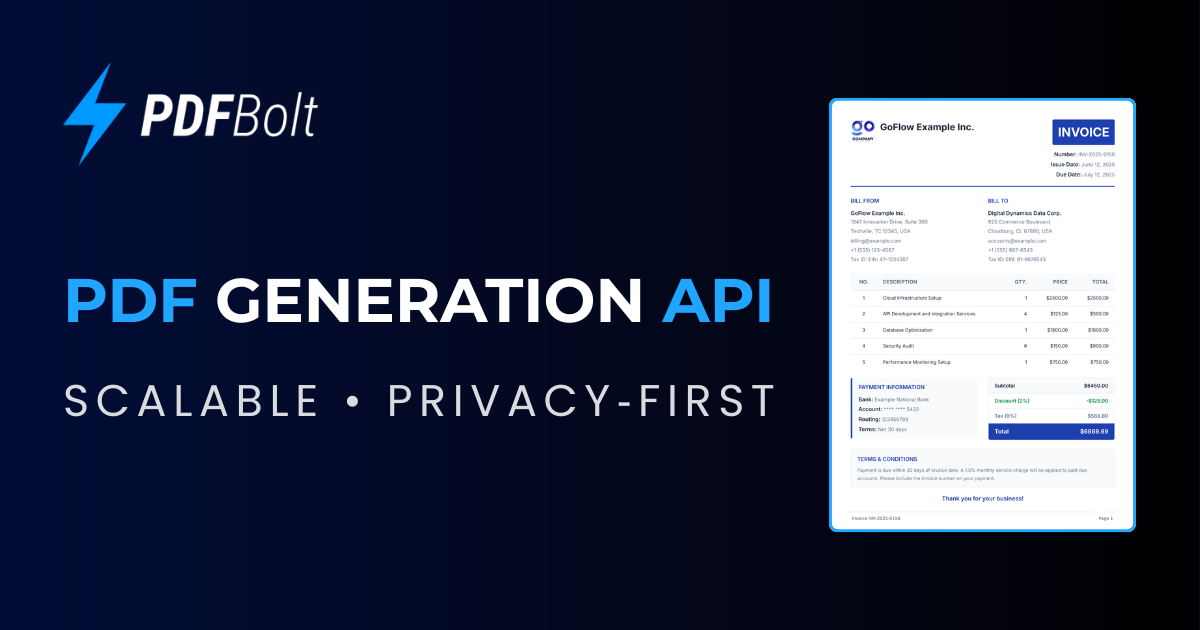

robots.txt (opens in a new tab)
4 rulesAll bots 0 allowed · 4 disallowed
- Disallow
/blog/tags/ - Disallow
/blog/page/ - Disallow
/blog/archive/ - Disallow
/blog/authors/
No matching rules.
User reviews (0)