Website profiles · Technology insights · Alternatives

pixelunion.eu No paid content found Multilingual

Categories: Security & Privacy

Privacy and safety are not optional. Free your photos from American tech platforms.

Visit website

Updated: 2026-10-04 01:14 Language: English (default) Access: Normal

Profile views 3 Outbound visits 0
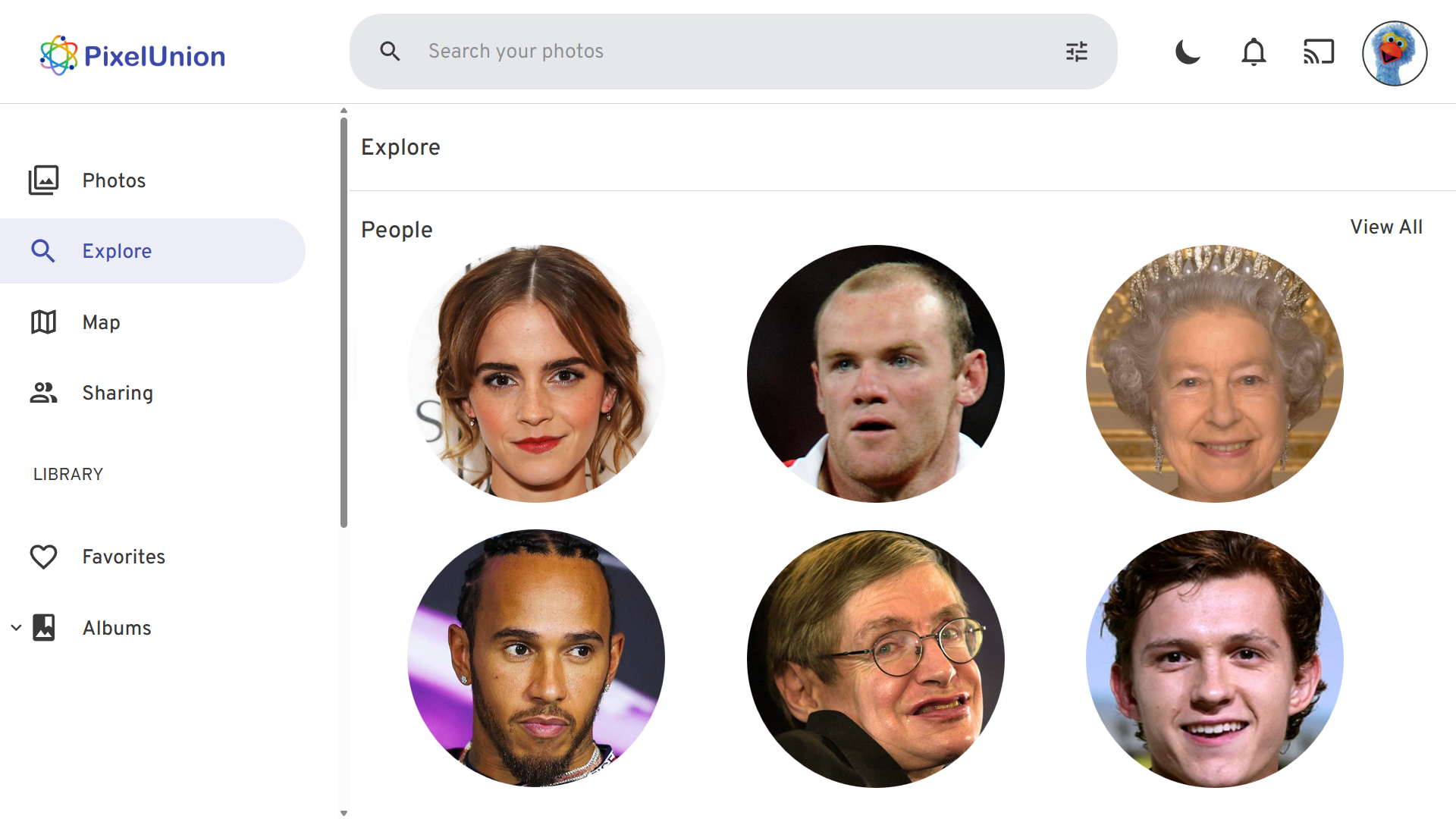
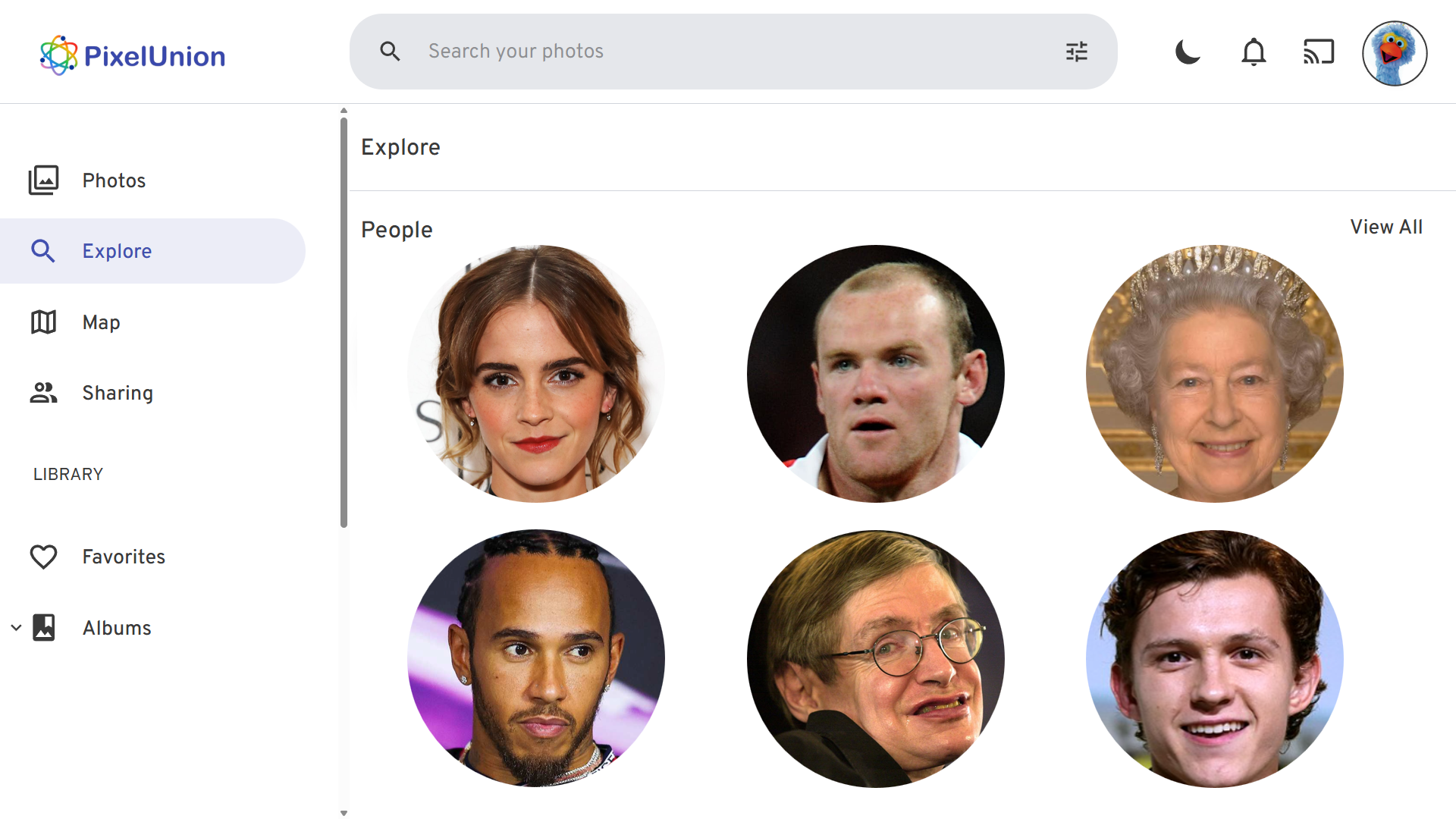
PixelUnion Full homepage screenshot
Editorial Review

Website Review

What is PixelUnion?

PixelUnion is a European photo and video storage service built on a forked version of Immich, an open-source photo management platform. It is aimed at people who want Google Photos–style backup and browsing without handing their library to a US tech company. The pitch is straightforward: your memories stay on servers in the EU, and the service runs on 100% renewable energy.

What you actually get

  • Private cloud storage for photos and videos, hosted in Europe.
  • Native Immich mobile apps for iPhone and Android, so phone backup works much like mainstream photo apps.
  • Web access, plus account, help center and migration pages for people moving from Google Photos.
  • Features listed on the page include no ads or tracking, facial recognition with privacy, and AI object recognition.
  • A free 16 GB tier, with paid tiers at 150 GB, 450 GB and 2000 GB. Larger custom plans run from 4 TB to 16 TB.

Who it suits

  • Someone who wants automatic phone backup but cares where the data lives.
  • A household or power user with a large library who needs more than the free tier.
  • A Google Photos user who wants a guided migration rather than rebuilding a library from scratch.

Trade-offs to weigh

The Immich foundation is a real advantage if you value open-source software: it is actively developed and you are not locked into a proprietary format. The trade-off is that PixelUnion is a smaller provider than Google or Apple, so you should check support responsiveness and export options before committing a large library. Annual billing is cheaper than monthly, but only if you are confident you will stay.

Next step

Start with the free 16 GB tier and run a test backup from your phone for a week. If the apps behave well and the migration path from Google Photos looks clean, move up to the 150 GB or 450 GB plan. If you have a multi-terabyte archive, ask about the 4 TB+ options before paying. You can compare the offer directly at PixelUnion.

How does PixelUnion protect my privacy compared to Google Photos?

PixelUnion's core privacy difference is where your photos live and who can access them. PixelUnion stores photo and video data on servers in the EU, built on a forked version of Immich, an open-source photo platform. Google Photos, by contrast, stores uploads on Google's global infrastructure and processes them under Google's own terms and advertising-adjacent data practices.

What PixelUnion states about privacy

  • Servers on European soil, which places storage under EU data-protection rules rather than US-based processing.
  • No ads or tracking, per the site's feature list.
  • Facial recognition described as privacy-focused, meaning face grouping happens without feeding your library into an ad-targeting system.
  • Open-source foundation via Immich, so the underlying code can be inspected rather than taken on trust.
  • 100% renewable energy for servers and storage — an environmental point, not a privacy one, but part of the same pitch.

Where Google Photos differs in practice

Google Photos offers polished search, automatic albums, sharing and cross-device sync at scale, and generous free-tier storage tied to a Google account. The trade-off is that your library sits inside an ecosystem built around profiling and ad delivery, and face/object recognition runs on Google's models. Google publishes privacy controls, but you are trusting a policy rather than an architecture you can inspect.

A practical way to decide

Your priority Better fit
Keeping photos out of ad-driven profiling PixelUnion
Inspectable, self-hostable-style open source PixelUnion
EU legal jurisdiction for stored data PixelUnion
Best-in-class search, sharing, ecosystem integration Google Photos
Zero-effort setup with an existing Google account Google Photos

Next step: if you already use Google Photos, check PixelUnion's "Migrating from Google Photos" help page before committing — migration effort, not storage price, is usually what decides whether people actually switch. If your library is mostly phone snapshots and you mainly want automatic backup, the free 16 GB tier is enough to test the workflow.

How do I migrate my existing photo library from Google Photos to PixelUnion?

PixelUnion's own site points to a dedicated "Migrating from Google Photos" page in its Help Center, so that is the intended route rather than an ad-hoc manual transfer. The service is built on a forked version of Immich, and it supports the native Immich mobile apps for iPhone and Android, which matters because the migration workflow you follow will look like Immich's, not Google Photos'.

The realistic path

  1. Start with Google Takeout. Export your Google Photos library from your Google account. Expect a set of ZIP archives, often split by date, and note that Google separates photos and videos into folders and writes metadata into sidecar JSON files rather than embedding it.
  2. Check PixelUnion's migration documentation first. Its Help Center has a "Migrating" section plus a specific Google Photos migration page. Read that before uploading anything, because it will tell you whether PixelUnion expects a Takeout archive, a folder upload, or something else.
  3. Get the archive onto your account. Depending on what the documentation says, this may be a web upload, a desktop client, or a server-side import. Large libraries (the 2 TB tier exists for a reason) are usually faster and more reliable from a desktop machine on a stable connection than from a phone.
  4. Verify before you delete anything. Confirm that dates, albums, and especially videos survived. Google Takeout is notorious for losing album structure and for separating edited and original copies. Keep your Google account intact until you have spot-checked a few hundred items.

Practical things that trip people up

  • Metadata. EXIF dates and GPS often live in the sidecar JSON files, not in the image. If the import tool does not read them, your timeline will collapse into the upload date. Ask support whether sidecars are consumed during import.
  • Storage math. Free tier is 16 GB, which will not hold a typical phone library. Paid tiers run 150 GB, 450 GB and 2 TB, with larger custom options from 4 TB to 16 TB. Match the tier to your Takeout archive size plus headroom, not to your current phone usage.
  • Live Photos and motion files. These arrive as paired files and can duplicate or split during migration. Check a handful after import.
  • Shared albums and links. These generally do not transfer. Plan to rebuild them.

A quick comparison of your options

Approach Best for Main trade-off
Google Takeout then import into PixelUnion Most users, one-time move Slow for large libraries; metadata handling depends on the import tool
Mobile app auto-backup only New photos going forward Does not move your existing Google library
Manual download of selected albums Small, curated sets Impractical at scale

Next step

Open PixelUnion's Help Center migration page and read it alongside your Takeout archive size. If the documentation does not clearly state how sidecar metadata is handled, contact their support before uploading — that single answer determines whether your timeline arrives intact or needs hours of repair. For background on the underlying platform, see Immich.

Which mobile apps can I use to back up photos to PixelUnion?

PixelUnion supports the native Immich mobile apps for iPhone and Android. According to the site, these apps let you back up photos from your phone to PixelUnion's cloud instantly, and PixelUnion is built on a forked version of Immich — so the apps are the same Immich clients you would use with a self-hosted Immich server.

What this means in practice

  • iPhone: use the Immich iOS app, available from the App Store.
  • Android: use the Immich Android app, available from Google Play or as an APK from the Immich project.
  • Backup behavior: once you sign in to your PixelUnion account in the app, you can enable automatic camera-roll backup so new photos and videos upload as you take them.

Next step

Download the Immich app for your phone, then sign in with your PixelUnion credentials rather than a self-hosted server address. If you already use Immich elsewhere, you can keep both — the app supports multiple accounts, so you can point one at PixelUnion and one at your own server.

For the official Immich project and app links, see Immich.

What are the pricing plans and storage options for PixelUnion?

PixelUnion offers a free tier plus three paid storage tiers, with a discount for paying yearly. The plans are straightforward: you pick a storage amount, and all tiers include the same privacy-focused features (no ads or tracking, facial recognition, AI object search, native Immich mobile apps).

Plan comparison

Storage Monthly price Yearly price Effective monthly (yearly) Best for
16 GB €0 (always free) — — Trying the service, light phone backup
150 GB €2,95/month €29,50/year €2,46/month Moderate photo libraries
450 GB €4,95/month €49,50/year €4,13/month Growing collections, some video
2000 GB (2 TB) €9,95/month €99,50/year €8,29/month Large libraries, family collections

Yearly billing gives you two months free, which is where the effective monthly rates come from.

Larger storage

If 2 TB isn't enough, PixelUnion lets you scale from 4 TB to 16 TB. This is handled through a contact form rather than a self-serve checkout, and pricing starts at €19,95 per month for 4 TB. The exact price for higher capacities isn't listed, so you'd need to ask.

How to choose

Estimate your current photo and video library size, then add headroom for a few years of new captures. Phone photos are small, but 4K video adds up quickly. As a rough guide:

  • Under 16 GB: the free tier may be enough if you only back up compressed phone photos.
  • 150 GB: a typical personal library of phone photos and short videos.
  • 450 GB: several years of photos plus video, or two light users.
  • 2 TB: large or shared family collections, or anyone shooting a lot of video.

The jump from 450 GB to 2 TB costs roughly double, so if you're near the 450 GB limit, the 2 TB tier is better value per gigabyte than adding storage another way.

Practical notes

PixelUnion is built on a forked version of Immich and runs on EU-based servers powered by renewable energy. It supports the native Immich apps for iPhone and Android, so backups work the way Immich users expect. If you're migrating from Google Photos, the site has a dedicated migration section and a help center.

A useful next step: check your current library size before signing up, then compare the 450 GB and 2 TB tiers against how much you actually store. If you're weighing alternatives, Immich is the open-source project this service is based on, and Ente is another privacy-focused photo storage option worth comparing on price and storage tiers.

Is PixelUnion environmentally sustainable?

Yes, PixelUnion presents environmental sustainability as a core part of its service. According to its own site, all servers and storage run on 100% renewable energy, and the infrastructure is located on European soil. The stated goal is to keep the environmental footprint minimal while keeping photo and video storage private.

H3 What the sustainability claim covers

  • Energy source: 100% renewable energy for servers and storage.
  • Location: European servers, which the company frames as both a privacy and sustainability choice.
  • Framing: Low CO2 footprint and responsible operation are presented as part of the product's identity, not an optional add-on.

H3 What it does not tell you The page does not provide a third-party certification, a detailed energy mix, or a carbon accounting methodology. "100% renewable energy" can mean different things — for example, purchasing renewable energy certificates versus directly using on-site renewable generation. If that distinction matters to you, it is worth asking support for specifics.

H3 Practical context For a reader choosing where to store family photos, the sustainability angle is usually secondary to privacy, price and reliability. PixelUnion's green claims are most useful as a tiebreaker between otherwise similar EU-based services. If you want to compare, look at how other privacy-focused providers describe their energy use, such as Immich, the open-source project PixelUnion is built on, and Nextcloud, another European-hosted option.

H3 Next step Check the PixelUnion pricing page and help center for any environmental or data-center details, then ask support directly whether the renewable energy is generated on-site, purchased, or offset. That answer will tell you how strong the sustainability claim really is.

Related questions

More questions →
Does PixelUnion Have Mobile Apps for iPhone and Android?

Yes. PixelUnion supports the native Immich mobile apps, so you can back up photos and videos from an iPhone or Android phone to PixelUnion's EU-hosted cloud and view them on your phone. The site states full support for both iPhone and Android, with instant and secure backups, and offers a "Download PixelUnion app" link. Because PixelUnion is built on a forked version of Immich, the mobile experience follows the Immich app model rather than a separate proprietary app.

What the mobile apps let you do

According to PixelUnion's own description, the phone apps cover the core jobs most people need:

  • Back up from your phone — photos and videos go from your device to PixelUnion's cloud.
  • Instant and secure backups — the backup is described as immediate rather than a manual, scheduled upload.
  • View your photos on your phone — browsing happens in the app, not only in a browser.
  • iPhone and Android support — both platforms are listed as fully supported.

How to get set up

  1. Create a PixelUnion account (the site shows Login and Sign up options).
  2. Download the PixelUnion app for your phone — the site provides a download link and states it supports the native Immich apps.
  3. Sign in to the app with your PixelUnion account.
  4. Turn on backup so your phone's camera roll uploads to your PixelUnion storage.
  5. Confirm the upload by opening the app and checking that recent photos appear in your library.

The expected result: your phone's photos and videos are stored in your PixelUnion account and visible from the app on the same device or any other device you sign in on.

What to check before you rely on it

  • Storage tier matters. The free tier is 16 GB, which fills quickly with video. Paid tiers are 150 GB (€2.95/month), 450 GB (€4.95/month), and 2000 GB (€9.95/month), with yearly billing at a discount (for example, 150 GB at €2.46/month, €29.50 billed once a year). Larger needs scale from 4 TB to 16 TB by contacting PixelUnion.
  • It's Immich-based. If you already know Immich, the app behavior should feel familiar; if not, expect an Immich-style interface rather than a Google Photos clone.
  • Migration is a separate step. Moving an existing Google Photos library is covered by PixelUnion's own migration guidance and is not the same as installing the app.

Common sticking points

  • Assuming the app is PixelUnion-branded only. The site says it supports the native Immich apps, so the app you install may be the Immich app rather than a PixelUnion-specific one.
  • Skipping backup settings. Installing the app alone doesn't move your library; you need to enable and confirm backup.
  • Underestimating video size. A 16 GB free tier is fine for testing, not for a full camera roll.

For the exact download link and current app options, use the "Download PixelUnion app" entry on pixelunion.eu, since app store listings and supported versions can change.

What Are Open-Source UI Element Libraries and How Do They Differ From UI Frameworks?

An open-source UI element library is a collection of individual, ready-made interface pieces—buttons, cards, inputs, toggles, loaders—that you copy into your own project and adapt. A UI framework, by contrast, is a structured system of components, conventions, and often a theming layer that governs how your whole interface is built. The practical difference: an element library gives you a snippet; a framework gives you a way of working. If you need a polished button in ten minutes, reach for the element library. If you're building a 40-screen product with a team, you probably want the framework.

What "open-source UI element library" actually means

The term gets used loosely, so it helps to separate the parts:

  • Open-source: the code is publicly available, and the license tells you what you may do with it—copy, modify, redistribute, or use commercially.
  • UI element: a single, self-contained piece of interface, usually small enough to read in one sitting. A button with hover states, a pricing card, a search field.
  • Library: a browsable, searchable collection of those elements, typically contributed by many different people.

On a site like Uiverse, elements are shared by a community and written in plain CSS or Tailwind. You find one you like, copy the markup and styles, paste them into your project, and adjust colors, spacing, and text to fit. There's no package to install and no build step required—which is exactly the appeal, and also the source of most of the confusion.

Element library vs. UI framework: the core differences

Dimension Open-source UI element library UI framework / design system
Unit of reuse A single snippet you copy A component you import or call
Installation None; paste into your code Package install, config, sometimes a provider
Consistency Depends on you; each element may look different Enforced by shared tokens and APIs
Theming Manual edits per element Central theme/config file
Updates You own the copy; no upstream updates Version bumps bring fixes and changes
Accessibility Varies per contributor; must be checked Usually tested and documented
Best for Prototypes, landing pages, small sites, one-off needs Multi-page apps, teams, long-lived products
Learning curve Low—read the CSS Higher—learn the API and conventions

The table isn't a verdict. It's a map of trade-offs. Element libraries win on speed and freedom; frameworks win on consistency and maintenance.

Licensing and attribution: what to check before you paste

This is where people get into trouble, and it's worth slowing down for.

  1. Find the license. Every element or collection should state one. Common open-source licenses include MIT, Apache-2.0, and BSD. Some projects use copyleft licenses like GPL, which can impose obligations if you redistribute your code.
  2. Understand what the license permits. MIT and Apache-2.0 are permissive: you can typically use the code in commercial and closed-source projects. Copyleft licenses may require you to release derivative source under the same terms.
  3. Check attribution requirements. Permissive licenses usually require you to keep the copyright notice and license text somewhere in your project. That's a real obligation, not a formality.
  4. Look for per-element terms. On community sites, the site's overall terms and the individual contributor's stated wishes may differ. If a contributor asks for credit, honor it.
  5. When in doubt, ask or avoid. If a snippet has no license at all, you don't have clear permission to reuse it. Treat "no license" as "not open source," even if the code is publicly visible.

This article is general information, not legal advice. For commercial products with real exposure, have someone qualified review the licenses you're relying on.

How to use a community element in your project: a practical workflow

Here's a repeatable process that avoids most of the usual mess.

1. Start from a real need, not a browsing session

Decide what you need first—"a compact primary button with a loading state"—then search. Browsing aimlessly produces a pile of pretty snippets that don't fit together.

2. Copy the smallest version that works

Take the markup and the styles. Strip anything you don't need: demo wrappers, extra animations, decorative layers. Less code means fewer surprises.

3. Convert it to your conventions

If your project uses design tokens or CSS variables, replace hard-coded values:

/* Before: hard-coded */
.button { background: #4f46e5; border-radius: 8px; }

/* After: token-based */
.button { background: var(--color-primary); border-radius: var(--radius-md); }

This one step is what keeps a copied element from looking like a foreign object in your UI.

4. Check accessibility before you ship

Community elements vary widely here. Verify at minimum:

  • Keyboard focus is visible and the element is reachable by Tab.
  • Color contrast meets WCAG AA (4.5:1 for normal text).
  • Interactive elements use semantic HTML (<button>, not a clickable <div>).
  • Form inputs have associated labels.
  • Motion respects prefers-reduced-motion.

5. Test in context

Paste it into a real page with real content. Long labels, small screens, and dark mode break more copied elements than anything else.

6. Note where it came from

Keep a short comment or an internal credits file: source, license, date. Future you—and your legal reviewer—will be grateful.

Where element libraries genuinely shine

  • Prototypes and demos: you need something clickable today, not a design system.
  • Landing pages and marketing sites: a handful of distinctive elements, each custom.
  • Filling gaps: your framework lacks one specific component, and you don't want to build it from scratch.
  • Learning: reading well-made CSS is one of the fastest ways to improve.
  • Small projects: a personal site doesn't need a theming architecture.

Where they fall short

  • Consistency at scale: ten elements from ten contributors rarely look like one product.
  • Maintenance: you own every copy. When your design changes, you edit each one.
  • Accessibility debt: you inherit whatever the contributor did or didn't do.
  • No upstream fixes: a bug fixed in the original won't reach your copy.
  • Integration friction: different naming conventions, different units, different assumptions about resets.

When to choose which

Choose an element library when the scope is small, the timeline is short, or you need a few distinctive pieces rather than a whole system.

Choose a framework or design system when multiple people build multiple screens over months, when consistency is a product requirement, or when accessibility and theming need to be guaranteed rather than checked.

A hybrid works well for many teams: adopt a framework for the structural components—forms, navigation, layout—and borrow individual elements for the places where you want personality. Just route every borrowed element through the same token and accessibility checks, so it lands as part of your system rather than beside it.

The short version: open-source UI element libraries are a fast, flexible way to get good-looking interface pieces into a project. They are not a substitute for a design system, and the license and accessibility details are the part worth reading carefully.

How PixelUnion Protects Your Photo Privacy and Security

PixelUnion keeps your photos and videos on servers located in the EU, runs them on 100% renewable energy, and builds its service on a forked version of the open-source Immich platform. According to the site, it shows no ads and does no tracking, and it offers privacy-focused facial recognition and AI object recognition. If your main concern is keeping personal media off American tech platforms while still getting automatic phone backup, this is the model PixelUnion is selling.

Where your photos actually live

The core privacy claim is geographic and infrastructural:

  • European servers. PixelUnion states that all servers and storage are on European soil, so your library is not stored on US-based infrastructure.
  • 100% renewable energy. The same servers run on green power, which the site frames as part of a minimal CO2 footprint.
  • EU-based operation. The service is positioned explicitly as an alternative to American tech platforms for photo and video storage.

For anyone whose threat model is "I don't want my library sitting in a US cloud," the location of the servers is the single most important fact here. It does not, by itself, tell you the full legal jurisdiction story, but it is the concrete, checkable claim the site makes.

Built on open-source Immich

PixelUnion is not a closed black box. The site says it is built on a forked version of Immich, the open-source photo and video backup platform. Two practical consequences follow:

  • The underlying technology is inspectable in principle, since Immich is open source.
  • PixelUnion supports the native Immich mobile apps, so iPhone and Android backup works through an existing, widely used client rather than a proprietary app you have to trust blindly.

The site also lists "Open source" and "Mobile apps" as top-level navigation items, and offers a dedicated "Immich" account area, which is consistent with the fork-based approach.

No ads, no tracking

The page states plainly: no ads or tracking. That matters because ad-supported photo services typically monetize by profiling your content and behavior. Removing ads and tracking removes that incentive entirely — the business model here is paid storage tiers, not attention.

Privacy-preserving recognition features

PixelUnion advertises facial recognition with privacy and AI object recognition. These are the features that usually create the most anxiety in photo apps, because they require analyzing your images. The site's framing is that these capabilities are implemented with privacy in mind rather than by shipping your photos to a third-party AI service. If recognition features are important to you, this is the claim to verify against the help center or support before committing.

What you get on the phone

Backup is the everyday privacy surface — every photo you take leaves your device. PixelUnion's stated behavior:

  • Instant and secure backups from phone to cloud.
  • Full support for iPhone and Android.
  • Viewing your photos on your phone through the native Immich apps.

Pricing as a privacy signal

The service is not ad-funded, so the tiers tell you what you're actually paying for:

Storage Monthly Yearly (2 months free)
16 GB €0, always free —
150 GB €2,95 /month €2,46 /month, €29,50 billed yearly
450 GB €4,95 /month €4,13 /month, €49,50 billed yearly
2000 GB €9,95 /month €8,29 /month, €99,50 billed yearly

Larger needs scale from 4 TB to 16 TB at €19,95 per month for 4 TB, with 16 TB available on request. The free 16 GB tier lets you test the privacy and backup behavior before paying anything.

How to decide

Choose PixelUnion if your priority is EU-hosted storage, an open-source foundation, and no ad or tracking model, and you want automatic iPhone/Android backup through the Immich apps. The free 16 GB tier is the low-risk way to confirm the apps work with your phone and that backups behave as described.

Before relying on it, verify the two claims that matter most to you personally: the exact server location and legal setup, and how facial/AI recognition processes your images. Both are answerable through the site's Help Center and support channels.

What Is PixelUnion and What Does It Offer?

PixelUnion is a private photo and video storage service built on a forked version of Immich and hosted entirely within the EU. It offers a free 16 GB tier plus paid plans from 150 GB to 16 TB, supports the native Immich mobile apps for iPhone and Android, and runs its servers on 100% renewable energy. It is aimed at people who want to move their photo library off American tech platforms without giving up automatic phone backup or mobile viewing.

What PixelUnion actually is

PixelUnion is not a from-scratch photo app. It is a hosted service built on a forked version of Immich, the open-source photo and video backup platform. That distinction matters: the underlying software is open source, while PixelUnion supplies the infrastructure, storage, and support layer around it.

The service positions itself around two claims:

  • Privacy and safety as defaults — the site states "No ads or tracking" and lists facial recognition with privacy among its features.
  • European hosting — servers sit on European soil, and all servers and storage run on 100% renewable energy, which the site describes as a minimal CO2 footprint.

The site's own framing is "Your memories, kept safe in Europe," with the tagline "Free your photos from American tech platforms."

Storage plans and pricing

PixelUnion publishes both monthly and yearly pricing. Yearly billing is advertised as "2 months free," and the page shows the exact annual totals.

Plan Monthly price Yearly price Annual total Yearly saving
16 GB €0 (always free) — — —
150 GB €2,95 /month €2,46 /month €29,50 billed once a year €5,90 per year
450 GB €4,95 /month €4,13 /month €49,50 billed once a year €9,90 per year
2000 GB (2 TB) €9,95 /month €8,29 /month €99,50 billed once a year €19,90 per year

The 16 GB tier is described as "perfect for getting started" and is free permanently ("€0 always free"). The 450 GB plan is marked "Popular" on the pricing page.

For larger libraries, PixelUnion offers a scale-up option: storage from 4 TB to 16 TB, priced at €19,95 per month for 4 TB, with a "Contact Us" step for the upper end of that range.

Mobile apps and backup

PixelUnion supports the native Immich apps rather than shipping its own client. According to the site, this means:

  • Backups from your phone to the cloud happen instantly.
  • You can view your photos on your phone.
  • iPhone and Android are both fully supported.

The practical takeaway: if you already know Immich's mobile app, the backup and browsing experience should feel familiar, because PixelUnion is built on a fork of that same software.

Migrating from Google Photos

The site lists "Migrating from Google Photos" as a dedicated section alongside its help center, which suggests migration is a supported, documented path rather than something you improvise. If leaving Google Photos is your main reason for looking at PixelUnion, that section is the place to start before signing up, since it should tell you what carries over and what does not.

Who this fits

PixelUnion makes sense if you want:

  • EU-based storage with a stated renewable-energy footprint.
  • Open-source foundations — Immich under the hood, with the option to understand or verify the software.
  • A free starting point — 16 GB costs nothing and never expires, so you can test backup and browsing before paying.
  • Straightforward scaling — from 150 GB up to 16 TB without changing providers.

It is less obviously a fit if you need features the page does not mention, or if you want to compare against non-EU providers on dimensions like sharing, editing, or third-party integrations — none of which appear in the material available here.

Getting started

  1. Choose a plan on the pricing page — the 16 GB free tier works as a trial.
  2. Create an account via the sign-up link.
  3. Download the PixelUnion app (the native Immich app) for iPhone or Android.
  4. Point the app at your PixelUnion account and let it back up your camera roll.
  5. If you are coming from Google Photos, work through the migration section before deleting anything at the source.

The one thing worth verifying yourself before committing: how the migration handles albums, metadata, and shared items, since those details are not spelled out in the page content summarized here.

How to Migrate from Google Photos to PixelUnion

PixelUnion provides a dedicated "Migrating from Google Photos" page and a Help Center to guide the process, and it runs on a forked version of Immich, which supports the native Immich mobile apps for iPhone and Android. That means migration is a two-part job: get your library out of Google Photos, then get it into PixelUnion. The exact export steps depend on what Google currently offers in your account, so treat the steps below as the general flow and confirm menu names in your own Google account.

What you need before you start

  • A PixelUnion account (the site offers a free 16 GB tier and paid tiers from 150 GB upward, so you can test the workflow before committing to a large plan).
  • Enough PixelUnion storage for your library. If your Google Photos library is larger than your chosen tier, either upgrade or migrate in batches.
  • A destination for the Google export that isn't your phone's limited local storage — a computer or external drive is safer for large libraries.
  • Time. Exports of large libraries can take hours or days to be prepared by Google, and uploads take time proportional to your library size.

Step 1: Export your library from Google Photos

Google's standard route is Google Takeout, which packages your data into downloadable archives.

  1. Sign in to your Google account and open Google Takeout.
  2. Deselect all services, then select only Google Photos.
  3. Choose your export options — file type, archive size, and delivery method (download link or cloud destination).
  4. Start the export and wait for Google to notify you that it's ready.
  5. Download all archive parts and extract them on your computer.

Expected result: a set of folders containing your photos and videos, typically with JSON sidecar files holding metadata such as album names and timestamps.

Common snags:

  • Large libraries are split into multiple archives; you need every part before extracting.
  • Takeout sometimes flattens album structure or separates metadata into JSON files, so albums may not survive the round trip intact.
  • Edited photos may appear alongside originals, and some Google-specific formats (for example Motion Photos) may not carry over cleanly.

Step 2: Get the files into PixelUnion

PixelUnion is built on a forked version of Immich and supports the native Immich apps, so you have two practical upload paths.

Option A: Upload from a computer

  1. Log in to your PixelUnion account in a browser.
  2. Use the upload function to select the extracted folders.
  3. Upload in batches if your library is large, so a single failure doesn't force you to restart everything.
  4. Verify that photos and videos appear in your library and that albums are grouped as expected.

Option B: Back up from your phone

  1. Install the PixelUnion app (available for iPhone and Android).
  2. Sign in with your PixelUnion account.
  3. Point the app's backup at your phone's photo library and let it sync.

This path is best for photos already on your phone. It won't help with the Google Photos archive you downloaded to a computer, so most people migrating a full library use Option A for the archive and Option B for ongoing phone backups.

Step 3: Verify the migration

  • Count check: compare the number of items in your PixelUnion library against the number of files you extracted.
  • Spot check: open a sample of photos from different years and albums to confirm they display correctly.
  • Metadata check: confirm dates and locations look right, since these often come from sidecar files rather than the images themselves.
  • Album check: verify that albums you care about were recreated, and rebuild any that were lost in export.

Choosing a storage tier for your library

PixelUnion's published plans, from the site's pricing section:

Storage Monthly Yearly (per month) Yearly total
16 GB Free — —
150 GB €2,95 €2,46 €29,50
450 GB €4,95 €4,13 €49,50
2000 GB €9,95 €8,29 €99,50

Yearly billing is advertised as two months free. Larger needs scale from 4 TB to 16 TB at €19,95 per month for 4 TB, with 16 TB available on request. Match the tier to your library size plus headroom for future photos — the free 16 GB tier is enough to test the migration workflow but not for most real libraries.

Practical notes

  • PixelUnion states it runs on 100% renewable energy with servers on European soil, and advertises no ads or tracking plus privacy-focused facial recognition and AI object features. These are the site's own claims; if data residency matters to you, confirm the specifics in the Help Center before migrating.
  • Because PixelUnion is Immich-based, Immich's own documentation and community guides are a useful supplement for upload behavior and metadata handling, even though PixelUnion is a forked version.
  • If you hit problems, the site lists a Help Center and support contact — the "Migrating from Google Photos" page is the intended starting point for this exact task.

The migration is straightforward in shape — export, upload, verify — but the fiddly parts are archive size, album structure, and metadata. Budget time for the export and check your library carefully before deleting anything from Google Photos.

Website Overview

Limited stack disclosure and few obvious backend markers suggest a more restrained public footprint. That reduces easy fingerprinting clues but is not proof of overall security. Page metadata, canonical configuration and social previews work together to provide more consistent search and sharing presentation.

Domain and Registration

The domain uses the common .eu extension, which is not an independent safety signal.

DNS and Email

The lowest TTL is 35 seconds, supporting rapid record changes at the cost of more frequent lookups. Nameservers are provided by bunny.net, indicating managed DNS hosting. MX records point to the Zoho Mail email service. CAA records restrict which certificate authorities are authorized to issue certificates. No CNAME was found; the observed records resolve directly to addresses.

TLS and Certificates

The certificate uses an RSA 2048-bit public key, offering broad client compatibility. The server supplied a complete certificate chain. No organization name is present in the certificate; the available fields are consistent with domain validation. The certificate was issued by Let's Encrypt, commonly associated with automated certificate services. The certificate's total validity is about 89 days, consistent with a short renewal cycle.

HTTP and Browser Security

The response lacks these common security headers: CSP, X-Content-Type-Options, Permissions-Policy. No X-Powered-By header was found, reducing one common source of backend fingerprinting information. No obvious internal addresses or debug information were found in the headers. The Server header contains the custom value BunnyCDN-ASB1-1310. No explicit CDN or WAF marker was found in the response headers.

Technology Stack Analysis

No obvious technology stack is exposed. This may reflect restrained information disclosure, although the underlying technologies remain unknown.

Search and Social Sharing

The Generator tag identifies Hugo 0.145.0, making the publishing system easier to fingerprint. Twitter Card metadata is configured. JSON-LD includes Organization data, helping describe the organization as an entity. The page declares 11 language or regional alternatives using hreflang. The title has 58 characters, within a common display range.

Hosting and Email

DNSbunny.net
HostingDatacamp Limited
EmailZoho Mail
Location United States flagAshburn, Virginia, United States 37.19.207.38

User reviews (0)

  • No reviews yet.

Pages, Search and Sharing

Meta descriptionPrivacy and safety are not optional. Free your photos from American tech platforms.
Canonical URLhttps://pixelunion.eu/
LanguageEnglish (default) · Multilingual
Twitter Cardsummary_large_image
All bots 1 allowed · 0 disallowed
  • Allow/

Registration details RDAP / WHOIS

RegistrarName: Vautron Rechenzentrum AG
RegisteredUnknown
ExpiresUnknown
Domain statusUnknown
NameserversUnknown
DNSSECunknown

DNS records

TypeNameValueTTLPriority
Apixelunion.eu37.19.207.3835—
AAAApixelunion.eu2a02:6ea0:e237::1504:135—
MXpixelunion.eumx.zoho.eu30010
MXpixelunion.eumx2.zoho.eu30020
MXpixelunion.eumx3.zoho.eu30050
NSpixelunion.eucoco.bunny.net172800—
NSpixelunion.eukiki.bunny.net172800—
TXTpixelunion.eugoogle-site-verification=oUfrXizrE8taI5AxoAqwOmlGswY2HndpX5bTYaHWx80300—
TXTpixelunion.eustripe-verification=5eb15682ee0d784c83af0c04225221dd4c9ac6148df23064dd2aeefc612833dc300—
TXTpixelunion.euv=spf1 include:zohomail.eu include:spf.ahasend.com -all300—
TXTpixelunion.euzoho-verification=zb70890474.zmverify.zoho.eu300—
CAApixelunion.eu0 issue "letsencrypt.org"300—
CAApixelunion.eu0 issuewild "letsencrypt.org"300—
DMARC_dmarc.pixelunion.euv=DMARC1; p=quarantine; sp=none; adkim=r; aspf=r;300—

TLS and certificates

AssessmentNormal configuration
Supported protocolsTLSv1.2、TLSv1.3
Negotiated protocolTLSv1.3
Certificate subjectpixelunion.eu
IssuerLet's Encrypt
Valid until2026-12-03T08:04 · Remaining when checked: 60 days
Verification detailsCertificate trust: Passed · Hostname match: Passed

HTTP response headers

HeaderValue
content-typetext/html
cache-controlno-cache
serverBunnyCDN-ASB1-1310
strict-transport-securitymax-age=63072000; includeSubDomains; preload
x-frame-optionsSAMEORIGIN
referrer-policyno-referrer-when-downgrade

Identified technologies

Technology stack: Unknown