

Website profiles · Technology insights · Alternatives

playon.tv

Record any streaming video from your PC. The only streaming video recorder and media server that lets you stream videos online or offline on your TV, tablet or phone to watch later. All-in-one solution for streaming media.

Paid content
Visit website
Profile views 9 Outbound visits 1 Normal
Record Streaming Video | Watch Streaming TV Offline On Your TV, Phone or Tablet Full homepage screenshot

At a glance

Category
Video & Film
Language
English
Paid-content signal
Paid contentObserved
Registered
2005
Hosting
playon.tvInferred
HTTPS certificate trusted
PassedObserved
Last updated

Website review

This review may include AI-generated content and is not individually verified. Domain, certificate and other facts come from the observed data on this page.

What is PlayOn?

PlayOn is a streaming video recorder: it captures video from subscription and ad-supported streaming services so you can keep a copy and watch it later, offline, on a TV, phone or tablet. It comes in two forms that do the same basic job in different places.

PlayOn Cloud runs the recording for you, with no computer involved. You pick a title, it records in the cloud, and you download the finished file to your device. Because the work happens remotely, you can queue recordings from anywhere, and recordings download off-peak if you prefer.

PlayOn Home turns your own Windows PC or Mac into the recorder. You install it, point it at the services you subscribe to, and it saves recordings to your computer. It supports scheduled and one-click season recording, so new episodes can be captured automatically.

PlayOn Cloud PlayOn Home
Where it runs Cloud service, no PC needed Your PC or Mac
Recording quality Full HD 1080p SD, and only for ad-supported shows
Ad skipping Yes, on ad-supported shows Not listed
Record a full season in one click Yes Yes
Offline viewing and casting Yes Yes
Recording from anywhere Yes No — tied to your computer
Downloads expire No Not applicable (files are local)

Both cover the same broad set of services — the site names Netflix, Disney+, Hulu, Prime Video, HBO, Peacock and The CW among 15-plus channels — so the choice is mostly about convenience versus control.

Who each one suits. Cloud is the better fit if you travel, share a household with people who want shows on their phones, or don't want to leave a computer running. Home suits someone with a desktop that's on regularly, who wants files stored locally and is willing to accept lower-quality captures of ad-supported shows. The trade-off is real: Cloud costs more per recording and depends on a subscription, while Home is free but limited in resolution and requires your own hardware and storage.

One caveat worth knowing before you commit: recording services capture what you can already watch, so you still need active subscriptions to the source services, and availability of specific channels can change over time.

A practical next step: list the two or three services you actually watch, then check whether each is among the supported channels before choosing a plan. If you mostly watch at home on a laptop or TV, start with Home; if your main goal is downloads for flights and commutes, Cloud is the more direct route. You can compare the two side by side at PlayOn.

How does PlayOn Cloud differ from PlayOn Home?

PlayOn Cloud and PlayOn Home are two versions of the same idea — recording streaming video for offline viewing — but they differ mainly in where the recording happens and what you pay for.

PlayOn Cloud runs the recording in the cloud. No PC or Mac is required; you queue a recording and download the finished file later. According to the page, it supports Full HD 1080p recordings, closed captioning, ad-skipping on ad-supported shows, one-click full-season recording, recording from anywhere, downloads that never expire, offline viewing, casting to TV, and off-peak downloads.

PlayOn Home runs on your own computer. You turn a PC into a DVR, so the PC must be on and available when recording. The comparison table on the page lists Home as PC only, with SD recordings for ad-supported shows, and it includes a free tier. Both products list 15+ available channels.

The page's own pricing signals show Cloud at $4.99/mo. for 30 recordings (10¢ per additional recording) and Home at $4.99/mo. for unlimited recordings, plus a free option.

PlayOn Cloud PlayOn Home
Where it runs Cloud, no PC/Mac required Your PC
Recording quality Full HD 1080p SD for ad-supported shows
Cost signal on page $4.99/mo. for 30 recordings $4.99/mo. unlimited, plus free tier
Best for Travel, phones/tablets, no always-on computer Households with a PC that can stay on

Practical takeaway: Choose Cloud if you want to record and watch on a phone or tablet without leaving a computer running, and you don't mind a recording cap. Choose Home if you have a PC you can keep on and you want unlimited recordings at a similar monthly cost.

Next step: If you're deciding, check whether your main viewing device is a phone/tablet or a TV connected to a PC — that single factor usually settles it.

Can I watch recorded streaming videos offline on my phone and cast them to my TV?

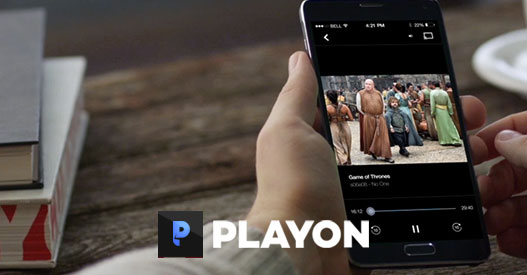
Yes. PlayOn is built around exactly that workflow: recording streaming video, then watching it offline on a phone or casting it to a TV. The site describes PlayOn Cloud as a cloud DVR for streaming services and PlayOn Home as software that turns a PC into a DVR, with offline viewing and casting listed as features of both.

H3 How the two options differ for your case

Your situation Better fit Why
No PC or Mac, want recordings made in the cloud PlayOn Cloud No computer required; record and download from anywhere
Have a Windows PC and want more control over files PlayOn Home PC required; recordings download to your computer
Want full HD recordings PlayOn Cloud Listed as Full HD 1080p; Home is listed as SD for ad-supported shows
Want to skip ads on ad-supported shows Both Ad skipping is listed for commercial-supported shows
Want downloads that never expire PlayOn Cloud Listed as a Cloud feature
Want to record a full season in one click Both Listed for both products

The practical trade-off is hardware versus convenience. Cloud needs no machine running at home, and its downloads are described as non-expiring, which suits someone who records ahead of a trip. Home depends on a PC, but keeps the recordings as files on your own computer, which matters if you want to manage storage yourself or move files between devices.

H3 A concrete scenario

Say you have a long flight next week and a queue of episodes on a subscription service. With PlayOn Cloud, you pick the episodes, let the cloud record them, then download them to your phone before you leave and cast to a hotel TV. With PlayOn Home, you would start the recordings on your PC, wait for them to finish, and transfer the files to your phone or a tablet.

Before choosing, check two things on the site: the current list of supported channels, since the page shows 15+ for both products, and whether the specific service you use is named. Then open PlayOn and compare the Cloud and Home breakdown to confirm which one matches your devices.

Which streaming services can I record from with PlayOn?

PlayOn says its recording lineup covers more than 15 services, and the ones it names explicitly are Netflix, Disney+, Hulu, Prime Video, HBO/HBO Max, Peacock, and The CW. Those channels are listed for both of its products, so the service list is essentially the same whether you record in the cloud or on your own computer.

How the two options differ

PlayOn Cloud PlayOn Home
Where it runs Cloud service, no PC or Mac needed Windows PC required
Recording quality Full HD 1080p SD for ad-supported shows
Ad skipping Yes, on commercial-supported shows Not listed
Season recording One click for a whole season Not listed
Watching offline Download and watch anywhere; downloads don't expire Download recordings to your computer
Casting to TV Yes Yes
Available channels 15+ 15+

What this means in practice

If your shows live on several of those services and you want them available on a phone or tablet during a flight or a commute, Cloud is the version that fits, because the recordings are stored for you and don't expire. If you'd rather keep everything on a hard drive you control and don't mind running a Windows machine, Home does the recording locally.

Two things worth checking before you commit: the exact list of supported channels can change as streaming services update their apps and terms, and PlayOn's own comparison notes that Home records ad-supported shows in SD only. If picture quality on those channels matters to you, that's a real trade-off rather than a minor detail.

For the current channel list, start at PlayOn and check the supported-services page for your specific shows before choosing a plan.

Does PlayOn let me skip ads in recorded shows and record entire seasons automatically?

Yes. PlayOn supports ad skipping on commercial-supported shows and one-click whole-season recording, according to the feature comparison on its site. Those two features appear for both PlayOn Cloud and PlayOn Home, so the choice between them isn't about whether you get them—it's about where the recording happens.

PlayOn

What each feature actually means day to day

Skipping ads. On ad-supported shows, PlayOn marks the commercial breaks so you can jump past them during playback. The site lists this as "skip any ads on commercial-supported shows" for both products. Practical consequence: it works best on the ad-supported catalogs (Hulu's ad tier, Peacock, The CW and similar). On ad-free tiers there is nothing to skip, and on premium movie content the breaks are fewer anyway. Expect to still confirm the skip manually in some players rather than getting a fully seamless cut.

Whole-season recording. "Record an entire season with one click" means you can queue every available episode of a show rather than adding them one at a time. Combined with "automatically record new episodes," this suits a viewer following a weekly series who wants each new installment captured without returning to the app. The trade-off is storage and time: a full season of HD episodes is a large pile of files, and a PC-based setup needs enough disk space and a machine that is switched on when episodes appear.

Cloud vs. Home for these two features

PlayOn Cloud PlayOn Home
Ad skipping Yes, commercial-supported shows Yes, commercial-supported shows
One-click full season Yes Yes
Auto-record new episodes Listed Listed
Where it runs No PC/Mac required PC required
Recording quality Full HD 1080p SD on ad-supported shows only
Offline viewing Downloads never expire Download to your computer

The meaningful split is quality and hardware. Cloud records at 1080p and needs no computer, which matters if you travel and want downloads that stay available. Home is PC-only and, per the comparison, records ad-supported shows at SD—fine for a phone or tablet on a plane, less so on a large TV.

A concrete scenario

Say you follow three network dramas and one streaming comedy. With Cloud you queue each season once, let the service record new episodes as they air, then download the finished episodes before a flight; ad breaks in the network shows are marked so you can skip them. With Home you do the same on a desktop that must be running, and you'd accept SD for the ad-supported titles in exchange for keeping files locally.

Next step

Decide first whether you need 1080p and computer-free recording. If yes, look at the Cloud plans page; if you already have an always-on PC and mainly watch on smaller screens, compare the Home option. Then test with one season of an ad-supported show before committing to a large library—that tells you quickly whether the ad marking and season queueing match how you actually watch.

What are the subscription costs and free options for PlayOn?

PlayOn splits into two products with different costs and free access. PlayOn Cloud runs in the cloud with no PC needed; PlayOn Home runs on a PC or Mac. Both cover 15+ channels, but the free tier is only on Home and is limited to SD recordings of ad-supported shows.

Cost and free options at a glance

Option What it costs What you get
PlayOn Home (free) No cost SD recordings, ad-supported shows only
PlayOn Home (paid) $4.99/mo. for unlimited recordings Full HD 1080p, ad skipping, downloads that don't expire
PlayOn Cloud $4.99/mo. for 30 recordings; 10¢ per additional recording Cloud DVR, no PC required, off-peak downloads, full HD 1080p

Which one fits your situation

  • You want to try before paying: Start with the free PlayOn Home tier. It costs nothing, but expect SD quality and only ad-supported shows, so it is a test rather than a long-term setup.
  • You record a lot on one computer: PlayOn Home at $4.99/mo. for unlimited recordings is the better value if you already have a PC or Mac that can stay on.
  • You travel or don't want a PC running: PlayOn Cloud is the fit, but the 30-recording cap means heavy users pay 10¢ per extra recording on top of the monthly fee.
  • You record occasional seasons: The Cloud plan's included 30 recordings may be enough; check your typical monthly volume before choosing.

A practical next step: count how many episodes or movies you record in a typical month. Under 30 and no PC available points to Cloud; unlimited recording on a machine you own points to Home. If you mainly want to test the workflow, the free Home tier costs nothing but limits you to SD ad-supported content.
Related questions

More questions →
How to Record Streaming Videos for Offline Viewing: Cloud DVR vs PC Recorder

To record streaming videos for offline viewing, you have two practical routes: a cloud DVR that records remotely with no computer involved, or a PC-based recorder that turns your own machine into the DVR. PlayOn offers both — PlayOn Cloud and PlayOn Home — and the right pick depends on whether you want to avoid a PC, how many recordings you need per month, and whether you care about HD quality and ad skipping.

How each method works

Cloud DVR (PlayOn Cloud). You pick a title from a supported streaming service, and the recording happens on remote servers rather than your own hardware. No PC or Mac is required, and you can start a recording from anywhere. The finished file sits in the cloud until you download it.

PC recorder (PlayOn Home). You install the software on a Windows PC, which becomes your DVR. Recording, storage, and playback all run on that machine, so the PC has to be on and available when you record.

The practical consequence: cloud recording is location-independent, while PC recording depends on your computer being set up and running.

Feature comparison

The table below reflects the breakdown PlayOn publishes on its site.

Capability PlayOn Cloud PlayOn Home
Computer required No Yes (PC only)
Max recording quality Full HD 1080p SD (ad-supported shows only)
Closed captioning Supported Supported
Skip ads on ad-supported shows Supported Supported
Record a full season in one click Supported Supported
Record/download from anywhere Supported Not listed
Downloads expire No Not applicable (local files)
Offline viewing Supported Supported
Cast to TV Supported Supported
Off-peak downloads Supported Not listed
Auto-record new episodes Supported Supported
Download recordings to computer Supported Local by default
Available channels 15+ 15+

Two differences matter most in practice. First, quality: Cloud records up to 1080p, while Home is listed as SD for ad-supported shows. Second, hardware: Cloud removes the PC requirement entirely, which is the main reason to pay a subscription instead of using the free PC option.

Pricing models

PlayOn lists two distinct pricing structures:

  • PlayOn Cloud: $4.99/mo. for 30 recordings, then 10¢ per additional recording. This is a pay-per-volume model — cost scales with how much you record.
  • PlayOn Home: $4.99/mo. for unlimited recordings, with a free tier also listed.

If you record heavily, the unlimited Home plan is cheaper per recording. If you record occasionally and don't want to keep a PC running, Cloud's 30-recording allowance may cover you. Cost estimates depend on your actual monthly volume, so compare against your own viewing habits rather than a single headline number.

Supported services

Both products list recording support for Netflix, Disney+, Hulu, Prime Video, HBO/HBO Max, The CW, Peacock, and other popular streaming sites, with 15+ available channels cited for each. Channel lineups change over time, so confirm the specific service you use before committing to a plan.

Choosing based on how you watch

  • You travel and want shows on a phone or tablet: Cloud fits better — you can record from anywhere, downloads don't expire, and off-peak downloads help if your connection is slow.
  • You want the highest picture quality: Cloud, since Home is listed as SD for ad-supported content.
  • You record a lot and already have a PC: Home's unlimited plan at $4.99/mo. is the lower-cost-per-recording option.
  • You don't want to leave a computer on: Cloud, because no PC or Mac is required.
  • You want to try before paying: Home has a free tier listed; Cloud does not.

Both options support casting to a TV and offline viewing, so playback device isn't usually the deciding factor — hardware, quality, and recording volume are.

What to Look for in a Video Platform Beyond Hosting and Sharing

If you're evaluating a video platform for a small business or marketing team, hosting and sharing are just the entry point. The features that actually determine whether a platform fits your workflow fall into four areas: privacy and playback control, collaboration and review tools, marketing and analytics capabilities, and practical limits like storage and mobile support. Most general-purpose tools (cloud storage, social networks, free hosts) cover hosting well but leave gaps in the other three. This guide walks through what each area means in practice, so you can map features to your own situation instead of comparing endless checklists.

Start by separating three jobs: hosting, editing, and marketing

Video platforms tend to bundle three distinct functions, and confusion usually comes from mixing them up:

  • Hosting — storing a file, generating a player, delivering it reliably to viewers. This is the baseline.
  • Editing — trimming, assembling, adding captions or branding. Some platforms include basic editors; others expect you to edit elsewhere and upload the result.
  • Marketing and business features — privacy controls, lead capture, calls to action, analytics, team review workflows. These are what separate a "video host" from a "video platform."

A useful exercise: write down your last five video tasks (a product demo, a client pitch, a social clip, an internal training, a landing page embed). For each one, note which of the three jobs it required. If most of your tasks stop at hosting, a lighter tool may be enough. If several involve review cycles, gated access, or measuring viewer behavior, a fuller platform earns its cost.

Privacy and playback control: the business-vs-social divide

On social platforms, everything is public by default and wrapped in ads and recommendations. For business use, that's often the opposite of what you want. Look for:

  • Granular privacy settings — can you restrict a video to specific people, a password, a domain, or an embed location? Can you make it unlisted but still embeddable?
  • Ad-free playback — your product demo shouldn't end with a competitor's ad or an unrelated recommendation.
  • Customizable embeds — control over player color, logo, and whether related videos appear. This matters when the video sits on your own site and represents your brand.
  • Domain-level restrictions — the ability to limit playback to your own website prevents your content from being re-embedded elsewhere.

If your videos are purely promotional and public, these controls matter less. If you share client work, internal training, or pre-release material, they become the deciding factor.

Collaboration and review: the most common gap

This is where general-purpose tools most often fall short. A shared drive lets people comment on a file, but it doesn't give you a structured review process. A dedicated platform typically offers:

  • Timestamped comments — feedback attached to a specific moment in the video, so "the logo looks off" points to an exact frame.
  • Versioning — uploading a new cut while keeping the old one, so reviewers can see what changed.
  • Approval status — a clear "approved" or "needs changes" state rather than a scattered email thread.
  • Role-based access — reviewers who can comment but not download or reshare.

When this becomes relevant: as soon as more than two people need to sign off on a video, or when you're producing videos on a recurring schedule. For a solo operator publishing once a month, a simple comment thread may be sufficient.

Analytics and lead capture: beyond view counts

A raw view count tells you almost nothing actionable. Business-oriented platforms go further:

Feature What it tells you When it matters
Watch time / engagement graph Where viewers drop off Improving content or editing
Viewer identity Who watched (when gated) Sales follow-up, internal training
Lead capture forms Email collected before or during playback Demand generation
Calls to action Click-through to a page or booking link Converting viewers
Embed/domain reports Where your video is being watched Tracking campaign performance

If your goal is brand awareness, basic view counts may be fine. If you're using video to generate leads or train staff, the deeper metrics are the reason to choose a platform over a free host.

Practical limits that affect daily use

Feature lists rarely mention the constraints that cause friction later. Check these before committing:

  • Storage and bandwidth limits — how much you can upload, and whether high viewership triggers overage fees.
  • Upload size and length caps — relevant if you work with long recordings or high-resolution footage.
  • Mobile app support — can you upload, review, and respond to comments from a phone? For teams that shoot on mobile, this is a real workflow factor.
  • Export and portability — can you download your originals and embed codes if you leave? Lock-in is a hidden cost.
  • Integrations — does it connect to the tools you already use (your website builder, CRM, or project tracker)?

Deciding between a full platform and a lighter tool

Use these rough conditions as a starting point:

A lighter tool (free host, cloud storage, social platform) is likely enough if:

  • You publish occasionally and mostly to public channels.
  • One person handles video end to end.
  • You don't need gated access or viewer-level analytics.

A dedicated platform is worth evaluating if:

  • Multiple people review or approve videos.
  • You need privacy controls, ad-free playback, or branded embeds.
  • You're using video for lead generation, training, or client delivery.
  • You publish frequently enough that manual workarounds cost more than a subscription.

Pricing and plan details change often, so check the platform's current plans page directly rather than relying on secondhand comparisons. The right approach is to list your actual requirements first, then match them against what each option offers — not the other way around.

Website Overview

An established domain and managed infrastructure suggest continuity of operations and may support dependable delivery, although neither guarantees service quality. Several search or sharing settings need attention. Together they may make snippets, preview images or preferred URLs less consistent across platforms.

Domain and Registration

Registered in 2005, this domain has about 21 years of history. That suggests continuity, although ownership and purpose may have changed. Transfer-protection status is present, helping reduce the risk of unauthorized domain transfers. The registrar is Gandi SAS, a widely used domain service provider. Registration contact information is publicly available through RDAP. The domain uses the common .tv extension, which is not an independent safety signal.

DNS and Email

Nameservers are provided by playon.tv, indicating managed DNS hosting. MX records point to the playon.tv email service. CAA records restrict which certificate authorities are authorized to issue certificates. SPF and DMARC are configured. DKIM status is unknown. TXT records include verification markers for Google, Apple. Such markers may also remain after a service stops being used.

TLS and Certificates

The certificate uses an RSA 2048-bit public key, offering broad client compatibility. The server supplied a complete certificate chain. No organization name is present in the certificate; the available fields are consistent with domain validation. The certificate was issued by Let's Encrypt, commonly associated with automated certificate services. The certificate's total validity is about 89 days, consistent with a short renewal cycle.

HTTP and Browser Security

The response lacks these common security headers: CSP, Permissions-Policy. No X-Powered-By header was found, reducing one common source of backend fingerprinting information. No obvious internal addresses or debug information were found in the headers. The Server header identifies Apache without an exact version. No explicit CDN or WAF marker was found in the response headers.

Technology Stack Analysis

The public page identifies Drupal 7 (https://www.drupal.org), Drupal, jQuery, Bootstrap, Google Analytics, Apache without precise versions, leaving fewer clues for version-specific scanning.

Search and Social Sharing

The title has 79 characters and may be truncated in search results. The meta description has 222 characters and may be shortened in search results. The Generator tag identifies Drupal 7 (https://www.drupal.org), making the publishing system easier to fingerprint. The observed directives allow indexing and link following. A viewport declaration is present, providing a basis for mobile layout.

Hosting and Email

DNSplayon.tv
Hostingplayon.tv
Emailplayon.tv
Approximate IP geolocation (inferred; a CDN or proxy may differ from the origin server) United States flagUnited States Inferred 209.59.146.74

Registration details

RDAP / WHOIS

RegistrarGandi SAS
Registered2005-09-26
Expires2027-09-26
Domain statusclient transfer prohibited
Nameserversns1.playon.tv、ns3.playon.tv
DNSSECunsigned

DNS records

DNS

TypeNameValueTTLPriority
Aplayon.tv209.59.146.7414400—
MXplayon.tvplayon.tv144000
NSplayon.tvns1.playon.tv86400—
NSplayon.tvns2.playon.tv86400—
NSplayon.tvns3.playon.tv86400—
NSplayon.tvns4.playon.tv86400—
TXTplayon.tvapple-domain-verification=TuCGO0RCqxk9OG2B2xCpxZA1yyNIzTSn5l1JrCikXaY14400—
TXTplayon.tvgoogle-site-verification=v88SOZevwu9j8qUhyjTet-6BMlRiCUO3CLCXJpiYGPY14400—
TXTplayon.tvgoogle-site-verification=w9wlAokUhV6lX890NjgEPzDZ8fcZofhOdpvM5vovgMI14400—
TXTplayon.tvv=spf1 ip4:209.59.146.74 ip4:50.28.52.151 ip4:50.28.52.63 +a +mx +include:mail.zendesk.com -all14400—
CNAMEwww.playon.tvplayon.tv14400—
CAAplayon.tv0 issue "amazon.com"14400—
CAAplayon.tv0 issue "amazonaws.com"14400—
CAAplayon.tv0 issue "amazontrust.com"14400—
CAAplayon.tv0 issue "awstrust.com"14400—
CAAplayon.tv0 issue "comodoca.com"14400—
CAAplayon.tv0 issue "letsencrypt.org"14400—
DMARC_dmarc.playon.tvv=DMARC1;p=none;sp=none;adkim=r;aspf=r;pct=100;fo=0;rf=afrf;ri=86400;rua=mailto:[email protected];ruf=mailto:[email protected]14400—

TLS and certificates

TLS / SSL

AssessmentNormal configuration
Supported protocolsTLSv1.2、TLSv1.3
Negotiated protocolTLSv1.3
Certificate subjectmail.playontv.com
IssuerLet's Encrypt
Valid until2026-10-21T06:45 · Remaining when checked: 15 days
Verification detailsCertificate trust: Passed · Hostname match: Passed

HTTP response headers

HTTP

HeaderValue
content-typetext/html; charset=utf-8
content-languageen
cache-controlpublic, max-age=3600
serverApache
strict-transport-securitymax-age=300; includeSubDomains; preload
x-frame-optionssameorigin
x-content-type-optionsnosniff
referrer-policysame-origin

Identified technologies

Drupal 7 (https://www.drupal.org)DrupaljQueryBootstrapGoogle AnalyticsApache

Pages, Search and Sharing

Meta descriptionRecord any streaming video from your PC. The only streaming video recorder and media server that lets you stream videos online or offline on your TV, tablet or phone to watch later. All-in-one solution for streaming media.
Canonical URLhttps://www.playon.tv/
LanguageEnglish (default)
Twitter CardNot detected
All bots 32 allowed · 56 disallowed
  • Allow/misc/*.css$
  • Allow/misc/*.css?
  • Allow/misc/*.js$
  • Allow/misc/*.js?
  • Allow/misc/*.gif
  • Allow/misc/*.jpg
  • Allow/misc/*.jpeg
  • Allow/misc/*.png
  • Allow/modules/*.css$
  • Allow/modules/*.css?
  • Allow/modules/*.js$
  • Allow/modules/*.js?
  • Allow/modules/*.gif
  • Allow/modules/*.jpg
  • Allow/modules/*.jpeg
  • Allow/modules/*.png
  • Allow/profiles/*.css$
  • Allow/profiles/*.css?
  • Allow/profiles/*.js$
  • Allow/profiles/*.js?
  • Allow/profiles/*.gif
  • Allow/profiles/*.jpg
  • Allow/profiles/*.jpeg
  • Allow/profiles/*.png
  • Allow/themes/*.css$
  • Allow/themes/*.css?
  • Allow/themes/*.js$
  • Allow/themes/*.js?
  • Allow/themes/*.gif
  • Allow/themes/*.jpg
  • Allow/themes/*.jpeg
  • Allow/themes/*.png
  • Disallow/app/
  • Disallow/flag/
  • Disallow/comment/
  • Disallow/taxonomy/
  • Disallow/channel-store/
  • Disallow/offers/cloud/app
  • Disallow/offers/util/
  • Disallow/offers/inc/
  • Disallow/showfinder/
  • Disallow/special/offer/inc/
  • Disallow/special/server/
  • Disallow/store/account/
  • Disallow/offers/sale/credits/650/
  • Disallow/getplayon
  • Disallow/channel-store
  • Disallow/account-created
  • Disallow/blog/playon-legal
  • Disallow/releasenotes
  • Disallow/home-page
  • Disallow/blog?created*
  • Disallow/includes/
  • Disallow/misc/
  • Disallow/modules/
  • Disallow/profiles/
  • Disallow/scripts/
  • Disallow/themes/
  • Disallow/CHANGELOG.txt
  • Disallow/cron.php
  • Disallow/INSTALL.mysql.txt
  • Disallow/INSTALL.pgsql.txt
  • Disallow/INSTALL.sqlite.txt
  • Disallow/install.php
  • Disallow/INSTALL.txt
  • Disallow/LICENSE.txt
  • Disallow/MAINTAINERS.txt
  • Disallow/update.php
  • Disallow/UPGRADE.txt
  • Disallow/xmlrpc.php
  • Disallow/admin/
  • Disallow/comment/reply/
  • Disallow/filter/tips/
  • Disallow/node/add/
  • Disallow/search/
  • Disallow/user/register/
  • Disallow/user/password/
  • Disallow/user/login/
  • Disallow/user/logout/
  • Disallow/?q=admin/
  • Disallow/?q=comment/reply/
  • Disallow/?q=filter/tips/
  • Disallow/?q=node/add/
  • Disallow/?q=search/
  • Disallow/?q=user/password/
  • Disallow/?q=user/register/
  • Disallow/?q=user/login/
  • Disallow/?q=user/logout/
  • IntervalCrawl delay 10 seconds

User reviews (0)

  • No reviews yet.