Website profiles · Technology insights · Alternatives

plumvillage.app

No paid content found
Visit website
Profile views 6 Outbound visits 1 Normal
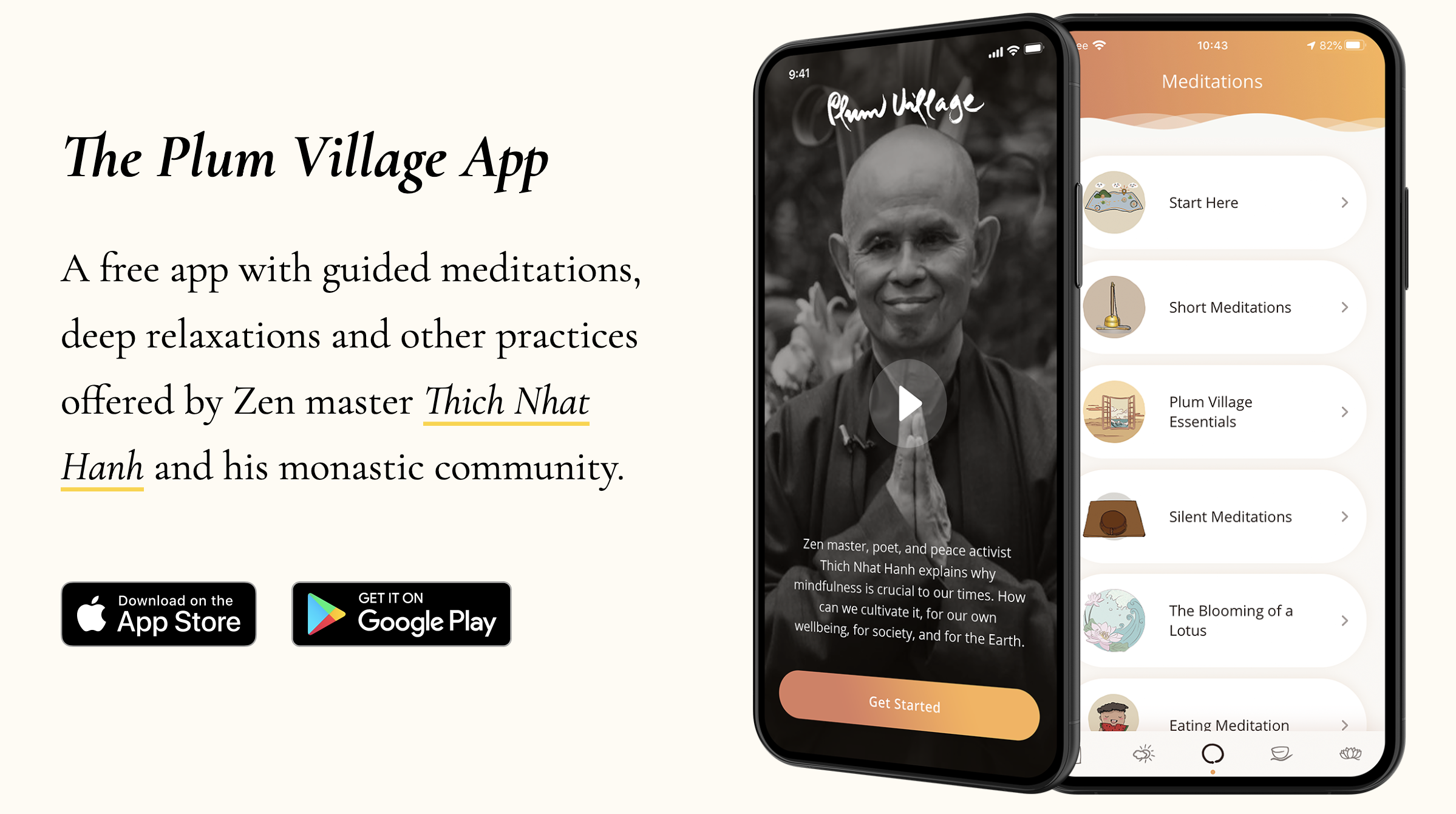
Plum Village Mobile App Full homepage screenshot

At a glance

Category
Software & Apps
Language
English
Paid-content signal
No paid content foundObserved
Registered
2018
Hosting
CloudflareInferred
HTTPS certificate trusted
PassedObserved
Last updated

Website review

This review may include AI-generated content and is not individually verified. Domain, certificate and other facts come from the observed data on this page.

What is the Plum Village Mobile App?

The Plum Village Mobile App is a free mobile app that collects guided meditations, deep relaxations and other mindfulness practices from Zen master Thich Nhat Hanh and the Plum Village monastic community. Its stated aim is to put “Plum Village wherever we go” — a portable version of the practice, rather than a general-purpose wellness tracker. The app is available for both iOS and Android and is offered without charge.

What you actually get

The core of the app is a library of guided audio practices. The page highlights one example, “Taking care of feelings,” a guided meditation led by Brother Phap Linh, and describes it as one of hundreds of resources in the app. In practice, that means you open the app, pick a meditation or relaxation, and listen — the same way you might use a podcast, but organised around a specific tradition and teacher.

Because the content comes from a monastic community rather than a celebrity or a corporate studio, the tone and framing are consistent: Buddhist practice, mindfulness of feelings and body, and the language of Thich Nhat Hanh’s teaching. If that tradition appeals to you, the app is unusually well matched to it. If you want secular, goal-driven programmes — sleep scores, streaks, stress metrics — this is not that kind of product.

Who it suits

  • People already familiar with Thich Nhat Hanh’s work, who want his guided practices on their phone.
  • Beginners curious about monastic-style meditation, who want to try short guided sessions before committing to a course or retreat.
  • Existing practitioners who want a portable reminder to pause during a commute, lunch break or before sleep.

A practical note on reviews

Alex Dam, writing in a US App Store review quoted on the page, calls it “by far the most useful meditation app I have ever encountered” and notes that it is free. That is one user’s experience, not a guarantee — a review tells you how the app landed for one person, not how it will fit your routine. My own read: the strongest signal here is the combination of a defined teaching lineage and no paywall, which removes the usual friction of trying a meditation app and then abandoning a subscription. The trade-off is that a free, community-run app is likely to be narrower in scope than commercial alternatives, so it works best as a companion to a practice you already have or want to build, not as an all-in-one wellness hub.

Next step

Download it from the App Store or Google Play and try one short guided meditation — the “Taking care of feelings” session is a reasonable starting point, since the page presents it as representative of the library. Give it a few sessions before deciding; a single listen is not enough to judge whether a particular teacher’s voice and pace suit you.

Is the Plum Village Mobile App free to use?

Yes. The Plum Village Mobile App is described as a free app offering guided meditations, deep relaxations and other practices from Zen master Thich Nhat Hanh and his monastic community. You can download it from the App Store or Google Play, and the page also includes a sample guided meditation, “Taking care of feelings,” that you can play directly in a browser.

What “free” means here

  • No subscription is mentioned on the page; the app is presented as free to use.
  • The page has a “How to support the app” section, which suggests voluntary support is possible, but the app itself is not framed as a paid product.
  • Because the app is free, the practical trade-off is usually not cost but fit: the content is rooted in Plum Village’s Zen tradition, so it may suit you best if you want guided meditations, deep relaxations and practices in that style rather than a broad, secular library.

A useful next step

If you are deciding whether to try it, start with the short sample meditation on the page and notice whether the pacing and tone work for you. Then download the app and explore one or two guided practices before deciding how it fits into a routine.

For broader context on the tradition behind the app, you can visit Plum Village.

What guided meditations and practices are available in the Plum Village Mobile App?

The app centers on the teachings and guided practices of Zen master Thich Nhat Hanh and the Plum Village monastic community. According to the site, it includes guided meditations, deep relaxations and other practices, described as hundreds of resources in total, with the stated aim of bringing Plum Village practice with you wherever you go.

What the page shows

  • Guided meditations — the page presents one example, “Taking care of feelings,” offered by Brother Phap Linh, as a sample of what is inside.
  • Deep relaxations — named directly as a category of practice in the app.
  • Other practices — the page groups additional Plum Village practices under this general label without listing them all.

How to use it

If you are new to meditation, start with a short guided meditation or a deep relaxation rather than trying to build a long solo sit. A concrete scenario: you have ten minutes before sleep, so you lie down and follow a deep relaxation track instead of scrolling; over a week, that becomes a small, repeatable habit. If you already practice in a Plum Village style, use the app as a portable reminder of the practices you learned at a retreat or sangha evening, and pick tracks that match what you already do rather than collecting new ones.

The trade-off is breadth versus structure. A large free library means you can always find something, but it can also make it hard to know what to choose next; choosing one theme, such as working with difficult feelings, and repeating it for a week is usually more useful than sampling widely. Note that the site itself shows only a small sample of the library, so browse inside the app to see the full range of meditations and relaxations. The app is described as free, with a page section on how to support it.

For background on the tradition behind the practices, see Plum Village and the broader Thich Nhat Hanh teachings archive.

Can I use the Plum Village Mobile App offline?

Yes. The Plum Village Mobile App is built to be usable without an internet connection, which fits its stated purpose of bringing Thich Nhat Hanh's teachings and the monastic community's practices "wherever we go." The app's page describes hundreds of resources, including guided meditations and deep relaxations, and frames the project around practicing on your mobile phone rather than sitting at a computer.

What offline use typically means here

Because the app centres on audio practices, the practical question is whether the specific meditation you want is already stored on your device. Offline access usually works like this:

  • Downloaded or bundled content plays in airplane mode, on a train, or in a retreat setting with no signal.
  • Streaming-only items may need a connection the first time, or may not play at all until cached.
  • App updates, new releases and community news need a connection to arrive.

One App Store reviewer, Alex Dam from the US, called it "by far the most useful meditation app I have ever encountered" and noted that it is free. That observation is about value rather than connectivity, but it points to why offline access matters: a free practice app is most useful when it works in the places people actually sit — bedrooms, parks, long commutes, silent retreats.

A sensible way to prepare

Before you rely on it offline, open the app while you have Wi-Fi and play through the sessions you plan to use, starting each one fully so it caches or downloads. Then test in airplane mode. If a track fails, treat it as connection-dependent and pick another for that trip. For a daily habit, choose two or three anchor practices — for example a guided meditation and a deep relaxation — and confirm both work without signal.

If you want the wider context around the app, including the community behind it, see Plum Village Mobile App. Plum Village's main organisation site is at Plum Village.

How is the Plum Village Mobile App connected to Thich Nhat Hanh and the Plum Village community?

The app is a direct project of the Plum Village community and is built around the teachings of the Zen master Thich Nhat Hanh. Its own framing of that link is explicit: the page quotes Brother Phap Luu saying Thich Nhat Hanh had a vision of using technology well so the practice could reach people on their phones, and that the app is the realisation of that vision — "to have Plum Village wherever we go."

What the connection looks like in practice

  • Content source. The guided meditations, deep relaxations and other practices are offered by Thich Nhat Hanh and his monastic community, not licensed from outside teachers.
  • Monastic oversight. Sister True Dedication is described as helping the team stay in sync with the Plum Village monastic sangha, working from Plum Village headquarters in France.
  • Community-rooted team. The Oak Forest Team includes long-time practitioners, a mindfulness facilitator of over ten years, a translator, and people inspired to bring technology and mindful living together after visiting Plum Village.
  • Continuity of the tradition. The team page also remembers Karim, who died in February 2025 and "will always be part of our team" — a reminder that this is a small community-run effort rather than an anonymous product.

What this means if you are choosing an app

If you already practise in the Plum Village tradition, or you want Thich Nhat Hanh's own guided practices rather than a general mindfulness library, the app's provenance is the main reason to pick it. A concrete example: you want a short guided meditation on working with difficult feelings; the page's sample, "Taking care of feelings" led by Brother Phap Linh, is one of hundreds of resources in the same voice and lineage.

If you are looking for secular, clinical or productivity-oriented programmes, or for a service with a large paid content catalogue, the monastic framing and community governance may not match what you need. The trade-off is a smaller, donation-supported team instead of a commercial publisher.

One reviewer quoted on the page, Alex Dam from the US, calls it "by far the most useful meditation app I have ever encountered" and notes that it is free. That is one user's experience; the practical point is that cost is not the barrier to trying it.

Next step

Download it and test the "Taking care of feelings" meditation first. If that voice and approach suit you, explore the wider library; if you want to understand who is behind it, read the team and support sections on Plum Village Mobile App.

How can I support or donate to the Plum Village Mobile App?

The app's own page points supporters to its "How to support the app" section, and it is described there as a free app, so support is framed as keeping a no-cost resource available rather than buying a subscription. The page also credits a small named team (the Oak Forest Team) with development, translation, design and communications, which tells you donations fund ongoing people-work, not just server bills.

Practical ways to help

  • Donate directly. Use the support route offered inside the app or on its official site rather than a third-party page, so the money reaches the team.
  • Share it with someone specific. A friend dealing with anxiety, a parent who wants short guided relaxations, or a colleague curious about Thich Nhat Hanh's tradition will get more from a personal recommendation than a general post.
  • Leave an honest store review. Reviews are how a free app gets discovered; the page itself quotes a US reviewer, Alex Dam, calling it the most useful meditation app he had encountered and noting that it is free.
  • Offer skills. The team roster shows contributors working on code, translation, design, social media and governance — useful if you have those skills and want to give time instead of money.
  • Tell the monastic community it mattered. Feedback about which practices helped is what shapes future content.

If you are deciding how to give

Give money if you want the app to stay free for people who cannot pay; give time if you have translation, development or moderation skills, since those are named as active needs on the page. If you are unsure whether a request is genuine, check the official app listing or Plum Village Mobile App before entering payment details anywhere else — the app is distributed through the App Store and Google Play, and the team is identified by name, which makes impersonation easy to spot by comparison.

Related questions

More questions →
What is the Plum Village Mobile App?

The Plum Village App is a free mobile app that offers guided meditations, deep relaxations, and other mindfulness practices from Zen master Thich Nhat Hanh and his monastic community. It is available for download on the App Store and Google Play, and its stated purpose is to bring Plum Village practice with you wherever you go.

What you can do with it

The app is built around practice rather than information about practice. Its resources include:

  • Guided meditations — for example, "Taking care of feelings," a guided meditation offered by Brother Phap Linh, which the site describes as one of hundreds of resources in the app.
  • Deep relaxations and other practices from Thich Nhat Hanh and the monastic community.

The site frames the app as the realisation of Thich Nhat Hanh's vision for making good use of technology to share the practice with people on their mobile phones. In the words of Brother Phap Luu, the aim is "to have Plum Village wherever we go. That means we have freedom."

Who makes it

The app is developed by the Oak Forest Team, a small group that includes:

Person Role
Cata Founder; interested in the connection between technology, mental health, and mindfulness
Raj Lead developer
Justin Software developer, inspired after visiting Plum Village
Maarten Design and user experience
Jasmine Communications and social media; mindfulness facilitator and teacher
Sr. True Dedication Keeps the app in sync with the Plum Village monastic sangha, from PV HQ in France
Anca Assistant manager
Borja Transparency reports and open governance strategy
Shikhin Software developer
Tuyen Translator
Cyndee Social media
Karim Part of the team; passed away in February 2025

Is it really free?

Yes — the site describes it as "a free app," and a user review quoted on the page (Alex Dam, US, App Store review) calls it "by far the most useful meditation app I have ever encountered. It is also free, which is a huge blessing!"

The site also has a section titled "How to support the app," so if you find it useful, there are ways to contribute to its continuation.

How to get started

  1. Download the app from the App Store or Google Play.
  2. Open it and browse the guided meditations and deep relaxations.
  3. Pick one practice — for example, the "Taking care of feelings" meditation — and sit or lie down for a few minutes.

No account or prior meditation experience is mentioned as a requirement on the page.

Who it's for

The app suits anyone who wants short, guided mindfulness practices in the tradition of Thich Nhat Hanh, whether or not they have any connection to Plum Village. If you already practice in that tradition, it's a way to carry the practice with you; if you're new, the guided audio gives you something concrete to follow rather than instructions to read.

Does Aldersgate United Methodist Church Have a Mobile App?

As of the information available on the church's website, Aldersgate United Methodist Church in Wichita, Kansas does not advertise a dedicated mobile app. The site presents itself as the primary online hub for the congregation, with its mission of "Making Disciples of Jesus Christ for the Transformation of the World" front and center. If a mobile app exists, it is not prominently featured on the homepage. The most reliable way to confirm is to contact the church office directly or check the website for any new announcements.

That said, "no app advertised" is not the same as "no app at all." Churches sometimes launch apps quietly, link them only in weekly bulletins, or roll them out through a congregation-wide email. This article explains what a church mobile app usually includes, how to verify whether Aldersgate has one, and how to stay connected in the meantime.

What a Church Mobile App Typically Offers

Most church apps are built around a handful of core functions. If Aldersgate launches or already operates one, you can reasonably expect some combination of the following:

  • Sermons and worship — audio or video of past services, sometimes with notes or discussion questions.
  • Events calendar — worship times, Bible studies, youth group meetings, outreach days, and seasonal services.
  • Giving — online donations via credit card, debit card, or bank transfer, often with recurring gift options.
  • Prayer requests — a form or feed where members can submit and pray for needs.
  • Groups and ministries — sign-ups, rosters, and communication for small groups, choirs, or volunteer teams.
  • Push notifications — reminders for services, weather cancellations, or special announcements.
  • Connection cards — a digital way for first-time visitors to share contact information.

Not every app includes all of these. Some churches use a general-purpose platform that bundles them together; others rely on separate tools for giving and communication.

How to Check Whether Aldersgate Has an App

Because app availability changes and the website may not always reflect the latest tools, verify through more than one channel:

  1. Search the website. Look for a menu item labeled "App," "Mobile," "Connect," or "Media." Check the footer, too, since app links are sometimes placed there.
  2. Search your phone's app store. Try terms like "Aldersgate United Methodist," "Aldersgate Wichita," or "Aldersgate Church." Be careful to match the correct city and denomination, since other churches share the Aldersgate name.
  3. Call or email the church office. This is the fastest way to get a definitive answer. Ask specifically: "Do we have a mobile app, and if so, what is it called and where do I download it?"
  4. Ask an usher or greeter on Sunday. They often know about new tools before they appear online.
  5. Check the weekly bulletin or newsletter. App launches are frequently announced there first.

If you find an app, confirm it is officially affiliated with the church before entering any personal or payment information.

If There Is No App: Other Ways to Stay Connected

A dedicated app is convenient, but it is not the only way to remain plugged into church life. These alternatives cover most of what an app would do:

Need Alternative
Worship times and location Church website homepage
Sermons Website media page, podcast, or social media
Events Website calendar, bulletin, or email newsletter
Giving Online giving link on the website, or giving during service
Prayer requests Email, phone call, or prayer chain
Announcements Email newsletter, social media, or Sunday bulletin

For a first-time visitor, the simplest starting point is the website's contact page: send a message introducing yourself and ask how the church prefers to communicate. For a long-time member, the church office can add you to the email list or connect you with the right ministry leader.

A Practical Checklist for Getting Connected

Use this sequence whether or not an app exists:

  1. Visit the church website and note the worship times and address.
  2. Find the "Contact" or "About" page and save the office phone number and email.
  3. Sign up for the email newsletter if a sign-up form is available.
  4. Follow the church on any social media accounts linked from the site.
  5. Ask the office directly about a mobile app, online giving, and prayer request channels.
  6. If an app is confirmed, download it, create an account, and enable notifications for the updates you want.

A Note on Accuracy

App availability, features, and download links can change at any time, and a website may lag behind those changes. Nothing in this article should be treated as a guarantee that Aldersgate United Methodist Church does or does not currently offer an app. Treat the church office as the authoritative source, and confirm details before relying on any tool for giving or personal information.

If you are a member or visitor hoping for an app, it is also reasonable to ask the church whether one is planned. Congregations often gauge interest before investing in a new platform, and a simple question can move the conversation forward.

Who Creates and Maintains the Plum Village App?

The Plum Village App is created and maintained by the Oak Forest Team, a volunteer group of developers, mindfulness practitioners, translators, and community organizers working in alignment with the Plum Village monastic community. The app itself is described as "a free app with guided meditations, deep relaxations and other practices offered by Zen master Thich Nhat Hanh and his monastic community," and the team's stated purpose is to realize Thich Nhat Hanh's vision of using technology to share the practice with people on their mobile phones — "to have Plum Village wherever we go."

Who is on the Oak Forest Team?

The team page lists the following members and roles:

Name Role / Contribution
Raj Lead developer
Justin Software developer; inspired after visiting Plum Village to explore how technology can support mindful living
Jasmine (Jas) Mindfulness facilitator and teacher for over ten years; communications and social media
Cata Founder of the app; interested in the connection between technology, mental health, and mindfulness
Sr. True D. (Sister True Dedication) Keeps the team in sync with the Plum Village monastic sangha, overviewing from PV HQ in France
Maarten Design and user experience; passionate about mindfulness and community building
Shikhin Software developer
Tuyen Translator
Anca Assistant manager; interested in media literacy and environmental communication
Borja Consultant for community empowerment projects; handles transparency reports and open governance strategy
Cyndee (Cyn) Social media; long-time Plum Village practitioner
Karim Passed away in February 2025; the team notes he "will always be part of our team"

What this tells you about the app's credibility

The team composition is the main signal here, and it works on three levels:

  • Monastic alignment. Sister True Dedication's role as liaison from Plum Village HQ in France means the app's content and direction stay connected to the monastic community rather than being an independent reinterpretation.
  • Practitioner involvement. Several team members (Jasmine, Cyndee, Maarten) are described as experienced practitioners or facilitators, not only technologists — relevant if you care whether the app reflects lived practice.
  • Governance and transparency. Borja's work on transparency reports and open governance strategy indicates the project has some structure around accountability, not just informal volunteer effort.

The app's own framing also matters: it presents itself as the realization of Thich Nhat Hanh's vision for technology, and the team describes its work as connecting technology, mental health, and mindfulness.

How to support the app

The site includes a "How to support the app" section, though the provided page evidence does not detail specific methods (donation, volunteering, etc.). If supporting the project matters to you, check that section directly on the site rather than assuming a particular mechanism.

Practical takeaway

If your question is whether the Plum Village App is a legitimate, community-backed project rather than an unofficial third-party meditation app: the evidence points to yes. It is built by a named team, includes a monastic liaison from Plum Village in France, and is explicitly positioned as an extension of Thich Nhat Hanh's teaching vision. The team page is the place to verify current members and roles, since the roster can change over time.

Is the Plum Village App Free, and How Can You Support It?

Yes. The Plum Village App is described as "a free app with guided meditations, deep relaxations and other practices offered by Zen master Thich Nhat Hanh and his monastic community." The site lists no prices, subscriptions, or payment platforms, and the page includes a section titled "How to support the app," so the app is free to use while accepting contributions from those who want to help sustain it.

What the app is

The Plum Village App is the mobile realisation of Thich Nhat Hanh's vision for "making good use of technology, to be able to share the practice with people on their mobile phone." As Brother Phap Luu puts it on the site, the aim is "to have Plum Village wherever we go. That means we have freedom."

It is available for both major mobile platforms:

  • iOS — "Download on the App Store"
  • Android — "Get it on Google Play"

Inside, the app holds hundreds of resources, including guided meditations and deep relaxations. One example featured on the site is "Taking care of feelings," a guided meditation offered by Brother Phap Linh that you can do sitting or lying down in just a few minutes.

Is it really free?

The site's own description is unambiguous: "A free app." A user review quoted on the page reinforces the point — Alex Dam, US (App Store review) calls it "by far the most useful meditation app I have ever encountered. It is also free, which is a huge blessing!"

Two caveats worth keeping in mind:

  • The page shows no pricing details, subscription tiers, or payment links, so nothing on it suggests a paid version or in-app purchase requirement.
  • "Free" here describes the app as presented on its own site. Store listings and regional availability can differ, so check the App Store or Google Play listing for your device and country before downloading.

How to support the app

The site devotes a section to "How to support the app," which signals that contributions from users are part of how the project keeps going. The page does not spell out the specific support methods in the material available, so the practical step is to look for that section in the app itself or on the website, where current options would be listed.

Support in a broader sense also shows up in how the project is run. The team page describes an emphasis on openness and community: Borja is "our go-to person for transparency reports and open governance strategy," and Anca, the assistant manager, is described as having "a strong interest in media literacy and environmental communication." That context suggests support is not only financial — it can include spreading the word, translating, or contributing skills.

Who runs it

The app is maintained by the Oak Forest Team, a small group of developers, designers, translators, and practitioners. A few roles give a sense of how it operates:

Person Role on the team
Cata Founder; interested in technology, mental health, and mindfulness
Raj Lead developer
Maarten Design and user experience
Sr. True Dedication Keeps the app in sync with the Plum Village monastic sangha from PV HQ in France
Tuyen Translator
Cyndee Social media
Karim Passed away in February 2025; "will always be part of our team"

The team also includes Justin, Jasmine, Shikhin, Anca, and Borja, each contributing in development, facilitation, communications, or governance.

What to do next

  1. Download the app from the App Store or Google Play to start using the free meditations and relaxations.
  2. Look for the "How to support the app" section in the app or on the website to see the current ways to contribute.
  3. Check your store listing if you want confirmation of price and availability for your region before installing.

If your question is simply whether you can practise with Plum Village content without paying, the answer from the site is yes — and if you find it valuable, the app itself points you toward ways to give back.

What kind of meditation and mindfulness content is in the Plum Village App?

The Plum Village App contains hundreds of resources, including guided meditations, deep relaxations, and other mindfulness practices offered by Zen master Thich Nhat Hanh and his monastic community. It is described on the app's site as a free app, and the content is designed to let you "bring the wisdom of Thich Nhat Hanh anywhere you go." If you are looking for a library of practice sessions rather than a single-purpose timer, this is the kind of content you will find.

What types of practices are included

The site names three broad categories of content:

  • Guided meditations – led sessions you follow along with, rather than silent or self-timed meditation.
  • Deep relaxations – guided relaxation practices, typically done lying down or sitting.
  • Other practices – additional mindfulness resources beyond meditation and relaxation.

The page describes these as "hundreds of resources," so the app functions as a sizable collection rather than a small starter set.

Who the practices come from

The content is attributed to Thich Nhat Hanh and his monastic community. The site frames the app as the realization of Thich Nhat Hanh's vision for "making good use of technology, to be able to share the practice with people on their mobile phone" — in the words quoted from Brother Phap Luu, "to have Plum Village wherever we go."

This matters if you want practices rooted in a specific tradition and taught by monastics, rather than general-purpose or independently produced meditation audio.

An example practice: "Taking care of feelings"

The page features one practice in detail: a guided meditation called "Taking care of feelings," offered by Brother Phap Linh. The site describes it as one of the hundreds of resources in the app and invites you to "take a few minutes to sit or lay down and practice taking care of your feelings." An audio player is embedded on the page, so this particular session can be sampled before or without downloading the app.

That example gives a sense of the format: short, guided, voice-led sessions you can do seated or lying down.

How to access the content

  • Download the app on the App Store or Google Play (both linked from the site).
  • A video is also available on the site.
  • At least one practice — "Taking care of feelings" — can be played directly on the page.

What the app is not described as

The available page material does not describe structured courses, progress tracking, or a paid tier. It presents the app as free and as a collection of practices. For specifics on pricing, accounts, or offline use, check the app store listing, since the page evidence here does not cover those details.

Website Overview

Identifiable technologies and additional version or configuration signals make the service easier to fingerprint, which may help targeted scanners narrow their checks. An established domain and managed infrastructure suggest continuity of operations and may support dependable delivery, although neither guarantees service quality.

Domain and Registration

Registered in 2018, this domain has about 8 years of history. That suggests continuity, although ownership and purpose may have changed. Transfer-protection status is present, helping reduce the risk of unauthorized domain transfers. The registrar is Namecheap Inc., a widely used domain service provider. The domain uses the common .app extension, which is not an independent safety signal.

DNS and Email

The lowest TTL is 60 seconds, supporting rapid record changes at the cost of more frequent lookups. Nameservers are provided by Namecheap, indicating managed DNS hosting. MX records point to the Namecheap Private Email email service. No CNAME was found; the observed records resolve directly to addresses. SPF and DMARC are configured. DKIM status is unknown.

TLS and Certificates

The public key uses EC with 256 bits. The server supplied a complete certificate chain. No organization name is present in the certificate; the available fields are consistent with domain validation. The certificate was issued within the Google Trust Services cloud or CDN ecosystem. The certificate's total validity is about 90 days, consistent with a short renewal cycle.

HTTP and Browser Security

The response lacks these common security headers: HSTS, CSP, Referrer-Policy, Permissions-Policy, clickjacking protection. No X-Powered-By header was found, reducing one common source of backend fingerprinting information. The cf-ray response header indicates a CDN or caching proxy in the delivery path. No obvious internal addresses or debug information were found in the headers. The Server header identifies cloudflare without an exact version.

Technology Stack Analysis

The public page identifies WordPress 6.9.10, Cloudflare, with exact versions exposed for 1 technologies. These details can narrow vulnerability checks, although exposure alone is not a vulnerability.

Search and Social Sharing

No homepage meta description was detected, leaving snippet selection more dependent on page text. The Generator tag identifies WordPress 6.9.10, making the publishing system easier to fingerprint. Open Graph is partially configured; og:description is missing. Twitter Card metadata is configured. JSON-LD includes Organization data, helping describe the organization as an entity.

Hosting and Email

DNSNamecheap
HostingCloudflare
EmailNamecheap Private Email
Approximate IP geolocation (inferred; a CDN or proxy may differ from the origin server) United States flagUnited States Inferred 162.159.134.42

Registration details

RDAP / WHOIS

RegistrarNamecheap Inc.
Registered2018-05-25
Expires2029-05-25
Domain statusclient transfer prohibited
Nameserversdns1.registrar-servers.com、dns2.registrar-servers.com
DNSSECunsigned

DNS records

DNS

TypeNameValueTTLPriority
Aplumvillage.app162.159.134.421799—
MXplumvillage.appmx1.privateemail.com180010
MXplumvillage.appmx2.privateemail.com180010
NSplumvillage.appdns1.registrar-servers.com1800—
NSplumvillage.appdns2.registrar-servers.com1800—
TXTplumvillage.appbrevo-code:d3c43a1e203e196e5f5991ef27414df860—
TXTplumvillage.appca3-5789961ca28f4bb2849dd6c4a76c862860—
TXTplumvillage.appgoogle-site-verification=6nItaTJHkP-o-x6M7IR3URYTBFE9C54R3iPhB3k7yoM60—
TXTplumvillage.appstripe-verification=3a917602d9d3210b9d0a8b97d72de1878910259d8ede78cc1cc814d82a438f8160—
TXTplumvillage.appv=spf1 include:mailgun.org ~all60—
DMARC_dmarc.plumvillage.appv=DMARC1; p=none; sp=none; rua=mailto:[email protected],mailto:[email protected]; ruf=mailto:[email protected],mailto:[email protected]; adkim=r; aspf=r; ri=86400; fo=1; pct=1001799—

TLS and certificates

TLS / SSL

AssessmentNormal configuration
Supported protocolsTLSv1.2、TLSv1.3
Negotiated protocolTLSv1.3
Certificate subjectplumvillage.app
IssuerGoogle Trust Services
Valid until2026-11-20T09:12 · Remaining when checked: 37 days
Verification detailsCertificate trust: Passed · Hostname match: Passed

HTTP response headers

HTTP

HeaderValue
content-typetext/html; charset=UTF-8
cache-controlpublic, max-age=0, s-maxage=3600
servercloudflare
x-content-type-optionsnosniff

Identified technologies

WordPress 6.9.10Cloudflare

Pages, Search and Sharing

User reviews (0)

  • No reviews yet.