
 Paid content
 Multilingual
 Visit website
 Updated: 2026-10-11 19:18
 Access: Normal
 Profile views 0
  Outbound visits 0
 Website Review
What is RADAAR?
RADAAR is a social media management platform for publishing, monitoring, engagement and analytics. Its core promise is consolidation: connect multiple social accounts and handle scheduling, replies, keyword tracking and reporting from one dashboard instead of switching between native apps. The site positions it for brands, agencies and startups, with use cases spanning boutique agencies through enterprise-level teams.
What it covers
- Publish — curate content and schedule posts automatically across connected accounts.
- Track — monitor keywords (including competitor terms) to catch opportunities or emerging crises.
- Engage — pull incoming messages into a single inbox so replies and comments don't require hopping between platforms.
- Analyze — report on reach, engagement and sales metrics, with collaboration features aimed at colleagues and clients.
Who it suits
A small agency managing five client accounts is the clearest fit: one login, one content calendar, one shared inbox, and client-ready reports. In-house marketing teams at startups get similar value if they post across several networks. Solo operators with one or two accounts will likely find a dedicated scheduler cheaper and simpler, since the listening and collaboration layers add cost and setup without much payoff.
What users report
Two testimonials on the page are worth reading as user opinion rather than verified performance claims. Alexander K., a country lead at TheFork (a Tripadvisor company), calls it "much more next level than other software I've used." Miles B., a clinical director, says he dislikes social media but that RADAAR made scheduling easy and specifically praises the unified inbox for keeping him out of endless feed scrolling. Both comments point to the same practical benefit: fewer open tabs and less time lost to context-switching. Treat the comparative claim as one person's experience; the inbox observation is the more concrete, checkable feature.
Next step
Before committing, list the platforms you actually post to and confirm they're supported, then run a trial with one real client or campaign. Test the inbox with a week of genuine comments and DMs — that's where consolidation either saves you time or adds friction. Compare against Buffer for straightforward scheduling and Sprout Social for deeper listening and reporting, since RADAAR's value hinges on how much you need the combined publishing-plus-engagement-plus-analytics stack.
How does RADAAR help agencies manage multiple social media accounts for different clients?
RADAAR is built around a single workspace where you connect each client's social profiles and manage them side by side. For an agency, the practical value is consolidation: instead of logging into separate native apps or spreadsheets per client, publishing, incoming messages, keyword tracking and reporting sit in one place.
What the platform actually covers
The page groups its capabilities into four areas, which map closely to an agency's daily workflow:
- Publish — curate content and schedule posts to go out automatically across connected accounts.
- Engage — pull incoming messages and comments from multiple profiles into one shared inbox, so replies don't get missed across client accounts.
- Track — monitor chosen keywords, including competitor and industry terms, to catch opportunities or emerging problems.
- Analyze — produce performance reports covering reach, engagement and sales-related metrics.
Why this suits agency work specifically
Two things matter more to agencies than to single-brand teams: separation between clients, and getting work approved before it goes live. RADAAR's stated positioning is for brands, agencies and startups, and it describes report creation as something done "in collaboration with your colleagues and clients" — which points to shared access rather than one person holding all the logins. That is the difference between a tool a solo marketer can use and one an account team can hand over.
The unified inbox is the feature most likely to change an agency's day. A reviewer identified as Miles B., a clinical director at Fizzio Clinics, noted that the inbox keeps him focused on posts and comments rather than "scrolling mindlessly through the feeds" — an observation from a single-brand user, not an agency. The agency translation is that comment triage becomes a task you can assign and complete, instead of something that depends on someone remembering to check each client's notifications.
How to decide whether it fits
Before committing, test it against your actual client load rather than the demo:
- Connect two or three real client accounts and check whether the inbox keeps conversations clearly attributable to the right client.
- Run one approval cycle for a post that needs client sign-off, and see how much back-and-forth happens outside the tool.
- Build one client-facing report and judge whether it is presentable without manual rework.
If step two or three still pushes you back into email and spreadsheets, the consolidation benefit is only partial. Pricing and plan limits are not detailed here, so compare tiers directly on RADAAR against your client count and posting volume. If you want a second reference point for agency-oriented scheduling and approvals, Buffer and Later are established alternatives worth benchmarking on the same three tests.
Can RADAAR monitor keywords and competitors across social media platforms?
Yes. RADAAR's tracking feature is built around monitoring keywords so you can act when opportunities or crises surface, and the platform explicitly includes tracking competitors alongside key industry terms. Monitoring sits alongside publishing, a unified engagement inbox, and analytics, so what you find can feed directly into replies and reports rather than living in a separate tool.
What that looks like in practice
A small agency running accounts for three clients could watch each client's brand name, a handful of product terms, and two or three rival handles. When a complaint or a competitor comparison appears, it lands in the same workflow as scheduled posts and incoming messages, so the person who responds is often the person who already knows the content calendar.
For a solo marketer or a lean in-house team, the value is mostly triage: fewer tabs, one place to check each morning, and reports that clients or managers can read without a separate export step.
Where the trade-off sits
Broad listening tools tend to go deeper on sentiment analysis, historical data, and coverage of forums, review sites, and news. RADAAR's framing is social media management first, with tracking as one of four pillars — useful if your monitoring needs are tied to accounts you already manage, less so if you need research-grade intelligence across the wider web.
Practical decision criteria:
- Choose it if keyword and competitor tracking mainly supports publishing, community replies, and client reporting inside the same platform.
- Look elsewhere if you need long-range trend data, sentiment scoring at scale, or coverage outside social platforms.
- Check platform coverage before committing, since monitoring is only as good as the networks connected to your account.
Next step
Open the pricing page and the supported platforms list, then write down the exact keywords and competitor handles you would track for one client or brand. If that list fits comfortably inside a social-first workflow, a free trial will tell you more in a week than a feature comparison will.
What features does RADAAR offer for team collaboration and client reporting?
RADAAR bundles team collaboration and client reporting into the same workspace as publishing, listening, engagement and analytics. Based on the product's own feature descriptions, the collaboration angle rests on shared content curation and report building, while reporting draws on the analytics module and the ability to produce "beautiful reports" alongside colleagues and clients.
Collaboration features
- Shared content curation and scheduling — RADAAR frames publishing as something teams do together: curating content, publishing automatically, and collaborating on reports with colleagues and clients.
- A unified inbox for engagement — all incoming messages across connected accounts land in one inbox, so a team can divide or share community management instead of logging into each network separately.
- Multi-account, multi-brand management — the platform positions itself for brands, agencies and startups, and says it supports managing all social channels "from a single platform," which is the practical basis for agency-side teamwork.
Client reporting features
- Analytics on the metrics that matter — RADAAR's Analyze module is described as measuring reach, engagement and sales metrics "from day one."
- Report creation with clients — the site explicitly mentions creating reports "in collaboration with your colleagues and clients," suggesting clients can be brought into the reporting workflow rather than just receiving a PDF.
- Keyword and competitor tracking feeds reporting — the Track module monitors keywords and competitors, giving reports an external context layer beyond your own account metrics.
How the pieces fit together
| Need | RADAAR module | Practical use |
|---|---|---|
| Plan and approve posts | Publish | Shared content curation and automatic publishing |
| Answer comments and DMs | Engage | One inbox for all incoming messages |
| Watch brand terms and rivals | Track | Keyword and competitor monitoring |
| Show results to a client | Analyze | Metrics plus collaborative report building |
Who gets the most from this
An agency managing several client accounts is the clearest fit: one login for publishing, one inbox for community replies, and reports that can be assembled with the client rather than for them. In-house teams at multi-brand companies get the same benefit at a smaller scale. A solo creator with one account will find the collaboration layer largely unused, though the unified inbox and scheduling still apply.
A useful next step
Before committing, list the specific collaboration moments your team actually has — who drafts, who approves, who replies to messages, and what a client report must contain. Then check RADAAR's pricing page at RADAAR to confirm which plan exposes the analytics and reporting depth you need, since reporting features are often tiered. If your reporting requirements are heavy on custom white-label PDFs or granular approval chains, compare against a dedicated option such as Hootsuite or Buffer before deciding.
Which social media platforms does RADAAR support?
RADAAR does not list every supported network on its homepage; it points to a separate "Supported Platforms" section for the full, current list. So the reliable answer is: check that page before committing, because social platform APIs change and a tool's coverage can differ by network and by feature.
What the page does confirm
- Multi-network management from one dashboard. RADAAR describes itself as managing "all your social media accounts in one place," aimed at brands, agencies and startups.
- Coverage varies by function, not just by network. The homepage separates four capabilities: publishing, tracking keywords, engaging via a unified inbox, and analytics. A network may be supported for scheduling but not for inbox replies or listening, so "supported" needs a per-feature check.
How to verify it for your own accounts
Use the "Supported Platforms" link on RADAAR and compare it against the accounts you actually run. Then test one real workflow per network — schedule a post, reply to a comment, and pull a report — rather than assuming parity across all of them.
If your mix is mostly mainstream networks, most schedulers cover them; the deciding factor is usually the secondary ones, such as a regional network, a review platform, or a messaging channel your customers use. For a broader comparison of what mainstream tools cover, see Buffer and Later, both of which publish their own supported-platform lists.
How much does RADAAR cost and what are the differences between its pricing plans?
RADAAR's own site does not publish plan prices on the page you referenced; it links to a separate pricing page, so the exact figures and tier names need to be checked there rather than assumed.
What the site does tell you about plans
The page frames RADAAR as one platform for "brands, agencies, and startups," and describes its solution set as spanning "boutique agency" through "enterprise-level business." That wording signals the pricing is likely split by scale and by how many people or clients you manage, not just by feature count. The four named capability areas — Publish, Track, Engage and Analyze — are the practical axes along which plans usually differ: scheduling volume, keyword/competitor monitoring, unified inbox access, and reporting.
How to compare the plans in practice
Because the pricing page is the only place with real numbers, use it to answer these questions in order:
- Seats and clients — how many team members or client workspaces are included before you pay more.
- Publishing volume — posts per month or per channel, and whether queuing and bulk scheduling are capped.
- Listening and tracking — whether keyword and competitor tracking is included or an add-on.
- Engagement inbox — whether all incoming messages unify into one inbox on every tier.
- Reporting — whether client-ready reports and collaboration features are limited to higher plans.
A concrete scenario
A two-person agency managing five client accounts will care most about client workspaces and white-label reporting; a single in-house brand manager posting daily will care more about scheduling limits and inbox access. The same "pro" tier can be good value for one and wasteful for the other, which is why the seat-and-client count matters more than the headline price.
Next step
Open RADAAR's pricing page directly and note, for each tier, the seat count, publishing limits, and whether Track, Engage and Analyze are all included. If a feature you need is missing from the lower tier, compare the upgrade cost against the price of a dedicated listening or inbox tool before deciding.
 Hosting and Email
 Cloudflare
 Hosting
 Location
 Pages, Search and Sharing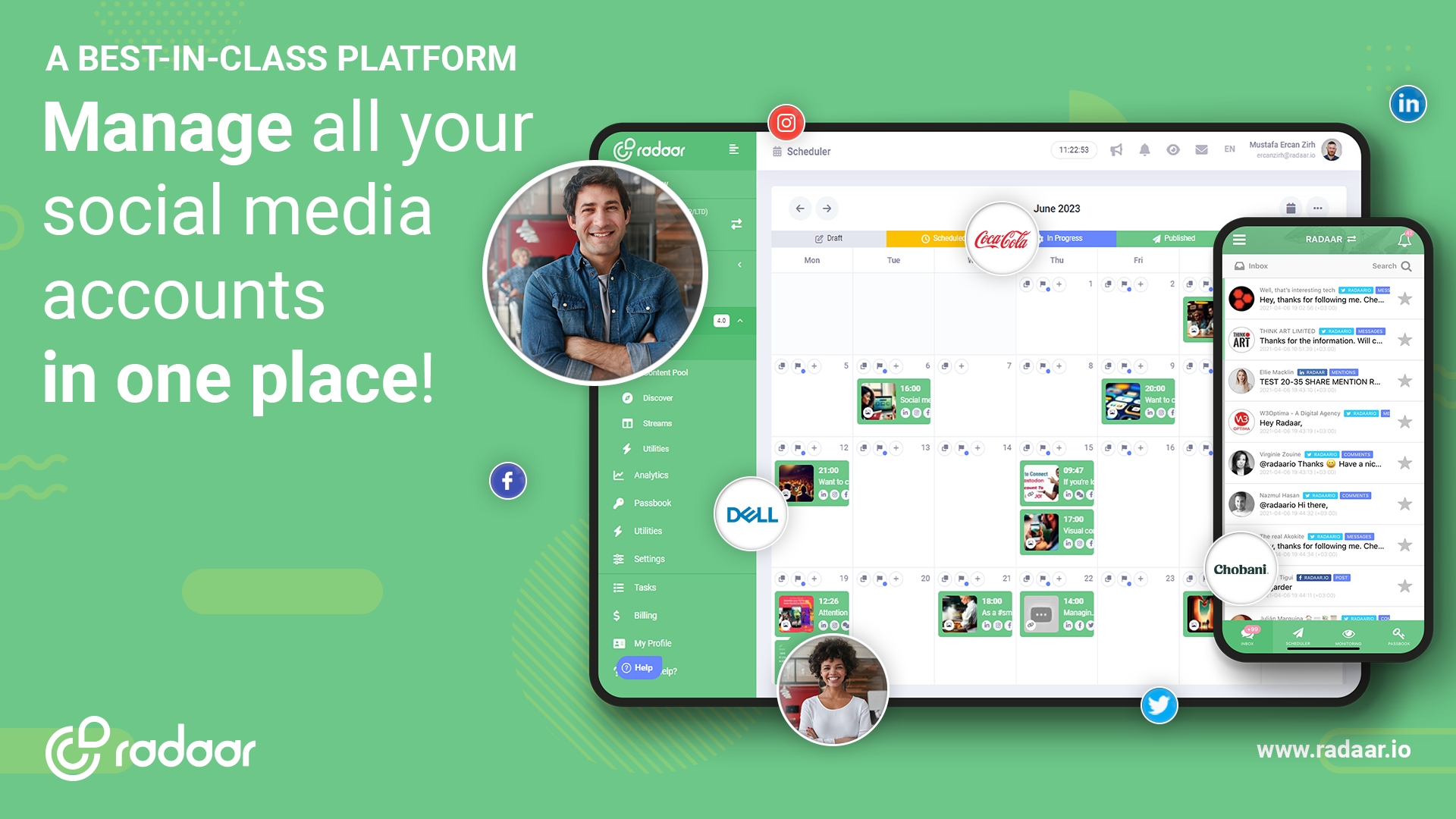



 All bots


 Registration details

 Identified technologies
User reviews (0)