Website profiles · Technology insights · Alternatives

refine.dev

Build enterprise internal tools and B2B apps 10x faster with Refine agents. Experience the future of vibe coding and AI-led development.

Paid content
Visit website
Profile views 16 Outbound visits 13 Normal
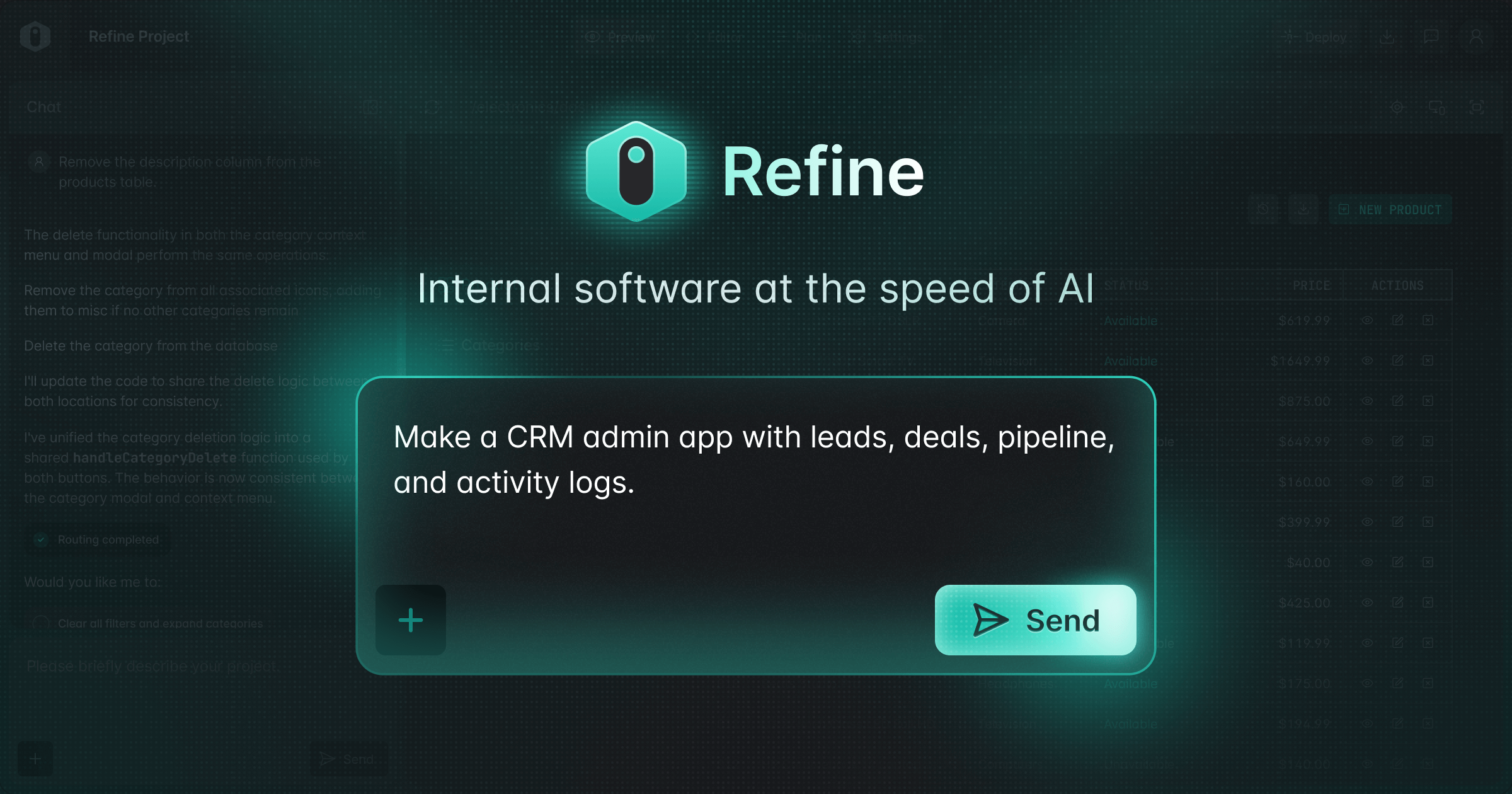
Refine Full homepage screenshot

At a glance

Category
Business Services
Language
English
Paid-content signal
Paid contentObserved
Registered
2021
Hosting
NetlifyInferred
HTTPS certificate trusted
PassedObserved
Last updated

Website review

This review may include AI-generated content and is not individually verified. Domain, certificate and other facts come from the observed data on this page.

What is Refine?

Refine is a platform for turning existing APIs into production-grade, React-based internal tools and B2B apps. Its distinguishing idea is that the output is plain React code you own, not a locked-down proprietary runtime. The workflow is AI-assisted but grounded in your actual backend: you connect a REST API or Supabase project, Refine analyses the backend to build a blueprint, AI agents generate code against that data model, and you preview and modify it in a web IDE before downloading or publishing.

Who it suits

  • Teams with an existing REST or Supabase backend who need admin panels, dashboards, CRUD screens or operational tooling.
  • Developers who want AI speed but still want to read, inspect and extend the codebase themselves.
  • Organisations that cannot accept a black-box hosted builder because the app must live in their own repo or infrastructure.

Where the trade-offs are

The "bring your own data" model is the main strength and the main constraint. If your data lives in a well-structured API, Refine has something concrete to analyse. If your logic is spread across bespoke services, legacy databases or heavy server-side business rules, expect more manual work in the preview-and-modify stage. The claim of "vibe coding" speed is real for standard internal-tool patterns; it is less meaningful for unusual interfaces or complex domain logic.

A practical starting test

Pick one narrow internal app you already know well — for example, an order-lookup screen over an existing REST endpoint. Connect that API, let Refine generate the blueprint and initial screens, then judge two things: whether the generated code matches your data model without correction, and whether the downloaded code is something your team would be happy to maintain. That second question matters more than the first for long-term use.

Next step

If you want to compare before committing, look at how Refine positions itself against general-purpose AI app builders and against hand-rolled React admin frameworks. Reviewing the official documentation and pricing at Refine will tell you what the free tier covers and whether publishing or hosting is included. If your team already standardises on React and Supabase, the fit is likely strong; if you rely on a different stack or a managed low-code platform, evaluate whether code ownership outweighs the convenience you would give up.

How does Refine turn my existing REST API or Supabase backend into a production-ready internal tool?

Refine connects to your existing REST API or Supabase project, analyzes that backend to build a data-model blueprint, then uses AI agents inside a web IDE to generate a React-based app you can preview, modify, download, or publish. The key promise is that you keep your backend and end up with plain React code you own, rather than a hosted black box.

The workflow Refine describes

  1. Bring your own data — point Refine at a REST API or Supabase project. If you have no backend yet, you can start building and connect one later.
  2. Analyze and plan — Refine inspects your backend and produces a blueprint that gives the AI agents context about your data model, so generated code matches your actual resources and fields instead of guessing.
  3. Preview and modify — you work in a web IDE, either prompting the AI ("vibe coding") or inspecting and editing the codebase directly.
  4. Download or publish — the output is React code with no black box; you can take it and deploy it wherever you want.

What "production-ready internal tool" means here

Typical internal tool need How Refine's approach addresses it
CRUD screens over existing data Generated from your API/Supabase schema rather than hand-written from scratch
Code you can maintain long-term Plain React output, downloadable, editable in the IDE
Fitting an existing stack Works with REST and Supabase backends you already run
Speed vs. control AI generation for speed; direct code inspection when you need precision

A concrete scenario

Say your team runs an order-management REST API and needs an internal admin panel for support staff to look up orders, edit statuses, and view customer details. Instead of wiring up tables, forms, filters, and API calls by hand, you connect the API, let Refine analyze the endpoints, and generate the initial screens. A developer then reviews the generated React code, adjusts field labels or permissions logic, and publishes it to your own hosting. The support team gets a working tool; your engineers keep a codebase they can extend.

Trade-offs to weigh

  • Best fit: teams with an existing REST or Supabase backend who want React internal tools fast but don't want to be locked into a proprietary runtime.
  • Less ideal if: your backend isn't REST or Supabase, your internal tool needs heavy custom logic that AI generation won't capture, or you'd rather buy a fully hosted admin product than own the code.
  • Watch for: generated code still needs review for auth, permissions, and edge cases — "production-ready" is a starting point you validate, not a guarantee.

Next step: decide based on your backend. If you already have a REST or Supabase API and React skills in-house, this workflow fits naturally — start by connecting a non-critical API and inspecting the generated code before committing a real internal tool to it. You can see the described process and pricing options at Refine.

Can I see a demo or example of an enterprise internal tool built with Refine?

Yes. Refine's own site includes a Showcase section and several named enterprise customers, so you can look at real internal-tool examples rather than only reading feature claims. Start with Refine and look for the Showcase link in the main navigation.

What you can actually inspect

  • Showcase examples — the site presents finished internal tools and B2B apps built on Refine, which is the closest thing to a live demo gallery.
  • Customer logos and quotes — the page references enterprise developers and a "difference that Refine makes" section, useful if you want to see who else builds this way.
  • The build flow itself — Refine describes a four-step process: connect your own data (REST API or Supabase), let Refine analyze the backend and produce a blueprint, develop in a web IDE with AI assistance or by inspecting the code, then download pure React code or publish it. That flow is effectively a guided demo of how an app gets made.

A practical way to evaluate it

If you are a developer or tech lead assessing Refine for an internal admin panel, don't just watch someone else's demo. Connect one of your own REST endpoints or a Supabase project and let it generate a first screen. The important test is whether the generated React code is something your team would be willing to maintain — Refine explicitly says you get pure React with "no black box," so check that claim against your own codebase standards.

For a broader comparison of React-based internal tool frameworks, you can also look at Retool (low-code, hosted) and Appsmith (open-source, self-hostable). The trade-off is roughly: Refine gives you code you own but expects React skills; hosted low-code tools are faster to start but keep you inside their platform.

What is the pricing model for Refine, and is there a free tier?

Refine's site shows a Pricing page, but the visible page evidence does not state the actual model or free-tier terms. What the page does make clear is the delivery model: you connect an existing REST API or Supabase project (or start without a backend), Refine analyzes it to create a blueprint for its AI agents, you develop in a Web IDE, and you can download pure React code or publish the app yourself. That matters for pricing because the output is code you own, not a locked hosted runtime — so the cost question is less about per-app hosting and more about what Refine charges for the AI-assisted build workflow.

What to verify on the pricing page

  • Whether there is a free tier, trial, or only paid plans — and any usage limits on AI agent runs or projects.
  • Whether pricing is per seat, per project, or usage-based on AI generation.
  • What "download" includes: is the React code fully self-hostable with no ongoing Refine dependency?
  • Whether Supabase or REST API connections carry separate costs from those providers.

Who this suits

Teams building internal tools and B2B apps on top of APIs they already have — the appeal is skipping boilerplate and getting ownable React code. If you need a fully managed backend and hosting bundled in, that's a different trade-off.

Next step: open the Pricing page directly and check the free-tier and seat/usage terms, since those specifics aren't visible here. Related tools to compare on pricing transparency: Supabase for the backend side and Retool as an alternative internal-tool builder.

How does Refine compare to traditional low-code or no-code internal tool builders?

Refine occupies a different spot than most low-code or no-code internal tool builders: it generates standard React code from your existing backend rather than locking you into a hosted, drag-and-drop runtime. The pitch on its site is "internal software at the speed of AI" — you connect a REST API or Supabase project, the tool analyzes the backend to build a blueprint, AI agents generate the app in a web IDE, and you can download pure React code or publish it yourself.

That changes the trade-offs in three practical ways.

Who owns the result. Traditional low-code platforms usually keep the app inside their platform and bill per user or per app. Refine's page explicitly says the output is "pure React code, no black box and it's yours alone," so a team with React skills can keep, host and modify it indefinitely. The cost is that you now maintain a codebase, which is exactly what no-code tools are designed to spare you.

How much control you get. No-code builders optimize for non-developers and simple CRUD screens; anything outside the supported components becomes a workaround. Refine describes itself as "flexible enough for vibe coding, precise enough for spec-driven development," and the workflow includes a step where you "inspect your codebase as you wish" — meaning developers can review and edit generated code rather than negotiate with a visual editor.

Where the data lives. Refine connects to your existing REST APIs or Supabase projects, so data stays in your backend. Many low-code tools prefer their own data layer, which is convenient for prototypes but awkward when internal tools must sit on systems of record.

Dimension Refine (as described) Typical low-code / no-code builder
Output Downloadable React code App hosted in the platform
Backend Your REST API or Supabase Often the vendor's own data store
Primary user Developers, or AI-assisted "vibe coding" Business users, ops teams
Customization ceiling Full code access Limited to supported components
Ongoing burden You maintain the code Vendor maintains the runtime

A concrete scenario: an ops team needs an admin panel over an existing Postgres-backed REST API, with custom approval logic and SSO. A no-code builder gets a demo running this afternoon but may stall on the custom logic. Refine's approach suits a team that already has React developers and wants the first version fast without surrendering the code.

The decision criterion is simple: if nobody on the team can read React, a no-code builder remains the safer choice. If you have at least one front-end developer and expect the tool to grow past simple CRUD, code ownership usually outweighs the convenience of a hosted editor. Compare Refine's own Refine documentation and examples against whichever low-code platform you're considering, then prototype your single messiest internal screen in both before committing.

What kind of React code does Refine generate, and can I export or self-host it?

Refine generates plain, production-grade React code for internal tools and B2B apps. According to the product page, the output is "pure React code, no black box," and the app "is yours alone." You can connect it to existing REST APIs or a Supabase project, let Refine analyze the backend and produce a blueprint, then develop in its Web IDE — either by prompting AI agents or by inspecting and editing the codebase directly. From there, you can download the app or publish it wherever you want, which covers both export and self-hosting.

For a practical test: connect one real, non-trivial API, generate a small admin screen, export it, and try to run and modify it in your own repo without Refine's tooling. That tells you whether the generated React matches your team's conventions and whether "self-host anywhere" holds up for your deployment target.

A few trade-offs worth weighing:

  • Best fit: teams building internal CRUD/admin tools on an existing API or Supabase, who want React they can own and extend rather than a locked-in low-code platform.
  • Less ideal: public-facing, highly custom front ends where the data-model-driven approach adds little, or teams without React skills to maintain the exported code.
  • AI-led development: the page positions it as flexible enough for "vibe coding" yet precise enough for spec-driven work; treat the AI output as a starting point that still needs review.

For related context, Refine's own documentation lives at Refine and Supabase at Supabase.

Next step: check the Refine pricing page to confirm which plans include export and self-hosting before committing.

Related questions

More questions →
What Makes Refine Different From Other Internal Tool Builders?

Refine differs from most internal tool builders in one structural way: it generates production-grade React code that you own and can download, rather than locking your app inside a proprietary runtime. It connects to your existing REST API or Supabase project, uses AI agents to analyze your backend and plan the app, and lets you either vibe code in a web IDE or inspect the codebase directly. The trade-off is that Refine assumes a React-based, code-first workflow — if you want a purely no-code drag-and-drop builder with no code exposure, it is not that.

The core difference: output, not just speed

Most internal tool builders compete on how fast you can assemble screens. Refine competes on what you end up with.

Dimension Refine Typical internal tool builder
Output Pure React code, downloadable App hosted inside the vendor's platform
Code ownership Yours alone, "no black box" Usually vendor-controlled
Data connection Your existing REST API or Supabase Often a vendor-managed database
Development style Vibe coding or spec-driven, in a web IDE Visual drag-and-drop, sometimes with scripting
Target Enterprise-grade production apps Prototypes and simple admin panels

The practical consequence: with a typical builder, leaving the platform means rebuilding. With Refine, the deliverable is a codebase you can host anywhere.

How the workflow actually runs

Refine's own description breaks the process into four steps, and the order matters because each step feeds context to the next.

  1. Bring your own data. Connect to an existing REST API or Supabase project. If you have no backend yet, you can start building and publish later.
  2. Analyze and plan. Refine analyzes your backend and produces a blueprint for its AI agents. This is the step that separates it from generic AI code generation — the agents work from your actual data model, which is what the site claims produces "precise, error-free code."
  3. Preview and modify. You develop in a web IDE, either vibe coding with AI or inspecting the codebase yourself.
  4. Download or publish. You get pure React code, or publish the app wherever you want.

Step 2 is the one worth paying attention to. AI-generated internal tools usually fail because the model guesses at your schema. Feeding it a real backend blueprint is the mechanism Refine is betting on.

Where Refine fits — and where it doesn't

Choose Refine if:

  • You already have a REST API or Supabase backend and want an internal app on top of it.
  • You want the output to be React code you can read, modify, and self-host.
  • Your team is comfortable in a code-first environment, even if AI does most of the writing.
  • You need something closer to production than a prototype.

Look elsewhere if:

  • You want a fully visual builder with no code surface at all.
  • Your stack is not React-based.
  • You need a vendor-managed database rather than connecting your own.

The "vibe coding" positioning, read carefully

Refine markets itself as "flexible enough for vibe coding, precise enough for spec-driven development." That phrasing is doing real work: it acknowledges that pure vibe coding tends to produce apps that drift from requirements, and positions the backend-analysis step as the correction. If your instinct is that AI-generated internal tools are fine for demos but not for production, the blueprint step is the specific claim to test against your own API before committing.

For current pricing and paid tiers, check the pricing page directly — the site links to it, but plan details are not stated in the material available here.

Refine 定价和付费选项:如何查看当前价格

Refine 的定价信息以官网定价页为准:https://refine.dev/pricing/ 。现有资料只确认了该定价入口存在,没有给出具体档位、价格数字或支付方式,因此无法在这里列出“免费版还是付费版”“每月多少钱”这类结论。要判断是否适合你的项目,直接打开该页面,按下面的维度逐项核对。

为什么不能直接给出价格

Refine 官网首页描述的是产品能力:把现有 REST API 或 Supabase 项目接入后,由 AI 代理分析后端、生成蓝图,在 Web IDE 中预览和修改,最后下载纯 React 代码或自行发布。这些流程说明它面向的是内部工具和 B2B 应用的构建,但首页并未展开计费结构。

定价页是独立入口,价格和功能对比会随产品阶段调整。任何第三方转述都可能过期,所以以页面实时显示为准。

打开定价页后重点看什么

进入 https://refine.dev/pricing/ 后,建议按以下顺序核对,而不是只看最显眼的数字:

  1. 计费单位:是按席位、按项目、按生成用量,还是按发布的应用数量计费。这决定了团队扩张时成本怎么变。
  2. 免费额度或试用条件:是否有免费层、试用期多长、试用结束后数据或已生成的应用如何处理。
  3. 功能分界:哪些能力只在更高档位开放,例如连接 Supabase、连接 REST API、AI 代理生成、Web IDE 预览修改、下载纯 React 代码、发布托管等。对照首页列出的四步流程,确认你需要的步骤是否都在所选档位内。
  4. 代码归属与导出:首页强调产出是“纯 React 代码,没有黑盒,归你所有”。确认这一点是否所有档位一致,还是仅限特定计划。
  5. 支付方式与合同:资料中没有提到具体支付平台。如果需要企业采购、发票或年度合同,直接在页面上找对应说明或联系入口,不要假设支持某种支付方式。

按使用场景判断该看哪一档

你的情况 在定价页重点确认
个人试验、还没有后端 是否有免费或低成本入口,能否先 vibe coding 再发布
已有 REST API 或 Supabase 项目 接入现有后端是否额外收费,AI 分析后端是否计入用量
团队协作开发内部工具 席位如何计算,多人是否共享额度
需要导出代码自行部署 下载纯 React 代码是否所有档位都支持
企业采购 是否有合同、发票、SSO 等企业条款

常见卡点

  • 把首页当定价页:首页只讲能力和流程,价格必须去 /pricing/ 看。
  • 假设免费:资料没有说明是否免费,也没有列出支付平台,不要默认可以零成本使用。
  • 忽略用量口径:AI 生成、后端分析、发布托管可能分别计费,只看月费数字容易低估实际成本。
  • 忘记确认代码归属:如果导出和自托管对你的项目重要,先确认所选档位是否包含。

下一步

打开 https://refine.dev/pricing/ ,用上面的清单逐项对照。如果页面信息不足以判断企业采购或特殊用量,使用页面上的联系入口直接询问,而不是依据首页描述推断价格。

What Are the Use Cases for Refine?

Refine is a tool for turning your existing APIs into production-grade, React-based internal apps. It fits teams that need to build enterprise internal tools and B2B applications quickly while keeping full ownership of the generated code. If you have a REST API or Supabase project and want a React front end without building the scaffolding by hand, Refine is aimed at that job.

Core use cases

1. Building enterprise internal tools

The site positions Refine around "enterprise internal tools and B2B apps." Internal tools typically mean admin panels, dashboards, and operational interfaces that sit on top of your own data. Refine connects to your backend and generates a React app for that purpose.

2. Turning existing APIs into React apps

Refine connects to your existing REST APIs or Supabase projects. Instead of writing CRUD screens and data-fetching logic from scratch, you point Refine at your backend and it builds the app around your data model.

3. Teams that want to keep code ownership

The output is pure React code, described as "no black box and it's yours alone." You can download the app or publish it wherever you want. This matters if you need to maintain, audit, or extend the code later rather than being locked into a hosted platform.

4. Vibe coding and spec-driven development

Refine describes itself as "flexible enough for vibe coding, precise enough for spec-driven development." So it covers two working styles:

  • Vibe coding — start without a backend and iterate with AI, then publish when ready.
  • Spec-driven development — Refine analyzes your backend to create a blueprint, giving the AI agents context so generated code aligns with your data model.

How the workflow maps to those use cases

Step What happens Use case it serves
1. Bring your own data Connect to REST APIs or Supabase; or start with no backend Existing-API teams and greenfield prototyping
2. Analyze & plan Refine analyzes your backend to build a blueprint for the AI agents Spec-driven development, accuracy against your data model
3. Preview & modify Develop in a Web IDE; vibe code with AI or inspect the codebase Teams that want AI speed plus code-level control
4. Download or publish Get pure React code, or publish wherever you want Code ownership and flexible deployment

When Refine is a good fit

  • You are building internal tools or B2B apps, not consumer-facing products.
  • You already have a REST API or Supabase backend, or you are willing to start without one.
  • You want React output you can inspect and own.
  • You want AI-assisted development but still need the result to match a defined data model.

When to look elsewhere

  • You need a non-React stack — the output is React-based.
  • You want a fully managed, no-code tool where you never touch the code.
  • You have no API or data source and no plan to create one, unless you intend to use the vibe-coding path first.

Pricing and plan limits are not covered here; check the pricing page for current terms before committing.

What Is Refine and What Does It Do?

Refine is a platform for building enterprise-grade internal tools and B2B apps. It turns your existing REST APIs or Supabase projects into production-grade, React-based applications, using AI agents to generate code from your actual data model. It is aimed at enterprise developers and teams building internal software, and it is flexible enough for "vibe coding" while remaining precise enough for spec-driven development.

What problem it solves

Internal tools usually mean wiring a frontend to data that already exists in a backend. Refine's pitch is that you bring your own data, and the platform handles the scaffolding: it analyzes your backend, plans the app, and generates React code you can inspect, modify, download, or publish.

The site frames this as "internal software at the speed of AI," with a claimed 10x faster development compared to building the same tools by hand.

How it works

Refine describes a four-step flow:

  1. Bring your own data — Connect to your existing REST APIs or Supabase projects. If you don't have a backend yet, you can start building and publish whenever you're ready.
  2. Analyze & plan — Refine analyzes your backend to create a blueprint for its AI agents. This context is what lets the agents generate code aligned with your data model rather than guessing.
  3. Preview & modify — You develop the app in a Web IDE. You can vibe code with AI or inspect the codebase directly.
  4. Download or publish — You get pure React code with no black box, and it's yours alone. You can also publish the app wherever you want.

Key characteristics

Aspect What Refine offers
Input Existing REST APIs or Supabase projects
Output Production-grade React code you own
Development surface Web IDE with AI-assisted and manual code inspection
Approach AI agents guided by a blueprint derived from your backend
Target users Enterprise developers building internal tools and B2B apps

When it fits

Refine is a reasonable fit if you already have a backend (REST API or Supabase) and want to generate a React frontend for internal use without hand-building the whole thing. It also suits teams that want AI-generated code they can still read, modify, and take ownership of rather than a locked platform.

It is less relevant if you need a non-React stack, or if you have no backend and no intention of starting one — though the site notes you can begin building before a backend exists and publish later.

Pricing details are not covered here; the site links to a dedicated pricing page if you need current terms.

How Does Refine Work Step by Step?

Refine turns your existing backend into a production-grade React internal app through a four-stage flow: connect your data, let it analyze and plan, preview and modify in a Web IDE, then download or publish. It fits teams that already have a REST API or Supabase project and want React-based internal tools without building the frontend scaffolding by hand. If you have no backend yet, the site notes you can start vibe coding and publish whenever you're ready.

Step 1: Bring your own data

Connect Refine to the backend you already run. The site lists two supported connection paths:

  • REST API — point Refine at your existing REST endpoints.
  • Supabase — connect to a Supabase project directly.

The input here is your data source; the action is establishing that connection; the expected result is that Refine can read your data model. No backend yet is also handled — you can start building and publish later.

Step 2: Analyze and plan

Once connected, Refine analyzes your backend to create a blueprint for its AI agents. That context is what the site says keeps generated code "precise, error-free" and aligned with your data model.

The practical takeaway: this stage is where your schema and endpoints get translated into a plan the agents work from. A clean, consistent API or Supabase schema gives the analysis more to work with than an inconsistent one.

Step 3: Preview and modify

Development happens in Refine's Web IDE. You have two modes, and you can mix them:

  • Vibe code with AI — let the agents generate and iterate on the app.
  • Inspect your codebase — read and adjust the code yourself as you wish.

The site frames this as "flexible enough for vibe coding, precise enough for spec-driven development," so you can lean on AI for speed and drop into the code when you need exact control. The expected result is a working app you can see before committing to it.

Step 4: Download or publish

When the app is ready, you get pure React code — the site describes it as "no black box and it's yours alone." From there you can either download the codebase or publish the app wherever you want.

This matters if portability is a requirement: you're not locked into a hosted runtime, and the output is standard React you can host on your own infrastructure.

The flow at a glance

Stage Input Action Result
1. Bring your own data REST API or Supabase project Connect the backend Refine can read your data model
2. Analyze & plan Connected backend Refine analyzes it A blueprint for the AI agents
3. Preview & modify The blueprint Build in the Web IDE (AI or manual) A working, inspectable app
4. Download or publish The finished app Export or deploy Pure React code you own

Who this fits

Refine is aimed at enterprise internal tools and B2B apps, and the site positions it around building them "10x faster" with AI agents. It's a reasonable fit when:

  • You already have a REST API or Supabase backend.
  • You want React output you can own and host yourself.
  • You want AI generation but still want to read and edit the code.

It's less of a fit if you need a no-code tool with no code output, or if your data lives somewhere other than a REST API or Supabase.

For current plan details and any limits, check the pricing page rather than assuming what's included.

Website Overview

Page metadata, canonical configuration and social previews work together to provide more consistent search and sharing presentation.

Domain and Registration

Transfer-protection status is present, helping reduce the risk of unauthorized domain transfers. The domain has about 5 years of registration history; its current configuration provides more context than age alone. The registrar is GoDaddy.com, LLC, a widely used domain service provider. The domain uses the common .dev extension, which is not an independent safety signal.

DNS and Email

The lowest TTL is 60 seconds, supporting rapid record changes at the cost of more frequent lookups. Nameservers are provided by Cloudflare, indicating managed DNS hosting. MX records point to the Google Workspace email service. No CNAME was found; the observed records resolve directly to addresses. SPF and DMARC are configured. DKIM status is unknown.

TLS and Certificates

The public key uses EC with 256 bits. The server supplied a complete certificate chain. No organization name is present in the certificate; the available fields are consistent with domain validation. The certificate was issued within the Google Trust Services cloud or CDN ecosystem. The certificate's total validity is about 90 days, consistent with a short renewal cycle.

HTTP and Browser Security

X-Powered-By exposes backend information: Next.js. The response lacks these common security headers: CSP, Referrer-Policy, Permissions-Policy, clickjacking protection. The cf-ray response header indicates a CDN or caching proxy in the delivery path. No obvious internal addresses or debug information were found in the headers. The Server header identifies cloudflare without an exact version.

Technology Stack Analysis

The public page identifies Next.js, Google Tag Manager, Cloudflare, Netlify without precise versions, leaving fewer clues for version-specific scanning.

Search and Social Sharing

Twitter Card metadata is configured. The page declares 2 language or regional alternatives using hreflang. The title has 53 characters, within a common display range. A meta description is present, with 136 characters. The observed directives allow indexing and link following.

Hosting and Email

DNSCloudflare
HostingNetlify
EmailGoogle Workspace
Approximate IP geolocation (inferred; a CDN or proxy may differ from the origin server) Location unknown Inferred 104.26.12.54

Registration details

RDAP / WHOIS

RegistrarGoDaddy.com, LLC
Registered2021-06-11
Expires2027-06-11
Domain statusclient delete prohibited、client renew prohibited、client transfer prohibited、client update prohibited
Nameserversbethany.ns.cloudflare.com、rodrigo.ns.cloudflare.com
DNSSECunsigned

DNS records

DNS

TypeNameValueTTLPriority
Arefine.dev104.26.12.54300—
Arefine.dev104.26.13.54300—
Arefine.dev172.67.68.157300—
AAAArefine.dev2606:4700:20::681a:c36300—
AAAArefine.dev2606:4700:20::681a:d36300—
AAAArefine.dev2606:4700:20::ac43:449d300—
MXrefine.devsmtp.google.com601
NSrefine.devbethany.ns.cloudflare.com86400—
NSrefine.devrodrigo.ns.cloudflare.com86400—
TXTrefine.devamazonses:6U9Jsa+zDDHzpVU/DczhG/DSS+d1Dp2ABpeIAeww4Q0=300—
TXTrefine.devgoogle-site-verification=GM2cIep2Cw5ZBuunrI8bpAa9ElkpbL0rzJDmKRD4kTI300—
TXTrefine.devv=spf1 include:_spf.google.com ~all300—
DMARC_dmarc.refine.devv=DMARC1; p=none; rua=mailto:[email protected]300—

TLS and certificates

TLS / SSL

AssessmentNormal configuration
Supported protocolsTLSv1.2、TLSv1.3
Negotiated protocolTLSv1.3
Certificate subjectrefine.dev
IssuerGoogle Trust Services
Valid until2026-11-20T00:40 · Remaining when checked: 46 days
Verification detailsCertificate trust: Passed · Hostname match: Passed

HTTP response headers

HTTP

HeaderValue
content-typetext/html; charset=utf-8
cache-controlprivate,no-cache,no-store,max-age=0,must-revalidate
servercloudflare
strict-transport-securitymax-age=31536000
x-content-type-optionsnosniff

Identified technologies

Next.jsGoogle Tag ManagerCloudflareNetlify

Pages, Search and Sharing

Meta descriptionBuild enterprise internal tools and B2B apps 10x faster with Refine agents. Experience the future of vibe coding and AI-led development.
Canonical URLhttps://refine.dev/
LanguageEnglish (default)
Twitter Cardsummary_large_image
All bots 1 allowed · 1 disallowed
  • Allow/
  • Disallow/project/

User reviews (0)

  • No reviews yet.