Website profiles · Technology insights · Alternatives

sheets.works

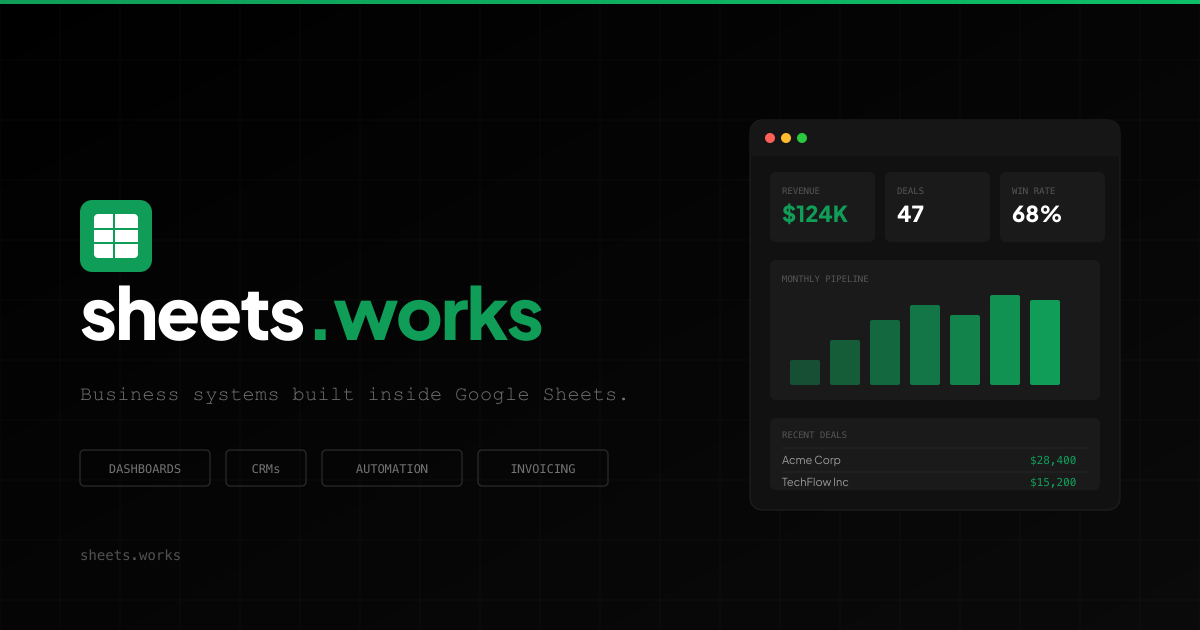
We're a small consulting team that turns messy spreadsheets into systems that run your business. Dashboards, CRMs and automations, all inside Google Sheets.

No paid content found
Visit website
Profile views 3 Outbound visits 1 Normal
sheets.works Full homepage screenshot

At a glance

Category
Business Services
Language
English
Paid-content signal
No paid content foundObserved
Registered
2026
Hosting
FastlyInferred
HTTPS certificate trusted
PassedObserved
Last updated

Website review

This review may include AI-generated content and is not individually verified. Domain, certificate and other facts come from the observed data on this page.

What is sheets.works?

sheets.works is a small Google Sheets consulting team that builds business systems inside spreadsheets. According to its own site, the team turns “messy spreadsheets into systems that run your business,” covering dashboards, CRMs, and automations — all within Google Sheets rather than in separate software.

What they actually do

The site frames the work around a common problem: tools that don't talk to each other, and the manual copy-paste that fills the gap. Their examples map to typical business functions:

  • Dashboards — a single always-current report instead of rebuilding one from five sheets each time it's requested.
  • CRMs — a CRM built in the sheet sales reps already use, rather than a paid tool nobody opens.
  • Automations — scheduled data pulls from ad platforms and analytics, auto-generated invoices with payment reminders, and onboarding sequences triggered by a form submission.
  • Validation and controls — locks, validation rules, and audit trails so a changed formula doesn't silently corrupt an inventory count.

They also publish The Data Drop, a weekly interactive data story, which the site says has run for 139 drops with 7,400+ readers and has been featured by the Financial Times and Hacker News.

Who it suits, and the trade-off

This is a fit for small and mid-sized teams already living in Sheets — sales, ops, finance, HR, client services — who want one connected system without adding another SaaS subscription. The trade-off is inherent to the platform: you get familiarity and low switching cost, but you're building on a spreadsheet, so very large datasets, strict compliance requirements, or heavy multi-user concurrency may eventually push you toward a dedicated database or application.

Next step: if you have a specific broken process in mind, note the manual steps it currently requires and how often they run. That's the clearest way to judge whether a Sheet-based system removes the work or just relocates it.

How much does sheets.works consulting cost?

sheets.works does not publish consulting rates on its site, so there is no figure to quote. The page describes the work — dashboards, CRMs and automations built inside Google Sheets — but no pricing page, tiers or payment details are listed. Treat any specific number you see elsewhere as unverified.

What that means in practice

Custom Sheets consulting is usually scoped per project, so cost depends on what you ask for. The site's own examples hint at the range of effort:

  • A single automation — e.g. pulling Google Ads, Meta, LinkedIn and GA4 data into one sheet on a schedule — is a contained build.
  • A CRM inside Sheets for a sales team is a larger system with user roles, validation and reporting.
  • A full consolidation of Sheets, Notion, Slack, Asana and QuickBooks into one operating sheet is the biggest kind of engagement.

How to get a real number

Ask for a fixed-scope quote against one concrete workflow. A useful first step is to write down the task you want removed — "the Monday reporting pull takes three hours" or "invoices are built by hand every Friday" — and send that description. A scoped quote for one workflow is far easier to compare than a vague hourly rate.

Decision criteria

  • If your problem is one recurring manual task, a small fixed-fee build is usually the right shape.
  • If several teams depend on the same data, expect a phased project rather than a one-off.
  • If you need ongoing changes, ask whether support is billed separately or bundled.

For context on the broader market, Upwork and Clutch list Sheets and automation consultants with visible rate ranges, which can help you judge whether a quote is reasonable.

Can sheets.works replace Salesforce or other paid CRMs with Google Sheets?

Yes, for some teams: sheets.works builds CRM systems inside Google Sheets, aimed at companies already tracking deals there instead of in the tool they pay for. The site's own framing is blunt about it—sales teams paying per-seat for a CRM "the reps still track their deals in a Google Sheet," and the pitch is to build the CRM in the sheet they already use. So the honest answer is that it replaces the paid CRM for a specific kind of team, not for everyone.

Where a Sheets-based CRM holds up

  • Small sales teams where one or two people own the pipeline and the process is still simple.
  • Businesses whose deals already live in a sheet, and where the paid CRM is shelfware.
  • Teams that need the CRM wired to the rest of their operations—invoicing, onboarding, project status—rather than sitting in its own silo.
  • Companies that want one system instead of six disconnected tools.

Where it doesn't

A paid CRM earns its cost through things a spreadsheet layer doesn't naturally provide: a mobile app for field reps, deep email and call logging, role-based permissions across a large team, forecasting at scale, and an ecosystem of integrations and support contracts. If your sales process depends on those, Sheets is the wrong foundation regardless of how well it's built.

What to weigh

The trade-off is control and fit versus depth and durability. A custom Sheets system matches how your team actually works, and sheets.works says it builds with validation, locks, and audit trails to address the failure mode where "someone changed a formula last week and the entire inventory count has been wrong for 5 days." That's a real risk with hand-rolled sheets, and it's the main thing a consultant is selling here. The counter-risk is owning a bespoke system: you depend on whoever maintains it, and you take on the job of evolving it as the team grows.

Practical test before deciding: count how many people touch the pipeline daily, and whether anyone needs CRM access from a phone. Under roughly five users with desktop-based work, a Sheets CRM is often enough. Above that, or with heavy mobile use, a dedicated CRM usually wins.

As a next step, compare the approach against an established low-cost option such as HubSpot or Pipedrive on the specific features your team uses weekly, then ask sheets.works what happens to the system when your requirements change.

How does sheets.works automate manual data pulls from Google Ads, Meta, LinkedIn, and GA4?

sheets.works addresses this through its consulting work rather than a self-serve connector product: it builds scheduled pipelines that move data from ad and analytics platforms into a Google Sheet automatically, so the weekly copy-paste routine disappears. The site frames the problem in exactly these terms — a marketer spending three hours every Monday pulling Google Ads, Meta, LinkedIn and GA4 data into one sheet, which it estimates at 150+ hours a year.

What "automation" means here

Based on the page evidence, the deliverable is a custom-built system inside Google Sheets, not a plugin you install. In practice that usually involves a scheduled job (Google Apps Script on a time trigger, or an external scheduler hitting an API) that authenticates to each platform, pulls the metrics you care about, and writes them into a structured sheet — one tab per source, plus a combined reporting layer on top. The output is a dashboard that is always current rather than a report rebuilt from scratch.

The site's own examples of adjacent work follow the same pattern: auto-generated invoices with scheduled payment reminders, a live client portal replacing daily status emails, and onboarding sequences triggered from a single form submission. Data pulls from ad platforms are the same category of problem — a recurring manual task replaced by a trigger.

What to expect in a project

The page describes the process as "business systems in days, not quarters," with a project walkthrough titled "What a project actually looks like" and a case framing of "from messy tracker to mission-critical system." The stated scope covers dashboards, CRMs and automations, all inside Google Sheets. So a typical engagement would define which sources and metrics matter, agree on refresh frequency, and hand over a sheet plus the automation behind it.

Practical trade-offs

Consideration Custom Sheets build Off-the-shelf connector
Setup Requires a scoping conversation and build time Self-serve, minutes
Fit to your metrics Shaped around your definitions Limited to preset fields
Where data lives Your own Sheet, familiar to the team Vendor's warehouse or BI tool
Maintenance Depends on the builder or your own scripts Vendor-managed
Cost model Consulting engagement Usually subscription

The main thing to weigh is longevity: platform APIs change, and a custom pipeline needs someone to notice when a pull silently fails. The site's emphasis on validation, locks and audit trails for operations work suggests that reliability is treated as part of the build, not an afterthought — worth confirming explicitly for your project.

Next step

Before any build, write down the exact metrics, dimensions and date ranges you currently copy by hand, plus how fresh the numbers need to be. That list is what determines whether a scheduled pull is straightforward or whether you need a transformation layer first. If you want to see the team's style of work before committing, its weekly data-story series, The Data Drop, is a free way to judge how they handle data visually.

What does a typical sheets.works project timeline and process look like?

A typical sheets.works project is framed as a short, staged build: scoping, a working prototype, then hardening and handover. The site's own language is "business systems in days, not quarters," and it describes the arc as "from messy tracker to mission-critical system" — so expect a compressed timeline measured in days to a few weeks rather than a multi-quarter implementation.

The process, as described

The page outlines "What a project actually looks like," which implies a visible, step-by-step engagement rather than an open-ended retainer. Based on the problems they say they solve, a realistic sequence looks like this:

  1. Intake and audit. They look at the sheet or tracker you already use, plus the tools feeding it (ads platforms, GA4, a CRM, accounting software). The recurring complaint they quote — pulling data from Google Ads, Meta, LinkedIn and GA4 by hand every Monday — is the kind of thing diagnosed here.
  2. Prototype in your existing sheet. Their stated approach is to build inside the tool people already use: "We build the CRM inside the sheet they already use." That usually means a working version early, so you can react to structure and fields before anything is automated.
  3. Automation and data flow. Scheduled imports, triggers for recurring jobs like invoice generation and payment reminders, and connections between the sheet and other systems.
  4. Hardening. Validation, locks, and audit trails — their answer to the "someone changed a formula and inventory was wrong for 5 days" failure mode. This is the step that turns a prototype into something you can depend on.
  5. Handover. A dashboard or portal that stays current, plus documentation so the system survives staff changes.

Where the time actually goes

Project type What drives duration Typical shape
Dashboard or reporting build Number of data sources, how clean they are Fastest; mostly modelling and refresh logic
CRM replacement Field design, migration of existing deal data, adoption Longer; people and process, not just formulas
Cross-tool consolidation Number of integrations, API quirks, auth Variable; integration work dominates
Automations (invoices, onboarding) Number of triggers, edge cases, error handling Short build, longer testing

The honest trade-off: a system built inside Google Sheets is fast to start, cheap to run, and familiar to your team, but it inherits Sheets' limits — performance on very large datasets, and a smaller ceiling than a dedicated database-backed application. For a team of five to fifty with messy operational data, that trade is usually worth it. For high-volume transactional workloads, it isn't.

What to have ready before you talk to them

Bring the actual messy sheet, not a cleaned-up version — the mess is the diagnostic. List every tool that touches the data and who owns each one. Name the specific recurring pain (the three-hour Monday report, the Friday invoice run) so it can be scoped as one deliverable rather than a vague "fix our reporting." Ask directly what happens after handover: who maintains the automations, and what the support arrangement is if a trigger breaks.

For a sense of how they think about data presentation, their weekly data-story newsletter is a reasonable preview of the visual and analytical style you'd get in a dashboard.

Is it safe to run mission-critical business systems in Google Sheets?

Yes, with the right engineering. The risk isn't Google Sheets itself—it's unprotected sheets where anyone can overwrite a formula, no validation stops bad data, and no audit trail shows what changed. Sheets as a platform is reliable; a shared spreadsheet with no controls is not.

What "safe" actually requires

  • Validation: dropdowns, data validation rules, and required fields so bad entries are rejected at the point of entry.
  • Locks and permissions: protected ranges and roles so the people who run the process can't accidentally break it.
  • Audit trails: a change log so you can see who altered what and when.
  • Automation instead of memory: triggers that generate invoices, send reminders, or run onboarding sequences so nothing depends on someone remembering.
  • Separation of input and reporting: a raw data layer plus a dashboard layer, so reporting never edits source records.

Where Sheets fits and where it doesn't

Situation Sheets is a good fit Consider something else
Team already lives in Sheets Yes —
Moderate data volume, internal users Yes —
Complex permissions and compliance requirements Sometimes, with careful setup Purpose-built systems
Very high transaction volume or heavy concurrency No Database-backed app
Real-time multi-user editing at scale Limited Dedicated platform

A concrete scenario

A sales team pays for a CRM the reps ignore and tracks deals in a sheet anyway. The safe version isn't forcing the CRM—it's building the CRM in the sheet with validation on deal stages, protected formula columns, a change log, and automatic pipeline reporting. The unsafe version is the same sheet with open editing and no history.

sheets.works describes exactly this approach: it builds dashboards, CRMs, and automations inside Google Sheets, and its page evidence emphasizes validation, locks, and audit trails as the safeguards against silent breakage. That's the right framing—safety is a design property, not a platform property.

A practical next step

Before trusting any critical process to a sheet, run a five-minute audit: Can a non-owner edit a formula cell? Is there a change history you can actually read? Does bad data get rejected on entry? If any answer is no, that's your first fix. If the process drives revenue, payroll, or compliance, treat the sheet like software—version it, protect it, and test changes before they go live.

For adjacent tools, Google Workspace covers the platform-level admin controls, and Zapier is a common way to connect Sheets to other systems when triggers need to reach outside Google.

Related questions

More questions →
What Is sheets.works and What Does It Do?

sheets.works is a small Google Sheets consulting team that turns messy spreadsheets into business systems — dashboards, CRMs, and automations — all built inside Google Sheets. It's a fit if your team already runs on Sheets but loses hours to manual copy-paste, disconnected tools, or formulas that break silently. It is not a software product you sign up for; it's a consulting service, so you'd engage the team on a project basis.

What the service actually covers

The site frames the work around three deliverables, all living inside Google Sheets:

  • Dashboards — reports that stay current instead of being rebuilt from scratch each time someone asks.
  • CRMs — a CRM built in the sheet the sales team already uses, rather than a separate tool they ignore.
  • Automations — scheduled data flows, auto-generated invoices and reminders, and triggered onboarding sequences.

The pitch is consolidation: instead of six tools holding six data silos, one Sheet does the work.

The problems it's aimed at

The site lists recurring complaints it hears weekly. These double as a checklist for whether you're a good fit:

Team Symptom described on the site
Sales Paying for a CRM reps don't use; deals tracked in a Sheet anyway
Marketing Hours each week manually pulling Google Ads, Meta, LinkedIn, and GA4 data into a sheet
Operations A changed formula silently corrupting inventory counts for days
Founders Sheets, Notion, Slack, Asana, and QuickBooks that don't talk to each other
Finance Manually creating invoices and chasing payments by email
Client services Writing daily status emails clients could check themselves
HR Onboarding steps that depend on someone remembering to do them
Everyone Spending hours assembling a report that already exists in the data

If more than one row looks familiar, the consulting model is aimed at you.

How a project is framed

The site describes the arc as "from messy tracker to mission-critical system," and positions delivery in days rather than quarters. It also emphasizes building in safeguards — validation, locks, and audit trails — so unprotected sheets don't break silently. The stated goal is systems that run the business, not one-off cleanups.

The Data Drop

Separate from consulting, sheets.works publishes The Data Drop, a free weekly interactive data story. The site reports 139 drops and 270,000+ readers over the last 120 days, with past topics ranging from "84 Years of Patience" to "299 Google Products, Killed." It's cited as featured by the Financial Times, Hacker News, 9to5Mac, Macworld, and Reddit. Subscribing is free and described as "every Tuesday, no spam" — useful if you want to judge the team's data work before hiring them.

What to check before reaching out

  • Pricing is not published on the page. No pricing links or payment details appear in the source, so treat cost as something to ask about directly rather than assume.
  • Scope is Google Sheets–centric. The value proposition is consolidating into Sheets, not migrating you off it.
  • It's a small team. The site says so explicitly, which matters if you need large-scale parallel delivery.

If your bottleneck is manual spreadsheet work and tools that don't connect, this is the exact profile sheets.works targets. If you need a hosted SaaS product with self-serve signup, it isn't that.

Is sheets.works a Good Fit for Your Team's Spreadsheet Problems?

sheets.works is a small consulting team that builds business systems — dashboards, CRMs, and automations — inside Google Sheets. It's likely a good fit if your team already lives in spreadsheets, wastes hours on manual data work, or pays for tools nobody uses. It's probably not a fit if you need a standalone enterprise platform, want to move off Google Sheets entirely, or your core problem isn't data flow and process.

Who sheets.works is built for

The site frames its work around a specific pattern: tools that don't talk to each other, and teams that fill the gap with manual effort. If any of these sound familiar, you're in the target audience.

Team Problem described on the site What sheets.works builds
Sales Paying for a CRM reps ignore while deals live in a Sheet A CRM inside the sheet they already use
Marketing Pulling Google Ads, Meta, LinkedIn, and GA4 data by hand every Monday (3+ hours) Scheduled, automatic data flow
Operations A changed formula silently breaks inventory counts for days Validation, locks, and audit trails
Founders Six tools (Sheets, Notion, Slack, Asana, QuickBooks) with nothing connected One Sheet consolidating the workflow
Finance Manually creating invoices every Friday, then chasing payment by email Auto-generated invoices and scheduled reminders
Client services An hour a day writing status emails A live client portal they check themselves
HR / People Onboarding steps depend on someone remembering A full sequence triggered by one form submission
Everyone Rebuilding the same report from five sheets An always-current dashboard, one click

The common thread: work that is repetitive, rule-based, and currently done by a person copying data between places.

Signals it's a good fit

Ask these questions about your own team. The more you answer yes, the stronger the case.

  • Your tools don't connect. Data has to be moved by hand between two or more systems on a schedule.
  • Someone is the bottleneck. A single person owns a recurring report, invoice run, or status update.
  • Your spreadsheet is already the real system. People use the Sheet even when a paid tool exists for the same job.
  • Errors are silent and costly. A formula change or accidental edit corrupts data before anyone notices.
  • You want to stay in Google Sheets. The value here is building inside Sheets, not migrating you off it.

The site's own framing is blunt about the alternative: paying for software nobody uses, and spending 150+ hours a year on copy-paste. If that's your situation, the fit is strong.

Signals it's not a fit

  • You need to leave Google Sheets. sheets.works builds in Sheets. If your goal is a different platform, this isn't the path.
  • Your problem isn't data or process. If the issue is strategy, headcount, or a product decision, a spreadsheet system won't fix it.
  • You need a large, multi-vendor implementation. This is described as a small consulting team, so scope and pace expectations should match that.
  • You can't operate a Sheet-based system. Someone on your side still needs to own and maintain it after handoff.

What a project actually looks like

The site describes a transformation "from messy tracker to mission-critical system," and positions delivery in "days, not quarters." That's the key expectation to test against your own timeline: this is scoped as fast, focused builds rather than long enterprise rollouts.

Before committing, get clear answers on:

  • Which of your workflows will be rebuilt, and in what order
  • What "done" looks like for the first system
  • Who on your team maintains it afterward
  • How changes and new requirements are handled post-launch

How to decide

  1. List your recurring manual tasks. Anything you do weekly or more, by copying data or rebuilding a report, is a candidate.
  2. Check whether it can live in a Sheet. If the workflow is fundamentally tabular and rule-based, it fits the model.
  3. Confirm you'll stay on Google Sheets. This is the platform, not a stepping stone off it.
  4. Estimate the hours. The site's own math — 3 hours a week equals 150+ hours a year — is a useful way to size the payoff.
  5. Talk to them about scope and timeline. Match their "days, not quarters" framing against your actual needs before assuming it applies to everything.

If steps 1–3 point to yes, sheets.works is aimed squarely at your situation. If you need to leave Sheets or your problem isn't about connecting data and automating process, look elsewhere.

What Is The Data Drop from sheets.works?

The Data Drop is a free weekly interactive data story published by sheets.works every Tuesday. It is a separate product from the team's Google Sheets consulting work: instead of building systems for clients, it publishes one data-driven story per week that readers can explore. According to the site, 139 drops have been published, reaching 270,000+ readers in the last 120 days, with individual drops cited at 7,400+ readers. It is worth subscribing if you want a short, visual, shareable data story in your inbox each week; it is not a spreadsheet template, a consulting engagement, or a tool you install.

What you actually get

Each drop is a single interactive data story. The site's own examples show the range:

Drop Subject
#034 84 Years of Patience (Buffett's investing timeline)
#033 299 Google Products, Killed
#037 One Second on Earth
#047 154 Macs Since 1983

The pattern is consistent: one topic, one dataset, presented so it can be read and shared rather than downloaded and analyzed. The site frames the goal as turning data into stories "people actually share," which is why the format leans interactive rather than a static chart or a written column.

Who it is for

  • People who like data but don't want a dataset. You get the insight without cleaning a CSV first.
  • Anyone evaluating sheets.works. The Drop is the most public sample of how the team thinks about data presentation, so it doubles as a portfolio.
  • Readers who want a low-commitment weekly email. One story, once a week, no account required to read the archive.

It is a weaker fit if you are looking for spreadsheet tutorials, Google Sheets formulas, or consulting deliverables. Those live in the consulting side of the business, not in the Drop.

Subscription details

  • Cost: Free, per the site.
  • Frequency: Every Tuesday.
  • Length: One story per email.
  • Spam: The site states "no spam."
  • Archive: All 139 drops are listed on the site, so you can read past issues before subscribing.

Credibility signals

The site says the work has been featured by the Financial Times, Hacker News, 9to5Mac, Macworld, and Reddit. Treat these as the publisher's own claims rather than independently verified placements, but they are specific enough to check against the linked coverage if that matters to you.

How to decide

Subscribe if you want a weekly, free, visual data story and you are comfortable with a single email per week. Skip it if you need practical Google Sheets help — for that, look at the consulting side of sheets.works, which builds dashboards, CRMs, and automations inside Google Sheets. The Drop shows you the team's style; the consulting work is where that style gets applied to your own data.

How a sheets.works Consulting Project Actually Works

sheets.works is a small consulting team that turns messy spreadsheets into business systems — dashboards, CRMs, and automations — built inside Google Sheets. A project moves from an existing tracker to a working system in days rather than quarters, and the deliverable stays in the tool your team already uses. This explainer covers what happens at each stage, what you end up with, and when this approach fits.

What the starting point looks like

The site's own examples describe the situations that bring clients in:

  • Sales reps track deals in a Google Sheet while the company pays for a CRM nobody uses.
  • Marketing pulls data from Google Ads, Meta, LinkedIn, and GA4 into a sheet by hand every Monday — described as 150+ hours a year on copy-paste.
  • Operations finds an inventory count has been wrong for five days because someone changed a formula.
  • Founders run Sheets, Notion, Slack, Asana, and QuickBooks as six disconnected data silos.
  • Finance builds invoices manually every Friday and then chases payments by email.
  • HR depends on someone remembering to send the welcome email, create the folder, and schedule onboarding.

The common thread: a spreadsheet already holds the real work, but it breaks silently, duplicates effort, or never talks to anything else.

The project arc: from messy tracker to mission-critical system

The site frames the work as one progression — "From messy tracker to mission-critical system" — and the headline promise is "Business systems in days, not quarters." That timing claim is the main differentiator to weigh, since it implies short, focused engagements rather than long implementation cycles.

The stated scope is narrow and concrete: dashboards, CRMs, and automations, all inside Google Sheets. Nothing in the material suggests custom web apps, data warehouses, or replacing Sheets with another platform.

What gets built

Problem pattern What sheets.works builds
Paid CRM that reps ignore A CRM inside the sheet they already use
Manual weekly data pulls from ad and analytics platforms Scheduled, automatic data flow
Unprotected sheets breaking silently Validation, locks, and audit trails
Six tools with six data silos One Sheet that consolidates the functions
Manual invoicing and payment chasing Auto-generated invoices and scheduled reminders
Clients asking for status updates A live portal clients check themselves
Onboarding dependent on memory A full sequence triggered by one form submission
Rebuilding the same report from five sheets A dashboard that is always current, one click

Each row maps a described pain point to a system type, so you can locate your own situation before deciding whether to reach out.

What the final deliverable looks like

Based on the site's descriptions, expect the output to be a Google Sheets–based system rather than a standalone application:

  • Dashboards that stay current instead of being rebuilt on request.
  • CRMs that live where the team already works, avoiding a second tool nobody opens.
  • Automations on triggers and schedules — data flowing in, invoices generating, reminders sending.
  • Guardrails: validation, locks, and audit trails so a single formula edit doesn't corrupt counts for days.

When this approach fits — and when it doesn't

It fits if:

  • Your team already runs on Google Sheets and won't adopt a new tool.
  • The bottleneck is manual copying, silent breakage, or disconnected tools.
  • You want a working system in days, not a multi-quarter rollout.

It likely doesn't fit if:

  • You need to move off Sheets entirely.
  • Your requirements fall outside dashboards, CRMs, and automations.
  • You need enterprise-grade infrastructure beyond what Sheets can host.

A separate, free resource

Beyond consulting, sheets.works publishes The Data Drop — one interactive data story every week, described as free, every Tuesday, no spam. The site reports 139 drops and 270,000+ readers in the last 120 days, with features in the Financial Times, Hacker News, 9to5Mac, Macworld, and Reddit. Sample drops include "84 Years of Patience," "299 Google Products, Killed," "One Second on Earth," and "154 Macs Since 1983."

This is a useful low-commitment way to judge the team's data and presentation style before starting a paid engagement.

What the material doesn't cover

The site provides no pricing, no payment details, and no stated project intake process. Treat cost, contract terms, and timelines as things to confirm directly rather than assume. The "days, not quarters" claim is the team's own framing — verify it against your specific scope.

What kinds of business systems can sheets.works build in Google Sheets?

sheets.works is a small consulting team that builds business systems inside Google Sheets — dashboards, CRMs, and automations. Based on the problems they describe on their site, the systems they build fall into a few recurring categories: a CRM that replaces tools nobody uses, scheduled data pipelines from ad and analytics platforms, protected operational trackers with validation and audit trails, and automated document or client-facing workflows. The right fit is a team already living in Sheets that wants its tools to talk to each other without adding another SaaS subscription.

CRM built inside the sheet your team already uses

The site's sales example is blunt: teams pay for a CRM per seat while reps still track deals in a Google Sheet. The system sheets.works builds is a CRM inside that sheet — so the pipeline, stages, and deal records live where the work is already happening, rather than in a separate tool that needs adoption.

This suits teams whose CRM adoption failed for behavioral reasons, not feature reasons. It is not a replacement for a CRM with deep native integrations, mobile apps, or enterprise compliance requirements.

Scheduled data pipelines from ad and analytics platforms

One of the clearest time-cost examples on the site: pulling data from Google Ads, Meta, LinkedIn, and GA4 into a sheet every Monday by hand — described as 150+ hours a year on copy-paste. The system replaces that with data that flows in automatically, on schedule.

The input is the set of source platforms; the action is an automated, recurring pull; the expected result is a sheet that is current without anyone touching it. The practical constraint is API access and rate limits on each platform — worth confirming per source before assuming full automation.

Protected operational systems with validation, locks, and audit trails

The operations example describes a formula being changed so an entire inventory count was wrong for five days. The stated fix is systems with validation, locks, and audit trails — so unprotected sheets stop breaking silently.

This category applies to any tracker where a single edit can corrupt downstream numbers: inventory, finance reconciliations, headcount, order status. The mechanism is guardrails on input plus a record of who changed what, rather than trusting everyone to be careful.

Automated documents and client-facing portals

Two more patterns appear in the site's examples:

Problem described System built
Manually creating invoices every Friday, then chasing payment by email Auto-generated invoices with reminders sent on schedule
Spending an hour a day writing client status emails A live portal clients check themselves
New hires missing welcome email, folder creation, onboarding scheduling The full sequence wired to a single form submission
Boss asks for a report; 3 hours pulling from 5 sheets A dashboard that is always current, one click

The common thread: a recurring manual task with a predictable trigger becomes an automated sequence, and visibility moves from email to something the other party can check directly.

How to tell if your problem fits

A project is a good candidate when the pain is repetitive, the data already lives in Sheets or a connected platform, and the fix is a system rather than a one-off cleanup. The site frames delivery as "business systems in days, not quarters," and describes the arc as going "from messy tracker to mission-critical system."

It is a weaker fit when you need a product with its own mobile app, when the data cannot leave its current platform, or when the requirement is a one-time spreadsheet repair rather than an ongoing system. The site does not publish pricing or engagement terms, so scope and cost need to be confirmed directly rather than assumed.

Website Overview

Page metadata, canonical configuration and social previews work together to provide more consistent search and sharing presentation.

Domain and Registration

The domain was registered less than a year ago and has limited historical evidence to assess. Transfer-protection status is present, helping reduce the risk of unauthorized domain transfers. The registrar is NameCheap, Inc., a widely used domain service provider. The domain uses the common .works extension, which is not an independent safety signal.

DNS and Email

The lowest TTL is 60 seconds, supporting rapid record changes at the cost of more frequent lookups. Nameservers are provided by Namecheap, indicating managed DNS hosting. MX records point to the Google Workspace email service. No CNAME was found; the observed records resolve directly to addresses. SPF and DMARC are configured. DKIM status is unknown.

TLS and Certificates

The certificate uses an RSA 2048-bit public key, offering broad client compatibility. The server supplied a complete certificate chain. No organization name is present in the certificate; the available fields are consistent with domain validation. The certificate was issued within the Google Trust Services cloud or CDN ecosystem. The certificate's total validity is about 90 days, consistent with a short renewal cycle.

HTTP and Browser Security

The response lacks these common security headers: CSP, X-Content-Type-Options, Referrer-Policy, Permissions-Policy, clickjacking protection. No X-Powered-By header was found, reducing one common source of backend fingerprinting information. The x-cache, x-served-by response header indicates a CDN or caching proxy in the delivery path. No obvious internal addresses or debug information were found in the headers. No CORS permission header was found, so browsers normally restrict cross-origin script access.

Technology Stack Analysis

The public page identifies Google Analytics, Fastly without precise versions, leaving fewer clues for version-specific scanning.

Search and Social Sharing

Twitter Card metadata is configured. JSON-LD includes Organization data, helping describe the organization as an entity. The title has 39 characters, within a common display range. A meta description is present, with 156 characters. The observed directives allow indexing and link following.

Hosting and Email

DNSNamecheap
HostingFastly
EmailGoogle Workspace
Approximate IP geolocation (inferred; a CDN or proxy may differ from the origin server) United States flagUnited States Inferred 199.36.158.100

Registration details

RDAP / WHOIS

RegistrarNameCheap, Inc.
Registered2026-03-02
Expires2027-03-02
Domain statusclient transfer prohibited
Nameserversdns1.registrar-servers.com、dns2.registrar-servers.com
DNSSECunsigned

DNS records

DNS

TypeNameValueTTLPriority
Asheets.works199.36.158.1001799—
MXsheets.workssmtp.google.com17991
NSsheets.worksdns1.registrar-servers.com1800—
NSsheets.worksdns2.registrar-servers.com1800—
TXTsheets.worksgoogle-site-verification=ET2JA_yQZbB10RZrnPQRjUCOoRosr2AVGpbCNK5Fpbg60—
TXTsheets.workshosting-site=sheets-works-prod60—
TXTsheets.worksv=spf1 include:_spf.google.com include:amazonses.com ~all60—
DMARC_dmarc.sheets.worksv=DMARC1; p=none; rua=mailto:[email protected]1799—

TLS and certificates

TLS / SSL

AssessmentNormal configuration
Supported protocolsTLSv1.2、TLSv1.3
Negotiated protocolTLSv1.3
Certificate subjectcololatinolegislators3.com
IssuerGoogle Trust Services
Valid until2026-12-17T00:07 · Remaining when checked: 62 days
Verification detailsCertificate trust: Passed · Hostname match: Passed

HTTP response headers

HTTP

HeaderValue
content-typetext/html; charset=utf-8
cache-controlmax-age=3600
strict-transport-securitymax-age=31556926

Identified technologies

Google AnalyticsFastly

Pages, Search and Sharing

Meta descriptionWe're a small consulting team that turns messy spreadsheets into systems that run your business. Dashboards, CRMs and automations, all inside Google Sheets.
Canonical URLhttps://sheets.works/
LanguageEnglish (default)
Twitter Cardsummary_large_image
googlebot 1 allowed · 4 disallowed
  • Allow/
  • Disallow/s/
  • Disallow/lss/s
  • Disallow/lss/og/
  • Disallow/api/
bingbot 1 allowed · 4 disallowed
  • Allow/
  • Disallow/s/
  • Disallow/lss/s
  • Disallow/lss/og/
  • Disallow/api/
google-extended 1 allowed · 0 disallowed
  • Allow/
oai-searchbot 1 allowed · 0 disallowed
  • Allow/
chatgpt-user 1 allowed · 0 disallowed
  • Allow/
gptbot 1 allowed · 0 disallowed
  • Allow/
claudebot 1 allowed · 0 disallowed
  • Allow/
claude-web 1 allowed · 0 disallowed
  • Allow/
perplexitybot 1 allowed · 0 disallowed
  • Allow/
perplexity-user 1 allowed · 0 disallowed
  • Allow/
ccbot 0 allowed · 1 disallowed
  • Disallow/
anthropic-ai 0 allowed · 1 disallowed
  • Disallow/
twitterbot 1 allowed · 0 disallowed
  • Allow/
facebookexternalhit 1 allowed · 0 disallowed
  • Allow/
facebot 1 allowed · 0 disallowed
  • Allow/
whatsapp 1 allowed · 0 disallowed
  • Allow/
All bots 2 allowed · 9 disallowed
  • Allow/
  • Allow/api/hint-og
  • Disallow/api/
  • Disallow/s/
  • Disallow/lss/s
  • Disallow/lss/og/
  • Disallow/demos/
  • Disallow/html-demos/
  • Disallow/admin.html
  • Disallow/awsadmin.html
  • Disallow/debug.html

User reviews (0)

  • No reviews yet.