Website profiles · Technology insights · Alternatives

sitegpt.ai

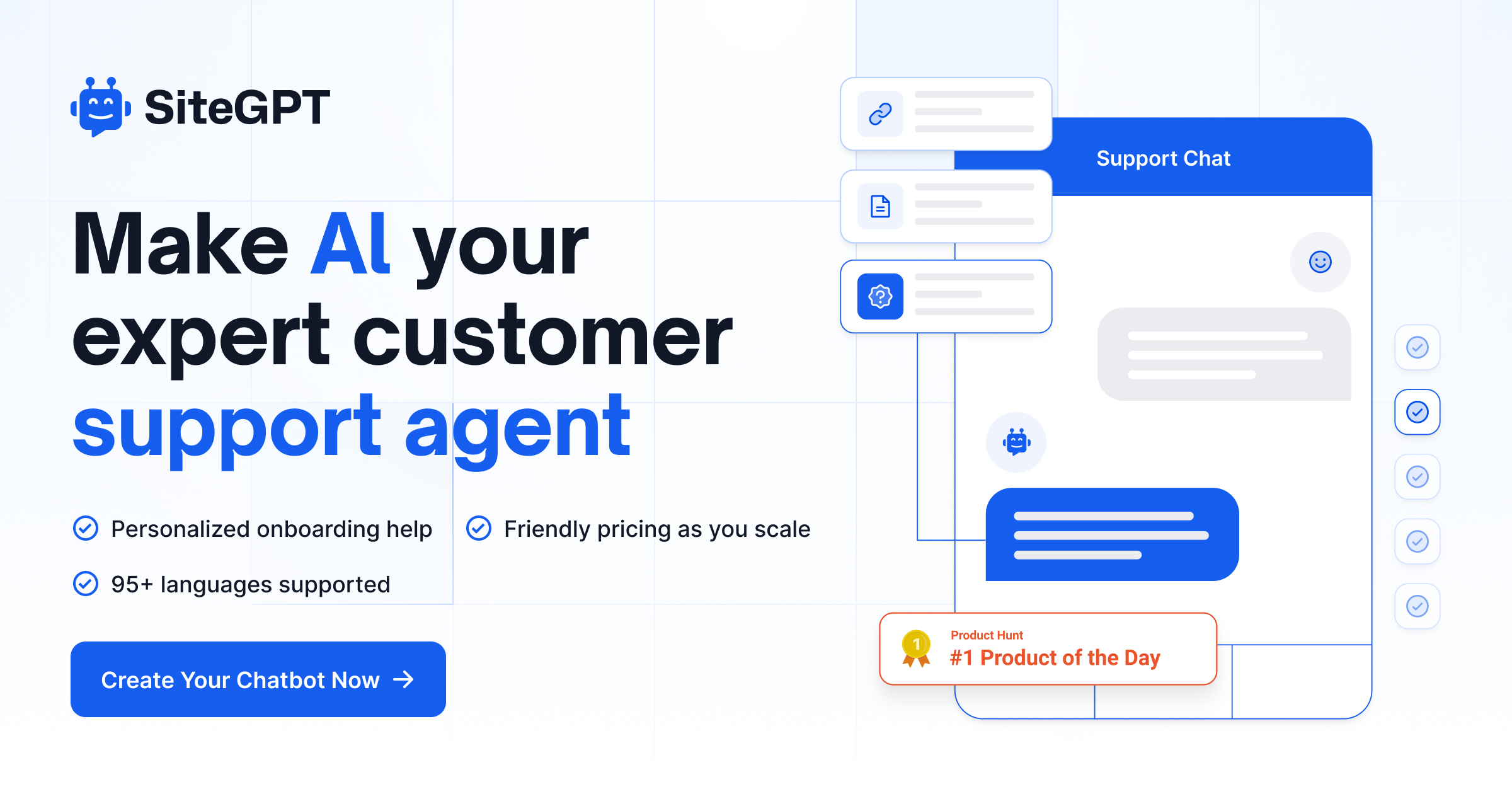
It's like having ChatGPT specifically for your products. Instantly answer your visitors' questions with a personalized chatbot trained on your website content.

Paid content
Visit website
Profile views 7 Outbound visits 2 Normal
SiteGPT Full homepage screenshot

At a glance

Category
Artificial Intelligence
Language
English
Paid-content signal
Paid contentObserved
Registered
2023
Hosting
CloudflareInferred
HTTPS certificate trusted
PassedObserved
Last updated

Website review

This review may include AI-generated content and is not individually verified. Domain, certificate and other facts come from the observed data on this page.

What is SiteGPT?

SiteGPT is a customer-support chatbot platform. You point it at your own content—a website URL, uploaded files, or pasted text—and it builds a personalized AI assistant that answers visitor questions from that material. The pitch is a ChatGPT-like experience scoped to your product rather than the open web.

What it actually does

  • Trains on your content: you supply the source material; the bot answers from it instead of giving generic responses.
  • Embeds where your customers are: marketing site, inside the app, or a help center, on as many sites as you like.
  • Improves over time: chat history and feedback are used to refine answers.
  • Quick prompts: suggested starter questions to get conversations going.
  • Weekly digest: a Monday email summarizing volume, top topics, and questions the bot could not answer.
  • Human handoff: visitors can escalate to a live agent when the bot is out of its depth.

Who it suits

Small support teams drowning in repetitive tickets, SaaS companies with substantial help documentation, and anyone who wants deflection without building a custom bot. If your product knowledge lives mostly in people's heads rather than written content, the training step will be harder and the answers weaker.

Trade-offs to weigh

A content-trained bot is only as good as the content you feed it—stale docs produce stale answers. The escalation path matters because no retrieval system covers everything, and the unanswered-questions digest is arguably the most useful feature: it tells you what to write next. Multilingual coverage and pricing that scales with usage are worth checking against your own traffic before committing.

Next step

Gather your three or four most authoritative help articles or docs pages, then run a trial against real questions your team answered last month. If the bot handles the routine ones and cleanly hands off the rest, it is doing its job.

How do I train a SiteGPT chatbot on my website content?

Training a SiteGPT chatbot starts with feeding it the content you want it to answer from, then embedding it on your site and refining it as real conversations come in. SiteGPT describes this as a three-step process: sync training data, install on your site, and learn and refine.

H3 How the training works

  1. Sync your training data. Enter your website URL for SiteGPT to scan, or upload files, or paste in raw text content. This is the core step — the chatbot answers based on whatever you feed it, so the quality of this content largely determines the quality of its answers.
  2. Install the chatbot on your site. You can embed it on as many sites as you want — a marketing site, in-app, or a help center.
  3. Learn and refine. Use real chat history to improve the bot by giving feedback, so it improves with each interaction.

H3 What makes training more effective

  • Start from your help center and FAQs. These are already written in question-and-answer form, which maps closely to how visitors will ask things.
  • Include the questions you wish people asked. SiteGPT's "Quick Prompts" feature lets you seed conversations with common questions or ones that surface product value.
  • Watch the gaps. The weekly digest email reports the topics visitors asked about most and the questions the bot could not answer — treat that unanswered list as your next round of training content.
  • Keep a human fallback. SiteGPT supports escalating a conversation to a live agent, so unresolved questions don't dead-end.

H3 A practical decision criterion

If most of your support volume is repetitive questions already answered somewhere in your documentation, a content-trained bot like this is a reasonable fit. If your answers live mainly in people's heads or in private systems, you'll need to write that content down first — no chatbot can train on what you haven't published.

As a next step, before committing, gather your top 20 recurring support questions and check whether each has a clear written answer on your site. That list is both your training set and your benchmark for judging the bot afterward. You can see the current plans and trial terms at [[sitegpt.ai|SiteGPT]].

Can SiteGPT integrate with my existing help desk or CRM?

Yes, SiteGPT is built to hand conversations off to your existing tools rather than replace them. The site lists "direct integrations with your favorite tools" and an escalation feature that lets a visitor move from the AI chatbot to a live agent "at the push of a button." The exact list of supported help desks and CRMs is not spelled out in the page text, so verify your specific platform before committing.

What the product itself claims

  • Direct integrations with common tools, positioned as part of the setup.
  • Escalation to a human when the bot can't resolve a query, described as a hybrid AI-plus-agent approach.
  • Embeddable on multiple surfaces: marketing site, in-app, help center.
  • Training from a URL scan, uploaded files, or pasted raw text.

How this typically plays out

If your help desk is the system of record, the useful pattern is: SiteGPT deflects routine questions, then passes the conversation — with context — to an agent in your existing queue. That keeps your team's workflow intact and avoids a second inbox to monitor.

A concrete scenario: a SaaS company using Zendesk for tickets and HubSpot for CRM data could let SiteGPT answer pricing, setup and troubleshooting questions from its trained content, then escalate billing disputes to a live agent. Weekly digests flag unanswered questions, which become new training content or help-center articles.

Trade-offs to weigh

Approach Strength Weakness
Native integration Conversations stay in your existing help desk Depends on which platforms are officially supported
Escalation only Works with almost any tool via a handoff link or email Agent loses some chat context
Standalone chatbot Fastest to launch Creates a separate channel your team must watch

Next step

Check the integrations list on SiteGPT against your stack, then run a small pilot: train it on your help center, enable escalation to one agent, and review the weekly digest after two weeks. If your help desk isn't natively supported, ask whether escalation can route through email or a webhook — that usually covers the gap.

How much does SiteGPT cost and what does the free trial include?

SiteGPT's pricing page is the only reliable place to see current plan costs, since the page evidence here doesn't list specific prices or tier limits. What the site does state is that a 7-day free trial is available and you can cancel anytime, with "friendly pricing as you scale" implying costs rise with usage or features rather than a single flat rate.

SiteGPT

How does SiteGPT handle questions it can't answer or escalate to a human agent?

SiteGPT handles gaps in its knowledge in two connected ways: it shows you where those gaps are, and it lets visitors hand the conversation to a person.

Escalation to a human. The page describes an "Escalate to Human" feature: while the AI is meant to handle most inquiries, a visitor can transition the conversation to a live agent "at the push of a button." SiteGPT frames this as a hybrid approach — the bot covers routine volume, and a human takes over when the conversation needs one. Practically, that means your team still needs someone available to receive those handoffs; the button itself doesn't staff your inbox.

Finding the questions it couldn't answer. The "Weekly Digest" is the other half. Each Monday, the team receives last week's numbers, the most-asked topics, and specifically the questions the chatbot could not answer. That unanswered-questions list is the useful part: it tells you which help-center article to write, which product detail to add to the training data, or which question should become a quick prompt.

Improving over time. The third step in SiteGPT's setup process is "Learn and refine" — using real chat history and feedback to improve the chatbot with each interaction. Combined with the digest, this creates a loop: notice the gap, add or correct the content, and the bot answers it next time.

A concrete scenario. Suppose you run support for a small SaaS product. A visitor asks about a billing edge case your help center never documented. The bot can't answer, so the visitor escalates to a human, who resolves it manually. The following Monday, that question appears in your digest. You write a short help article, add it to the training data, and the next visitor with the same question gets an instant answer instead of a ticket.

Decision criteria. This setup suits teams that want to reduce repetitive tickets but aren't ready to remove humans entirely. It's less suited to situations where nobody can monitor escalations during business hours, or where you won't act on the digest — the unanswered-questions report only pays off if someone owns the follow-up.

Next step: before committing, test the handoff yourself. Ask the bot something clearly outside your content, then check whether escalation reaches a real person quickly and whether the exchange shows up in your reporting. That tells you more than any feature list.

What analytics and insights does SiteGPT provide about chatbot conversations?

SiteGPT's analytics focus on a weekly email digest rather than a live dashboard. Each Monday, the team receives last week's numbers, the topics visitors asked about most, and the questions the chatbot could not answer.

What the digest gives you

  • Volume and performance numbers from the previous week, so you can track whether the bot is absorbing more of your incoming questions over time.
  • Top conversation topics, which show what visitors actually care about — often different from what you assumed when writing help content.
  • Unanswered questions, the most actionable part. These are gaps in your training data, and each one is a candidate for a new help article, FAQ entry or uploaded document.

How to use it

Treat Monday's digest as a short triage session. Scan the unanswered list, pick the questions that appear repeatedly or touch revenue-critical flows, add the missing content, then check next week whether those questions disappear. The topics list is also useful for prioritising documentation and product messaging.

Where it fits

If you need real-time dashboards, per-conversation transcripts or agent-level reporting, the weekly digest alone may feel thin — you would want to confirm what else is available on the SiteGPT pricing and product pages. For a small support team that mainly wants to know what customers are asking and where the bot fails, a scheduled summary is often enough, because it arrives without anyone remembering to open a report.

One practical caveat: weekly granularity means a spike on a launch day or an outage won't be visible until the following Monday. If you run frequent campaigns, pair the digest with a quick manual skim of recent chat history, which SiteGPT also uses for refining the bot through feedback.

Related questions

More questions →
How to Set Up a SiteGPT Chatbot on Your Website

You can get a SiteGPT chatbot live on your site in three steps: sync your training data, embed the chatbot, then refine it using real chat history. No coding is required, and you can embed the same chatbot on as many sites as you want — your marketing site, in-app, or help center. SiteGPT offers a 7-day free trial with no stated credit card requirement, and you can cancel anytime.

Step 1: Sync Your Training Data

SiteGPT builds your chatbot from your own content, so this step determines what it can answer.

You have three input options:

  • Enter your URL — SiteGPT scans your website content automatically.
  • Upload files — use this for docs, PDFs, or internal material not on a public page.
  • Drop in raw text — paste content directly when you want tight control over exactly what the bot learns.

What to expect: the chatbot answers based on your training data rather than generic GPT knowledge. That's the core difference SiteGPT draws between itself and "generic GPT tools" that don't answer from your content.

Common pitfall: if your product information lives in several places (help center, pricing page, changelog), sync all of them. A bot trained on only your homepage will miss questions about features documented elsewhere.

Step 2: Install the Chatbot on Your Site

Once training data is synced, embed the chatbot wherever visitors ask questions.

  • Embed on as many sites as you want — marketing site, in-app, help center.
  • The same trained bot can serve all of them, so you don't rebuild it per page.

What to expect: visitors get instant answers 24/7 without waiting for your support team. SiteGPT supports 95+ languages, so the bot can respond to non-English visitors using the same training data.

Before you go live, decide two things:

  1. Quick Prompts — set starter questions (frequently asked questions, or questions you wish more users asked) so visitors have an easy way to begin.
  2. Escalation path — enable the option for users to hand off to a live agent with a button press. SiteGPT positions this as a hybrid approach: AI handles the majority of inquiries, humans take the conversations that need a person.

Step 3: Learn and Refine From Real Chats

The chatbot improves through feedback on actual conversations.

  • Use real chat history to see what visitors ask and where the bot falls short.
  • Provide feedback so the bot improves with each interaction.
  • Weekly Digest — every Monday your team receives last week's numbers, the most-asked topics, and the questions your chatbot could not answer.

That last item is the most actionable: unanswered questions are a direct to-do list for your next training-data update. Add the missing content, re-sync, and the gap closes.

What You Get After Setup

Before After
Generic chatbots that don't use your data Answers grounded in your own content
Support staff needing 3+ months to train An automated resource that supports your team
Tickets piling up The vast majority of support tickets answered automatically

SiteGPT states its customers include "leading companies" and that it is rated 4.8/5 on G2. It also offers a Book a demo option alongside the free trial if you want to see it working before building your own.

Quick Checklist

  1. Gather every source of product content (site pages, docs, files).
  2. Sync it via URL, file upload, or raw text.
  3. Embed the chatbot on each site where visitors need help.
  4. Add Quick Prompts for common questions.
  5. Turn on human escalation.
  6. Review the Monday digest and feed missing answers back into training.

If you want to test the workflow before committing, the 7-day free trial covers the full three-step process end to end.

What Is SiteGPT and What Does It Do?

SiteGPT is an AI customer support chatbot trained on your own website content. It works like a ChatGPT built specifically for your product: you feed it your URLs, files, or raw text, embed the resulting chatbot on your site, and it answers visitor questions instantly, 24/7. It's aimed at teams that want to automate repetitive support tickets without building and maintaining a custom bot from scratch.

How it works

SiteGPT follows a three-step setup described on its homepage:

  1. Sync training data — Enter a URL for SiteGPT to scan, upload files, or paste in raw text content.
  2. Install on your site — Embed the chatbot on as many sites as you want: your marketing site, in-app, help center, or elsewhere.
  3. Learn and refine — Use real chat history to improve the bot by giving feedback, so it improves with each interaction.

The core idea is that the chatbot answers based on your training data rather than generic model knowledge. The site positions this against two alternatives: generic GPT tools that don't answer from your content, and custom-built bots that are "finicky and difficult to maintain."

Key features

Feature What it does
Personalized chatbot Trained on your content and intended to echo your brand's voice
Quick prompts Suggested questions to start conversations, e.g. FAQs or questions you wish more users asked
Weekly digest Monday email with last week's numbers, most-asked topics, and questions the bot couldn't answer
Escalate to human Users can hand off to a live agent with a button press
Language support 95+ languages
Integrations Direct integrations with common tools (specific tools not listed in the source material)

The weekly digest and the "couldn't answer" list are worth noting: they turn the chatbot into a feedback loop for finding gaps in your help content, not just a deflection tool.

Who it's for

SiteGPT targets teams that:

  • Field a high volume of repetitive support questions
  • Want 24/7/365 coverage without staffing around the clock
  • Have existing content (docs, help center, website) that can serve as training data
  • Want to free up human agents for higher-level work rather than replace them entirely

The escalation feature reflects a hybrid model: AI handles the bulk of inquiries, humans take the conversations that need a person.

Pricing and trying it

The site advertises a 7-day free trial with the ability to cancel anytime, and describes "friendly pricing as you scale." A pricing page exists at sitegpt.ai/pricing, but the source material doesn't include specific plan tiers or prices — check that page directly for current numbers.

There's also a "Book a demo" option alongside the free trial if you'd rather see it before signing up.

What to verify before committing

  • Training data quality — The bot is only as good as the content you feed it. If your docs are outdated or scattered, expect gaps.
  • Integration fit — Confirm the tools you use are among the supported integrations before relying on them.
  • Escalation workflow — Check how handoff to a live agent connects to whatever support desk you already use.
  • Cost at your scale — "Friendly pricing as you scale" is a claim, not a number; get the actual tiers for your expected volume.

If you want a quick test, the 7-day trial is the lowest-effort way to point SiteGPT at your site and see how it handles your most common support questions.

Can SiteGPT Escalate Conversations to a Human Agent?

Yes. SiteGPT supports human handoff: when a conversation needs a person, the user can transition it to a live agent "at the push of a button." This is described as a hybrid approach — AI handles the vast majority of inquiries, while human agents step in for the conversations that require a human touch.

How the escalation works

Based on SiteGPT's own product description, the handoff is user-initiated rather than something you have to configure per conversation:

  1. A visitor chats with the AI chatbot trained on your content.
  2. If the AI can't resolve the issue — or the visitor simply wants a person — the conversation can be moved to a live agent.
  3. The transition is designed to be seamless, so the visitor doesn't have to start over in a separate channel.

The exact routing behavior (where the escalated chat lands, whether it's email, live chat widget, or a helpdesk tool) isn't specified in the available page content, so treat that as something to confirm during a trial rather than assume.

Why a hybrid setup matters

SiteGPT's positioning is that AI should absorb the repetitive load, not replace your team. The page frames the "after" state as:

  • 24/7/365 instant responses for the bulk of support tickets
  • A support team that becomes roughly twice as productive
  • More time for higher-level work

Human escalation is the safety valve in that model. Without it, an AI-only chatbot risks the "fickle, one-size-fits-all" experience SiteGPT explicitly positions against. With it, you get automation for volume and a person for edge cases, complaints, or anything emotionally sensitive.

Where escalation fits in the broader workflow

Escalation is one of several features that keep the chatbot accountable:

Feature What it does
Escalate to Human Hands a conversation to a live agent on demand
Weekly Digest Monday email with last week's numbers, top topics, and questions the bot couldn't answer
Quick Prompts Suggested openers, including FAQs you want users to ask
Personalized Chatbot Answers trained on your own content, in your brand's voice

The Weekly Digest pairs naturally with escalation: it surfaces the questions your chatbot failed to answer, which tells you both what to add to your training content and where human backup is being relied on most.

Who this suits

Escalation is most useful if you:

  • Want AI to deflect the majority of tickets but can't afford to leave visitors stuck
  • Run a support team where some inquiries (billing disputes, account issues, frustrated customers) genuinely need a person
  • Are evaluating SiteGPT against pure-AI chatbots and want to know there's a fallback

If your goal is fully unattended automation with no human in the loop, the escalation feature is simply optional — you don't have to route anything to an agent.

What to verify before committing

The page confirms the capability exists but not the mechanics. During the 7-day free trial, test:

  • What a visitor sees when they request a human
  • Where the escalated conversation is delivered and whether context carries over
  • Whether escalation can be limited to certain hours or topics

SiteGPT offers a free trial and a demo booking, and states you can cancel anytime — enough to validate the handoff behavior against your own support flow before rolling it out.

SiteGPT: What to Know About the Trial, Pricing, and Integrations

SiteGPT is a chatbot platform that trains on your own website content, files, or raw text to answer visitor questions automatically. If you're evaluating it before committing, the short version is: there's a 7-day free trial you can cancel anytime, pricing scales with your usage rather than sitting at a single flat rate, and the chatbot supports 95+ languages with direct integrations into common tools. The rest of this guide covers what each of those means in practice and where you'll need to check the pricing page for specifics.

What SiteGPT actually does

SiteGPT positions itself as "ChatGPT specifically for your product." Instead of a generic model answering from general knowledge, the chatbot is trained on your content and responds based on that training data. The stated goal is to automate the bulk of support tickets while keeping a human escalation path available.

Key capabilities from the site:

  • Personalized chatbot trained on your own content, intended to echo your brand's voice
  • Quick Prompts — suggested starter questions (like FAQs) shown to users to kick off conversations
  • Weekly Digest — a Monday email summarizing last week's numbers, top visitor topics, and questions the bot couldn't answer
  • Escalate to Human — users can hand off to a live agent with a button press
  • 95+ languages supported
  • Direct integrations with common tools

The site also cites a 4.8/5 rating on G2 and lists "leading companies" as users, though the excerpt doesn't name them.

The 7-day free trial: what to expect

The trial is the lowest-risk way to test whether the bot handles your actual content well. What the site states:

  • 7-day free trial
  • Cancel anytime
  • Two entry points: Start a free trial and Book a demo

A practical way to use the week: train the bot on your real content on day one, embed it somewhere low-stakes, and check the Weekly Digest or chat history by the end to see which questions it answered and which it missed. That missed-question list is usually the most useful signal for deciding whether the product fits.

One caveat: the source material doesn't specify what limits apply during the trial (message caps, feature access, or number of sites). If those matter to your evaluation, confirm them before starting.

Pricing: what's confirmed and what isn't

The site describes pricing as "friendly pricing as you scale," which signals a usage- or tier-based model rather than one fixed price. A dedicated pricing page exists at sitegpt.ai/pricing.

What the source does not provide: specific dollar amounts, plan tiers, seat limits, or message quotas. So treat "scales with you" as a directional statement, not a number. If budget approval depends on exact figures, the pricing page is the place to get them — this guide can't supply them.

A reasonable way to frame the decision: if you're a small team testing one site, you're likely at the low end of whatever tiers exist; if you're embedding across a marketing site, in-app, and a help center, expect the cost to reflect that broader footprint.

Integrations and where you can embed

The site emphasizes "direct integrations with your favorite tools" and says you can embed the chatbot on as many sites as you want — marketing site, in-app, help center, or elsewhere. That flexibility matters if your support surface is spread across multiple properties rather than a single page.

The source doesn't list which specific tools are integrated. If a particular integration (a help desk, a CRM, a messaging platform) is a hard requirement for you, verify it on the site before committing — the excerpt confirms integrations exist but not their names.

How setup works

Setup is described as three steps:

  1. Sync training data — enter your URL for SiteGPT to scan, upload files, or paste raw text.
  2. Install on your site — embed the chatbot wherever you want it.
  3. Learn and refine — use real chat history and feedback to improve the bot over time.

The third step is the one people underestimate. The bot improves based on feedback and real conversations, so the first week's performance isn't the ceiling — but it does mean someone on your team needs to review chat history and act on it. If you don't have that bandwidth, the "learn and refine" loop won't happen on its own.

Who this fits

SiteGPT is a reasonable fit if:

  • You have substantial existing content (docs, help articles, site pages) to train on
  • You want to deflect repetitive support questions without building a custom bot from scratch
  • You need multilingual coverage (95+ languages)
  • You want a human escalation path rather than full automation
  • You're willing to review chat history and feed improvements back

It's a weaker fit if:

  • You need confirmed, specific pricing before you can even start a trial
  • You depend on a named integration the site doesn't clearly document
  • You have no one to maintain the refinement loop

FAQ

Can I cancel during the trial? Yes — the site states "cancel anytime" alongside the 7-day trial.

Does it support multiple languages? Yes, 95+ languages are supported.

Can it hand off to a human? Yes. Users can transition to a live agent with a button press, and the site describes this as a deliberate hybrid approach.

How many sites can I embed it on? The site says "as many sites as you want," including marketing sites, in-app, and help centers.

Where do I find actual prices? The pricing page at sitegpt.ai/pricing. The source material doesn't include figures, so that page is your source of truth.

How SiteGPT Trains Its Chatbot on Your Website Content

SiteGPT builds a chatbot from the content you give it, then answers visitor questions based on that content rather than generic GPT knowledge. You train it by entering a URL for SiteGPT to scan, uploading files, or pasting raw text, and the resulting bot is meant to respond in your brand's voice. This fits teams that already have product, help center, or documentation content and want a support chatbot that reflects it. If your content is thin, outdated, or spread across systems you can't export, the answers will be only as good as what you feed in.

What "training" means here

The site describes the chatbot as "trained on your website content" and positioned as "like having ChatGPT specifically for your product." The key contrast it draws is against generic GPT tools that "don't answer based on your training data." So the mechanism is retrieval-style grounding: your content becomes the source the bot answers from, instead of the model improvising from general knowledge.

That distinction matters for accuracy expectations. A grounded bot should stay closer to what your pages actually say. It won't invent product details the way an untrained model might, but it also won't know anything you haven't provided.

The three steps to get there

SiteGPT lays out the setup as three steps:

  1. Sync training data — Enter your URL for SiteGPT to scan, upload files, or drop in raw text content.
  2. Install on your site — Embed the chatbot on as many sites as you want: marketing site, in-app, help center, wherever.
  3. Learn and refine — Use real chat history to improve the chatbot by providing feedback, so it improves with each interaction.

The first step is where content quality is decided. Scanning a URL pulls in whatever is publicly reachable at that address; uploading files or pasting text lets you include material that isn't on a live page.

What you can shape beyond the raw content

Training data isn't the only lever. SiteGPT also offers:

  • Personalized chatbot voice — Train it on your content so it "echoes your brand's voice."
  • Quick prompts — Give users a digital icebreaker. You can include frequently asked questions, or questions you wish more users would ask to get value from your product.
  • Escalate to human — When AI can't finish the job, users can transition the conversation to a live agent at the push of a button. The site frames this as a hybrid approach for conversations that need a human touch.

How you find out what's working

Each Monday, your team gets a weekly email digest with last week's numbers, the topics visitors asked about most, and the questions your chatbot could not answer.

That last item is the most actionable. Unanswered questions point directly at gaps in your training content — a missing help article, an unclear policy page, a feature you never documented. Feeding those gaps back into your source content is the practical loop for improving accuracy over time.

What to check before committing

  • Content coverage: Does your existing site or docs actually answer the questions visitors ask? The bot can only reflect what's there.
  • Where the bot needs to live: The site says you can embed on as many sites as you want, so multi-surface deployment (marketing site, in-app, help center) is supported.
  • Language reach: 95+ languages are supported, which matters if your audience isn't English-only.
  • Trial terms: A 7-day free trial is offered, with cancellation anytime. Pricing scales as you grow, so check the pricing page for current tiers before you rely on a specific cost.
  • Social proof: The site cites a 4.8/5 rating on G2 and lists companies using it — useful as a starting signal, not a substitute for testing on your own content.

The fastest way to judge fit is to run the trial against your real content and watch the weekly digest for questions the bot can't answer. That tells you more about accuracy than any feature list.

Website Overview

Page metadata, canonical configuration and social previews work together to provide more consistent search and sharing presentation.

Domain and Registration

Transfer-protection status is present, helping reduce the risk of unauthorized domain transfers. The domain has about 3 years of registration history; its current configuration provides more context than age alone. The registrar is NameCheap, Inc., a widely used domain service provider. Registration contact information is publicly available through RDAP. The domain uses the common .ai extension, which is not an independent safety signal.

DNS and Email

Nameservers are provided by Cloudflare, indicating managed DNS hosting. MX records point to the Fastmail email service. DNSSEC is enabled, allowing validating resolvers to authenticate signed DNS data. No CNAME was found; the observed records resolve directly to addresses. SPF and DMARC are configured. DKIM status is unknown.

TLS and Certificates

The public key uses EC with 256 bits. The server supplied a complete certificate chain. No organization name is present in the certificate; the available fields are consistent with domain validation. The certificate was issued within the Google Trust Services cloud or CDN ecosystem. The certificate's total validity is about 90 days, consistent with a short renewal cycle.

HTTP and Browser Security

The response lacks these common security headers: CSP, Referrer-Policy, Permissions-Policy, clickjacking protection. No X-Powered-By header was found, reducing one common source of backend fingerprinting information. The cf-ray response header indicates a CDN or caching proxy in the delivery path. No obvious internal addresses or debug information were found in the headers. The Server header identifies cloudflare without an exact version.

Technology Stack Analysis

The public page identifies React, Google Analytics, Cloudflare without precise versions, leaving fewer clues for version-specific scanning.

Search and Social Sharing

Twitter Card metadata is configured. JSON-LD includes Organization data, helping describe the organization as an entity. The title has 52 characters, within a common display range. A meta description is present, with 159 characters. The observed directives allow indexing and link following.

Hosting and Email

DNSCloudflare
HostingCloudflare
EmailFastmail
Approximate IP geolocation (inferred; a CDN or proxy may differ from the origin server) Location unknown Inferred 104.26.4.100

Registration details

RDAP / WHOIS

RegistrarNameCheap, Inc.
Registered2023-03-19
Expires2027-03-19
Domain statusclient transfer prohibited
Nameserversanderson.ns.cloudflare.com、wally.ns.cloudflare.com
DNSSECsigned

DNS records

DNS

TypeNameValueTTLPriority
Asitegpt.ai104.26.4.100300—
Asitegpt.ai104.26.5.100300—
Asitegpt.ai172.67.71.143300—
AAAAsitegpt.ai2606:4700:20::681a:464300—
AAAAsitegpt.ai2606:4700:20::681a:564300—
AAAAsitegpt.ai2606:4700:20::ac43:478f300—
MXsitegpt.aiin1-smtp.messagingengine.com30010
MXsitegpt.aiin2-smtp.messagingengine.com30020
NSsitegpt.aianderson.ns.cloudflare.com86400—
NSsitegpt.aiwally.ns.cloudflare.com86400—
TXTsitegpt.aicompai-domain-verification=org_68d5cbe2035edd222b27b1b3300—
TXTsitegpt.aidub-domain-verification=2ee506f0-4e06-4064-9802-31ffa794590c300—
TXTsitegpt.aigoogle-site-verification=8PfbdAh8pR64SVVdYmGwOTr2smt2wc0ICkuLynU90O0300—
TXTsitegpt.aiopenai-domain-verification=dv-oecAVjBfuxxUu3eIltlbfLxs300—
TXTsitegpt.aipaddle-verification=b6872dc0300—
TXTsitegpt.aipinterest-site-verification=4860ef18152df6dd8a1e01be66f121ce300—
TXTsitegpt.aismithery-verification=baf97ba553d48c7b4f74fdb71edecc2de7ed407010b58b8987f57a55a9568c26300—
TXTsitegpt.aiv=spf1 include:spf.messagingengine.com include:sendgrid.net include:_spf.google.com ~all300—
DSsitegpt.ai2371 13 2 688a6f0aae893c7597dcddb1d87c4e99524e4622fb072efb9c6c0c005e341dc63600—
DMARC_dmarc.sitegpt.aiv=DMARC1; p=reject; sp=reject; rua=mailto:[email protected];300—

TLS and certificates

TLS / SSL

AssessmentNormal configuration
Supported protocolsTLSv1.2、TLSv1.3
Negotiated protocolTLSv1.3
Certificate subjectsitegpt.ai
IssuerGoogle Trust Services
Valid until2027-01-03T00:51 · Remaining when checked: 89 days
Verification detailsCertificate trust: Passed · Hostname match: Passed

HTTP response headers

HTTP

HeaderValue
content-typetext/html
servercloudflare
strict-transport-securitymax-age=0; includeSubDomains; preload
x-content-type-optionsnosniff
set-cookieRedacted

Identified technologies

ReactGoogle AnalyticsCloudflare

Pages, Search and Sharing

Meta descriptionIt's like having ChatGPT specifically for your products. Instantly answer your visitors' questions with a personalized chatbot trained on your website content.
Canonical URLhttps://sitegpt.ai
LanguageEnglish (default)
Twitter Cardsummary_large_image
All bots 2 allowed · 4 disallowed
  • Allow/api/v2/openapi.json
  • Allow/
  • Disallow/api/
  • Disallow/c/
  • Disallow/connect-
  • Disallow/widget
gptbot 2 allowed · 4 disallowed
  • Allow/api/v2/openapi.json
  • Allow/
  • Disallow/api/
  • Disallow/c/
  • Disallow/connect-
  • Disallow/widget
oai-searchbot 2 allowed · 4 disallowed
  • Allow/api/v2/openapi.json
  • Allow/
  • Disallow/api/
  • Disallow/c/
  • Disallow/connect-
  • Disallow/widget
chatgpt-user 2 allowed · 4 disallowed
  • Allow/api/v2/openapi.json
  • Allow/
  • Disallow/api/
  • Disallow/c/
  • Disallow/connect-
  • Disallow/widget
claudebot 2 allowed · 4 disallowed
  • Allow/api/v2/openapi.json
  • Allow/
  • Disallow/api/
  • Disallow/c/
  • Disallow/connect-
  • Disallow/widget
claude-user 2 allowed · 4 disallowed
  • Allow/api/v2/openapi.json
  • Allow/
  • Disallow/api/
  • Disallow/c/
  • Disallow/connect-
  • Disallow/widget
claude-searchbot 2 allowed · 4 disallowed
  • Allow/api/v2/openapi.json
  • Allow/
  • Disallow/api/
  • Disallow/c/
  • Disallow/connect-
  • Disallow/widget
anthropic-ai 2 allowed · 4 disallowed
  • Allow/api/v2/openapi.json
  • Allow/
  • Disallow/api/
  • Disallow/c/
  • Disallow/connect-
  • Disallow/widget
perplexitybot 2 allowed · 4 disallowed
  • Allow/api/v2/openapi.json
  • Allow/
  • Disallow/api/
  • Disallow/c/
  • Disallow/connect-
  • Disallow/widget
perplexity-user 2 allowed · 4 disallowed
  • Allow/api/v2/openapi.json
  • Allow/
  • Disallow/api/
  • Disallow/c/
  • Disallow/connect-
  • Disallow/widget
google-extended 2 allowed · 4 disallowed
  • Allow/api/v2/openapi.json
  • Allow/
  • Disallow/api/
  • Disallow/c/
  • Disallow/connect-
  • Disallow/widget
geminibot 2 allowed · 4 disallowed
  • Allow/api/v2/openapi.json
  • Allow/
  • Disallow/api/
  • Disallow/c/
  • Disallow/connect-
  • Disallow/widget
applebot-extended 2 allowed · 4 disallowed
  • Allow/api/v2/openapi.json
  • Allow/
  • Disallow/api/
  • Disallow/c/
  • Disallow/connect-
  • Disallow/widget
deepseekbot 2 allowed · 4 disallowed
  • Allow/api/v2/openapi.json
  • Allow/
  • Disallow/api/
  • Disallow/c/
  • Disallow/connect-
  • Disallow/widget
mistralai-user 2 allowed · 4 disallowed
  • Allow/api/v2/openapi.json
  • Allow/
  • Disallow/api/
  • Disallow/c/
  • Disallow/connect-
  • Disallow/widget
duckassistbot 2 allowed · 4 disallowed
  • Allow/api/v2/openapi.json
  • Allow/
  • Disallow/api/
  • Disallow/c/
  • Disallow/connect-
  • Disallow/widget
meta-externalagent 2 allowed · 4 disallowed
  • Allow/api/v2/openapi.json
  • Allow/
  • Disallow/api/
  • Disallow/c/
  • Disallow/connect-
  • Disallow/widget
facebookbot 2 allowed · 4 disallowed
  • Allow/api/v2/openapi.json
  • Allow/
  • Disallow/api/
  • Disallow/c/
  • Disallow/connect-
  • Disallow/widget
cohere-ai 2 allowed · 4 disallowed
  • Allow/api/v2/openapi.json
  • Allow/
  • Disallow/api/
  • Disallow/c/
  • Disallow/connect-
  • Disallow/widget
ai2bot 2 allowed · 4 disallowed
  • Allow/api/v2/openapi.json
  • Allow/
  • Disallow/api/
  • Disallow/c/
  • Disallow/connect-
  • Disallow/widget
youbot 2 allowed · 4 disallowed
  • Allow/api/v2/openapi.json
  • Allow/
  • Disallow/api/
  • Disallow/c/
  • Disallow/connect-
  • Disallow/widget
ora-agent 2 allowed · 4 disallowed
  • Allow/api/v2/openapi.json
  • Allow/
  • Disallow/api/
  • Disallow/c/
  • Disallow/connect-
  • Disallow/widget

User reviews (0)

  • No reviews yet.