
 简体中文
简体中文 English
Website review
This review may include AI-generated content and is not individually verified. Domain, certificate and other facts come from the observed data on this page.
What is Skelementor?
Skelementor is a library of ready-made design components for the Elementor page builder in WordPress. Instead of designing common page sections from scratch, you browse a catalog, pick a component, and customize it to fit your project.
Its page states the library contains 1,600+ pre-made components spread across practical categories, including:
- Hero sections (141), Feature sections (319), CTA sections (60)
- Navbars (52), Footers (38), Header sections (36)
- Testimonial (42), FAQ (45), Stats (70) and Pricing (23) sections
- Blog sections, single blog layouts and blog archives
- Utility blocks such as Login (27), Signup (19), Contact (51) and Team (46) sections
The intended workflow is drag-in-and-edit: components are described as responsive across desktop, tablet and mobile breakpoints, and built around shared spacing and typography rules so sections from different parts of the library look consistent when combined. The site also notes weekly additions to the catalog.
Who it suits, and the trade-off
It is most useful if you already build with Elementor and want to skip repetitive layout work — freelancers assembling client sites, small agencies producing multiple sites, or solo site owners who are not designers. The trade-off is that pre-made components push you toward a shared visual language: you get speed and consistency, but sites built mainly from a single library can look similar unless you customize typography, colour and spacing deliberately.
Next step: open the component browser and count how many sections match the page types you build most often (for example, pricing, testimonials, blog archives). If several of your recurring layouts are covered, the library will save real time; if your pages are unusual or highly custom, the benefit shrinks. Compare with alternatives such as Elementor's own template library if you want a baseline before committing.
How can I use Skelementor to speed up my Elementor website building?
Skelementor is a library of pre-built Elementor components you drop into pages instead of designing each section from scratch. Its page lists 1,600+ components, with the largest groups being feature sections (319), hero sections (141), stats (70), CTA (60), gallery (56), navbars (52), contact (51), team (46), FAQ (45), and testimonials (42). Smaller sets cover headers, footers, pricing, blog layouts, portfolio pieces, login and signup forms, and career or banner sections.
A practical workflow
- Build the page skeleton first. Pick a navbar and footer from the library, then add a hero section. These are the pieces most people rebuild on every project.
- Fill the body with matching section types. Feature, stats, testimonial, FAQ and CTA sections cover most marketing pages; blog, portfolio and gallery sets cover content-heavy sites.
- Customize rather than rebuild. The layouts are described as flexible and user-friendly, so you adjust text, imagery and styling to fit the brand instead of restructuring the section.
- Check responsive breakpoints. The components are described as adjusting automatically across desktop, tablet and mobile; the page cites 1140px, 720px and 320px as reference widths. Always verify your own content at each size, since long headlines and wide tables are the usual break points.
- Reuse the same component families across pages. Consistent typography and spacing are the stated design principle, so leaning on a small set of section types keeps a multi-page site visually coherent.
Who benefits most
| Situation | Value of a component library |
|---|---|
| Freelancer or agency building many client sites | High — repeated section types cut per-project hours |
| Solo site owner with one small site | Moderate — useful for hero, contact and FAQ, less so for a unique layout |
| Highly custom, design-led brand | Lower — you may spend as long restructuring as building |
| Content or blog-heavy site | High for archives and single-post templates |
Trade-offs to weigh
Component libraries speed up layout work but can make sites look familiar if you accept defaults. Budget time for typography, colour and spacing overrides so the result reads as your brand rather than the library's. Also check that any component's markup and styling match your accessibility and performance expectations before shipping.
As a next step, open the component browser and shortlist the five section types your current project needs most, then build one page end to end to judge how much editing each component actually requires. If you want to compare approaches, Elementor's own template library is documented at Elementor.
What types of components are available in Skelementor's library?
Skelementor's library is a collection of pre-built Elementor sections and blocks, organized by the job each one does on a page. According to the site, it contains 1,600+ components spanning navigation, page structure, marketing sections, content layouts, and utility elements.
Structural and navigation components
- Navbars: 52 components
- Headers: 36 components
- Footers: 38 components
- Hero sections: 141 components
Marketing and conversion sections
- Feature sections: 319 components
- CTA sections: 60 components
- Testimonial sections: 42 components
- FAQ sections: 45 components
- Stats sections: 70 components
- Pricing sections: 23 components
- Banner sections: 18 components
Content and portfolio layouts
- Blog sections: 28 components
- Single blog layouts: 24 components
- Blog archives: 36 components
- Portfolio headers: 12 components
- Portfolio sections: 17 components
- Gallery sections: 56 components
- Team sections: 46 components
- Career sections: 30 components
Account and utility components
- Contact sections: 51 components
- Login sections: 27 components
- Signup sections: 19 components
- Logo sections: 27 components
- UI elements: listed as 0 components, so this category appears empty at the time of writing
The library is aimed at Elementor users who want to assemble pages from finished blocks rather than design each section from scratch. The site states components are responsive across desktop, tablet, and mobile, share consistent spacing and typography, and are updated weekly. A practical next step is to decide which page types you build most often: if you produce marketing sites, the feature, hero, and CTA counts give you the most choice; if you build content-heavy or membership sites, check the blog and account categories before committing.
Are Skelementor components responsive and mobile-friendly?
Yes. Skelementor states its components are engineered to adjust automatically across screen sizes, and the library is presented as responsive "for every screen size," with desktop (1140px), tablet (720px) and mobile (320px) called out as reference widths. That means the layouts are built to reflow rather than requiring you to rebuild each section from scratch for smaller screens.
For a practical check, open a component preview and resize your browser from full width down to a narrow mobile view. Watch three things: whether multi-column feature or pricing blocks stack cleanly, whether navbars collapse into a usable menu, and whether headings and buttons keep sensible spacing rather than overflowing. Skelementor's emphasis on consistent typography and spacing suggests these details are handled at the design level, but confirming on your own content is still worthwhile.
If you want to browse the range before committing, the component categories include navbars, footers, hero sections, feature sections, pricing sections and contact sections, among others, at Skelementor.
One trade-off to keep in mind: automatic responsiveness covers layout behaviour, not every custom element you add afterwards. If you insert your own images, long text or third-party widgets, test those at mobile width too, since they can break alignment even when the base component is responsive.
Next step: pick one component you plan to reuse most, such as a hero or pricing section, and test it at 320px, 720px and 1140px before building it into a full page.
How customizable are Skelementor components and can they match my brand?
Skelementor components are designed to be customized rather than used as fixed blocks. The site describes its layouts as "user-friendly and flexible," letting you personalize each element to fit your vision, and it emphasizes consistent spacing and typography as a base you can adapt. In practice, that means you are adjusting an existing structure — swapping content, images, colors and type — instead of designing sections from scratch.
What you can realistically change
- Content and layout details: Replace text, images and section order within a component to suit your page.
- Type and spacing: The library is built on consistent typography and spacing rules, so matching your brand usually means overriding those global styles once rather than fixing each block.
- Responsive behavior: Components adjust across desktop, tablet and mobile breakpoints, so you check and tweak each view rather than rebuilding for mobile.
- Brand-level styling: Because components share design principles, a single set of brand colors, fonts and spacing values can be applied across many sections for a unified look.
Where the trade-off sits
The advantage is speed: with roughly 1,600 pre-made components across categories like heroes, features, CTAs, pricing, team and blog sections, you can assemble pages quickly and still look consistent. The limitation is that heavy customization — unusual layouts, distinctive interactions or a very non-standard visual identity — may require more manual work than simply dropping in a component. Components are a starting structure, not a blank canvas.
A practical way to decide
If your brand is defined mainly by color, typography and spacing, Skelementor should match it well: set those once, then reuse components. If your brand depends on a highly custom layout or motion style, treat the components as scaffolding and expect to modify them further.
As a next step, pick one component type you use often — a hero or pricing section — and test it against your brand's fonts, colors and mobile layout before committing to the library. For broader Elementor building options, you can also compare with Elementor.
Does Skelementor offer a free plan or require payment?
Skelementor offers a free entry point: the site presents a "Create Free Account" option alongside its component library, so you can register and explore the components without an upfront payment. Its main offering is a library of 1,600+ pre-made Elementor components, with a dedicated pricing page and a "Pricing sections" category of 23 components.
That said, "free account" does not automatically mean everything is free forever. The page does not spell out what the free tier includes, whether any components are gated, or whether a paid plan exists for full access. Treat the free account as the way to evaluate the library, not as confirmation that all 1,600+ components are included at no cost.
Practical next step
Create the free account, then test it against a real task: pick one page you need to build, such as a landing page with a hero, feature grid, testimonials and FAQ, and try assembling it from the library. Check three things:
- Whether the components you actually want are available to your account
- How much editing they need to match your brand's typography and spacing
- Whether the free tier limits downloads, categories or usage
If the components you need sit behind a paywall, compare the cost of a plan against the hours you would otherwise spend building those sections yourself.
Who this suits
Skelementor is aimed at Elementor users who want to skip repetitive layout work: freelancers building client sites, agencies producing multiple pages, and solo site owners without a designer. If you only need one simple page, the free account may be enough; if you build sites regularly, the value depends on how many of the 1,600+ components you would genuinely reuse.
For broader Elementor guidance and documentation, the official source is Elementor.
 Cloudflare
 Vercel
 Google Workspace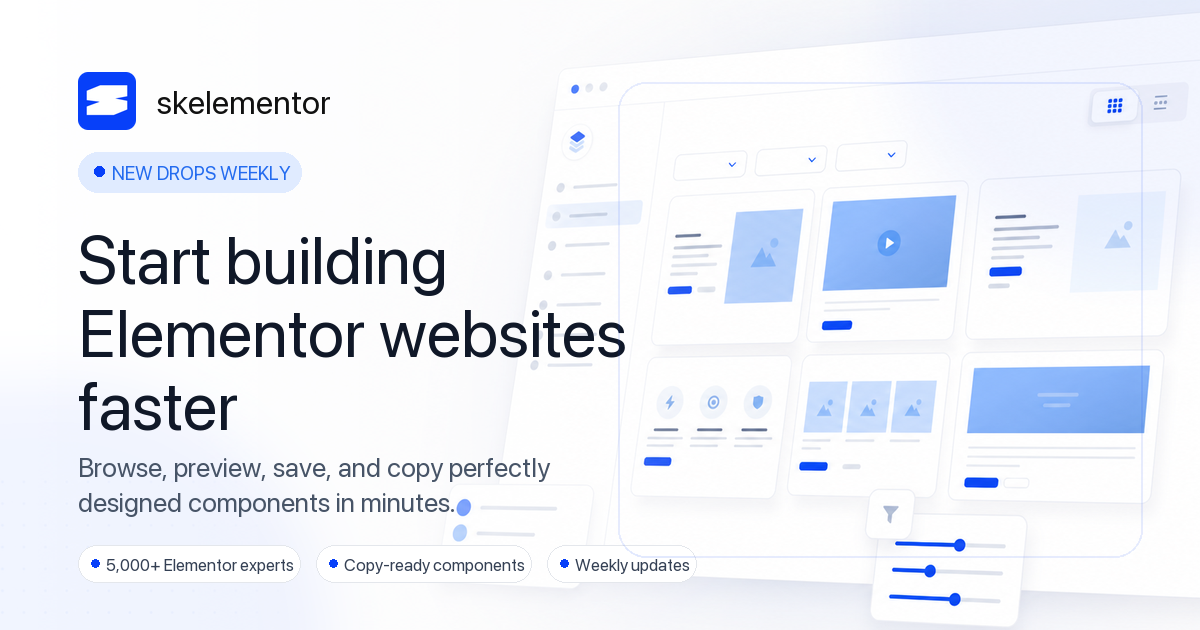

User reviews (0)