
 简体中文
简体中文 English
Website review
This review may include AI-generated content and is not individually verified. Domain, certificate and other facts come from the observed data on this page.
What is Smartlnks?
Smartlnks is a free web tool for creating and managing “smart” links — shortened URLs that can be branded, targeted, protected and tracked, and that can be set to open in a mobile app rather than a browser. The site describes it as a smart link generator and app opener aimed at marketers, creators and small businesses that want more control over where a click goes and what happens after it.
What it does
- Link basics: quick shortening, branded links with free SSL, and custom landing pages.
- App handling: app-ready deep links and an “open links in app” option, plus permanent YouTube links.
- Control and privacy: time-limited links, click limits, expiration timers, password protection and link cloaking.
- Targeting: device-specific and geographical targeting, pixel-based targeting, scheduled link release and retargeting.
- Measurement: real-time click tracking, smartlink previews, an activity log, analytics and automated report emails.
- Extras: customizable QR codes, a UTM builder, safe-scan verification, personalized 404 links and usage warnings/permissions.
Who it suits
A practical example: a small e-commerce owner runs a campaign in two regions. Instead of one generic URL, they create a branded link, schedule it to go live on launch day, route iOS users toward the app and Android users to the store, and check click analytics the next morning. Someone with simpler needs — a blogger who just wants tidy links — may find the targeting and permission features more than they need.
Trade-offs to weigh
More controls mean more setup decisions: targeting rules, expiry settings and app routing all need testing before a campaign goes live, and a misconfigured deep link can frustrate visitors. The site presents its plan as currently free, so treat long-term cost and limits as something to confirm before relying on it for business-critical campaigns. If you mainly need plain short links, a simpler shortener may be faster; if app opens, geo-routing and click analytics matter, Smartlnks is built for that.
Next step: create one test link, set a single rule (for example, device targeting or an expiry date), and click it from a phone and a desktop before using it in a live campaign.
How do I create a smart link with Smartlnks?
Creating a smart link on Smartlnks means taking one destination URL and wrapping it in a configurable link that can redirect, gate access, or target specific visitors. Based on the site's own feature list, the workflow is: paste your destination, choose the behaviors you want, then click "Smarten It" to generate the link. Agreeing to the Terms of Service and Privacy Policy happens at that point.
What you can configure on the link
The page groups its options into four practical buckets:
- Branding and presentation — branded links with free SSL, custom landing pages, personalized 404 pages, quick shortening, and customizable QR codes.
- Access and timing control — time-limited links, click-limit caps, expiration timers, password protection, and usage warnings or permission prompts.
- Targeting and routing — device-specific targeting, geographical targeting, pixel-based targeting, UTM builder, scheduled link release, and retargeting.
- Tracking and reporting — real-time click tracking, a smartlinks preview, an intuitive dashboard, activity logs, comprehensive analytics, and automated report emails.
There is also an "open links in app" behavior and "permanent YouTube links," which fits the site's stated origin story: the founders wanted links to open directly in their favorite apps instead of a browser.
A concrete example
Suppose you run a small mobile app and want to promote a launch. You would point the smart link at your landing page, enable device-specific targeting so iOS and Android users reach the right store listing, add a UTM builder set so your analytics attributes the traffic, and set a click limit or expiration date so the campaign stops cleanly. If you are running a private beta, add password protection instead of a public link.
How to choose your settings
Ask what the link is for before configuring anything:
- Marketing campaigns — prioritize UTM tags, retargeting pixels, geographical targeting, and scheduled release.
- Private or gated content — prioritize password protection, click limits, and expiration timers.
- App promotion — prioritize app-ready deep links and device-specific targeting.
- Print or offline use — prioritize customizable QR codes.
A useful next step
Start with one plain branded link and no targeting rules, confirm it redirects correctly and that click tracking registers, then layer on one behavior at a time. This makes it obvious which setting caused a problem if a link behaves unexpectedly.
If you want a second opinion on link-management approaches in general, established references include Bitly and Dub.
Can I protect my links with a password and expiration date?
Yes. Smartlnks lists both capabilities among its link controls: password-protected links and time-limited links with a link expiration timer. It also lists a separate clicks-limit control, so you can cap a link by number of uses rather than only by date.
How the pieces fit together
| Control | What it limits | Typical use |
|---|---|---|
| Password protection | Who can open the link | Private downloads, client previews, internal docs |
| Expiration timer | When the link stops working | Time-boxed promos, event pages, temporary access |
| Clicks limit | How many times it can be opened | Limited giveaways, sample distributions, capped trials |
These are three independent limits, which matters: a password alone does not stop a link from circulating, and an expiration date does not stop someone from opening it early. Combining all three gives you the tightest control.
A concrete scenario
You are sharing a draft report with five reviewers. Set a password, set the link to expire in 48 hours, and set a click limit near five. If the link leaks, the password still blocks strangers, the expiry closes the window, and the click cap prevents unlimited access. Smartlnks also lists real-time click tracking and activity logs, so you can see whether the link was opened more than you expected — a useful signal that it has been forwarded.
What to check before relying on it
- Whether an expired link shows a custom message or a dead end — Smartlnks lists personalized 404 links, which suggests you can control this.
- Whether the password is required on every open or cached after the first visit.
- Whether changing the password after sharing invalidates earlier opens.
For a broader comparison of link shorteners with access controls, see Bitly and Dub.
How does Smartlnks help me open links directly in apps instead of a browser?
Smartlnks is built around exactly that problem: getting a tapped link to launch the relevant app rather than sitting in a mobile or desktop browser. Its page lists "Open Links in App" and "App-Ready Deep Links" as core capabilities, alongside a "Permanent YouTube Links" feature that suggests links to YouTube content can be configured to open in the YouTube app instead of a web player.
In practice, you create a smart link on Smartlnks, point it at your destination, and the service handles the routing logic when someone taps it. The same page bundles device-specific targeting, geographical targeting and scheduled release, so a single link can behave differently depending on whether the visitor is on iOS, Android or desktop — useful when a link should open a native app for mobile users but fall back to a web page elsewhere.
Who benefits most
- App owners and marketers who want taps to land inside their app, where engagement and conversion tracking are usually stronger.
- Creators sharing video or social links who are tired of viewers being pushed into a browser login wall.
- Anyone running campaigns across mixed devices who needs one link to serve several destinations.
Trade-offs to weigh
Deep linking depends on the destination app being installed and on the app supporting the incoming link. If it isn't installed, the visitor needs a sensible fallback, which is where the web version or an app-store page matters. Smartlnks also lists link expiration, click limits, password protection and safe-scan verification, so you can keep the same link private or time-boxed — but those controls add setup steps compared with pasting a raw URL.
A practical next step
Take one link you currently share often — a YouTube video or a product page — run it through the generator, and test it on a real phone with the app installed and with it removed. That single test tells you whether the app-opening behaviour and the fallback both work for your audience. If you want to compare how other platforms handle deep linking, Branch and Firebase Dynamic Links are established options, though Smartlnks positions itself as the simpler, currently free alternative.
What targeting options does Smartlnks offer for different devices and locations?
Smartlnks lists two explicit targeting controls: device-specific targeting and geographical targeting. Both appear alongside its other link-management features, so you can send one short link to different destinations depending on what a visitor is using or where they are.
What each option does
- Device-specific targeting routes visitors based on their device. A practical use: send phone users to an app store listing or a deep link that opens your app, while desktop visitors get a normal web page. The page also advertises "Open Links in App" and "App-Ready Deep Links," which fit the same mobile-first scenario.
- Geographical targeting routes visitors by location. A practical use: show a local currency, local language page, regional offer, or a store locator relevant to the visitor's country or region.
How they fit with the rest of the toolkit
Targeting is not the only lever. Smartlnks also lists pixel-based targeting, scheduled link release, time-limited links, click-limit controls, password protection, UTM building, QR codes, and real-time click tracking. A realistic campaign might combine several: a geo-targeted landing page, a device rule that opens the app on mobile, and a UTM tag so analytics attributes the traffic correctly.
| Goal | Option to consider |
|---|---|
| Different destination per device | Device-specific targeting |
| Different destination per region | Geographical targeting |
| Different destination per audience segment | Pixel-based targeting |
| Control when a link goes live | Scheduled link release |
| Limit who can open a link | Password protection, click limits, expiry timer |
A concrete scenario
Suppose a small e-commerce brand runs a single campaign link in a newsletter. A visitor in Germany on an iPhone could be routed to the German-language product page with an app-open attempt, while a desktop visitor in the US lands on the standard English page. One link, two journeys, measured in the same dashboard.
Decision criterion
Choose device targeting when the experience differs by hardware or app availability. Choose geographic targeting when price, language, legality, or local relevance changes by region. If both matter, plan the rules in advance so a mobile visitor in one country does not fall through to a default page you did not intend.
Next step
Before launching, build a short test matrix: two devices × two locations, and confirm each combination lands where you expect. Smartlnks offers a smartlinks preview and safe scan verification, which are useful for checking routing before a campaign goes live. For background on how link routing and app deep links generally work, see Google Developers and Apple Developer.
Is Smartlnks free to use, and what are the limitations?
Smartlnks currently presents itself as free to use. Its page lists an "Our (Currently) Free Pricing Plan," so free access is the current offer rather than a permanent guarantee. The word "currently" matters: it signals the pricing model can change, so treat free use as a present condition, not a locked-in right. The page does not state usage caps, feature limits or a paid tier, so no specific limitation can be confirmed from the available information.
What the free plan appears to include, based on the feature list, is broad rather than a stripped-down trial:
- Branded links with free SSL, custom landing pages and personalized 404 pages
- Quick link shortening, link cloaking and app-ready deep links
- Time-limited links, click-limit controls, expiration timers and password protection
- Device, geographic and pixel-based targeting, plus a UTM builder
- Real-time click tracking, analytics, activity logs and automated report emails
- Customizable QR codes and a dashboard
That is a lot of capability for a free product, which raises the practical question of where the catch is. Common limits on free link tools include caps on monthly clicks or links, retention periods for analytics, removal of custom domains, or reduced targeting options. None of those are confirmed here, so verify them directly before committing.
A concrete scenario: a small e-commerce seller wants one branded link per campaign, with geographic targeting and click tracking. On the listed features, that use case fits the free plan. A larger team running dozens of campaigns and needing long-term analytics history may hit hidden ceilings, so check the terms first.
Next step: open the pricing section and the terms of service, then confirm four things in writing — link and click limits, analytics retention, whether custom domains stay free, and how much notice is given before pricing changes. If those answers suit your volume, start with one low-stakes campaign and compare the reported clicks against your own analytics before moving more traffic onto it.
 Cloudflare
 Google Workspace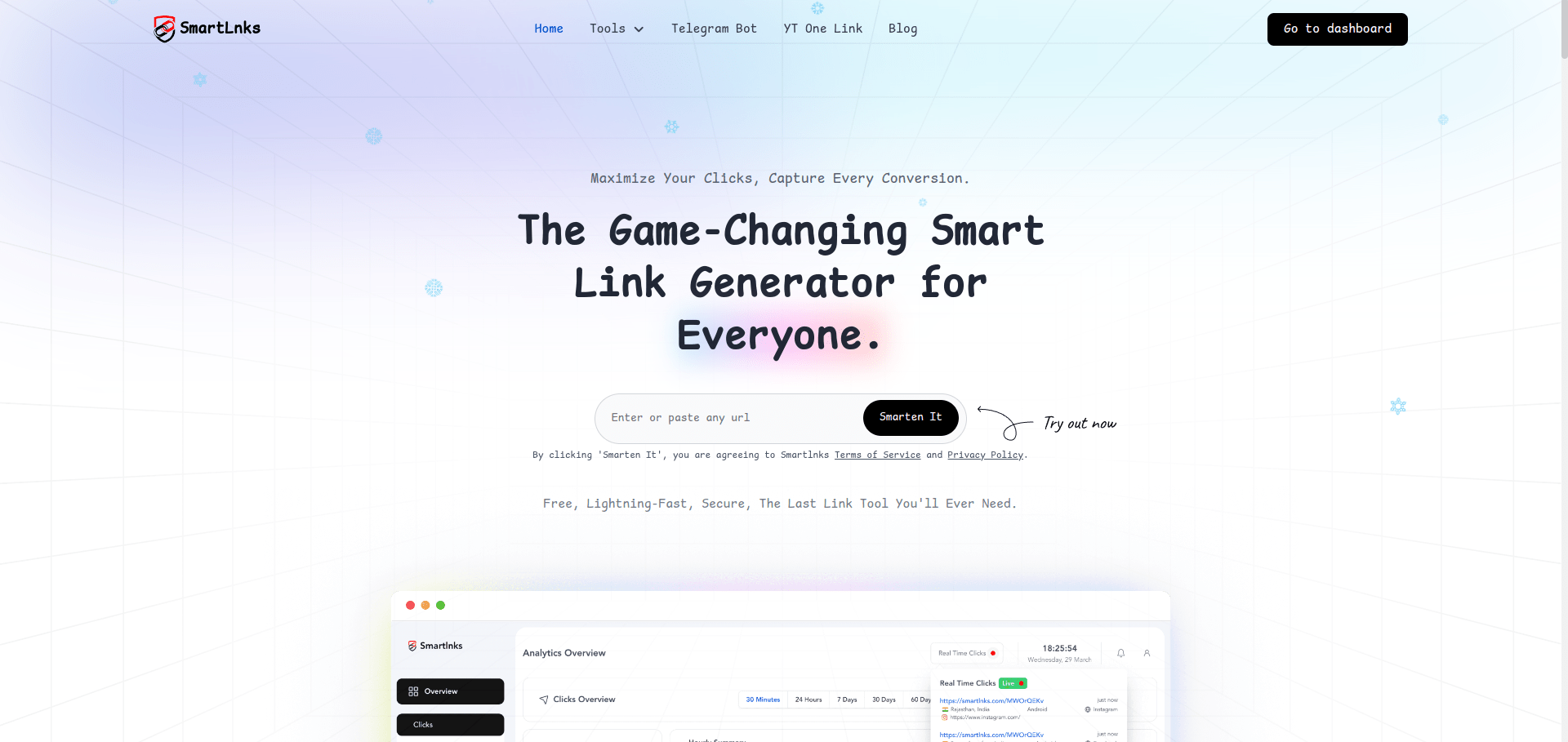

User reviews (0)