Website profiles · Technology insights · Alternatives

supermeme.ai

Try Supermeme's AI meme generator with 10 free credits every month. Turn your ideas into matching meme templates and editable captions. No credit card required.

Paid content
Visit website
Profile views 6 Outbound visits 3 Normal
Supermeme.ai Full homepage screenshot

At a glance

Category
Artificial Intelligence
Language
English
Paid-content signal
Paid contentObserved
Registered
2021
Hosting
CloudflareInferred
HTTPS certificate trusted
PassedObserved
Last updated

Website review

This review may include AI-generated content and is not individually verified. Domain, certificate and other facts come from the observed data on this page.

What is Supermeme.ai?

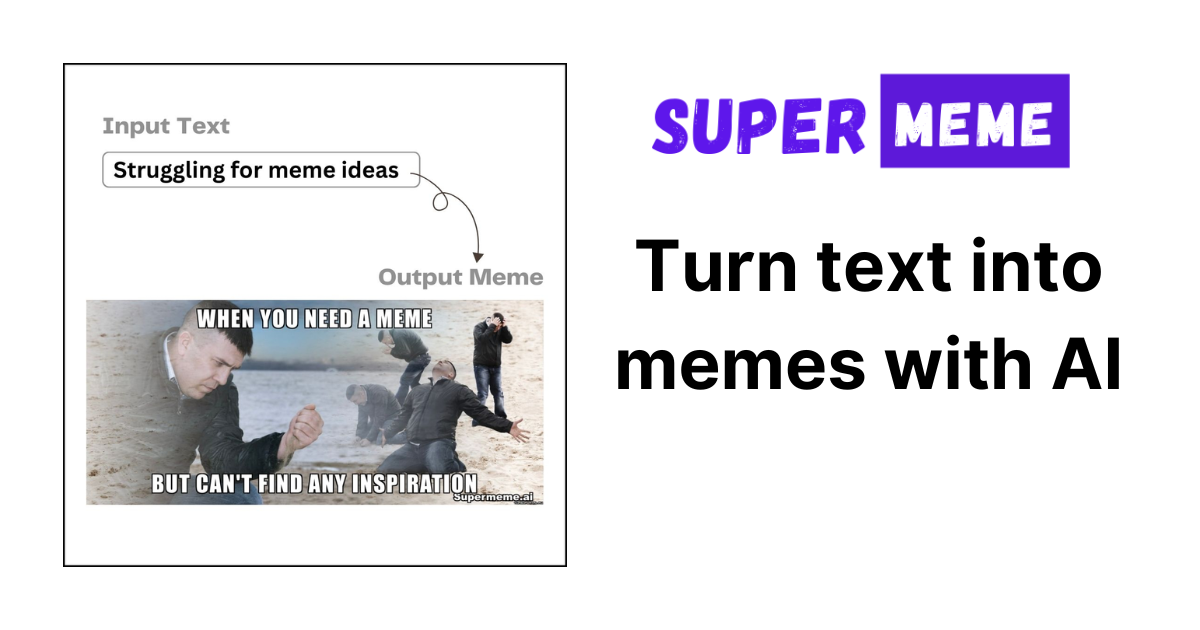
Supermeme.ai is an AI meme generator that turns a short text prompt into ready-to-edit memes. You describe a situation, joke or campaign idea; the tool suggests matching meme templates and drafts captions, which you can then edit, including text placement. It supports over 110 languages and can produce up to eight meme options per generation, so it works as a fast first-draft tool rather than a fixed template library.

Who it suits

  • Social and community managers who need a quick visual reaction to a trend, launch or inside joke.
  • Marketers and founders testing whether a message lands before investing in designed assets.
  • Teachers, team leads and anyone explaining a shared frustration — the site's own examples cover work, marketing, customer support, meetings, everyday life and learning.
  • Non-English speakers, since captions can be generated in many languages.

What it does, practically

You start from a prompt, an image or a GIF, then generate. The AI selects a template and writes caption options; you keep what works and adjust wording or placement. That makes it useful when the bottleneck is the idea or the caption, not the image editing. It is less suited to pixel-level design control or fully bespoke, brand-locked graphics.

Trade-offs to weigh

Strength Limitation
Fast prompt-to-meme workflow Output still needs human judgement to be funny or on-brand
Multiple options per run Choice can slow you down if you only need one
Wide language support Humour and cultural references may not translate cleanly
Editable captions and placement Not a substitute for a full design tool

A concrete next step

If you have a recurring internal joke or a campaign line, write it as a plain sentence — the kind you would say in a meeting — and generate a few options. Treat the results as drafts: pick the template that fits the tone, rewrite the caption in your own voice, and check that any reference is understood by your specific audience. To compare approaches, you can also look at established generators such as Imgflip for classic templates or Kapwing for broader editing.

How do I create a meme from a text prompt on Supermeme.ai?

Describe your situation or joke in the prompt field on Supermeme.ai, then let the AI match it with a template and draft editable captions. You get up to eight meme options per generation, and you can adjust the caption text and its placement before saving. The site supports 110+ languages, so you can write the prompt in your own language rather than translating it first. New users get 10 free credits every month without a credit card, which is enough to test the workflow before committing.

A quick walkthrough

  1. Enter a prompt describing a situation, campaign idea, or inside joke — for example, "The client approves the campaign, then asks for one tiny change."
  2. Choose whether you want images or GIFs as the output format.
  3. Generate and review the options. The AI picks a fitting template and writes captions; you decide what to keep.
  4. Edit the caption wording and reposition the text if needed, then export.

What makes a prompt work

The example prompts on the site are concrete scenes rather than abstract topics: waiting for 5pm on a Monday, a group project becoming one person's project, ten hours of meetings. Specificity gives the AI something to match a template against, so a sentence about a recognizable moment tends to produce better results than a single word like "work."

If you are stuck, the site offers a set of borrowable prompt starters across work, marketing, everyday life, and learning categories. You can adapt one of those rather than starting from a blank field.

Where it fits and where it does not

This workflow suits social media managers, internal comms teams, and anyone who needs a meme quickly without browsing template libraries or editing in separate software. The prompt-to-meme path is the fastest route when you already know the joke but not the image. If you have your own image and want to caption it, the site's separate text-to-meme workflow is the better starting point.

The trade-off is control: you are choosing from AI-selected templates and generated captions, so a very specific visual idea may not appear. In that case, treat the generated options as a first draft and edit the text, or switch to the image-based workflow.

Can I edit the captions and text placement after Supermeme.ai generates a meme?

Yes. Supermeme.ai generates memes with editable captions and text placement, so the AI output is a starting draft rather than a locked final image. The page describes captions as editable and lists "editable captions and text placement" among its features, and its prompt-to-meme examples show the AI choosing a template and drafting a caption, with the note that you decide what to keep.

What this looks like in practice

  • Captions: After a generation, you can rewrite the text to fix tone, shorten a punchline, or match your brand voice.
  • Text placement: You can reposition where the text sits on the image, which matters when the AI's default placement covers a face or key visual detail.
  • Multiple options: Each generation can produce up to 8 meme options, so you can compare drafts and edit the strongest one instead of starting over.
  • Workflow choice: You can begin from a prompt, an image, a language, or an integration, which affects whether you're editing AI-written captions or adding your own text to a chosen image.

A practical example

Suppose you prompt with "The client approves the campaign, then asks for 'one tiny change.'" The generator returns several meme options with drafted captions. You pick the option with the best template, trim the caption to a tighter punchline, then drag the text so it doesn't overlap the subject. That edited version is what you'd post or send.

Decision criterion

If you need pixel-level control over fonts, exact text boxes, or layered design work, treat Supermeme.ai as a fast first draft and finish in a dedicated image editor. If you mainly need a usable meme with a quick caption tweak and repositioned text, editing inside the tool is likely enough.

Next step: generate one meme from a real situation you'd actually post, then immediately test the editing controls on that output before committing to a batch. For pricing and credit details, check Supermeme.ai.

What languages does Supermeme.ai support for meme captions?

Supermeme.ai supports meme captions in more than 110 languages, according to its site. You describe the situation or joke in your prompt, and the tool drafts captions in the language you select, which you can then edit before exporting.

What this means in practice

  • Multilingual campaigns: A social team can produce the same meme concept for different regional audiences without rewriting captions from scratch in each language.
  • Community and support content: Teams responding to users across markets can draft localized memes faster, then have a native speaker check tone and slang.
  • Language learners or expat groups: You can make a joke land in the language your audience actually uses, rather than translating it literally.

Trade-offs to keep in mind

  • Machine-drafted captions can miss idioms, puns and cultural references. Treat the output as a first draft, not a final translation.
  • Meme formats themselves are culture-specific. A template that reads as funny in one market may be unfamiliar or confusing in another, so template choice matters as much as caption language.
  • Humor often depends on wordplay that does not carry across languages; expect to rewrite some captions rather than just translate them.

Next step

Open the generator, write your prompt in the language you want the caption in, and compare the options it returns. If you need a specific language confirmed before committing, check the language selector in the tool itself, since the site states broad coverage rather than listing every language.

How many free credits does Supermeme.ai give each month, and do I need a credit card to start?

Supermeme.ai gives you 10 free credits every month, and you do not need a credit card to start. That combination is stated directly on the site: the free credits renew monthly, and signup is credit-card-free.

What that actually means in practice

Ten credits a month is a trial-sized allowance, not a production budget. It suits someone who wants to test whether AI-generated memes fit their voice before committing: a social media manager drafting a few options for one campaign, a team lead making an internal Slack joke, or a teacher building a single slide. If you post memes daily or run multiple campaigns a week, expect to exhaust the monthly credits quickly and to look at paid options.

One detail worth knowing: a single generation can return up to 8 meme options, and the site's own example shows one prompt producing three editable variations. That means your 10 credits may stretch further than the raw number suggests, since you choose from several outputs per generation rather than accepting the first result.

A practical way to start

  1. Sign up without a card and confirm the credit balance shown in your account.
  2. Spend your first credit on a real use case, not a throwaway test: describe the situation, audience and tone in the prompt.
  3. Edit the captions and text placement before exporting; the site presents captions as drafts you refine, not finished assets.
  4. Note how many credits that one realistic task consumed, then decide whether the monthly allowance covers your actual output.

If you want a second reference point for AI image or meme generation workflows, Canva and Kapwing are established options with their own free tiers, though neither is a direct like-for-like replacement.

Can I use my own image to make a meme with Supermeme.ai?

Yes. Supermeme.ai lists image-based starting points alongside its prompt-to-meme workflow: the generator accepts Images and GIFs as input, and one of its listed workflows is “Turn text into memes — Generate a meme from your image.” So you can bring your own picture rather than being limited to the site's built-in templates.

What that looks like in practice

  • You upload an image or GIF, then supply the text idea you want the meme to express.
  • The AI drafts caption options and places the text, and you can edit the wording and text placement yourself.
  • If you'd rather not upload anything, the prompt route works the other way: describe a situation and Supermeme suggests a fitting template and writes captions.
  • Output is not a single take — the site says it can produce up to 8 meme options per generation, which matters when a caption's tone is hard to predict.
  • Captions and generation are offered in 110+ languages, useful if your audience or team doesn't work in English.

Choosing between the two routes

Your situation Better starting point
You have a photo, screenshot or product shot you must use Upload your image/GIF
You only have a joke, opinion or campaign line Describe it as a prompt
You need a specific visual style or brand asset Upload your image
You want quick options and don't care about the visual Prompt, then pick from the generated set

The main trade-off with uploading your own image is control versus convenience. You get the exact visual you want, but the AI's caption suggestions and text placement still need a human pass — automatic text over a busy photo can end up unreadable or covering the punchline. Expect to reposition text or shorten the caption.

A practical next step: start with one image you already own and one sentence describing the joke, generate a batch, then keep only the version where the text sits on a clean area of the picture. The site offers 10 free credits per month with no credit card required, so a small test costs you nothing but a few minutes.

Related questions

More questions →
Who Is Supermeme.ai For and What Are Common Use Cases?

Supermeme.ai is for anyone who has a text idea — a situation, opinion, campaign angle, or inside joke — and wants it turned into a meme without designing one from scratch. You describe the idea in plain language, and the tool matches it with fitting templates and writes editable captions. It fits both individuals making memes for fun and teams producing them for work, marketing, and internal communication. The site notes it is used by people at HubSpot, PwC, DataCamp, 6sense, Keller Williams, CodeRabbit, Storylane, TLDR, Recruit CRM, and KodeKloud, which suggests adoption spans marketing, data, sales, and developer-facing teams.

Who it's for

  • Marketers and social media teams turning a campaign idea or product insight into shareable visuals.
  • Work teams using memes for internal communication, meeting humor, or lightening a status update.
  • Individuals posting everyday observations, opinions, or jokes.
  • Educators and learners framing a concept or a shared learning struggle.
  • Customer support and community teams expressing a common frustration or inside reference.

The common thread: you already have the words, and you want the visual and caption handled.

Common use cases

The site organizes examples around a few recurring scenarios:

Scenario Example prompt from the site
Work "Waiting for 5pm on a Monday feels like waiting for a package delivery."
Marketing "A product marketer trying to understand why customers buy their product."
Customer support "Support teams trying to solve a simple issue with a complex solution."
Meetings "Ten hours of meetings and now I am ready to go home."
Everyday "I opened the fridge again, in case new food had appeared."
Learning "The group project slowly became my project."

Beyond these, the tool is aimed at situations, opinions, posts, and awkward meetings — anything you can describe in a sentence.

What you get per idea

  • Up to 8 meme options per generation, so one prompt can yield several directions.
  • Editable captions and text placement, so you adjust wording and layout rather than accepting the first output.
  • 110+ supported languages, useful for multilingual posts or teams.
  • Prompt-to-meme and image-to-meme workflows, so you can start from text or from your own image.

How to decide if it fits your task

Use it when the bottleneck is turning a written idea into a meme quickly and you're fine editing the result. It's less suited if you need a fully custom illustration or precise brand-controlled design, since the output starts from matched templates and AI-written captions that you then refine. If your goal is a fast first draft across many ideas or languages, the multi-option generation and language coverage are the main reasons to pick it.

How to Create a Meme with Supermeme.ai

Describe your situation, campaign idea, or inside joke as a text prompt, and Supermeme.ai matches it with fitting templates and writes editable captions. You can generate up to 8 meme options per generation, edit the captions and text placement, and work in 110+ languages. The site offers 10 free credits every month with no credit card required, so you can test the workflow before committing.

What you need before starting

  • A text description of the meme's idea — a situation, opinion, post, or awkward meeting works as a prompt.
  • Optional: your own image, if you'd rather start from an image than a prompt.
  • A Supermeme.ai account. The site states 10 free credits are available every month with no credit card required; pricing details beyond that are on the site's pricing page.

Step-by-step: prompt to finished meme

1. Describe your idea

Enter a prompt in the "What should the meme say?" field. The site's own examples show how loose the input can be:

  • Work: "The meeting ended with another meeting"
  • Marketing: "We spent a week on the campaign. The typo got all the attention."
  • Everyday: "I opened the fridge again, in case new food had appeared"
  • Learning: "The group project slowly became my project"

If you're stuck, the site offers a "Not sure what to type?" section with borrowable prompts you can adapt.

2. Choose your input type

The generator supports Images and GIFs alongside text prompts. Pick the workflow that matches your starting point — a prompt, an image, a language, or an integration.

3. Generate and review options

Submit your prompt and the AI suggests fitting templates and drafts captions. Each generation returns up to 8 meme options, so you can compare directions rather than accept the first result.

4. Edit captions and text placement

Captions and text placement are editable before you finalize. This is where you fix tone, tighten wording, or reposition text so it lands correctly on the template.

5. Finalize

Keep the option that works, apply your edits, and export.

A worked example

The site shows a prompt about client revisions — "The client approves the campaign, then asks for 'one tiny change'" — becoming three different editable meme options. That illustrates the intended flow: one idea in, several template-and-caption combinations out, and you decide what to keep.

Common sticking points

  • Vague prompts produce vague memes. The site's examples are all specific situations, not abstract topics. "Marketing" is weak; "We spent a week on the campaign. The typo got all the attention" is workable.
  • You still have to edit. The AI drafts captions, but the site frames editing as part of the workflow — captions and text placement are editable precisely because the first draft may not land.
  • Language coverage is broad but not automatic. 110+ languages are supported; if your prompt is in one language and you want output in another, check the result rather than assuming.

When this workflow fits

Supermeme.ai suits quick, idea-first meme creation where you have a situation to describe and want template suggestions plus caption drafts without browsing templates manually. If you already know the exact template and just need text placed on it, a manual editor may be faster. If you want volume — many variations from one prompt — the up-to-8-options-per-generation design is the relevant feature.

Is Supermeme.ai Free to Use, and What Do Paid Plans Offer?

Supermeme.ai has a free tier: you get 10 free credits every month, and no credit card is required to start. That is enough to test the core workflow — describe an idea, get up to 8 meme options per generation, and edit the captions and text placement. If you only make a handful of memes a month, the free credits may cover you. If you need more volume, or want to know exactly what the paid tiers add, the site points to its Pricing page for plan details.

What the free tier actually gives you

Based on the site's own description, the free plan includes:

  • 10 free credits every month — refreshed monthly, not a one-time trial.
  • No credit card required — you can generate before entering payment details.
  • Up to 8 meme options per generation — one prompt can return several template-and-caption combinations.
  • 110+ supported languages — captions can be written in any of the supported languages.
  • Editable captions and text placement — the AI drafts, you adjust.

The practical limit is the credit count. Ten credits a month is a testing or light-personal-use allowance, not a content-calendar allowance. If each generation consumes credits, a team producing memes for campaigns, social posts, or internal comms will run out quickly.

How the workflow works, so you can judge the free credits

The site describes a simple input-to-output loop:

  1. Describe the situation — a scenario, campaign idea, opinion, or inside joke. Example prompts on the site include "The meeting ended with another meeting" and "We spent a week on the campaign. The typo got all the attention."
  2. Generate — Supermeme matches the text with fitting templates and drafts captions.
  3. Review options — up to 8 meme options come back per generation.
  4. Edit — captions and text placement are editable, so the AI output is a starting point, not a final asset.

You can also start from an image or a GIF rather than a text prompt, and the site mentions integrations as another starting point. Each entry point opens the matching workflow.

Expected result: a finished, editable meme. What to verify yourself: how many credits one generation costs, since the site states the monthly credit total but not the per-generation cost on the pages reviewed here.

Free vs. paid: what to compare

Dimension Free tier Paid plans
Cost 10 free credits/month See the Pricing page
Credit card Not required Likely required at signup (not confirmed here)
Monthly volume Capped at 10 credits Higher limits expected — confirm on Pricing
Options per generation Up to 8 Same core feature set expected
Languages 110+ Same
Editing Captions and text placement Same
Best for Testing, occasional personal memes Regular or team output

The site's Pricing page is the only place to confirm paid-tier specifics — credit amounts, seat limits, and any commercial-use terms. Those details are not in the material reviewed here, so treat the paid column as "verify before buying."

Who should stay on free, and who should check pricing

Stay on the free tier if:

  • You want to test whether AI-generated memes fit your tone before committing.
  • You post memes occasionally and 10 credits a month is enough.
  • You are evaluating it against other generators and want a no-card trial.

Look at paid plans if:

  • You are producing memes on a schedule (weekly social posts, campaign assets).
  • A team needs shared access or higher volume.
  • You need certainty about commercial usage rights — check the Pricing page and terms, since the free-tier description does not address this.

Common sticking points

  • Credits are monthly, not unlimited. Plan around the reset date if you are mid-project.
  • "Up to 8 options" is a ceiling, not a guarantee. Simple prompts may return fewer usable results, so budget credits for retries.
  • AI drafts need editing. The site frames captions as editable, which means the first output is rarely the final one — factor in editing time.
  • Paid details live on one page. Everything about tiers, billing, and limits routes through the Pricing link; there is no separate free-vs-paid breakdown in the material reviewed.

Bottom line

Supermeme.ai is free to try: 10 credits a month, no card, with the full prompt-to-editable-meme workflow available. Whether it stays free for you depends on volume. Check the Pricing page for the paid tiers before assuming the free allowance will cover regular or team use.

What Is Supermeme.ai? An AI Meme Generator That Turns Text Into Memes

Supermeme.ai is an AI meme generator that turns a written idea into finished memes. You describe a situation, campaign idea, or inside joke, and the tool matches it with fitting meme templates and writes editable captions. It supports 110+ languages and can produce up to 8 meme options per generation. You get 10 free credits every month with no credit card required, so you can test it before committing to anything.

How It Works

The workflow is prompt-first. Instead of browsing a template library and writing your own caption, you start with the idea and let the tool handle template selection and caption drafting.

Input: A text description of a situation, opinion, post, or awkward meeting.

Action: Supermeme matches your prompt against meme templates and generates caption options.

Output: Multiple editable meme options. You decide what to keep, and you can adjust both the caption text and its placement.

The site's own example illustrates this: a prompt about client revisions ("The client approves the campaign, then asks for 'one tiny change'") becomes three different editable meme options. No template selection needed on your end.

Key Features

Feature What it means for you
Up to 8 meme options per generation You get several directions from one prompt instead of a single result
110+ supported languages Captions can be written in the language your audience reads
Editable captions and text placement The AI draft is a starting point, not a final answer
Prompt, image, language, or integration starting points You can begin from text, your own image, a language choice, or an integration
10 free credits every month Recurring free usage without a credit card

Two Ways to Start

The site describes distinct entry points depending on what you already have:

  • Turn a prompt into memes — Describe the situation. The AI finds fitting templates and writes caption options. Best when you have an idea but no visual in mind.
  • Turn text into memes from your image — Generate a meme starting from an image you provide. Best when the visual is already decided and you need the caption.

There are also image and GIF modes listed alongside the prompt field, so the starting point you pick routes you into the matching workflow.

When It Fits and When It Doesn't

Good fit:

  • You need meme content at volume for social, marketing, or internal comms and don't want to hand-pick templates each time.
  • Your audience isn't English-only — the 110+ language support matters here.
  • You want a draft to react to rather than a blank canvas.

Weaker fit:

  • You need precise control over a specific template and caption from the start — a manual editor may be faster.
  • You only make the occasional meme; the free monthly credits may already cover that.

Who Uses It

The site lists HubSpot, PwC, DataCamp, 6sense, Keller Williams, CodeRabbit, Storylane, TLDR, Recruit CRM, and KodeKloud among its users. That skews toward marketing, SaaS, and team-communication use cases rather than casual personal meme-making.

Getting Started

  1. Go to the generator and describe your situation in the prompt field.
  2. Choose your starting point — prompt, image, or GIF.
  3. Generate and review the options (up to 8 per generation).
  4. Edit the caption text and placement to fit your context.
  5. Export or use the result.

If you're unsure what to write, the site offers example prompts across work, marketing, everyday life, and learning categories — for instance, "The meeting ended with another meeting" or "The group project slowly became my project." You can borrow one and adapt it.

The Bottom Line

Supermeme.ai is worth trying if you want to convert written ideas into memes quickly, especially across multiple languages or at content volume. The 10 monthly free credits and no-credit-card requirement make the trial cost nothing but time. If you need frame-by-frame control over a specific template, expect to spend more time editing than generating.

What Languages and Formats Does Supermeme.ai Support?

Supermeme.ai writes meme captions in 110+ languages and supports both image and GIF memes, with editable captions and text placement. Each generation returns up to 8 meme options, and you can start from a text prompt or from your own image. If your need is a non-English caption, a GIF rather than a static image, or several variants to choose from in one pass, Supermeme.ai covers those cases. The rest of this article breaks down each capability and what it means in practice.

Language support: 110+ languages for captions

Supermeme.ai states that it supports 110+ languages for the captions it writes. The practical flow is:

  1. Input — you describe a situation, campaign idea, or inside joke in the prompt field.
  2. Action — the AI matches your idea with fitting templates and drafts captions.
  3. Output — captions are generated in the supported language, and you can edit them before finalizing.

The key point is that the language capability applies to the caption text the AI writes, not to a separate translation step you have to run yourself. If you work in a multilingual team or post to a non-English audience, you can describe the idea and get caption drafts in the target language, then adjust wording and placement manually.

Because the site lists "110+ supported languages" as a headline capability rather than an enumerated list, treat it as broad coverage rather than a guarantee for any specific language. If you need one particular language, the reliable check is to run a short prompt and see whether the caption comes back in that language.

Formats: image and GIF memes

Supermeme.ai supports two content formats for meme creation:

Format How you get there Typical use
Image Start from a prompt, or generate from your own image Static posts, slides, chat replies
GIF Select the GIF option in the generator Reactions, animated posts, chat

The site's generator shows Images and GIFs as the two creation modes, alongside the option to generate a meme from your image. So the format question has a simple answer: both static images and GIFs are supported, and you can also bring your own image into the workflow instead of starting purely from text.

Editing: captions and text placement

Generated memes are not locked. Supermeme.ai provides editable captions and text placement, which matters because AI-drafted captions often need a tone or length adjustment, and text position affects readability against the template.

A practical editing pass looks like this:

  • Generate the meme from your prompt.
  • Read the caption options and keep the closest one.
  • Rewrite the caption for your voice, audience, or character limit.
  • Move the text so it does not collide with the template's focal point.
  • Export when the result reads correctly at a glance.

Output volume: up to 8 options per generation

Each generation can return up to 8 meme options. This changes how you work: instead of iterating one meme at a time, you get a batch and pick the strongest. For a campaign or a recurring internal joke, that batch is usually enough to find one usable variant without regenerating repeatedly.

Choosing your starting point

Supermeme.ai describes several entry points, and the right one depends on what you already have:

  • Start with a prompt — you have a situation or idea in words and want the AI to find templates and write captions.
  • Start with an image — you already have the visual and want a meme generated from it.
  • Start with a language — your audience is non-English and the caption language is the deciding factor.
  • Start with an integration — you want meme creation inside an existing tool workflow.

If you are unsure what to type, the site offers example prompts across work, marketing, everyday, and learning categories that you can adapt rather than writing from scratch.

What to check before committing

  • Your specific language — run one short prompt and confirm the caption returns in the language you need, since the site advertises 110+ languages without listing them.
  • GIF vs. image — decide which format your channel needs before generating, since the two modes are separate choices.
  • Caption control — if exact wording matters, plan on editing rather than accepting the first draft.
  • Volume — up to 8 options per generation is useful for picking, but it is not an unlimited batch.

For a quick test of whether Supermeme.ai fits your language and format needs, the fastest path is a single prompt in your target language with the format you actually plan to publish.

Website Overview

Page metadata, canonical configuration and social previews work together to provide more consistent search and sharing presentation.

Domain and Registration

Transfer-protection status is present, helping reduce the risk of unauthorized domain transfers. The domain has about 4 years of registration history; its current configuration provides more context than age alone. The registrar is NameCheap, Inc., a widely used domain service provider. Registration contact information is publicly available through RDAP. The domain uses the common .ai extension, which is not an independent safety signal.

DNS and Email

Nameservers are provided by Cloudflare, indicating managed DNS hosting. MX records point to the Google Workspace email service. No CNAME was found; the observed records resolve directly to addresses. SPF and DMARC are configured. DKIM status is unknown. TXT records include verification markers for Google. Such markers may also remain after a service stops being used.

TLS and Certificates

The public key uses EC with 256 bits. The server supplied a complete certificate chain. No organization name is present in the certificate; the available fields are consistent with domain validation. The certificate was issued within the Google Trust Services cloud or CDN ecosystem. The certificate's total validity is about 90 days, consistent with a short renewal cycle.

HTTP and Browser Security

The response lacks these common security headers: CSP. No X-Powered-By header was found, reducing one common source of backend fingerprinting information. The cf-ray response header indicates a CDN or caching proxy in the delivery path. No obvious internal addresses or debug information were found in the headers. The Server header identifies cloudflare without an exact version.

Technology Stack Analysis

The public page identifies Next.js, Cloudflare without precise versions, leaving fewer clues for version-specific scanning.

Search and Social Sharing

Twitter Card metadata is configured. JSON-LD includes Organization data, helping describe the organization as an entity. The page declares 2 language or regional alternatives using hreflang. The title has 58 characters, within a common display range. A meta description is present, with 160 characters.

Hosting and Email

DNSCloudflare
HostingCloudflare
EmailGoogle Workspace
Approximate IP geolocation (inferred; a CDN or proxy may differ from the origin server) Location unknown Inferred 104.21.19.35

Registration details

RDAP / WHOIS

RegistrarNameCheap, Inc.
Registered2021-12-31
Expires2027-12-31
Domain statusclient transfer prohibited
Nameserversjihoon.ns.cloudflare.com、sasha.ns.cloudflare.com
DNSSECunsigned

DNS records

DNS

TypeNameValueTTLPriority
Asupermeme.ai104.21.19.35300—
Asupermeme.ai172.67.184.241300—
AAAAsupermeme.ai2606:4700:3031::6815:1323300—
AAAAsupermeme.ai2606:4700:3033::ac43:b8f1300—
MXsupermeme.aiaspmx.l.google.com3001
MXsupermeme.aialt1.aspmx.l.google.com3005
MXsupermeme.aialt2.aspmx.l.google.com3005
MXsupermeme.aiaspmx2.googlemail.com30010
MXsupermeme.aiaspmx3.googlemail.com30010
NSsupermeme.aijihoon.ns.cloudflare.com86400—
NSsupermeme.aisasha.ns.cloudflare.com86400—
TXTsupermeme.aigoogle-site-verification=lRyy1TCzFJrGO_pscc5azaBAFHtrY2zcNGr-Nvz0czU300—
TXTsupermeme.aigoogle-site-verification=sgYsa6qVd_KnPWaYqQb6w9xyHBuzRyNNYnS74Ad2kSM300—
TXTsupermeme.aiopenai-domain-verification=dv-D9UA75ff1SRzpVvDIQeL5Aqu300—
TXTsupermeme.aipaddle-verification=b7328ff5300—
TXTsupermeme.aiv=spf1 include:sparkpostmail.com ~all300—
DMARC_dmarc.supermeme.aiv=DMARC1; p=none; rua=mailto:[email protected]; pct=100; ruf=mailto:[email protected];300—

TLS and certificates

TLS / SSL

AssessmentNormal configuration
Supported protocolsTLSv1.2、TLSv1.3
Negotiated protocolTLSv1.3
Certificate subjectsupermeme.ai
IssuerGoogle Trust Services
Valid until2026-12-13T13:02 · Remaining when checked: 62 days
Verification detailsCertificate trust: Passed · Hostname match: Passed

HTTP response headers

HTTP

HeaderValue
content-typetext/html; charset=utf-8
cache-controls-maxage=31536000
servercloudflare
strict-transport-securitymax-age=63072000; includeSubDomains; preload
x-frame-optionsSAMEORIGIN
x-content-type-optionsnosniff
referrer-policystrict-origin-when-cross-origin
permissions-policycamera=(), microphone=(), geolocation=()

Identified technologies

Next.jsCloudflare

Pages, Search and Sharing

Meta descriptionTry Supermeme's AI meme generator with 10 free credits every month. Turn your ideas into matching meme templates and editable captions. No credit card required.
Canonical URLhttps://supermeme.ai
LanguageEnglish (default)
Twitter Cardsummary_large_image
All bots 1 allowed · 1 disallowed
  • Allow/
  • Disallow/cdn-cgi/

User reviews (0)

  • No reviews yet.