Website profiles · Technology insights · Alternatives

suroi.io

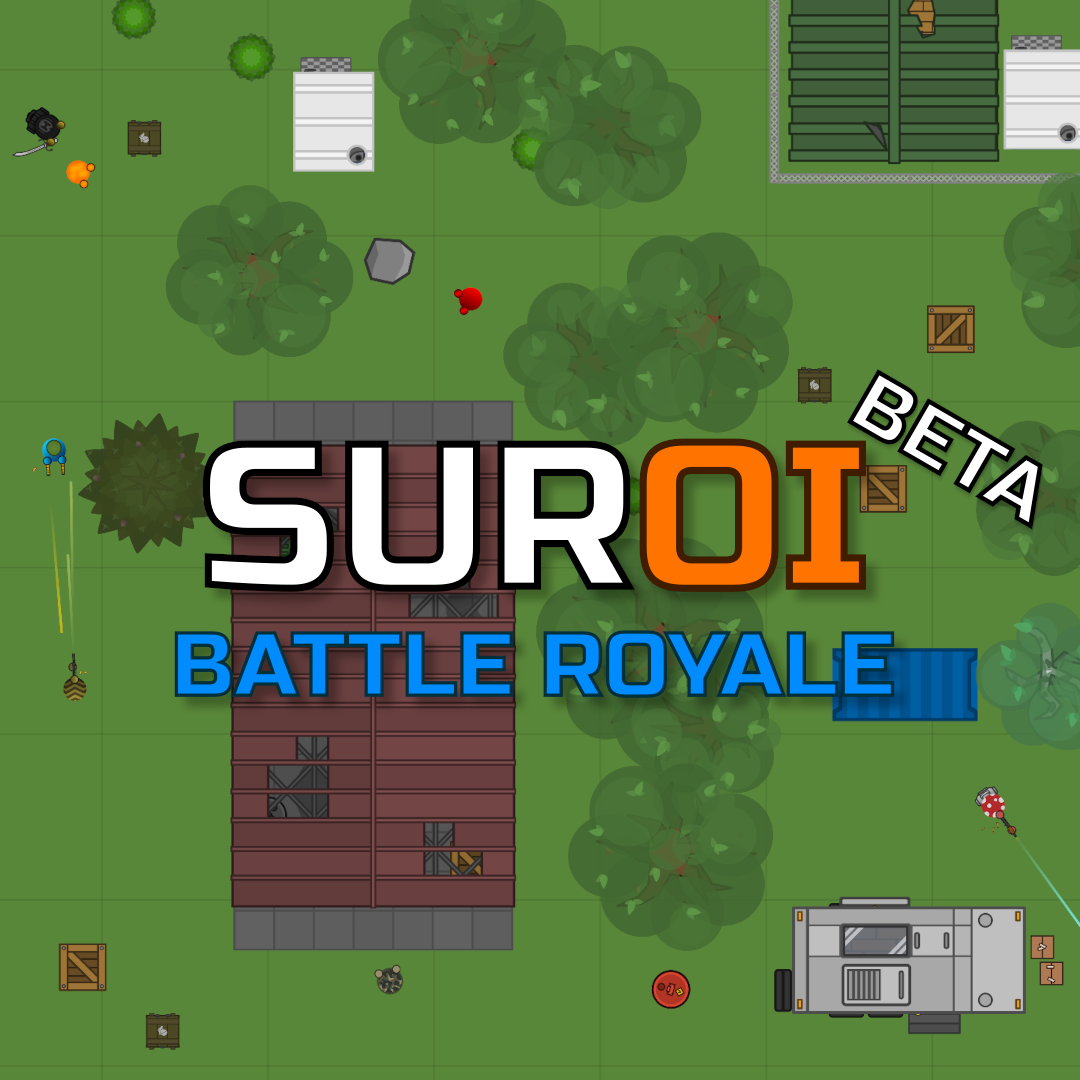
Miss surviv.io and Surviv Reloaded? Suroi is an open-source 2D battle royale game inspired by surviv.io. Work in progress.

No paid content found
Visit website
Profile views 0 Outbound visits 0 Normal
Suroi Full homepage screenshot

At a glance

Category
Games & Board Games
Language
English
Paid-content signal
No paid content foundObserved
Registered
Unknown
Hosting
CloudflareInferred
HTTPS certificate trusted
PassedObserved
Last updated

Website review

This review may include AI-generated content and is not individually verified. Domain, certificate and other facts come from the observed data on this page.

What is Suroi?

Suroi is an open-source, browser-based 2D battle royale game inspired by surviv.io. You drop into a top-down map, loot weapons and supplies, and fight to be the last player or team standing. Because it runs in the browser, there is nothing to install, and because the source is open, the community can inspect and contribute to it.

It is aimed at players who miss surviv.io and similar fast, simple .io shooters: short matches, light hardware demands, and a low barrier to entry. The trade-off is that it is a work in progress. A recent site update describes an ongoing UI overhaul that has slipped by at least another week, alongside community events such as a "Melee Madness" Suroi Sunday with a tiny map and melee-and-grenade-only rules. Expect rough edges and changing features rather than a finished, polished product.

If you are deciding whether to try it: pick Suroi for a free, quick, open-source battle royale you can play in a tab; look elsewhere if you need a stable, fully finished game. As a first step, open Suroi and play a match to see whether the pace and current feature set suit you.

How does Suroi compare to surviv.io for players looking for a similar battle royale experience?

Suroi is best understood as an open-source, browser-based 2D battle royale explicitly inspired by surviv.io, aimed at players who miss that style of top-down shooter. The page describes it as a work in progress, and its own update notes show active development—an announced "Melee Madness" event (tiny map, melee weapons and grenades only) alongside a UI overhaul that has been delayed because features aren't finished. That tells you what to expect: a familiar core loop with an evolving, sometimes incomplete shell around it.

What the comparison means in practice

  • Familiarity: If you want the surviv.io formula—2D overhead view, loot, shrinking play area, short matches—Suroi is positioned as a direct spiritual successor rather than a different genre.
  • Open source: That matters mainly if you care about transparency, community contributions, or hosting/modding. For a casual player it changes little day to day.
  • Maturity: surviv.io had years of polish and a large player base before its shutdown; Suroi presents itself as unfinished, with interface work still pending. Expect rough edges and changing features.
  • Events and cadence: Scheduled themed events like Melee Madness suggest a community-driven rhythm rather than a large studio content pipeline.
Consideration Suroi (per its page) surviv.io (as remembered)
Platform Browser, 2D battle royale Browser, 2D battle royale
Development status Open source, work in progress Established, later discontinued
Polish UI overhaul still in progress Mature interface and systems
Community Event-driven, e.g. Suroi Sunday themes Large historical player base

A concrete scenario

Suppose you and a friend used to play surviv.io duos and want that back. Suroi gets you into a match in the browser with the same genre feel; the trade-off is that matchmaking population and finish may vary, so try it during an event when players cluster. If you want a second option in the same browser-shooter space, surviv.io is the original reference point, though its availability has changed over time.

Next step: play a few rounds, ideally during a scheduled event, and judge it on two things—whether the core shooting feels right and whether the unfinished UI gets in your way. If both hold up, the open-source nature is a bonus; if not, treat it as one to revisit as development continues.

Do I need to download anything to play Suroi, or can I play it directly in my browser?

You can play Suroi directly in your browser — no download is required. It's a browser-based 2D battle royale at Suroi, built as an open-source project inspired by surviv.io, so you just open the site and start a match.

A practical next step: try a short round on your usual browser first to check that performance and controls feel comfortable. If you prefer a dedicated window or play on a low-powered device, compare the experience with a desktop browser before settling in.

Keep in mind that Suroi describes itself as a work in progress, so expect occasional rough edges — for example, its page notes that a UI overhaul is still being finished and has been pushed back. That's a reason to treat it as an evolving game rather than a polished release, not a reason you'd need to install anything.

Is Suroi free to play, and does it have any monetization or paid content?

Yes—Suroi is presented as a free browser game, and there is no pricing information on its site. No paid tiers, purchases, or payment platforms appear in the supplied page material. The only page update is an announcement about a "Melee Madness" event and a delayed UI overhaul, which suggests an actively developed, community-oriented project rather than a storefront. Treat "no monetization" as the absence of evidence on this page, not a guarantee: free browser games can still add optional cosmetics or donations later.

What this means in practice

  • Cost to try: nothing to pay; open the game in a browser and play.
  • Content model: the page describes an open-source 2D battle royale inspired by surviv.io, with rotating events such as the melee-and-grenades "Melee Madness" on a small map.
  • Trade-off: because it is a work-in-progress with features still unfinished (the UI overhaul is being pushed back), expect rough edges rather than a polished commercial product.

Practical next step

If you want a free, quick-match battle royale and don't mind an evolving interface, try a round during an event to see whether the small-map, melee-only format suits you. If you need guaranteed long-term free access or a stable, finished experience, check the game's own announcements before committing time. For comparison with the game that inspired it, surviv.io is the original browser battle royale.

What is Suroi Sunday, and how can I join these weekly community events?

Suroi Sunday is Suroi's recurring weekly community event, announced on the game's site and given a different theme each time. The posted example is "Melee Madness": a tiny map with melee weapons and grenades only. Themes like this change how a round plays—closer, faster fights with no long-range gunfights—so expect a very different pace from standard battle royale matches.

To take part, the practical route is to open Suroi around the announced time, read that week's post for the theme and any lobby or server details, and join the community match rather than a solo public game. Because Suroi is an open-source browser game still in development, small things—UI changes, feature timing, event scheduling—can shift; the weekly post is the reliable source for what is actually running that Sunday.

Who it suits

  • Players who miss surviv.io-style 2D battle royale and want a casual, themed session.
  • Groups or friends who want a shared rule set instead of random public lobbies.
  • Players curious about an in-development open-source game who don't mind rough edges.

If you prefer standard loadouts and full-map play, treat Suroi Sunday as an occasional change of pace rather than your main mode. For scheduling, check the site's latest post first; if no time is listed, ask in the community channels linked from the game page.

Since Suroi is open source, can I contribute to its development or host my own version of the game?

Yes on both counts, with different levels of effort. Suroi is described as open source, so the code is available for people who want to contribute to the project or run their own instance. The page evidence shows the project is still in active development — a recent note mentions an unfinished UI overhaul being pushed back — which means contributors and self-hosters should expect rough edges rather than a finished product.

Contributing

  • Best fit: developers comfortable with a work-in-progress codebase who want to help with features, fixes or the in-progress UI work.
  • Practical step: start by reading the project's repository and contribution guidelines for how changes are proposed and reviewed, then look for open issues or unfinished areas mentioned in updates.
  • Trade-off: the game changes frequently, so work may need redoing as features land. Coordinate with maintainers before starting anything large.

Hosting your own version

  • Best fit: people who want a private server for friends, a test environment, or a base for their own modifications.
  • Practical step: check the repository's setup and deployment documentation, since build and server instructions live there rather than on the game's landing page.
  • Trade-off: you take on maintenance, updates and any hosting costs yourself; a self-hosted copy won't automatically track upstream changes.

Choosing between them

Goal Contribution Self-hosting
Improve the official game Yes No
Play privately with friends No Yes
Experiment with custom rules Indirectly Yes
Ongoing maintenance burden Shared with maintainers Yours

For a concrete case: if you and a few friends want melee-only matches like the "Melee Madness" event described on the site, hosting your own instance lets you configure that without waiting for an official event. If you'd rather see that kind of mode become a permanent feature, contributing the change upstream is the route. For context on the genre Suroi draws from, see Surviv.io.

Related questions

More questions →
What Are .io Games and How Do You Play Them in a Browser?

.io games are browser-based, real-time multiplayer games that you can start playing without downloading a client. You open a website, the game loads, and you join a shared server with other players. The genre takes its name from the .io top-level domain that many of these games use, but the defining feature is instant, no-install multiplayer, not the domain itself. This guide explains what the genre includes, how it differs from other online games, and how to get into a match.

What makes a game an ".io game"

The label describes a style of distribution and play more than a single genre. Most .io games share these traits:

  • No download or install. They run in the browser, typically built on web technologies like HTML5 and WebGL or Canvas.
  • Real-time multiplayer. You play against or alongside other people on a live server, not against scripted opponents.
  • Short, repeatable sessions. Many are match-based or round-based, so you can play for a few minutes and leave.
  • Simple controls. Usually mouse, keyboard, or touch, with a shallow learning curve and depth that comes from other players.
  • Instant entry. Often you just enter a name, pick a mode or server, and spawn.

Because the barrier to entry is low, .io games tend to be easy to try and hard to master. The challenge usually comes from other players rather than from complex systems.

Common subgenres

.io games span several play styles. Knowing the subgenre helps you pick one that fits how you want to play.

Subgenre Typical loop Example style
Arena / competitive Grow, fight, climb a leaderboard, respawn Snake-like or shooter games
Survival Gather resources, build, craft, stay alive 2D survival MMOs
Casual / social Light objectives, chat, hang out Party or sandbox games
Strategy / territory Expand, defend, outmaneuver others Map-control games

Survival .io games are a good example of how the genre can go deeper than a quick arena match. Dynast.IO, for instance, describes itself as a 2D real-time massive multiplayer survival game supporting 60–150 players, where you survive, build a base, and craft weapons with friends. That is a survival subgenre entry rather than a representative of the whole genre — many .io games are far simpler and shorter.

How to start playing in a browser

The basic flow is similar across most .io games:

  1. Open the game's website in a modern browser (Chrome, Firefox, Edge, Safari).
  2. Enter a display name if the game asks for one. This is how other players see you.
  3. Choose a mode or server when options exist. Some games auto-assign you to a server; others let you pick region or game type.
  4. Read the on-screen controls. Most games show a control hint on the start screen or in a corner.
  5. Spawn and play. The match or world loads and you begin immediately.

What to expect: the game should load within a few seconds on a stable connection. If it does not, the usual causes are an outdated browser, disabled JavaScript, or a blocked WebGL/Canvas renderer.

Controls and orientation

Controls vary by game, but the common patterns are:

  • Mouse to aim, move, or steer.
  • Keyboard (WASD or arrow keys) for movement and actions.
  • Click or spacebar to attack, shoot, or interact.
  • Touch on mobile, often with an on-screen joystick.

One practical issue on phones and tablets: many .io games are designed for landscape orientation. Dynast.IO, for example, shows a "Rotate your phone" prompt and asks players to turn the device horizontal before playing. If a game looks broken or cramped on mobile, check whether it needs landscape mode before assuming it is not working.

What to check before you commit time

  • Connection stability. Real-time multiplayer punishes lag. A wired or strong Wi-Fi connection is better than a weak mobile signal.
  • Browser support. Keep your browser updated; older versions may not support the rendering the game needs.
  • Session length. Arena games may last minutes; survival games like Dynast.IO can run much longer, so pick based on how much time you have.
  • Account or login requirements. Some games let you play instantly, while others may ask you to create an account to save progress. Check the specific game rather than assuming.

The short version

.io games are instant-play, browser-based multiplayer games defined by no downloads, real-time play, and simple controls. They range from quick arena matches to deeper survival experiences. To start, open the game site, enter a name, pick a mode if offered, and follow the on-screen controls — and on mobile, be ready to rotate your device to landscape.

What Does "Open Source" Mean for a Zen Cart Online Store?

Open source means the software's source code is publicly available, so anyone can inspect, modify, and redistribute it. Zen Cart, the platform running this reptile supply store, is open-source e-commerce software: the store owner can read and change the code, and no license fee is paid to a vendor. That matters to a small shop because it removes per-sale or monthly software fees and allows deep customization — but it also means the owner (or a developer they hire) handles hosting, updates, and security. Note that "open source" here describes the store software, not the reptile foods and supplements sold on it.

Open source in plain terms

Proprietary store platforms typically charge a subscription or a percentage of sales and keep their code closed. Open-source platforms publish the code under a license that permits use and modification. In practice, for a store like this one:

  • No license fee. You pay for hosting and your own time, not for permission to run the software.
  • Full access to the code. Layouts, checkout flow, and product pages can be changed beyond what a theme editor allows.
  • Community development. Fixes and add-ons come from contributors and other store owners, not only from one company.

What it looks like on this store

The page evidence shows a typical Zen Cart storefront: category navigation (Bee Pollen, Cat Grass, Chia Seeds, Dandelion, Sprouting Seeds, Supplements), an "All Products" listing, reviews, and an information block with About Us, Shipping & Returns, Privacy Notice, Conditions of Use, Order Status, Site Map, Gift Certificate FAQ, and Discount Coupons. That structure — categories, reviews, coupons, gift certificates, order status — is what the platform provides out of the box. The store also publishes care guides (Russian Tortoise Care, Box Turtle Care, Redfoot Tortoise Care) and growing instructions, which are content pages the owner added rather than built-in store features.

Benefits for a small pet supply shop

  • Cost control. No platform subscription means a low fixed cost that doesn't scale with order volume.
  • Custom catalog logic. A shop selling seeds, dried weeds, and supplements by weight can adjust product options, units, and shipping rules directly in the code.
  • Content and commerce in one place. Care guides and growing instructions sit alongside the catalog, which supports the store's stated role of helping customers find foods for herbivore reptiles.
  • No vendor lock-in on data. You can export and migrate your catalog if you decide to move.

Trade-offs to plan for

Concern What it means in practice
Hosting You arrange your own web host and domain; the platform doesn't host the store for you
Security updates You apply patches yourself or pay someone to; skipping them is the main risk
Technical maintenance Theme changes, add-ons, and upgrades need someone comfortable with PHP-based code
Support Help comes from forums, documentation, and paid developers rather than a single support line
Add-on quality Third-party modules vary; test before relying on them for checkout or payments

Deciding whether it fits your store

Choose an open-source cart like Zen Cart if you want no license fees, need code-level customization, and have either technical skills or a developer you can call. Choose a hosted subscription platform instead if you'd rather not manage hosting, patches, and upgrades, and you're comfortable paying monthly for that convenience. A middle path works for many small shops: run the open-source cart on managed hosting that handles server updates, and keep a developer on retainer for store-level changes.

If you're evaluating this specific store as a model, the useful signal is that a niche reptile supply shop can run a full catalog, reviews, coupons, and care content on open-source software without a platform fee — the cost shifts from subscriptions to maintenance.

What Are Open-Source UI Element Libraries and How Do They Differ From UI Frameworks?

An open-source UI element library is a collection of individual, ready-made interface pieces—buttons, cards, inputs, toggles, loaders—that you copy into your own project and adapt. A UI framework, by contrast, is a structured system of components, conventions, and often a theming layer that governs how your whole interface is built. The practical difference: an element library gives you a snippet; a framework gives you a way of working. If you need a polished button in ten minutes, reach for the element library. If you're building a 40-screen product with a team, you probably want the framework.

What "open-source UI element library" actually means

The term gets used loosely, so it helps to separate the parts:

  • Open-source: the code is publicly available, and the license tells you what you may do with it—copy, modify, redistribute, or use commercially.
  • UI element: a single, self-contained piece of interface, usually small enough to read in one sitting. A button with hover states, a pricing card, a search field.
  • Library: a browsable, searchable collection of those elements, typically contributed by many different people.

On a site like Uiverse, elements are shared by a community and written in plain CSS or Tailwind. You find one you like, copy the markup and styles, paste them into your project, and adjust colors, spacing, and text to fit. There's no package to install and no build step required—which is exactly the appeal, and also the source of most of the confusion.

Element library vs. UI framework: the core differences

Dimension Open-source UI element library UI framework / design system
Unit of reuse A single snippet you copy A component you import or call
Installation None; paste into your code Package install, config, sometimes a provider
Consistency Depends on you; each element may look different Enforced by shared tokens and APIs
Theming Manual edits per element Central theme/config file
Updates You own the copy; no upstream updates Version bumps bring fixes and changes
Accessibility Varies per contributor; must be checked Usually tested and documented
Best for Prototypes, landing pages, small sites, one-off needs Multi-page apps, teams, long-lived products
Learning curve Low—read the CSS Higher—learn the API and conventions

The table isn't a verdict. It's a map of trade-offs. Element libraries win on speed and freedom; frameworks win on consistency and maintenance.

Licensing and attribution: what to check before you paste

This is where people get into trouble, and it's worth slowing down for.

  1. Find the license. Every element or collection should state one. Common open-source licenses include MIT, Apache-2.0, and BSD. Some projects use copyleft licenses like GPL, which can impose obligations if you redistribute your code.
  2. Understand what the license permits. MIT and Apache-2.0 are permissive: you can typically use the code in commercial and closed-source projects. Copyleft licenses may require you to release derivative source under the same terms.
  3. Check attribution requirements. Permissive licenses usually require you to keep the copyright notice and license text somewhere in your project. That's a real obligation, not a formality.
  4. Look for per-element terms. On community sites, the site's overall terms and the individual contributor's stated wishes may differ. If a contributor asks for credit, honor it.
  5. When in doubt, ask or avoid. If a snippet has no license at all, you don't have clear permission to reuse it. Treat "no license" as "not open source," even if the code is publicly visible.

This article is general information, not legal advice. For commercial products with real exposure, have someone qualified review the licenses you're relying on.

How to use a community element in your project: a practical workflow

Here's a repeatable process that avoids most of the usual mess.

1. Start from a real need, not a browsing session

Decide what you need first—"a compact primary button with a loading state"—then search. Browsing aimlessly produces a pile of pretty snippets that don't fit together.

2. Copy the smallest version that works

Take the markup and the styles. Strip anything you don't need: demo wrappers, extra animations, decorative layers. Less code means fewer surprises.

3. Convert it to your conventions

If your project uses design tokens or CSS variables, replace hard-coded values:

/* Before: hard-coded */
.button { background: #4f46e5; border-radius: 8px; }

/* After: token-based */
.button { background: var(--color-primary); border-radius: var(--radius-md); }

This one step is what keeps a copied element from looking like a foreign object in your UI.

4. Check accessibility before you ship

Community elements vary widely here. Verify at minimum:

  • Keyboard focus is visible and the element is reachable by Tab.
  • Color contrast meets WCAG AA (4.5:1 for normal text).
  • Interactive elements use semantic HTML (<button>, not a clickable <div>).
  • Form inputs have associated labels.
  • Motion respects prefers-reduced-motion.

5. Test in context

Paste it into a real page with real content. Long labels, small screens, and dark mode break more copied elements than anything else.

6. Note where it came from

Keep a short comment or an internal credits file: source, license, date. Future you—and your legal reviewer—will be grateful.

Where element libraries genuinely shine

  • Prototypes and demos: you need something clickable today, not a design system.
  • Landing pages and marketing sites: a handful of distinctive elements, each custom.
  • Filling gaps: your framework lacks one specific component, and you don't want to build it from scratch.
  • Learning: reading well-made CSS is one of the fastest ways to improve.
  • Small projects: a personal site doesn't need a theming architecture.

Where they fall short

  • Consistency at scale: ten elements from ten contributors rarely look like one product.
  • Maintenance: you own every copy. When your design changes, you edit each one.
  • Accessibility debt: you inherit whatever the contributor did or didn't do.
  • No upstream fixes: a bug fixed in the original won't reach your copy.
  • Integration friction: different naming conventions, different units, different assumptions about resets.

When to choose which

Choose an element library when the scope is small, the timeline is short, or you need a few distinctive pieces rather than a whole system.

Choose a framework or design system when multiple people build multiple screens over months, when consistency is a product requirement, or when accessibility and theming need to be guaranteed rather than checked.

A hybrid works well for many teams: adopt a framework for the structural components—forms, navigation, layout—and borrow individual elements for the places where you want personality. Just route every borrowed element through the same token and accessibility checks, so it lands as part of your system rather than beside it.

The short version: open-source UI element libraries are a fast, flexible way to get good-looking interface pieces into a project. They are not a substitute for a design system, and the license and accessibility details are the part worth reading carefully.

What Is a Browser Game and How Does It Work?

A browser game is a video game you play directly in a web browser — no download, no installation, no launcher. You open a URL, log in, and play. That makes browser games the lowest-friction way to start a game: they run on almost any device with a modern browser and an internet connection, and progress is stored on the game's servers rather than on your machine. The trade-off is that you depend on that server staying online, and the game's visual and mechanical depth is usually lighter than a native client. Kapilands, a long-running business simulation by upjers, is a useful example: you register, log in, and build a company entirely inside the browser.

How a browser game actually runs

The core mechanism is client–server separation:

  • The client is your browser. The game sends HTML, CSS, JavaScript, and images. Your browser renders them and sends your actions back.
  • The game state lives on the server. Your factories, money, inventory, and market orders are stored remotely. Closing the tab doesn't lose progress — it just stops you from acting until you return.
  • Sessions define play. You log in, act, and log out. Many browser games are designed around short, repeated sessions rather than long continuous play.

This is why browser games often feel like management tools: you check in, make decisions, queue up production, and come back later.

What you need to play

  • A device with a current browser (desktop or mobile)
  • An internet connection
  • An account on the game's site

Nothing else. There is no install step, which is the defining advantage over downloadable or mobile titles.

Common genres

Browser games cluster into a few recognizable types:

Genre What you do Typical session
Business simulation Build production, trade, set prices Check in, adjust, return
Strategy / MMO Build armies or cities, compete or ally Longer, event-driven
Idle / incremental Progress accrues over time Very short, frequent
Puzzle / casual Short self-contained rounds Minutes

Business simulations are a natural fit for the browser because their gameplay loop — produce, trade, optimize — works well in short sessions and doesn't require fast reflexes or high-end graphics.

How free browser games make money

"Free to play" describes access, not necessarily the absence of spending. Common models:

  • Optional purchases — cosmetic items, convenience features, or acceleration
  • Advertising — banners or rewarded ads
  • Premium tiers or subscriptions — extra features or capacity

The important distinction for a new player: a game can be free to start and still offer paid options. Whether a specific game charges, and for what, depends on that game — check its own pages rather than assuming.

The typical gameplay loop

Most account-based browser games follow the same shape:

  1. Register an account on the game's site.
  2. Log in to a server or realm.
  3. Act — build, produce, trade, or fight.
  4. Wait or return — many actions resolve over time.
  5. Progress — your account state persists between sessions.

Kapilands illustrates this pattern directly. Its entry page shows a login with two realms, a password-recovery link, and a registration form that asks for a head office country, gender, and date of birth, plus agreement to the terms and privacy policy. The page states "Play for free!" and offers registration for players without an account. Once inside, the described gameplay is: build more than 40 different production facilities, trade with other players, determine your product quality, and optimize prices — either through strategic partnerships or open competition.

Advantages and limits vs. downloadable or mobile games

Advantages

  • No install, no storage cost, no update downloads
  • Works across devices with a browser
  • Easy to try and easy to abandon
  • Progress is server-side, so it follows your account

Limits

  • Requires a live connection and a running server
  • Usually lighter graphics and simpler mechanics
  • Long-term availability depends on the operator — a shut-down server means a lost game
  • Performance is bounded by the browser

For a business simulation specifically, these limits matter less: the genre rewards planning and patience more than rendering power.

Where Kapilands fits

Kapilands is a browser-based business simulation developed by upjers. According to its own site, it was once selected "MMO of the Year" and is now positioned as a retro title for fans of business games. Its stated features — 40+ production facilities, player-to-player trade, quality control, and price optimization — are the classic business-simulation loop, and its dynamic market is driven by supply and demand, just as in real trade.

If you want to understand browser games through one concrete example, Kapilands is a clean one: register in the browser, log in to a realm, and manage a company across sessions without ever installing anything.

What Is a Battle Royale Game and How Do You Play One in a Browser?

A battle royale is a multiplayer match format in which many players (or small squads) drop onto one map, scavenge weapons and supplies, and fight until a single player or team remains — usually while a shrinking safe zone forces everyone together. You can play one in a browser with no download when the game is built for the web, as Suroi (suroi.io) is: a free-to-open 2D, top-down battle royale inspired by surviv.io, currently in development. The rest of this article explains the rules, how the browser version differs from 3D shooters, how to start a match, and the mistakes that end most new players' runs early.

The core rules of a battle royale

Almost every game in the genre follows the same loop:

  1. Drop in. All players enter the map at once, usually choosing or being assigned a starting location.
  2. Loot. You pick up weapons, ammunition, healing items, and armor from the ground or from defeated players.
  3. Survive the zone. A safe area shrinks over time. Outside it you take damage, so the map steadily compresses the fight into a smaller space.
  4. Be the last one standing. The match ends when one player or squad remains.

Two consequences follow from this structure. First, early minutes are usually about looting rather than fighting, because an unarmed player loses almost any encounter. Second, position matters as much as aim: the zone decides where the final fights happen, and arriving there late or from the wrong side is often fatal.

How 2D browser battle royales differ from 3D ones

Suroi is a 2D top-down game, which changes the feel of play compared with 3D titles like Fortnite or PUBG:

Dimension 3D battle royale 2D top-down (e.g., Suroi)
View First- or third-person, limited field of view Whole screen visible around your character
Aiming Mouse look plus recoil and bullet drop Direction-based aim; line of sight is easier to read
Movement Verticality, cover from terrain Cover comes from obstacles and walls on a flat plane
Match pace Longer rotations, vehicle travel Faster, smaller-scale engagements
Setup Large download, install, account Runs in the browser; no install step described

Because you can see more of your surroundings at once, information is less scarce in 2D games — but so is cover. You are exposed from more angles, so open ground is more dangerous than it looks.

How to start playing in a browser

The general steps for a browser battle royale are:

  1. Open the game's site in a desktop browser. Suroi is hosted at suroi.io.
  2. Enter a match. Browser .io games typically place you into a live match from the main screen; follow whatever prompt the game shows.
  3. Learn the controls before looting. Movement is usually WASD or arrow keys, aiming follows the mouse, and firing and picking up items are bound to mouse buttons or nearby keys. Check the in-game controls display rather than guessing.
  4. Loot first, fight second. Grab a weapon and ammunition before seeking contact.
  5. Watch the zone. Move toward the safe area before it starts closing, not after.
  6. Verify it works. If the game loads but you cannot move, click the game canvas once to give it keyboard focus — a common issue with browser games.

Suroi is explicitly described as a work in progress, so expect features to change between sessions.

Common beginner mistakes

  • Taking fights while under-equipped. A player with a pistol and no healing against a fully looted opponent is a losing trade. Disengage and loot.
  • Ignoring the zone timer. The most frequent cause of avoidable deaths is being caught outside the safe area while distracted by a fight or by looting.
  • Hoarding instead of using. Carrying healing items you never use, or holding a worse weapon "just in case," costs you fights you could have won.
  • Fighting in the open. In a top-down view, crossing open ground during a firefight exposes you to every angle at once. Use walls and obstacles.
  • Landing where everyone else lands. Crowded drop points produce early, chaotic fights that reward luck more than skill.

What "open source" and "in development" mean for players

Suroi is described as open source, which generally means its code is publicly available and can be inspected or contributed to by outside developers. For a player, the practical effects are that the game's direction can be discussed publicly and that community contributions may shape updates. The page evidence also shows active development: a weekly "Suroi Sunday" event with a modified ruleset (a small map restricted to melee weapons and grenades), and a note that a UI overhaul has been delayed by at least another week because some features are unfinished.

The takeaway is to treat the game as evolving. Event rulesets can differ sharply from standard matches, and interface elements may move or change between visits — so re-check the controls and mode descriptions rather than relying on memory from an earlier session.

Is a browser battle royale worth trying?

Try it if you want the battle royale loop — drop, loot, shrink, survive — without a large install, and if you prefer fast, readable 2D engagements over 3D gunplay. It suits short sessions and low-commitment play. If you want polished, content-complete competitive shooters with ranked systems and stable interfaces, a game still in development will frustrate you; check back as updates land.

Website Overview

Several search or sharing settings need attention. Together they may make snippets, preview images or preferred URLs less consistent across platforms.

Domain and Registration

Unknown

DNS and Email

Nameservers are provided by Cloudflare, indicating managed DNS hosting. MX records point to the suroi.io email service. No CNAME was found; the observed records resolve directly to addresses. SPF and DMARC are configured. DKIM status is unknown. TXT records include verification markers for Google. Such markers may also remain after a service stops being used.

TLS and Certificates

The public key uses EC with 256 bits. The server supplied a complete certificate chain. No organization name is present in the certificate; the available fields are consistent with domain validation. The certificate was issued within the Google Trust Services cloud or CDN ecosystem. The certificate's total validity is about 90 days, consistent with a short renewal cycle.

HTTP and Browser Security

The checked browser-security headers were not detected, leaving fewer explicit browser-side safeguards. No X-Powered-By header was found, reducing one common source of backend fingerprinting information. The cf-ray response header indicates a CDN or caching proxy in the delivery path. No obvious internal addresses or debug information were found in the headers. The Server header identifies cloudflare without an exact version.

Technology Stack Analysis

The public page identifies Cloudflare without precise versions, leaving fewer clues for version-specific scanning.

Search and Social Sharing

No homepage canonical URL was detected. If duplicate URLs exist, consolidation may be less explicit. Open Graph is partially configured; og:type is missing. The title has 29 characters, within a common display range. A meta description is present, with 122 characters. The observed directives allow indexing and link following.

Hosting and Email

DNSCloudflare
HostingCloudflare
Emailsuroi.io
Approximate IP geolocation (inferred; a CDN or proxy may differ from the origin server) Location unknown Inferred 104.21.36.108

Registration details

RDAP / WHOIS

Unknown

DNS records

DNS

TypeNameValueTTLPriority
Asuroi.io104.21.36.108300—
Asuroi.io172.67.192.149300—
AAAAsuroi.io2606:4700:3032::6815:246c300—
AAAAsuroi.io2606:4700:3034::ac43:c095300—
MXsuroi.iomail.suroi.io3000
NSsuroi.iohuxley.ns.cloudflare.com86400—
NSsuroi.iosue.ns.cloudflare.com86400—
TXTsuroi.iogoogle-site-verification=yXexMLPltDVjCFzKwfEHhJrDk0eSiZ7w7Wzty2GL_oU300—
TXTsuroi.iov=spf1 ip4:82.165.213.40 -all300—
DMARC_dmarc.suroi.iov=DMARC1; p=none; rua=mailto:[email protected]300—

TLS and certificates

TLS / SSL

AssessmentNormal configuration
Supported protocolsTLSv1.2、TLSv1.3
Negotiated protocolTLSv1.3
Certificate subjectsuroi.io
IssuerGoogle Trust Services
Valid until2026-12-28T17:43 · Remaining when checked: 62 days
Verification detailsCertificate trust: Passed · Hostname match: Passed

HTTP response headers

HTTP

HeaderValue
content-typetext/html
servercloudflare

Identified technologies

Cloudflare

Pages, Search and Sharing

Meta descriptionMiss surviv.io and Surviv Reloaded? Suroi is an open-source 2D battle royale game inspired by surviv.io. Work in progress.
Canonical URLNot detected
LanguageEnglish (default)
Twitter CardNot detected
All bots 0 allowed · 1 disallowed
  • Disallow/assets

No sitemaps found

User reviews (0)

  • No reviews yet.