
 toggl.com
 Paid content
Categories: Productivity
The best time tracker and capacity planning software. Track employee time, plan capacity, manage tasks and projects, and calculate profitability. Try for free.
 Visit website
 Updated: 2026-09-27 22:42
 Language: English (default)
 Access: Normal
 Profile views 4
 Outbound visits 1
Related questions
More questions →What Can You Track and Manage with Toggl?
Toggl is time tracking and capacity planning software. You can use it to record employee and project time, plan team capacity, manage tasks and projects, and calculate profitability from tracked hours. It also connects with tools like Google Calendar, so activities such as meetings can appear alongside your time entries. The sections below explain what each capability covers and what you need to use it.
Time tracking: what gets recorded
Toggl's core function is a time tracker. The homepage positions it as "the time tracker millions trust," and the product description lists tracking employee time as a primary use.
In practice, a time entry typically captures:
- A duration — a start and stop time, or a manually entered amount.
- A description — what the work was.
- An association — the project, task, or client the time belongs to.
The page evidence shows an example entry: a "Weekly design meeting" tied to a Google Calendar event, with a time range of 09:00–11:00 and an email address attached. That single example illustrates the pattern — a named activity, a source (calendar), a time window, and an identifier for the person or account.
What this is useful for: seeing where hours actually go across a day, a project, or a team, rather than relying on estimates.
Capacity planning and project management
Beyond raw time records, Toggl is described as capacity planning software. That means the tracked data feeds into planning how much work a team can take on.
You can manage:
- Tasks and projects — organizing work into units that time gets logged against.
- Capacity — how much available time a person or team has versus what's assigned.
- Employee time — individual contributions across projects.
The distinction matters: time tracking answers "what happened," while capacity planning answers "what can we take on next." Toggl's stated scope covers both.
Profitability calculation
The product description explicitly includes calculating profitability. This works by combining tracked time with the value of that time — for example, billable hours against a project's budget or rate.
If you track time by project and client, you can compare hours spent against what the work is worth. That turns time entries into a financial signal rather than just a record.
Condition to check: profitability features depend on your time entries being consistently associated with the right projects or clients. Inconsistent tagging weakens the output.
Calendar and tool integration
Toggl connects with external tools. The homepage example shows a Google Calendar event appearing as a time entry source.
This means meetings and scheduled activities can be captured without manually starting a timer for each one. If your workday is calendar-driven, this reduces the gap between scheduled time and tracked time.
What you need to get started
- An account — the site offers a free trial ("Try for free"), and there is a separate login for Toggl Plan.
- Pricing details — available on the Toggl pricing page; the source does not state specific plan costs, so check the page directly for current figures.
- Apps — the site has a "Get our apps" section, indicating desktop and/or mobile clients in addition to the web version.
Choosing whether Toggl fits your need
| If you need to… | Toggl covers it? |
|---|---|
| Record individual or team work hours | Yes — core time tracking |
| Plan how much work a team can handle | Yes — capacity planning |
| Manage tasks and projects | Yes — listed in product scope |
| See project or team profitability | Yes — calculated from time data |
| Capture meetings automatically | Yes — via calendar integration |
If your goal is only a simple stopwatch, Toggl's planning and profitability layers may be more than you need. If you want time data to drive decisions about staffing and project value, those layers are the point.
To confirm current plan limits and pricing, use the Toggl pricing page rather than assuming what the free trial includes.
How to Get the Toggl Apps and Log In
Toggl's website provides a "Get our apps" section for downloading its applications across platforms, and a separate login page at accounts.toggl.com for accessing your account. If you already have a Toggl account, you can log in directly through the account portal; if you're new, you'll need to create an account first before you can use the time tracking and planning features.
Getting the Toggl Apps
Toggl offers apps for different devices so you can track time wherever you work. The website's "Get our apps" section is the starting point for finding the right version for your platform.
What to expect
- Multiple platforms: Toggl provides apps covering different devices, so you can record time whether you're at a desk or on the move.
- One entry point: Rather than hunting for separate download pages, the "Get our apps" section on toggl.com collects the available options in one place.
How to get started
- Go to toggl.com.
- Look for the "Get our apps" section in the site navigation.
- Choose the app for your device and follow the download or install instructions provided there.
The exact install steps depend on which platform you pick, so follow the guidance shown for that specific app.
Logging In to Toggl
Toggl uses a dedicated account portal for sign-in. The site links to a login page for Toggl Plan at accounts.toggl.com/plan/login.
How to log in
- Navigate to the login page (linked from toggl.com or directly at accounts.toggl.com).
- Enter your account credentials.
- Once signed in, you can access time tracking and capacity planning features.
If you don't have an account yet
The login page assumes you already have credentials. New users need to create an account before logging in — the site's free trial option is the usual starting point for that.
What You Can Do After Logging In
Once you're signed in, Toggl gives you access to its core tools:
| Capability | What it covers |
|---|---|
| Time tracking | Recording time against tasks and projects |
| Capacity planning | Planning team workload and availability |
| Task & project management | Organizing work across projects |
| Profitability calculation | Working out profitability from tracked time |
These features are aimed at both individuals tracking their own time and teams managing capacity and project work.
Common Questions
Do I need an account to use the apps? Yes — the apps connect to your Toggl account, so you'll need to sign up before you can track time.
Is there a separate login for different Toggl products? The site links to a login page specifically for Toggl Plan. If you use other Toggl tools, check the login link shown for that product.
Where do I find the apps? The "Get our apps" section on toggl.com is the main entry point for downloading the apps.
What if I can't log in? Make sure you're using the correct account portal and that your credentials are current. If you haven't registered yet, create an account first — the login page won't work without one.
Who is Toggl for and how can you try it?
Toggl is a time tracking and capacity planning tool aimed at individuals, teams, and larger organizations that need to record where working hours go and plan how much work a team can take on. You can evaluate it by signing up for a free trial, installing the apps on the platforms you use, and checking the pricing page before committing to a paid plan.
Who Toggl is for
Toggl's own site organizes its offering by use case and by team size, which is a useful way to judge fit.
By team size
- Individuals who want a simple record of time spent on tasks and projects.
- Small teams that need shared visibility into who is working on what.
- Larger teams that also need capacity planning — deciding in advance how much work can be assigned.
By use case
- Tracking employee time across projects.
- Planning capacity so work is distributed realistically.
- Managing tasks and projects in one place.
- Calculating profitability, which requires connecting tracked time to the value of the work.
If your main need is simply "where did my hours go," the time tracker side covers it. If your need is "can we take on this next project without overloading people," the capacity planning side is the relevant part.
What you can track and manage
The site describes Toggl as both a time tracker and a capacity planning tool, with these capabilities:
| Capability | What it means in practice |
|---|---|
| Track employee time | Record hours against tasks and projects |
| Plan capacity | See and plan how much work a team can absorb |
| Manage tasks and projects | Organize work into projects and tasks |
| Calculate profitability | Use tracked time as an input to profitability |
The homepage heading is "The time tracker millions trust," and the page evidence shows a calendar-style entry — a weekly design meeting with an email address, a Google Calendar label, and a time range (09:00–11:00). That illustrates the kind of scheduled, calendar-linked item the tool works with.
How to try Toggl
- Start with the free trial. The site offers a free trial so you can evaluate fit before paying. Treat this as an evaluation period, not a permanent free tier — the site does not state that the product is free beyond the trial.
- Get the apps. Toggl provides apps for the platforms you work on ("Get our apps"). Install the ones matching your devices so tracking happens where you actually work.
- Set up a first project and task. Create something concrete — for example, a client project with a few tasks — so you can test tracking against real work rather than a demo.
- Track a real day or week. Record time as you go and check whether the resulting reports answer the questions you care about (per project, per person, per client).
- Test the planning side if relevant. If capacity planning is your reason for looking, try assigning work to people and see whether the view helps you judge who is over- or under-allocated.
- Review pricing before committing. The pricing page lists paid plans. Check it against the number of people you need to include and the features you actually used during the trial.
What to check before deciding
- Team size match. The site segments by team size, so confirm the plan and features line up with how many people you would add.
- Whether you need planning or just tracking. Time tracking alone and time tracking plus capacity planning are different commitments; only pay for the second if you will use it.
- Profitability calculation. If you want to calculate profitability, verify during the trial that the time data you record maps cleanly onto the projects or clients you bill.
- Login and plan access. Toggl Plan has a separate login at accounts.toggl.com/plan/login, so if planning is part of your evaluation, make sure you are in the right product area.
Common sticking points
- Assuming the trial is a free plan. The site promotes a free trial; it does not state that continued use is free. Check the pricing page for what happens after the trial.
- Tracking without structure. Time entries are far more useful when attached to projects and tasks you defined up front — decide your project structure before you start recording.
- Evaluating planning without real data. Capacity planning is hard to judge on an empty account; add a realistic set of tasks and people during the trial.
- Skipping the apps. If you only test in one place, you will not learn whether tracking fits your actual working setup across devices.
What Is Toggl and What Does It Do?
Toggl is a time tracking and capacity planning software. It is built to record how time is actually spent, then use that record to plan team capacity, manage tasks and projects, and calculate profitability. It is aimed at both individuals and teams, and the site positions it as "the time tracker millions trust." A free trial is offered, so you can evaluate it against your own workflow before committing.
The two jobs Toggl does
Toggl's own description splits its purpose into two connected halves:
- Time tracking — capturing time as it is spent, at the level of tasks and projects.
- Capacity planning — using that time data to see how much work a person or team can realistically take on.
The value comes from the link between them. Tracking alone tells you where hours went; planning alone is guesswork. Together they let you compare planned work against actual effort.
What you can actually do with it
According to the site, the core uses are:
| Capability | What it means in practice |
|---|---|
| Track employee time | Record hours per person, task, and project |
| Plan capacity | See who has room for more work and who is overloaded |
| Manage tasks and projects | Organize work into projects with assigned tasks |
| Calculate profitability | Compare time spent against what the work earns |
That last one matters if you bill by the hour or need to know whether a project is actually worth running. Time data becomes a financial input, not just a record.
Who it is for
Toggl's site organizes its offering by use case and by team size, which signals that it is not a single-purpose tool for one kind of user. It fits:
- Individuals who want an honest picture of where their day goes.
- Small teams that need shared visibility without heavy process.
- Larger teams that need capacity planning across multiple people and projects.
If your only need is a stopwatch for personal focus, a full capacity planning suite may be more than you need. If you need to connect tracked hours to project planning and profitability, that combination is the point.
How you would use it day to day
A typical flow looks like this:
- Set up projects and tasks so tracked time lands somewhere meaningful rather than in one undifferentiated bucket.
- Track time as you work — the site shows calendar-style entries, for example a weekly design meeting pulled in from Google Calendar with a time range.
- Review the recorded time to see actual effort per project or person.
- Plan capacity using that record to decide what the team can take on next.
- Check profitability by comparing time spent against the value of the work.
The calendar example on the site — a recurring meeting appearing as a scheduled block — illustrates that Toggl is designed to sit alongside your existing calendar rather than replace it.
What to check before choosing it
- Free trial scope — the site advertises a free trial; confirm what is included and what happens when it ends.
- Pricing tier fit — Toggl publishes a pricing page, so compare tiers against your team size and whether you need capacity planning or only tracking.
- App coverage — the site has a "Get our apps" section, so check that your platform of choice is supported.
- Calendar integration — useful if you want meetings and scheduled blocks reflected automatically.
Toggl is best understood as a tool that turns tracked time into planning and profitability decisions. If you need that chain — track, plan, price — it is built for exactly that. If you only need a timer, start with the free trial and see whether the extra planning layers earn their place in your workflow.
Website Overview
An established domain and managed infrastructure suggest continuity of operations and may support dependable delivery, although neither guarantees service quality. Page metadata, canonical configuration and social previews work together to provide more consistent search and sharing presentation.
Domain and Registration
Registered in 2006, this domain has about 20 years of history. That suggests continuity, although ownership and purpose may have changed. Transfer-protection status is present, helping reduce the risk of unauthorized domain transfers. The registrar is GoDaddy.com, LLC, a widely used domain service provider. The domain uses the common .com extension, which is not an independent safety signal.
DNS and Email
Nameservers are provided by Google Cloud DNS, indicating managed DNS hosting. MX records point to the Google Workspace email service. No CNAME was found; the observed records resolve directly to addresses. SPF and DMARC are configured. DKIM status is unknown. TXT records include verification markers for Google, Microsoft. Such markers may also remain after a service stops being used.
TLS and Certificates
The certificate uses an RSA 2048-bit public key, offering broad client compatibility. The server supplied a complete certificate chain. No organization name is present in the certificate; the available fields are consistent with domain validation. The certificate was issued within the Google Trust Services cloud or CDN ecosystem. The certificate's total validity is about 90 days, consistent with a short renewal cycle.
HTTP and Browser Security
The response lacks these common security headers: CSP, Permissions-Policy. No X-Powered-By header was found, reducing one common source of backend fingerprinting information. The cf-ray, via response header indicates a CDN or caching proxy in the delivery path. No obvious internal addresses or debug information were found in the headers. The Server header identifies nginx without an exact version.
Technology Stack Analysis
The public page identifies Webflow, Google Tag Manager, Cloudflare, nginx without precise versions, leaving fewer clues for version-specific scanning.
Search and Social Sharing
The Generator tag identifies Webflow, making the publishing system easier to fingerprint. Twitter Card metadata is configured. The title has 54 characters, within a common display range. A meta description is present, with 159 characters. The observed directives allow indexing and link following.
 Hosting and Email
 Google Cloud DNS
 Hosting
 Cloudflare
 Google Workspace
 Location
 Kansas City, Missouri, United States
 Pages, Search and Sharing
| Meta description | The best time tracker and capacity planning software. Track employee time, plan capacity, manage tasks and projects, and calculate profitability. Try for free. |
|---|---|
| Canonical URL | https://toggl.com |
| Language | English (default) |
| Twitter Card | summary_large_image |
Social Sharing Preview
7 fields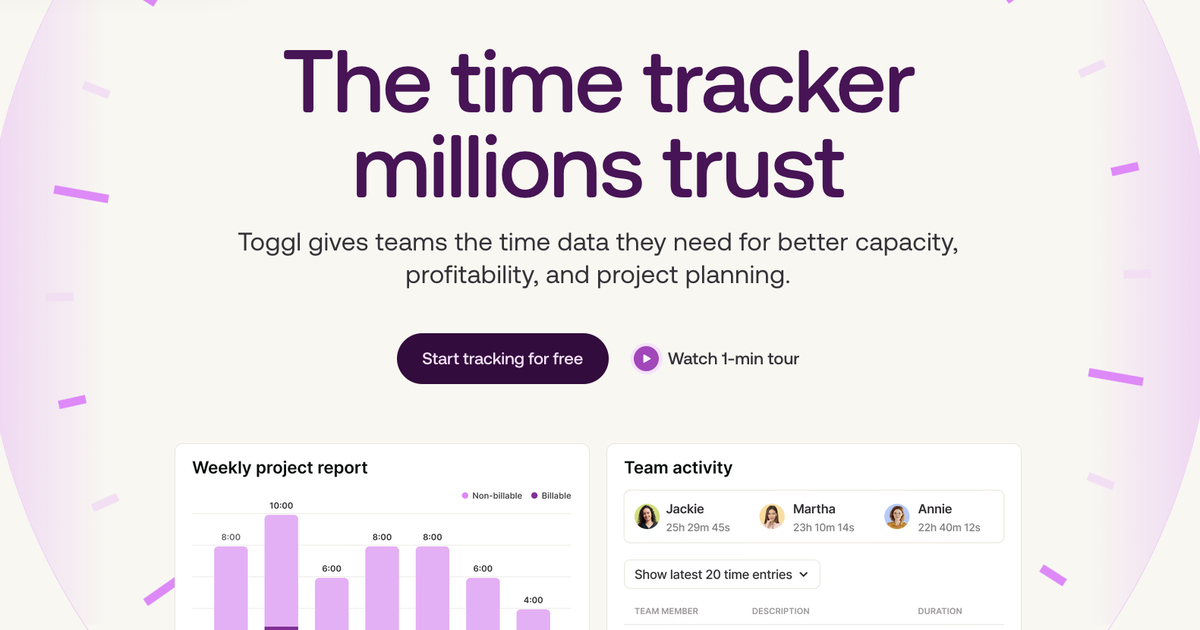
Sharing metadata
| og:type | website |
|---|---|
| og:image | https://cdn.prod.website-files.com/69d5a66e796fcbe57f498e94/6aad3a47f55a5a68c0db17a3_toggl-og-1200x630-tight.png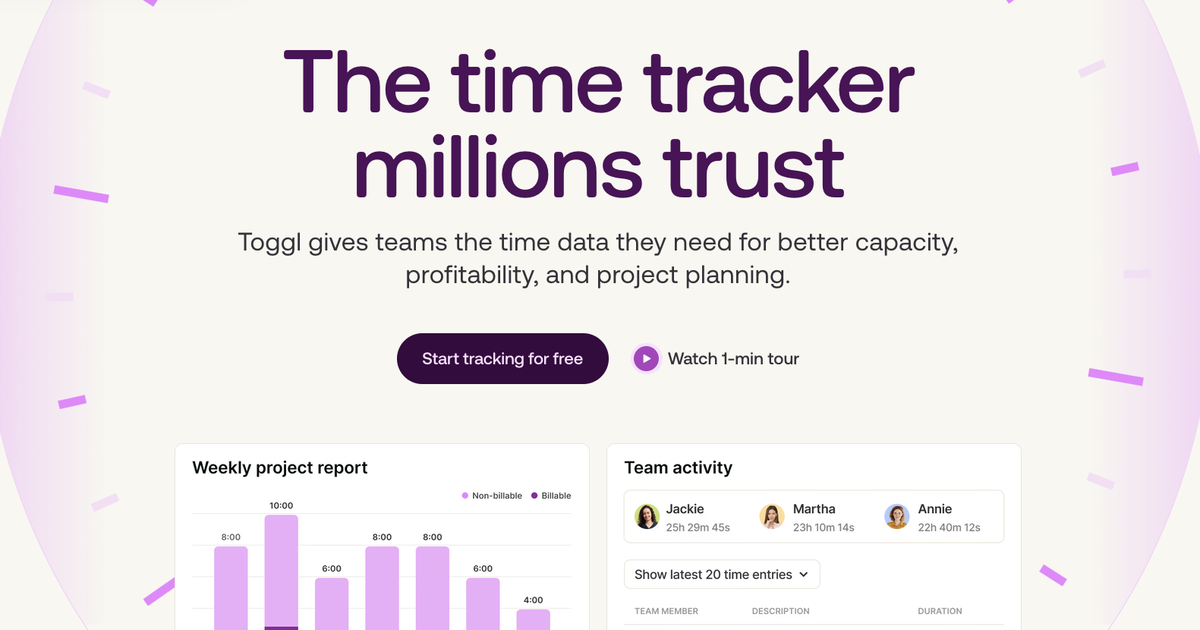 |
| og:title | Toggl: Time Tracking Software & Capacity Planning Tool |
| og:description | The best time tracker and capacity planning software. Track employee time, plan capacity, manage tasks and projects, and calculate profitability. Try for free. |
| twitter:card | summary_large_image |
| twitter:title | Toggl: Time Tracking Software & Capacity Planning Tool |
| twitter:description | The best time tracker and capacity planning software. Track employee time, plan capacity, manage tasks and projects, and calculate profitability. Try for free. |
robots.txt (opens in a new tab)
4 rules
All bots 2 allowed · 2 disallowed

 All bots

//blog/wp-admin/admin-ajax.php
/api//blog/wp-admin/
No matching rules.
Sitemaps
2 Registration details RDAP / WHOIS
| Registrar | GoDaddy.com, LLC |
|---|---|
| Registered | 2006-04-10 |
| Expires | 2031-04-10 |
| Domain status | client delete prohibited、client renew prohibited、client transfer prohibited、client update prohibited |
| Nameservers | ns-cloud-d1.googledomains.com、ns-cloud-d2.googledomains.com、ns-cloud-d3.googledomains.com、ns-cloud-d4.googledomains.com |
| DNSSEC | unsigned |
 DNS records
| Type | Name | Value | TTL | Priority |
|---|---|---|---|---|
| A | toggl.com | 35.244.178.179 | 202 | — |
| MX | toggl.com | aspmx.l.google.com | 43200 | 1 |
| MX | toggl.com | alt1.aspmx.l.google.com | 43200 | 5 |
| MX | toggl.com | alt2.aspmx.l.google.com | 43200 | 5 |
| MX | toggl.com | alt3.aspmx.l.google.com | 43200 | 10 |
| MX | toggl.com | alt4.aspmx.l.google.com | 43200 | 10 |
| NS | toggl.com | ns-cloud-d1.googledomains.com | 21600 | — |
| NS | toggl.com | ns-cloud-d2.googledomains.com | 21600 | — |
| NS | toggl.com | ns-cloud-d3.googledomains.com | 21600 | — |
| NS | toggl.com | ns-cloud-d4.googledomains.com | 21600 | — |
| TXT | toggl.com | MS=896AE801D07658AAABBDAEEA1347B0202D5F2CBB | 3600 | — |
| TXT | toggl.com | OSSRH-73722 | 3600 | — |
| TXT | toggl.com | google-site-verification=-o7aN2_2YAT7dQwTa5gNbiOjiYpBrAvEjnoP6hBJ04U | 3600 | — |
| TXT | toggl.com | google-site-verification=8xAv_2cFx3yEFzXPBMmBIxXRt8iJZcUOx4-elOv09-U | 3600 | — |
| TXT | toggl.com | google-site-verification=gm8H6r6_2oWhmB-PSZtpZ4NTflw55zYeUVsi2WTPl5g | 3600 | — |
| TXT | toggl.com | google-site-verification=zqFPIsGnXSnlWCCLm8koLx1uc8vrd4NIr0bnbqnvzgs | 3600 | — |
| TXT | toggl.com | ps-cd-verification=4dcc4434-0dd9-49ff-87b0-b35c2c56152a | 3600 | — |
| TXT | toggl.com | ps-cd-verification=ab96959d-ef2c-4000-b11c-f02672ba9df0 | 3600 | — |
| TXT | toggl.com | status-page-domain-verification=959n95xqhcmv | 3600 | — |
| TXT | toggl.com | v=spf1 a mx include:sendgrid.net include:_spf.google.com include:emsd1.com include:21421994.spf08.hubspotemail.net ~all | 3600 | — |
| DMARC | _dmarc.toggl.com | v=DMARC1; p=reject; sp=reject; rua=mailto:[email protected]; fo=0; pct=100; | 33213 | — |
 TLS and certificates
| Assessment | Normal configuration |
|---|---|
| Supported protocols | TLSv1.2、TLSv1.3 |
| Negotiated protocol | TLSv1.3 |
| Certificate subject | toggl.com |
| Issuer | Google Trust Services |
| Valid until | 2026-12-14T23:00 · Remaining when checked: 78 days |
| Verification details | Certificate trust: Passed · Hostname match: Passed |
 HTTP response headers
| Header | Value |
|---|---|
| content-type | text/html; charset=utf-8 |
| cache-control | public, max-age=60, must-revalidate, proxy-revalidate |
| server | nginx |
| strict-transport-security | max-age=15552000; includeSubDomains |
| x-frame-options | SAMEORIGIN |
| x-content-type-options | nosniff |
| referrer-policy | strict-origin-when-cross-origin |
 Identified technologies
Recent Updates
- Website images
- Screenshots
- Network details
- Website Technologies
- Pages and Search Information
- HTTP Response Information
- TLS and certificates
- DNS Information
- Domain Registration
- Website profile
- Website Description
- Website Name
- Website profile
- Website Description
- Website Name
User reviews (0)