Website profiles · Technology insights · Alternatives

topfreeprompts.com

Prompts for writing, vibe coding, marketing, AI art, social media, business and more. Browse 1,000,000+ professional AI prompt templates for ChatGPT, Claude, Midjourney, Nano Banana, Grok and every major AI tool.

No paid content found
Visit website
Profile views 11 Outbound visits 14 Normal
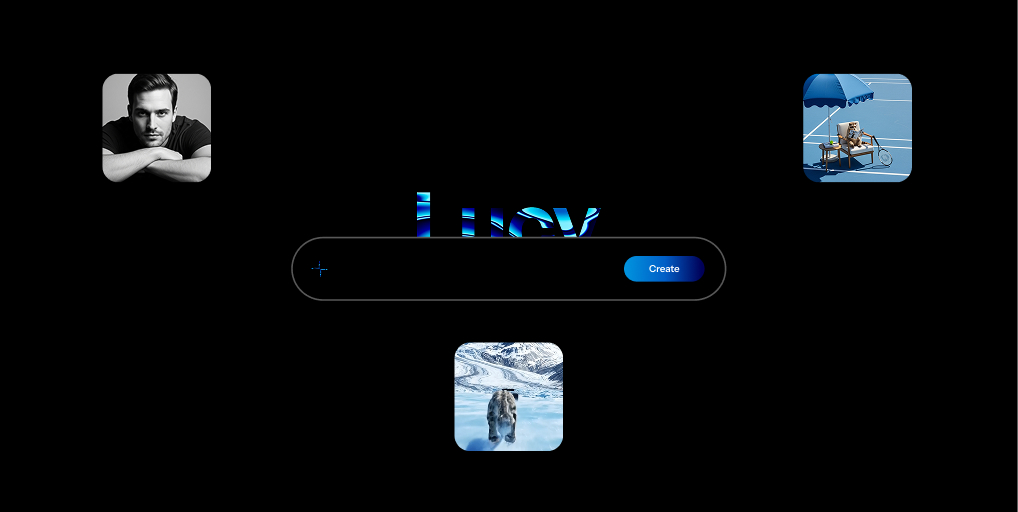
TopFreePrompts Full homepage screenshot

At a glance

Category
Artificial Intelligence
Language
English
Paid-content signal
No paid content foundObserved
Registered
2025
Hosting
CloudflareInferred
HTTPS certificate trusted
PassedObserved
Last updated

Website review

This review may include AI-generated content and is not individually verified. Domain, certificate and other facts come from the observed data on this page.

What is TopFreePrompts?

TopFreePrompts is a large, browse-and-search library of AI prompt templates covering writing, marketing, AI coding, image and video generation, business strategy, career documents and personal development. It positions itself as an all-access collection of over a million prompts for ChatGPT, Claude, Midjourney, Grok and other major tools, organized by task and by category rather than as a single downloadable pack.

What you actually get

The library is structured as a browsable catalog. You search a topic — for example a portrait image prompt — or click into categories such as Writing, Marketing, AI Coding, Videos, Portraits, Avatars, Product, Legal, Health, Finance, Resume or Storytelling. Each category is framed around an outcome: storytelling and blog content, time-saving productivity workflows, product visuals, e-commerce copy that converts, video generation with tools like VEO and Runway, growth strategy, and resume building.

A separate "Prompt Kits" area and a Learn/News section suggest the site is meant as an ongoing reference rather than a one-time purchase.

Who it suits

  • Marketers and small business owners who need ad copy, product descriptions or campaign angles without writing prompts from scratch.
  • Creators using image and video models who want reusable prompt patterns for portraits, avatars, feeds and product shots.
  • Developers and "vibe coders" looking for coding-oriented prompt templates.
  • Job seekers and professionals who want structured help with resumes, negotiation or strategy documents.

Trade-offs to weigh

A million-plus prompts sounds appealing, but volume is not the same as fit. Prompt quality varies by model, and a template written for Midjourney will not behave identically in ChatGPT or Claude — expect to edit wording, add your own context and adjust parameters. Category browsing helps you find something close, but the real value comes from treating prompts as starting points you refine, not copy-paste answers. If your needs are narrow and occasional, free scattered prompt examples may be enough; a large library pays off mainly when you generate content or visuals regularly.

A practical next step

Pick one recurring task you already do weekly — a product description, a client email, a social post — search the matching category, and run the same prompt twice with different added context. Compare the outputs. If the second attempt is meaningfully better with small edits, the library is working for you; if not, the prompt was probably too generic for your niche.

How can I find the right AI prompt for a specific task like writing, coding, or image generation?

Start with the task, not the tool. On TopFreePrompts, the fastest route is the search box plus the category filters: type a concrete phrase such as "portrait image prompt" or "resume", then narrow by category (Writing, AI Coding, Images, Video, Marketing, Productivity, and so on). The library is organised by both use case and output type, so you can browse a category first if you do not yet know what to search for.

Match the prompt type to your task

Task What to look for Why it matters
Writing Storytelling, blog, article, content prompts These tend to specify tone, structure and audience, which is where generic instructions fail
Coding AI Coding, Agents, Tokens Coding prompts need context about stack, constraints and expected output format
Image generation Images, Portraits, Avatars, Product, Midjourney Visual prompts depend on model-specific syntax for style, lighting and composition
Marketing Marketing, Social Feed, AEO, Legal Commercial prompts usually need brand voice and compliance boundaries built in
Video Video Generation Video prompts must describe motion, camera and pacing, not just a static scene

A practical way to choose

  1. Search with the deliverable in mind: "product description", "unit test", "cinematic portrait".
  2. Open two or three candidates rather than one, and compare how much context each assumes.
  3. Check whether the prompt names a model or is tool-agnostic. A Midjourney prompt will not transfer cleanly to a different image model; a writing prompt usually will.
  4. Test with your own material before committing. Paste in a real paragraph, a real function or a real product name, and see whether the output needs heavy editing.

Decision criteria

Choose a longer, more structured prompt when the task is repeatable and quality-sensitive, such as client-facing copy or production code. Choose a short prompt when you are exploring ideas and want variety. If you write the same kind of prompt often, save it as a reusable template with placeholders for topic, audience and tone, then adjust only those fields each time.

A useful next step: pick one task you do weekly, find three matching prompts, run all three on the same input, and keep the one that needs the least rewriting. That single comparison tells you more than browsing hundreds of listings.

Can I use TopFreePrompts to create professional visuals with Midjourney, Nano Banana, or ChatGPT?

Yes. TopFreePrompts lists image prompt categories alongside dedicated coverage for Midjourney, Nano Banana, and ChatGPT, so you can start a visual project there rather than hunting across separate prompt sites. The library is organized by output type — Portraits, Avatars, Product, Social Feed, and Videos appear as browsable categories — which matters most when you already know the look you want but not the wording that produces it.

What the site actually gives you

Per the page, the image section promises "pro techniques, guides, and prompts to generate world-class visuals" across "every image AI," and Midjourney prompts are described as a route to "visual masterpieces." Treat these as the site's own claims about its library, not a guarantee about your results.

In practice, a prompt library helps with the descriptive layer: subject, styling, lighting, composition, and mood wording. It does not replace model-specific knowledge. Midjourney responds to parameters and weighted phrasing; ChatGPT image generation rewards plain, conversational description; Nano Banana sits in a different editing and consistency workflow. The same prompt pasted into all three will not behave identically.

A realistic starting scenario

Suppose you sell ceramics and need product shots. You browse the Product category, take a prompt structured for studio lighting and neutral backdrop, then adapt it: swap in your material, glaze color, and camera angle. That adaptation step is where the value is created — the template removes the blank-page problem, and your product knowledge does the rest.

Choosing between them

Tool Better starting point for Main trade-off
Midjourney Stylized, high-aesthetic single images Less predictable for exact product accuracy
ChatGPT Quick iteration, conversational refinement Stronger at concepts than fine art direction
Nano Banana Editing and consistent characters or products Best used alongside, not instead of, a generator

For a broader set of image references, Midjourney publishes its own documentation and community showcase, and OpenAI explains its image capabilities directly — both useful for checking whether a prompt technique is current for the model version you use.

Next step

Pick one category that matches your deliverable, run three variations of a single prompt, and change only one variable at a time — lighting, then lens, then style. That isolates what actually shifts the output, which is faster than collecting more prompts.

How do I use TopFreePrompts to grow my e-commerce store or business revenue?

Use TopFreePrompts as a prompt library for the revenue-facing parts of your store: product copy, ad creative, email flows and landing-page messaging. The site organises prompts by use case, and the categories most relevant to selling are E-commerce & Online Store, Marketing & Advertising, Content, Social Feed, Video Generation, Image and Business Strategy. You search or browse a category, copy a prompt into your AI tool, and adapt it with your own product details.

A practical working loop

  1. Pick one revenue goal for the week, such as raising add-to-cart rate on a single product or launching one ad angle. Broad "grow my business" goals produce generic output.
  2. Search the matching category rather than the whole library — for example the E-commerce prompts for product descriptions, or Marketing & Advertising for campaign angles.
  3. Fill the prompt with real inputs: product name, price band, target customer, objection, tone, platform character limits. Prompts are templates; your specifics do the work.
  4. Generate several variants, then test one variable at a time — headline, first line, hero image style, or call to action. A prompt library speeds up production, not validation.
  5. Keep what wins in your own swipe file, and rewrite the prompt so it reproduces that result next time.

Matching category to task

Revenue task Useful category Typical output
Product pages and listings E-commerce & Online Store Descriptions, benefit-led bullets, comparison copy
Paid and organic campaigns Marketing & Advertising, Social Feed Ad angles, hooks, captions, A/B variants
Visual merchandising Image, Portraits, Product Product and lifestyle image prompts for image AI tools
Short-form video ads Video Generation Script and shot prompts for tools such as VEO and Runway
Retention and lifecycle Writing, Content, Productivity Email sequences, SMS copy, FAQ and support replies
Planning and positioning Business Strategy, Research, Finance Offer positioning, pricing-page arguments, growth experiments

The library covers many AI tools — ChatGPT, Claude, Midjourney, Grok, Nano Banana — so you can keep one workflow even if you switch models. It also spans non-commercial categories such as Legal, Health, Parenting and Roleplay; those are fine to ignore if your goal is strictly revenue.

Where the trade-off sits

A million-plus prompts is a discovery advantage and a focus problem. The value is not in the count; it is in how precisely you constrain each prompt with your brand voice, customer research and offer. Prompt output still needs human editing for accuracy — especially claims about materials, shipping, warranties or results — and for compliance with advertising rules in your market.

Next step: choose your single best-selling product, run three E-commerce prompts and three Marketing prompts against it, and ship one new product page and one new ad angle this week. Compare conversion or click-through against your current version before scaling the approach. If you want a second reference point for prompt structure and reuse, TopFreePrompts itself is the starting library, and general prompt-engineering guidance from model providers can help you tighten the instructions you paste in.

What prompt categories and tools are available for AI coding, marketing, and social media?

TopFreePrompts groups its library by task rather than by model, so AI coding, marketing and social media prompts sit alongside writing, images, video, legal, health and productivity collections. The page evidence shows dedicated tiles for AI Coding, Marketing, Content, Social Feed, Strategy, Agents and Videos, plus a search box (example query: "Portrait Image Prompt") and a visible total of 1,000,000+ prompts. Tool coverage named on the page includes ChatGPT, Claude, Midjourney, Nano Banana, Grok, VEO and Runway.

Categories relevant to your three areas

Area Categories visible What you would use them for
AI coding AI Coding, Coding, Agents, Tokens, Second Brain Code assistance, agent-style workflows, reusable instruction sets
Marketing Marketing & Advertising, Strategy, Content, Business Strategy, E-commerce & Online Store, Negotiation, Resume Campaign copy, positioning, product descriptions, growth and revenue planning
Social media Social Feed, Content, Videos, Avatars, Portraits Feed posts, short-form video scripts, profile and creator visuals

The page also frames image work as "scroll-stopping images with every image AI," with prompts spanning storytelling through portraits, and video work as generating clips with VEO and Runway.

How to choose within the library

Start from the output you need, not the tool name. If you are shipping code, begin in AI Coding or Agents; if you are filling a content calendar, begin in Social Feed or Content; if you are launching a product, begin in Marketing & Advertising or E-commerce. Use the search box with a concrete phrase such as "product description prompt" or "coding agent prompt" rather than a broad term, and treat the prompt as a draft: swap in your own audience, tone and constraints before running it in ChatGPT, Claude or Grok.

For a wider set of prompt patterns, OpenAI and Anthropic publish official prompting guides, and Midjourney documents its own image prompt structure.

Is TopFreePrompts free, and what do I get with a purchase or subscription?

TopFreePrompts presents itself as an all-access library rather than a purely free tool: the site describes "an all-access pass" to a library of over 1 million prompts, and its own pricing signals point to a purchase step. So the practical answer is that you can browse and search the library, but full access appears to sit behind a paid pass or subscription. The site does not publish a specific price, tier structure or billing terms on the page, so treat any figure you see elsewhere as unverified until you check the checkout page.

What the library covers

Based on the site's own categories and descriptions, a paid pass is positioned around:

  • Writing and storytelling — blog posts, articles, long-form content
  • Marketing, advertising and social feed — campaign and post creation
  • AI coding — prompts aimed at development and "vibe coding" workflows
  • Image generation — Midjourney, Nano Banana, ChatGPT and other image tools
  • Video generation — VEO and Runway-style video prompts
  • Business and career — strategy, negotiation, resumes, productivity
  • Personal and lifestyle — learning, health, finance, parenting, roleplay

The site also mentions prompt kits, guides and techniques alongside the raw prompts, which suggests the value is partly curation and structure, not just volume.

Free vs. paid at a glance

Aspect What the page indicates
Browsing and search Visible, with categories and a search bar
Full prompt library Framed as an "all-access pass"
Prompt kits and guides Part of the described offering
Price and billing terms Not stated on the page
Refund or trial policy Not stated on the page

A practical next step

Before paying, test the free surface: search for two or three prompts in the area you actually care about, such as AI coding or image generation, and judge whether the visible output is specific enough to reuse. If the free results feel generic, a large library is unlikely to fix that. If they feel sharp and you would use them weekly, the pass becomes easier to justify.

As a comparison point, general-purpose assistants like ChatGPT and Claude can generate prompts on demand without a separate subscription, so the real question is whether TopFreePrompts' curation saves you more time than writing prompts yourself.

Related questions

More questions →
Is TopFreePrompts Worth Using for AI Prompt Templates?

TopFreePrompts is worth considering if you want a large, categorized library of AI prompt templates covering writing, marketing, coding, image generation, and video — and you're comfortable evaluating quality yourself. It claims over 1,000,000 prompts and says it's used by 100,000+ people. The site shows a "purchase" signal, but the page doesn't display specific pricing or plan details, so treat cost as unconfirmed until you check directly. If you only need a handful of prompts or prefer building your own, a general-purpose chatbot may be enough.

What TopFreePrompts Actually Offers

Based on the site's own descriptions, the core offering is a searchable prompt library organized by task and profession. The homepage headline is "Make it possible with AI," with a search bar prompting queries like "Portrait Image Prompt."

The library is grouped into these visible categories:

Category What it covers
Writing Storytelling, blog posts, articles, content
Productivity Time management, everyday task outcomes
Image Midjourney, Nano Banana, ChatGPT visuals
Video Generation VEO, Runway
E-commerce & Online Store Product descriptions, conversion-focused copy
Business Strategy Growth, repeatable revenue
Personal Development AI coaching-style prompts
Career & Resume Resume building
Marketing & Advertising Campaign and ad prompts
AI Coding Developer-oriented prompts

There are also narrower tags visible in the navigation: Portraits, Avatars, Product, Legal, AEO, Pets, Social Feed, Health, Learning, Roleplay, Finance, Negotiation, Strategy, Research, Parenting, Storytelling, Agents, Tokens, and Second Brain.

The site also mentions "Prompt Kits" and a "Learn AI" section alongside the main library.

Who This Is For

TopFreePrompts fits you if:

  • You work across multiple domains (say, marketing plus image generation) and want one place to search rather than jumping between sources.
  • You want a starting template to adapt, not a finished output.
  • You're exploring a new tool like Midjourney, VEO, or Runway and want example prompt structures.

It fits you less if:

  • You need verified, tested prompts with performance data — the site presents volume and categories, not quality benchmarks.
  • You want a single tool for a narrow task; a direct chatbot conversation is faster.
  • You need confirmed free access. The page includes a "purchase" signal but no visible price, so don't assume it's free.

How to Evaluate It Before Committing

  1. Search a real task. Type something specific from your actual work — for example, "product description for a skincare bundle" — rather than a generic term. This tells you whether results match your niche or just your broad category.
  2. Check the prompt's specificity. A useful template names the role, the output format, constraints, and tone. A weak one is a one-line instruction you could have written yourself.
  3. Test one prompt in your AI tool. Paste it into ChatGPT, Claude, or your image model and see if the output is usable with light editing. This is the fastest quality signal.
  4. Compare against a self-written prompt. Write your own version of the same request. If the library version isn't clearly better or faster, the value is marginal for that task.
  5. Confirm the access model. Since pricing isn't shown on the page, check whether browsing is free and what a purchase unlocks before relying on it.

Common Pitfalls

  • Volume isn't quality. A million prompts means many will be near-duplicates or generic. Filter aggressively.
  • Tool mismatch. A prompt written for Midjourney won't behave the same in another image model. Match the prompt to your tool.
  • Over-reliance. Prompts are starting points. The context you add — your audience, product, constraints — is what makes output good.
  • Assuming free. The presence of a purchase signal means some part of the offering may be paid. Verify before building a workflow around it.

Bottom Line

Use TopFreePrompts as a browsing and inspiration layer when you need prompt ideas across several creative and business tasks. Test a few prompts on real work first, confirm the access and pricing terms yourself, and keep writing your own prompts for anything you do repeatedly — that's where the real leverage is.

What Is AI Programming and How Are Developers Actually Using It?

AI programming is the practice of using machine-learning models to generate, complete, review, or test code inside a developer's existing workflow. It covers everything from a single-line autocomplete suggestion in an IDE to a chat assistant that explains an unfamiliar function to an autonomous agent that opens a pull request on its own. The practical dividing line is not the model but the level of human oversight: the more a tool acts without review, the narrower the tasks it should be trusted with.

The four things AI actually does in a codebase

Most day-to-day use falls into a few recognizable activities:

  • Completion — predicts the next line or block as you type, based on the file and surrounding context.
  • Generation — produces a function, class, config file, or migration script from a natural-language description.
  • Explanation and review — summarizes what a piece of code does, flags suspicious patterns, or suggests a refactor.
  • Testing and debugging — writes unit tests for existing code, proposes fixes for a failing test, or traces a stack trace back to a likely cause.

These are not separate products so much as separate modes. The same assistant that autocompletes a loop can also be asked to write the test for it.

Tool categories and where each fits

Category Typical form Best for Main trade-off
IDE copilot Inline suggestions in the editor Boilerplate, repetitive patterns, unfamiliar syntax Suggestions arrive without context about your architecture
Chat-based assistant Side panel or separate window Explaining code, drafting a design, debugging a stack trace You must paste or describe context manually
Autonomous agent Runs commands, edits files, opens PRs Multi-file changes, dependency upgrades, test scaffolding Highest blast radius; needs the tightest review

The categories overlap, and many tools now span more than one. The useful question is not which category is best but how much of the change you are willing to accept without reading it line by line.

What a realistic workflow looks like

A common pattern, for example when adding a new API endpoint:

  1. Describe the endpoint in a comment or chat prompt — method, path, expected input and output.
  2. Let the assistant draft the handler and the data model.
  3. Read the draft and correct the parts that assume an API or library version you don't use.
  4. Ask the assistant to generate tests for the happy path and at least one failure case.
  5. Run the tests, then review the diff as you would any teammate's pull request.

The assistant compresses the first draft; it does not remove steps 3 and 5. Teams that skip the review step are the ones that report the worst outcomes.

Where it breaks down

The limitations are consistent enough to plan around:

  • Hallucinated APIs. Models invent function names, parameters, and library methods that look plausible and compile-fail or, worse, silently do the wrong thing.
  • Insecure suggestions. Generated code may interpolate user input into queries, disable certificate checks, or hardcode credentials because the training data contained those patterns.
  • Licensing and provenance. Suggestions may closely resemble licensed source; teams need a policy on what is acceptable to commit.
  • Data privacy. Pasting proprietary code into a hosted assistant may send it to a third party. Check whether your tool runs locally, offers an enterprise tier with data controls, or is approved for your codebase.
  • Stale knowledge. Models have a training cutoff and will confidently describe an older version of a framework.

None of these make the tools unusable. They make verification mandatory.

How to verify AI-generated code

Treat every suggestion as an untrusted contribution:

  • Compile and run it. A suggestion that doesn't build is a cheap failure; catch it before review.
  • Check every external call. Confirm the function exists, the signature matches, and the version is the one you depend on.
  • Read for security. Look specifically at input handling, authentication, secrets, and anything touching the network or filesystem.
  • Test the edges. Ask for failure cases, not just the happy path, and add the ones the model missed.
  • Keep the diff small. A 20-line suggestion is reviewable; a 400-line agent-generated refactor is not, at least not in one pass.

How teams adopt it gradually

The lowest-risk entry point is tasks where a mistake is cheap and visible: writing tests for existing code, generating documentation comments, scaffolding a config file, or translating a snippet between languages. From there, teams typically move to in-editor completion for routine code, then to chat-based assistance for debugging and design questions. Autonomous agents that modify multiple files tend to come last, and usually behind a branch-and-review gate rather than direct commits.

The pattern that holds up: start where you would notice an error immediately, expand only after the review habit is established, and keep a human accountable for anything that reaches production.

What Is TopFreePrompts?

TopFreePrompts is an AI prompt library that hosts more than 1,000,000 prompt templates for major AI tools, including ChatGPT, Claude, Midjourney, Nano Banana, and Grok. It is built for people who want ready-made, expert-level prompts rather than writing them from scratch — whether the task is writing, coding, marketing, AI art, social media, or business. You use it by searching or browsing categories, then taking a prompt into your own AI tool of choice.

What you'll find on the site

The library is organized around both AI tools and task categories, so you can approach it from either direction.

By tool: ChatGPT, Claude, Midjourney, Nano Banana, Grok, and "every major AI tool," per the site's own description.

By category, the homepage lists these areas:

Category What it covers
Writing Storytelling, blog posts, articles, content
Productivity Time management and everyday task outcomes
Image Visuals via Midjourney, Nano Banana, ChatGPT
E-commerce & Online Store Product descriptions and customer experiences
Video Generation Viral videos with VEO and Runway
Business Strategy Growth and repeatable revenue
Personal Development AI coaching-style prompts
Career & Resume Resume and career advancement prompts
Marketing & Advertising Campaign and ad prompts
AI Coding Programming-related prompts

There are also narrower browse tags such as Portraits, Avatars, Product, Legal, Health, Learning, Roleplay, Finance, Negotiation, Strategy, Research, Parenting, Storytelling, Agents, Tokens, and Second Brain.

How to use it

  1. Search or browse. The site offers a search bar (the example placeholder is "Portrait Image Prompt") plus category tiles and tags. Searching is faster when you already know your task; browsing is useful when you want to see what's available.
  2. Pick a prompt that matches your tool and goal. Because prompts are tagged by tool and category, check that the prompt is written for the AI tool you actually use — a Midjourney prompt won't behave the same way in a text model.
  3. Paste it into your AI tool and adapt it. Prompts are templates. Swap in your own subject, tone, audience, or constraints so the output fits your situation.

The expected result is that you skip the blank-page problem and start from a structured prompt instead of improvising one.

Who it's for

The site states it is "used by +100,000 brains" and references alumni and backing by leading companies. In practice, it suits:

  • Beginners who don't yet know how to structure a prompt and want proven examples to learn from.
  • Marketers, writers, and e-commerce sellers who need repeatable prompts for content and product copy.
  • Developers looking for AI coding prompts.
  • Creators working in image and video generation who want tool-specific prompt patterns.

If you already write highly tailored prompts and iterate quickly, a large template library is less essential — though it can still serve as a reference for phrasing.

What to keep in mind

  • "Free" in the name isn't a pricing guarantee. The site's own materials describe an "all-access pass," and a "purchase" signal appears in its metadata. Check the current pricing and access terms on the site itself before assuming everything is free or that no login is required.
  • Prompt quality varies by task. A template is a starting point, not a finished result. Expect to edit.
  • Tool compatibility matters. Match the prompt to the model it was written for; cross-tool use often needs rewriting.

The short version

TopFreePrompts is a large, searchable prompt library spanning text, image, video, and coding tasks across the major AI tools. It's most useful when you want a strong starting prompt fast and are willing to adapt it. Verify current access and pricing terms directly on the site, since the available information doesn't confirm free, no-login use.

What Kinds of AI Prompts Can I Find on TopFreePrompts?

TopFreePrompts organizes its prompt library by use case rather than by AI tool alone, so you can start from the task you want to accomplish and then pick the matching prompt category. Based on the site's own description, the library covers writing, image generation, video generation, AI coding, marketing, business strategy, e-commerce, career and resume work, productivity, personal development, and more — with image prompts explicitly supporting tools like Midjourney, Nano Banana, and ChatGPT, and video prompts aimed at tools like VEO and Runway.

Main prompt categories on TopFreePrompts

The homepage groups prompts into broad, task-oriented buckets. The categories named on the site include:

  • Writing — storytelling, blog posts, articles, and general content
  • Productivity — prompts for managing time and everyday output
  • Image generation — visuals for Midjourney, Nano Banana, and ChatGPT
  • Video generation — prompts for tools such as VEO and Runway
  • AI coding — prompts for programming and development tasks
  • Marketing & advertising — campaign and promotion-oriented prompts
  • Business strategy — growth and repeatable revenue prompts
  • E-commerce & online store — product descriptions and customer-facing copy
  • Career & resume — resume building and career advancement prompts
  • Personal development — coaching-style and self-improvement prompts

The navigation also surfaces narrower tags like Portraits, Avatars, Product, Social Feed, Legal, Health, Learning, Roleplay, Finance, Negotiation, Strategy, Research, Parenting, Storytelling, Agents, Tokens, and Second Brain, which act as finer filters within the larger categories.

How the categories map to specific AI tools

Some categories are tied to particular tools rather than to a single task type:

Category Tools named on the site
Image prompts Midjourney, Nano Banana, ChatGPT
Video generation VEO, Runway
General text prompts ChatGPT, Claude, Grok (per the site's overall description)

So if you already know which tool you're using, you can filter toward the matching category; if you only know the outcome you want, the task-based categories (writing, marketing, resume, etc.) are the better entry point.

What the library claims about scale and audience

The site describes itself as an "all-access pass" to a library of 1,000,000+ AI prompts and states it is used by 100,000+ people, including alumni and people backed by leading companies. Treat these as the site's own marketing claims rather than independently verified figures.

Practical way to browse

  1. Use the search bar with a concrete query — the site's own example is "Portrait Image Prompt".
  2. Or click a top-level category (Writing, Image, Video, AI Coding, Marketing, etc.) to see prompts grouped by task.
  3. Use the narrower tags (Portraits, Avatars, Resume, Finance, etc.) to filter further once inside a category.

The site lists a "purchase" signal in its pricing keywords, so some or all content may sit behind a paid access model — check the current pricing page before assuming everything is free, since the available material does not confirm which prompts are free versus paid.

Which AI Tools and Creative Tasks Does TopFreePrompts Support?

TopFreePrompts is a prompt library that covers every major AI tool and a wide range of creative and professional tasks. According to the site, it hosts over 1,000,000 AI prompt templates for ChatGPT, Claude, Midjourney, Nano Banana, Grok, and other leading tools, spanning writing, image generation, video generation, AI coding, marketing, and more. If you use more than one AI tool or work across several content formats, this breadth is the main reason to look at it.

AI Tools Covered

The library is organized around the tools people actually use, not just generic prompt categories.

Tool What the prompts are for
ChatGPT Writing, productivity, image creation, general tasks
Claude Writing and content work
Midjourney Visual generation, including portraits and product imagery
Nano Banana Image generation
Grok General prompting
VEO Video generation
Runway Video generation

The site describes itself as covering "every major AI tool," so the list above reflects the tools named in its own materials rather than an exhaustive inventory.

Creative and Professional Tasks

Prompts are grouped into task categories, each aimed at a specific outcome:

  • Writing — storytelling, blog posts, articles, and general content
  • Image generation — portraits, avatars, product shots, social feeds, and other visuals
  • Video generation — short-form and cinematic video via VEO and Runway
  • AI coding — prompts for development work
  • Marketing and advertising — campaigns and promotional content
  • E-commerce — product descriptions and customer-facing copy designed to convert
  • Business strategy — growth and repeatable revenue planning
  • Career and resume — resume building and career advancement
  • Productivity — time management and everyday task output
  • Personal development — coaching-style prompts

Beyond these, the site also lists categories for legal, health, learning, roleplay, finance, negotiation, research, parenting, storytelling, agents, tokens, and a "second brain" concept.

How the Image and Video Prompts Work

The image prompts are built for specific tools — Midjourney, Nano Banana, and ChatGPT — and target concrete outputs like portraits, product visuals, and social media graphics. The site frames these as "pro techniques, guides, and prompts" for generating what it calls world-class visuals.

Video prompts are aimed at VEO and Runway and are positioned for fast generation of short videos, including viral-style content.

Who This Fits

This library suits you if:

  • You use multiple AI tools and want prompts organized by tool rather than hunting across separate sources.
  • You need prompts for a specific format — an image, a video, a product description — rather than general chat.
  • You want task-based categories (marketing, coding, resume) instead of browsing by keyword alone.

It fits less well if you only use one tool for one narrow task, since the value here comes from breadth across tools and formats.

Practical Notes

The site states it is used by over 100,000 people and describes itself as an "all-access pass" to its library. Its materials mention "purchase" as a pricing-related term, but no specific prices, plans, or payment details are provided in the available information — so check the site directly for current access terms before assuming anything about cost or login requirements.

To find prompts for a specific tool or task, use the on-site search (for example, "Portrait Image Prompt") or browse the category tabs such as Portraits, Writing, Avatars, Product, AI Coding, Videos, and Marketing.

Website Overview

Several search or sharing settings need attention. Together they may make snippets, preview images or preferred URLs less consistent across platforms.

Domain and Registration

Transfer-protection status is present, helping reduce the risk of unauthorized domain transfers. The domain has about 1 years of registration history; its current configuration provides more context than age alone. The registrar is Squarespace Domains LLC, a widely used domain service provider. The domain uses the common .com extension, which is not an independent safety signal.

DNS and Email

Nameservers are provided by Cloudflare, indicating managed DNS hosting. MX records point to the Hostinger Email email service. No CNAME was found; the observed records resolve directly to addresses. SPF and DMARC are configured. DKIM status is unknown. TXT records include verification markers for Google. Such markers may also remain after a service stops being used.

TLS and Certificates

The public key uses EC with 256 bits. The server supplied a complete certificate chain. No organization name is present in the certificate; the available fields are consistent with domain validation. The certificate was issued by Let's Encrypt, commonly associated with automated certificate services. The certificate's total validity is about 89 days, consistent with a short renewal cycle.

HTTP and Browser Security

The response lacks these common security headers: CSP, Referrer-Policy, Permissions-Policy, clickjacking protection. No X-Powered-By header was found, reducing one common source of backend fingerprinting information. The cf-ray response header indicates a CDN or caching proxy in the delivery path. No obvious internal addresses or debug information were found in the headers. The Server header identifies cloudflare without an exact version.

Technology Stack Analysis

The public page identifies Framer e0809aa, Google Tag Manager, Google Analytics, Cloudflare without precise versions, leaving fewer clues for version-specific scanning.

Search and Social Sharing

The title has 157 characters and may be truncated in search results. The meta description has 212 characters and may be shortened in search results. The Generator tag identifies Framer e0809aa, making the publishing system easier to fingerprint. Twitter Card metadata is configured. A viewport declaration is present, providing a basis for mobile layout.

Hosting and Email

DNSCloudflare
HostingCloudflare
EmailHostinger Email
Approximate IP geolocation (inferred; a CDN or proxy may differ from the origin server) Location unknown Inferred 104.21.36.121

Registration details

RDAP / WHOIS

RegistrarSquarespace Domains LLC
Registered2025-05-04
Expires2027-05-04
Domain statusclient delete prohibited、client transfer prohibited
Nameserversclara.ns.cloudflare.com、rocky.ns.cloudflare.com
DNSSECunsigned

DNS records

DNS

TypeNameValueTTLPriority
Awww.topfreeprompts.com104.21.36.121300—
Awww.topfreeprompts.com172.67.193.254300—
AAAAwww.topfreeprompts.com2606:4700:3031::ac43:c1fe300—
AAAAwww.topfreeprompts.com2606:4700:3033::6815:2479300—
MXtopfreeprompts.commx1.hostinger.com3005
MXtopfreeprompts.commx2.hostinger.com30010
NStopfreeprompts.comclara.ns.cloudflare.com86400—
NStopfreeprompts.comrocky.ns.cloudflare.com86400—
TXTtopfreeprompts.comd0e7b057acb155c14241e0886d3583f8300—
TXTtopfreeprompts.comgoogle-site-verification=UUxBde589dbUeULxdgAx6I6nj5FIIwhxOWMjfAVn774300—
TXTtopfreeprompts.comgoogle-site-verification=UUxBde589dbUeULxdgAx6I6nj5FIlwhxOWMjf300—
TXTtopfreeprompts.comv=spf1 include:_spf.mail.hostinger.com ~all300—
DMARC_dmarc.topfreeprompts.comv=DMARC1; p=none300—

TLS and certificates

TLS / SSL

AssessmentNormal configuration
Supported protocolsTLSv1.2、TLSv1.3
Negotiated protocolTLSv1.3
Certificate subjecttopfreeprompts.com
IssuerLet's Encrypt
Valid until2026-12-14T16:46 · Remaining when checked: 66 days
Verification detailsCertificate trust: Passed · Hostname match: Passed

HTTP response headers

HTTP

HeaderValue
content-typetext/html
cache-controlpublic, max-age=0, must-revalidate
servercloudflare
strict-transport-securitymax-age=31536000
x-content-type-optionsnosniff

Identified technologies

Framer e0809aaGoogle Tag ManagerGoogle AnalyticsCloudflare

Pages, Search and Sharing

Meta descriptionPrompts for writing, vibe coding, marketing, AI art, social media, business and more. Browse 1,000,000+ professional AI prompt templates for ChatGPT, Claude, Midjourney, Nano Banana, Grok and every major AI tool.
Canonical URLhttps://www.topfreeprompts.com/
LanguageEnglish (default)
Twitter Cardsummary_large_image
All bots 1 allowed · 0 disallowed
  • Allow/

User reviews (0)

  • No reviews yet.