
 visualping.io
 Paid content
 Multilingual
Categories: Productivity
Monitor any website for changes with Visualping. Get instant alerts via email, SMS, API or Slack when a web page changes. Try it free today!
 Visit website
 Updated: 2026-09-29 00:33
Language: English (default)
Updated: 2026-09-29 00:33
Language: English (default)
 Access: Normal
 Profile views 6
 Outbound visits 0
Related questions
More questions →What Is OpenAPI-Generated API Documentation and How Does It Work?
OpenAPI-generated API documentation is reference documentation that is produced automatically from an OpenAPI description file rather than written by hand. You write (or generate) a machine-readable specification of your API — endpoints, parameters, request bodies, responses, schemas, and auth — and a documentation tool reads that file and renders a browsable, often interactive reference site. The spec becomes the single source of truth; the docs become a build artifact.
This differs from manually written docs in one fundamental way: with hand-written docs, the prose is the source of truth and the API is described separately. With spec-driven docs, the API description is the source, and every page, table, and code sample is derived from it.
How the workflow actually runs
A typical spec-driven documentation pipeline has five stages:
- Author or generate the spec. You either write an OpenAPI document by hand (YAML or JSON), or generate it from code annotations, framework metadata, or a design-first editor. Design-first means the spec is written before implementation; code-first means it is extracted from existing code.
- Validate and lint. The spec is checked against the OpenAPI schema and against style rules — consistent naming, required descriptions, no undocumented
4xxresponses, no orphaned schemas. - Bundle and transform. Multi-file specs are combined,
$refpointers are resolved, and the document is optionally split into per-tag or per-version outputs. - Render. A documentation tool converts the spec into HTML: an endpoint list, a sidebar of operations, parameter tables, response schemas, and a "try it" console.
- Publish and version. The rendered site is deployed, and each API version gets its own snapshot so consumers can read docs matching the version they call.
Steps 2 through 5 are usually automated in CI. If the spec fails validation, the docs build fails — which is the point.
Spec-driven vs. hand-written documentation
| Dimension | OpenAPI-generated | Hand-written |
|---|---|---|
| Source of truth | The spec file | The prose |
| Consistency with the API | High, if the spec is accurate | Drifts as the API changes |
| Effort per endpoint | Low after setup | Repeated for every endpoint |
| Narrative and tutorials | Weak; needs separate pages | Strong |
| Code samples | Generated per language from schemas | Written and maintained manually |
| Customization | Bounded by the tool's templates | Unlimited |
| Failure mode | Accurate spec, poor docs, or stale spec | Beautiful docs that describe an API that no longer exists |
The practical conclusion most teams reach: generate the reference, write the guides. Reference material is repetitive and mechanical, which is exactly what generation is good at. Conceptual explanations, migration notes, and tutorials carry judgment that a spec cannot express.
What you get out of the box
Generated reference pages commonly include:
- An operation list grouped by tag or path, with HTTP method and path.
- Parameter tables showing name, location (path, query, header, cookie), type, required flag, and description.
- Request and response schemas rendered as expandable trees, including nested objects and arrays.
- Authentication details pulled from the
securitySchemessection. - Interactive request consoles that let a reader send a real call from the browser.
- Generated code samples in several languages, derived from the same schemas.
- Multiple output formats, such as a static site, a single HTML file, or a mock server.
Because all of these come from one document, changing a field name in the spec updates the parameter table, the schema tree, and every code sample at once.
Where spec-driven documentation breaks down
Generation is not free. The trade-offs are real:
Spec quality becomes documentation quality. A field with no description produces a table row with an empty cell. A vague summary produces a vague heading. Tools can enforce presence of descriptions via linting, but they cannot enforce that the description is useful.
Customization has limits. If you need a page that does not map to an OpenAPI concept — a conceptual overview, a pricing explanation, a comparison of two endpoints — you write it outside the generator and link to it.
Not everything is expressible. Webhooks, streaming responses, long-polling behavior, and complex multi-step flows are awkward or impossible to describe fully in OpenAPI. Those need prose.
The spec can go stale. If the spec is maintained separately from the implementation, it drifts just like hand-written docs. The mitigation is to generate the spec from code, or to test the implementation against the spec in CI.
Interactive consoles need care. A "try it" button that hits a production API with real credentials is a security and rate-limit problem. Point it at a sandbox, or disable it.
Deciding whether to adopt it
Adopt spec-driven reference documentation if most of these are true:
- Your API has more than a handful of endpoints, or changes frequently.
- You ship client SDKs or code samples in more than one language.
- Multiple teams consume the API and need a consistent, always-current reference.
- You already have, or are willing to maintain, an OpenAPI description.
Stay with hand-written docs, or a hybrid, if:
- Your API is small and stable, and the reference fits on one page.
- Your documentation is mostly conceptual and contains little endpoint-level detail.
- You cannot commit to keeping the spec in sync with the implementation.
A reasonable middle path: generate the reference from the spec, and hand-write the getting-started guide, authentication walkthrough, and error-handling page. Link the two directions so readers can move from concept to endpoint and back.
A minimal starting checklist
- Produce one valid OpenAPI document for a single API version.
- Add a linter with rules for descriptions, operation IDs, and error responses.
- Wire the docs build into CI so a failing spec fails the build.
- Render the reference and review it as a reader, not as the author.
- Write the two or three conceptual pages the generator cannot produce.
- Version the published docs alongside the API version.
The core idea is simple: describe the API once, in a format both machines and humans can read, and let the reference documentation fall out of that description. Everything else — tooling, hosting, interactivity — is a detail on top of that decision.
What Can an Amazon Seller Browser Extension Actually Do for Your Listings?
An Amazon seller browser extension is a small piece of software that runs inside Chrome, Edge, or Firefox and adds information or shortcuts directly onto Amazon pages you already visit. In practice, it can overlay demand and competition data on a product page, pull quick numbers while you browse a niche, flag missing or weak listing elements, and save you from switching between tabs. What it cannot do is replace a full listing engineering or growth platform: extensions are lightweight, page-level helpers, while serious listing work — keyword architecture, AI-readiness, bulk optimization, and performance tracking over time — needs a dedicated toolset. The useful question is not "extension or platform" but "which jobs belong to each."
What a browser extension typically does well
Most seller extensions cluster around a few repeatable, on-page tasks. If your workflow involves a lot of browsing, these are where the time savings are real.
On-page data overlays
While you're on a product detail page, the extension can display estimated sales, revenue, review velocity, seller count, and price history in a panel next to the listing. This turns "open a separate research tab and paste the ASIN" into "read the number where you already are." For quick sanity checks on a competitor or a potential product, that's a genuine speed gain.
Quick product and niche research
Extensions often let you scan a search results page and see metrics for every listing at once, or export a batch of ASINs. This is useful for early filtering: you can spot which results have thin review counts, unstable pricing, or a dominant seller, and decide which few are worth deeper analysis.
Listing checks and basic audits
Some extensions highlight on-page elements — title length, bullet presence, image count, whether A+ content appears, whether key fields look empty. This is a fast visual audit, not a scoring system. It tells you what's there, not whether your listing is engineered to match how Amazon discovery works now.
Convenience features
Coupon and deal finders, price-drop alerts, review-request shortcuts, and quick links to seller tools fall into this bucket. They're small quality-of-life wins rather than strategy.
Where extensions fall short
This is the part sellers most often underestimate. An extension sees the page in front of you; it doesn't hold your catalog, your history, or your strategy.
| Job | Browser extension | Full listing/growth platform |
|---|---|---|
| On-page competitor snapshot | Yes, fast | Yes, often deeper |
| Keyword architecture across a listing | No | Yes |
| AI-readiness / discovery optimization | Rarely | Core function |
| Bulk edits across many ASINs | No | Yes |
| Tracking your own listings over time | Limited | Yes |
| Historical trend and seasonality | Usually shallow | Yes |
| Team workflows and permissions | No | Yes |
The pattern: extensions are read-and-react tools for pages you're already on. Platforms are build-and-manage tools for your own catalog. If your bottleneck is "I need to know if this niche is worth entering," an extension helps. If your bottleneck is "my listings aren't converting or aren't being surfaced the way Amazon discovery now works," an extension won't fix that — you need listing engineering, not a data overlay.
Scenarios: when an extension earns its place
- Early product research. You're scanning dozens of search pages a day. An overlay that shows demand and competition inline saves hours of tab-switching. Worth it.
- Competitor spot-checks. You want a fast read on a rival's pricing and review momentum before a pricing decision. An extension gives you that in seconds.
- Quick listing sanity checks. You're about to publish and want to confirm images, bullets, and title are all present. A visual audit extension is handy.
- Ongoing listing optimization. You need to align titles, bullets, and backend terms with how Amazon's discovery systems interpret intent, and to keep that consistent across a catalog. This is platform territory — an extension can't hold or apply that structure.
- Scaling a catalog. Once you're managing many ASINs, bulk operations, version history, and team access matter more than any single-page overlay.
What to check before installing any extension
Extensions can read the pages you visit, and some request broad permissions. Before you install:
- Read the permission list. Does it need access to all sites, or only Amazon domains? Broader access than the job requires is a yellow flag.
- Check what data leaves your browser. Does it send your browsing or seller data to a server? Is that disclosed?
- Confirm the vendor. Prefer extensions from established sellers/tool providers with a real product behind them, not anonymous one-off add-ons.
- Test on a non-critical account first. If it touches your Seller Central session, verify behavior before relying on it.
- Know the exit. Can you disable it cleanly, and does uninstalling remove stored data?
How to decide if it fits your stage
Ask three questions:
- Is my main pain "I browse a lot and want data inline"? An extension is likely worth it.
- Is my main pain "my listings underperform and I need to engineer them properly"? Skip the extension-first mindset; look at a listing/growth platform.
- Am I managing more than a handful of ASINs? You'll outgrow page-level tools quickly; extensions become a supplement, not the system.
A practical setup for many sellers is both: an extension for fast on-page research, and a dedicated platform for the listing work that actually moves rankings and conversion. ZonGuru, for example, positions its toolset around listing engineering and AI-readiness rather than page overlays — the kind of work an extension structurally can't do. If you want to see where a full platform picks up, its pricing page outlines the options, and there's a free trial to test the workflow before committing.
The short version: a browser extension is a fast, cheap way to see more while you browse. It is not a listing strategy. Use it for the browsing jobs, and bring in a real platform for the engineering jobs — that division is what keeps your time and your listings both working.
What Is a Tracker and How Do You Use One to Follow Flights in Real Time?
A tracker is a tool that follows the live position and status of something that moves — in aviation, that means aircraft. A flight tracker such as Flightradar24 shows air traffic in real time on a map, letting you look up a specific flight and watch its position, altitude, speed, and estimated arrival as it happens. You can use one on the web or in an app, and it works for following arrivals, checking delays, or plane spotting. The catch: coverage and extra features vary, and some capabilities sit behind a subscription.
What "tracker" means in the flight context
In general, a tracker continuously reports where a moving object is and what it is doing. A live flight tracker applies that idea to planes: instead of a single snapshot, it updates a map as aircraft move.
On a service like Flightradar24, the tracker combines two things:
- A live map of air traffic, where each aircraft appears as an icon you can select.
- A flight lookup, where you search by flight number, route, or aircraft and follow that one flight in detail.
The site describes itself as a live flight tracker showing air traffic in real time, with a focus on coverage and features. That is the core promise: current positions, not schedules.
How a flight tracker gets real-time data
A tracker is only as good as its data sources. Live flight tracking typically draws on:
- ADS-B (Automatic Dependent Surveillance–Broadcast): aircraft broadcast their position, altitude, and speed, and ground receivers pick up the signal.
- Radar data: traditional surveillance feeds supplement coverage.
- Satellite and other feeds: these extend coverage over oceans and remote areas where ground receivers are sparse.
The practical takeaway for you: coverage is not uniform. Over busy land regions you will usually see dense, frequently updating traffic; over remote or oceanic areas, positions may update less often or rely on different feeds. If a flight seems to "jump" or briefly disappear, that is usually a coverage gap, not a problem with your device.
How to follow a specific flight in real time
The workflow is the same across most live trackers, including Flightradar24:
- Open the tracker on the web or in the app.
- Search for the flight using its flight number, or find it by route or aircraft.
- Select the flight to bring up its detail view.
- Read the live data as it updates — position on the map plus the flight's current status.
- Keep it open to watch progress toward the destination and the estimated arrival.
Expected result: you see the aircraft move along its route, with numbers updating rather than a static schedule. If you searched a flight that has not departed or has already landed, you will see limited or no live movement — check the flight's status before assuming the tracker is broken.
What a flight tracker displays
When you open a flight, a live tracker typically shows:
| Field | What it tells you |
|---|---|
| Position | Where the aircraft is on the map right now |
| Altitude | How high it is flying |
| Speed | How fast it is moving |
| Route | Origin and destination |
| ETA | Estimated time of arrival |
| Status | Whether it is en route, delayed, landed, and so on |
These fields are what make a tracker useful for real decisions: you can judge whether a flight is on time, how far along it is, and roughly when it will arrive.
Common uses
- Tracking arrivals: follow a flight to see when someone will actually land, not just the scheduled time.
- Checking delays: a live status view shows whether a flight is running late.
- Plane spotting: select aircraft on the map to identify what is overhead and where it is headed.
Coverage, features, and cost
Two things shape your experience with a tracker like Flightradar24:
- Coverage determines how reliably and how often you see a given flight. Dense regions generally track better than remote ones.
- Features determine what you can do beyond basic viewing. Flightradar24 offers a premium tier with a free trial and features such as email alerts, which are subscription-based. Basic live tracking is the entry point; alerts and similar extras are where paid options come in.
If you only need to follow a flight's position and status, the free live map and lookup cover that. If you want notifications — for example, an email when a flight is approaching — that is where the subscription features apply.
Quick answers
Is a flight tracker the same as a flight schedule? No. A schedule tells you the planned times; a tracker shows where the aircraft actually is right now.
Why does a flight sometimes vanish from the map? Usually a coverage gap over remote areas or a temporary loss of signal, not an error on your end.
Can I follow any flight? You can search most flights, but what you see depends on whether the flight is active and whether coverage reaches it.
Website Overview
An established domain and managed infrastructure suggest continuity of operations and may support dependable delivery, although neither guarantees service quality. Page metadata, canonical configuration and social previews work together to provide more consistent search and sharing presentation.
Domain and Registration
Registered in 2013, this domain has about 13 years of history. That suggests continuity, although ownership and purpose may have changed. Transfer-protection status is present, helping reduce the risk of unauthorized domain transfers. The registrar is Gandi SAS, a widely used domain service provider. The domain uses the common .io extension, which is not an independent safety signal.
DNS and Email
The lowest TTL is 60 seconds, supporting rapid record changes at the cost of more frequent lookups. Nameservers are provided by Amazon Route 53, indicating managed DNS hosting. MX records point to the Google Workspace email service. No CNAME was found; the observed records resolve directly to addresses. SPF and DMARC are configured. DKIM status is unknown.
TLS and Certificates
The certificate uses an RSA 2048-bit public key, offering broad client compatibility. The server supplied a complete certificate chain. No organization name is present in the certificate; the available fields are consistent with domain validation. The certificate was issued within the Amazon cloud or CDN ecosystem. The certificate is valid for about 197 days in total, with 86 days remaining.
HTTP and Browser Security
X-Powered-By exposes backend information: Next.js. The response lacks these common security headers: CSP. No obvious internal addresses or debug information were found in the headers. No explicit CDN or WAF marker was found in the response headers. No CORS permission header was found, so browsers normally restrict cross-origin script access.
Technology Stack Analysis
The public page identifies Next.js, Google Analytics without precise versions, leaving fewer clues for version-specific scanning.
Search and Social Sharing
Open Graph is partially configured; og:type is missing. Twitter Card metadata is configured. The page declares 3 language or regional alternatives using hreflang. The title has 62 characters, within a common display range. A meta description is present, with 140 characters.
 Hosting and Email
 Amazon Route 53
 Hosting
 Google Workspace
 Location
 Boardman, Oregon, United States
 Pages, Search and Sharing
| Meta description | Monitor any website for changes with Visualping. Get instant alerts via email, SMS, API or Slack when a web page changes. Try it free today! |
|---|---|
| Canonical URL | https://visualping.io |
| Language | English (default) · Multilingual |
| Twitter Card | summary_large_image |
Social Sharing Preview
11 fields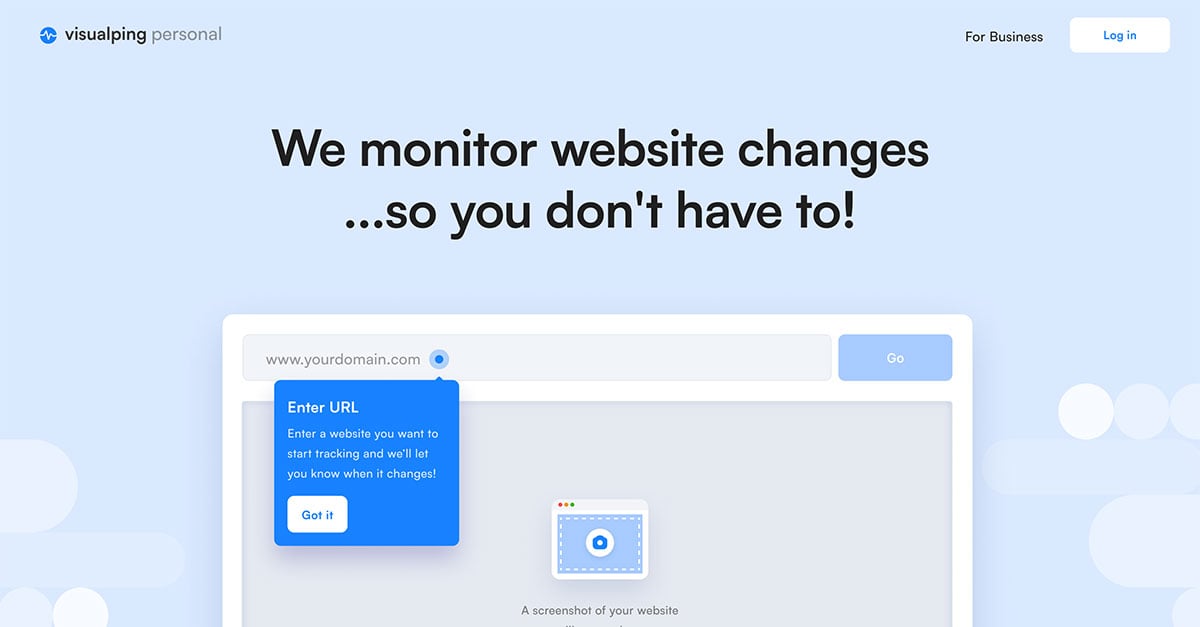

Sharing metadata
| og:url | https://visualping.io |
|---|---|
| og:image | https://static.visualping.io/prod/_next/static/media/open_graph_logo.0_ds14v63k2wa.png |
| og:title | Visualping: #1 Website change detection, monitoring and alerts |
| og:site_name | Visualping |
| og:description | Monitor any website for changes with Visualping. Get instant alerts via email, SMS, API or Slack when a web page changes. Try it free today! |
| twitter:card | summary_large_image |
| twitter:site | @visualping |
| twitter:image | https://static.visualping.io/prod/_next/static/media/website-change-monitoring-visualping.32eu2q0az3t_f.jpg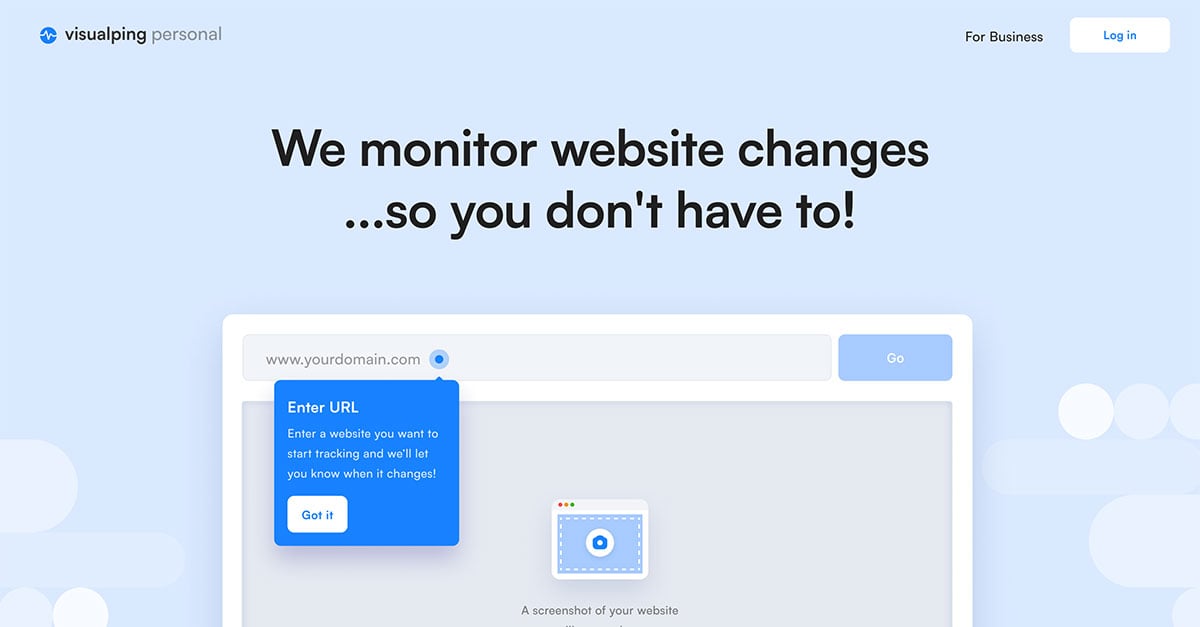 |
| twitter:title | Website checker, website change detection, monitoring and alerts |
| twitter:creator | @visualping |
| twitter:description | More than 2 million users monitor website changes with Visualping, the #1 website checker, website change monitoring and website change detection tool. Get real-time alerts of web page changes. |
robots.txt (opens in a new tab)
11 rulesAll bots 0 allowed · 11 disallowed

 All bots

/api//ccache//snapshot//feedback//jobs//autologin//account//sso//customer-sso//confirmer_desactivation_job.html/resources/
No matching rules.
Sitemaps
2 Registration details RDAP / WHOIS
| Registrar | Gandi SAS |
|---|---|
| Registered | 2013-08-12 |
| Expires | 2027-08-12 |
| Domain status | clientTransferProhibited https://icann.org/epp#clientTransferProhibited |
| Nameservers | ns-1180.awsdns-19.org、ns-1980.awsdns-55.co.uk、ns-758.awsdns-30.net、ns-87.awsdns-10.com |
| DNSSEC | unsigned |
 DNS records
| Type | Name | Value | TTL | Priority |
|---|---|---|---|---|
| A | visualping.io | 32.188.146.73 | 60 | — |
| A | visualping.io | 32.189.151.198 | 60 | — |
| A | visualping.io | 34.209.231.122 | 60 | — |
| A | visualping.io | 44.236.202.234 | 60 | — |
| MX | visualping.io | aspmx.l.google.com | 300 | 10 |
| MX | visualping.io | alt1.aspmx.l.google.com | 300 | 20 |
| MX | visualping.io | alt2.aspmx.l.google.com | 300 | 20 |
| MX | visualping.io | aspmx2.googlemail.com | 300 | 30 |
| MX | visualping.io | aspmx3.googlemail.com | 300 | 30 |
| NS | visualping.io | ns-1180.awsdns-19.org | 172800 | — |
| NS | visualping.io | ns-1980.awsdns-55.co.uk | 172800 | — |
| NS | visualping.io | ns-758.awsdns-30.net | 172800 | — |
| NS | visualping.io | ns-87.awsdns-10.com | 172800 | — |
| TXT | visualping.io | MS=876B5619EC1077E9AE7EBD20CAEF501D073DC779 | 300 | — |
| TXT | visualping.io | MS=ms54040744 | 300 | — |
| TXT | visualping.io | apple-domain-verification=5v3HG5M5r8Pr2Q5x | 300 | — |
| TXT | visualping.io | google-site-verification=Kv-LwWnFbem0qAWWhdp5AhPefv8jdWZafeaGqcCr4nc | 300 | — |
| TXT | visualping.io | google-site-verification=hL47Zt-qb7XSkgoE5LIKDdRmK7aop-euO30b19Dr9iE | 300 | — |
| TXT | visualping.io | openai-domain-verification=dv-ndM6xBAPc5HchEUBLYuGhJ0E | 300 | — |
| TXT | visualping.io | v=spf1 a mx include:amazonses.com include:_spf.google.com ~all | 300 | — |
| DMARC | _dmarc.visualping.io | v=DMARC1;p=quarantine;pct=50;rua=mailto:[email protected] | 1800 | — |
 TLS and certificates
| Assessment | Normal configuration |
|---|---|
| Supported protocols | TLSv1.2、TLSv1.3 |
| Negotiated protocol | TLSv1.3 |
| Certificate subject | visualping.io |
| Issuer | Amazon |
| Valid until | 2026-12-24T23:59 · Remaining when checked: 86 days |
| Verification details | Certificate trust: Passed · Hostname match: Passed |
 HTTP response headers
| Header | Value |
|---|---|
| content-type | text/html; charset=utf-8 |
| cache-control | private, no-cache, no-store, max-age=0, must-revalidate |
| strict-transport-security | max-age=31536000; includeSubDomains; preload |
| x-frame-options | SAMEORIGIN |
| x-content-type-options | nosniff |
| referrer-policy | strict-origin-when-cross-origin |
| permissions-policy | clipboard-read=(self), clipboard-write=(self) |
 Identified technologies
Recent Updates
- Website images
- Screenshots
- Network details
- Website Technologies
- Pages and Search Information
- HTTP Response Information
- TLS and certificates
- DNS Information
- Domain Registration
- Website profile
- Website Description
- Website Name
- Website profile
- Website Description
- Website Name
User reviews (0)