Website profiles · Technology insights · Alternatives

vplayed.com

VPlayed is a SaaP-based streaming platform that allows broadcasters, distributors, and content owners to build, distribute & monetize live and on-demand videos across the web, mobile apps & smart TVs.

No paid content found
Visit website
Profile views 11 Outbound visits 12 Normal
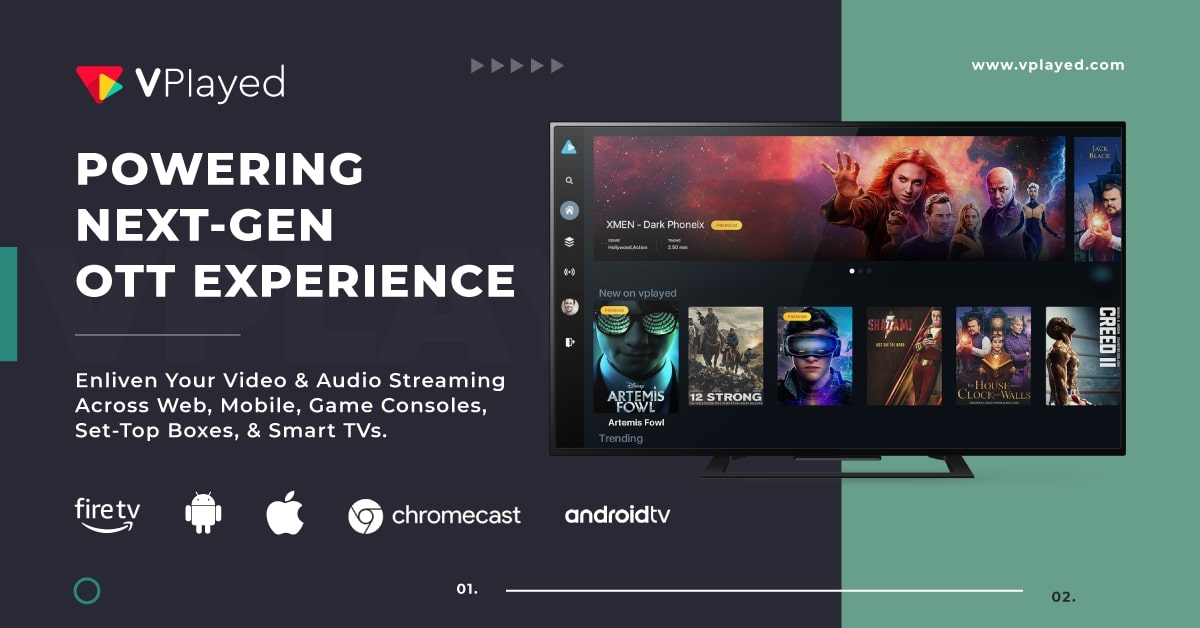
VPlayed Full homepage screenshot

At a glance

Category
Video & Film
Language
English
Paid-content signal
No paid content foundObserved
Registered
2018
Hosting
Amazon.com, Inc.Inferred
HTTPS certificate trusted
PassedObserved
Last updated

Website review

This review may include AI-generated content and is not individually verified. Domain, certificate and other facts come from the observed data on this page.

What is VPlayed?

VPlayed is a ready-to-go, white-label streaming platform for launching and monetizing live and on-demand video. Rather than building an OTT service from scratch, content owners use it to run branded video experiences across web, mobile apps and smart TVs from one place. Its own pages describe it as a SaaP-based (software-as-a-product) platform aimed at broadcasters, distributors and content owners.

What it covers

  • OTT streaming — a branded app and web destination for live and on-demand video
  • Live streaming and broadcast — live events to global audiences
  • Live-to-VOD — record live content and publish it on demand
  • Cloud playout — linear streaming and online broadcasting
  • Video content management — store, distribute and measure video
  • Micro drama platform — short-form, branded video apps

Underlying features include HLS/HTML5 players, monetization tools, white-labeling, DRM and security, marketing tools, real-time analytics, encoding/transcoding and a video CDN. Native app support is listed for Android, iOS, Apple TV, Android TV, Fire TV, Roku TV and Smart TV.

Who it fits

The site's own case studies name a news network, an entertainment app, a yoga school, a fitness platform and a sports broadcaster — so the typical buyer is an organization with existing content and an audience it wants to own directly, not a casual creator. Two claims stand out for that buyer: full branding freedom and keeping 100% of revenue, which matters if you are moving off a marketplace or ad-share platform.

Trade-offs to weigh

A packaged platform gets you live faster and removes infrastructure work, but you are building on someone else's product roadmap and feature set. If your needs are unusual — bespoke recommendation logic, complex rights windows, or deep integration with existing billing and CRM — check how much customization is actually possible before committing. Also confirm what "1000+ features" means for your plan, since broad feature lists often span multiple tiers or add-ons.

Next step: shortlist two or three platforms, then run the same demo script with each: launch one live event, publish one VOD title, set up one paywall, and check the analytics you would actually report on. Compare who owns the apps, the data and the subscriber relationship — that is usually the deciding factor, more than the feature count.

How does VPlayed help content owners monetize their videos?

VPlayed approaches monetization as one part of a ready-made streaming stack rather than a standalone payments tool. Its page groups video monetization alongside HLS/HTML5 playback, white-label streaming, DRM and security, marketing, real-time analytics, encoding/transcoding and video CDN. The practical implication for a content owner is that you can put the same live or on-demand library behind a paywall, subscription, ad-supported or transactional model without stitching together separate vendors for hosting, delivery, apps and billing.

What the platform provides for monetization

  • Video monetization features listed as a core capability, aimed at turning viewers into revenue.
  • White-label streaming, so the service carries your brand rather than VPlayed's.
  • DRM and security, which matter when paid content needs protection from sharing and piracy.
  • Real-time analytics, useful for seeing which titles, plans or campaigns actually convert.
  • Video marketing tools to promote content and drive sign-ups.
  • Distribution across web, mobile apps and smart TVs — Android, iOS, Apple TV, Android TV, Fire TV, Roku and Smart TV — so monetized content reaches viewers on the devices they already use.
  • Live and on-demand support, letting you charge for events, linear channels or a permanent library.

VPlayed also frames full-branding freedom and keeping 100% of revenue as part of its pitch. Those are the platform's claims; in practice, "keeping 100% of revenue" usually still involves payment-processor fees and any third-party costs, so treat it as a statement about revenue share rather than zero cost.

Who this suits

A broadcaster, distributor or independent content owner who wants to launch a branded OTT service quickly is the clearest fit. The case-study themes on the page — news networks, entertainment apps, a yoga school, a fitness platform, a sports broadcaster — suggest the platform is aimed at organizations with existing audiences and content, not hobby creators. If you already have a library and an audience but no engineering team to build apps, billing and delivery, this kind of packaged platform shortens the path to revenue.

How to decide

Ask three questions before committing:

  1. Which monetization models do you need — subscription, transactional, advertising or a mix? Confirm each is supported natively rather than through add-ons.
  2. How much customization do you need in apps and branding? White-label helps, but deep UX changes may still require development work.
  3. What are the total costs beyond the platform — payment processing, CDN overages, app store fees and DRM licensing?

A useful next step is to request a demo and walk through one real monetization scenario end to end: a viewer discovers a title, pays, watches on a TV app and appears correctly in your revenue analytics. If that flow works without hidden gaps, the platform is a credible fit. For broader context on the OTT market, VPlayed is the vendor itself, while independent industry coverage can help you benchmark alternatives.

Can VPlayed be used to launch a branded streaming app on smart TVs and mobile devices?

Yes. VPlayed is positioned as a ready-to-go streaming platform for launching branded live and on-demand video services across web, mobile apps and smart TVs. Its page evidence lists Android & iOS alongside Apple TV, Android TV, Fire TV, Roku TV and Smart TV, so a single content operation can be distributed through phone apps and living-room apps rather than treating TV as an afterthought.

What that means in practice

A small content owner — say a regional news network, fitness studio or niche entertainment channel — could use VPlayed as the base layer for:

  • Branded mobile apps on Android and iOS
  • Smart TV and connected-TV apps across the listed platforms
  • Web streaming with HLS/HTML5 playback
  • Live streaming and broadcast, plus live-to-VOD recording
  • Video content management, encoding/transcoding and a video CDN
  • Monetization, DRM/security, marketing tools and real-time analytics

The page also mentions white-label streaming and full-branding freedom, which matters if your app must look like your brand rather than a generic video portal. AI-driven OTT capabilities are presented as part of the viewer experience, though the page evidence does not detail what those capabilities do.

Where the trade-off sits

The main appeal is speed and breadth: one platform covering mobile, TV and web, with monetization and security built in. The main caution is fit. A ready-made platform is strongest when your needs match its packaged products — OTT streaming, live broadcast, micro-drama, cloud playout, live-to-VOD, video CMS. If you need unusual workflows, deep custom integrations or full control of the codebase, a platform like this can become a constraint rather than a shortcut. The page’s customer stories span news, entertainment, yoga, fitness and sports, which suggests it is aimed at content owners and broadcasters rather than teams building streaming infrastructure from scratch.

Next step

Before committing, list your must-have distribution targets and monetization models, then ask VPlayed for a demo using your own content and a TV app mock-up. Confirm two things directly: which smart-TV platforms are supported in your region, and how much branding and revenue control you retain. If you want to compare the wider category first, look at VPlayed alongside established alternatives such as Uscreen for creator-style subscription video or Brightcove for enterprise-grade video infrastructure.

What types of content can be streamed using VPlayed, such as live events or on-demand videos?

VPlayed supports both major streaming formats: live and on-demand. The platform is built for broadcasters, distributors, and content owners who need to deliver video across web, mobile apps, and smart TVs.

Live content

  • Live events and broadcasts to global audiences
  • Linear streaming and online broadcasting via cloud playout
  • Live-to-VOD recording, where live content is captured and turned into on-demand video

On-demand content

  • Video content management for storing, distributing, and measuring a library
  • Short-form video through a dedicated micro drama platform
  • General on-demand streaming across branded apps and devices

Content categories the platform is positioned for

  • Broadcast and media
  • Entertainment
  • Filmmakers and studio distributors
  • Religious services
  • Education
  • Sports
  • Fitness
  • Enterprise communications

If you are deciding whether VPlayed fits your use case, the practical test is whether you need live and on-demand in one place. A news network streaming breaking coverage and archived reports, a fitness brand running scheduled classes plus a replay library, or a sports broadcaster mixing live matches with highlights all fit that pattern. If you only ever publish pre-recorded files with no live component, a simpler video hosting tool may be enough.

A useful next step is to list your content types, then check which ones need real-time delivery versus a library. For a fuller picture of the platform, see VPlayed.

Is VPlayed suitable for niche streaming services like fitness, education, or religious content?

Yes. VPlayed is explicitly positioned for niche content owners, and its page names fitness, education, sports, religious, entertainment, filmmakers and enterprise as target solution areas. It bundles the pieces a niche service usually needs: branded apps, live and on-demand delivery, monetization, DRM, analytics and distribution across web, mobile and smart TVs.

Where it maps to each niche

  • Fitness: live classes plus on-demand libraries, subscription monetization, and apps on mobile and TV. The page cites a Brazil fitness platform as a customer story, though the details behind the reported revenue lift are theirs, not an independent benchmark.
  • Education: interactive, engaging teaching formats with access control and analytics on completion and viewing behavior.
  • Religious content: scheduled live worship plus an on-demand archive, which suits congregations that want both a weekly live stream and a searchable library.
  • Adjacent niches: sports, news, entertainment, micro-drama and enterprise training follow the same pattern.

The real trade-off

The deciding factor is rarely niche fit — it is whether you want a ready-made platform or a custom build.

Your situation VPlayed looks like Alternative
Small catalogue, small team, fast launch A faster route than assembling encoders, CDN, apps and billing yourself A lean setup with a video host plus a membership tool
Need branded apps on Roku, Fire TV, Apple TV, Android TV One vendor covers app surfaces and playback together Separate app agency plus streaming vendor
Complex or unusual workflows Configure within its feature set Custom development may fit better

How to decide

Ask three questions: Which revenue model do you need (subscription, rental, advertising, or a mix)? Which devices must you be on in year one? Does your content need strict DRM or geo-restrictions? If your answers match its listed capabilities, request a demo and test your own content on it. If you need deep custom logic, compare against building on a general video API.

For context on what a niche service typically needs, see Vimeo for hosting and monetization tooling and Roku for the TV app route.

How does VPlayed compare to building a custom streaming platform from scratch?

VPlayed is a buy-and-configure option: it gives you a ready-made streaming stack—video hosting, transcoding, players, monetization, apps, analytics—so you can launch sooner and avoid assembling many vendors. Building from scratch gives you maximum control, but you own the architecture, integrations, security, scaling and ongoing operations.

Where the difference shows up

Decision area VPlayed (SaaP-style platform) Custom build from scratch
Time to launch Faster: pre-built modules and branded apps Slower: design, build, test, integrate
Control Constrained by the product's roadmap and configuration limits Full control over features, UX, data model
Engineering load Lower: you configure and operate High: you hire/retain streaming, mobile, DevOps talent
Cost pattern Predictable subscription/licensing, but less room to optimize Higher upfront and ongoing, but potentially cheaper at very large scale
Differentiation Limited to what the platform exposes Can be a unique product advantage
Risk Vendor dependency and migration risk Execution risk, delays, scaling surprises

Choose VPlayed when you are a content owner, broadcaster, distributor, fitness/education/religious/sports publisher, or media brand that needs live and on-demand video across web, mobile and smart TVs without becoming a streaming engineering company. The page evidence shows this positioning: OTT streaming, live broadcast, cloud playout, live-to-VOD, video CMS, HLS/HTML5 player, monetization, white-label streaming, DRM, marketing, analytics, encoding/transcoding, CDN, plus Android/iOS, Apple TV, Android TV, Fire TV, Roku and Smart TV apps. It also cites case studies across news, entertainment, yoga, fitness and sports, which suggests the target buyer values speed and breadth over deep customization.

Build from scratch when streaming is core to your competitive advantage, you have unusual requirements (custom recommendation logic, proprietary ad tech, complex rights windows, unique data residency), or you already have a strong platform team and want to avoid per-viewer or per-feature vendor economics.

A practical next step: write a one-page decision brief with three columns—must-have features, launch deadline, and internal team capacity. If the deadline is tight and the must-haves map to standard OTT capabilities, shortlist VPlayed and request a demo. If your must-haves include capabilities the product does not expose, price the build honestly, including CDN, DRM, transcoding, app maintenance and 24/7 support.

For broader market context, you can compare approaches with Brightcove, Wowza, Kaltura and Mux.

Related questions

More questions →
What Is a Media Streaming Solution and How Do You Choose One?

A media streaming solution is the combined technology and services you use to ingest, process, deliver, and monetize video to viewers. At minimum it covers encoding/transcoding, a player, a content delivery network (CDN), and security such as DRM. It also usually includes a content management layer, analytics, and monetization tools. You need one when you want to run live or on-demand video on your own branded web, mobile, and TV apps rather than relying on a third-party video host. VPlayed, for example, describes itself as a SaaP-based streaming platform for broadcasters, distributors, and content owners to build, distribute, and monetize live and on-demand video across web, mobile apps, and smart TVs.

Core capabilities a streaming solution must include

These are the building blocks. If a vendor is missing one, you'll end up stitching together separate tools.

  • Live and on-demand (VOD) streaming — live events and recorded libraries in one system.
  • Encoding and transcoding — converting source files into multiple resolutions/bitrates so playback adapts to each viewer's connection.
  • Video CDN — distributing streams from edge servers close to viewers to reduce buffering at scale.
  • Player — the on-page or in-app component that plays the stream. VPlayed lists an HLS/HTML5 player.
  • DRM and security — encryption and access control to protect premium content.
  • Video content management — storing, organizing, and measuring your library.
  • Monetization — the tools to charge for or monetize access.
  • Real-time analytics — viewing data to inform content and business decisions.

VPlayed's feature set maps to these areas: HLS/HTML5 Player, Video Monetization, Whitelabel Streaming, DRM & Security, Video Marketing, Real-time Analytics, Encoding & Transcoding, and Video CDN.

Delivery models: SaaS, SaaP, and self-hosted

The model you pick determines how much control, setup work, and ongoing maintenance you take on.

Model What you get Typically fits
SaaS Shared, vendor-managed platform; you configure and upload Teams that want the fastest launch and least maintenance
SaaP (Software as a Product) A productized platform you license and brand as your own Content owners who want a ready-to-go platform with branding control
Self-hosted You run and maintain the infrastructure Teams with engineering resources and strict control requirements

VPlayed positions itself as SaaP-based, which sits between a generic SaaS tool and a fully self-hosted build: you get a ready-to-go platform while keeping branding control. The page emphasizes "Full-Branding Freedom" and "Keep 100% of Your Revenue," which are the two things SaaP buyers usually care about most.

If your priority is speed to market and you don't want to manage servers, SaaS or SaaP is the practical choice. If you have in-house infrastructure and compliance needs that require full control, self-hosting may justify the added effort.

Monetization options to look for

A streaming solution should let you choose how viewers pay or how you earn. Common models:

  • SVOD (subscription) — recurring access to a library.
  • TVOD (transactional) — pay-per-view or rent/buy individual titles.
  • AVOD (ad-supported) — free to viewers, monetized with ads.
  • Hybrid — combining subscriptions with ads or rentals.

VPlayed lists Video Monetization as a core feature and states you can "Keep 100% of Your Revenue." Confirm directly with any vendor how revenue share, payment processing, and payout terms actually work before committing.

Platforms and devices to support

Your audience watches on more than a browser. A complete solution should reach:

  • Web (desktop and mobile browsers)
  • iOS and Android apps
  • Smart TVs and streaming devices — VPlayed lists Apple TV, Android TV, Fire TV, Roku TV, and Smart TV

If your viewers are spread across devices, confirm the vendor supports the specific ones your audience uses rather than assuming blanket coverage.

A vendor evaluation checklist

Use these questions to compare options on equal footing:

  1. Branding control — Can you use your own domain, logo, and app identity? VPlayed highlights whitelabel streaming and full-branding freedom.
  2. Revenue terms — What is the revenue share, and are there payment processing fees?
  3. Security — Is DRM included, and at what level?
  4. Analytics — What real-time viewing data do you get, and can you export it?
  5. Scalability — Can it handle your expected concurrent live viewers?
  6. Device coverage — Does it support every platform your audience uses?
  7. Time to launch — How long from signup to a live branded app?
  8. Support and SLA — What response times and uptime guarantees apply?

VPlayed's customer stories include an Indian news network, a Tamil entertainment app, a US yoga school, an Indonesian news broadcaster, a Brazilian fitness platform, and a US sports broadcaster that grew to 100k+ live viewers — useful reference points if your use case resembles any of them. Ask for a demo and a trial to verify claims against your own content and audience.

How to decide

Start with your constraints, not the feature list. If you need to launch quickly on web, mobile, and TV with your own brand and you want to keep your revenue, a SaaP platform like VPlayed is built for that scenario. If you have engineering capacity and strict control requirements, evaluate self-hosting. If you just need to publish video with minimal setup, a standard SaaS tool may be enough.

Whichever path you take, verify the four things that most often cause problems later: revenue terms, DRM level, device coverage, and scalability under concurrent live load.

What Is a Media Streaming Platform and How Do You Choose One?

A media streaming platform is the software layer that lets you ingest, manage, protect, deliver, and monetize live and on-demand video across the web, mobile apps, and smart TVs. It differs from a basic video host or a bare CDN because it bundles playback, monetization, security, and analytics in one place. Choose one by matching its delivery model (SaaS, SaaP, or self-hosted) to your content type, audience, and revenue model, then pilot it before committing.

What a Media Streaming Platform Actually Does

A basic video host stores and plays a file. A CDN only moves bytes closer to viewers. A streaming platform sits above both and handles the business and operational layer:

  • Ingest and processing — encoding, transcoding, and packaging live or on-demand content into streamable formats.
  • Delivery — adaptive playback through an HLS/HTML5 player and a video CDN so quality adjusts to each viewer's connection.
  • Monetization — subscriptions, pay-per-view, ads, or a mix, tied to your revenue model.
  • Security — DRM and access controls so paid or licensed content stays protected.
  • Apps and reach — distribution to web, Android and iOS, and TV platforms such as Apple TV, Android TV, Fire TV, Roku, and Smart TV.
  • Analytics — real-time measurement of viewing and engagement to inform content and pricing decisions.

If a tool only covers one of these layers, it is a component, not a full platform.

Core Capabilities to Compare

Use the same dimensions across every vendor so the comparison is fair.

Capability What to check Why it matters
Live and on-demand Both supported, plus live-to-VOD recording One system for events and a replay library
Monetization Subscription, PPV, ads, or hybrid Must match how you actually earn
DRM and security DRM plus access controls Protects paid and licensed content
Apps and devices Web, mobile, and named TV platforms Determines how wide you can distribute
Analytics Real-time viewing and engagement data Drives content and pricing decisions
Branding White-label and full-branding freedom Keeps the viewer experience yours
Revenue terms Who keeps what share Directly affects net income

VPlayed, for example, positions itself as a SaaP-based platform covering OTT streaming, live broadcast, cloud playout, live-to-VOD, video content management, monetization, DRM, encoding, CDN, and apps for Android, iOS, Apple TV, Android TV, Fire TV, Roku, and Smart TV. Its stated benefits include full-branding freedom and keeping 100% of your revenue — confirm both in writing for your specific plan, since terms vary by contract.

Match the Platform Type to Your Situation

The delivery model changes cost, control, and effort more than any single feature.

  • SaaS — you rent a managed service. Fastest to launch, least operational burden, but you depend on the vendor's roadmap and terms.
  • SaaP (software as a product) — you get a ready product you configure and brand, often with more control over the viewer experience than pure SaaS. VPlayed describes itself this way.
  • Self-hosted — you run the stack yourself. Maximum control and data ownership, but you own encoding, scaling, security, and uptime.

A practical rule: if speed to market and low overhead matter most, lean SaaS or SaaP. If you have strict data-residency, licensing, or customization requirements and in-house engineering, self-hosting can justify its cost.

Evaluate Cost, Branding, and Revenue Share

These three factors usually decide the deal, and they interact.

  • Total cost — include setup, per-stream or per-storage fees, CDN egress, app publishing, and support, not just the headline price. The source material does not publish pricing, so request a quote rather than assuming any tier is free.
  • Branding control — white-label and full-branding freedom keep viewers in your ecosystem instead of a third party's. Confirm what is customizable on your plan.
  • Revenue share — "keep 100% of your revenue" is a strong claim; verify how payment processing, taxes, and platform fees are handled in your agreement.

A lower sticker price with a revenue share can cost more over time than a higher flat fee where you keep everything.

Run a Pilot Before You Commit

A demo or trial is the cheapest way to de-risk the decision. Test with a real scenario, for example a live event plus an on-demand replay behind a paywall.

  1. Request a demo and, if available, a trial environment.
  2. Stream a live event and measure latency, buffering, and quality switching on a weak connection.
  3. Publish a VOD asset and confirm encoding, playback, and DRM behave as expected.
  4. Run a monetization flow end to end — sign-up, payment, access, and cancellation.
  5. Check analytics to confirm the viewing and engagement data you need actually appears.
  6. Test on target devices — at minimum web plus the mobile and TV platforms your audience uses.

Watch for these common snags: latency that is fine in a demo but poor under real load, DRM that blocks legitimate viewers, app store approval delays, and analytics that lag or miss key events. If any of these appear in a pilot, they will be worse at scale.

A Quick Decision Checklist

Before signing, confirm you can answer yes to each:

  • Does it cover both live and on-demand, including live-to-VOD?
  • Does its monetization match your revenue model?
  • Is DRM and access control included, not an add-on you discover later?
  • Does it reach the web, mobile, and TV platforms your audience actually uses?
  • Do you keep your branding and your revenue on the terms you expect?
  • Did a pilot prove streaming quality, latency, and monetization under realistic conditions?

If a platform clears these, it is a credible fit. If it fails on delivery model or revenue terms, no feature list will fix that.

Website Overview

Identifiable technologies and additional version or configuration signals make the service easier to fingerprint, which may help targeted scanners narrow their checks. An established domain and managed infrastructure suggest continuity of operations and may support dependable delivery, although neither guarantees service quality.

Domain and Registration

Registered in 2018, this domain has about 8 years of history. That suggests continuity, although ownership and purpose may have changed. Transfer-protection status is present, helping reduce the risk of unauthorized domain transfers. The registrar is Squarespace Domains II LLC, a widely used domain service provider. The domain uses the common .com extension, which is not an independent safety signal.

DNS and Email

The lowest TTL is 60 seconds, supporting rapid record changes at the cost of more frequent lookups. Nameservers are provided by Amazon Route 53, indicating managed DNS hosting. MX records point to the Zoho Mail email service. No CNAME was found; the observed records resolve directly to addresses. SPF and DMARC are configured. DKIM status is unknown.

TLS and Certificates

The certificate issuer is Sectigo Limited, a commercial certificate authority. The certificate uses an RSA 2048-bit public key, offering broad client compatibility. The server supplied a complete certificate chain. No organization name is present in the certificate; the available fields are consistent with domain validation. The certificate is valid for about 198 days in total, with 31 days remaining.

HTTP and Browser Security

The Server header exposes the software version: Apache/2.4.52 () OpenSSL/1.0.2k-fips. This makes version-targeted checks easier, but is not proof of an exploitable vulnerability. X-Powered-By exposes backend information: PHP/7.3.33. The response lacks these common security headers: HSTS, X-Content-Type-Options, Referrer-Policy, Permissions-Policy. No obvious internal addresses or debug information were found in the headers. Cookie security attributes are unknown.

Technology Stack Analysis

The public page identifies jQuery, Google Tag Manager, Apache 2.4.52, PHP, with exact versions exposed for 1 technologies. These details can narrow vulnerability checks, although exposure alone is not a vulnerability.

Search and Social Sharing

The meta description has 200 characters and may be shortened in search results. Twitter Card metadata is configured. JSON-LD includes Organization data, helping describe the organization as an entity. The title has 58 characters, within a common display range. The observed directives allow indexing and link following.

Hosting and Email

DNSAmazon Route 53
HostingAmazon.com, Inc.
EmailZoho Mail
Approximate IP geolocation (inferred; a CDN or proxy may differ from the origin server) United States flagUnited States Inferred 166.117.200.118

Registration details

RDAP / WHOIS

RegistrarSquarespace Domains II LLC
Registered2018-02-16
Expires2029-02-16
Domain statusclient delete prohibited、client transfer prohibited
Nameserversns-1177.awsdns-19.org、ns-1554.awsdns-02.co.uk、ns-402.awsdns-50.com、ns-530.awsdns-02.net
DNSSECunsigned

DNS records

DNS

TypeNameValueTTLPriority
Awww.vplayed.com166.117.200.11860—
MXvplayed.commx.zoho.com6010
MXvplayed.commx2.zoho.com6020
MXvplayed.commx3.zoho.com6050
NSvplayed.comns-1177.awsdns-19.org172800—
NSvplayed.comns-1554.awsdns-02.co.uk172800—
NSvplayed.comns-402.awsdns-50.com172800—
NSvplayed.comns-530.awsdns-02.net172800—
TXTvplayed.comOSSRH-7982360—
TXTvplayed.comv=spf1 include:zoho.com include:619567.spf07.hubspotemail.net ~all60—
DMARC_dmarc.vplayed.comv=DMARC1; p=quarantine;rua=mailto:[email protected]60—

TLS and certificates

TLS / SSL

AssessmentNormal configuration
Supported protocolsTLSv1.2
Negotiated protocolTLSv1.2
Certificate subject*.vplayed.com
IssuerSectigo Limited
Valid until2026-11-01T23:59 · Remaining when checked: 31 days
Verification detailsCertificate trust: Passed · Hostname match: Passed

HTTP response headers

HTTP

HeaderValue
content-typetext/html; charset=UTF-8
cache-controlpublic, max-age=86400
serverApache/2.4.52 () OpenSSL/1.0.2k-fips
content-security-policyframe-ancestors 'self';
x-frame-optionsSAMEORIGIN
set-cookieRedacted

Identified technologies

jQueryGoogle Tag ManagerApache 2.4.52PHP

Pages, Search and Sharing

Meta descriptionVPlayed is a SaaP-based streaming platform that allows broadcasters, distributors, and content owners to build, distribute & monetize live and on-demand videos across the web, mobile apps & smart TVs.
Canonical URLhttps://www.vplayed.com/
LanguageEnglish (default)
Twitter Cardsummary_large_image
All bots 1 allowed · 0 disallowed
  • Allow/
gptbot 1 allowed · 0 disallowed
  • Allow/
oai-searchbot 1 allowed · 0 disallowed
  • Allow/
chatgpt-user 1 allowed · 0 disallowed
  • Allow/
bingbot 1 allowed · 0 disallowed
  • Allow/
perplexitybot 1 allowed · 0 disallowed
  • Allow/
claude-searchbot 1 allowed · 0 disallowed
  • Allow/
googlebot 2 allowed · 15 disallowed
  • Allow/
  • Allow/blog/wp-content/uploads/
  • Disallow/dev.vplayed.com/*
  • Disallow/dev.blog.vplayed.com/*
  • Disallow/demo.vplayed.com/*
  • Disallow/demo.audio.vplayed.com/*
  • Disallow/admin.demo.vplayed.com/*
  • Disallow/dev.vplayed.com/hls-html5-video-player.php
  • Disallow/dev.vplayed.com/youtube-alternative-for-creators.php
  • Disallow/dev.vplayed.com/us/online-video-platform.php
  • Disallow/dev.vplayed.com/us/live-streaming-solution.php
  • Disallow/blog/author/*
  • Disallow/blog/tag/
  • Disallow/blog/wp-admin/
  • Disallow/blog/wp-includes/
  • Disallow/blog/feed/
  • Disallow/*?__hstc=

User reviews (0)

  • No reviews yet.