
 简体中文
简体中文 English
web3forms.com
Web3Forms free contact form API to send form submissions data to your email. Web3Forms is a free form api & form to email service. No server or backend code needed.
At a glance
- Category
- Development
- Language
- English
- Paid-content signal
- Paid contentObserved
- Registered
- 2020
- Hosting
- VercelInferred
- HTTPS certificate trusted
- PassedObserved
- Last updated
Related questions
More questions →What Does a Postal Code API Return? Fields, Formats, and Common Use Cases
A postal code API returns structured location data for a given ZIP Code or Canadian postal code. A typical response includes the code itself, city, state or province, county, latitude/longitude, and — where available — ZIP+4 detail. More complete services add time zone, area codes, boundary geometry, and demographic fields. You send a code (or an address), and the API sends back a machine-readable record you can store, validate, or display.
This article explains what those responses contain, how requests are usually shaped, and where postal code data fits into real applications.
First, clear up the word "code"
The keyword "code" is overloaded, and that causes real confusion for developers:
- Postal code — the ZIP Code (U.S.) or postal code (Canada) that identifies a delivery area.
- API key — the credential you use to authenticate your requests. It is not postal data.
- Source code — the program you write to call the API.
When someone searches for "postal code API code," they usually want example request/response code for a postal code service. The rest of this article treats it that way.
What a postal code API actually returns
Response fields vary by provider and endpoint, but the core set is fairly consistent. A single-code lookup commonly returns:
| Field | Example | Notes |
|---|---|---|
| Postal code | 90210 |
The code you queried |
| City | Beverly Hills |
May be one of several acceptable place names |
| State / Province | CA |
Two-letter abbreviation |
| County | Los Angeles |
Useful for tax, territory, and reporting logic |
| Latitude / Longitude | 34.0901, -118.4065 |
Usually the centroid of the area |
| ZIP+4 | 90210-1234 |
Present only when a specific delivery segment is known |
| Time zone | America/Los_Angeles |
Helps with scheduling and display |
| Area codes | 310, 424 |
Regional phone context |
Richer datasets add 90+ fields: boundaries, population, income, elevation, and more. You rarely need all of them — request only what your application uses.
A representative JSON response
{
  "postal_code": "90210",
  "city": "Beverly Hills",
  "state": "CA",
  "county": "Los Angeles",
  "latitude": 34.0901,
  "longitude": -118.4065,
  "timezone": "America/Los_Angeles",
  "area_codes": ["310", "424"]
}
XML responses carry the same information in tag form. Choose based on what your stack parses most easily; JSON is the common default.
Common request patterns
Most postal code APIs support four patterns. Knowing which one you need prevents wasted calls.
1. Lookup by code
You have a code and want its details. This is the simplest and fastest call.
GET /lookup?code=90210
2. Reverse lookup by address
You have a street address and want to confirm or complete the code. This is the pattern behind checkout address validation.
GET /validate?street=...&city=...&state=...
3. Radius search
You have a center point and want all codes within a distance. Useful for store locators and delivery zones.
GET /radius?code=90210&miles=10
4. Batch validation
You have a file of addresses and want them cleaned in bulk. Batch endpoints trade latency for throughput and usually have their own limits.
Handling missing and ambiguous matches
Real data is messy. Plan for these cases:
- No match — the code doesn't exist or the address is malformed. Return a clear error rather than a silent empty object.
- Multiple matches — a city name may map to several codes, or a code may span several acceptable city names. Decide whether to pick the primary or return a list.
- Partial match — the street is valid but the ZIP+4 isn't. Fall back to the 5-digit code.
- Stale data — codes are added, retired, and reassigned. Refresh your dataset on a regular schedule.
A practical rule: validate at the point of entry, store the normalized result, and never re-derive it later from raw user input.
Practical use cases
- Checkout address validation — catch typos before shipping, reduce failed deliveries.
- Shipping zone lookup — map a code to a zone, carrier route, or rate table.
- Data enrichment — append county, coordinates, or demographics to existing records.
- Store and service locators — radius search to find nearby branches or coverage areas.
- Territory and tax logic — county and boundary data drive jurisdiction rules.
Licensing and data-source considerations
Postal code data originates with national authorities — USPS in the United States and Canada Post in Canada. Providers license and repackage it, which is why accuracy, update frequency, and field coverage differ between services. Before committing:
- Confirm the data source and how often it refreshes.
- Check whether ZIP+4 and boundary data are included or sold separately.
- Review usage limits and whether batch processing is allowed.
- Read the license terms for redistribution and storage.
Pricing and plan details change, so check the provider's current documentation rather than relying on secondhand figures.
Getting started
- Decide which request pattern you need (lookup, reverse, radius, or batch).
- Pick the fields you'll actually store.
- Write a small test call and inspect the raw response.
- Add error handling for no-match and ambiguous cases.
- Cache results where the same codes repeat.
A postal code API is ultimately a translation layer: you give it a code or an address, and it gives back structured location facts. Understand the fields, match them to your use case, and handle the messy edges — that's most of the work.
What Is OpenAPI-Generated API Documentation and How Does It Work?
OpenAPI-generated API documentation is reference documentation that is produced automatically from an OpenAPI description file rather than written by hand. You write (or generate) a machine-readable specification of your API — endpoints, parameters, request bodies, responses, schemas, and auth — and a documentation tool reads that file and renders a browsable, often interactive reference site. The spec becomes the single source of truth; the docs become a build artifact.
This differs from manually written docs in one fundamental way: with hand-written docs, the prose is the source of truth and the API is described separately. With spec-driven docs, the API description is the source, and every page, table, and code sample is derived from it.
How the workflow actually runs
A typical spec-driven documentation pipeline has five stages:
- Author or generate the spec. You either write an OpenAPI document by hand (YAML or JSON), or generate it from code annotations, framework metadata, or a design-first editor. Design-first means the spec is written before implementation; code-first means it is extracted from existing code.
- Validate and lint. The spec is checked against the OpenAPI schema and against style rules — consistent naming, required descriptions, no undocumented
4xxresponses, no orphaned schemas. - Bundle and transform. Multi-file specs are combined,
$refpointers are resolved, and the document is optionally split into per-tag or per-version outputs. - Render. A documentation tool converts the spec into HTML: an endpoint list, a sidebar of operations, parameter tables, response schemas, and a "try it" console.
- Publish and version. The rendered site is deployed, and each API version gets its own snapshot so consumers can read docs matching the version they call.
Steps 2 through 5 are usually automated in CI. If the spec fails validation, the docs build fails — which is the point.
Spec-driven vs. hand-written documentation
| Dimension | OpenAPI-generated | Hand-written |
|---|---|---|
| Source of truth | The spec file | The prose |
| Consistency with the API | High, if the spec is accurate | Drifts as the API changes |
| Effort per endpoint | Low after setup | Repeated for every endpoint |
| Narrative and tutorials | Weak; needs separate pages | Strong |
| Code samples | Generated per language from schemas | Written and maintained manually |
| Customization | Bounded by the tool's templates | Unlimited |
| Failure mode | Accurate spec, poor docs, or stale spec | Beautiful docs that describe an API that no longer exists |
The practical conclusion most teams reach: generate the reference, write the guides. Reference material is repetitive and mechanical, which is exactly what generation is good at. Conceptual explanations, migration notes, and tutorials carry judgment that a spec cannot express.
What you get out of the box
Generated reference pages commonly include:
- An operation list grouped by tag or path, with HTTP method and path.
- Parameter tables showing name, location (path, query, header, cookie), type, required flag, and description.
- Request and response schemas rendered as expandable trees, including nested objects and arrays.
- Authentication details pulled from the
securitySchemessection. - Interactive request consoles that let a reader send a real call from the browser.
- Generated code samples in several languages, derived from the same schemas.
- Multiple output formats, such as a static site, a single HTML file, or a mock server.
Because all of these come from one document, changing a field name in the spec updates the parameter table, the schema tree, and every code sample at once.
Where spec-driven documentation breaks down
Generation is not free. The trade-offs are real:
Spec quality becomes documentation quality. A field with no description produces a table row with an empty cell. A vague summary produces a vague heading. Tools can enforce presence of descriptions via linting, but they cannot enforce that the description is useful.
Customization has limits. If you need a page that does not map to an OpenAPI concept — a conceptual overview, a pricing explanation, a comparison of two endpoints — you write it outside the generator and link to it.
Not everything is expressible. Webhooks, streaming responses, long-polling behavior, and complex multi-step flows are awkward or impossible to describe fully in OpenAPI. Those need prose.
The spec can go stale. If the spec is maintained separately from the implementation, it drifts just like hand-written docs. The mitigation is to generate the spec from code, or to test the implementation against the spec in CI.
Interactive consoles need care. A "try it" button that hits a production API with real credentials is a security and rate-limit problem. Point it at a sandbox, or disable it.
Deciding whether to adopt it
Adopt spec-driven reference documentation if most of these are true:
- Your API has more than a handful of endpoints, or changes frequently.
- You ship client SDKs or code samples in more than one language.
- Multiple teams consume the API and need a consistent, always-current reference.
- You already have, or are willing to maintain, an OpenAPI description.
Stay with hand-written docs, or a hybrid, if:
- Your API is small and stable, and the reference fits on one page.
- Your documentation is mostly conceptual and contains little endpoint-level detail.
- You cannot commit to keeping the spec in sync with the implementation.
A reasonable middle path: generate the reference from the spec, and hand-write the getting-started guide, authentication walkthrough, and error-handling page. Link the two directions so readers can move from concept to endpoint and back.
A minimal starting checklist
- Produce one valid OpenAPI document for a single API version.
- Add a linter with rules for descriptions, operation IDs, and error responses.
- Wire the docs build into CI so a failing spec fails the build.
- Render the reference and review it as a reader, not as the author.
- Write the two or three conceptual pages the generator cannot produce.
- Version the published docs alongside the API version.
The core idea is simple: describe the API once, in a format both machines and humans can read, and let the reference documentation fall out of that description. Everything else — tooling, hosting, interactivity — is a detail on top of that decision.
What Are the Limits of the Web3Forms Free Plan?
The Web3Forms free plan allows 250 form submissions per month, free forever, and you can start without a credit card. That covers most small sites and low-traffic contact forms. If you expect more than 250 submissions in a month, you'll need to look at the paid tiers on the pricing page, since the site only states that an upgrade exists "when you grow" without listing the higher-tier limits in the material available here.
What the free plan includes
Based on Web3Forms' own site, the free tier is not a stripped-down trial. The core service is the same:
- 250 submissions/month, described as "free, forever" rather than a limited trial period.
- No credit card required to create a form and get an access key.
- No backend code — submissions post directly to
https://api.web3forms.com/submitand arrive in your email inbox. - HTTPS transmission and encryption at rest for submissions.
- Submission storage for up to 3 years, with a retention period you control.
- Spam blocking as part of the service (the site cites 220,000+ spam submissions blocked across its user base).
- Works with any technology — plain HTML, JavaScript, React, or anything else that can send a POST request.
The site also reports 99.9% uptime and AWS-hosted infrastructure, but treat those as vendor claims rather than independently verified figures.
How the 250-submission limit works in practice
Each successful form submission counts toward the monthly total. A contact form on a small business site might see a handful of messages a week, so 250 is generous. The limit becomes relevant when:
- You run multiple forms (contact, quote request, newsletter signup) on one access key.
- You have seasonal traffic spikes — a campaign or launch can burn through a month's quota quickly.
- You use forms for higher-volume purposes like feedback collection or event registration.
If you hit the cap, submissions beyond it are the practical concern — plan for an upgrade before a known high-traffic period rather than after.
Free vs. paid: what changes
The site's pricing page is the authoritative source for tier details, and the homepage only confirms that upgrading is possible as usage grows. What can be said with confidence:
| Dimension | Free plan | Paid tiers |
|---|---|---|
| Monthly submissions | 250 | Higher limits (see pricing page) |
| Cost | Free forever | Paid |
| Credit card to start | Not required | — |
| Core features (email delivery, HTTPS, storage) | Included | Included |
The material here does not specify paid-tier prices, submission caps, or extra features, so check the pricing page directly before committing.
When the free plan is enough — and when it isn't
Stay on free if you run a personal site, portfolio, or small business contact form with modest traffic, and you don't need more than a few hundred messages a month.
Plan to upgrade if you operate several forms under one key, expect campaign-driven spikes, or need a guaranteed submission ceiling. The upgrade path exists precisely for that growth case.
Setting up within the free limits
- Create your form on web3forms.com — verify your email and receive an access key. No card needed.
- Add the form markup, including the hidden access key field:
<form action="https://api.web3forms.com/submit" method="POST">
  <input type="hidden" name="access_key" value="YOUR_ACCESS_KEY_HERE">
  <input type="text" name="name" required>
  <input type="email" name="email" required>
  <textarea name="message" required></textarea>
  <button type="submit">Submit Form</button>
</form>
- Submit a test entry and confirm it arrives in your inbox — this verifies the key and endpoint before real visitors use the form.
- Monitor your monthly count in the dashboard as traffic grows, so you can upgrade before crossing 250.
A common snag: forgetting the hidden access_key input causes submissions to fail even though the form looks correct. Another is testing with an unverified email, which blocks delivery of the access key in the first place.
How to Set Up a Web3Forms Contact Form on Your Website
To connect a contact form to Web3Forms, create a form to get an access key, then point your HTML form at https://api.web3forms.com/submit with a hidden access_key field. No server or backend code is required, and the free tier covers 250 submissions per month.
Prerequisites
- A working HTML form (or the ability to add one to your site).
- An email address you can verify, since the access key is tied to it.
- No credit card is required to start on the free plan, per the site.
Step 1: Create your form and get an access key
- Go to web3forms.com and use the "Create your Form" flow.
- Sign up and verify your email address.
- Copy the access key shown after verification. This key identifies where submissions are delivered.
The site states the free tier is 250 submissions/month, "free forever," with an upgrade path as volume grows.
Step 2: Add the form markup
Paste this into your page and replace YOUR_ACCESS_KEY_HERE with your key:
<form action="https://api.web3forms.com/submit" method="POST">
  <input type="hidden" name="access_key" value="YOUR_ACCESS_KEY_HERE">
  <input type="text" name="name" required>
  <input type="email" name="email" required>
  <textarea name="message" required></textarea>
  <button type="submit">Submit Form</button>
</form>
What each part does:
actionsends the submission to the Web3Forms endpoint.method="POST"is required for the endpoint to accept the data.- The hidden
access_keyinput routes the submission to your verified email. - Named fields (
name,email,message) become the content of the email you receive.
Step 3: Test and verify
- Open the page in a browser and submit a test entry.
- Check the inbox tied to your access key for the message.
- If nothing arrives, confirm the key value is exact, the form uses POST, and the hidden field is present.
Step 4: Adapt to your stack
The site provides copy-ready examples for HTML, JavaScript, and React under its docs. For JavaScript or React, keep the same endpoint and access key, and submit the field values as form data. The service is API-based, so it can be styled to match any design.
What happens to submissions
- Emails are sent directly to your address.
- Submissions are transmitted over HTTPS and encrypted at rest.
- Form submissions are stored for up to 3 years, with a retention period you control.
- The site states GDPR compliance and that data is not shared or sold to third parties.
Common snags
| Symptom | Likely cause | Fix |
|---|---|---|
| No email received | Wrong or missing access_key |
Re-copy the key from your account |
| Form does nothing | action or method incorrect |
Use the exact endpoint and POST |
| Fields missing in email | Inputs lack name attributes |
Add name to each field |
| Spam in inbox | No filtering configured | The site reports spam blocking; review its options |
When this fits
Use Web3Forms if you want a static-site or no-backend contact form that emails you directly and you expect volume within the free tier. If you need custom server-side processing or storage beyond the stated retention, plan for the paid tier or a different backend.
How Web3Forms Handles Security, Privacy, and Email Deliverability
Web3Forms secures form submissions with HTTPS in transit and encryption at rest, sends each submission directly to your email address, and stores submissions for up to 3 years with a retention period you control. Its servers run on Amazon Web Services (AWS), and the service states it is GDPR compliant and does not share or sell your data with third parties. These claims come from Web3Forms' own site, so treat them as vendor statements rather than independently audited guarantees.
Security: what protects a submission
The security model rests on three layers described on the site:
- Transport encryption. Form data is submitted to
https://api.web3forms.com/submitover HTTPS, so the browser-to-server leg is encrypted. - Encryption at rest. Stored submissions are encrypted while sitting on Web3Forms' infrastructure.
- Direct delivery. Emails go straight to the address tied to your access key rather than through a shared inbox or third-party processor.
The access key is the one credential you must protect. It is placed in a hidden form field, which means anyone who views your page source can read it. That is acceptable for a public contact form but means the key is not a secret in the cryptographic sense — it identifies your form, it does not authenticate a user. If a key is abused, the practical remedy is to rotate it in your Web3Forms account and update the form.
A concrete example
Suppose a visitor submits their name, email, and message. The browser posts those fields plus your access_key to the API endpoint over HTTPS. Web3Forms receives the request, stores it encrypted, and forwards it to your inbox. If you later delete the submission or let your retention window expire, the stored copy is removed on that schedule. At no point does the visitor need an account, and you need no server-side code.
Privacy: where data lives and for how long
| Question | What Web3Forms states |
|---|---|
| Where are submissions sent? | Directly to your email address |
| How long are they stored? | Up to 3 years, with a retention period you control |
| Is data shared or sold? | No sharing or selling with third parties |
| Regulatory posture | GDPR compliant; personal data stored securely |
Two practical implications follow. First, because you control retention, you can shorten the storage window to match your own privacy policy — useful if you operate under GDPR or a similar regime and want to minimize data held by a processor. Second, since submissions land in your email inbox, your email provider's retention and access rules also apply; Web3Forms' storage policy does not override them.
If your site collects sensitive categories of data (health details, financial information, government IDs), a general contact-form processor is usually the wrong tool regardless of its encryption claims. Keep such fields out of the form or handle them through a channel built for that purpose.
Deliverability and uptime
Web3Forms reports the following operating figures:
- 99.9% uptime
- 13.2 million+ emails delivered
- 220,000+ spam submissions blocked
- 412,000+ users
The AWS infrastructure underpins the uptime and deliverability claims. Spam blocking matters for deliverability in a indirect way: fewer junk submissions means your notification emails are less likely to be filtered or ignored, and your inbox stays usable.
Deliverability also depends on factors outside the service. If your receiving mail server is strict, add the sending domain to your allowlist, and test with a real submission after setup rather than assuming the first email arrives. A quick verification step: submit the form once, confirm the message reaches your inbox (check spam), then submit again from a different network to confirm consistency.
What this means for your decision
Web3Forms is a reasonable fit when you need a no-backend contact form, you are comfortable with the access key being visible in page source, and your form collects ordinary contact details. The free tier's 250 submissions per month and the stated retention controls cover most small sites.
It is a weaker fit when you need per-user authentication on submissions, when you must keep data out of email entirely, or when you collect sensitive personal data. In those cases, look for a form backend with server-side validation and stricter data-handling options, or build a small endpoint you control.
Before relying on any of the compliance or uptime figures for a regulated deployment, confirm them directly with Web3Forms and check them against your own obligations — the site's statements are the starting point, not the final word.
Website Overview
An established domain and managed infrastructure suggest continuity of operations and may support dependable delivery, although neither guarantees service quality. Several search or sharing settings need attention. Together they may make snippets, preview images or preferred URLs less consistent across platforms.
Domain and Registration
Registered in 2020, this domain has about 6 years of history. That suggests continuity, although ownership and purpose may have changed. Transfer-protection status is present, helping reduce the risk of unauthorized domain transfers. The registrar is Porkbun LLC, a widely used domain service provider. The domain uses the common .com extension, which is not an independent safety signal.
DNS and Email
Nameservers are provided by Cloudflare, indicating managed DNS hosting. MX records point to the Google Workspace email service. No CNAME was found; the observed records resolve directly to addresses. SPF and DMARC are configured. DKIM status is unknown. TXT records include verification markers for Google. Such markers may also remain after a service stops being used.
TLS and Certificates
The public key uses EC with 256 bits. The server supplied a complete certificate chain. No organization name is present in the certificate; the available fields are consistent with domain validation. The certificate was issued within the Google Trust Services cloud or CDN ecosystem. The certificate's total validity is about 90 days, consistent with a short renewal cycle.
HTTP and Browser Security
The response lacks these common security headers: CSP, X-Content-Type-Options, Referrer-Policy, Permissions-Policy, clickjacking protection. CORS permits any origin to read this response. This is common for public resources; sensitive responses need narrower handling. No X-Powered-By header was found, reducing one common source of backend fingerprinting information. The cf-ray response header indicates a CDN or caching proxy in the delivery path. No obvious internal addresses or debug information were found in the headers.
Technology Stack Analysis
The public page identifies Next.js, Alpine.js, Tailwind CSS, Cloudflare, Vercel without precise versions, leaving fewer clues for version-specific scanning.
Search and Social Sharing
The meta description has 164 characters and may be shortened in search results. No homepage canonical URL was detected. If duplicate URLs exist, consolidation may be less explicit. Twitter Card metadata is configured. The title has 50 characters, within a common display range. The observed directives allow indexing and link following.
Hosting and Email
 Cloudflare
 Vercel
 Google Workspace
Registration details
| Registrar | Porkbun LLC |
|---|---|
| Registered | 2020-08-18 |
| Expires | 2027-08-18 |
| Domain status | client delete prohibited、client transfer prohibited |
| Nameservers | tom.ns.cloudflare.com、zara.ns.cloudflare.com |
| DNSSEC | unsigned |
DNS records
| Type | Name | Value | TTL | Priority |
|---|---|---|---|---|
| A | web3forms.com | 104.26.10.49 | 300 | — |
| A | web3forms.com | 104.26.11.49 | 300 | — |
| A | web3forms.com | 172.67.74.196 | 300 | — |
| AAAA | web3forms.com | 2606:4700:20::681a:a31 | 300 | — |
| AAAA | web3forms.com | 2606:4700:20::681a:b31 | 300 | — |
| AAAA | web3forms.com | 2606:4700:20::ac43:4ac4 | 300 | — |
| MX | web3forms.com | smtp.google.com | 300 | 1 |
| NS | web3forms.com | tom.ns.cloudflare.com | 86400 | — |
| NS | web3forms.com | zara.ns.cloudflare.com | 86400 | — |
| TXT | web3forms.com | ahrefs-site-verification_ab16812ea14d01da6e97774fb7701b65d973933c7211367601a67f2ddf522bfd | 300 | — |
| TXT | web3forms.com | apple-domain=VYCJaniy4lNyeWMb | 300 | — |
| TXT | web3forms.com | google-site-verification=nqGRpz7uUJVrgfDHfiRsW0U06GY8Zpb-wnWzaNl95Vk | 300 | — |
| TXT | web3forms.com | v=spf1 include:_spf.mailersend.net include:_spf.mx.cloudflare.net include:amazonses.com include:_spf.google.com include:icloud.com ~all | 300 | — |
| DMARC | _dmarc.web3forms.com | v=DMARC1; p=none; pct=100; sp=none; aspf=r; rua=mailto:[email protected],mailto:[email protected] | 300 | — |
TLS and certificates
HTTP response headers
| Header | Value |
|---|---|
| content-type | text/html; charset=utf-8 |
| cache-control | public, max-age=0, must-revalidate |
| server | cloudflare |
| strict-transport-security | max-age=63072000 |
| access-control-allow-origin | * |
Identified technologies
Pages, Search and Sharing
| Meta description | Web3Forms free contact form API to send form submissions data to your email. Web3Forms is a free form api & form to email service. No server or backend code needed. |
|---|---|
| Canonical URL | Not detected |
| Language | English (default) |
| Twitter Card | summary_large_image |
Social Sharing Preview
10 fields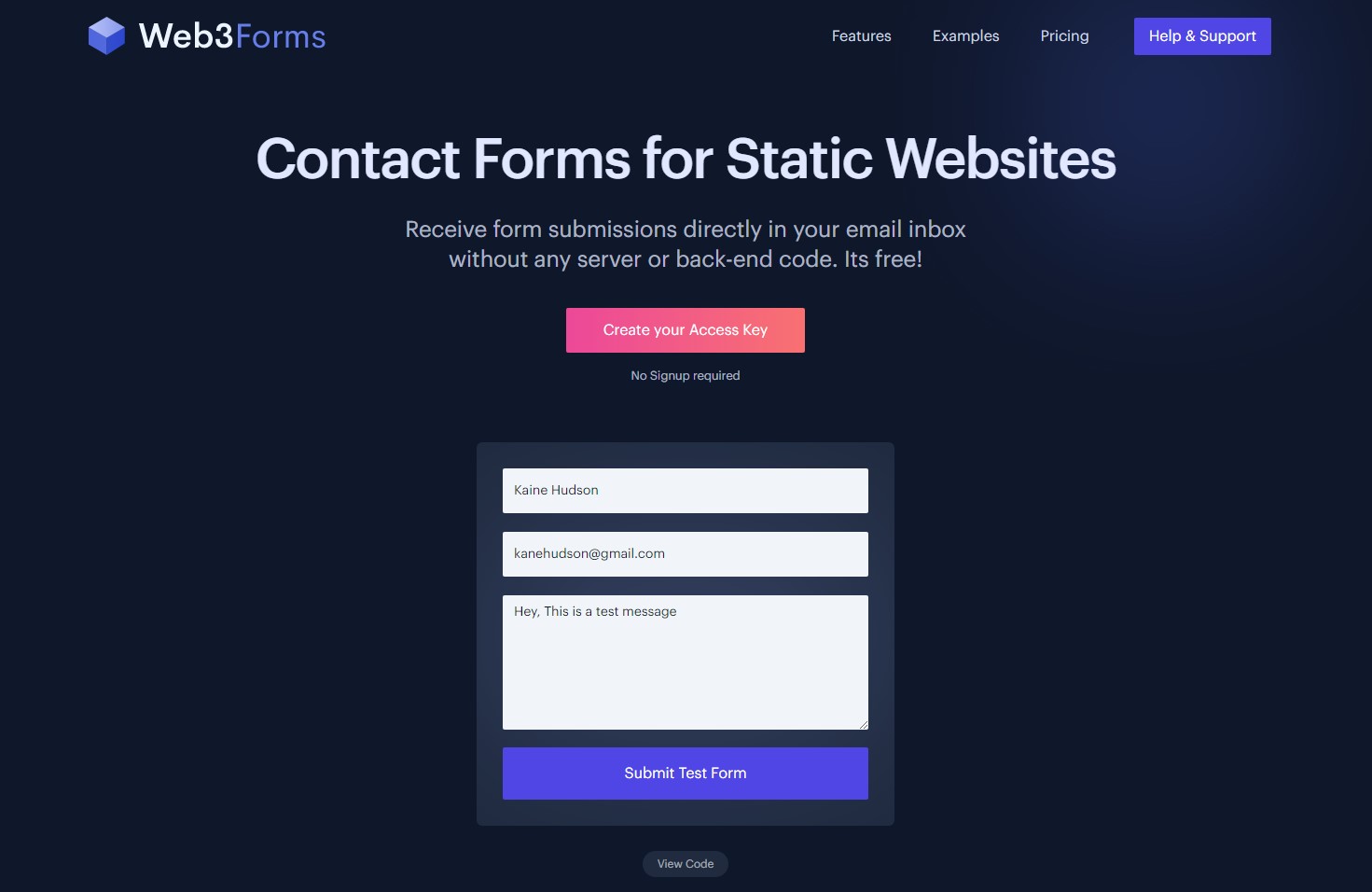
robots.txt (opens in a new tab)
1 rulesAll bots 1 allowed · 0 disallowed
- Allow
/
No matching rules.
Sitemaps
1Recent Updates
- Website images
- Screenshots
- Network details
- Website Technologies
- Pages and Search Information
- HTTP Response Information
- TLS and certificates
- DNS Information
- Domain Registration
- Website profile
- Website Description
- Website Name
- Website profile
- Website Description
- Website Name
User reviews (0)