
 简体中文
简体中文 English
Website review
This review may include AI-generated content and is not individually verified. Domain, certificate and other facts come from the observed data on this page.
What is Wynde?
Wynde is a research platform for product teams to recruit relevant respondents and run UX validation studies quickly. According to its site, it supports usability tests, surveys, asynchronous interviews, Figma prototype testing, website testing, A/B design comparisons, card sorting, copy validation, first-click tests and five-second tests. It presents itself as unmoderated, with an emphasis on speed and involving the wider team in research.
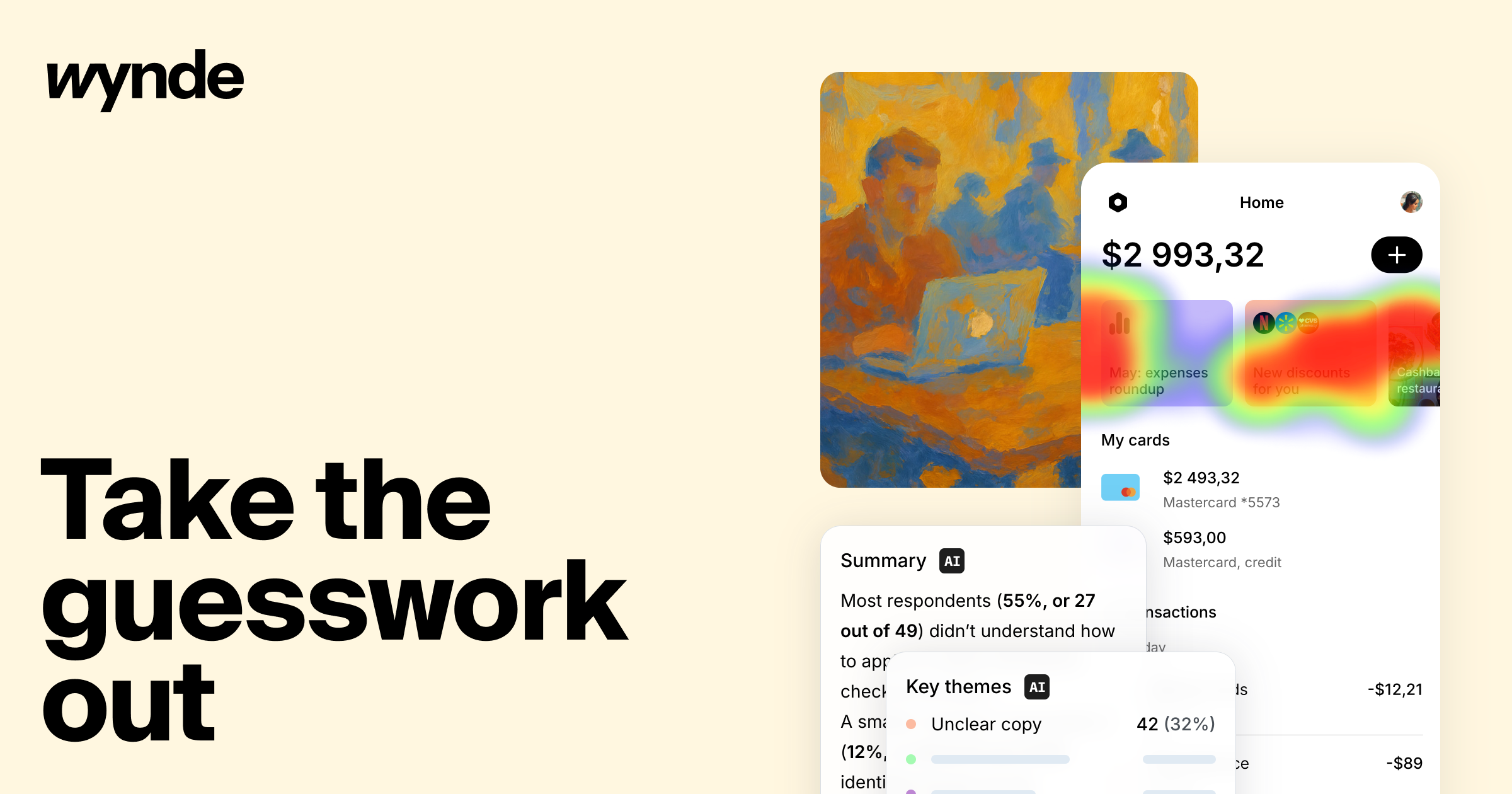
A practical example is a checkout study: the site shows a summary noting that 55% of respondents (27 of 49) did not understand how to apply a coupon. That illustrates the intended use—turning a specific UX question into a study with a respondent group and a summarized result.
The main trade-off is speed and reach versus research rigor. Unmoderated studies suit well-defined tasks and quick directional checks; they are less suited to nuanced exploratory interviews where a moderator needs to probe. If you are evaluating it, start with one narrow question, such as whether users can find a top-up link, and check whether the respondent targeting and reporting give you enough confidence to act.
How do I recruit the right participants for a UX study using Wynde?
Recruit through Wynde's participant-finding capability, then match the sample to the study type: broad product feedback calls for a wider discovery survey, while a first-click, 5-second or usability test needs people who resemble your actual users. Wynde describes itself as an unmoderated research platform for product teams to find relevant respondents and validate UX solutions quickly, so the practical route is to define the audience criteria first, then use the platform to source respondents and run the study.
A workable recruitment sequence
- State the decision the study informs. A coupon-checkout confusion question, for example, needs people who actually shop online, not colleagues who know the flow.
- Translate it into screening criteria. Purchase frequency, device, familiarity with the task and any exclusion rules for internal staff or prior testers.
- Choose the method that fits the audience size. Asynchronous interviews and surveys suit larger samples; moderated-style depth is better for a few carefully screened people.
- Pilot with a handful of respondents. Check that instructions are understood before spending the full sample.
- Read results by segment. Wynde's example summary breaks findings into proportions of respondents, which is more useful when you know who those respondents were.
Matching method to recruitment need
| Study goal | Suitable Wynde method | Recruitment implication |
|---|---|---|
| Test a Figma prototype or live website | Usability test | Screen for relevant product or domain familiarity |
| Compare design options | A/B test | Recruit a sample large enough to compare groups |
| Validate messaging or copy | 5-second or first-click test | Fast, inexpensive screening; volume matters more than depth |
| Explore user needs | Discovery survey or async interview | Screen for target-market fit and recent relevant behaviour |
| Check navigation structure | Card sorting | Recruit people who understand the content domain |
Practical trade-offs
Unmoderated recruitment is fast and scales well, but you trade away the interviewer's ability to probe odd behaviour. That makes screening quality the main safeguard: a loosely defined audience produces confident-sounding but misleading percentages. Keep a small number of high-signal criteria rather than a long checklist, and record why each respondent qualified so the team can judge how far findings generalise.
For comparison, User Interviews at User Interviews and Respondent at Respondent are known for participant recruitment, while Maze at Maze covers unmoderated testing; reviewing how each handles screening helps you decide whether Wynde's combined research-and-recruitment approach fits your team.
Next step: write a one-paragraph recruitment brief naming the decision, the audience and two or three screening questions, then build the study around it in Wynde.
Can I test Figma prototypes and live websites with Wynde, and how?
Yes. Wynde's page lists both Figma prototype testing and testing any websites among its study types, so you can run either kind of test from the same platform.
What each option is good for
| Test type | Best suited to | Practical note |
|---|---|---|
| Figma prototypes | Early concepts, flows that aren't built yet, comparing design directions | Useful before development, but respondents react to a simulation rather than real behaviour |
| Live websites | Real navigation, checkout or signup flows, existing product issues | Closer to actual use, but you need a stable, testable URL and a task that doesn't depend on data you can't control |
The page also lists first-click tests, five-second tests, A/B comparisons of design options, card sorting, copy validation, surveys and asynchronous interviews — so you can match the method to the question rather than forcing everything into one format.
How it generally works
- Build the study — the page describes creating a study "in minutes" and choosing a methodology from the available range.
- Add your stimulus — a Figma prototype link or a website URL, depending on the test type.
- Write the tasks — for a checkout study, for example, ask the respondent to apply a coupon and observe where they hesitate.
- Recruit respondents — Wynde positions itself around finding relevant participants for your study rather than relying only on your own list.
- Read the results — the page shows an AI summary style output, e.g. a finding that a majority of respondents didn't understand how to apply a coupon at checkout.
A concrete scenario
A product team wants to know whether a redesigned checkout is clearer. They run a Figma prototype test with a task-based flow, then follow up with a live-site test once the build ships, using the same tasks so the two results are comparable. The prototype round catches comprehension problems cheaply; the live round confirms whether they persist with real content and real latency.
Decision criteria
- Nothing built yet? Use Figma prototypes.
- Need to validate an existing flow or a competitor-style benchmark? Use live websites.
- Comparing two directions? Use the A/B design option test rather than two separate studies.
- Testing labels, navigation or wording? Card sorting, first-click or five-second tests fit better than a full usability session.
One thing to weigh: Wynde describes itself as unmoderated, so you won't get a facilitator probing follow-up questions in the moment. Plan tasks and questions carefully up front, and use asynchronous interviews where you need more context than a task recording gives you.
For teams already standardising on a research tool, comparable options include UserTesting and Maze, the latter being particularly common for prototype testing.
What does Wynde's pricing cost and what does each plan include?
The available page information does not list Wynde's prices or a breakdown of plan features. The page has a Pricing heading and a "Get started for free" button, which suggests there is a free entry point, but no amounts or plan inclusions are shown in the supplied material.
What can be said
- A free start appears to be offered, alongside a demo booking option.
- The platform is positioned for product teams to recruit respondents and run UX validation studies.
- Study types described on the page include usability tests, surveys, asynchronous interviews, Figma prototype tests, website tests, A/B design comparisons, card sorting, copy validation, first-click tests and five-second tests.
- An example results summary reports that 55% of respondents (27 of 49) did not understand how to apply a coupon at checkout, illustrating the kind of finding the platform is meant to produce.
Practical next step
Treat the free option as a trial of fit rather than a full price answer. Before committing, ask Wynde directly which plan covers participant recruitment, how many studies and respondents are included, whether advanced methods such as card sorting or A/B tests sit on higher tiers, and whether respondent incentives are billed separately. If you need a firm budget comparison, request a written quote for a study of your expected size; the page evidence alone is not enough to calculate cost per study.
How does Wynde's unmoderated research approach affect how I run and interpret studies?
Wynde's unmoderated approach shifts your work from live facilitation to careful setup and interpretation: respondents complete tasks on their own, so you script the study once and then read the results afterward rather than steering sessions in real time.
What changes in how you run studies
- Setup carries most of the weight. Because nobody is there to clarify a confusing task, instructions and task order must be unambiguous. Budget time for piloting.
- The platform supports many formats. Page evidence lists Figma prototype tests, live website tests, A/B design comparisons, discovery and feedback surveys, card sorting, copy validation, first-click tests and five-second tests. Each format has different failure modes—a five-second test measures first impressions, while a first-click test measures where attention goes.
- Team involvement becomes easier. The site frames Wynde as a way to involve the team in research, which suits asynchronous review of recordings and summaries.
What changes in how you interpret results
Unmoderated data tells you what happened, not why. The page's own example illustrates the risk: a summary reports that 55% of respondents (27 of 49) didn't understand how to apply a coupon, with a smaller group flagging other issues. That kind of aggregate is useful for prioritising, but it won't explain the reasoning behind a misclick.
Practical habits:
- Separate observation from inference. Record what respondents did; label your explanations as hypotheses.
- Read the raw sessions behind any headline number, especially small subsets—6 of 49 is a thin basis for a conclusion.
- Follow up ambiguous findings with a short moderated round or a targeted survey question.
- Treat "unmoderated" as a recruitment stance too. The site describes finding relevant respondents, so screening criteria determine how much you can generalise.
Choosing between approaches
| Unmoderated (Wynde-style) | Moderated | |
|---|---|---|
| Best for | Volume, speed, broad formats | Probing "why", complex flows |
| Main risk | Misread tasks, shallow explanations | Cost, scheduling, small samples |
| Your role | Design tasks, analyse recordings | Facilitate and adapt live |
If your team needs quick directional checks across several design options, unmoderated fits. If the question is a nuanced workflow where confusion is expected, pair it with a few live sessions.
Next step: write one task and run it with a handful of colleagues before launching, to catch instructions that only make sense to you. For broader method guidance, Nielsen Norman Group covers unmoderated testing trade-offs in detail.
Which research methods can I run in Wynde, such as card sorting, first-click tests or surveys?
Wynde supports a range of study types built around the methods listed on its site. According to the platform's own description, you can run:
- Usability tests on Figma prototypes and on any live website
- A/B tests comparing design options
- Surveys, including product feedback and discovery surveys
- Card sorting to assess information architecture
- First-click tests and 5-second tests
- Copy validation for product wording
- Asynchronous user interviews
Matching a method to your question
The method should follow from what you need to learn, not the other way around. A few practical pairings:
| What you want to know | Method that fits |
|---|---|
| Can users complete a flow in a prototype? | Moderated or unmoderated usability test on a Figma prototype |
| Which of two layouts performs better? | A/B test of design options |
| Do users understand the wording? | Copy validation or a 5-second test |
| Where do users look or click first? | First-click test |
| How do users mentally group content? | Card sorting |
| What are users' broader needs or habits? | Discovery survey or async interview |
A concrete scenario
Suppose a checkout flow is underperforming. A first-click test on the coupon field tells you whether users find it at all; a follow-up usability test on the Figma prototype shows where they get stuck; and a short survey clarifies whether the confusion is about wording or about the concept itself. Running the cheap, fast methods first (first-click, 5-second) before the heavier ones (interviews, card sorting) usually saves recruitment effort.
One trade-off to weigh: the site describes Wynde as unmoderated, which suits fast, scalable validation but limits the follow-up probing that moderated sessions allow. If your question depends on "why" rather than "whether," plan an async interview or pair the test with open-ended survey questions.
As a next step, pick the single decision your team needs to make this sprint and choose the lightest method above that can inform it. For broader context on method selection, see Nielsen Norman Group.
 Cloudflare
 Amazon.com, Inc.
 Google Workspace
 Amsterdam, North Holland, The Netherlands

User reviews (0)