
 简体中文
简体中文 English
Website review
This review may include AI-generated content and is not individually verified. Domain, certificate and other facts come from the observed data on this page.
What is Cuttly?
Cuttly is a link management platform whose core function is a URL shortener: it turns long web addresses into short links that redirect visitors to the original destination while recording click activity. The site presents it as more than a basic shortener, bundling branded short links, QR codes, Link in Bio pages, campaigns, surveys and team features into one account.
What you can actually do with it
- Shorten and brand links. Create short URLs and change the alias or slug so the link reflects your own naming rather than a random string.
- Generate QR codes. Turn links into scannable codes with adjustable size, error-correction level and rounded or square styling, and the option to add a logo or image.
- Track performance. See click counts and click-through data for individual links, which is the main reason to use a shortener instead of pasting the original URL.
- Build link destinations. Link in Bio pages collect several links behind one address, useful for social profiles where only one link is allowed.
- Run campaigns and surveys. Group links by campaign and create interactive surveys that connect to the same tracking.
- Manage at team level. Team features and tagging suggest shared accounts for groups handling many links.
Who it suits
A social media manager scheduling posts across several channels is the clearest fit: each post gets a branded short link, tagged by campaign, with click data reviewed afterward. Small businesses bridging print and digital also benefit, since a QR code on packaging can point to a short link whose scans are measurable. Larger marketing teams get more value from the team and campaign tools than a solo user would.
Trade-offs to weigh
Shortening adds a redirect step, so the link depends on the provider staying online and the destination remaining correct. Editing a destination later is convenient but means the link no longer points where it originally did, which can confuse people who saved it. Branded links and QR codes usually sit behind paid plans, so check what the free tier includes before committing.
Practical next step
Paste one real URL you already share often, create a short link with a custom slug, and generate a QR code for it. Share both for a week and compare the click data against your usual analytics; that tells you quickly whether the tracking and branding are worth adopting more widely. For alternatives, compare Bitly and TinyURL, which take different approaches to branding and pricing.
How does Cuttly's branded short links feature work?
Cuttly's branded short links let you replace the generic cutt.ly/ prefix in a short URL with a domain or slug you control, so a shared link looks like it belongs to your brand rather than to a shortening service. According to the page, the shortener also supports editing the alias or slug after creation, adding UTM codes, password protection, mobile-specific redirects, link expiration, pixel settings, and A/B/C testing — all of which apply to the branded link you create.
How the feature works in practice
- Connect or choose a branded domain. Cuttly's page presents branded short links as a core capability of its link management platform, alongside QR codes, Link in Bio, campaigns, surveys, and teams. In practice, a branded short link means the visible domain is yours; the platform handles the redirect and click tracking behind it.
- Create the link and set the slug. You paste the long URL, then define the alias or slug. Cuttly explicitly lists "Change URL alias / slug" as a URL shortener feature, so the ending of the link is editable rather than randomly assigned.
- Attach behavior to the link. The same feature set includes UTM code generation for campaign attribution, password protection for gated content, mobile link redirects for device-specific destinations, expiration dates for time-limited offers, pixel settings for retargeting, and A/B/C testing to compare destinations.
- Track results. Cuttly says you can track performance and click-through rate of short links, and the page shows a dashboard with total clicks, links added, and per-link click counts. The page claims 2.26B+ links managed, 1B+ monthly clicks, and 99.96% uptime over the last 30 days.
Who benefits most
- Marketers running campaigns: UTM codes, A/B/C testing, and pixel settings make a branded link a measurable campaign asset, not just a tidy URL.
- Creators and small businesses: A branded link on a social bio or printed flyer looks more trustworthy than a generic shortener domain, and QR codes cover offline placement.
- Teams: The page lists Teams and Campaigns as part of the platform, which suits organizations that need shared link ownership rather than one person's account.
Trade-offs to weigh
Branded links depend on the branded domain staying configured and renewed; if it lapses, previously shared links break. Password protection and expiration add friction or dead ends for recipients, so reserve them for gated or time-bound content. Also check whether the alias you want is available, since short, memorable slugs get taken quickly.
A concrete scenario
A SaaS company prints a QR code on a conference banner. The QR code points to a branded short link with a custom slug, a mobile redirect to an app-store page, and a UTM tag identifying the event. After the conference, the team checks click-through rate in the dashboard and runs an A/B/C test on two landing pages for the next event.
Next step
Decide on your branded domain and a naming convention for slugs before creating links, then test one campaign link end to end — including the redirect and the analytics entry — so you know the tracking works before you distribute it widely. For alternatives with similar link-management features, see Bitly and Rebrandly.
Can I use Cuttly to create QR codes for my links?
Yes. Cuttly generates a QR code alongside each short link you create, and the QR code points to that short link rather than to the original long URL. You can download it in several resolutions, choose the error-correction level (L, M, H, Q), pick rounded or square styling, and add an image or logo — useful when a code needs to sit on a printed poster, product label or business card without looking generic.
What that means in practice
A café owner printing table cards, for instance, can shorten the menu URL, style the QR code with the logo, and export a print-ready file in one pass. Because the code encodes the short link, you can later change where that short link redirects — say, from a lunch menu to a seasonal one — without reprinting anything. That flexibility is the main reason to use a shortener's QR generator instead of a standalone QR tool.
Points worth checking before you commit
- Scan tracking. Because the code resolves through Cuttly's short link, scans appear in your click analytics. Confirm how the platform separates scans from ordinary clicks if that distinction matters to your reporting.
- Dynamic vs. static. Editable redirects depend on the link being managed in your account. If you ever delete it, the printed code stops working.
- Logo contrast. Adding a logo over the code reduces the readable area, so test with a phone camera at the actual print size before a large run.
- Resolution. Higher error-correction levels and larger export sizes tolerate more damage and distance, which suits outdoor or small-format printing.
A sensible next step
Create one short link, generate its QR code, and scan it with two different phones at the size you intend to print. If it reads reliably and the click shows up in your analytics, you have a workflow you can repeat across a campaign.
If you want to compare QR styling and export options, Cuttly's own pricing page outlines what sits behind a paid plan: Cuttly. For a second opinion on dynamic QR codes generally, established shorteners such as Bitly take a similar approach.
What analytics does Cuttly provide for tracking link clicks?
Cuttly's analytics center on click tracking for every short link you create. According to the product page, you can "track performance and click-through rate of short links," and the dashboard shows totals such as total clicks and links added this month, with individual links carrying their own click counts and tags.
What you can measure
- Click volume per link — each short link displays a click count, so you can compare performance across a campaign at a glance.
- Click-through rate — the page explicitly frames analytics around CTR, useful when a link sits inside an email or social post where impressions are known.
- Real-time performance — the page describes tracking and analyzing link performance in real time.
- Traffic and link performance — the URL shortener section says short links redirect while tracking clicks, traffic, and link performance.
Practical context
The page mentions UTM code generation, pixel settings, and A/B/C testing alongside link creation. Those features matter for analytics because they shape what the numbers mean: UTM parameters let you separate traffic sources in your own web analytics, while A/B/C testing lets you compare click behavior across link variants. Treat the dashboard as the first layer and your destination analytics as the second.
A concrete scenario: a marketer shortens three variants of a launch link, tags each one, and checks Cuttly's click counts daily to see which headline earns more clicks. The short-link data tells them which link wins; UTM parameters in the destination analytics tell them whether those clicks converted.
What the page does not spell out
The evidence stops short of detailing geographic breakdowns, device types, referrers, or export formats. If those reports decide your choice, confirm them on a current pricing or features page before committing.
A sensible next step is to create one test link, add a tag, and open its analytics view to see exactly which dimensions appear for your account.
How does Cuttly's Link in Bio feature compare to other link management tools?
Cuttly's Link in Bio is best understood as one module inside a broader link-management platform, not a standalone product. The page presents it alongside URL shortening, QR codes, campaigns, surveys and team management, so its main advantage is consolidation: a creator or small marketing team can run a bio page and the short links behind it from the same dashboard and see click data in one place. That matters if you already use Cuttly for campaign links or QR codes and would rather not split reporting across two subscriptions.
Where it likely fits well:
- Creators and small teams that want branded short links, a bio page and basic click tracking under one login.
- Marketers running offline-to-online campaigns, since QR codes and short links sit next to the bio page.
- Anyone who values simple setup over deep customization.
Where dedicated bio-page tools still win:
- Design flexibility and templates, which are usually the core focus elsewhere.
- Social commerce features such as tipping, product blocks or native storefronts.
- Integrations with newsletter or creator platforms.
How to decide
| If your priority is... | Cuttly is a reasonable fit when... | A dedicated bio tool may fit better when... |
|---|---|---|
| Consolidation | You want short links, QR codes and a bio page in one account | You only need a bio page and nothing else |
| Analytics | You want link-level click data next to campaign links | You need deep audience or conversion analytics |
| Design | A clean, functional page is enough | The page itself is a key brand asset |
| Team use | Multiple people manage links and campaigns | It is a solo creator page |
Practical next step
List the three things your bio page must do — for example, host five links, show a QR code for events, and report clicks per link. Then check whether Cuttly's bio page and analytics cover all three before comparing standalone tools. If it covers two of three and you already need short links, staying in one platform usually saves more time than it costs in design polish.
For alternatives, compare against Linktree for creator-focused bio pages and Bitly for link management with a bio offering.
What are the pricing plans and limits for Cuttly's paid features?
Cuttly's pricing page is the authoritative source for current plan names, prices, and limits, since the homepage itself only signals that a free tier exists alongside paid upgrades. What the page evidence does support is a clear split in capability: the free URL shortener covers shortening, branded short links, QR codes, and click tracking, while the "Take it to the next level" and "Go Pro" prompts point to the paid tier as the place where heavier link management lives.
What the free tier likely covers
Based on the homepage excerpt, a free account can:
- Shorten long URLs and create custom aliases or slugs
- Generate QR codes at several sizes and error-correction levels
- See basic click counts and link analytics
- Use the dashboard to search, tag, and favourite links
What paid features typically unlock
The page lists a set of advanced controls that are the usual dividing line between free and paid plans. Treat these as the feature set to check against a specific plan rather than as confirmed inclusions at every price:
- UTM code generator and A/B/C testing of destinations
- Password-protected links, link expiration, and mobile-specific redirects
- Pixel settings for retargeting
- Link-in-Bio pages, campaigns, surveys, and team management
- Higher limits on links, clicks tracked, and QR code customisation with logos
How to choose
Match the plan to your volume and control needs rather than to the headline price. A solo creator running a handful of social links rarely needs expiration rules or team seats; a marketer running paid campaigns across several channels usually needs UTM tagging, retargeting pixels, and per-campaign reporting, which is where the paid tier earns its cost. If you need branded domains or team access, verify seat counts and custom-domain allowances on the pricing page before committing, because those limits vary by tier.
For the exact numbers, open the pricing page directly: Cuttly Pricing. If you want a second reference point for how short-link tools structure their tiers, Bitly publishes its own plan comparison.
 Cloudflare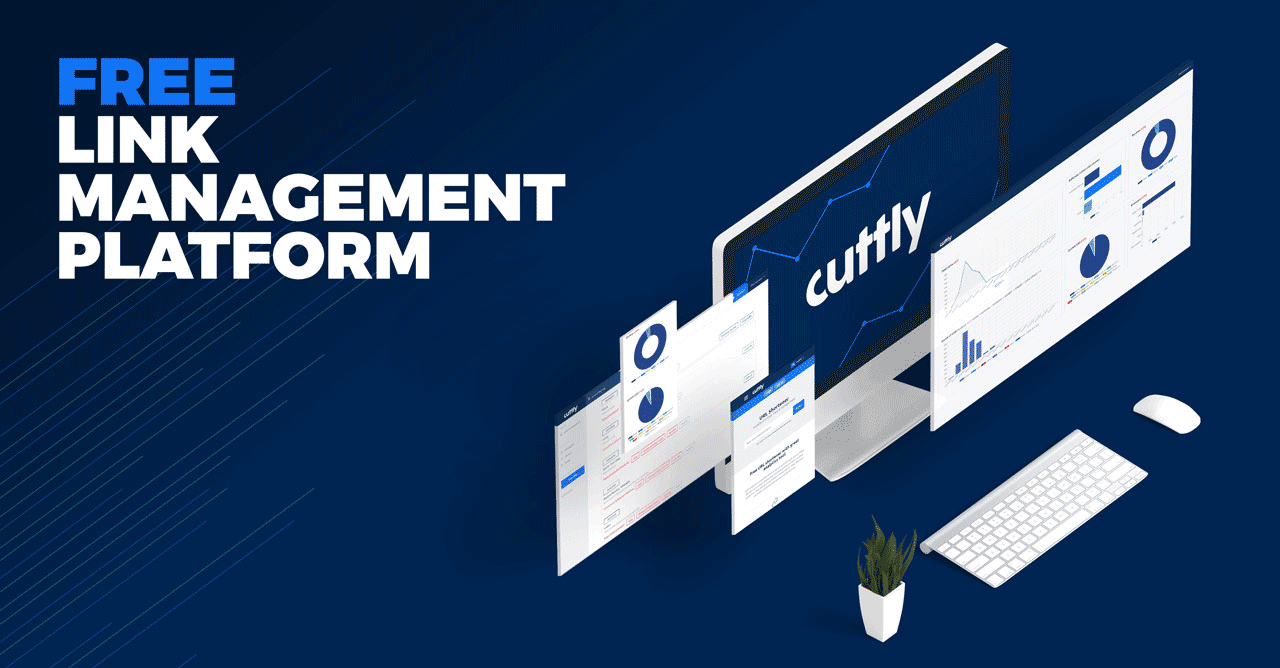
User reviews (0)