
 简体中文
简体中文 English
Website review
This review may include AI-generated content and is not individually verified. Domain, certificate and other facts come from the observed data on this page.
What is Rosie AI?
Rosie AI is an AI phone-answering service for small businesses. It answers calls 24/7, responds to common questions, books appointments, and transfers callers to a live person when needed. After each call, it texts you the details and provides a summary, transcript and recording.
It is aimed at local businesses that miss calls while staff are busy, after hours, or on the job—examples suggested by customer testimonials include auto repair, landscaping and food-service businesses. Setup is designed to be quick: Rosie is trained from your Google profile and website, without developer work.
A practical example is a landscaper on a job site: Rosie can answer routine questions, offer an appointment link, and text the details so the owner follows up later. The trade-off is that this is an AI-first service, so businesses needing complex, human-led phone handling should check how well its transfer and appointment features fit their workflow.
Next step: list your five most common caller questions and test whether Rosie can answer them during the free trial.
How does Rosie AI compare in cost to a traditional phone answering service or voicemail?
Rosie AI positions itself as cheaper than a traditional human answering service and far more capable than voicemail, starting at $49/month according to its own page. Voicemail is effectively free but only records a message; a live answering service typically charges per call or per minute, so costs climb with volume. Rosie sits in between: a flat monthly fee for unlimited-style AI handling, though you should confirm call limits on the pricing page before assuming it's truly unlimited.
How the three options differ in cost and value
| Option | Cost pattern | What you get | Main trade-off |
|---|---|---|---|
| Voicemail | Essentially free | Recorded messages you return later | Missed calls, slow response, lost bookings |
| Traditional answering service | Often per call or per minute, plus setup | Human receptionist, live transfer | Predictable quality but cost scales with call volume |
| Rosie AI | From $49/month (per the site) | Answers FAQs, books appointments, transfers to a live person, texts you call details | AI handles routine calls; complex or sensitive calls may still need a human |
Who benefits most
A small local business like a landscaper or auto shop that misses calls during jobs is the clearest fit: the flat fee stays predictable even on busy days, whereas per-minute services punish high call volume. A business with very few calls per month might find voicemail adequate and Rosie's fee hard to justify. A business handling delicate or high-value conversations may prefer humans despite the higher cost.
Next step
Estimate your average monthly call volume and how many turn into bookings. If missed calls regularly cost you jobs, compare Rosie's flat fee against a per-minute quote from a local answering service; the site's 7-day free trial lets you test call handling before committing.
How do I set up Rosie AI for my business, and how long does it take?
Rosie AI is set up by training it on information you already have public: the site says it learns from your Google profile and website in minutes, with no developer or technical skills required. In practice, expect to connect your phone number, confirm your business details, and then review how Rosie answers common questions before you let it handle live calls.
A practical setup sequence
- Gather your source material. Make sure your Google Business Profile and website have accurate hours, services, service area, and contact details, since those are what Rosie draws on.
- Start the free trial and connect your line. The site advertises a 7-day trial with all features and cancellation anytime; use it to test call handling before committing.
- Review and correct answers. Call your own number and ask the questions customers actually ask — pricing, availability, directions, whether you take a particular job. Fix gaps in your website or profile rather than assuming the AI will improvise well.
- Confirm the handoff rules. Rosie can transfer to a live person when needed, so decide when that should happen and who receives the transfer.
- Check the follow-up. Calls are summarized, transcribed, and recorded, and details are texted to you — verify these arrive correctly and are readable on a phone.
How long it takes
The training itself is described as taking minutes. The realistic timeline is longer if your public information is thin or outdated: a business with a complete profile and clear service descriptions can likely go live the same day, while one with vague or missing details should budget time to fix those first. A short trial period of real calls is the sensible test before relying on it.
Is it a fit?
It suits small local service businesses — the testimonials come from an auto shop, a frozen beverage supplier, and a landscaping company — where missed calls mean lost bookings and staff are often on site or with customers. It is less obviously suited to businesses whose calls need deep technical judgment or regulated advice, where a transfer to a person should be the default rather than the exception. If you want to compare approaches, conventional answering services and phone-system voicemail are the usual alternatives; Rosie's own pitch is that it is cheaper than a staffed service and more capable than voicemail.
Next step: before the trial ends, place five test calls as a customer would and check the transcripts and texts. That gives you a concrete basis for deciding whether to keep it.
Can Rosie AI book appointments directly into my calendar and send the details to me?
Yes. According to Rosie's site, the service books appointments, answers common questions, and texts you the details of each call. It also summarizes, transcribes, and records calls, so you get the caller's information even when you're not available. Setup is described as training from your Google profile and website within minutes.
Practical use
For a small service business—say a landscaper or auto shop—Rosie could answer after hours, capture the caller's request, and book a slot while sending you the summary. That suits owners who miss calls during jobs but still want bookings handled.
What to verify before relying on it
- Calendar connection: Confirm which calendar systems sync and whether bookings appear automatically or need approval.
- Booking rules: Check whether it respects your availability, buffers, and service durations.
- Notifications: Ask whether details arrive by text, email, or both, and whether you can adjust recipients.
- Fallback: The site says calls can transfer to a live person when needed; confirm how that works for urgent bookings.
A sensible next step is to run the 7-day free trial with one calendar and a test caller, then check that the booking and notification match what you'd want a receptionist to do. For general comparison, Calendly is a scheduling tool, while Rosie is an answering layer that includes booking—so decide whether you need call handling or just a booking link.
What happens when Rosie AI can't answer a caller's question—does it transfer to a live person?
Yes. Rosie is designed to answer FAQs and book appointments, and it transfers the call to a live person when needed, according to the service's own description. It also texts you the details of each call, with calls summarized, transcribed and recorded, so you can follow up if a handoff isn't possible.
The practical caveat is that "transfers when needed" depends on you or your staff being reachable at that moment. A useful setup step: decide in advance which questions must always go to a person—pricing exceptions, complaints, urgent service calls—and give Rosie a clear fallback number and hours. Then test it yourself by calling with a question outside its trained material and see whether the transfer happens promptly and whether the summary reaches you afterward.
For comparison, dedicated answering services such as AnswerConnect use human receptionists, which suits callers who dislike speaking to automation, while general assistants like Ruby focus on live virtual reception. Rosie's advantage is around-the-clock coverage without per-call staffing; the trade-off is that unusual or sensitive questions still need a human path.
Is there a free trial, and what features are included at the $49/month starting price?
Yes. Rosie offers a 7-day free trial with all features included, and you can cancel anytime. The $49/month starting price covers the core call-answering service as described on the site: an AI receptionist trained on your business that answers 24/7, handles FAQs, books appointments, transfers to a live person when needed, and texts you the details of each call. Every call is summarized, transcribed and recorded, and setup is done from your Google profile and website in minutes without technical skills.
Practical way to judge the trial
Use the 7 days to test the features that matter for your business rather than just checking that calls get answered. A concrete scenario: if you run a landscaping or auto shop, call in after hours with a typical customer question and a booking request, then confirm the appointment link arrives, the transfer to a live person works during business hours, and the summary text is accurate enough to act on. That tells you whether the included features fit your call patterns before you commit.
The page states "starting at" $49/month, so treat that as an entry point; check the pricing page for what higher tiers add if you expect heavy call volume or need more advanced routing.
 Cloudflare
 Google Workspace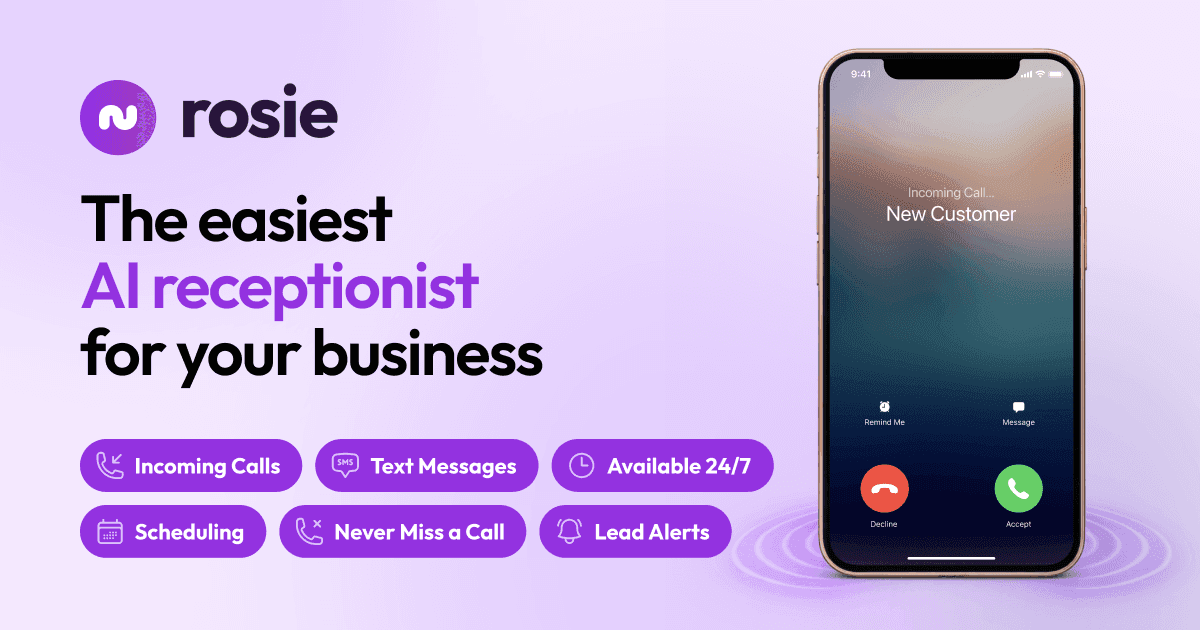

User reviews (0)