Website profiles · Technology insights · Alternatives

lots.blog

Paid content

Categories: Artificial Intelligence

AI-native blogging for founders and marketers. Publish from ChatGPT or Claude on your own domain with hosting, technical SEO and AEO, without coding.

Visit website

Updated: 2026-10-06 22:55 Language: English (default) Access: Normal

Profile views 5 Outbound visits 1
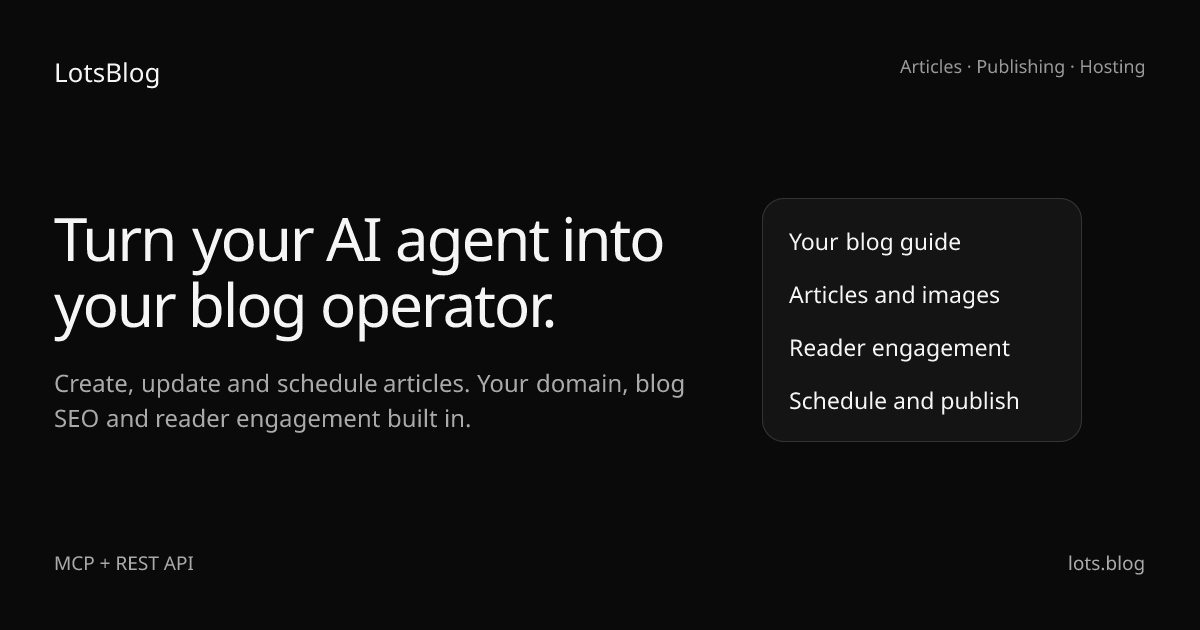
LotsBlog Full homepage screenshot
Editorial Review

Website Review

What is LotsBlog?

LotsBlog is an AI-native blogging platform for founders and marketers who already draft with ChatGPT or Claude. Instead of copying text from a chat window into a separate CMS, you connect your AI agent to LotsBlog and let it create, edit, illustrate and schedule posts on your own domain. The platform supplies the blog itself: hosting, technical SEO and AEO (answer engine optimization, aimed at AI assistants as well as search engines) are handled for you, with no coding required. The stated goal is to make the agent your "blog operator," not just your writer.

How it works in practice

The workflow shown on the site runs through a connected agent: connect your blog, give the agent your audience and writing rules, save a draft with images, run a quality check, then publish now or on a schedule. A key piece is a persistent "blog guide" holding your brand voice, product facts and writing rules, so output reflects your expertise rather than generic AI copy. An article quality check flags missing evidence, vague answers and weak structure before publication, which you then revise. You retain control over what actually goes live.

Who it suits, and the trade-off

It fits a small team that wants a steady publishing cadence without hiring a developer or learning a CMS. The trade-off is dependence on the agent workflow and the platform's hosting: you gain speed and built-in SEO/AEO, but you accept a managed setup rather than full control over the stack. If you prefer hand-crafting every post in a traditional editor, the value is lower.

Next step

Pick one piece of product knowledge you already explain in support chats — a setup question or a common comparison — and ask your agent to turn it into a draft using your blog guide. Run the quality check, then decide whether the result meets your bar before scheduling it. See LotsBlog for the connection details and current plans.

How do I connect LotsBlog to ChatGPT or Claude?

Connect LotsBlog to ChatGPT or Claude by adding its MCP (Model Context Protocol) endpoint to your AI client, then giving the agent its operating instructions so it knows the rules for your blog.

The connection path

  1. Add the MCP server URL to your ChatGPT or Claude setup: https://api.lots.blog/mcp.
  2. Point your agent at the setup instructions at https://lots.blog/skill.md so it can walk through the connection itself.
  3. Confirm the agent can see your blog, then load your brand guide (audience, voice, product facts, writing rules).

Once connected, the agent works through a five-step loop that mirrors the platform's own example workflow: connect, guide, draft an article with images, run a quality check, then publish or schedule.

What the connection actually lets the agent do

  • Create and update articles without copy-pasting between a chat window and a CMS.
  • Upload images and organise posts by topic.
  • Schedule publication for a later date instead of going live immediately.
  • Run an article quality check that flags missing evidence, vague answers and weak structure before you publish.

A realistic first session

Say you're a SaaS founder who already drafts product guides in Claude. Instead of exporting the draft, you ask the agent to save it as a draft on your domain, attach a screenshot, and schedule it for Tuesday. You review the quality-check feedback, tighten the vague section it flagged, and approve. Hosting and technical SEO are handled by the platform, so nothing needs configuring on the server side.

Trade-offs to weigh

  • The workflow assumes you already use ChatGPT or Claude regularly; if you don't, a conventional CMS is less friction.
  • Your agent follows the guide you give it, so a thin brand guide produces generic output. The quality check helps, but it can't invent expertise you haven't supplied.
  • You keep control of publication, which means the loop still needs a human decision point — useful for accuracy, slower for high-volume publishing.

Practical next step

Write your blog guide before you connect anything: audience, three to five voice rules, and the product facts the agent may state. That single document determines whether the first published article sounds like you or like a generic AI post. If you want a comparison point for how other agent-driven publishing tools handle this, WordPress remains the conventional baseline most founders already know.

Can I publish AI-written blog posts on my own domain with LotsBlog?

Yes. LotsBlog is built for exactly that: you connect your AI agent (ChatGPT or Claude) to it through an MCP connection, and the platform publishes to your own domain. Hosting, technical SEO and AEO are handled by LotsBlog, so you don't manage a separate CMS or server. The writing happens in your agent; the publishing, hosting and search-facing plumbing sit on the platform side.

What the workflow looks like

The page describes a five-step loop: connect your agent and blog, give it your audience and writing rules, save a draft with images, run a quality check, then publish now or on a schedule. In practice, your agent can create and update articles, upload images, organise topics and schedule publication without you copying drafts between a chat window and a CMS.

Where your control sits

  • Voice and facts: you supply a blog guide with your audience, voice, product facts and writing rules, so output reflects your expertise rather than a generic AI article.
  • Pre-publish review: the article quality check flags missing evidence, vague answers and weak structure, and you revise before publishing.
  • Publication timing: you decide whether a piece goes live immediately or on a schedule.

Who this suits

Founders and marketers already working with an AI agent who want to turn product knowledge into tutorials, comparisons and customer guides. It fits people who would rather keep drafting and publishing in one connected flow than maintain a separate blogging stack.

A practical next step

Pick one piece you have already drafted in ChatGPT or Claude — a product guide or a comparison post — and run it through the full loop once: connect, apply your guide, save the draft, run the quality check, then schedule it. That single pass tells you whether the quality check catches the gaps you care about and whether the hosted SEO setup fits how you want your domain to look. For setup detail, see LotsBlog docs, and if you want to compare the broader tooling landscape, WordPress remains the reference point for self-hosted publishing.

How does LotsBlog's article quality check improve my drafts before publishing?

The quality check is a pre-publication review step that runs inside your existing ChatGPT or Claude workflow. According to LotsBlog's own description, it flags missing evidence, vague answers and weak structure, then you revise with specific feedback before anything goes live. It is a diagnostic pass, not an auto-rewriter: the improvement comes from what you do with the findings.

What it catches, and why each matters

  • Missing evidence — claims about your product or market with nothing behind them. A reader deciding between you and a competitor stops at an unsupported assertion.
  • Vague answers — passages that gesture at a topic without resolving the reader's actual question. This is the most common failure mode when an agent drafts from a thin brief.
  • Weak structure — sections in an order that makes the reader hunt for the answer, or headings that don't match what follows.

A worked scenario

Suppose you ask your agent to draft "How to choose an AI support agent for your SaaS." The draft may read well but leave pricing, integration effort and switching costs untouched. The quality check surfaces those gaps; you then feed your agent the concrete facts — real trade-offs you have seen, not invented benchmarks — and it revises. The published article now answers the comparison a buyer was actually making.

Where it fits in the workflow

LotsBlog describes a five-step loop: connect, guide, draft, quality check, publish. The check sits between drafting and publication, which is the right place — after the agent has your brand guide and audience context, before hosting and technical SEO take over. Two practical notes: the check is only as good as the writing guide you give it, since vague instructions produce vague feedback; and it complements, rather than replaces, a human read for tone and factual accuracy.

For a concrete next step, run one existing draft through the check and count how many findings are about evidence versus style. If evidence dominates, tighten your agent's blog guide before writing more. If you want to see how this compares with running a standalone editor, Grammarly handles surface polish while this kind of check targets substance — the two solve different problems.

Is LotsBlog worth the cost for founders and marketers already using AI agents?

Whether LotsBlog is worth the cost depends on how much time your team currently loses moving drafts between ChatGPT or Claude and a separate CMS. If you already draft product guides, comparisons and tutorials in an AI agent, LotsBlog's value proposition is narrow but concrete: it gives that agent a persistent blog to write into, so articles, images, topics and your brand guide stay connected instead of being copied across tools. The platform handles hosting and technical SEO, and its stated focus includes AEO so search engines and AI assistants can parse each article. For a founder or marketer publishing regularly, that consolidation can be the difference between shipping and stalling.

Who gets the most from it

  • Solo founders publishing their own content. You avoid setting up and maintaining a CMS, and you keep writing inside the chat tool you already pay for.
  • Small marketing teams with an existing AI workflow. The agent instructions and blog guide let you encode audience, voice, product facts and writing rules once, then reuse them across drafts.
  • Teams that publish comparison and tutorial content tied to product knowledge. The described workflow turns that knowledge into posts without manual export.

Where the trade-off sits

  • If you publish rarely, a conventional CMS plus occasional AI drafting is likely cheaper and simpler. The benefit scales with publishing volume.
  • If you want hands-on editorial control, note that LotsBlog is built around agent-driven creation and scheduling; the article quality check flags missing evidence, vague answers and weak structure, but it does not replace your judgement.
  • If you need heavy custom design or complex content modelling, a general-purpose CMS will give you more room.

A practical test: take one article you would normally publish this month, run it through the agent-plus-LotsBlog flow, and compare the total time against your current process. If the saving is real and repeatable, the cost is justified; if the workflow only shaves a few minutes, keep your existing setup. The site lists a Pricing page, so check current tiers against your expected publishing cadence before committing. For general context on agent-driven publishing, Model Context Protocol documents the connection standard LotsBlog uses.

How does LotsBlog handle technical SEO and AEO for AI-generated articles?

LotsBlog treats technical SEO and AEO as platform responsibilities rather than tasks you configure yourself. According to the site, hosting, technical SEO and AEO are included, and the stated goal is to help search engines and AI assistants understand every article. The quality check is the piece that touches content substance: it flags missing evidence, vague answers and weak structure before you publish, so your agent can revise with specific feedback.

What the platform appears to cover

  • Technical SEO: handled at the hosting and platform level — sitemaps, crawlability and page structure are not left to you.
  • AEO: structured so AI assistants can parse and cite articles, which matters for answer engines that summarise rather than link.
  • Content quality: an article quality check that reviews drafts for evidence gaps and vague claims, aimed at the parts of SEO/AEO that structure alone cannot fix.

Where the real trade-off sits

Technical SEO and AEO are largely mechanical — a platform can standardise them. AEO also rewards clear, specific, verifiable answers, which is a writing problem. LotsBlog's split reflects that: the platform handles the mechanical layer, and the quality check pushes the editorial layer back to you and your agent. If you publish thin, generic drafts, no amount of schema or structure will make them citable.

A concrete scenario

A founder writes a comparison post in ChatGPT, connects LotsBlog via MCP, saves the draft and images, runs the quality check, and revises the sections flagged as vague before scheduling. The platform then hosts it on their own domain with technical SEO and AEO applied.

As a next step, run one existing article through the quality check and see whether the flags are about structure or about evidence. If it is mostly evidence, your writing guide — audience, voice, product facts, rules — needs tightening before you scale output. For general context on how answer engines select sources, Google Search Central documents crawling and structured data, though its guidance is general advice, not a description of this product.

Related questions

More questions →
How to Publish Blog Posts from Claude with LotsBlog MCP

You can publish blog posts from Claude to your own domain by connecting Claude to LotsBlog through its MCP endpoint (https://api.lots.blog/mcp), giving the agent a writing guide, then having it create, check, and publish or schedule the article. This works if you already draft in Claude and want to stop copying text into a separate CMS. Hosting and technical SEO are handled by LotsBlog, so you don't need to code.

What you need before starting

  • A Claude account you can add an MCP connection to.
  • A LotsBlog account with a blog on your own domain.
  • Your brand inputs ready: target audience, voice, product facts, and writing rules.
  • The MCP URL: https://api.lots.blog/mcp.

Step 1: Connect Claude to LotsBlog

Point Claude at the MCP URL so it can act on your blog instead of just writing text.

  1. Add the MCP connection using https://api.lots.blog/mcp.
  2. Let your agent guide the setup. LotsBlog provides an agent instruction file at https://lots.blog/skill.md — you can paste a prompt like: "Read https://lots.blog/skill.md and help me connect LotsBlog for you."
  3. Confirm the connection so Claude can create and update articles, upload images, organise topics, and schedule publication.

Expected result: Claude can now take actions on your blog, not just produce drafts.

Step 2: Give the agent a writing guide

Before drafting, give Claude a blog guide covering your audience, voice, product facts, and writing rules. This is what keeps output in your brand voice rather than a generic AI article.

Include:

  • Who you're writing for (e.g. a SaaS founder comparing support tools).
  • Your tone and voice.
  • Product facts the agent should treat as true.
  • Rules for structure and what to avoid.

Expected result: Drafts reflect your expertise and audience instead of a default style.

Step 3: Create the article and add images

Ask Claude to save a draft and images. Because the agent is connected, it can create or update the article, upload images, and organise topics without you moving drafts between the chat and a CMS.

A typical workflow runs: connect → guide → article (save draft and images) → quality check → publish or schedule.

Expected result: A saved draft with images and topics attached, living in your blog rather than in the chat.

Step 4: Run the article quality check

Use the quality check to find what's missing before readers do. It flags:

  • Missing evidence.
  • Vague answers.
  • Weak structure.

Revise with specific feedback before publishing. This is the step that separates a useful answer from a thin AI post.

Expected result: A revised draft with gaps closed and structure tightened.

Step 5: Preview, then publish or schedule

Preview the post, then publish now or set a schedule. Publication stays under your control, while hosting and technical SEO are handled by the platform. AEO is also built in so search engines and AI assistants can understand the article.

Expected result: The post is live on your own domain, or queued for its scheduled time.

What LotsBlog handles for you

Task Handled by
Drafting and editing Claude (your agent)
Images and topics Claude via MCP
Publication timing You
Hosting LotsBlog
Technical SEO and AEO LotsBlog

Common snags

  • Skipping the writing guide. Without audience, voice, and product facts, drafts read generic. Set the guide first.
  • Publishing before the quality check. The check exists to catch missing evidence and vague answers — run it every time.
  • Expecting the agent to guess your facts. Product facts must be in the guide; the agent won't invent reliable ones.

For current plan details and any limits, check the LotsBlog pricing page rather than assuming what's included.

What Is an AI Blog Operator and How Do You Publish Blog Posts from ChatGPT or Claude?

An AI blog operator is an AI agent that does the work after writing: saving drafts, uploading images, organizing topics, scheduling, and publishing to your own domain. Instead of generating text you then copy into a CMS, you connect ChatGPT or Claude to a blog platform through MCP (Model Context Protocol) and give the agent persistent instructions about your audience, voice, and product facts. LotsBlog is built for exactly this workflow — it's an AI-native blogging platform where you create, edit, and publish posts directly from your agent, with hosting and technical SEO/AEO included. This fits founders and marketers who already draft in ChatGPT or Claude and want to stop moving drafts between chats and a CMS. It's less useful if you need a fully custom site build or want to hand-write everything in a traditional editor.

The operator role vs. a plain writing assistant

A writing assistant stops when the draft is done. An operator keeps going:

Task Writing assistant AI blog operator
Draft the article Yes Yes
Save it as a draft on your blog No Yes
Upload and place images No Yes
Organize into topics No Yes
Schedule or publish No Yes
Apply your brand voice rules Per prompt Persistent instructions

The practical difference: you stop being the transfer layer between the chat window and your site.

How the workflow runs

LotsBlog describes a five-step loop between your agent and your blog:

  1. Connect — your agent, your blog
  2. Guide — your audience and writing rules
  3. Article — save a draft and images
  4. Quality — check before publishing
  5. Publish — now or on your schedule

Step 1: Connect your agent through MCP

LotsBlog exposes an MCP endpoint at https://api.lots.blog/mcp. You give your agent that connection plus its operating instructions. The site provides a setup prompt you can hand to the agent:

Read https://lots.blog/skill.md and help me connect LotsBlog for you.

Input: the MCP URL and the skill/instructions file. Action: your agent reads the instructions and establishes the connection. Expected result: the agent can now create and update articles, upload images, organize topics, and schedule publication on your blog.

Step 2: Give the agent persistent instructions

This is the step that separates your blog from generic AI output. You supply a blog guide covering:

  • Your audience
  • Your voice
  • Product facts
  • Writing rules

Because these live with the blog rather than in a single chat, every future article inherits them. LotsBlog describes this as giving your agent "a persistent blog: articles, topics, images and your writing guide."

Step 3: Draft and save

Ask your agent for a tutorial, comparison, or customer guide. It creates the article, saves a draft, and uploads images — no copying between tools.

Step 4: Run the article quality check

Before publishing, the quality check flags:

  • Missing evidence
  • Vague answers
  • Weak structure

You revise with specific feedback. This is the step that catches the failure mode of AI blogging — confident but unsupported claims.

Step 5: Publish on your schedule

You keep control of the final publication step. The agent handles the repetitive work; you decide when it goes live. Hosting and technical SEO/AEO are handled by the platform, so search engines and AI assistants can parse each article without you touching code.

What you need before starting

  • An AI agent you already use — ChatGPT or Claude
  • A blog on your own domain (LotsBlog provides hosting)
  • Your brand voice, audience, and product facts written down, so the agent has something to follow

Common sticking points

  • Skipping the writing guide. Without persistent instructions, you get another generic AI article. The guide is what makes the output yours.
  • Treating the quality check as optional. It's the difference between publishing and publishing something useful.
  • Expecting the agent to guess your product facts. Give it the facts; don't rely on it to invent accurate ones.

Where to look next

LotsBlog's own pages cover the mechanics in more depth: How it works, Agent instructions, Publishing, Docs, and Articles. Pricing is listed at https://lots.blog/pricing — check it directly, since this overview doesn't cover plan details or limits.

AI Blogging Tools Compared: Which Ones Fit an AI-Agent Publishing Workflow?

If you already draft in ChatGPT or Claude, the tool that fits you best is the one that lets your agent publish, not just write. That means an MCP-connected blog platform with your own domain, built-in hosting, technical SEO and AEO, plus a persistent writing guide and a pre-publish quality check. Tools that only generate text still leave you copying drafts into a CMS by hand. LotsBlog is the reference example here because its published material describes exactly this workflow; treat the categories below as the decision framework and check each vendor's current docs for specifics.

The three categories, and what each one actually does

Most products sold as "AI blogging tools" fall into one of three groups. They solve different problems, and mixing them up is the main reason people end up disappointed.

Category What it does Where it stops Fits you if
AI writing assistants Generate drafts, outlines, rewrites You still export and publish manually You only need help producing text
AI blog platforms Hosting, domain, technical SEO, AEO, publishing Writing happens in their editor, not your agent You want a managed blog but write in the platform
MCP publishing tools Your agent creates, edits, uploads images, schedules Requires an agent and a connected blog You already work in ChatGPT or Claude and want to stay there

The third category is the one that changes the workflow rather than just speeding up a step. LotsBlog describes itself as an AI-native blogging platform for founders and marketers who work with AI: create, edit and publish from ChatGPT or Claude, on your own domain, with hosting, technical SEO and AEO included, without coding. That places it across the second and third categories — a hosted blog plus an agent connection.

What "publishing from your agent" actually requires

The connection is the part worth checking first, because everything else depends on it.

LotsBlog exposes an MCP endpoint at https://api.lots.blog/mcp. You give your agent that connection plus its operating instructions, and the agent can then create and update articles, upload images, organise topics and schedule publication. The published setup flow is: connect your agent and blog, guide it on your audience and writing rules, save a draft with images, run the quality check, then publish now or on schedule.

The practical test for any tool in this category: can your agent save a draft, attach an image, and schedule it without you opening a browser tab? If the answer is no, you are still the integration layer.

The writing guide is what separates your voice from generic output

A connection alone produces generic AI articles. What prevents that is a persistent blog guide holding your audience, voice, product facts and writing rules — stored on the blog, not retyped into each chat. LotsBlog's material frames this as giving your agent a blog guide so output reflects your expertise rather than a default tone.

When you evaluate alternatives, ask where that guide lives and whether it survives across sessions. A prompt you paste each time is not the same thing.

The quality check is the step most tools skip

Generation is cheap; the failure mode is publishing something vague. LotsBlog includes an article quality check intended to surface missing evidence, vague answers and weak structure before publication, so you revise with specific feedback.

For a concrete sense of what that should catch, imagine a comparison post where every claim about a competitor has no source, the "who this is for" section says "anyone who wants to grow," and the conclusion repeats the intro. A useful check flags all three. A tool that only scores readability will not.

Choosing by your situation

  • You already draft in ChatGPT or Claude and hate the copy-paste step. Prioritise MCP publishing with a persistent writing guide. This is the case LotsBlog is built for.
  • You need a blog at all, with hosting and SEO handled. Look for included hosting, your own domain, and technical SEO plus AEO so search engines and AI assistants can parse each article. LotsBlog states these are included rather than add-ons.
  • You only need draft generation. A writing assistant is cheaper and sufficient; you do not need an agent-connected platform.
  • You want a review gate before anything goes live. Check whether drafts can be saved and held, with publication optional and schedulable. LotsBlog's flow shows draft → optional review → publication.

What to verify before committing

Two things the source material does not settle, and you should confirm directly:

  1. Price and plan limits. LotsBlog has a pricing page at https://lots.blog/pricing, but no figures are published in the material available here. Do not assume free access or unlimited posts.
  2. Login and account requirements. Not specified in the source. Check the docs before planning around it.

Also confirm your agent's MCP support and whether the setup instructions at https://lots.blog/skill.md match your client, since the connection step is where most first attempts stall.

How to Publish Blog Posts from ChatGPT or Claude with an AI Blog Operator

You can publish blog posts directly from ChatGPT or Claude by connecting your AI agent to a blogging platform through MCP (Model Context Protocol), then giving it a writing guide and operating instructions. LotsBlog is one platform built for this: it provides an MCP endpoint, a persistent blog on your own domain, and built-in hosting, technical SEO, and AEO. This workflow fits founders and marketers who already draft product guides, comparisons, and tutorials in ChatGPT or Claude and want to publish without copying drafts into a separate CMS. You need an AI agent account, a blog domain, and a platform that supports MCP publishing.

What an AI blog operator actually does

An AI blog operator is your existing ChatGPT or Claude session extended with tools for the work that happens after writing. Instead of generating text you paste elsewhere, the agent can:

  • Create and update articles on your blog
  • Upload images
  • Organize topics
  • Schedule publication for now or a later date

The platform holds the persistent state — articles, topics, images, and your writing guide — while your agent does the drafting and editing. Hosting and technical SEO stay on the platform side, so you don't manage a CMS or code.

Step 1: Connect your agent through MCP

LotsBlog exposes an MCP endpoint at https://api.lots.blog/mcp. The documented setup path is:

  1. Copy the MCP URL: https://api.lots.blog/mcp
  2. Point your agent at the setup instructions: read https://lots.blog/skill.md
  3. Ask your agent to connect LotsBlog for you, using the setup prompt the platform provides

Expected result: your agent recognizes LotsBlog as a connected tool and can act on your blog. Common snag: MCP support and connection steps vary by agent and client, so the exact menu or command differs — follow the platform's agent instructions rather than assuming a fixed location.

Step 2: Give the agent your brand voice and rules

This is the step that separates a usable article from generic AI output. The platform's guidance is to give your agent a blog guide containing:

  • Your audience
  • Your voice
  • Product facts
  • Writing rules

LotsBlog stores this guide persistently, so you set it once rather than re-explaining it in every chat. The platform's example workflow runs: connect → guide (audience and writing rules) → article (save a draft and images) → quality check → publish.

Step 3: Draft, add images, and schedule from the agent

Once connected and guided, your agent can create and update articles, upload images, organize topics, and schedule publication — all without moving drafts between a chat window and a CMS. The example workflow on the site shows a draft moving to optional review, then to publication.

If you want a review gate, keep it: the platform describes "draft → optional review → publication," so you can hold articles for human approval before they go live.

Step 4: Run the article quality check before publishing

LotsBlog includes an article quality check intended to surface:

  • Missing evidence
  • Vague answers
  • Weak structure

Use the specific feedback to revise before publishing. This matters most for comparison and tutorial posts, where a vague answer or unsupported claim is exactly what loses a reader. The platform frames it as finding what's missing before your readers do.

Step 5: Publish and let the platform handle hosting and SEO

Publishing puts the article on your own domain. Hosting, technical SEO, and AEO are handled by the platform, with the stated goal that search engines and AI assistants can understand each article. You stay in control of publication timing.

What you get vs. what you still control

Handled by the platform Handled by you and your agent
Hosting on your own domain Brand voice and writing rules
Technical SEO Article topics and drafts
AEO (helping AI assistants understand articles) Image selection
Persistent blog state (articles, topics, images, guide) Publication timing and review
MCP connection endpoint Quality-check revisions

When this workflow fits — and when it doesn't

It fits if you already use ChatGPT or Claude for drafting and want those drafts to land on your own domain without manual CMS work, and if you're willing to invest in a writing guide up front. It fits less well if you need a fully custom CMS, or if your agent client doesn't support MCP connections.

Pricing and plan details aren't covered in the material here — check https://lots.blog/pricing for current terms before committing.

What Should an AI Article Quality Check Catch Before You Publish?

An AI article quality check should catch the problems that grammar tools miss: unsupported claims, vague answers, weak structure, and a voice that doesn't match your brand. LotsBlog builds this check into its agent workflow — its "Find what's missing before your readers do" step sits between saving a draft and publishing, so you revise with specific feedback instead of rewriting from scratch. This applies if you draft posts in ChatGPT or Claude and want to catch reader-facing failures before they go live.

Why AI drafts pass grammar checks but still fail readers

Spell-check and grammar tools only test surface correctness. An AI-drafted post can be perfectly punctuated and still:

  • Assert without evidence — claims that sound authoritative but cite nothing.
  • Answer vaguely — a section that restates the question instead of resolving it.
  • Bury the point — structure that makes readers hunt for the takeaway.
  • Drift from your voice — generic phrasing that could belong to any blog.

These are the failures a quality check exists to surface. Grammar is the floor, not the bar.

What the check should evaluate

Check What it catches What good feedback looks like
Factual support Unsupported or missing evidence "This claim has no source or example — add one or cut it."
Audience relevance Content that doesn't serve your reader "This section answers a question your audience didn't ask."
Product accuracy Wrong or invented product facts "This contradicts your documented feature set."
Structure Weak flow, buried takeaways "The answer appears in paragraph four — move it up."
Brand voice Generic, off-tone phrasing "This doesn't match your writing guide."

LotsBlog's own description names three of these directly: missing evidence, vague answers, and weak structure. Product accuracy and voice fit come from the writing guide you give your agent.

How to turn feedback into revisions, not rewrites

The point of a quality check is targeted edits. When the check flags a problem, fix that problem — don't regenerate the whole post.

  1. Read the flagged issue as a specific instruction. "Missing evidence" means add a source, example, or data point to that claim — not rewrite the paragraph.
  2. Revise in place. Keep the sentences that work; replace only what failed the check.
  3. Re-run the check. Confirm the fix resolved the flag without introducing a new one.
  4. Only then publish — now or on your schedule.

This keeps the draft's useful material intact and avoids the loop of regenerating and re-reviewing from zero.

Which checks to run before publishing

Run these in order, because each depends on the last:

  • Factual support — every claim traceable to evidence or an example.
  • Product accuracy — facts match your documented product, not the model's guess.
  • Audience relevance — each section serves the reader you named in your guide.
  • Structure — the answer is findable, not buried.
  • Readability and voice — it sounds like you, not generic AI.

If a post fails factual support, fixing voice first wastes effort — you may cut the section entirely.

How a persistent writing guide keeps future drafts closer

A one-off check fixes one post. A persistent blog writing guide — your audience, voice, product facts, and writing rules, stored with your blog — fixes the source. When your agent drafts against that guide, it starts closer to your voice and expertise, so the quality check catches fewer problems over time.

LotsBlog gives your agent a persistent blog: articles, topics, images, and your writing guide, with hosting and technical SEO handled by the platform. You stay in control of publication. The guide is what makes the check a refinement step rather than a rescue operation.

What to do next

If you already draft in ChatGPT or Claude, connect your agent through LotsBlog's MCP endpoint (https://api.lots.blog/mcp) and point it at the agent instructions. Then run the quality check on your next draft before publishing — and treat each flag as a specific edit, not a reason to start over.

Website Overview

Page metadata, canonical configuration and social previews work together to provide more consistent search and sharing presentation. An active inbound-mail setup with incomplete authentication may leave the domain more open to impersonation. Provider hosting alone does not close that gap.

Domain and Registration

Transfer-protection status is present, helping reduce the risk of unauthorized domain transfers. The domain has about 1 years of registration history; its current configuration provides more context than age alone. The registrar is Namecheap, a widely used domain service provider. Registration contact information is publicly available through RDAP. The domain uses the common .blog extension, which is not an independent safety signal.

DNS and Email

The observed email authentication setup is incomplete: SPF is missing. Nameservers are provided by Cloudflare, indicating managed DNS hosting. MX records point to the forwardemail.net email service. CAA records restrict which certificate authorities are authorized to issue certificates. No CNAME was found; the observed records resolve directly to addresses.

TLS and Certificates

The public key uses EC with 256 bits. The server supplied a complete certificate chain. No organization name is present in the certificate; the available fields are consistent with domain validation. The certificate was issued within the Google Trust Services cloud or CDN ecosystem. The certificate's total validity is about 90 days, consistent with a short renewal cycle.

HTTP and Browser Security

X-Powered-By exposes backend information: Next.js. The response lacks these common security headers: X-Content-Type-Options, Referrer-Policy, Permissions-Policy, clickjacking protection. The cf-ray response header indicates a CDN or caching proxy in the delivery path. No obvious internal addresses or debug information were found in the headers. The Server header identifies cloudflare without an exact version.

Technology Stack Analysis

The public page identifies Next.js, Cloudflare without precise versions, leaving fewer clues for version-specific scanning.

Search and Social Sharing

Twitter Card metadata is configured. The title has 53 characters, within a common display range. A meta description is present, with 149 characters. The observed directives allow indexing and link following. No Generator meta tag is publicly exposed.

Hosting and Email

DNSCloudflare
HostingCloudflare
Emailforwardemail.net
Location Location unknown 104.21.78.232

User reviews (0)

  • No reviews yet.

Pages, Search and Sharing

Meta descriptionAI-native blogging for founders and marketers. Publish from ChatGPT or Claude on your own domain with hosting, technical SEO and AEO, without coding.
Canonical URLhttps://lots.blog
LanguageEnglish (default)
Twitter Cardsummary_large_image
All bots 1 allowed · 7 disallowed
  • Allow/
  • Disallow/api/
  • Disallow/dashboard
  • Disallow/dashboard/
  • Disallow/billing
  • Disallow/blogs/
  • Disallow/auth/
  • Disallow/start-chat

Registration details RDAP / WHOIS

RegistrarNamecheap
Registered2025-08-04
Expires2027-08-04
Domain statusclient transfer prohibited
Nameserversbuck.ns.cloudflare.com、colette.ns.cloudflare.com
DNSSECunsigned

DNS records

TypeNameValueTTLPriority
Alots.blog104.21.78.232300—
Alots.blog172.67.138.104300—
AAAAlots.blog2606:4700:3033::6815:4ee8300—
AAAAlots.blog2606:4700:3036::ac43:8a68300—
MXlots.blogmx1.forwardemail.net30010
MXlots.blogmx2.forwardemail.net30010
NSlots.blogbuck.ns.cloudflare.com86400—
NSlots.blogcolette.ns.cloudflare.com86400—
TXTlots.blogforward-email-site-verification=9O5b7zcBx5300—
TXTlots.bloggoogle-site-verification=MzXL9LW9-SpQDPFL-uiyuxFi_wujOL9hbWhhPm2kBHc300—
CAAlots.blog0 issue "comodoca.com"300—
CAAlots.blog0 issue "digicert.com; cansignhttpexchanges=yes"300—
CAAlots.blog0 issue "letsencrypt.org"300—
CAAlots.blog0 issue "pki.goog; cansignhttpexchanges=yes"300—
CAAlots.blog0 issue "sectigo.com"300—
CAAlots.blog0 issue "ssl.com"300—
CAAlots.blog0 issuewild "comodoca.com"300—
CAAlots.blog0 issuewild "digicert.com; cansignhttpexchanges=yes"300—
CAAlots.blog0 issuewild "letsencrypt.org"300—
CAAlots.blog0 issuewild "pki.goog; cansignhttpexchanges=yes"300—
CAAlots.blog0 issuewild "ssl.com"300—
DMARC_dmarc.lots.blogv=DMARC1; p=reject; pct=100; rua=mailto:[email protected];300—

TLS and certificates

AssessmentNormal configuration
Supported protocolsTLSv1.2、TLSv1.3
Negotiated protocolTLSv1.3
Certificate subjectlots.blog
IssuerGoogle Trust Services
Valid until2026-11-09T06:55 · Remaining when checked: 33 days
Verification detailsCertificate trust: Passed · Hostname match: Passed

HTTP response headers

HeaderValue
content-typetext/html; charset=utf-8
cache-controlprivate, no-cache, no-store, max-age=0, must-revalidate
servercloudflare
strict-transport-securitymax-age=31536000; includeSubDomains; preload
content-security-policydefault-src 'self'; script-src 'self' 'unsafe-eval' 'unsafe-inline' https://www.googletagmanager.com https://www.google-analytics.com https://lots.team; style-src 'self' 'unsafe-inline' https://fonts.googleapis.com; font-src 'self' https://fonts.gstatic.com; img-src 'self' data: https: blob:; media-src 'self' https://media.lots.blog; connect-src 'self' https://*.supabase.co https://api.polar.sh https://www.google-analytics.com https://lots.team; frame-src 'self' https://www.youtube.com https://agent.lots.blog; object-src 'none'; base-uri 'self'; form-action 'self'

Identified technologies

Next.jsCloudflare