
 简体中文
简体中文 English
Website review
This review may include AI-generated content and is not individually verified. Domain, certificate and other facts come from the observed data on this page.
What is NinjaPear?
NinjaPear is a real-time B2B data enrichment service built for AI agents. It supplies company and people data that an agent would otherwise lack, so the agent can complete tasks such as building prospect lists, enriching technographic and demographic profiles, and monitoring competitors. The data is delivered through native MCP connectors for Claude, ChatGPT/Codex, and OpenCode, which means an agent can call it directly rather than relying on a developer to hard-code each lookup. A free 3-day trial with no credit card is offered.
What data it covers
- Companies: name, tagline, description, size, industry, specialties, headquarters and global offices, executives and roles, founding year, social profiles, logo, and website lookup from a company name.
- People: name, profile picture, bio, location, current role and employer, work history, education history, job titles and dates, degree and field of study, X profile and follower count, personal website, and a stable profile ID.
- Search and monitoring: employee search by role, finding the same role at competitors, funding rounds and investors, competitors and customers, and company updates such as new blog posts, X posts, YouTube videos, and website changes delivered on a schedule as RSS or JSON.
Who it suits
The clearest fit is a team already running an agent in Claude, ChatGPT/Codex, or OpenCode that needs live company or people context inside a workflow. Sales and recruiting teams benefit from role-based employee search and work-email discovery; competitive-intelligence and market-research teams benefit from scheduled company-update monitoring and funding data. Developers building a product can integrate the same data through the API rather than the MCP connectors.
Trade-offs to weigh
Real-time enrichment is most valuable when the underlying facts change often, such as job changes, funding rounds, and company posts. For stable reference data, a cached internal database may be cheaper and faster. MCP connectors lower integration effort but tie the workflow to the supported agent platforms; product teams needing full control should plan for the API. Enrichment also consumes credits per lookup, so high-volume list building needs a cost estimate before scaling. Check NinjaPear for current pricing and API documentation.
A practical first step: pick one recurring task, such as enriching a list of target accounts with size, industry, and executive roles, run it during the trial, and compare the match rate and freshness against your existing source before committing.
How do I connect NinjaPear to Claude or ChatGPT using MCP?
NinjaPear exposes its B2B data through native MCP connectors, which is the mechanism you use to attach it to Claude or ChatGPT/Codex. You do not build a bespoke integration first: the page names Claude, ChatGPT/Codex and OpenCode as the agents it connects to natively, and the connector is what lets the agent call NinjaPear's company, people, funding, competitor and company-update data mid-conversation.
What the connection gives the agent
Once connected, the agent can run tasks against live data rather than its training memory:
- Building prospect lists from company and employee records
- Enriching technographic and demographic profiles
- Finding work emails and employee details by role, including the same role at competitors
- Competitive monitoring, plus scheduled company updates delivered as RSS or JSON
Practical setup order
- Get an API key or trial access from NinjaPear, since the MCP connector authenticates against your account. The page advertises a 3-day trial with no credit card required.
- Add the NinjaPear MCP connector in your agent's connector or tool settings — Claude and ChatGPT/Codex each have their own MCP configuration surface, and NinjaPear's docs are the authoritative place for the exact URL and authentication fields.
- Test with one narrow request before trusting it at scale: ask for a single company's profile, then a single person's work history.
- Only then move to list-building or monitoring jobs, where an error multiplies across many records.
Choosing between Claude and ChatGPT/Codex
Both are listed as native connector targets, so the deciding factor is usually where the rest of your work already lives — document drafting and long-form reasoning in Claude, or code and product workflows in ChatGPT/Codex. If your team uses OpenCode, that is also supported. For a broader look at MCP as a standard, see Model Context Protocol.
A realistic first use
A sales engineer preparing for a call asks the connected agent: pull the target company's size, industry, HQ, executives and recent blog or X activity, then find the same role at two named competitors. That is exactly the shape of task the page describes, and it shows the trade-off clearly — you get current, structured B2B data the model would otherwise lack, but you are now dependent on the connector being configured and on your account's access tier.
For exact connector names, endpoints and any account requirements, start at NinjaPear's own documentation and pricing pages rather than guessing the configuration.
How can I find work emails and enrich people data for a prospect list?
NinjaPear is built to answer exactly that: it enriches companies and people, finds work emails, and runs inside AI agents through MCP connectors for Claude, ChatGPT/Codex and OpenCode. Instead of exporting a CSV and cleaning it by hand, you point your agent at a company or person and ask it to fill the gaps.
What the enrichment actually covers
From the page evidence, the person-level fields include first and last name, profile picture, bio, country/state/city, current role and employer, work experience history, education history (job titles, dates, degree and field of study), X profile and followers, personal website, and a stable profile ID. The company side includes name and tagline, description, size, industry, specialties, HQ and global offices, executives and roles, year founded, social profiles and logo.
For email finding specifically, the practical route is employee search by role and finding the same role at competitors, then enriching each match to a work email. That pattern is more reliable than guessing addresses from a domain pattern.
A concrete workflow
- Define the list by firmographics first — industry, size, HQ or region — so you are not enriching thousands of irrelevant records.
- Use employee search by role to pull the right titles (for example, "Head of Payments" or "VP Engineering") rather than every employee.
- Enrich each person for current role, employer, work history and work email.
- Run the same role search at competitor companies to widen the list without starting over.
- Keep the stable profile ID as your dedupe key so re-runs do not create duplicates.
What to watch
Email coverage and accuracy are never 100% in any enrichment tool, so verify deliverability before a large send and expect some bounce. Enriching people data also brings privacy obligations under GDPR and similar rules — a legitimate business interest case is not automatic, and role-based work contacts are usually safer than personal addresses.
Deciding whether it fits
If your agent already lives in Claude or ChatGPT, the native MCP connectors matter more than the field list, because enrichment happens in the same conversation as your research. If you need bulk list-building at scale, compare the API path against dedicated prospecting databases such as Apollo or Hunter, which specialise in email discovery and verification. Start with the free 3-day trial, no credit card required, and test email hit rate on 50 known contacts before committing.
Next step: pick one target company plus one competitor, run the role search on both, and enrich five people end to end. That tells you more about coverage than any feature page.
How can I monitor competitors and get company update alerts as RSS or JSON?
NinjaPear is designed for exactly this: it watches a set of companies on a schedule and delivers new activity as RSS or JSON, so the feed can land in your reader, your data warehouse, or an AI agent's context rather than in your inbox.
What gets monitored
According to the site, company updates cover:
- New blog posts
- New X (Twitter) posts
- New YouTube videos
- Website changes (e.g. pricing pages, positioning, product pages)
- Two further update types the page lists but does not name
How the workflow fits together
- Build a watchlist of competitor company records (NinjaPear resolves a company from a name or domain).
- Let the scheduled monitor re-check those companies.
- Consume the output as RSS if you want a human-readable feed, or JSON if a script, dashboard or agent should process it.
The RSS route suits a founder or analyst who wants a single "competitor activity" folder in a feed reader. The JSON route suits an engineer piping changes into Slack, a warehouse table, or an LLM prompt for summarisation and alerting.
Practical setup for a small competitive-intel loop
- Keep the watchlist short and tiered: three to five direct competitors checked often, a wider set checked weekly.
- Route JSON into a diff step so you only alert on real changes, not on every poll.
- Have an agent summarise each batch into one line — "competitor X changed its pricing page" — before it reaches a human.
- Store the raw JSON alongside the summary so you can audit what actually changed.
Decision criteria
Choose RSS when the audience is people and the volume is low. Choose JSON when you need filtering, deduplication, storage or downstream automation. If you mainly want company profile data (size, industry, executives, funding, technographics) rather than change alerts, enrichment is the better fit; monitoring is the narrower tool for "what changed since last time."
Next step
Open the NinjaPear API documentation and look at the company-updates endpoint to confirm the exact fields and polling options, then run one competitor through it before wiring in the rest. For background on the company behind it, see NinjaPear.
How much does NinjaPear cost and is there a free trial?
NinjaPear lists a free 3-day trial with no credit card required, and it has a public pricing page, but the supplied page evidence does not state any actual prices. So the honest answer is: the trial terms are clear, the cost is not disclosed here.
What the page does say about cost
- Free trial: 3 days, no credit card required.
- Pricing: a dedicated pricing page exists, so current rates are published there rather than on the main product page.
- Trial framing: the trial is positioned as a way to test the data before committing, which suggests paid plans are the intended long-term model.
How to decide whether it is worth it
NinjaPear is aimed at teams wiring B2B data into AI agents — enriching companies and people, finding work emails, researching competitors, and monitoring company updates through MCP connectors for tools like Claude and ChatGPT/Codex. That shapes who should care about the price:
- Solo builders or small teams: use the 3-day trial to test a narrow job, such as turning a list of company names into enriched profiles with headcount, industry and HQ.
- Sales or RevOps teams: the value depends on volume — how many records you enrich per month, and whether you need employee search, work emails or competitor tracking on an ongoing basis.
- Product teams embedding enrichment in an app: cost scales with API calls, so model your expected request volume before the trial ends.
A practical next step: check the pricing page for per-call or per-record tiers, then run one real workflow during the trial — for example, enriching 50 target accounts and checking how many return usable emails and firmographics. If the hit rate is high, the per-record cost is easier to justify; if not, the trial has done its job.
For comparison, other data providers publish their own pricing openly, such as Clearbit and Apollo. Since NinjaPear's rates are not in the evidence provided, treat the pricing page as the only reliable source for current numbers.
What company and people data fields can I enrich from a name or domain?
You can enrich a broad set of company and people records by starting from just a company name, a domain, or a person's name and profile. NinjaPear's own examples show two enrichment blocks: a company record and a person record.
Company fields
From a company name or domain, the page lists these company-level fields:
- Name and tagline, plus description
- Company size, industry, and specialties
- HQ and global offices
- Executives and their roles
- Year founded, company logo, social profiles
- Funding rounds, amounts in USD and local currency, investors per round, and total raised to date
- Ticker and IPO date, revenue and EBITDA
- Market competitors (and why they compete), customers, investors, and partner platforms
- Company updates: new blog posts, X posts, YouTube videos, and website changes
People fields
From a person's name, the page lists:
- First and last name, profile picture, bio
- Country, state, and city
- Current role and employer
- Work experience history, with job titles and dates
- Education history, with degree and field of study
- X profile and followers, plus personal website
- A stable profile ID
- Search patterns such as employee search by role, or the same role at competitors
The Stripe example on the page shows how this looks in practice: employees 9,030, founded 2010, HQ South San Francisco, executives Patrick and John Collison, and for Patrick Collison a work history at Stripe from 2010 and an MIT education entry.
Practical use
If you are building a prospect list, start with a domain to get the company block, then use employee search by role to pull matching people. If you already have a person's name and employer, you can enrich their current role, work history, and education without a separate company lookup. The trade-off is depth versus certainty: funding, revenue, and EBITDA fields are the kind that vary most by company size and region, so treat them as enrichment signals to verify rather than as authoritative records. Company updates arrive on a schedule as RSS or JSON, which suits monitoring workflows rather than one-off lookups.
A useful next step is to test one well-known company and one small private company, then compare which fields come back populated for each.
 Cloudflare
 Google Workspace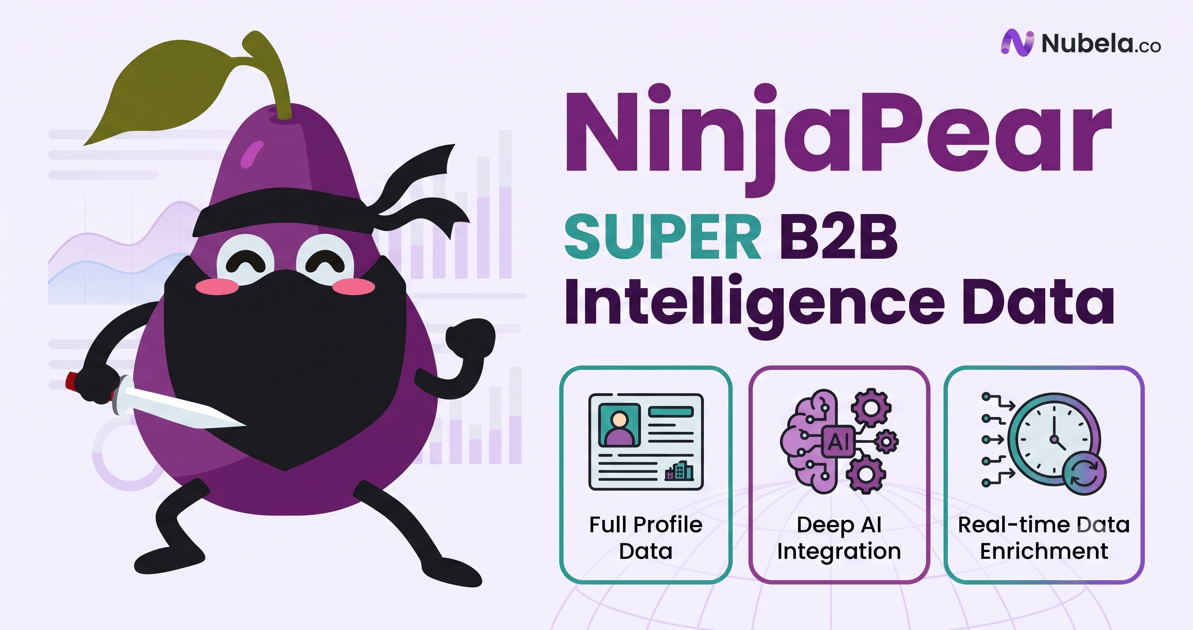

User reviews (0)