
 简体中文
简体中文
onefocusapp.com
Block distracting websites and apps. Stay focused and get things done. Difficult to bypass. Great customer support. Designed for Mac. Download 1Focus for free!
At a glance
- Category
- Productivity
- Language
- English
- Paid-content signal
- No paid content foundObserved
- Registered
- 2014
- Hosting
- New Dream Network, LLCInferred
- HTTPS certificate trusted
- PassedObserved
- Last updated
Related questions
More questions →Is 1Focus Free? What the Free Plan Actually Gets You
1Focus is free to download and includes a free plan, so you can start blocking distracting apps and websites on Mac without paying. What the free plan covers in detail — how many sites or apps you can block, how long sessions can run, and where the limits sit — is not spelled out on the site itself, so treat "free plan" as a starting point and confirm the current limits in the app before you commit to it as your only tool. The site also invites you to "Download 1Focus for free!", and one reviewer describes the free plan as "generous enough to allow for good use!" That's a user's impression, not an official spec.
What the site confirms
- Free download. The page advertises a free download and a free plan.
- Mac-only. 1Focus is "Designed for Mac," so it isn't an option if you split your time across Windows or mobile.
- The core job. It disables access to specific websites and apps so you can work without reflexively opening them.
- Hard to bypass. The site calls it "Difficult to bypass," and reviewers back this up — one notes "There's no way to cheat or bypass the restrictions," and another says they like "that there are ways to prevent me from unblocking."
- Social proof. 4.7 stars across 6,000+ reviews, per the site.
What the free plan likely includes — and what to verify
The page doesn't publish a feature-by-feature breakdown of free versus paid. Based on how the product is described and what reviewers say they use it for, here's what to check inside the app:
| Question to answer | Why it matters |
|---|---|
| How many websites/apps can I block at once? | Determines whether the free tier covers your whole distraction list or just a few |
| How long can a blocking session run? | One reviewer mentions creating "6-hour sessions" — confirm whether that length is free or paid |
| Can I schedule blocks in advance? | Reviewers describe blocking social media after 10pm and until noon; scheduling is central to that use |
| Can I prevent myself from unblocking? | The "difficult to bypass" promise is the main reason people pick this over browser extensions |
| Are there multiple extensions to install? | A reviewer contrasts 1Focus with apps that "require multiple extensions" — a single clean setup is part of the appeal |
The paid option
One review mentions $9.99/year and calls the value "very reasonable." That figure comes from a user review, not from official pricing on the page, so confirm the current price and what it unlocks directly in the app or store listing before buying. Don't assume the free plan expires or that a subscription is required — the site presents the download itself as free.
Who the free plan suits
- You want to test the blocking mechanism first. Download free, set one scheduled block, and see whether the "can't easily bypass it" behavior actually holds you accountable.
- Your distraction list is short. If you mainly need to cut off two or three sites during work hours, a free tier is often enough.
- You're on Mac only. If you also need blocking on iPhone, iPad, or Windows, this isn't the tool for that job.
Who should plan on paying
- You need long, scheduled blocks across many sites and apps. Heavy users — the ones blocking "literally each and every type" of app, or running all-day work blocks — are the most likely to hit free-tier ceilings.
- You want the anti-bypass features as a permanent setup. If the whole point is that you can't talk yourself out of a block, make sure those controls are in the tier you choose.
How to decide in five minutes
- Download 1Focus for free from the site.
- Add your top three distracting sites or apps and start one session.
- Try to bypass it the way you normally would — search bar, direct URL, app icon.
- Check whether the session length and item count you need are available without upgrading.
- If you hit a limit, look at the in-app upgrade price and compare it against the $9.99/year figure a reviewer cited.
If the free plan handles your real use case, there's no reason to pay. If you keep running into limits on session length or the number of blocked items, that's your signal to check the paid tier — and to verify the current price yourself, since the only number on the page comes from a review rather than official pricing.
What Is 1Focus and What Does It Do?
1Focus is a Mac app and website blocker that disables access to the distracting sites and apps you choose, so you can work in a distraction-free session. It is aimed at Mac users who lose time to social media, messaging, and streaming, and it is available as a free download with a free plan. If you want a blocker that is hard to bypass and can run on a schedule, it fits that job; if you need cross-platform blocking or a tool for Windows, iOS, or Android, it is not the right fit.
What 1Focus actually blocks
The product describes itself as creating "an oasis for focused work by disabling access to specific websites and apps." That means two categories of distraction are covered:
- Websites — social networks, news sites, forums, and anything else you add to the block list.
- Apps — the desktop applications that pull you away from the task at hand.
You choose what goes on the list rather than relying on a preset category, which matters if your distractions are specific (for example, one news site and one chat app) rather than the usual social media suspects.
How blocking works in practice
The core mechanism is a focus session: you start a session, and during it the sites and apps you selected are not reachable. Reviewers describe sessions as long as six hours.
Scheduled blocking is the other main mode. One reviewer says they use it to "block all social media after 10pm" and to block "social media and emails from before I wake up in the morning until noon each day." Another says it helped establish a sleep routine by blocking everything at night. So the pattern is: define a window, define what is off-limits, and let the schedule enforce it without you deciding in the moment.
A frequently mentioned property is that restrictions are hard to bypass. One reviewer writes, "There's no way to cheat or bypass the restrictions. You're fully committed to the rules you set for yourself." Another says, "I like that there are ways to prevent me from unblocking, which honestly, sometimes I need." If your past attempts at blocking failed because you disabled the blocker the moment you felt tempted, this is the specific problem 1Focus is designed around.
What users report about it
The page cites 4.7 stars across 6000+ reviews. A few themes recur in the reviews shown:
| Theme | What reviewers say |
|---|---|
| Simplicity | "Very simple, no overly fancy graphics, just a clean, straightforward system" |
| Reliability | "Super effective and reliable"; "efficient and reliable" |
| Bypass resistance | "No way to cheat or bypass the restrictions" |
| Value | "For $9.99/year, the value is very reasonable" |
| Support | The product page highlights "Great customer support" |
One reviewer who says they tried "over half a dozen" Mac blockers notes that most alternatives "either don't work right, require multiple extensions, etc." — useful context if you have already bounced off other Mac blockers.
Who it is for, and who it is not for
It fits you if:
- You work on a Mac and your main distractions are websites and desktop apps.
- You want scheduled rules (for example, no social media before noon) rather than only manual sessions.
- You have tried blockers before and defeated them by turning them off — you want something that resists that.
- You want to start on a free plan before paying.
It does not fit you if:
- You need blocking on Windows, Android, or iOS — this is described as designed for Mac.
- You want a tool that also tracks time, manages tasks, or reports on your habits; this is a blocker, not a productivity suite.
- You want to fine-tune blocking per app with complex rules — reviewers consistently describe it as simple rather than configurable.
Pricing and getting started
The download is free, and there is a free plan that one reviewer calls "generous enough to allow for good use." A paid tier is referenced by a reviewer at $9.99/year. The page does not state current pricing, plan limits, or whether an account or login is required, so check the site directly before assuming what the free plan covers.
To evaluate it: download it, add two or three of your worst distractions, and run one scheduled block over a period when you normally cave — a morning work block or a late-evening window. If the restrictions hold and you stop reaching for those sites by reflex, the tool is doing its job.
How Does 1Focus Compare With Other App and Website Blockers for Mac?
1Focus is a Mac-only app and website blocker whose main differentiators are a free download with a free plan, a single-app setup that doesn't require stacking browser extensions, and restrictions that reviewers describe as hard to bypass. It's likely worth choosing if you want a simple, Mac-native blocker for scheduled deep-work sessions and you value commitment over flexibility. It's less clearly the right pick if you need cross-platform blocking, granular per-app rules, or you want to verify current pricing before committing — the site itself doesn't publish pricing details in the material available, so check the App Store listing or the site directly.
The comparison dimensions that actually matter
Most Mac blockers differ along a handful of axes. Here's how 1Focus positions on each, based on the site's own description and user reviews:
| Dimension | What 1Focus offers | What to check in alternatives |
|---|---|---|
| Platform | Mac only | Windows/Android/iOS support if you switch devices |
| Setup | Single app, no extra extensions required (per a reviewer who compared many) | Some blockers need multiple browser extensions or separate installers |
| Bypass resistance | "Difficult to bypass"; reviewers confirm no easy way to cheat | Whether you can quit the app, disable it in System Settings, or uninstall mid-session |
| Scheduling | Scheduled sessions; one reviewer cites 6-hour blocks | Granularity of schedules, recurring rules, calendar integration |
| Cost | Free download and a free plan; a 2023 review cites $9.99/year for paid | Current pricing, trial length, subscription vs. one-time |
| Support | Site highlights "great customer support" | Response times, refund policy |
Where 1Focus stands out
Bypass resistance is the recurring theme. The most consistent point across reviews is that once a session is set, you can't easily undo it. One reviewer (TeomatReview, 1/27/25) put it plainly: "There's no way to cheat or bypass the restrictions. You're fully committed to the rules you set for yourself." Another (J. S., 5/4/23) said they specifically like "that there are ways to prevent me from unblocking, which honestly, sometimes I need." If self-discipline is your weak point, this is the feature that matters most — and it's the one most alternatives get wrong.
Simplicity over feature bloat. A reviewer who said they downloaded "over half a dozen" blockers in a few days noted that most "either don't work right, require multiple extensions, etc." and rated 1Focus above them. The app is described as having "no overly fancy graphics, just a clean, straightforward system."
A free plan that's actually usable. One reviewer called the free plan "generous enough to allow for good use," which matters if you want to test bypass resistance before paying.
Where you should look elsewhere
- You're not Mac-only. 1Focus is explicitly "Designed for Mac." If you split time between macOS and Windows or need phone blocking, a cross-platform tool will serve you better.
- You want fine-grained control. The reviews emphasize commitment and scheduling, not per-app rule complexity. If you need conditional rules (block X only when app Y is open), verify that 1Focus supports it before buying.
- You need confirmed pricing up front. The only price signal in the available material is a 2023 review mentioning $9.99/year. Current pricing isn't stated on the page content provided, so confirm it on the site or App Store listing rather than assuming that figure still applies.
How to decide in practice
- Download the free version and set one scheduled session that blocks your two or three worst reflex sites (the reviewer's example: typing "fac," "lem," or "thr" into the search bar without thinking).
- Try to break it. Quit the app, check System Settings, attempt to uninstall mid-session. If you can defeat it in under a minute, it won't help you; if you can't, that's the whole value proposition.
- Compare against one alternative on the same three dimensions: setup steps, bypass resistance, and whether extensions are required. Reviewers who did this landed on 1Focus, but your tolerance for setup friction may differ.
- Check current pricing before committing to a paid plan, since the material here only reflects a 2023 figure.
The honest summary: 1Focus competes on reliability and commitment rather than breadth of features. If your problem is that you bypass your own good intentions, that trade-off is the right one. If your problem is that you need blocking across many devices and complex rules, keep looking.
How to Set Up 1Focus to Block Distractions on a Mac
1Focus is a Mac app and website blocker that lets you disable specific sites and apps during focus sessions or on a recurring schedule. To set it up: download it free from onefocusapp.com, pick the websites and apps you want to block, then create a session or schedule with rules that are hard to bypass. It's designed for Mac only, and the free plan is described as generous enough for regular use, with a paid tier referenced by a reviewer at $9.99/year.
Before you start
- A Mac. 1Focus is built specifically for macOS — there's no Windows, Android, or iOS version mentioned.
- The app installed. The official site offers a free download ("Download 1Focus for free!").
- A short list of your worst distractions. The tool works by naming what to block, so decide up front which sites and apps pull you off task.
Step 1: Download and install 1Focus
Get it from the official site, onefocusapp.com. The site's own call to action is "Download 1Focus for free!" — so you can evaluate the free plan before deciding whether to pay.
Step 2: Choose the websites and apps to block
1Focus "creates an oasis for focused work by disabling access to specific websites and apps." You select the targets yourself. Reviewers describe blocking:
- Social media (Facebook, Threads, and similar)
- Messaging apps like WhatsApp
- Streaming like Netflix
One reviewer noted the app "allows us to block literally each and every type" of distraction, so the block list is broad rather than limited to a fixed set of popular sites.
Step 3: Create a session or a schedule
You have two ways to run a block:
| Mode | How it works | Good for |
|---|---|---|
| Session | A timed block you start, e.g. a 6-hour window | Deep work sprints, study blocks |
| Schedule | Recurring blocks tied to times of day | Daily routines |
A reviewer (Pomme2Poule, The Guardian, 10/24/25) describes creating "6-hour sessions where opening these sites by reflex is no longer possible." Another (J. S., 5/4/23) uses schedules to "block all social media after 10pm" and to block "social media and emails from before I wake up in the morning until noon each day."
If you're new, start with one session. Set the duration, confirm your block list, and begin. Once you're comfortable, move the same rules into a recurring schedule so you don't have to restart it manually.
Step 4: Set rules that are hard to bypass
This is the part reviewers single out most. One writes: "There's no way to cheat or bypass the restrictions. You're fully committed to the rules you set for yourself." Another says: "I like that there are ways to prevent me from unblocking, which honestly, sometimes I need."
The practical takeaway: decide your commitment level before the session starts, because once it's running, undoing it isn't meant to be easy. If you know you'll be tempted to quit early, lean on the stricter settings.
Step 5: Verify it's working
Open one of the sites or apps on your block list during an active session. It should be inaccessible. If it isn't, check that the item was actually added to the block list and that the session or schedule is currently active.
Common sticking points
- Can't find the scheduling option at first. One reviewer admitted, "Once I figured out how to set my scheduled time, I was genuinely impressed" — so expect a brief learning moment before schedules click.
- Assuming it works beyond Mac. It doesn't; it's Mac-only.
- Expecting a polished, feature-heavy interface. A reviewer describes it as "very simple, no overly fancy graphics, just a clean, straightforward system that gets the job done." That simplicity is the point.
- Wondering if it's worth paying. The site highlights 4.7 stars across 6,000+ reviews, and one reviewer calls $9.99/year "very reasonable" value. The free plan is described as "generous enough to allow for good use," so you can test your workflow before committing.
A setup that matches how people actually use it
If you want a concrete starting pattern based on reviewer habits:
- Block all social media and messaging after 10pm (sleep routine).
- Block social media and email from wake-up until noon (distraction-free mornings).
- Run a 6-hour session when you need a long, uninterrupted block.
Start with one of these, confirm the block holds, then add the next.
How Does 1Focus Block Distracting Apps and Websites on Mac?
1Focus blocks distractions by disabling access to the specific websites and apps you choose, for the length of time you choose. You set up a session — for example, six hours, or every night after 10pm — and during that window the sites and apps you listed simply won't open. The point is that the block is hard to undo, so a moment of weakness doesn't cancel the rule you set when you were thinking clearly. It's built for Mac, and according to user reviews it doesn't need a pile of separate browser extensions to work.
The core mechanism: sessions, not willpower
The product describes itself as creating "an oasis for focused work by disabling access to specific websites and apps." Two design choices matter here:
- You decide the rules in advance. You pick which sites and apps are blocked and for how long. Once the session starts, that decision is locked in.
- The block is deliberately hard to bypass. This is the feature, not a bug. One reviewer put it plainly: "There's no way to cheat or bypass the restrictions. You're fully committed to the rules you set for yourself."
That combination is what separates a blocker like this from simply closing a tab. Closing a tab takes one second to reverse; a session is meant to take real effort to escape.
Scheduling: blocking by time of day
You don't have to start a session manually every time. 1Focus supports scheduled blocks, which is how most reviewers seem to use it:
- One user blocks all social media after 10pm and blocks social media and email from before waking until noon, to protect a distraction-free morning work block.
- Another uses it to block everything at night to support a sleep routine.
- A third uses it for social media, WhatsApp, and Netflix while working from home.
The pattern: pick the hours when you reliably lose focus, and let the schedule enforce the rule instead of relying on in-the-moment discipline.
Why "hard to bypass" is the whole point
One review describes the failure mode this product targets. The user had developed an automatic habit of typing "fac," "lem," or "thr" into the search bar to reach Facebook, Le Monde, or Threads — "as soon as my brain lost focus for even a moment." Each reflexive visit wrecked their productivity. With 1Focus, they could run six-hour sessions where "opening these sites by reflex is no longer possible."
That's the mechanism in one example: the distraction isn't a decision you make, it's a reflex you execute. A blocker only works if it's still standing at the moment the reflex fires — which is why bypass resistance matters more than a pretty interface.
What it works on, and what it doesn't require
- Platform: Mac only. The site is explicit about this ("Designed for Mac").
- Extensions: One reviewer who tried "over half a dozen" alternatives noted that most "either don't work right, require multiple extensions, etc." — implying 1Focus doesn't need that fragmentation. Treat this as a user observation rather than a spec.
- Scope: Reviewers report blocking social media, email, WhatsApp, Netflix, and general browsing categories, so both websites and apps are covered.
Cost and availability
The site offers a free download and mentions a free plan that one reviewer called "generous enough to allow for good use." A separate reviewer cites $9.99/year as the paid value. The site itself does not publish pricing details in the material available here, so check the app or App Store listing for current terms before deciding.
Is it worth trying?
If your problem is reflexive, automatic distraction — the kind you don't consciously choose — and you're on a Mac, this is the exact use case 1Focus is built for. The 4.7-star rating across 6,000+ reviews suggests it holds up in practice, and the free plan lets you test whether the session model fits how you actually work. If you need cross-platform blocking, or you want a blocker you can easily switch off mid-session, this isn't the tool for you — that flexibility is deliberately absent.
Website Overview
An established domain and managed infrastructure suggest continuity of operations and may support dependable delivery, although neither guarantees service quality. Page metadata, canonical configuration and social previews work together to provide more consistent search and sharing presentation.
Domain and Registration
Registered in 2014, this domain has about 12 years of history. That suggests continuity, although ownership and purpose may have changed. Transfer-protection status is present, helping reduce the risk of unauthorized domain transfers. The domain uses the common .com extension, which is not an independent safety signal.
DNS and Email
The lowest TTL is 60 seconds, supporting rapid record changes at the cost of more frequent lookups. Nameservers are provided by dreamhost.com, indicating managed DNS hosting. MX records point to the dreamhost.com email service. No CNAME was found; the observed records resolve directly to addresses. SPF and DMARC are configured. DKIM status is unknown.
TLS and Certificates
The certificate uses an RSA 2048-bit public key, offering broad client compatibility. The server supplied a complete certificate chain. No organization name is present in the certificate; the available fields are consistent with domain validation. The certificate was issued by Let's Encrypt, commonly associated with automated certificate services. The certificate's total validity is about 89 days, consistent with a short renewal cycle.
HTTP and Browser Security
The response lacks these common security headers: Referrer-Policy. No X-Powered-By header was found, reducing one common source of backend fingerprinting information. No obvious internal addresses or debug information were found in the headers. The Server header identifies Apache without an exact version. No explicit CDN or WAF marker was found in the response headers.
Technology Stack Analysis
The public page identifies Apache without precise versions, leaving fewer clues for version-specific scanning.
Search and Social Sharing
Twitter Card metadata is configured. JSON-LD includes Product or Offer data, potentially supporting eligible product search features. The page declares 4 language or regional alternatives using hreflang. The title has 38 characters, within a common display range. A meta description is present, with 159 characters.
Hosting and Email
 Ashburn, Virginia, United States
Inferred
67.205.31.239
Ashburn, Virginia, United States
Inferred
67.205.31.239
Registration details
| Registrar | united-domains GmbH |
|---|---|
| Registered | 2014-10-02 |
| Expires | 2026-10-02 |
| Domain status | client transfer prohibited |
| Nameservers | ns1.dreamhost.com、ns2.dreamhost.com、ns3.dreamhost.com |
| DNSSEC | unsigned |
DNS records
| Type | Name | Value | TTL | Priority |
|---|---|---|---|---|
| A | onefocusapp.com | 67.205.31.239 | 60 | — |
| MX | onefocusapp.com | mx1.dreamhost.com | 60 | 0 |
| MX | onefocusapp.com | mx2.dreamhost.com | 60 | 0 |
| NS | onefocusapp.com | ns1.dreamhost.com | 14400 | — |
| NS | onefocusapp.com | ns2.dreamhost.com | 14400 | — |
| NS | onefocusapp.com | ns3.dreamhost.com | 14400 | — |
| TXT | onefocusapp.com | ahrefs-site-verification_a97d2d2156bcd9c1e2858b3efbb56a12eff441ec79132fc92eaa51fa6c338288 | 60 | — |
| TXT | onefocusapp.com | google-site-verification=29P6s8wVXCW-_jC-8Yy8ySD6Ibf9B50uWJws0Y26H2c | 60 | — |
| TXT | onefocusapp.com | mailcoach-verification=1a9684c4-f426-40c7-9d1f-6c49bf6d01a6 | 60 | — |
| TXT | onefocusapp.com | v=spf1 mx include:netblocks.dreamhost.com include:relay.mailchannels.net -all | 60 | — |
| DMARC | _dmarc.onefocusapp.com | v=DMARC1; p=none | 60 | — |
TLS and certificates
HTTP response headers
| Header | Value |
|---|---|
| content-type | text/html |
| cache-control | max-age=3600 |
| server | Apache |
| strict-transport-security | max-age=63072000; includeSubDomains; preload |
| content-security-policy | default-src 'none'; form-action 'self'; script-src 'self'; img-src 'self'; style-src 'self'; media-src 'self'; base-uri 'self'; manifest-src 'self'; connect-src 'self'; frame-ancestors 'none'; upgrade-insecure-requests |
| x-frame-options | DENY |
| x-content-type-options | nosniff |
| permissions-policy | camera=(),microphone=(),geolocation=(),payment=(),clipboard-read=(),clipboard-write=(),fullscreen=() |
Identified technologies
Pages, Search and Sharing
| Meta description | Block distracting websites and apps. Stay focused and get things done. Difficult to bypass. Great customer support. Designed for Mac. Download 1Focus for free! |
|---|---|
| Canonical URL | https://onefocusapp.com/ |
| Language | English (default) · Multilingual |
| Twitter Card | summary_large_image |
Social Sharing Preview
10 fields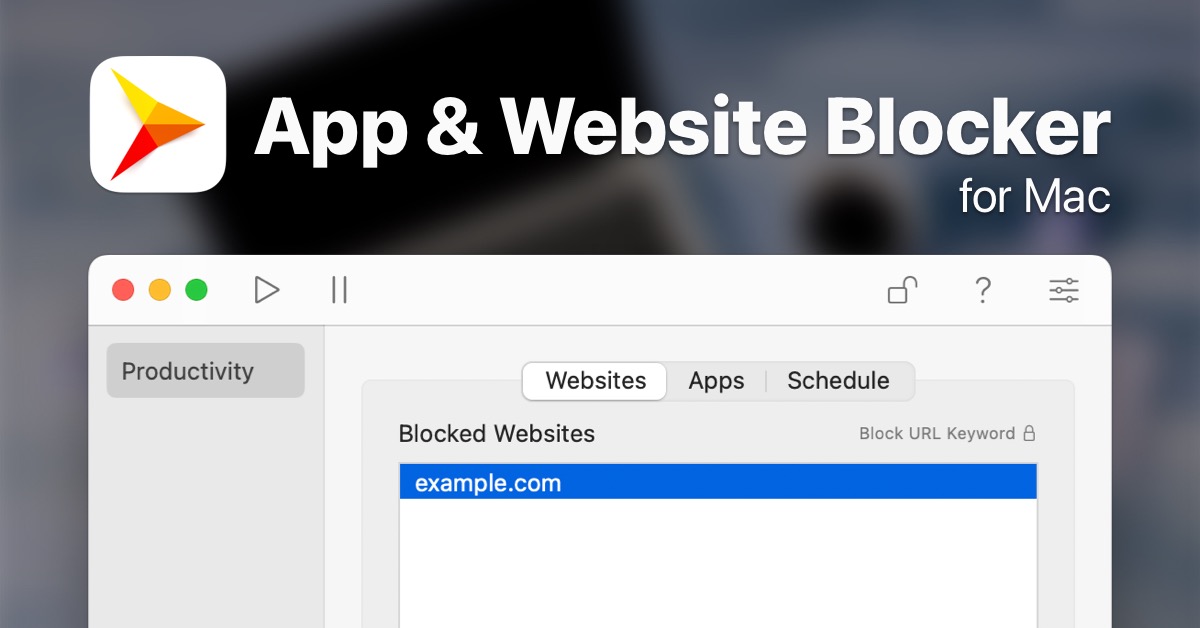
robots.txt (opens in a new tab)
9 rulesAll bots 0 allowed · 9 disallowed
- Disallow
/es/modelo-de-suscripcion/ - Disallow
/es/aviso-legal/ - Disallow
/de/impressum/ - Disallow
/imprint/ - Disallow
/es/busqueda/ - Disallow
/search/ - Disallow
/de/suche/ - Disallow
/de/abomodell/ - Disallow
/subscription-model/
No matching rules.
Sitemaps
1Recent Updates
- Website images
- Screenshots
- Network details
- Website Technologies
- Pages and Search Information
- HTTP Response Information
- TLS and certificates
- DNS Information
- Domain Registration
- Website profile
- Website Description
- Website Name
- Website profile
- Website Description
- Website Name
User reviews (0)