
 简体中文
简体中文 English
Website review
This review may include AI-generated content and is not individually verified. Domain, certificate and other facts come from the observed data on this page.
What is OptiMonk?
OptiMonk is an AI-assisted popup and on-site campaign builder for ecommerce stores. You describe the popup you want in plain language, and an agent designs it, writes the copy and publishes it to your store. The pitch on its homepage is blunt: “No designers. Just amazing popups.” The intended user is a store owner or marketer who wants welcome offers, exit-intent discounts, spin-to-win games and similar campaigns live without hiring a designer or writing code.
What it actually does
Based on the page, the workflow starts with a request. You describe the popup and can attach an image; the agent handles design, copy and publishing. A library of 1,000+ popup examples and live demos is available for browsing before you commit.
It also goes beyond the first publish:
- Testing: It runs A/B tests, learns from visitor behaviour and offers to roll out the winning variant. The page shows a sample result of 7.6% versus 12.1% conversion, with a prompt to roll out the winner.
- Animation: A single tap can turn a static popup image into a looping video background.
- Opportunity spotting: It suggests new campaigns based on store signals, such as a cart saver for a high-bounce landing page, a welcome discount for paid-search visitors, or a back-in-stock popup for products that sell out often. You still press Build.
Where you use it
OptiMonk can be driven from AI tools you may already use. An MCP server connects it to Claude and ChatGPT, so you can run campaign work inside a chat rather than a separate dashboard. The homepage shows a Claude example: a request for a welcome popup with 10% off, four design concepts offered, a variant selected, then settings and a coupon code applied through tool calls. The page states no code is needed.
Who it suits, and the trade-offs
It fits small and mid-sized ecommerce teams that want speed and don't have design resources, and marketers who prefer describing outcomes over configuring templates. It is less suited to brands that need pixel-level control over every element or that must keep campaign data inside a specific toolchain.
Two things to weigh. First, AI-generated design is fast but generic by default; you will still want to check brand fit, especially on fonts, imagery and tone. Second, “free to start, no credit card” is a starting point, not a full picture of cost, so check OptiMonk's pricing page for plan limits before you rely on it for high-traffic campaigns.
A practical next step: pick one underperforming page in your store, describe a single popup for it, and run it as a small A/B test. That tells you more about fit than browsing the template library.
How do I create a popup with OptiMonk without hiring a designer?
You create a popup in OptiMonk by describing it in plain language and letting its agent handle design, copy and publishing. The homepage frames this as "No designers. Just amazing popups." — you type a request, attach an image if you have one, and the agent produces a live, A/B-tested campaign. The workflow is a conversation rather than a drag-and-drop editor, so the main skill you need is knowing what you want to say and to whom.
What the process looks like
- Describe the popup. State the goal, the offer and the audience — for example, a welcome discount for first-time visitors, an exit-intent offer, or a spin-to-win game. The page lists these among its templates and shows a prompt like creating a welcome popup with 10% off a first order.
- Pick from generated concepts. In the example on the page, the agent reads the brand, draws several concepts and asks which to build. You choose one and confirm details such as timing, coupon code and targeting.
- Publish. The agent puts the campaign live on your store. No code is required.
- Let it iterate. After publishing, the same conversation runs A/B tests, learns from real visitors and offers to roll out the winner. The page shows a sample result of a control at 7.6% conversion against a variant at 12.1%, with a prompt to roll out the winning version.
- Improve visuals and find new campaigns. One tap can turn a static popup image into a looping video background, and the tool can surface suggested campaigns — such as a cart saver for a high-bounce landing page or a back-in-stock popup for a frequently sold-out product — for you to approve.
Where you can run it
OptiMonk says you can build popups from AI tools you already use. It offers an MCP server and connections to Claude and ChatGPT, so you can run the campaign inside a chat instead of switching to a separate dashboard. The page also mentions a browsable library of over 1,000 popups and a live demo.
Practical trade-offs
| Approach | Best for | Watch out for |
|---|---|---|
| Describe-and-publish agent | Small teams with no designer who need campaigns live quickly | You still need clear offer and audience decisions; vague prompts produce vague popups |
| Library templates | Getting a proven layout fast, then editing copy | Less tailored to a specific brand voice unless you adapt it |
| Chat-based building via Claude or ChatGPT | People already working inside an AI assistant all day | Requires connecting the tool first and a working store setup |
A useful next step: before you prompt, write one sentence covering the offer, the trigger and the audience — for example, "10% off for first-time visitors, shown 5 seconds after landing." That single sentence gives the agent enough to design, write and target the popup, and it gives you a clear standard for judging the variants it tests.
Can I build OptiMonk popups from Claude or ChatGPT?
Yes. OptiMonk supports building popups from Claude or ChatGPT through its MCP server, so the campaign can be created and managed inside a chat rather than in a separate drag-and-drop editor. You describe the popup you want, and the agent designs it, writes the copy and publishes it to your store. The same conversation then handles testing, animation and improvements.
What the chat workflow covers
- Creation: describe the popup (for example, a welcome discount for first-time visitors), and the agent proposes concepts and builds the chosen one.
- Settings and coupons: the agent can apply targeting and coupon codes as part of the build.
- After publish: it runs A/B tests, learns from visitor behaviour and offers to roll out the winning variant.
- Animation: a finished popup's static image can be turned into a looping video background.
- Opportunity spotting: it can suggest new campaigns based on store signals, which you approve before they go live.
Claude vs ChatGPT
Both are listed as supported connections. The page shows Claude and ChatGPT alongside MCP and API options, and a Claude example where the agent reads a brand, drafts four concepts and builds the selected one. Treat the two as alternative front ends to the same OptiMonk campaign engine rather than different products; pick whichever assistant your team already uses day to day.
Who this suits
This is most useful if you already work inside an AI assistant and want popups without briefing a designer or learning a visual editor. It is less obviously aimed at teams with a strict design system, where hand-built templates and pixel-level control may still be preferable. The page notes no code is needed, and there is a free start with no credit card.
A practical first step: connect the MCP server to your chosen assistant, then ask for one narrowly scoped campaign — a welcome popup with a single discount code — and check the published result on your store before letting the agent run tests or roll out variants. For setup details, see OptiMonk.
How does OptiMonk automatically A/B test and optimize my popups?
OptiMonk's pitch is that the popup tool handles the testing loop for you. You describe a campaign in plain language, it goes live, and the same conversation then runs A/B tests, watches how real visitors respond, and offers to promote the winning version. The page shows a campaign where control converts at 7.6% and a variant at 12.1%, with a reported 59% uplift and a 97% chance to win, followed by a prompt asking whether to roll the variant out to everyone.
What the automation actually does
- Creates the first version. You describe the popup you want, attach an image if useful, and the agent designs, writes and publishes it. The page lists welcome popups, exit-intent discounts and spin-to-win as starting points.
- Runs the test. After publish, the campaign is A/B tested automatically. The agent "learns from real visitors" rather than waiting for you to interpret a dashboard.
- Recommends the winner. When one variant is clearly ahead, it offers to roll that version out to all visitors. The roll-out is presented as a confirmation step, not something that silently replaces your control.
- Keeps improving. It also proposes new campaigns — for example a cart saver for a high-bounce landing page or a back-in-stock popup for a product that sells out — and you press Build to accept.
- Adds motion. A finished static popup can be turned into a looping video background with one tap.
Where it fits, and where it doesn't
This suits a small store or solo marketer who wants testing to happen without a designer, a copywriter or a dedicated CRO analyst. The trade-off is control: letting an agent change live campaigns and choose winners means you should decide in advance what it is allowed to touch — which pages, which visitor segments, how large an uplift must be before roll-out, and whether coupon codes can be set automatically. If you run strict brand or legal review, keep the roll-out confirmation step switched on.
A concrete next step: pick one low-risk campaign, such as a welcome popup on a single landing page, let it run a full test cycle, and compare the agent's chosen winner against your own reading of the numbers before you widen its permissions.
You can also drive the same workflow from an AI assistant you already use. OptiMonk connects to Claude or ChatGPT through an MCP server, so the campaign can be built and managed in a chat without code. See OptiMonk for the product and Claude or ChatGPT for the assistant side of that setup.
What does OptiMonk cost and is there a free plan?
OptiMonk's own site does not publish specific prices on the page described here. What it does state is that you can start free and without a credit card, and it links to a pricing page for the current plans. So the honest answer is: there is a free way to start, but the exact cost of paid tiers has to be checked on the pricing page, since plan prices change and depend on your traffic and feature needs.
What the page supports
- "Free to start. No credit card." — you can try the popup builder and agent without paying upfront.
- A dedicated pricing page exists for plan details.
- The product is aimed at ecommerce stores, with popups such as welcome offers, exit-intent discounts, spin-to-win and back-in-stock alerts.
How to decide whether the free tier is enough
Free entry usually covers building and previewing popups. Paid plans typically matter when you need higher visitor limits, more campaigns, A/B testing at scale, integrations with your email or ecommerce stack, or removing branding. The page mentions A/B testing, animated backgrounds and AI-assisted campaign creation as part of the workflow, so check which of those sit in the free tier versus a paid one.
Practical next step
Open OptiMonk pricing, note the visitor or pageview limit on the free plan, and compare it with your monthly store traffic. If you are a small store testing one welcome popup, free may carry you; if you run multiple campaigns across paid search and cart recovery, budget for the first paid tier.
For context on how popup tools price themselves, Privy and Justuno are comparable ecommerce-focused options worth checking, though their plans differ.
How do I connect OptiMonk to my online store?
Connecting OptiMonk to your store is a matter of adding its script or app integration to your site, then letting its agent handle popup creation from a chat prompt. On OptiMonk the stated flow is: describe the popup you want, and the agent designs it, writes it and puts it live on your store. The page also states you can start free without a credit card, so you can test the connection before committing.
Typical connection path
- Create your OptiMonk account and add your store domain.
- Install the integration for your platform. On hosted platforms such as Shopify, BigCommerce or Wix this is usually an app install; on WordPress it is a plugin; on a custom site it is a snippet of JavaScript placed before the closing
</body>tag or through Google Tag Manager. - Verify the connection by loading your storefront and confirming the OptiMonk script is present and a test popup can appear.
- Build your first campaign. Either use the visual editor, pick from the stated library of 1,000+ popups, or describe the popup in chat.
Using the AI-agent route
OptiMonk's page promotes an MCP server that connects to Claude, ChatGPT or Cursor, so the campaign can be run in a chat rather than in a dashboard. In the example shown, a request like "create a welcome popup for allbirds.com with 10% off the first order" is followed by variant concepts, visitor targeting, a coupon code and campaign settings. That suits small teams without a designer, or anyone already working inside an AI assistant. The trade-off is that you are trusting the agent's design and copy choices; review the preview before publishing, especially coupon codes and targeting rules.
What happens after connecting
The page states the agent does not stop at publish: it runs A/B tests, learns from real visitors and offers to roll out the winner. In the example shown, a control at 7.6% conversion is compared with a variant at 12.1%, a stated 59% uplift with a 97% chance to win. It also offers to animate a static popup into a looping video background, and to surface new campaign ideas such as cart savers for high-bounce pages. Those are the product's claims, not guarantees for your store; your own traffic volume determines how quickly tests reach a reliable result.
Practical next step
Before connecting, decide which platform your store runs on and whether you prefer app-store install or a manual script. Then install, publish one low-risk welcome popup, and check that it fires only for the audience you intend. If the agent route appeals, connect it to your AI assistant and try the same request pattern shown on the page.
 Netlify
 Google Workspace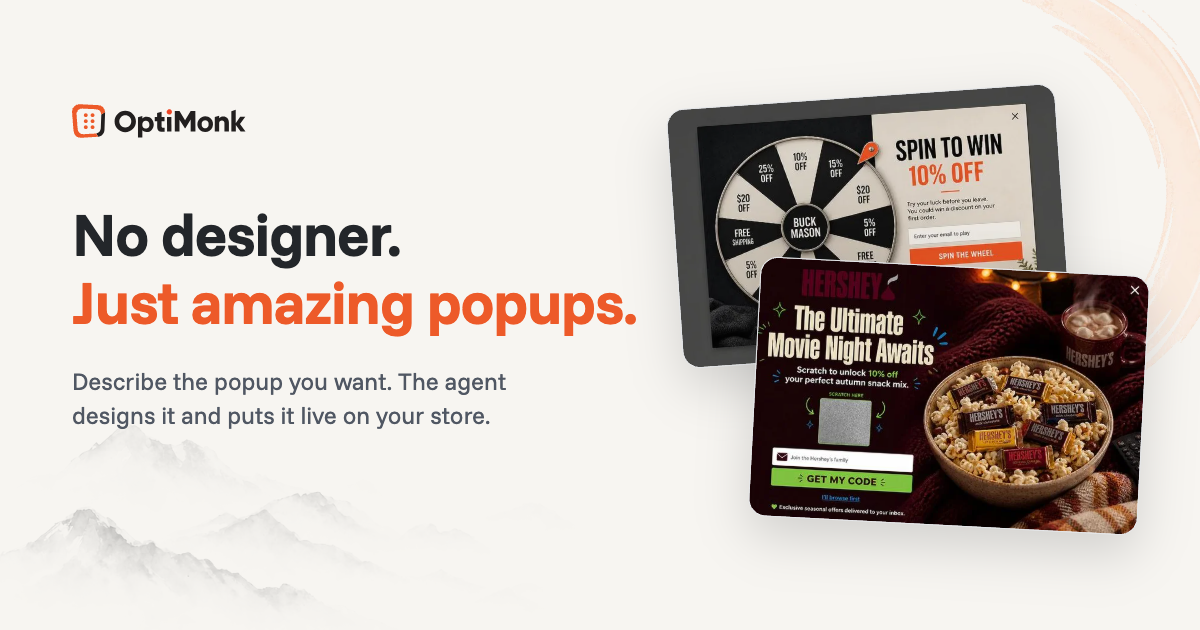

User reviews (0)