
 简体中文
简体中文 English
Website review
This review may include AI-generated content and is not individually verified. Domain, certificate and other facts come from the observed data on this page.
What is PromoAI?
PromoAI is the AI-assisted video creation tool inside Promo. It is aimed at business and marketing users who need to produce short promotional videos—social posts, ads, intros and slideshows—without starting from a blank timeline. You describe what you want (for example, by entering your website, product, listing or a rough idea), and it generates a video you can then adjust.
What you can make with it
- Social videos for Facebook, Instagram, TikTok, YouTube and Stories
- Ad formats such as Facebook and Instagram Story ads, LinkedIn video ads and YouTube ads
- Templates by industry (real estate, fitness, fashion, restaurants, travel, e-commerce) and by occasion (holidays, sales, motivational posts)
- Short formats like 6-second videos, listicles, memes and YouTube intros
How it fits a real workflow A small e-commerce seller could enter a product listing, let PromoAI assemble a first cut, swap in brand colours and logo, then export a square version for Instagram and a vertical one for Stories. The value is speed and format coverage; the trade-off is that template-driven output can look generic, so plan on editing the script, text and pacing rather than publishing the first generation unchanged.
Where to start Open the pricing page to confirm which plan covers your needed exports and brand features, then run one real campaign through it—ideally a single product or promotion—before committing your whole content calendar.
How do I create a video with PromoAI?
PromoAI is built around a simple idea: instead of editing frame by frame, you give it a starting point — your website, a product listing, or just a written idea — and it generates a video you then refine. Here's the practical path.
The core workflow
- Start from a prompt, not a blank timeline. Enter your website URL, product, listing, or idea. This is the step that replaces the usual "open editor, stare at empty canvas."
- Pick a format and placement. The page organizes output by destination — social posts, Facebook/Instagram/YouTube videos, YouTube intros, and ad formats like Facebook Story, Instagram Story, LinkedIn, and YouTube ads. Choosing the destination early matters more than choosing a "look," because aspect ratio and length follow from it.
- Apply a template. Templates are grouped by use case (Real Estate, Fitness, Fashion, Restaurant, Travel), by marketing goal (Sales & Promotions, Short Ads, Slideshows, Listicles), and by trend or season. Templates are a shortcut, not a constraint — treat them as a starting composition.
- Edit with the toolset. The site lists an online video editor plus narrower utilities: add audio, add text, cut and compress clips, and convert photos into video or GIFs.
- Produce and distribute. Scheduling and publishing across platforms is presented as part of the same flow, alongside a workspace with drafts and published videos.
Which entry point fits you
| Your situation | Best starting point | Why |
|---|---|---|
| You have a product page or live site | Website/product URL | Fastest route to on-brand footage and copy |
| You have no assets at all | Idea prompt + template | Gets you a first draft to react to |
| You need an ad for a specific placement | Ad format template | Length and framing are already correct |
| You have photos but no video | Photos-to-video or slideshow maker | Reuses what you already own |
A realistic first attempt
Say you run a small restaurant. Enter your site, choose the Restaurant industry templates, and generate a short vertical version for Instagram plus a wider cut for a Facebook ad. Expect the first output to be a rough draft — your job is to swap in your best dish photos, tighten the text overlays, and check that the audio fits the mood. The value is skipping the assembly work, not skipping the judgment.
Next step and a decision criterion
If you want to judge whether it fits your needs, test it on one real campaign rather than a demo: generate one ad in the exact placement you actually buy, then ask whether the editing you had to do afterward took less time than starting from scratch. If yes, it's worth keeping in your workflow. You can compare plans at Promo before committing.
Can I schedule and publish videos directly to social media with PromoAI?
Yes. PromoAI is built around a generate-schedule-publish workflow: you enter a website, product, listing or idea, and the platform produces videos you can then line up and push out to social platforms from the same workspace. The page also shows a PromoAI Planner with draft and published video views, which is the part that handles the calendar and posting side.
What that looks like in practice
- A small e-commerce seller could generate a product clip, drop it into the calendar for a quiet weekday, and publish without exporting to another tool.
- A restaurant owner could batch a week of short promos — daily specials, holiday posts, a slideshow — and schedule them across Facebook, Instagram and TikTok.
- An agency or in-house marketer managing several brands can keep brand assets in the Brands area so scheduled posts stay visually consistent.
Where it fits and where it doesn't
| Need | PromoAI's approach | Consider instead |
|---|---|---|
| Fast template-driven marketing clips | Templates by industry, format and platform, plus AI editing | — |
| Planning a posting rhythm | Calendar/planner for drafts and published videos | Dedicated social schedulers if you need deep approval chains |
| Long-form or highly custom edits | Short ads, stories, intros, slideshows | A full nonlinear editor for complex narrative work |
| Multi-brand output | Brand kits and reusable media | — |
A useful next step
Before committing, test the loop end to end: create one video from your own website URL, schedule it for a specific day and time, and confirm it publishes to the account you actually use. That single test tells you more than any feature list — whether the calendar matches your posting cadence, whether the aspect ratios suit each platform, and whether the generated footage is close enough to your brand that you only need light edits.
If you want to compare the scheduling side with a mainstream alternative, Buffer and Later are known for calendar-first social publishing, while Canva covers template-based video creation with its own scheduling. PromoAI's advantage is having generation, templates and publishing in one place; its trade-off is less control than a specialist editor paired with a specialist scheduler.
What types of videos can I make with PromoAI for my industry?
PromoAI is positioned around business marketing video, and its page organizes output by both channel and industry, so you can start from either direction depending on whether you know where the video will run or only what business you're in.
Video types by channel
- Social feeds and stories: Facebook, Instagram, TikTok, YouTube, and Stories-format videos
- Paid placements: Facebook Story Ads, Instagram Story Ads, LinkedIn Video Ads, YouTube Ads
- Short-form and filler: 6-second videos, short ads, slideshows, meme videos, listicles
- Channel furniture: YouTube intros
- E-commerce: E-commerce ads and Amazon video ads
Video types by industry Real estate, fitness, fashion, restaurant, travel, health and beauty, food and drink, e-commerce and retail, recruiting and HR, and education. The template library is grouped the same way, alongside seasonal collections such as holiday and trending templates.
How to choose Pick the channel first if the placement is fixed — an Instagram Story ad and a YouTube intro have different shapes and hooks, and the page treats them as separate starting points. Pick the industry first if you want a template that already looks like your business and can be adapted across several placements.
A practical example: a fitness studio could take an industry template, cut a 6-second version for a story, and reuse the same footage as a slideshow for a Facebook feed post, rather than building each from scratch.
Trade-off to weigh Template-led creation is fast and consistent, but the more you lean on a stock template, the more your video resembles others in the same industry. If your differentiator is your own footage or a distinctive voice, treat templates as a structure and swap in your own media early.
Next step: open the industry page closest to your business and check whether the templates match the placements you actually buy. If your formats aren't represented, the general video tools — editor, cutter, text, audio, GIF and photo utilities — let you build from your own assets instead. Pricing details are listed on the site's own pricing page rather than in the marketing copy, so confirm plan limits there before committing.
How much does PromoAI cost?
PromoAI's pricing is listed on the site's own pricing page, but the page evidence provided doesn't include the actual dollar amounts or plan tiers. So the honest answer is: check the current pricing directly at Promo.
What you can verify
- PromoAI is the AI video creation feature within Promo.com, aimed at business marketing content.
- The site has a dedicated Pricing page, plus Login and "Try for free" options.
- Features visible on the page include templates, AI editing, brand assets, social scheduling/publishing, and a range of video tools (editor, slideshow maker, GIF tools, etc.).
How to decide if it's worth the cost
- Match plan to output volume — if you publish daily social videos, a higher tier that supports more exports and brand kits usually pays off; occasional one-off ads may not justify it.
- Check export limits and watermark rules — free or entry tiers commonly restrict resolution or add branding. Confirm what you actually get before committing.
- Factor in the alternatives — if you only need simple edits, a general editor may be cheaper; if you need ad-ready templates and scheduling in one place, PromoAI's bundle matters more than the sticker price.
Practical next step
Open the pricing page, note the monthly vs. annual difference, and run one real project (e.g., a Facebook or Instagram ad) on the free trial. If the template and AI workflow saves you more time than the subscription costs, the plan is justified; if you finish faster in your existing editor, it isn't.
Can I customize PromoAI templates with my own brand assets?
Yes. PromoAI is built around brand-ready customization: you can bring in your own assets and adapt its templates rather than being locked to stock-only designs. The site's own toolset includes a workspace with saved Brands, plus a video editor with add-audio, add-text, trimming, and resizing tools, so the intended workflow is template-first, then brand adjustments.
What that looks like in practice
- Start from a template category (social posts, ads, YouTube intros, slideshows, industry reels), then swap the placeholder media for your logo, product shots, and footage.
- Apply your text, fonts, and colors through the editor's text and audio tools; the Brand workspace suggests you can keep brand elements reusable across projects.
- Resize and re-export for each platform instead of rebuilding — useful if the same campaign runs on Facebook, Instagram, TikTok, and YouTube.
- Publish or schedule from the same place, per the "generate, schedule, and publish" framing.
Where the trade-offs sit
Template customization is fastest when your brand fits a common format — a logo, a few product images, a headline style. It gets slower when you need precise typography control, exact logo clear-space rules, or fully custom animation, because template systems usually constrain layout to keep edits simple. If brand consistency is audited strictly, plan a short test: build one video end to end, then check whether the output matches your guidelines without manual fixes.
A concrete test scenario
Suppose you run a small fitness studio. Pick one Instagram Story ad template, replace the stock gym footage with three clips of your classes, drop in your logo, set your two brand colors on the text, and export both a 9:16 and a 1:1 version. That single exercise tells you whether the templates carry your brand or fight it.
Next step
Check the pricing page for what brand and export features your plan includes before committing: Promo. If you mainly need quick social ads and slideshows, templates plus light branding will likely be enough; if you need broadcast-level design control, compare with a dedicated editor such as Canva or Adobe.
 Cloudflare
 Google Workspace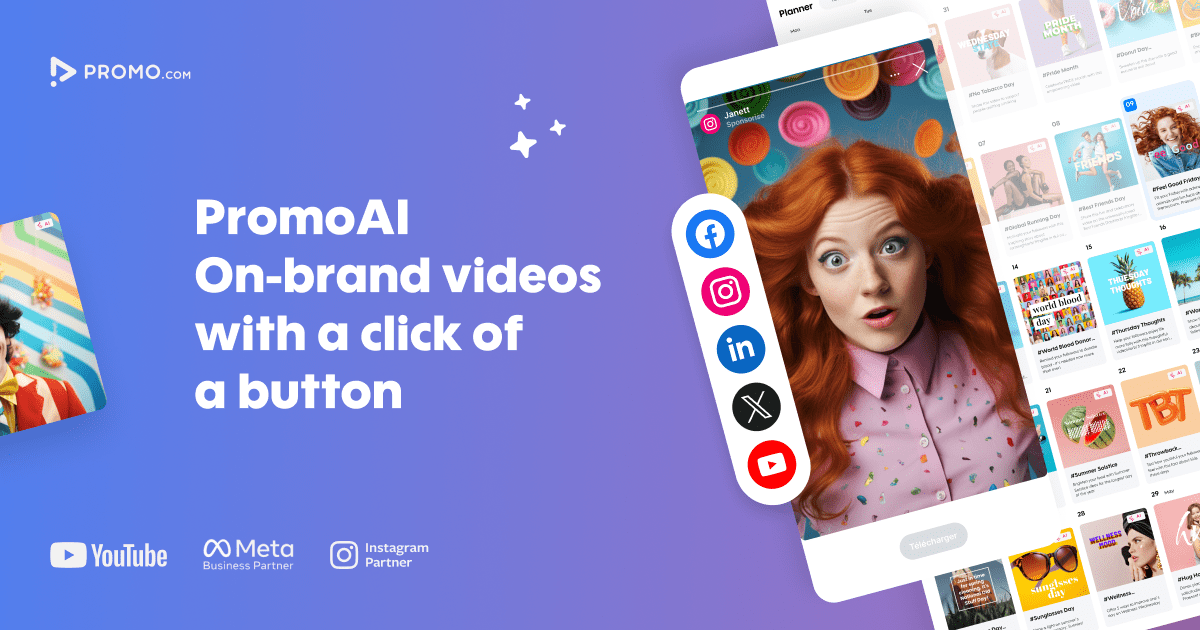
User reviews (0)