
 简体中文
简体中文 English
Website review
This review may include AI-generated content and is not individually verified. Domain, certificate and other facts come from the observed data on this page.
What is Rambox?
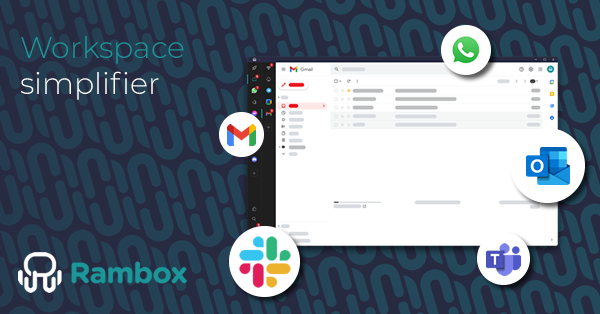
Rambox is a desktop workspace that gathers your work apps and accounts into one window instead of a browser full of tabs. As its tagline puts it: "Browsers are for browsing, Rambox is for working." You add the web apps you already use, then organize them into separate workspaces — for example by project, client, role or team — and switch between those contexts without logging in and out or hunting for the right tab.
What it actually does
- Multiple accounts in the same app. You can run several instances of one service side by side, so a work and personal account, or several client accounts, stay separate rather than fighting over one session.
- Workspaces for context. Group related apps per project or client, then switch the whole set at once. This is the main difference from a browser: separation is deliberate rather than accidental.
- One desktop app. Everything lives in a single window with its own app management, rather than as pinned tabs mixed with your personal browsing.
Who it fits
Rambox's own use-case pages point at freelancers juggling clients, developers with a multi-tool stack, marketers spread across several platforms, and operations or support teams watching many channels. The common thread is people who live in web apps all day and pay a real cost each time they switch context.
A quick test: if you regularly keep 15+ work tabs open, log into two accounts of the same service, or lose time re-finding the right window, a dedicated workspace is worth trying. If your work happens in one or two native desktop tools, the benefit is much smaller.
Practical next step
Install it, add only the apps for one project, and build a single workspace around that project for a week. If switching to it feels faster than your browser, expand to a second workspace; if not, you have your answer cheaply. Rambox offers a free start without a credit card, and paid tiers are listed on Rambox if you outgrow it. For background on the category, see Rambox's own site.
How does Rambox help me manage multiple work accounts in one place?
Rambox is a desktop workspace that puts your work apps and accounts in one window instead of scattering them across browser tabs. The core idea behind it is separating contexts: you group related apps into workspaces and switch between them as a unit, rather than hunting for the right tab.
How accounts stay separated
The page evidence highlights multiple instances of the same app with different accounts as a central feature. In practice, that means you can run, say, two instances of the same chat or email tool side by side — one signed in with a client account, one with your internal account — without logging in and out or opening a second browser profile. Each instance keeps its own session, so notifications and unread counts stay attached to the right identity.
Workspaces as the organizing layer
Workspaces are the main mechanism for keeping contexts apart. You might create:
- A workspace per client, for freelancers juggling several.
- A workspace per role or project, so a developer's dev tools, issue tracker and chat sit together.
- A workspace for operations and support, where every channel and system stays in view.
Switching workspaces changes the whole set of visible apps at once, which reduces the "which tab was that in?" problem and limits the temptation to context-switch constantly.
Who gets the most out of it
The site's own use-case framing points at freelancers, developers, marketing, operations and support, and teams. The pattern is similar across all of them: several tools, several accounts, and a need to keep them from bleeding into each other. If you only use one app with one login, a browser is probably enough; the value appears when the count of apps and identities grows.
Practical next step
Before committing, list the apps you actually keep open daily and how many separate logins each needs. Then check whether those apps are supported and whether the workspace model matches how you already divide your work — by client, by project, or by role. Rambox publishes a pricing page and an app ranking that can help you judge fit; you can also compare against a general-purpose browser workspace tool such as Shift. If your list maps cleanly onto a few distinct contexts, the workspace approach will likely save you real time.
Can I use Rambox for free or do I need to pay?
Rambox can be used for free, but it is a freemium product: the free tier is intended as a starting point, and paid plans exist for users who need more. The site's own call to action is "Start free — No credit card required," which tells you that you can download it and try it without entering payment details. At the same time, the navigation includes a Pricing page, and the heading "Simple to start, powerful as you grow" signals that the product is designed to be upgraded as your needs expand.
What that means in practice
The free version is best suited to someone testing whether a dedicated workspace beats a browser full of tabs — a freelancer with two or three clients, or a developer who wants a handful of work apps separated from personal browsing.
Paid tiers are aimed at heavier use. Rambox's core concept is organizing apps into separate workspaces and running multiple instances of the same app with different accounts. That is exactly the kind of setup where limits tend to appear: more apps or accounts, more workspaces, or team-oriented features. The page's use-case list — freelancers, developers, marketing, operations and support, teams — suggests the free tier covers individual, lighter scenarios, while teams and multi-account power users are the ones most likely to need to pay.
How to decide
- Start on free if you mainly want to consolidate a few apps and see whether the workspace model fits how you work.
- Check the Pricing page before committing if you need many accounts per app, several workspaces, or want to roll it out to a team.
- Compare against your current cost of context switching. If tab chaos is genuinely costing you time daily, a paid seat is easy to justify; if it is a mild annoyance, the free tier may be enough.
A concrete next step: list the apps and accounts you would put in Rambox, then open the Pricing page and match that list against what each tier allows. That single comparison will answer the question for your situation far better than the free/paid label alone.
Is Rambox suitable for developers and enterprise teams?
Yes, with a caveat. Rambox is built for exactly the situation both groups face: too many work apps, too many accounts, and too much context switching. Its core idea is a dedicated desktop workspace instead of a browser full of tabs, with separate workspaces for different projects, roles or clients, and multiple instances of the same app signed into different accounts.
Where it fits developers
Developers are named as one of the product's own use cases ("Your dev stack deserves better than tabs"). The practical win is account separation and context switching: one workspace per client or project, with chat, issue tracker, code host, CI dashboard and email each running as their own app instance rather than as tabs competing with documentation and local previews. If you routinely juggle a personal GitHub account and a work one, or two Slack workspaces, that separation is the main reason to use it.
Where it fits enterprise teams
Teams are also a listed use case, and the page cites adoption of 80K+ users across 5,000 companies. The relevant features for an organization are consistency and onboarding: everyone works from the same set of pinned apps and workspaces rather than each person's ad-hoc tab habits. For operations and support roles in particular, keeping every channel and system visible at once is the stated benefit.
Trade-offs to weigh
| Consideration | What it means in practice |
|---|---|
| It's a wrapper, not a replacement | Apps behave as their web versions; anything needing a native client or local tooling won't change |
| Isolation vs. integration | Workspaces separate contexts well, but you still rely on each app's own notifications and search |
| Team fit | Value scales with how many accounts and tools a person juggles; light users may not notice much difference |
| Cost | A pricing page exists, so check seat-level terms before rolling it out broadly |
A sensible next step: pick your two messiest contexts — say a client project and internal work — and run them as two workspaces for a week. If switching between them feels materially faster than your current tab setup, expand from there; if not, the overhead isn't worth it for your role. For background, see Rambox.
How does Rambox compare to using a regular browser for work apps?
Rambox is built to hold work apps in a dedicated desktop workspace, while a regular browser is built for general browsing. The practical difference is context: a browser mixes work tools with personal tabs, search results and random articles; Rambox keeps each work app and account in its own space, so switching between clients, projects or roles does not mean digging through a tab strip.
Where a browser is fine
- You use one or two work apps, mostly in one account, and rarely switch context.
- You rely on browser extensions, bookmarks or password managers that are already set up the way you like.
- You are on a locked-down machine where installing a desktop client is not an option.
Where Rambox changes the workflow
- Multiple accounts of the same app. The page describes running multiple instances of one app with different logins, which is awkward in a normal browser unless you juggle profiles or private windows.
- Workspaces by project, client or role. Rambox lets you group apps into separate workspaces and switch between them, so a freelance designer can keep Client A and Client B visually apart.
- Fewer tabs, less switching. The pitch is that apps stay at hand instead of competing with browsing tabs for attention.
- Audience fit. The site names freelancers, developers, marketing, operations and support, and teams — roles where several tools and accounts run at once.
Trade-offs to weigh
A browser is free, familiar and already synced across devices. Rambox is another desktop app to install, update and manage, and it is aimed at people whose work genuinely spans many apps and accounts. If your day is mostly one inbox and one document, the browser will likely feel lighter. If you are constantly logging in and out of the same tools for different clients, the workspace model is the point.
A useful next step: list every work app and how many accounts you use for each. If the list is long or the account count is above one, try Rambox alongside your browser for a week and see whether you stop opening work tabs in the browser. The site offers a free start, and pricing details are on Rambox.
What are the different use cases for freelancers, marketing, and support teams in Rambox?
Rambox groups its use cases by role, and the three you asked about share one underlying idea: separate contexts that would otherwise collide in a browser.
Freelancers
The page frames this as working with multiple clients without mixing everything. In practice, that means one workspace per client, each holding that client's email, chat, project board and file tools, so switching clients is a workspace switch rather than a login-and-logout cycle. The trade-off is setup time up front, and it only pays off if your client tools are web-based.
Marketing
Marketing doesn't happen in one tool, so the value here is keeping campaign dashboards, social accounts, analytics and content tools visible side by side instead of scattered across tabs. The page also lists multiple accounts without friction, which matters when you manage several brand or regional accounts in the same platform. The risk is that more visible tools can become more noise if you don't prune workspaces regularly.
Operations and support
The stated goal is keeping every channel and system in view. That suits people who monitor queues, inboxes and ticketing systems at once and need a persistent view rather than something they reopen each shift.
Choosing between them
Use a workspace per context — client, brand, or shift — when your accounts genuinely differ. If you only ever use one account per tool, a browser with pinned tabs covers much of the same ground.
For the full role list and feature detail, see Rambox.
 Hostinger International Limited
 Vilnius, Vilnius City Municipality, Lithuania

User reviews (0)