Website profiles · Technology insights · Alternatives

tixio.io

Tixio is an all-in-one workspace: team chat with video meetings, wiki, projects, whiteboard, plus HR and CRM. From $2.80/user/month. 14-day free trial.

Paid content
Visit website
Profile views 1 Outbound visits 0 Normal
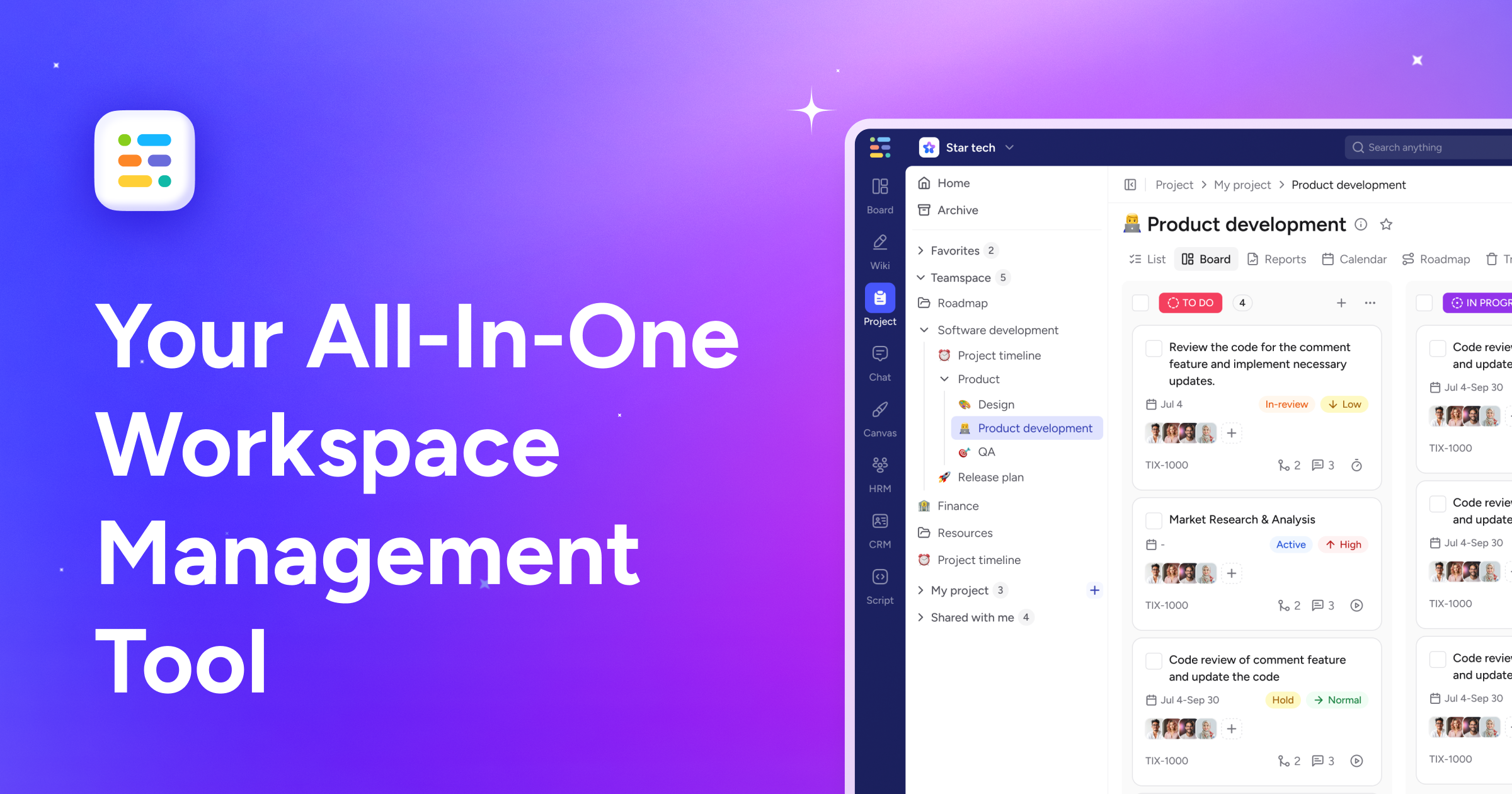
Tixio Full homepage screenshot

At a glance

Category
Business Services
Language
English
Paid-content signal
Paid contentObserved
Registered
Unknown
Hosting
CloudflareInferred
HTTPS certificate trusted
PassedObserved
Last updated

Website review

This review may include AI-generated content and is not individually verified. Domain, certificate and other facts come from the observed data on this page.

What is Tixio?

Tixio is an all-in-one team workspace that combines team chat with video meetings, a wiki, project management, a whiteboard, and even HR and CRM functions in a single app. Its pitch is consolidation: instead of stitching together separate tools for messaging, documentation, planning and people records, teams run all of it in one place. The page frames the problem as tool-stack sprawl—"Your team is great, your tool stack is the problem"—and positions Tixio as the fix.

What it actually covers

From the page evidence, the core surfaces are:

  • Chat — public channels organized by function (design-reviews, engineering, marketing, product-feedback, support-triage), plus threads, unreads, drafts, saved items, pins and scheduled messages.
  • Meetings and video — calls sit alongside chat rather than in a separate product.
  • Wiki and files — shared knowledge and documents in the same workspace.
  • Projects and whiteboard — planning and visual collaboration.
  • HR and CRM — lightweight people and customer records for teams that don't want a separate system.

The chat preview on the page shows the intended feel: a channel called #product-launch described as "Public channel · Q2 release coordination," with members, files, pins and threaded replies all visible in one view.

Who it suits, and the trade-off

Tixio fits small to mid-sized teams that feel the cost and friction of juggling five subscriptions—especially startups or agencies where one person wears several hats and a lightweight CRM or HR module is genuinely useful. The trade-off is depth: an all-in-one suite rarely matches a dedicated chat app, a dedicated project tool and a dedicated CRM on advanced features. If your team depends on deep integrations or highly specialized workflows in any one area, consolidation may cost you capability.

A practical next step

List the tools your team pays for today and mark which ones you'd realistically replace. If three or more overlap with Tixio's modules, a trial is worth it; if only one does, the switch probably isn't justified. Tixio offers a 14-day free trial, and pricing details are on its Pricing page. For comparison, dedicated chat and workspace tools include Slack and Notion.

How does Tixio's pricing compare to paying separately for chat, project management, HR, and CRM tools?

Tixio's pitch is consolidation: one workspace covering team chat, video meetings, wiki, projects, whiteboard, HR and CRM, rather than four or five separate subscriptions. The practical comparison is whether replacing those tools with one bill outweighs the depth you give up in each area.

What the comparison really turns on

Dimension Tixio (combined) Separate best-of-breed tools
Billing One per-user subscription, one renewal, one admin console Several subscriptions, each with its own seats and renewal dates
Seat overlap Everyone counted once, even if they only use chat or only use CRM Often paying for the same people across multiple tools
Depth per function Broad coverage; each module is unlikely to match a dedicated leader Deep features, integrations and mature workflows in each category
Switching cost One migration, one training push Piecemeal adoption, easier to trial one tool at a time
Risk One vendor, one outage or price change affects everything Failures and price changes stay contained to one tool

The page evidence shows the chat side in detail — channels, threads, drafts, meetings, pins and reminders — which suggests the collaboration core is the most developed part of the product. HR and CRM appear as additional modules rather than the headline, so treat them as "good enough for a small team" until you verify otherwise.

A concrete scenario

A 30-person agency paying for chat, a project tracker, an HR leave tool and a light CRM is likely paying four vendors and managing four sets of seats. If half the team only needs chat and files, Tixio's single per-user count can reduce both spend and admin time. A sales-led company with a CRM at the centre of its process would feel the trade-off much more sharply.

Next step

List every tool you pay for, the monthly cost per seat, and the one or two features each team truly depends on. Then run a trial with a single team — the page advertises a 14-day free trial — and test those must-have features inside Tixio before comparing totals. If the critical features survive, consolidation wins on cost and admin; if not, keep the specialist tool and consolidate only the lighter categories. For a second opinion on the category, G2 and Capterra carry user reviews of all-in-one workspaces.

Can Tixio replace Slack and Notion for a small team, or is it better as a supplement?

Tixio is designed as a replacement rather than a supplement for a small team: its pitch is one workspace combining team chat (with threads, channels, video meetings), a wiki, project management, and a whiteboard, with HR and CRM modules alongside. That combination covers the core of what most small teams use Slack and Notion for, so the realistic question is not "can it cover the same ground" but "does its version of each piece fit how your team works."

Where replacement makes sense

  • A team of roughly 5–25 people that currently pays for chat, docs, and project tracking separately and feels the context-switching cost. Tixio's "one app" framing directly targets that fragmentation.
  • Teams whose chat and documentation are tightly linked — release coordination, support triage, product feedback — benefit when a channel, its wiki pages, and its tasks live in the same place instead of being cross-linked between Slack and Notion.
  • Small teams without a dedicated tools administrator. Fewer apps means fewer integrations, permissions, and billing relationships to manage.

Where it works better as a supplement, or not at all

  • Teams deeply invested in Slack's ecosystem — extensive app integrations, external shared channels with clients, or workflows built on Slack bots. Replacing chat is the hardest migration, and Tixio's chat is one module among many rather than the sole focus.
  • Documentation-heavy teams that rely on Notion's databases, relational properties, and large page hierarchies. A built-in wiki is usually simpler; if your docs are effectively a lightweight database, check that Tixio's wiki handles your structure before committing.
  • Organizations needing HR and CRM depth. Tixio bundles these, which is convenient for a small company, but a team with serious sales-pipeline or HR-compliance requirements should treat those modules as conveniences, not replacements for dedicated systems.

A practical way to decide

Run a two-week trial with one real project rather than a sandbox. Pick a project that currently spans a Slack channel, a Notion page, and a task list. Recreate it in Tixio, then ask the team two questions: did anyone drift back to Slack or Notion out of habit, and did the wiki and task views feel sufficient without workarounds? If the answer to both is no, replacement is plausible; if people keep returning to Notion for documents, keep Tixio for chat and projects and Notion for docs.

For comparison, it helps to know what the incumbents do best: Slack for chat integrations and external collaboration, and Notion for flexible databases and documentation. If your team already leans on either heavily, a supplement role is the lower-risk starting point.

How do I get my team to migrate from their current tools to Tixio without losing chat history or project data?

A clean migration depends less on Tixio's importer and more on what your current tools will actually export. Tixio presents itself as one workspace covering team chat with video meetings, wiki, projects, whiteboard, HR and CRM Tixio, so the practical first step is to inventory every tool you plan to retire and confirm each one can export messages and project records in a machine-readable format. Chat history is the harder half: most chat tools export JSON or HTML archives but not in a form another chat app can replay into live channels, so plan to keep old conversations readable in an archive rather than expecting them to appear as searchable threads inside Tixio. Project data (tasks, assignees, due dates, attachments) usually moves better because boards and task lists map more cleanly onto another project tool.

A migration sequence that limits disruption

  1. Export and preserve before you switch anything off. Pull full archives from each current tool and store them somewhere the whole team can reach. Treat this as your fallback, not a temporary step.
  2. Pick one pilot team and one project. Move a single active project and its channel first. You will learn where fields drop out (status names, custom labels, attachment links) while the stakes are low.
  3. Rebuild structure, not clutter. Recreate only the channels, projects and wiki pages people actually use. Migrations are a good moment to archive dead channels rather than carry them over.
  4. Run both tools in parallel for a short window. Keep the old chat reachable read-only while the team settles into Tixio, then announce a hard cutover date.
  5. Write down where the old history lives. A pinned link to the archive in each new channel prevents the "where did that decision go?" problem.

Deciding what to move versus archive

Data type Practical approach Trade-off
Active project tasks Recreate or import into Tixio projects Worth the effort; these drive daily work
Closed projects Export to archive, link from wiki Saves setup time; less searchable later
Recent chat (last few weeks) Copy key decisions into wiki or pinned notes Manual, but preserves context people still need
Long chat history Keep as exported archive Cannot be replayed into live threads
Files and attachments Re-upload the ones still in use Storage and link-rot risk if skipped

For a concrete case: a 40-person team moving a product launch from a separate chat app, task board and wiki would pilot the launch channel and its board in Tixio, copy the launch brief and decision log into Tixio's wiki, and leave two years of general chat as a downloadable archive linked from the new general channel. That keeps the launch moving without a weeks-long data-mapping project.

As a decision criterion, migrate live data and archive dormant data. If a conversation or project has had no activity in the last quarter, an export is usually enough; if people still reference it weekly, rebuild it properly. Before committing, ask Tixio's team directly which import formats they support for chat and projects, since that determines whether step two is a import or a rebuild.

Does Tixio offer a free trial, and what happens to my data if I don't convert to a paid plan?

Yes—Tixio advertises a 14-day free trial, and its pricing page is the place to confirm current terms before you commit.

What happens to your data after the trial isn't stated in the information available here. Treat that as something to verify directly: before the trial ends, ask Tixio support (or check the account/billing settings) whether your workspace becomes read-only, is downgraded to a free tier, or is scheduled for deletion, and how long any grace period lasts. Also ask whether you can export your data—chat history, wiki pages, project boards, files—during or after the trial, and in what format.

A practical approach: early in the trial, create a small test workspace, add a few messages and a document, then try exporting it. That tells you how portable your data really is before you have months of work invested.

For comparison, dedicated chat tools like Slack and Microsoft Teams publish their own trial and data-retention terms, which can help you judge what a reasonable policy looks like.

Which types of teams or companies benefit most from an all-in-one workspace like Tixio versus specialized tools?

Teams that feel the cost of tool sprawl more than they value best-in-class depth benefit most from an all-in-one workspace like Tixio. Tixio's own page frames the problem as a fragmented stack—chat, meetings, wiki, projects, whiteboard, plus HR and CRM in one app—so the fit is a team that wants one login and one place for cross-functional work rather than a separate specialist tool per job.

Who gets the most out of it

  • Small to mid-sized companies without dedicated tooling admins. One workspace reduces the overhead of buying, integrating and onboarding separate chat, docs and project apps.
  • Startups and lean teams. A shared chat, wiki and project space covers most day-to-day coordination without stitching tools together.
  • Teams with light HR and CRM needs. Companies that track people and customers informally can keep those records next to the work instead of adding two more subscriptions.
  • Mixed-discipline teams (product, marketing, support) that coordinate across channels and projects and would otherwise duplicate context between tools.
  • Organizations standardizing on one vendor for simplicity, procurement or data-location reasons.

Where specialized tools still win

A team whose core work depends on one function should weigh depth over consolidation. Engineering teams needing deep issue tracking and code review, design teams needing advanced prototyping, or sales teams running complex pipelines will likely outgrow bundled modules. Specialized tools also tend to offer richer integrations and customization in their niche.

Situation All-in-one (Tixio-style) Specialized stack
Many small teams sharing context Strong: one place for chat, docs, projects Fragmented; context gets copied between apps
Deep single-function needs Adequate, may hit limits Strong: deeper features and integrations
Admin and cost overhead Lower: fewer vendors to manage Higher: more seats, integrations, training
HR/CRM as a side activity Convenient, built in Overkill unless it's core

A practical next step

List the three tasks your team does most and the two tools it opens most often. If those tasks are mostly coordination—chat, notes, simple project tracking—an all-in-one workspace is a reasonable default. If one task is clearly the team's core craft, keep a specialist tool for it and use the all-in-one for everything around it. Tixio offers a free trial, so a short pilot with one team is a low-risk way to test whether consolidation holds up. For comparison, established all-in-one options include Notion and ClickUp, while specialist chat and project tools include Slack and Asana.

Related questions

More questions →
All-in-one team collaboration tool vs. separate tools: which fits your team?

Choose an all-in-one workspace like Tixio if your team is small to mid-sized, spends too much time switching between disconnected chat, project, and wiki apps, and has little admin capacity to integrate and maintain several tools. Choose separate specialist tools if your team has deep needs in one category (e.g., complex project management or a heavily customized wiki), has already invested heavily in one tool, or requires strict integrations that a single suite can't match. Tixio bundles team chat with video meetings, wiki, projects, whiteboard, HR, and CRM in one app, priced from $2.80/user/month with a 14-day free trial — so the decision usually comes down to how much workflow fragmentation is costing you versus how much specialist depth you'd give up.

Compare on the dimensions that decide it

Dimension All-in-one (Tixio) Separate tools
Cost One subscription from $2.80/user/month; fewer overlapping bills Multiple subscriptions; costs add up per category
Setup effort One workspace to configure; less integration work Each tool set up and connected separately; ongoing admin
Daily workflow Chat, wiki, projects, whiteboard in one place; less context switching Best-in-class per category, but users jump between apps
Specialist depth Broad coverage; may not match dedicated tools in any one category Deep features in each category
Admin time Lower — one vendor, one member list Higher — multiple admins, permissions, and integrations
Data and search Cross-module search and notifications in one app Search and notifications split across tools

Signals that favor an all-in-one workspace

  • Your team juggles many disconnected apps and loses time switching between them.
  • You're a small-to-mid team without a dedicated tools administrator.
  • You want chat, meetings, docs, and project tracking to share one member list and one notification stream.
  • You also need lightweight HR and CRM functions without buying two more systems.

Tixio's scope covers chat with video meetings, wiki, projects, whiteboard, plus HR and CRM. Its own framing — "Your team is great. Your tool stack is the problem" — targets exactly the fragmentation case. The chat view shows channels, threads, files, pins, and scheduled reminders in one place, which is the kind of consolidation that reduces app-hopping.

Signals that favor separate tools

  • One category is mission-critical and needs depth a suite may not offer (e.g., advanced project workflows or a heavily structured wiki).
  • You've already made a heavy investment in a single category and switching costs outweigh consolidation gains.
  • You have strict integration or compliance requirements that only specific vendors meet.
  • Different teams genuinely need different specialist tools, and a shared workspace would slow them down.

Evaluate Tixio against your must-have list

  1. List must-haves by category. Write down the chat, meeting, wiki, project, and whiteboard features your team actually uses weekly.
  2. Map Tixio's scope. Confirm each must-have is covered by chat with video meetings, wiki, projects, whiteboard, HR, or CRM. Flag anything missing.
  3. Check the pricing math. At $2.80/user/month, multiply by your seat count and compare against your current combined spend across separate tools.
  4. Run a short trial. Use the 14-day free trial to migrate one real project, then test notifications and search across modules — these are where all-in-one tools either shine or frustrate.
  5. Confirm exit conditions. Before committing, verify how you'd export data and what per-user cost looks like at your expected team size.

Common sticking points

  • Search and notifications across modules are the make-or-break test for any all-in-one tool; run them during the trial, not after.
  • Migration effort is easy to underestimate — start with one project, not the whole team's history.
  • Feature gaps in a specialist category may only surface under real use, so test with actual work rather than a demo.
  • Per-user pricing scales with headcount; confirm the cost at your full team size, not just the pilot group.

If fragmentation is your main pain and no single category needs specialist depth, an all-in-one workspace like Tixio is the simpler bet. If depth in one area is non-negotiable, keep your specialist tool and consider consolidating only the categories where a suite is good enough.

Team collaboration tool: Is an all-in-one workspace like Tixio right for your team?

An all-in-one workspace like Tixio is a good fit if your team's main pain is tool sprawl — chat in one app, projects in another, docs in a third — and you want those workflows under one login and one bill. It is a weaker fit if your team depends on deep specialist tools (advanced issue tracking, complex document systems) or if switching costs outweigh the savings. Tixio lists chat with video meetings, wiki, projects, whiteboard, plus HR and CRM, priced from $2.80/user/month with a 14-day free trial — so the practical decision is whether consolidation beats best-of-breed for your team size and workflow.

What "all-in-one" actually changes

The core difference is not feature count but where context lives. With separate tools, a decision made in chat has to be manually copied into a project task and then written up in a wiki. With a unified workspace, the same conversation, task, and document sit in one place, and members, channels, and messages are shared across modules.

Tixio's own framing is direct: "Your team is great. Your tool stack is the problem," and it positions itself as "One app unfair advantage." The product page shows a chat interface with channels (design-reviews, engineering, general, product-feedback, product-launch, support-triage, announcements), threads with replies and emoji reactions, files, saved items, pins, scheduled messages, and a 52-member roster. That is the collaboration surface the other modules are meant to plug into.

Where a single tool wins

  • Less switching: one place for a launch channel, its tasks, and its release notes.
  • One member list: the same 52 people appear in chat, projects, and HR rather than being re-invited per tool.
  • One bill and one admin surface: relevant for small teams without dedicated IT.
  • Lower integration overhead: fewer connectors to configure and keep working.

Where separate tools still win

  • Depth: a dedicated project tool or wiki usually goes deeper than a bundled module.
  • Specialist workflows: engineering issue tracking, design handoff, or compliance-heavy document control may need dedicated systems.
  • Existing investment: if your team already runs well on a stack, migration cost may exceed the savings.

Is Tixio the right fit? Match it to your team

Your situation All-in-one (Tixio-style) fit Separate tools fit
Small-to-mid team, 5–50 people Strong — one workspace, low admin Workable but more glue work
Chat, projects, and docs are fragmented Strong — consolidation is the point Only if each tool is deeply used
Heavy HR or CRM needs Worth testing — modules are bundled Dedicated HR/CRM may go deeper
Engineering-heavy issue tracking Check depth during trial Usually stronger
Tight budget, per-seat pricing Predictable cost per user Can be cheaper if you use few tools

Tixio bundles HR and CRM alongside collaboration, which matters if your team currently pays separately for a lightweight people directory or a simple sales pipeline. If those needs are advanced, treat the bundled versions as a bonus rather than the reason to switch.

Pricing and trial: how to read the numbers

Tixio's listing states pricing from $2.80/user/month and a 14-day free trial. The page also references a "Tixio saves time, and $0 per year" heading, but the source does not explain what that figure covers, so don't treat it as a guaranteed total cost.

What to do with these signals:

  1. Calculate your real monthly cost: seats × $2.80 as a starting point, then confirm the tier that includes the modules you need on the pricing page.
  2. Check what the trial includes: a 14-day window is enough to run one real project end-to-end, not enough to migrate everything.
  3. Confirm billing details directly: the source does not list payment platforms or contract terms, so verify seat minimums and cancellation before committing.

Migration: the cost nobody puts in the comparison table

Switching to an all-in-one workspace is a data and habit migration, not just a signup. Plan for:

  • History: decide what old chat and docs must come over versus what can stay archived in the old tool.
  • Channels and structure: map existing channels and project boards to Tixio's channel model before inviting everyone.
  • Permissions: confirm how member roles work across chat, projects, and HR, since a single member list also means a single permission surface.
  • Parallel running: keep the old stack read-only for a short overlap so nothing is lost mid-migration.

A useful rule: if migration would take longer than the trial, run the trial on one team or one project first rather than the whole company.

Use the trial to test three things

The trial's job is to answer whether consolidation actually reduces tool switching for your team. Test these concretely:

  1. Chat-to-task flow: in a channel like product-launch, hold a real discussion, then turn the outcome into a project task without leaving the app. Success = no copy-paste into another tool.
  2. Knowledge capture: write the release notes or a decision record in the wiki and link it from the channel. Success = a new member can find it from chat alone.
  3. Meeting follow-through: run a video meeting, then check whether notes and action items land where the team already works.

Track one number during the trial: how many times per day people leave the workspace to finish a task. If that number stays high, the all-in-one case is weak for your team.

The decision in one line

Choose an all-in-one workspace like Tixio if your team is small-to-mid, your main cost is fragmentation, and a 14-day trial on one real project shows fewer app switches. Stay with separate tools if you need specialist depth, already have a working stack, or migration would outlast the trial. Either way, verify the current price tier and trial terms on Tixio's pricing page before you commit.

Website Overview

Page metadata, canonical configuration and social previews work together to provide more consistent search and sharing presentation.

Domain and Registration

Unknown

DNS and Email

Nameservers are provided by Cloudflare, indicating managed DNS hosting. MX records point to the Google Workspace email service. No CNAME was found; the observed records resolve directly to addresses. SPF and DMARC are configured. DKIM status is unknown. TXT records include verification markers for Google. Such markers may also remain after a service stops being used.

TLS and Certificates

The public key uses EC with 256 bits. The server supplied a complete certificate chain. No organization name is present in the certificate; the available fields are consistent with domain validation. The certificate was issued by Let's Encrypt, commonly associated with automated certificate services. The certificate's total validity is about 89 days, consistent with a short renewal cycle.

HTTP and Browser Security

The response lacks these common security headers: CSP, X-Content-Type-Options, Referrer-Policy, Permissions-Policy, clickjacking protection. No X-Powered-By header was found, reducing one common source of backend fingerprinting information. The cf-ray response header indicates a CDN or caching proxy in the delivery path. No obvious internal addresses or debug information were found in the headers. The Server header identifies cloudflare without an exact version.

Technology Stack Analysis

The public page identifies Next.js, Cloudflare without precise versions, leaving fewer clues for version-specific scanning.

Search and Social Sharing

Twitter Card metadata is configured. JSON-LD includes Organization data, helping describe the organization as an entity. The title has 59 characters, within a common display range. A meta description is present, with 151 characters. The observed directives allow indexing and link following.

Hosting and Email

DNSCloudflare
HostingCloudflare
EmailGoogle Workspace
Approximate IP geolocation (inferred; a CDN or proxy may differ from the origin server) Location unknown Inferred 104.26.8.36

Registration details

RDAP / WHOIS

Unknown

DNS records

DNS

TypeNameValueTTLPriority
Atixio.io104.26.8.36300—
Atixio.io104.26.9.36300—
Atixio.io172.67.68.236300—
AAAAtixio.io2606:4700:20::681a:824300—
AAAAtixio.io2606:4700:20::681a:924300—
AAAAtixio.io2606:4700:20::ac43:44ec300—
MXtixio.ioaspmx.l.google.com3001
MXtixio.ioalt1.aspmx.l.google.com3005
MXtixio.ioalt2.aspmx.l.google.com3005
MXtixio.ioalt4.aspmx.l.google.com30010
NStixio.ioclay.ns.cloudflare.com86400—
NStixio.iotegan.ns.cloudflare.com86400—
TXTtixio.iobrevo-code:511314db0a4f1437ef2c63823ef4f5f3300—
TXTtixio.iogoogle-site-verification=0T1EiqvmxHXt7-PDa5GhjrLwHOpDCEXEWjjhafG4IrQ300—
TXTtixio.iogoogle-site-verification=0dAkyVEyrfC7gvoABagY3AA7h0RpTnPdfZVUMc1hldI300—
TXTtixio.iogoogle-site-verification=7Zw_iw1Mcn3z8HL2HYbCpn3Jv-MZC3LJ5RR3njOT9pM300—
TXTtixio.iogoogle-site-verification=j-qsSH9zUB5cCPbUB5uB-D5p3TwS_M5jgddf48cJWks300—
TXTtixio.iogoogle-site-verification=ldSVbcA6OHVbCnICZRCZqRLEF6rB9dq709AkpNh6o8A300—
TXTtixio.iov=spf1 +mx +a ip4:49.12.44.93 include:_spf.google.com include:email.chargebee.com include:mailgun.org include:amazonses.com ~all300—
DMARC_dmarc.tixio.iov=DMARC1; p=reject; rua=mailto:[email protected],mailto:[email protected];300—

TLS and certificates

TLS / SSL

AssessmentNormal configuration
Supported protocolsTLSv1.2、TLSv1.3
Negotiated protocolTLSv1.3
Certificate subjecttixio.io
IssuerLet's Encrypt
Valid until2027-01-19T16:56 · Remaining when checked: 84 days
Verification detailsCertificate trust: Passed · Hostname match: Passed

HTTP response headers

HTTP

HeaderValue
content-typetext/html; charset=utf-8
cache-controls-maxage=298, stale-while-revalidate=2592000
servercloudflare
strict-transport-securitymax-age=15552000; includeSubDomains; preload
set-cookieRedacted

Identified technologies

Next.jsCloudflare

Pages, Search and Sharing

Meta descriptionTixio is an all-in-one workspace: team chat with video meetings, wiki, projects, whiteboard, plus HR and CRM. From $2.80/user/month. 14-day free trial.
Canonical URLhttps://tixio.io
LanguageEnglish (default)
Twitter Cardsummary_large_image
All bots 1 allowed · 2 disallowed
  • Allow/
  • Disallow/admin
  • Disallow/api
perplexitybot 1 allowed · 2 disallowed
  • Allow/
  • Disallow/admin
  • Disallow/api
perplexity-user 1 allowed · 2 disallowed
  • Allow/
  • Disallow/admin
  • Disallow/api
claudebot 1 allowed · 2 disallowed
  • Allow/
  • Disallow/admin
  • Disallow/api
claude-web 1 allowed · 2 disallowed
  • Allow/
  • Disallow/admin
  • Disallow/api
chatgpt-user 1 allowed · 2 disallowed
  • Allow/
  • Disallow/admin
  • Disallow/api
oai-searchbot 1 allowed · 2 disallowed
  • Allow/
  • Disallow/admin
  • Disallow/api
gptbot 1 allowed · 2 disallowed
  • Allow/
  • Disallow/admin
  • Disallow/api
ccbot 1 allowed · 2 disallowed
  • Allow/
  • Disallow/admin
  • Disallow/api
google-extended 1 allowed · 2 disallowed
  • Allow/
  • Disallow/admin
  • Disallow/api
anthropic-ai 1 allowed · 2 disallowed
  • Allow/
  • Disallow/admin
  • Disallow/api
bytespider 1 allowed · 2 disallowed
  • Allow/
  • Disallow/admin
  • Disallow/api
applebot-extended 1 allowed · 2 disallowed
  • Allow/
  • Disallow/admin
  • Disallow/api
meta-externalagent 1 allowed · 2 disallowed
  • Allow/
  • Disallow/admin
  • Disallow/api

User reviews (0)

  • No reviews yet.