
 简体中文
简体中文 English
Website review
This review may include AI-generated content and is not individually verified. Domain, certificate and other facts come from the observed data on this page.
What is UseResponse?
UseResponse is a customer service software suite from Threecolts that combines four tools in one platform: a help desk (ticketing), feedback management, a knowledge base, and a live chat messenger. Its pitch is consolidation — support teams can handle tickets, publish self-service documentation, collect and organize community ideas, and chat with customers across channels from a single system rather than stitching together separate products.
What it actually covers
- Help desk / ticketing: Streamlines communication and automates support flows across touchpoints, with triggers and automations for assignments and notifications.
- Knowledge base: A self-service portal for online docs and manuals intended to answer common questions before they become tickets.
- Feedback software: Manages ideas and organizes a community, useful for product teams that want structured input from users.
- Live chat messenger: One page for chat widgets plus Facebook Messenger, Viber, WhatsApp, Telegram and similar channels, with chatbot support.
Around these, the page lists multichannel support (10+ channels including email, social media and community forums), SLA tracking, business hours, satisfaction ratings, and custom analytics with AI reporting. It is offered as both SaaS and self-hosted/on-premise, and a 14-day free trial is available.
Who it fits, and the trade-off
It suits small-to-mid-sized support or product teams that want one vendor for tickets, docs and chat, and organizations with data-sovereignty requirements that need the on-premise option. The trade-off of an all-in-one suite is depth: teams with very specialized needs — say, advanced telephony integration or heavy e-commerce order management — may find a focused point tool stronger in that one area. The on-premise plan also shifts maintenance and upgrade work onto your own IT team.
Next step: Before the trial, list your top three daily support tasks and check each against the four modules; then use the 14-day trial to test your real ticket volume and one live chat channel. For comparison, established alternatives in this space include Zendesk and Freshdesk.
How does UseResponse combine help desk, feedback, knowledge base, and live chat into one customer service suite?
UseResponse combines four customer service tools in one suite: a help desk for ticketing, feedback software for collecting and organizing community ideas, a knowledge base for self-service documentation, and a live chat messenger that also connects to channels such as Facebook Messenger, Viber, WhatsApp and Telegram, with chatbot support. The help desk is described as streamlining communication and automating support flows across touchpoints; the knowledge base is positioned as a self-service platform that gives instant answers and reduces the support team's load. Shared features tie the tools together: multichannel support across more than ten channels, triggers and automations for assignments and notifications, SLA tracking with business hours and satisfaction ratings, and custom analytics with AI reporting. It is offered as both SaaS and self-hosted software, with a free trial and a pricing page.
What this means in practice
The value of a combined suite is fewer handoffs between tools. A typical setup: a customer asks a question in live chat; if it can't be resolved immediately, it becomes a ticket in the help desk; the agent links a knowledge base article in the reply; and recurring requests are logged as feedback that product or documentation owners can act on. Because these steps share one system, automations and reporting can span the whole journey rather than stopping at a tool boundary.
| Need | Relevant part of the suite | Trade-off to weigh |
|---|---|---|
| Fast answers to common questions | Knowledge base | Requires ongoing writing and upkeep to stay accurate |
| Handling individual cases | Help desk with triggers, SLAs | Automation needs initial configuration to avoid misrouting |
| Hearing what customers want | Feedback software and community | Useful only if someone regularly reviews and responds |
| Real-time conversations | Live chat across messengers, chatbots | More channels mean more places to monitor and staff |
How to decide
Choose the combined suite if you want one vendor, shared reporting, and the option of self-hosting for data control. If your team is small and only needs a ticketing inbox, a narrower tool may be simpler to run. A useful next step is to trial the suite with one real workflow—for example, chat-to-ticket with a linked knowledge base article—and check whether the automations and reports actually match how your team works. For broader comparisons of help desk options, see Zendesk and Freshdesk.
Should I choose the cloud-hosted plan or the self-hosted on-premise version of UseResponse?
Choose the cloud-hosted plan unless you have a specific reason to control the infrastructure. UseResponse presents both options as part of the same customer service suite, and the page positions the cloud plan around flexibility and scalability with access and updates from anywhere, while the self-hosted/on-premise option is framed around full control, heightened security and data sovereignty. That framing points to the real decision: it is less about features and more about who carries operational responsibility and where your data must live.
A practical comparison
| Consideration | Cloud-hosted | Self-hosted / on-premise |
|---|---|---|
| Who runs it | The vendor handles hosting, access and updates | Your team installs, hosts and maintains it |
| Setup effort | Low; you can start evaluating quickly | Higher; requires servers and internal skills |
| Control and customization | Standard configuration within the hosted environment | Greater control over infrastructure and customization |
| Data location | Data sits with the provider | Data stays in your own environment |
| Best fit | Small and mid-sized teams, or teams without dedicated ops staff | Organizations with strict data-residency, security or integration requirements |
How to decide
- Pick cloud if your support team wants ticketing, feedback, a knowledge base and multi-channel chat running without server administration, and if your legal and security reviews accept vendor-hosted data.
- Pick self-hosted if a policy, regulator or customer contract requires data to remain on your infrastructure, or if you need deep customization that a hosted environment cannot accommodate.
- Test before committing. The page offers a free trial and a demo request; use the trial to check whether the ticketing, feedback and knowledge-base workflows match how your team actually handles requests. If self-hosting is a real candidate, ask about installation requirements, upgrade paths and who is responsible for security patching before the trial ends.
A useful rule of thumb: if you cannot name the person on your team who would own server maintenance and upgrades, the cloud plan is the safer default.
How much does UseResponse cost, and what does the free trial include?
UseResponse does not publish a single price on its main page; the page shows "Starting At $0 / Per Month" and a free 14-day trial, with detailed plans on its pricing page. Current costs and what the trial covers should be confirmed there, since plan terms can change: UseResponse pricing.
What the page makes clear
- Two deployment models. UseResponse offers cloud-hosted (SaaS) and self-hosted/on-premise plans. The page frames cloud as flexible and scalable, and self-hosted as giving full control and stronger data sovereignty—relevant if your organization must keep support data on its own infrastructure.
- A suite, not a single tool. The product bundles a help desk (ticketing), feedback software, a knowledge base, and a live-chat messenger covering channels such as email, social media, chat, community forums and messengers. Pricing tiers therefore likely differ by which modules and limits you need, so compare plans on that basis rather than on headline price alone.
- Trial scope. The page states a free 14-day trial but does not spell out its limits (users, channels, modules or support). Treat the trial as an evaluation window and check the pricing page for what is included.
A practical way to decide
If you run a small support team wanting tickets plus a self-service knowledge base, start with the cloud plan and use the 14-day trial to test ticket routing, automation triggers and chat in one workflow. If data residency or deep customization is a requirement, ask about self-hosted pricing and setup effort, which typically carries more operational overhead than SaaS.
For context on alternatives, see Zendesk and Freshdesk; compare their published entry-tier limits against UseResponse's pricing page before committing.
Which channels can UseResponse connect to, such as email, social media, live chat, and messengers like WhatsApp or Telegram?
UseResponse groups its channels into four connected tools: help desk ticketing, feedback software, a knowledge base, and a live chat messenger. The messenger is the part that covers external chat networks: the page lists chat widgets, Facebook Messenger, Viber, WhatsApp and Telegram on a single page, with chatbot support alongside human chat. Email and social media are covered through the multichannel support claim of more than ten customer support channels, which also names community forums. The knowledge base and feedback tools are self-service and community channels rather than messaging ones.
How the channels differ in practice
| Channel | Best for | Trade-off |
|---|---|---|
| Email and help desk tickets | Customers who describe an issue in detail; a written record | Slower back-and-forth than chat |
| Live chat widget and messengers (WhatsApp, Telegram, Viber, Facebook Messenger) | Quick questions and mobile-first customers | Expectation of near-instant replies; agents need to watch several inboxes |
| Community forums and feedback | Feature requests, public discussion, deflecting repeat questions | Public visibility of complaints; needs moderation |
| Knowledge base | Deflecting common questions before a ticket is opened | Content must be written and kept current |
A practical next step
If you run a small support team, start with email tickets plus one messenger your customers already use, then add the knowledge base once you see the same questions repeating. The page also mentions triggers and automations for routing and notifications, and SLA, business-hours and satisfaction tracking for service targets, so check that your chosen channels can feed those rules before committing. For context on how this compares with other help desk platforms, see Zendesk and Freshdesk.
How do SLA tracking, business hours, and satisfaction ratings in UseResponse help me measure and improve support performance?
UseResponse groups SLA tracking, business hours and satisfaction ratings into one "service optimization" layer, so you can judge support performance from three angles: whether promises were met, whether staffed hours match demand, and whether customers were satisfied. The page names SLA, business hours and satisfaction-rating tracking among its features, but does not detail how each metric is calculated or displayed.
What each piece tells you
- SLA tracking answers "did we respond or resolve within the promised window?" It is the accountability metric. If SLAs are breached mainly on one channel or ticket type, the problem is usually routing or staffing rather than individual effort.
- Business hours answer "are we reachable when customers actually write in?" A queue that looks healthy during office hours can hide a backlog that builds overnight or at weekends. Comparing arrival times with staffed hours shows whether you need coverage shifts or clearer self-service.
- Satisfaction ratings answer "did the interaction feel good, regardless of speed?" A fast ticket can still score poorly if the answer missed the point. Ratings are most useful when read alongside SLA outcomes, not instead of them.
A practical way to combine them
| Question | Metric to watch | Typical action |
|---|---|---|
| Are we keeping promises? | SLA compliance by channel and priority | Adjust routing rules or staffing for the weakest segment |
| Are we available when needed? | Ticket volume outside business hours | Extend hours, add a bot, or strengthen the knowledge base |
| Do customers leave satisfied? | Rating trends by agent, topic and channel | Coach on the weakest topics; reuse top-rated answers |
For example, a small SaaS team might find that weekend tickets breach SLA but carry high ratings, because a single on-call agent answers slowly yet well. The fix is coverage, not training. Conversely, fast first replies with low ratings point to canned answers that need rewriting.
Because UseResponse also offers triggers, automations and custom analytics, the useful next step is to set SLA targets per channel and priority, then review them monthly next to business-hours volume and rating trends. For broader context on structuring support metrics, Zendesk and Freshdesk publish general guidance on SLA and CSAT practice.
Note: the $0 starting price shown on the page is a marketing signal; confirm plan limits and trial terms on the official pricing page before deciding.
 Cloudflare
 Google Workspace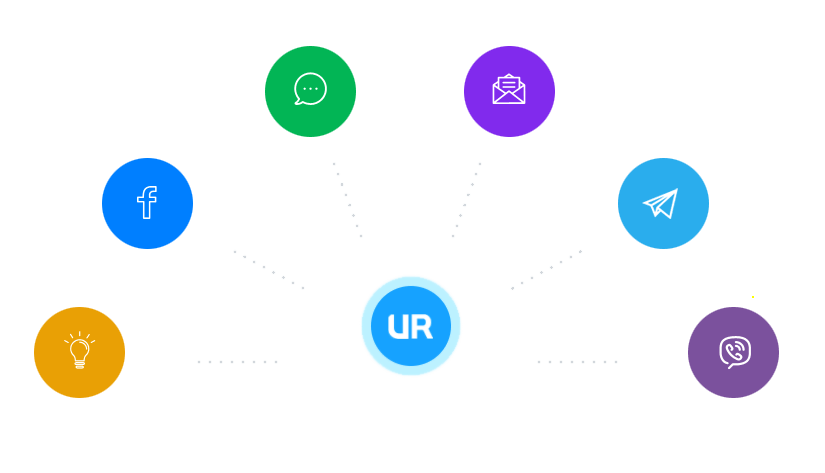
User reviews (0)