Website profiles · Technology insights · Alternatives

vidclue.com

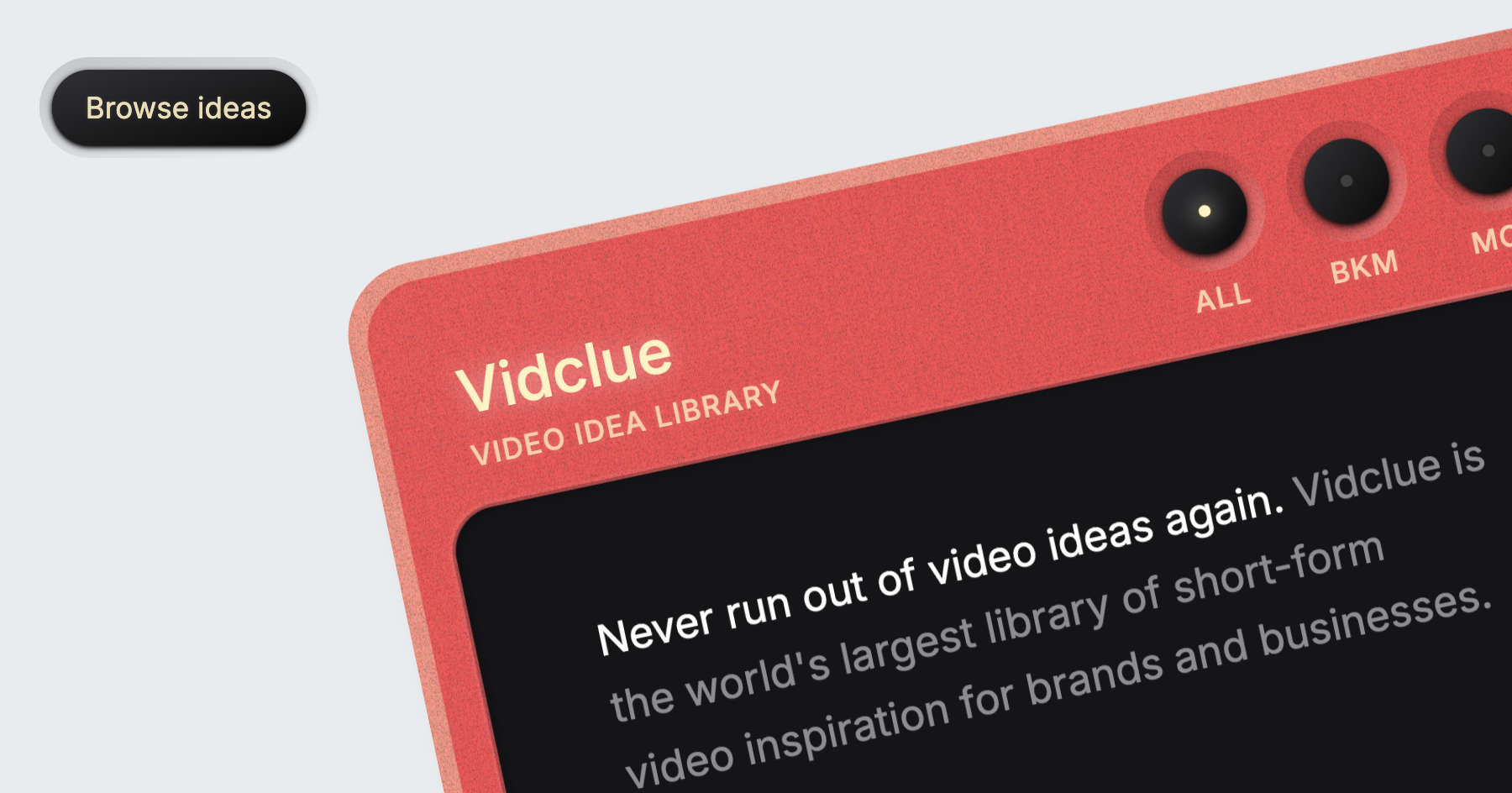
Browse hundreds of video ideas and examples designed for brands and businesses. Save hours of content research with our curated short-form inspiraton.

No paid content found
Visit website
Profile views 9 Outbound visits 3 Normal
Vidclue Full homepage screenshot

At a glance

Category
Video & Film
Language
English
Paid-content signal
No paid content foundObserved
Registered
2023
Hosting
CloudflareInferred
HTTPS certificate trusted
PassedObserved
Last updated

Website review

This review may include AI-generated content and is not individually verified. Domain, certificate and other facts come from the observed data on this page.

What is Vidclue?

Vidclue is a browsable library of short-form video ideas aimed at brands and businesses. Instead of generating scripts or producing videos, it organizes formats and concepts into categories so a marketer or social media manager can find a direction quickly rather than starting from a blank page.

Its categories suggest the range: interactive engagement prompts, educational styles, industry insights, comedy formats, internet trends, creative devices, and motion techniques. Each entry is a format or angle — for example "Guess the answer," "Explain like I'm five," "Expectation vs. reality," or "Green screen explainer" — not a finished campaign.

Who it fits

  • Social media managers who need a steady stream of short-form concepts.
  • Small brand teams without a dedicated creative strategist.
  • Agencies building mood boards or pitching formats to clients.

Trade-offs

  • It supplies inspiration, not customization; you still adapt each idea to your product, audience, and platform.
  • A large library can be overwhelming without a clear content goal, so filter by objective before browsing.
  • Format ideas age: trend-based categories need faster refresh than evergreen ones like explainers.

A practical next step: pick one business goal for the month, choose two or three categories that match it, and shortlist five formats you can realistically film with your current resources.

How can Vidclue help me generate short-form video ideas for my brand?

Vidclue is best understood as a browsing library rather than an idea generator that produces scripts for you. Its value is in removing the blank-page problem: instead of asking "what should we post this week?", you scan a curated set of formats that already work in short-form video, then adapt one to your product, audience and tone.

The library groups ideas by intent, which is what makes it useful for planning rather than just inspiration. Categories visible on the page include interactive engagement, educational styles, industry insights, comedy formats, internet trends, creative devices and motion techniques. Each category contains named formats — for example "Guess the answer", "Explain like I'm five", "Common myths", "Expectation vs. reality" or "Stop motion" — that function as prompts you can map onto your own topic.

A practical way to use it

  1. Pick a goal for the week: reach, trust, or conversion.
  2. Choose one or two categories that match that goal — educational styles for trust, trends for reach, industry insights for authority.
  3. Select a format and rewrite it around a real customer question, objection or product moment.
  4. Note the production demands before committing: formats like "Annotated footage" or "Narrated demonstration" need screen or product capture, while "Guess the answer" or "Forced-choice questions" can often be shot on a phone.
  5. Keep a shortlist of formats that fit your recurring topics so you build a repeatable series rather than one-offs.

A concrete scenario: a small B2B software brand struggling to post consistently could take "Common mistakes", "Instead of this, try this" and "Quick tips and hacks" and turn each into a weekly slot using the same presenter, setting and editing style. A consumer brand with a visual product might lean on creative devices such as "Color matching", "Multiple angles" or "Oddly satisfying things" instead.

The main trade-off is breadth versus fit. A large library can pull you toward formats that are fun to make but irrelevant to your audience, or toward trends that date quickly. Treat the categories as a menu, not a checklist, and judge each idea by whether your customer would recognise themselves in it.

For broader format research alongside it, TikTok and YouTube show what is currently performing in your niche, while Later and Buffer publish practical short-form planning guidance. Use Vidclue to choose the structure, and those platforms to check whether the structure still lands with your specific audience.

What specific video formats and styles are included in Vidclue's library?

Vidclue’s library is organized as a broad taxonomy of short-form video ideas rather than a set of finished templates. Its categories cover formats you can film directly, editing-led styles, and recurring internet conventions.

Core format groups on the page

  • Interactive engagement: guess-the-answer videos, interactive exercises, opinion prompts, community interaction, disagreement-style reactions, mean-ness reactions, and pause-to-reveal.
  • Educational styles: pen-and-paper, coworker wisdom, multi-role explainer, explain-like-I’m-five, annotated footage, educational comedy, storytelling and metaphors, drawing explanations, “instead of this, try this,” green-screen explainer, narrated demonstration, sing-your-facts, walk-and-talk, data animation, notes-app, and listicle.
  • Industry insights: concept explainers, contrast and comparison, quick tips and hacks, fun facts and trivia, expert commentary, news and newsjacking, predictions and trends, jargon and pronunciation, research and data, seasonal tips, common myths, common mistakes, and resource tips.
  • Comedy formats: docu-comedy, funny commercial, hilarious life hack, trend parody, meme transition, meme voiceover, comedic audio, green-screen meme, “so bad, it’s good,” comedy sketch, multi-role sketch, lip-sync sketch, inner-voice sketch, silent sketch, and comedic cut.
  • Internet trends: day-in-the-life, recreating things, acts of kindness, motivational messages, oddly satisfying things, cleaning and organizing, getting-ready step-by-step, essentials and must-haves, rating and ranking, forced-choice questions, perception questions, guessing games, knowledge quizzes, creativity challenges, physical challenges, fun with technology, types of people, expectation vs. reality, “this is your sign,” outfit check, “that one feeling,” decision roulette, artistic action, upcycling, eclectic weirdness, and fake out-of-home.
  • Creative devices: edge hands, human drone, color matching, hand gestures, digital interface, game mechanics, unexpected finds, quirky dynamics, character portrait, young and old, animal friends, personification, time journey, self-filming, film-set reveal, paper creations, multiple angles, fourth-wall break, drama and intensity, unconventional combo, voyeuristic style, silence and ambience, chairs and seating, stairs and escalators, light and shadow, mirrors and reflections, phones and screens, phone call, handshakes, pose dump, moving platforms, cloning yourself, mix and match, teleportation, morphing, scale shift, gravity play, super zoom, time bending, projection, and portal.
  • Motion techniques: jump cut, match cut, flash cut, pixilation, stop motion, cut-in shot, cut-on-motion, and wipe transition.

How to use this

The practical value is in matching a business goal to a format family. A software brand might start with educational styles such as annotated footage or a narrated demonstration, while a consumer product could test internet trends like “expectation vs. reality” or a rating-and-ranking video. Comedy formats and creative devices are higher-risk, higher-reward: they can earn shares, but they depend on timing, casting and editing skill.

For a next step, pick one category, choose two formats from it, and brief the same core message in both. That gives you a fair comparison of which style fits your audience before you commit to a larger batch. If you want outside reference points for short-form conventions, compare notes with TikTok and YouTube, but treat Vidclue’s list as the working menu.

Can Vidclue help me find video ideas for a specific industry or niche?

Yes. Vidclue is built as a browsable library of short-form video ideas, and its categories are organised around formats and angles rather than one generic feed. That structure is what makes niche-specific searching practical: you match your industry to a format, then adapt the format.

How to narrow it down

  • Start with the Industry insights group for niche-relevant angles: concept explainers, contrast and comparison, quick tips and hacks, common myths, common mistakes, expert commentary, predictions and trends, research and data, seasonal tips, jargon and pronunciation.
  • Use Educational styles when your niche needs trust-building rather than entertainment: explain like I'm five, annotated footage, narrated demonstration, data animation, instead of this/try this.
  • Pull from Comedy formats and Internet trends when the goal is reach, then swap in niche-specific props, jargon or customer situations.

A concrete example

A dental clinic could take "common mistakes" from Industry insights, pair it with "green screen explainer" from Educational styles, and film a 30-second clip on why people brush too hard. A B2B software team could take "contrast and comparison" and combine it with "data animation" to show a before/after workflow. Neither needs a dentistry- or SaaS-specific entry; the format carries the structure and the niche supplies the substance.

Trade-off to expect

Format libraries like this give you structure and speed, not finished niche research. You still need to know your audience's questions, compliance limits and vocabulary. If your niche is highly regulated or technical, expect to spend more time adapting the idea than finding it.

Decision criterion

Choose Vidclue if you already know your niche but keep running out of ways to present it. Skip it if your bottleneck is not knowing what your audience cares about — that problem needs customer research first.

For a second pass, compare how competitors in your niche cover the same topic on YouTube and note which formats they avoid; those gaps are often where a borrowed idea performs best.

How does Vidclue differ from other content inspiration platforms?

Vidclue is a browsable library of short-form video ideas aimed specifically at brands and businesses, rather than a general-purpose inspiration feed for creators. Its difference lies less in having "more ideas" and more in how the ideas are organised: by format and creative device, not by niche or platform.

What that means in practice

The page groups concepts into categories such as interactive engagement, educational styles, industry insights, comedy formats, internet trends, creative devices and motion techniques. So instead of searching "ideas for a skincare brand", you scan formats like "Guess the answer", "Explain like I'm five", "Green screen explainer", "Rating and ranking things" or "Expectation vs. reality" and adapt the structure to your product.

That is a meaningfully different workflow from platforms built around saved ads or creator feeds. It treats the format as the reusable asset — which suits teams producing recurring short-form content who need a repeatable template more than a one-off spark.

Who it fits, and who it doesn't

If you are… Vidclue-style library Feed-style inspiration
A social or brand team on a weekly posting schedule Strong: pick a format, reuse it across campaigns Workable, but ideas arrive unstructured
A solo creator chasing trends Useful for format variety Stronger for real-time trend signals
Someone needing platform-specific specs or scheduling Not the point of the library Depends on the tool

The trade-off is that a format library gives you structure but not timeliness — it won't tell you what is trending this week, and it won't hand you finished scripts. You still do the translation from "meme transition" to your brand's voice.

Next step

Pick one recurring content slot you already have — say a weekly product tip — and browse two or three format categories that you would never normally use, such as "Pause to reveal" or "Instead of this, try this". Rewrite the same tip in each format and compare which one your team could actually produce at volume. That test tells you quickly whether a format library matches how you work.

For broader format research, TikTok and YouTube remain the places to see how these formats perform in the wild, while Canva covers the production side once you have chosen one.

What are some examples of creative video techniques I can find on Vidclue?

Vidclue groups its library into numbered categories, so the fastest way to find a technique is to scan the section that matches the effect you want rather than browsing everything. The creative and motion sections are the most technique-heavy.

Creative devices — camera, prop and framing tricks

  • Edge hands, human drone, color matching, hand gestures
  • Multiple angles, fourth wall break, self-filming, film set reveal
  • Mirrors and reflections, light and shadow, phones and screens
  • Scale shift, gravity play, super zoom, time bending, cloning yourself, teleportation, morphing, projection, portal

Motion techniques — editing and transition moves

  • Jump cut, match cut, flash cut, cut-in shot, cut on motion, wipe transition
  • Pixilation, stop motion

Internet trends — formats built on a repeatable hook

  • A day in the life, expectation vs. reality, rating and ranking things, guessing game, knowledge quiz, this is your sign, outfit check, decision roulette

Educational styles — how to deliver information

  • Explain like I'm five, annotated footage, narrated demonstration, walk and talk, data animation, pen and paper, green screen explainer

Other sections cover interactive engagement prompts, industry insight angles such as newsjacking and common myths, and comedy formats including meme voiceover, lip sync sketch and docu comedy.

A practical next step: pick one technique and one format, then combine them for a single test video — for example, a "match cut" applied to an "expectation vs. reality" trend, or "green screen explainer" paired with "common mistakes." If you are new to shooting, start with techniques that need no extra gear (jump cut, hand gestures, multiple angles) before attempting cloning, projection or stop motion, which take more setup and editing time.

For wider reference, YouTube hosts creator tutorials that demonstrate many of these cuts and effects in practice, and Vimeo is useful for watching polished short-form work with strong editing.

Related questions

More questions →
Does Vidclue Provide Video Examples Along With Ideas?

Yes. Vidclue describes itself as a library of short-form video inspiration that includes both video ideas and examples, so each idea is meant to be understood through a concrete reference rather than a text-only prompt. The site is built for brands and businesses that want to cut content research time, and the examples are the main mechanism for showing how an idea looks in practice.

What the site says it offers

Vidclue's own description states that you can "browse hundreds of video ideas and examples designed for brands and businesses." That wording matters: ideas and examples are presented together as one resource, not as separate sections you have to assemble yourself.

The stated purpose is to "save hours of content research with our curated short-form inspiration." In other words, the value is not just the idea list — it is the combination of a named idea plus a reference you can study.

How ideas are labeled

The library organizes entries under numbered categories, and each entry has a specific, descriptive name. From the page evidence, the categories include:

Category Example entries
Interactive engagement Guess the answer, Asking for opinions, Pause to reveal
Educational styles Explain like I'm five, Green screen explainer, Listicle
Industry insights Concept explainers, Common myths, Predictions and trends
Comedy formats Comedy sketch, Meme voiceover, Docu comedy
Internet trends A day in the life, Rating and ranking things, Expectation vs. reality
Creative devices Cloning yourself, Time journey, Fourth wall break
Motion techniques Jump cut, Match cut, Stop motion, Wipe transition

These names are execution-oriented. A label like "Green screen explainer" or "Match cut" tells you the format and the shooting approach, which is what makes an accompanying example useful — you can compare the reference against your own footage, set, or editing style.

How to use the examples in practice

The examples are references, not templates to copy verbatim. A practical workflow:

  1. Pick a category that matches your goal. If you want comments and replies, start with Interactive engagement. If you want to teach something, start with Educational styles.
  2. Open an idea and study the example. Note the structure: how it opens, how long each beat lasts, how it ends.
  3. Map the structure onto your product. Keep the format, swap in your own subject. For example, a "Guess the answer" example becomes a question about your industry that your audience can attempt.
  4. Check the format against your constraints. Some entries imply specific production needs — green screen, multiple actors, stop motion, or a specific editing technique. Confirm you can actually shoot or edit it before committing.

What to keep in mind

  • The examples show form and style, not your brand voice. Adaptation is the step that makes an idea work for your audience.
  • Format-heavy entries (motion techniques, creative devices) depend more on editing skill than on the idea itself. If your editing capacity is limited, favor simpler categories first.
  • The library is described as short-form inspiration, so expect references suited to short video rather than long-form content.

If your goal is to stop starting from a blank page, the combination of a named idea and a viewable example is the part that saves time — you are choosing and adapting, not inventing a format from scratch.

What is Vidclue and what can you find on it?

Vidclue is a library of short-form video ideas and examples aimed at brands and businesses. According to its own description, it positions itself as "the world's largest library of short-form video inspiration for brands and businesses," with hundreds of ideas organized into categories. It is useful if you already make short-form video for a company or client and need a starting point for a topic, format, or angle — it is a research and inspiration tool, not a video editor or publishing platform.

What the site actually contains

The homepage presents a browsable idea library rather than a single article or course. Ideas are grouped under numbered category headings, and each category contains a list of named formats or concepts. The visible categories on the page are:

# Category Example entries shown
1 Interactive engagement Guess the answer, Asking for opinions, Pause to reveal
2 Educational styles Explain like I'm five, Green screen explainer, Listicle
3 Industry insights Quick tips and hacks, Expert commentary, Common myths
4 Comedy formats Trend parody, Comedy sketch, Lip sync sketch
5 Internet trends A day in the life, Rating and ranking things, Expectation vs. reality
6 Creative devices Multiple angles, Fourth wall break, Cloning yourself
7 Motion techniques Jump cut, Match cut, Stop motion, Wipe transition

This structure matters because it tells you how to search the site. You do not browse by industry or by platform; you browse by the type of idea you want — an engagement hook, an educational format, a comedic device, and so on.

How to use it for a real task

Say you run social accounts for a small B2B service and need a video for this week. A practical path:

  1. Decide what job the video should do — get comments, teach something, or ride a trend.
  2. Open the matching category. For comments, start with Interactive engagement; for teaching, Educational styles.
  3. Pick one named format, for example "Guess the answer" or "Explain like I'm five."
  4. Treat the name as a prompt, not a script. The site gives you the concept and example direction; you still write the lines, shoot it, and adapt it to your brand voice.

The expected result is a concrete format decision in a few minutes instead of staring at a blank content calendar.

What it is not

  • It is not a stock footage site or a template generator — the value is in the idea names and examples.
  • The page does not state pricing, account requirements, or download options, so treat access terms as something to check on the site itself rather than assume.
  • It is English-language and oriented to brand/business content, so creators in other niches may find the categories less directly applicable.

If your bottleneck is "I don't know what to post," Vidclue is worth a browse. If your bottleneck is production, editing, or distribution, it won't solve that.

How Are Video Ideas Organized on Vidclue?

Vidclue organizes its short-form video inspiration into seven top-level categories, each built around a different purpose or production approach: interactive engagement, educational styles, industry insights, comedy formats, internet trends, creative devices, and motion techniques. If you know roughly what you want a video to do — spark comments, teach something, ride a trend, or just look visually interesting — you can jump straight to the matching category instead of scrolling a flat, undifferentiated list.

The seven categories at a glance

Category What it covers Example entries
Interactive engagement Formats built to pull viewers into responding Guess the answer, asking for opinions, pause to reveal, reacting to meanness
Educational styles Ways to explain or demonstrate something Pen and paper, explain like I'm five, green screen explainer, narrated demonstration, listicle
Industry insights Commentary and analysis angles Concept explainers, quick tips and hacks, expert commentary, news and newsjacking, common myths
Comedy formats Humor-driven structures Docu comedy, funny commercial, meme voiceover, comedy sketch, lip sync sketch
Internet trends Formats riding existing platform behaviors A day in the life, rating and ranking things, expectation vs. reality, outfit check, knowledge quiz
Creative devices Visual or structural tricks Edge hands, human drone, color matching, cloning yourself, fourth wall break, time journey
Motion techniques Editing and camera transitions Jump cut, match cut, flash cut, stop motion, wipe transition, cut on motion

How the categories are meant to be used

The split is not by topic (food, fitness, finance) but by format and intent. That matters because the same business can pull from several categories depending on the goal:

  • A SaaS brand might use Educational styles for a "green screen explainer" and Industry insights for "common mistakes."
  • A retail or lifestyle brand might lean on Internet trends ("outfit check," "rating and ranking things") and Comedy formats for reach.
  • A creator or agency short on visual variety can browse Creative devices and Motion techniques purely for shooting and editing ideas.

Each category contains named entries rather than vague themes, so an entry like "explain it with a drawing" or "forced-choice questions" is specific enough to act on directly.

What this structure does and doesn't tell you

It helps when you already have a content goal and want a format to match it — the category names map closely to common short-form objectives (engage, teach, comment, entertain, trend-jack, stylize).

It's less useful when you're searching by industry or product type, since the library is organized by format, not vertical. You'll need to translate your niche into a format yourself.

Vidclue describes itself as a library of short-form video inspiration for brands and businesses, and the category list reflects that: it's a browsing tool for format ideas, not a template or script generator. The site's own framing — "never run out of video ideas again" — points to its role as a starting point for research rather than a finished production resource.

If your goal is to find a format fast, start with the category closest to your intent and scan its entries; if your goal is broader discovery, working through all seven categories gives you a full picture of the format types the library covers.

Who is Vidclue designed for?

Vidclue is designed for brands and businesses that need a steady stream of short-form video ideas. Its own description positions it as a library of short-form video inspiration for brands and businesses, and the site says it helps you "save hours of content research." If you are a marketing team, social media manager, agency, or founder responsible for a company account, it fits that use case. If you are an individual creator making personal entertainment content with no commercial angle, the library is still browsable, but the framing is business-oriented rather than creator-personality-oriented.

The core audience

Vidclue's stated purpose is to be "the world's largest library of short-form video inspiration for brands and businesses." That single sentence tells you who it is built for:

  • Brand and business accounts — the ideas are framed as formats a company can adapt, not as personal vlogs.
  • Teams that publish short-form video regularly — the value is in not running out of ideas, which matters most when you post on a schedule.
  • People doing content research — the site explicitly claims to save hours of content research, so it assumes you are researching formats before producing.

Who it is less suited for

  • Individual creators whose content is purely personal and not tied to a product or brand.
  • Anyone looking for a video editing tool or a publishing scheduler — Vidclue is an idea library, not a production or distribution platform.

What kinds of teams get the most out of it

Because the library is organized by format type rather than by industry, it is most useful to teams that already know their subject matter and just need a format to deliver it. The categories on the site map to common business content goals:

Category Example idea types Typical business use
Interactive engagement Guess the answer, asking for opinions, pause to reveal Boost comments and interaction
Educational styles Explain like I'm five, narrated demonstration, listicle Teach a product or concept
Industry insights Concept explainers, quick tips, common myths Establish expertise
Comedy formats Comedy sketch, meme voiceover, trend parody Make brand content shareable
Internet trends A day in the life, rating and ranking, expectation vs. reality Ride existing platform trends
Creative devices Multiple angles, mirrors and reflections, cloning yourself Solve visual repetition
Motion techniques Jump cut, match cut, stop motion Add production variety

If your team's bottleneck is "we know what to say but not how to shoot it," the format-first structure is a direct fit. If your bottleneck is "we don't know what our brand should talk about," the library gives you formats but not strategy.

Scenarios where Vidclue is a good choice

  • Content planning sessions — pull a handful of formats from different categories to build a monthly posting calendar.
  • Creative brainstorms — use the category list as prompts when the team is stuck.
  • Competitor and reference research — the library includes examples, so you can see how a format looks before adapting it.
  • Onboarding a social media hire — a shared format vocabulary speeds up briefing.

Scenarios where it may not be the right fit

  • You need finished scripts or full campaign strategy, not format inspiration.
  • You only publish long-form video.
  • You are a solo personal creator with no brand or business content goal.

How to decide

Ask one question: does your video content exist to serve a brand or business? If yes, Vidclue's library of short-form formats is built for your workflow. If your content is personal and non-commercial, you can still use the format list as inspiration, but you are outside the audience the site describes itself as serving.

Website Overview

Page metadata, canonical configuration and social previews work together to provide more consistent search and sharing presentation.

Domain and Registration

Transfer-protection status is present, helping reduce the risk of unauthorized domain transfers. The domain has about 3 years of registration history; its current configuration provides more context than age alone. The registrar is NameCheap, Inc., a widely used domain service provider. The domain uses the common .com extension, which is not an independent safety signal.

DNS and Email

Nameservers are provided by Cloudflare, indicating managed DNS hosting. MX records point to the Cloudflare Email Routing email service. No CNAME was found; the observed records resolve directly to addresses. SPF and DMARC are configured. DKIM status is unknown. TXT records include verification markers for Google. Such markers may also remain after a service stops being used.

TLS and Certificates

The public key uses EC with 256 bits. The server supplied a complete certificate chain. No organization name is present in the certificate; the available fields are consistent with domain validation. The certificate was issued within the Google Trust Services cloud or CDN ecosystem. The certificate's total validity is about 90 days, consistent with a short renewal cycle.

HTTP and Browser Security

The response lacks these common security headers: HSTS, CSP, Permissions-Policy, clickjacking protection. CORS permits any origin to read this response. This is common for public resources; sensitive responses need narrower handling. No X-Powered-By header was found, reducing one common source of backend fingerprinting information. The cf-ray response header indicates a CDN or caching proxy in the delivery path. No obvious internal addresses or debug information were found in the headers.

Technology Stack Analysis

The public page identifies Next.js, Cloudflare without precise versions, leaving fewer clues for version-specific scanning.

Search and Social Sharing

Twitter Card metadata is configured. The title has 34 characters, within a common display range. A meta description is present, with 150 characters. The observed directives allow indexing and link following. No Generator meta tag is publicly exposed.

Hosting and Email

DNSCloudflare
HostingCloudflare
EmailCloudflare Email Routing
Approximate IP geolocation (inferred; a CDN or proxy may differ from the origin server) Location unknown Inferred 104.21.76.176

Registration details

RDAP / WHOIS

RegistrarNameCheap, Inc.
Registered2023-08-02
Expires2027-08-02
Domain statusclient transfer prohibited
Nameserverselisa.ns.cloudflare.com、johnny.ns.cloudflare.com
DNSSECunsigned

DNS records

DNS

TypeNameValueTTLPriority
Avidclue.com104.21.76.176300—
Avidclue.com172.67.198.98300—
AAAAvidclue.com2606:4700:3031::6815:4cb0300—
AAAAvidclue.com2606:4700:3036::ac43:c662300—
MXvidclue.comroute3.mx.cloudflare.net30041
MXvidclue.comroute2.mx.cloudflare.net30044
MXvidclue.comroute1.mx.cloudflare.net30082
NSvidclue.comelisa.ns.cloudflare.com86400—
NSvidclue.comjohnny.ns.cloudflare.com86400—
TXTvidclue.comgoogle-site-verification=XO-40YK-5AdcvVw7V9m3Qc9vLvfwecvTQvdfCvrYp9A300—
TXTvidclue.comv=spf1 include:_spf.mx.cloudflare.net -all300—
DMARC_dmarc.vidclue.comv=DMARC1; p=reject; rua=mailto:[email protected]300—

TLS and certificates

TLS / SSL

AssessmentNormal configuration
Supported protocolsTLSv1.2、TLSv1.3
Negotiated protocolTLSv1.3
Certificate subjectvidclue.com
IssuerGoogle Trust Services
Valid until2026-11-13T21:25 · Remaining when checked: 41 days
Verification detailsCertificate trust: Passed · Hostname match: Passed

HTTP response headers

HTTP

HeaderValue
content-typetext/html; charset=utf-8
cache-controlpublic, max-age=0, must-revalidate
servercloudflare
x-content-type-optionsnosniff
referrer-policystrict-origin-when-cross-origin
access-control-allow-origin*

Identified technologies

Next.jsCloudflare

Pages, Search and Sharing

Meta descriptionBrowse hundreds of video ideas and examples designed for brands and businesses. Save hours of content research with our curated short-form inspiraton.
Canonical URLhttps://vidclue.com
LanguageEnglish (default)
Twitter Cardsummary_large_image
All bots 1 allowed · 0 disallowed
  • Allow/

User reviews (0)

  • No reviews yet.